
iCLEBO O5 WiFi: A Detailed Review and Test
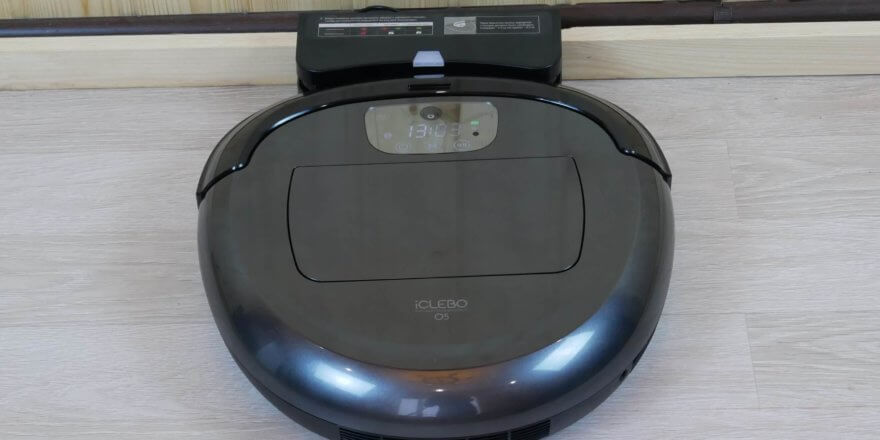
In 2018, South Korean manufacturer Yujin Robot unveiled a new model, the iClebo O5 WiFi (YCR-M07-20W) robot vacuum cleaner. We finally received this robot vacuum for a detailed review and test. At the time of writing, this model costs $430, placing it in the premium price segment. Let's take a look at the iClebo O5's cleaning performance, navigation, and reliable build quality. Let's get started!
Equipment
The robot vacuum cleaner comes in a branded box with a plastic handle for easy transportation and handling. The box features an image of the device and a brief description of its features.
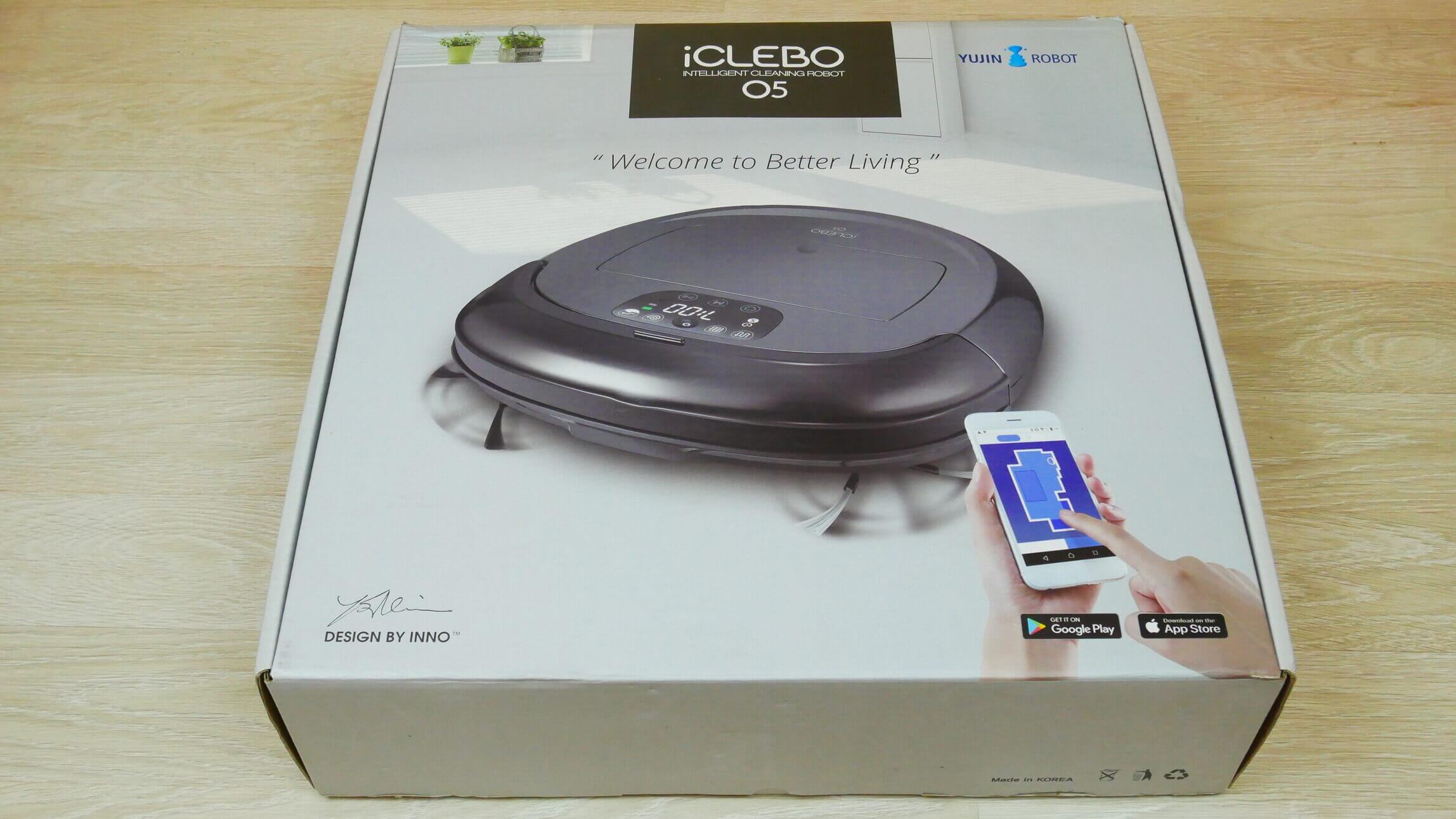
Box
The basic iCLEBO O5 WiFi package includes the following components:
- Robot vacuum cleaner.
- Charging station.
- Power adapter.
- Remote control.
- Mop head + microfiber cloth (2 pcs.).
- Replacement HEPA filter class 11.
- Brush for cleaning the dust collector.
- Detailed user manual.
- Brief instructions for starting the robot for the first time.
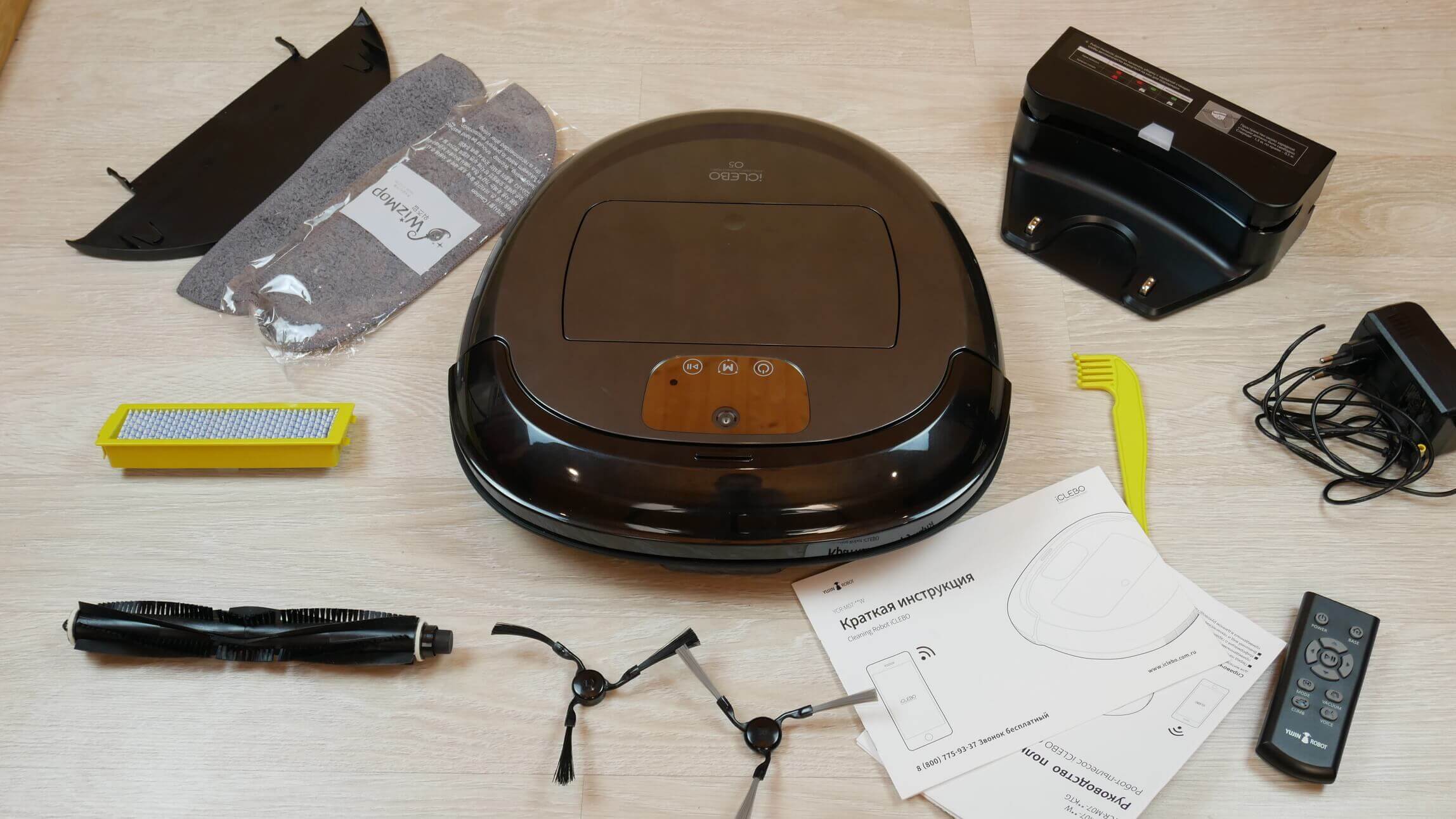
Full set
It is possible to use a magnetic strip limiter, but it must be purchased separately. It is also important to note that a bristle-petal brush is optional (the robot itself has a silicone turbo brush).
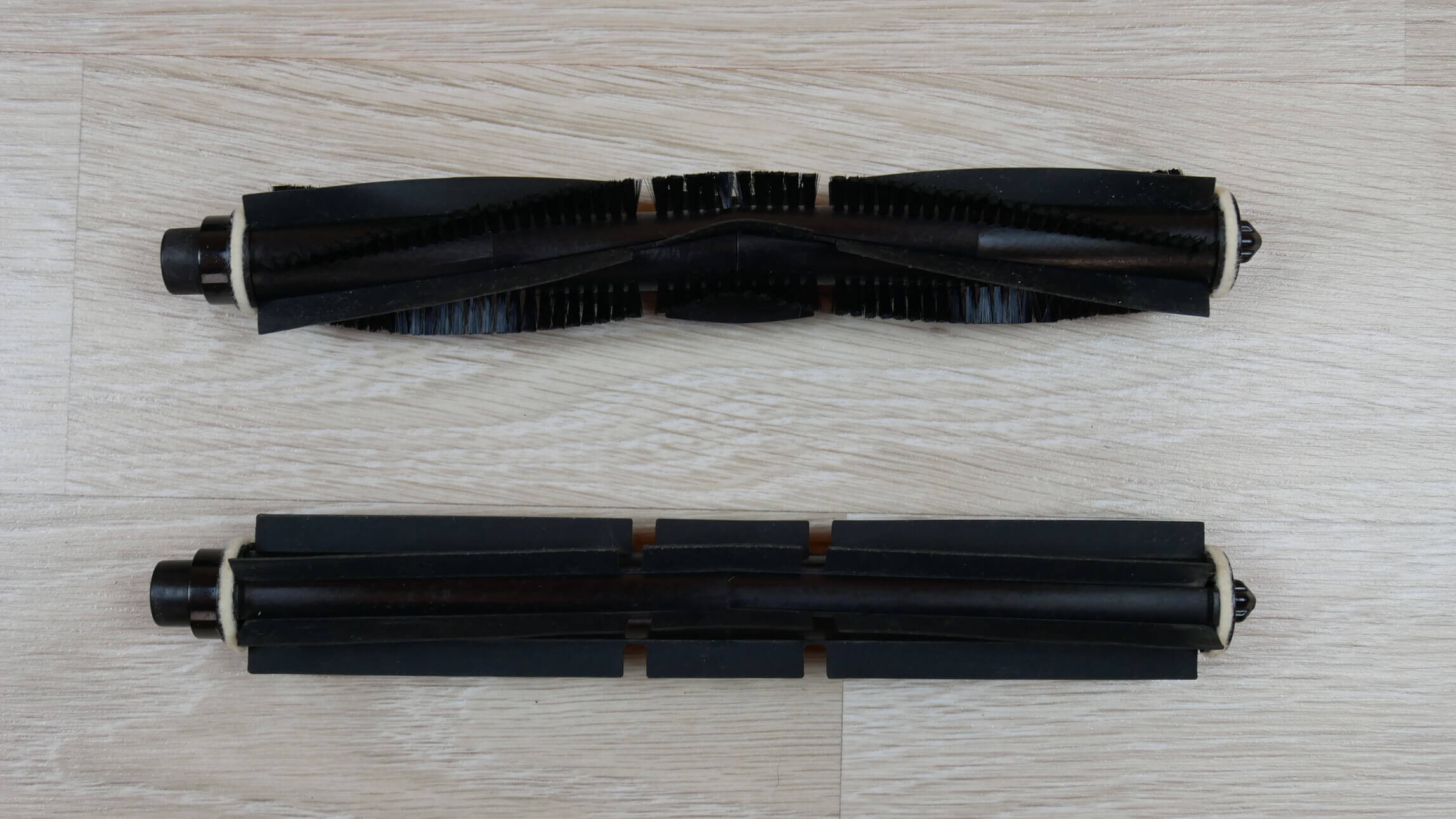
Replaceable central brushes
Appearance
Now let's look at the robot vacuum cleaner itself. It's quite large and heavy. But it looks stylish, and the materials are high-quality. It's noticeably different from budget Chinese brands. The body shape isn't standard—it's neither round nor D-shaped. The front of the body is angular, which should improve cleaning performance in corners.
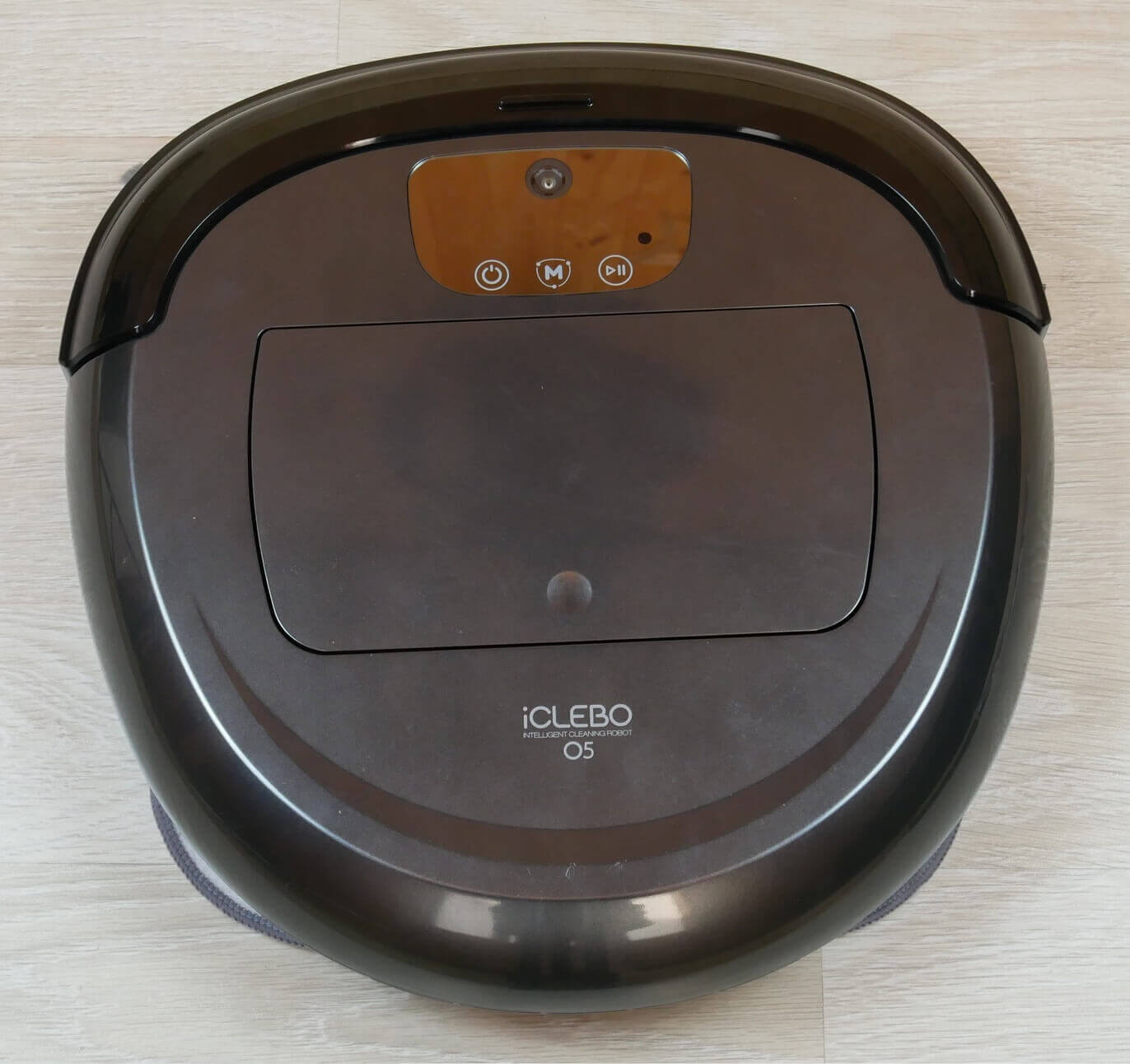
Top view
The iCLEBO O5 WiFi uses a camera on the top of the device for navigation. The control panel with touch-sensitive buttons is also located there.
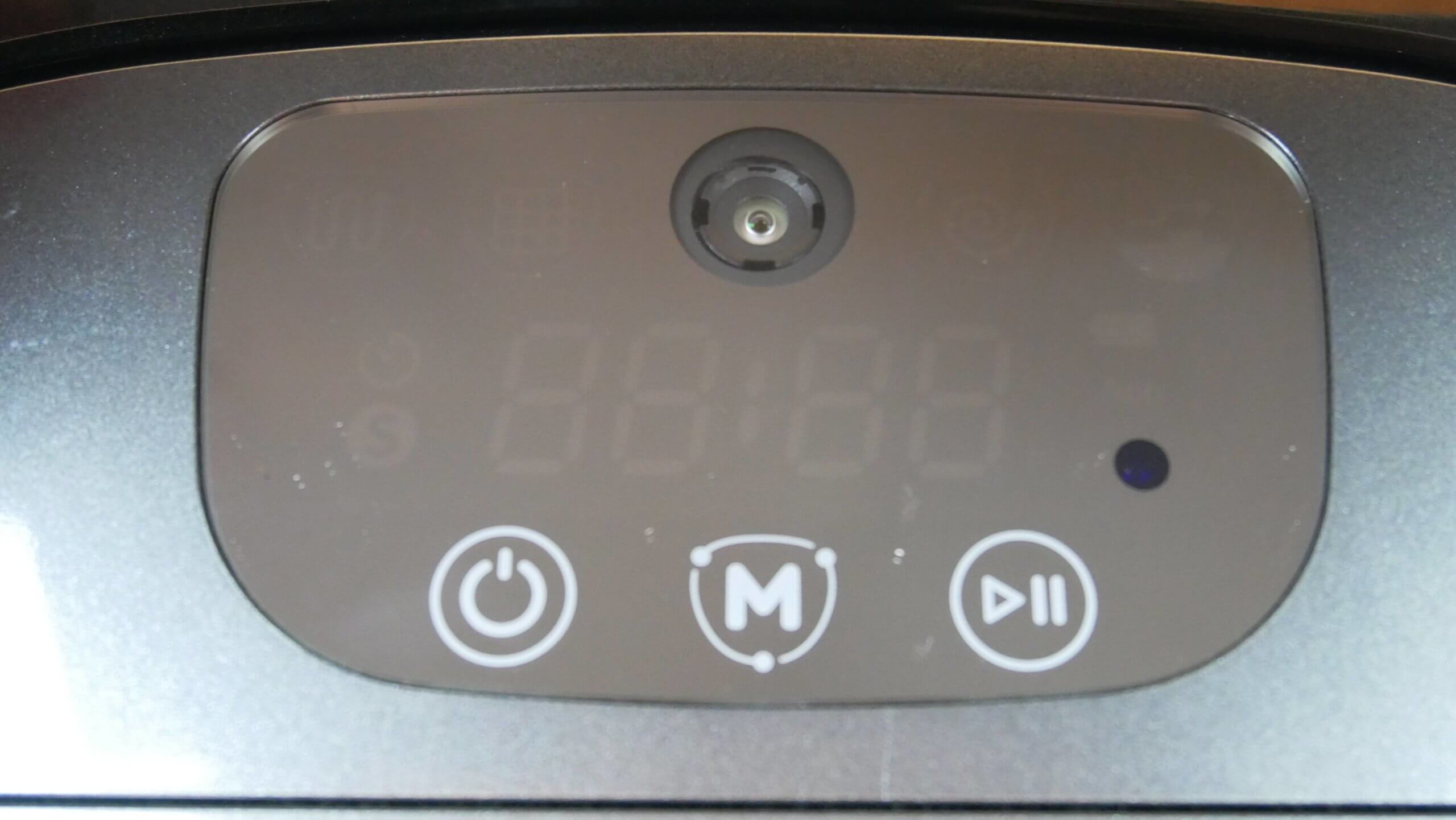
Camera and control panel
The robot's plastic is glossy. The robot itself is approximately 8.5 cm tall, while the manufacturer states it's 87 mm. This is slightly shorter than competitors with lidar navigation.
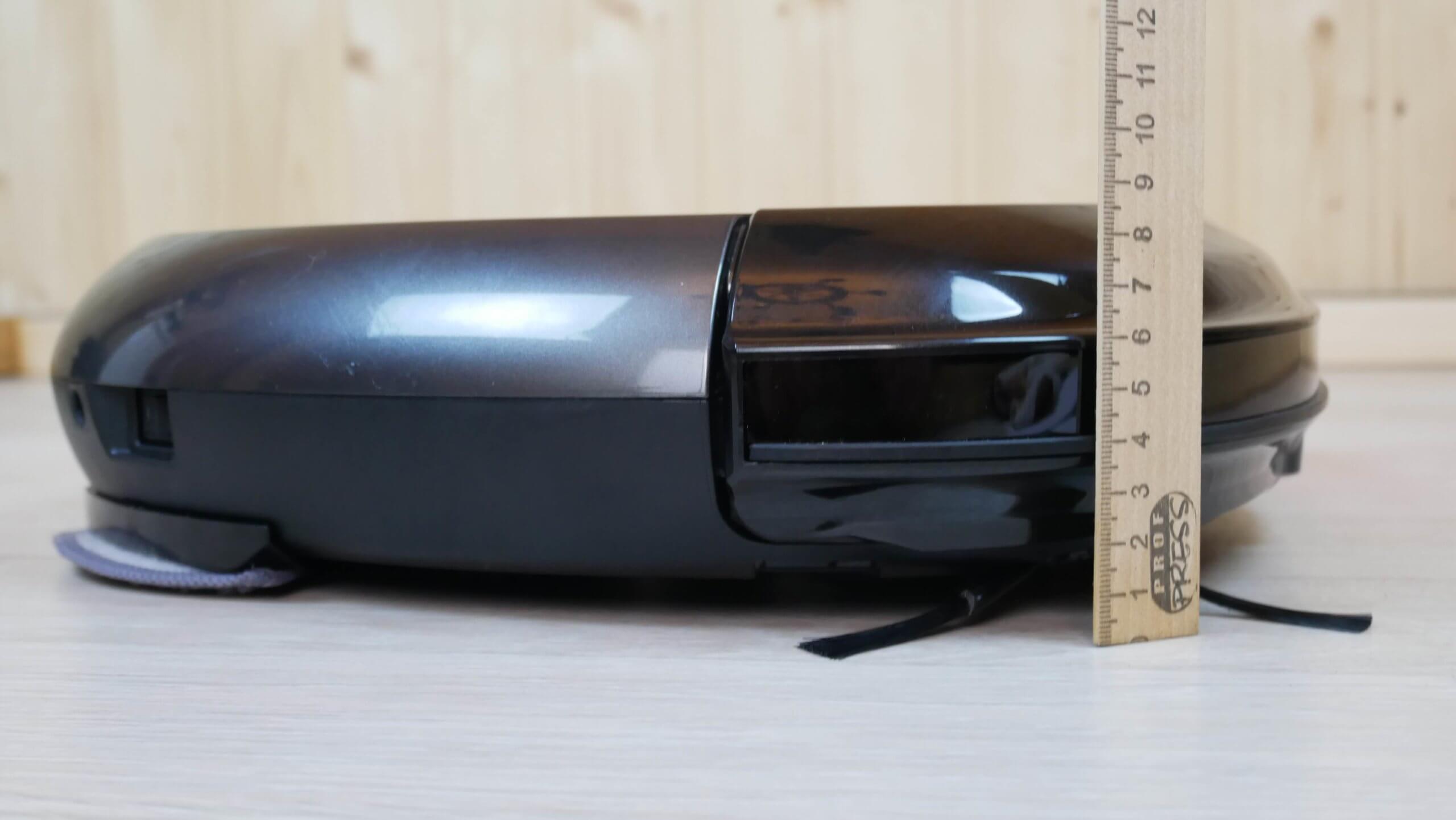
Height
At the front we see a mechanical touch bumper with a rubberized insert for delicate contact with furniture.
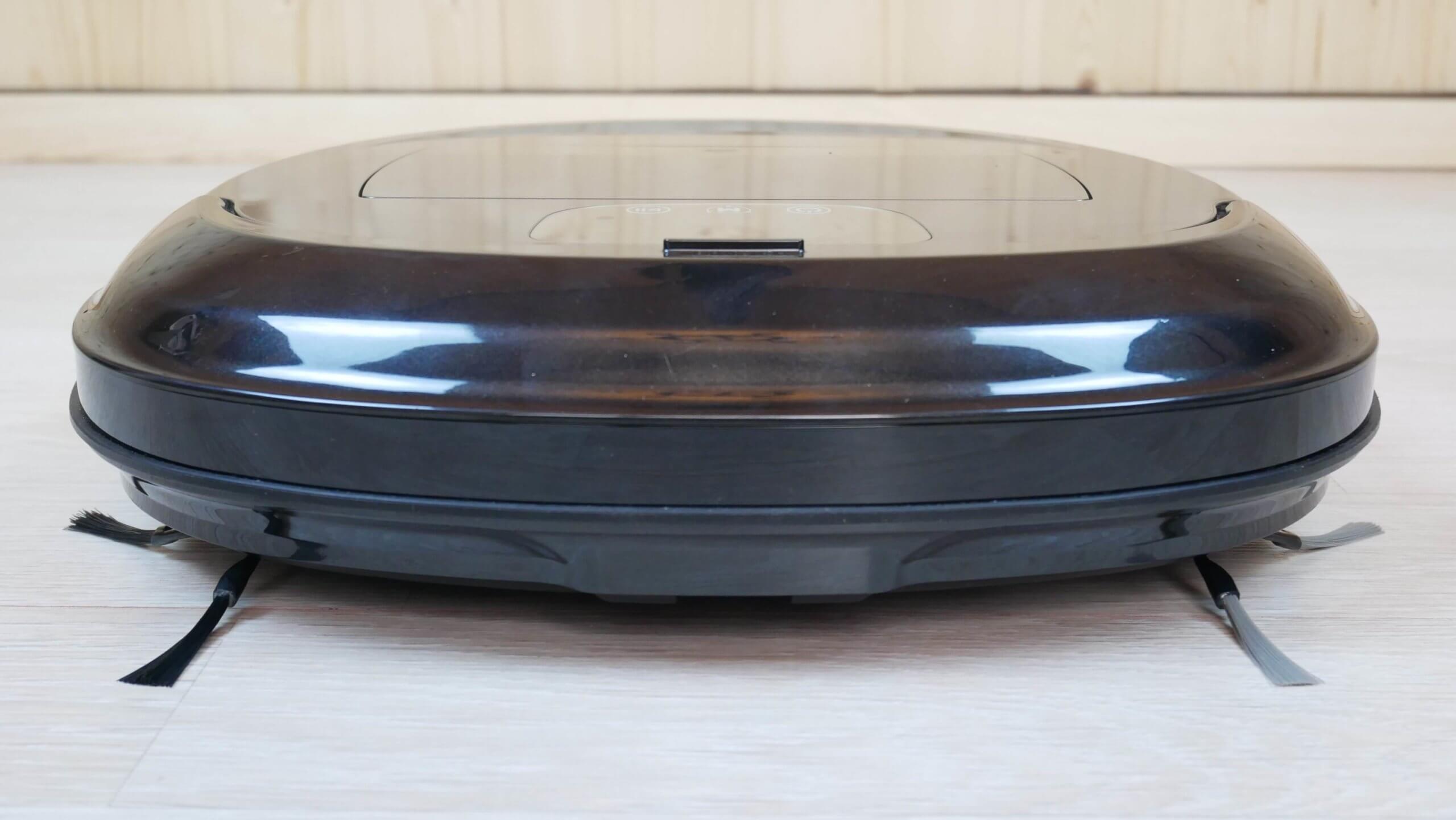
Front view
The dust container is located on top, under the lid. Its capacity is 600 ml, enough for several cleaning cycles. The dust container contains a HEPA filter and a mesh filter inside. On the top is a sticker with the manufacturer's recommendations for proper use of the dust container. On the back, there is an opening with a protective cover that prevents debris from falling out when the dust container is removed from the robot.
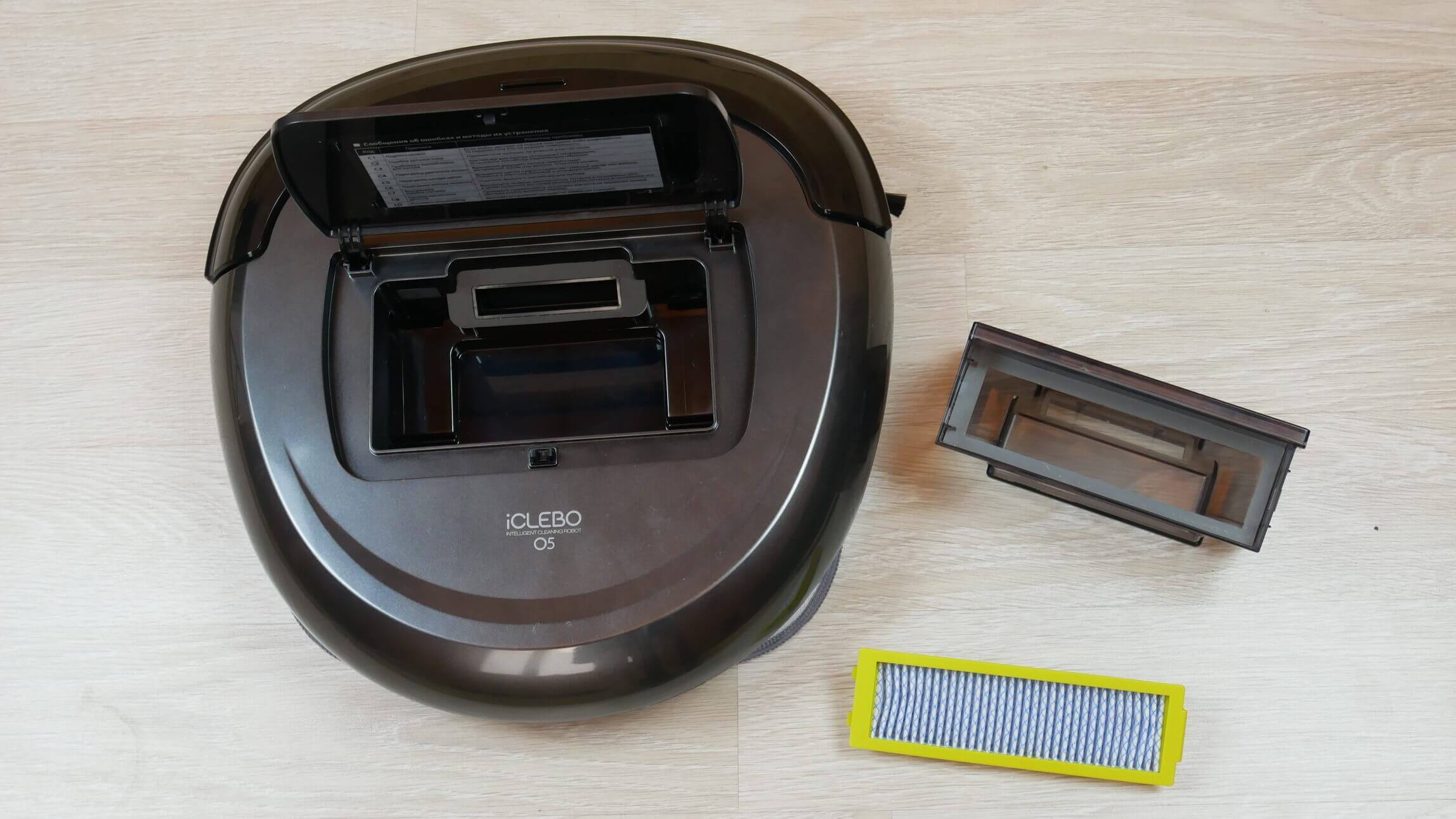
Dust collector and filter
Let's turn the robot vacuum over and look at its underside. We can see the silicone central brush installed. Replacing the brush is quite simple; you just need to insert the guides into the slots.
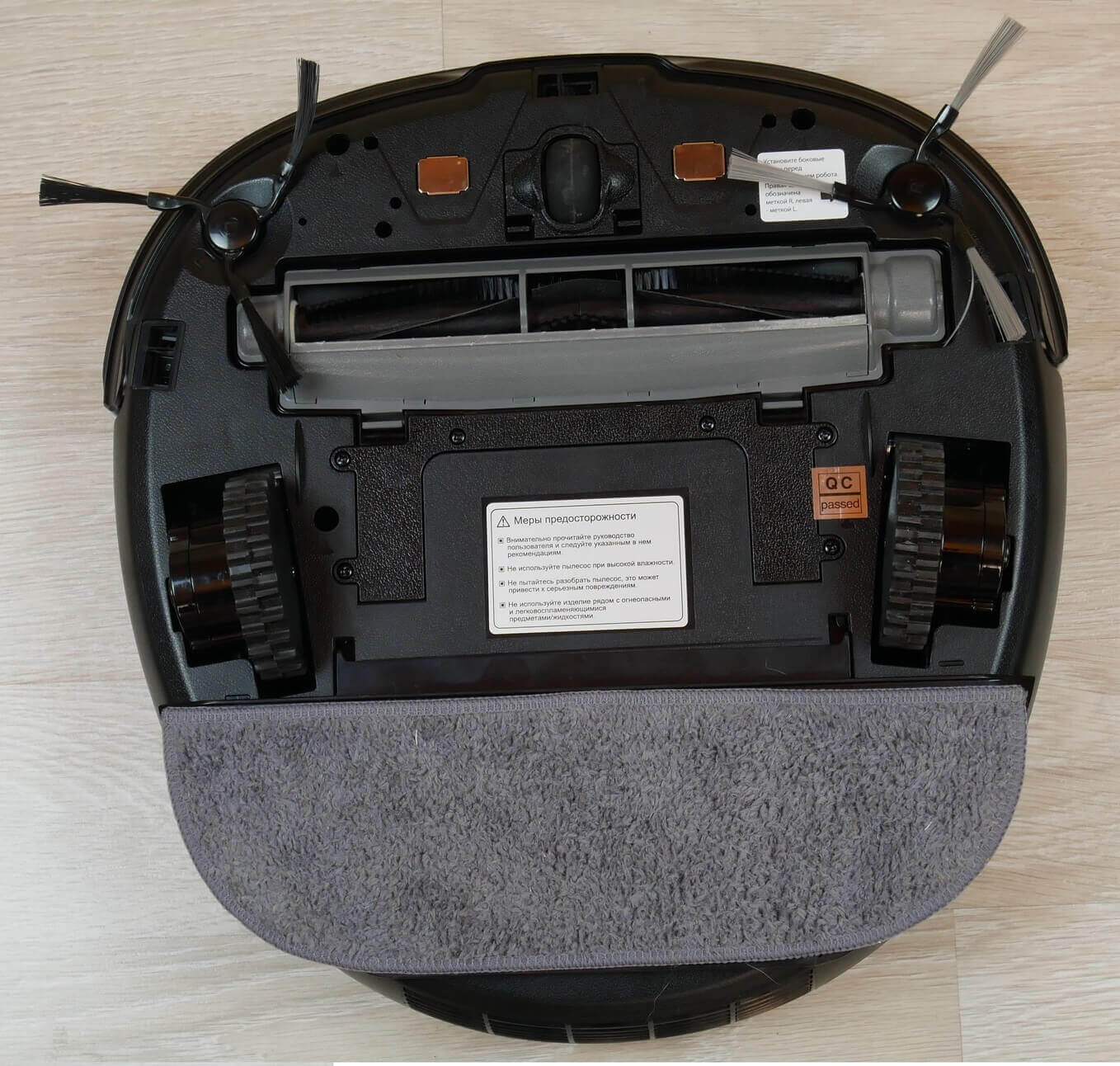
Bottom view
The side brushes are marked and easily installed without tools. Also visible below are the spring-loaded wheels, an additional front wheel, and three fall protection sensors.
The attachment for attaching the cleaning cloth does not have a water reservoir, so the cloth must be wetted manually. The attachment is quite easy to install.
Overall, the design is neat, without any unnecessary details. There are no complaints about the construction at this stage.
Technical specifications
The technical characteristics of the iCLEBO O5 WiFi are summarized in the table:
| Type of cleaning | Dry and wet |
| Nutrition | Li-Ion battery (battery capacity 5200 mAh) |
| Battery life | From 70 to 120 min. |
| Charging time | 240 min. |
| Maximum cleaning area | Up to 220 sq.m. (with one charge) |
| Height of obstacles to be overcome | Up to 15 mm |
| Dust container volume | 600 ml |
| Overall dimensions (L*W*H) | 354*346*87 mm |
| Weight | 3.1 kg |
| Noise level | From 44 to 70 dB (adjustable) |
The robot's dust collector is equipped with a Hepa-11 filter and can be rinsed with water for cleaning. It's important to note that the manufacturer doesn't specify suction power. The other specifications are consistent with the premium price segment.
Functional capabilities
First, let's look at the functions available with the remote control. On the top left is the robot's on/off button. To the right is the forced return to base button.
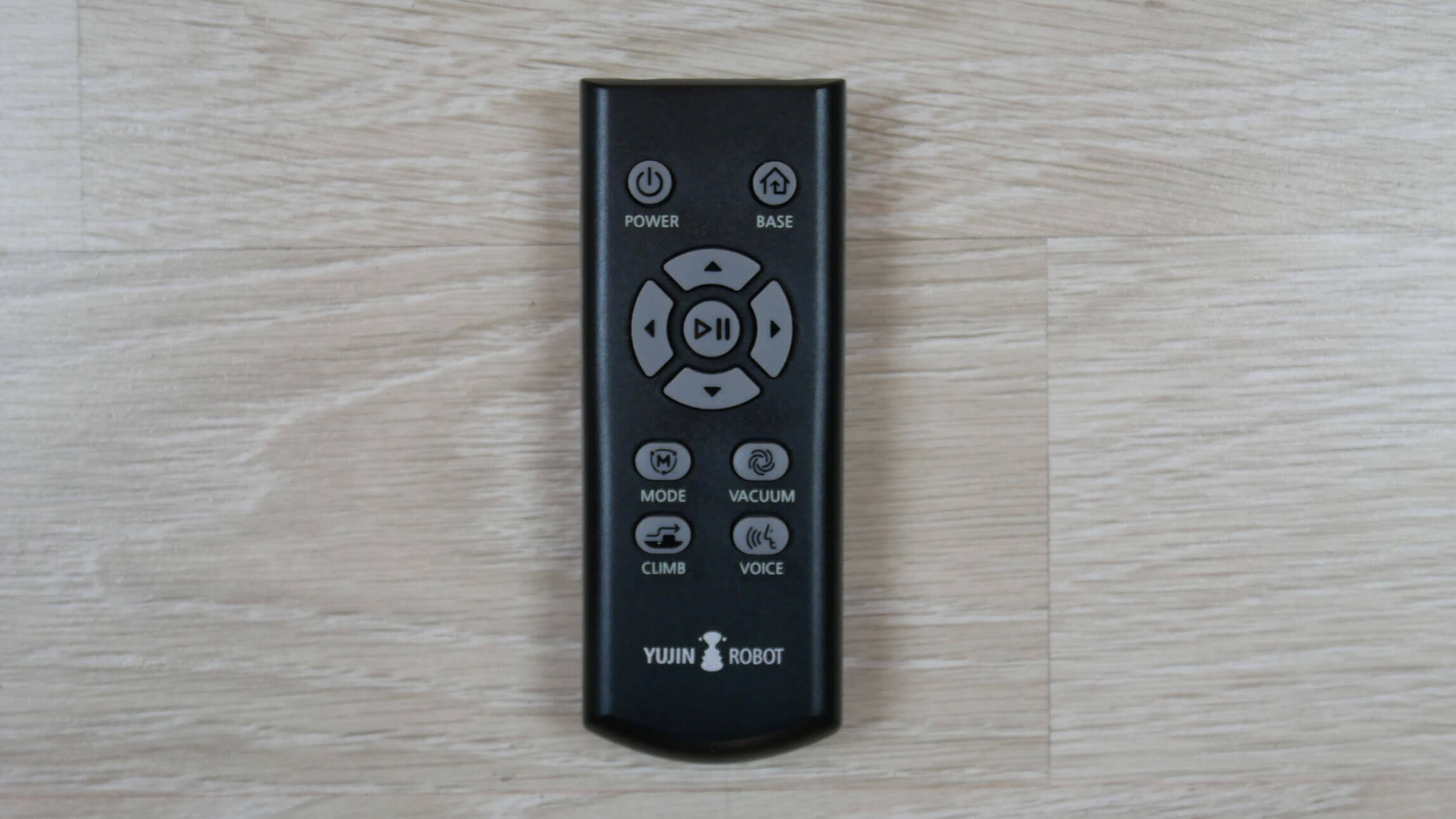
Remote controller
Below are buttons for manual control of the robot, and in the center is the Start/Pause button. Below the joystick on the left is the mode selection button. There are three modes: automatic cleaning of the entire available area in one pass, automatic cleaning in two passes, and spot cleaning. Below the joystick on the right is the suction power adjustment button, with three levels available. The power level is displayed on the display when switching.
The lower left button enables obstacle avoidance mode. If disabled, the robot will not climb over thresholds higher than 5 mm. The lower right "Voice" button disables and enables voice notifications.
In principle, these features are sufficient for the robot to automatically maintain cleanliness in your home or apartment. However, the app's functionality is much more interesting. Connecting the iCLEBO O5 WiFi to the app shouldn't present any difficulties; it's very simple; just follow the manufacturer's instructions.
First, introduce the robot vacuum to the room it will be cleaning by starting an automatic cleaning cycle. After mapping the room, you'll be prompted to save the map to the robot's memory, which will unlock all the advanced features. In our case, the map has already been saved.
Let's take a look at the app's features. It's in Russian and intuitive. In the top left, there's a button to access the main menu. In the robot's settings, you can give it a name of your choice. You can also delegate control to other users, such as family members. You can adjust the volume of voice notifications, or disable them completely, and view the status of consumables and software updates.


Basic settings
On the main control panel, in the lower left corner, is a button to force the robot to return to its base. In the center, you can set up a cleaning schedule. You can choose the appropriate time and days for cleaning, as well as the mode. If necessary, you can have the robot clean specific areas instead of the entire available area. These areas need to be mapped first; we'll show you how to do that later.


Working panel
The lower right button takes you to the map section. This is what the map of the room looks like. After the first pass, the boundaries aren't quite accurate, but with each cleaning cycle, the map will become more precise. For more information, click the question mark.


The constructed map of the house
Let's move on to the map settings. You can set up to 10 cleaning zones. These can be areas prone to debris, such as the living room carpet or the area around the kitchen table, or even individual rooms. By placing them in a rectangle, you can zone the room for room-by-room cleaning. You can label each zone to make it easier to navigate the settings. You can also set no-go zones on the map where the robot will not enter. These can be areas with a lot of wires or children's toys that could interfere with the iClebo O5's cleaning. You can delete any zone you've set on the map if needed.
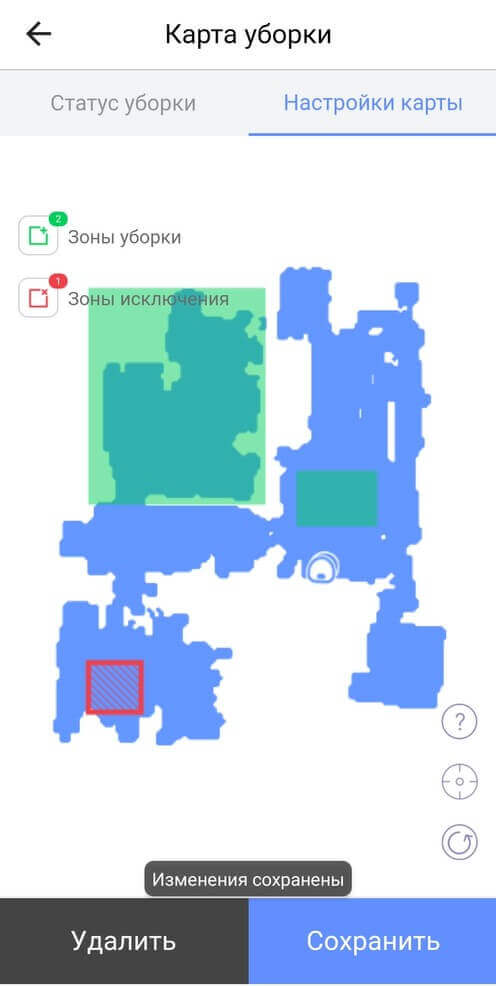
Zones on the map
On the main control panel, you can choose to clean the entire available area or just specific zones. You can also select one of three cleaning modes or set up a custom mode.


Setting up your own regime
It's worth noting that Turbo mode automatically increases power when the iCLEBO O5 WiFi vacuums on carpet. To prevent the iCLEBO O5 WiFi from vacuuming at maximum power, you can enable this feature. This will extend the battery life. Standard power is sufficient for hard floors, while Turbo mode will thoroughly clean carpets.
At the top right is a button for turning on the interface, similar to a remote control. The button layout is almost identical, making the robot vacuum cleaner easier to use.

Remote control interface
By the way, you can also configure the cleaning mode in the main menu, in the corresponding section. There, the manufacturer has also compiled answers to frequently asked questions and all possible ways to contact technical support, including links to social media and the addresses of representative offices.
Among the additional features, I would like to highlight support for voice assistants Yandex.Alice and Google Assistant.
These are all the possible features of the robot vacuum cleaner. I'll tell you what's missing when we summarize the results; for now, let's move on to the tests.
Testing
We highly recommend watching all the tests in our detailed video review of the iCLEBO O5 WiFi:
Navigation
First, let's see how the iClebo O5 navigates its surroundings. First, a simple test within a single room. The robot cleaned the entire accessible area in a snake-like motion and returned to its base. This took about 8 minutes. Its brushes against furniture and walls were sometimes quite forceful; the robot is clearly not the most careful.
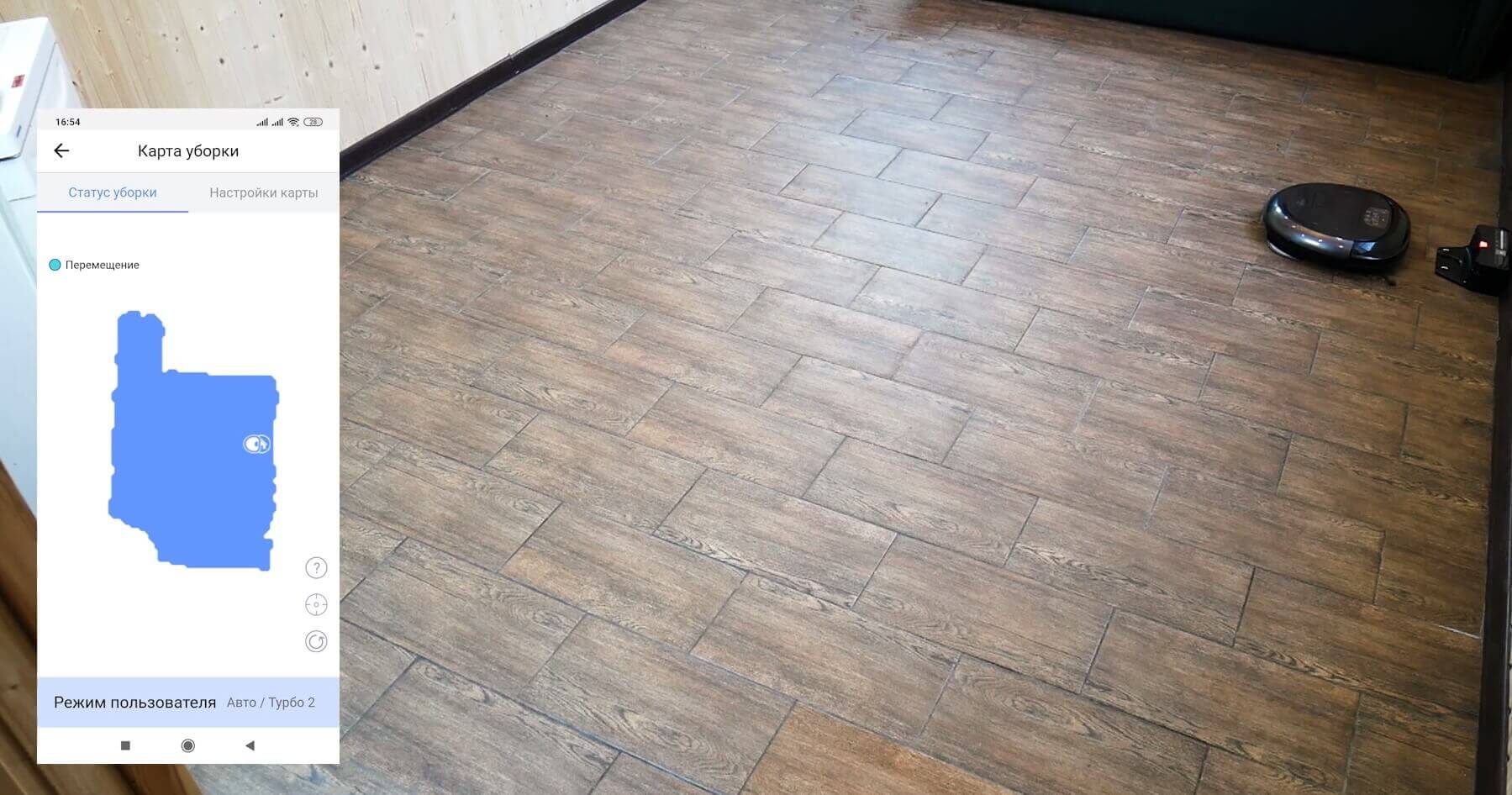
Navigating within a room
Let's see how the iClebo O5 navigates within five rooms with a total usable area of approximately 35 square meters. The robot has already built a map of the room and saved it to its memory. As you can see, the robot vacuum cleaned the entire available area in a single pass in 34 minutes. There were no uncleaned areas. Navigation and cleaning speed are good, but shaded areas may have problems during the first few passes, so it's best to run the iClebo O5 during daylight hours.
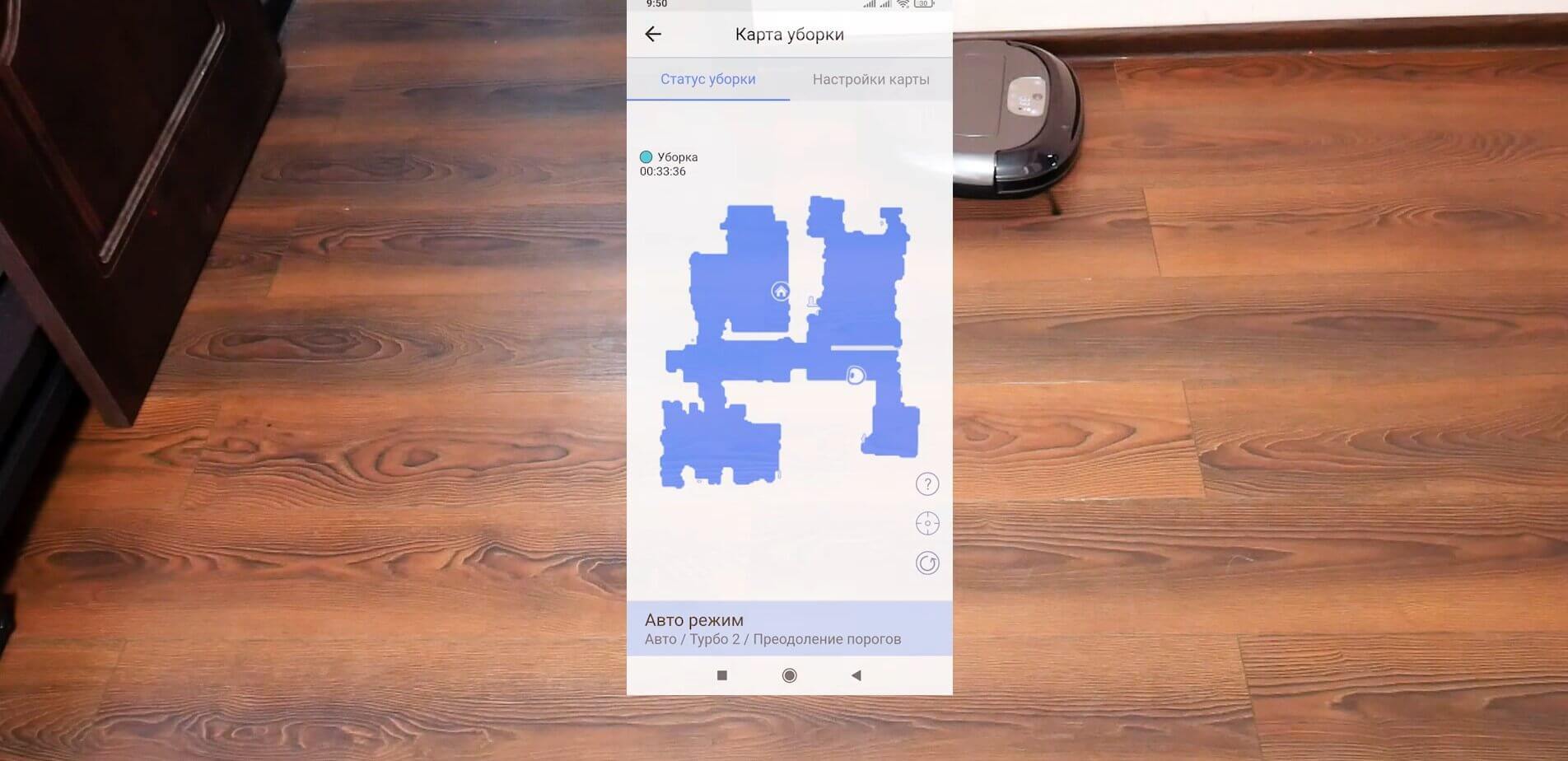
Navigation within the home
Cleaning laminate flooring
Now let's see how the iClebo O5 picks up sand, buckwheat, rice, wool, hair, and paper shreds from laminate flooring. These are the most common types of debris found in households.
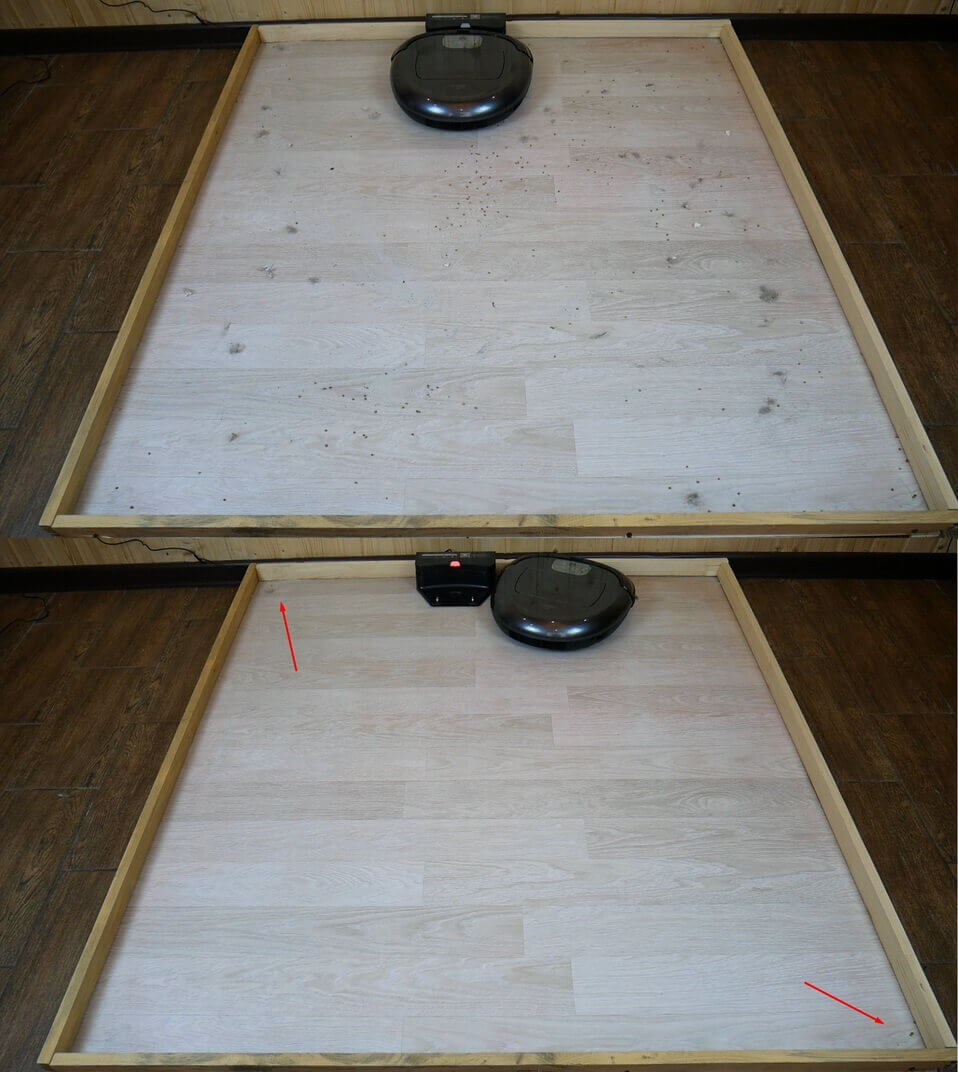
Cleaning laminate flooring
We can see that almost all the debris has been collected. However, some debris still remains in the corners, so despite the improved body shape, this robot's corner cleaning performance isn't perfect.
It's important to note that debris, including hair and fur, is collected in the container. Some debris is caught in the mesh filter. Hair and fur are not tangled around the silicone center brush; they are directed directly into the dust collector. The side brushes are also clean.
Cleaning the carpet
We scattered fur and hair across a fluffy carpet in a confined space. Let's see if the iClebo O5 is up to the task.
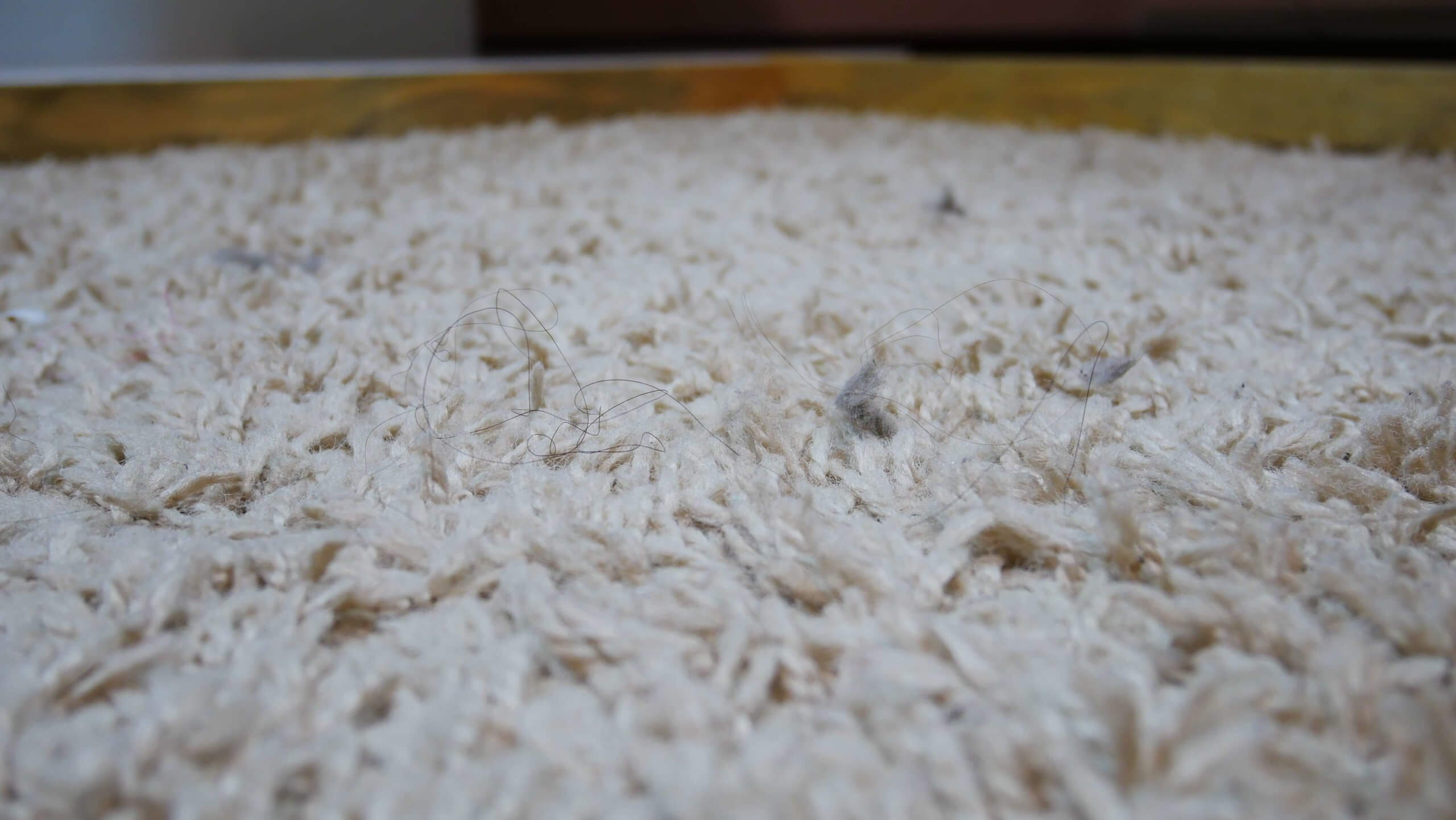
Carpet before the test
So, by all appearances, the robot vacuum cleaner cleaned the carpet well. This time, pet hair and fur were collected on the HEPA filter, while a small amount of fine debris remained in the dust bin. The side brushes didn't pick up any hair, but the center brush did. The brush is easy to clean with the included cleaning tool.
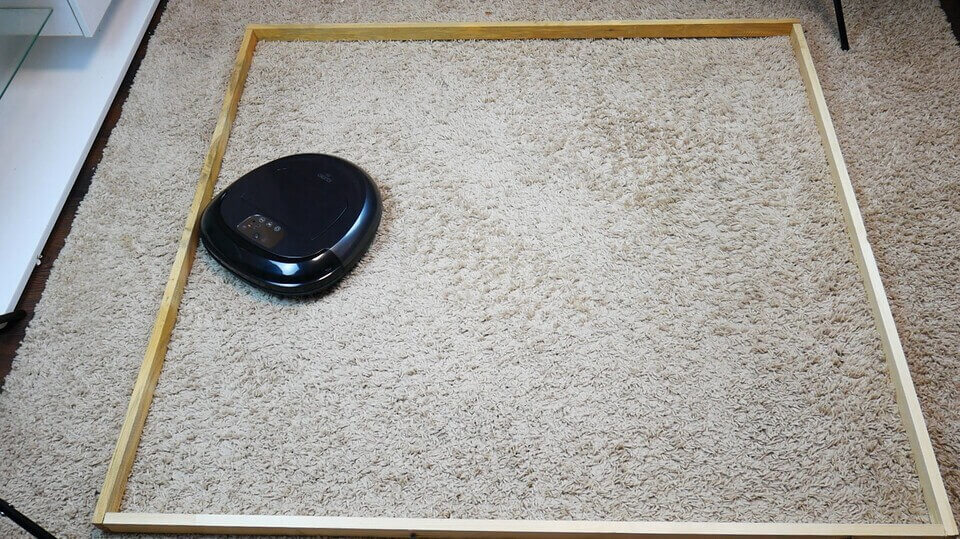
The carpet after the test
As for cleaning on carpet, there are no complaints, the power is good, the robot collects wool and hair without any problems.
Suction power
Now let's evaluate the suction power on our new setup. We made cuts of varying depths, from 2 to 10 mm, and filled them with ground coffee. Let's see how the iClebo O5 sucks debris out of crevices.
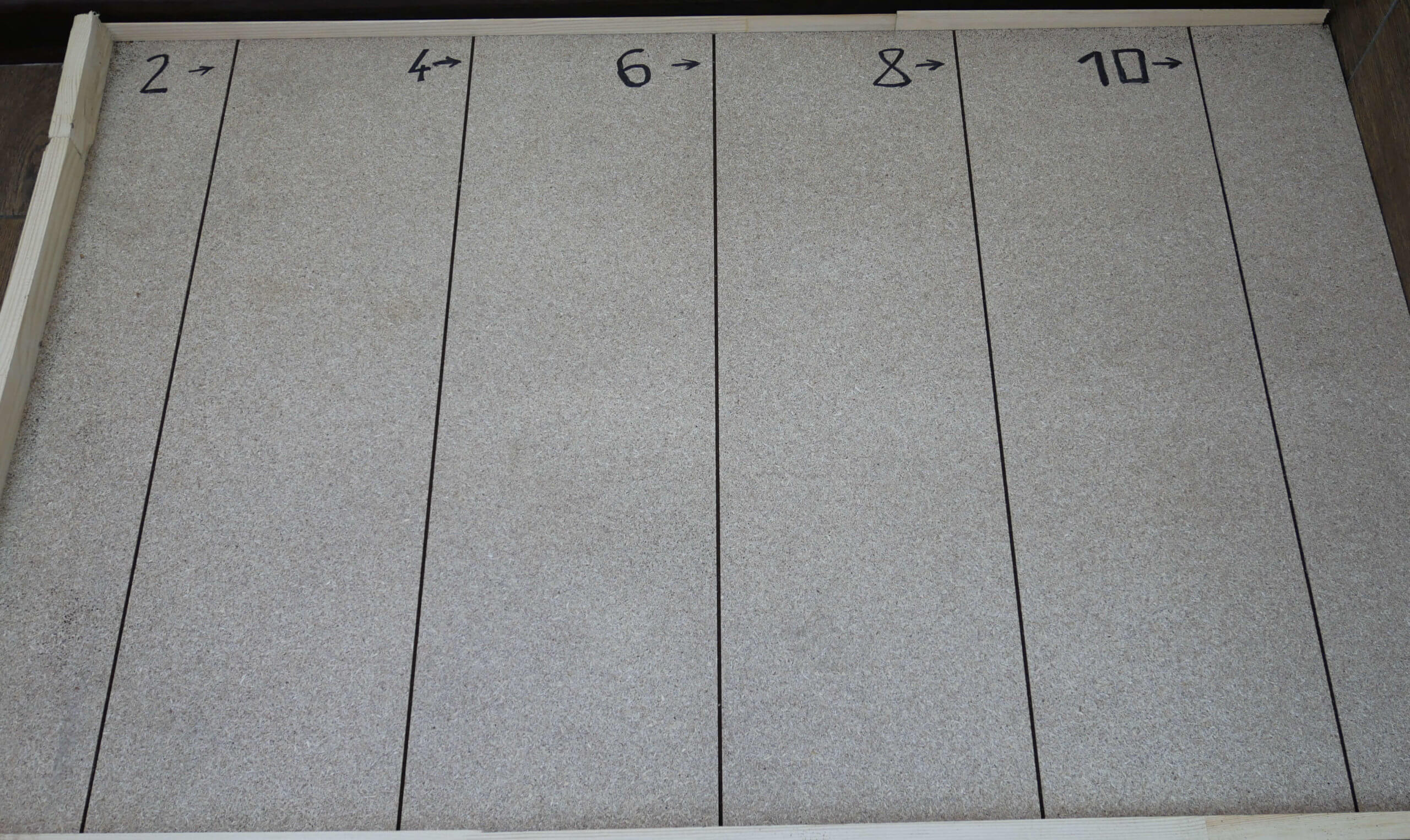
Condition of the stand before the test
You can see that it cleaned a 2 mm deep gap within the suction opening's working area perfectly. 4 and 6 mm deep gaps were also significantly cleaned. Even from the deepest crevices, the robot was able to partially remove debris.
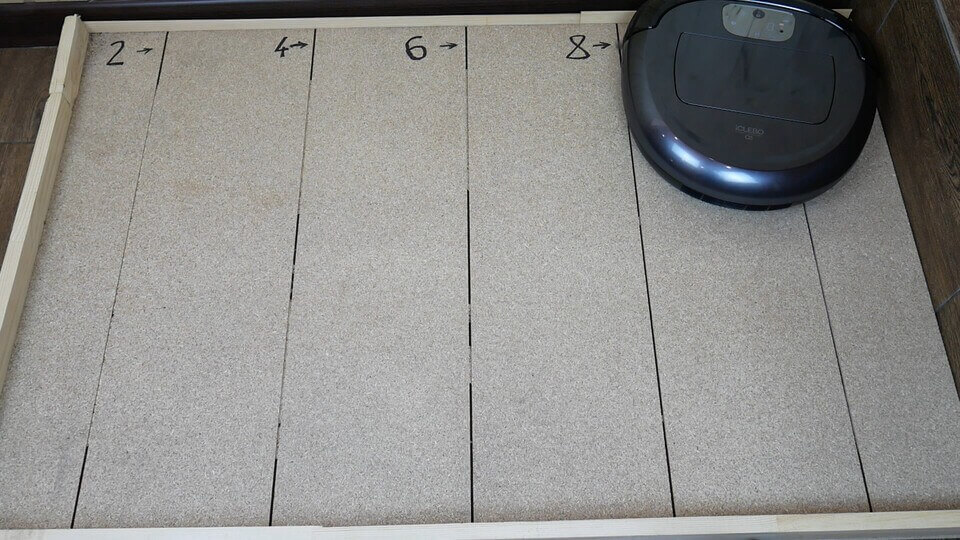
Power test
At first glance, the results are very good. The suction power is truly powerful.
Wet cleaning
Since the kit includes a microfiber pad, which the manufacturer recommends dampening by hand for wet cleaning, we decided to test the iClebo O5's ability to remove dirt from floors. In our case, this involved slightly dried dirt from shoes.
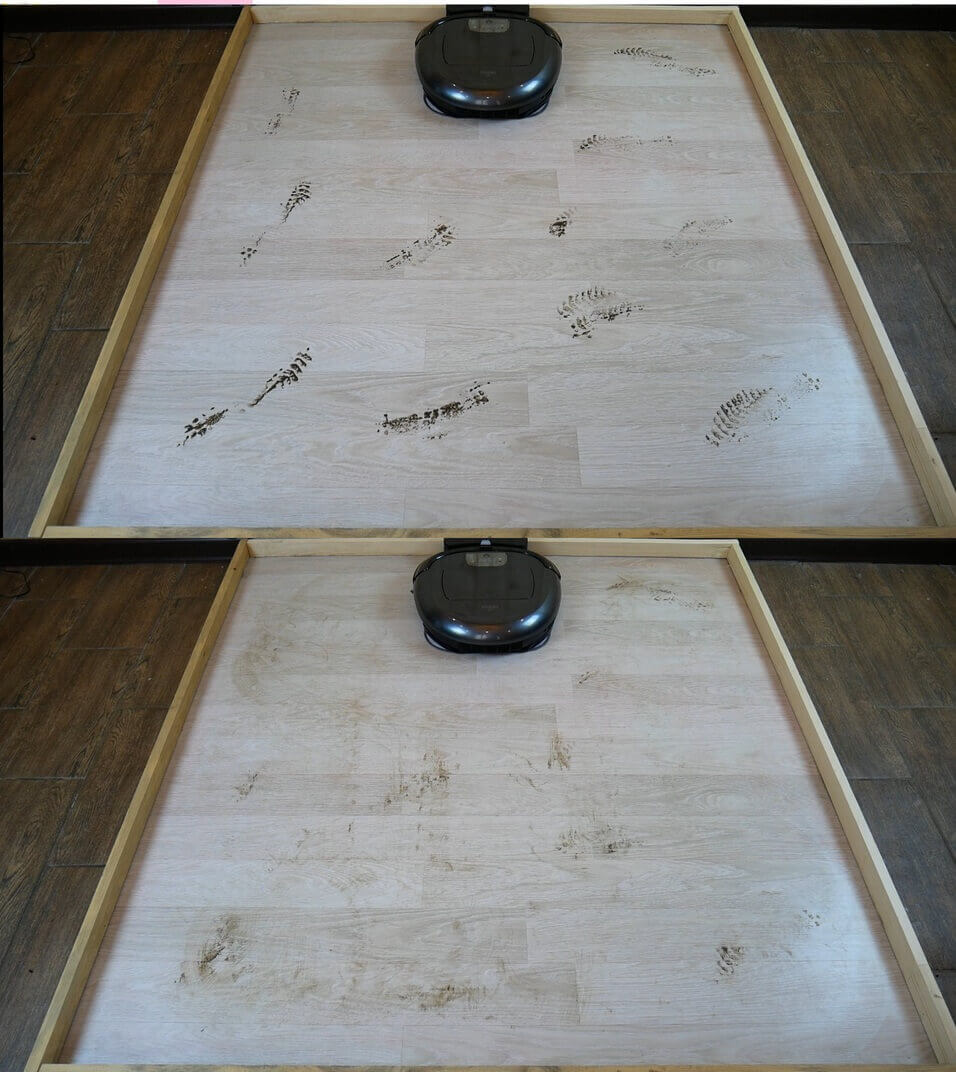
The result of wet cleaning
As you can see, this robot didn't live up to its promise as a floor polisher. It couldn't handle dirt, let alone more stubborn stains. This is because there's no water supply and the cloth's contact pressure is very weak. Therefore, the iClebo O5 is not suitable for wet cleaning.
A damp cloth will pick up dust from the floor and further refresh the surface, gently wiping it. Furthermore, without water, the cloth dries very quickly, and the wet mark disappears after just 10 square meters.
Black surfaces
Robot vacuums have a problem recognizing dark tiles and carpet patterns with height differences. This causes them to avoid extremely dark or black areas, which negatively impacts cleaning performance. Let's see how the iClebo O5 performs in this regard.
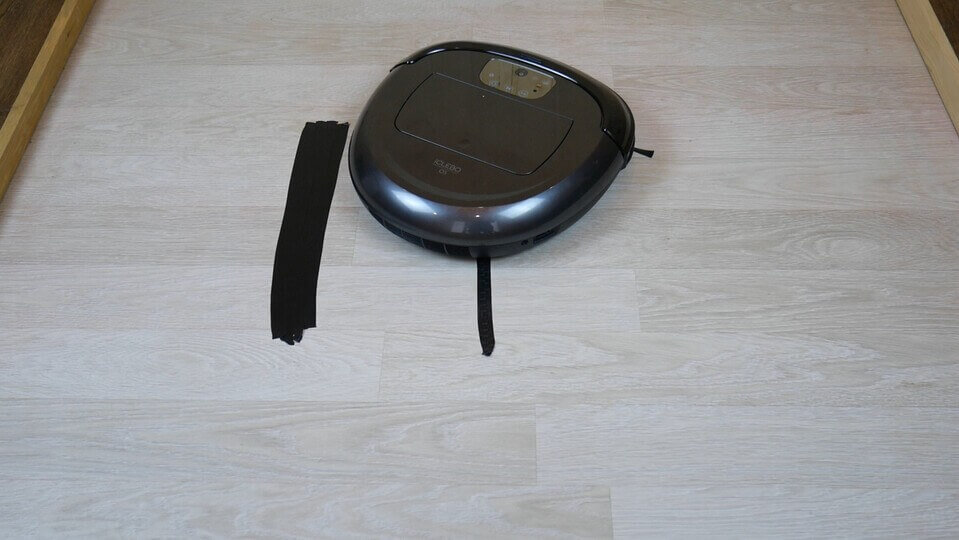
Robot vacuum cleaner and dark spots
After the test, it becomes obvious that dark areas are not a problem for him, he ignores them, this is good.
Overcoming obstacles
The manufacturer claims it can handle thresholds up to 15 mm high. Let's see if that's true. We installed thresholds of 10, 15, and even 20 mm.
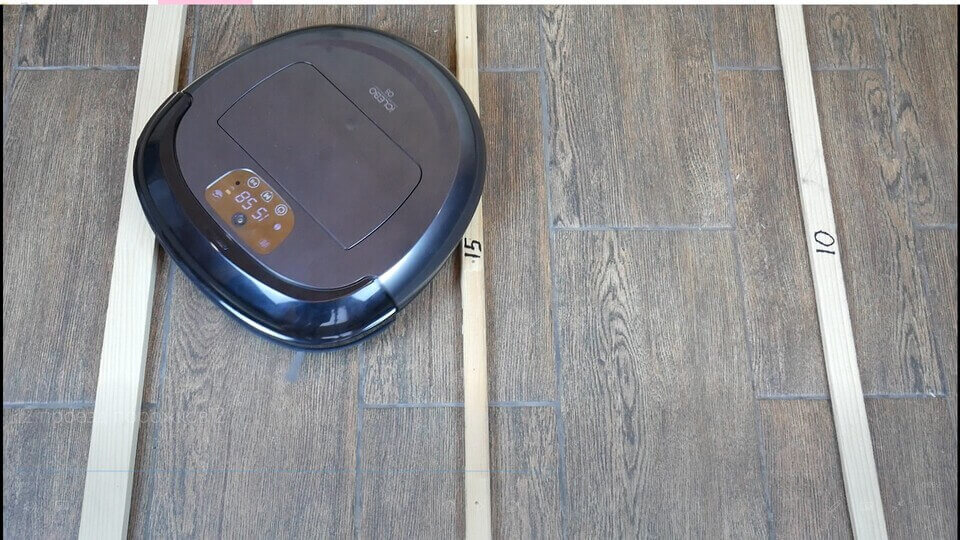
Overcoming thresholds
The iClebo O5 can easily overcome obstacles of 10 and 15 mm, but 20 mm is a challenge. It can't always pass a 2 cm threshold, but it does manage to do so occasionally. So, overall, its cross-country ability is quite good.
Noise level
Finally, we measure the noise level using a smartphone app. We'll measure noise levels at all three power levels.
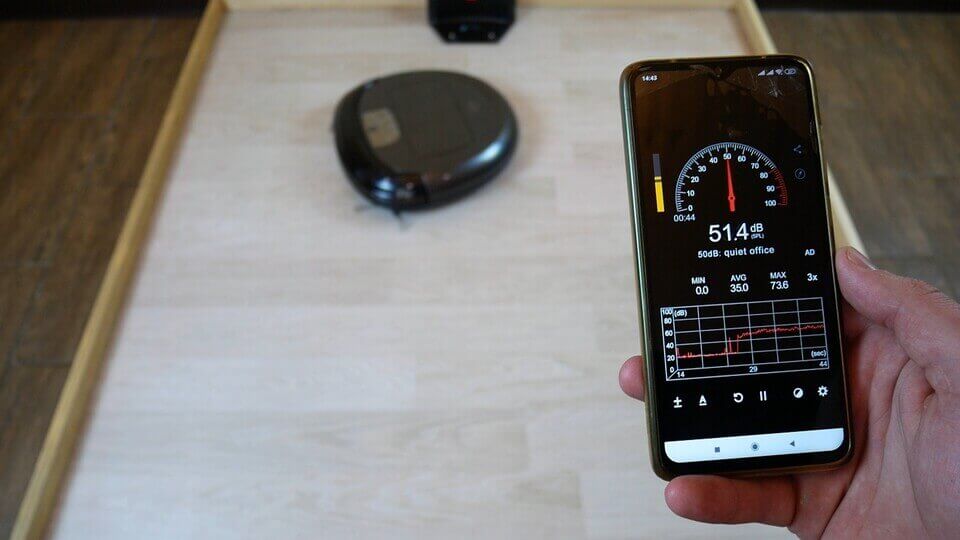
Measuring noise levels
On level 1, the noise level averaged 53 dB, on level 2, it was around 58 dB, and at maximum, it reached 61.3 dB. Overall, the noise level is relatively low, considering the high suction power.
This was the last test, let's move on to summing up the results.
Let's sum it up
Considering that the robot costs $430, it will be evaluated according to various criteria, focusing on this price segment and competitors' offers.
Navigation 8 out of 10. The robot creates a real map of the room, but lidar-based models still navigate better, plus they can autonomously divide the room into rooms, continue cleaning after recharging, store multiple maps in memory, and achieve navigation accuracy unaffected by ambient lighting. We're deducting points for this alone. However, the iClebo O5 doesn't miss any areas, covers the entire area quickly, and the camera itself is more reliable. So overall, navigation is good.
Versatility 9 out of 10. The iClebo O5 is controlled both via the app and the remote control. It cleans well on both carpets and hard floors. Its obstacle clearance isn't the best, as it struggles to overcome a 2 cm obstacle, which is why we're deducting one point. However, the robot does climb carpets easily, and its body is shorter than models with lidar.
Design and execution 10 out of 10. As mentioned at the beginning of the review, the build quality is good, the materials are high-quality, and the robot itself looks respectable for a premium robot. It has two side brushes and a replaceable center brush. You can choose the right design for your needs. The dust bin is spacious and easy to remove thanks to the handle. The unique body shape, unfortunately, didn't live up to expectations, but most competitors are round, so they don't clean corners any better. Otherwise, there are no complaints regarding the exterior.
Cleaning quality 9 out of 10. When it comes to picking up pet hair and carpet, the cleaning quality is a solid 5+. On hard surfaces, the robot vacuum also picks up debris well, including sand and grains. During testing and test runs, we found that larger debris, such as cornflakes, can clog the central brush, requiring intervention and clearing. However, this is an isolated incident and shouldn't be deducted. One point is deducted only for the primitive wet cleaning function, or rather, its lack of a fully functional option.
Functionality 9 out of 10. All the basic features are available in the app. In terms of missing features compared to competitors, it's missing multi-map support, a full wet cleaning function, and room zoning, but we've already deducted points for these, so it would be unfair to do so again. However, there are still a number of features the manufacturer hasn't included, including a cleaning log view, the ability to select suction power for specific rooms, and advanced features like floor object recognition or a self-cleaning base. There are already similar devices with more advanced features in the premium segment. However, the iClebo O5's capabilities are sufficient for automatically maintaining cleanliness in your home. So, the point was deducted objectively for the missing functionality, but this isn't particularly significant for this model, which, in some cases, can be cheaper.
Manufacturer support 10 out of 10. This is where we get the highest rating, as the manufacturer has been on the market for a very long time, one of the first. Korean quality has been proven over time and by hundreds of positive customer reviews. There's a warranty and comprehensive service support, a proprietary mobile app that works flawlessly, as well as a well-packaged package and the ability to order all accessories within Russia. The manufacturer has taken care of every important detail.
Total: 55 out of 60 points
Overall, it's a good value for the money, as demonstrated by the iClebo O5's overall rating. This robot vacuum is suitable for dry cleaning large areas, including carpets and areas that are best kept out of the robot's reach. After a detailed review and several tests, I'm left with a positive impression of the model, and I can recommend the iClebo O5 without hesitation.
That's all I have for now. If you have any questions, please ask them in the comments. Happy shopping, everyone!
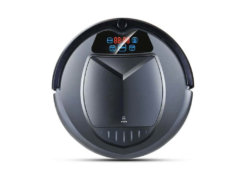
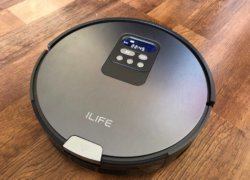
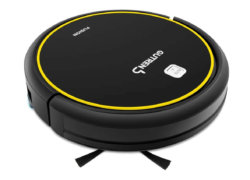
Analogues:
The iClebo O5 is truly a wonderful robot vacuum. What I love most about it is its flexibility. I set it up so it cleans in quiet mode and then turns on turbo when it hits a carpet. It's smart and adapts to the surface it's cleaning. When I was choosing it, I compared it to other robots. The iRobot Roomba doesn't have a wet mopping feature. Xiaomi has models with a wet mopping feature, but they're not as reliable and their customer service is worse. That's why I made this choice, and I'm very happy with it.
The robot is terrible. And most of all, the navigation system is terrible. Simply disgusting. Totally not worth the money. It's probably fine if you have a boxy apartment with smooth walls and no obstacles. I don't understand why it costs so much, at all.
The navigation test notes: "The robot's contact with furniture and walls was sometimes quite strong; it's clearly not the most accurate." This is clearly visible in the video, though. What about the robot's proprietary "Obstacle Recognition System"?
Well, these are not questions for me)
I need a robot for dry cleaning and the best washing one. Dry height up to 8.7 cm... area 160-170 sq. m.... can be divided into 2 parts: 120 for tiles + 40 for parquet...
I've had an iClebo Art for eight years now. It's reliable. Yes, it's not modern. Maybe that's why it's reliable. There are no unnecessary features. I fix all the errors myself. I wanted to replace it with a Dreambot L 10 Pro; judging by the ratings, it's a fantastic vacuum cleaner. But after reading user reviews, I realized I shouldn't buy it at all. It only works for the first three months. They won't accept service under warranty. And I really wanted an upgrade! Can you recommend a reliable unit? Without washing (optional) and a self-cleaning base. Thanks!
You can take Roborock Q7 Max or just Q7.
Doesn't it leave scratches on yours? It ruined my new parquet flooring.
This model leaves scratches on my hardwood floors. I tried to figure out what was wrong, where it was catching, but I couldn't figure it out. Everything seemed smooth, but the scratches were sometimes quite deep. What could be the cause? Have you encountered this?