
iLife V55
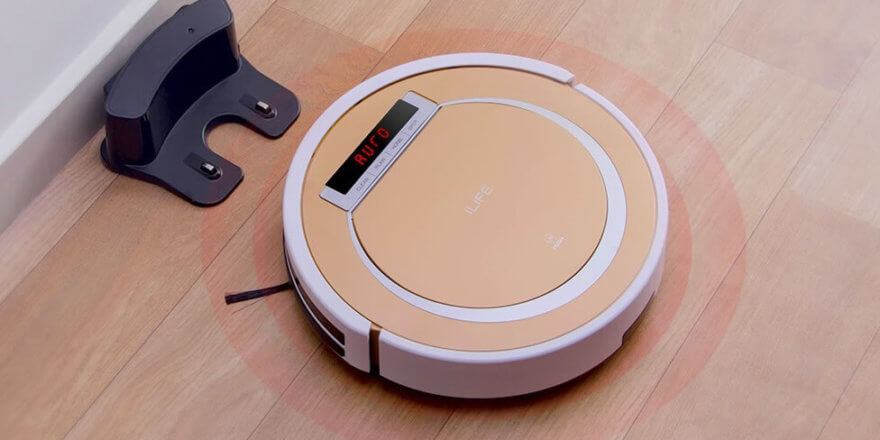
The iLife V55 is a budget-friendly robot vacuum cleaner from a Chinese manufacturer. It's designed for dry cleaning of all types of flooring, including carpets and rugs, as well as wet cleaning of smooth floors. It can be used both at home and in the workplace, cleaning floors in offices and hotel rooms. At a relatively low price, the device offers a decent set of features and capabilities, boasting good technical specifications for a model in this price range. Although it has only recently been available, the robot has already won the hearts of many customers worldwide. Below is a review of the iLife V55, covering its specifications and functionality.
Equipment
The basic iLife V55 package includes the following items:
- Robot vacuum cleaner.
- Charging station.
- Power adapter and charging cable.
- Remote control.
- Virtual wall (Electrowall) to restrict movement.
- Spare side brushes (right and left).
- Spare filters.
- Wet cleaning module and separate water tank.
- Brush for cleaning the robot.
- Instructions in several languages.
- Warranty card.
Both the robot vacuum cleaner itself and its additional accessories are carefully and securely packed in a box.
Appearance
The iLife V55 robot vacuum cleaner features the company's signature round shape. Its body is made of durable, high-quality ABS plastic. The front of the device is gold, while the sides are white (see photo). The top of the robot features an LED display for current status and touch-sensitive control buttons. The top plastic cover houses a dust container and an IR receiver.
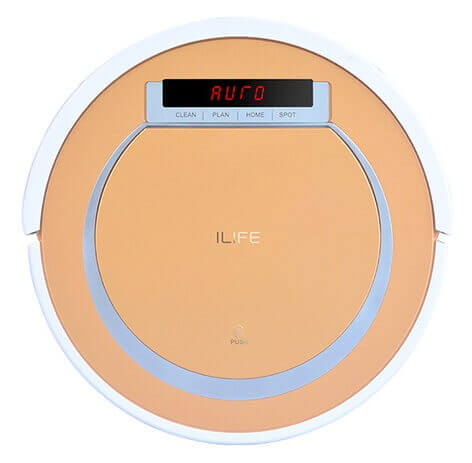
Top view
On the side of the iLife V55 there is a soft bumper with ten infrared sensors to prevent collisions, a socket for recharging from the mains, and an on/off button.
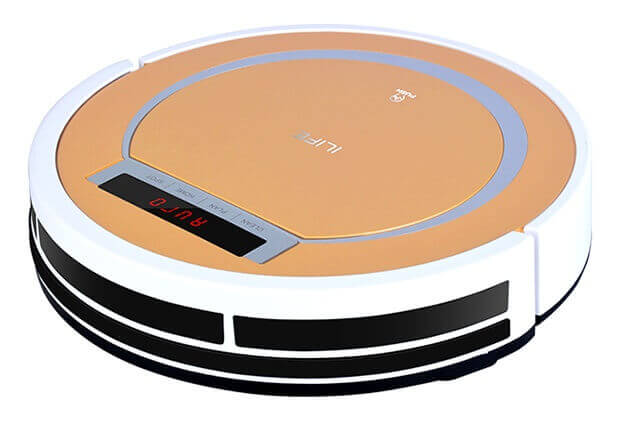
Side view
The back of the robot vacuum cleaner features durable rubber wheels on the sides and a single front wheel, allowing for easy reversal of direction. Also located here are the automatic charging sensor and contacts, two wear-resistant side brushes, a central suction port, anti-drop sensors, a rechargeable battery under the cover, and slots for attaching a microfiber cloth. Thanks to its generously sized wheels, the device can easily navigate between smooth floors and carpeted surfaces.
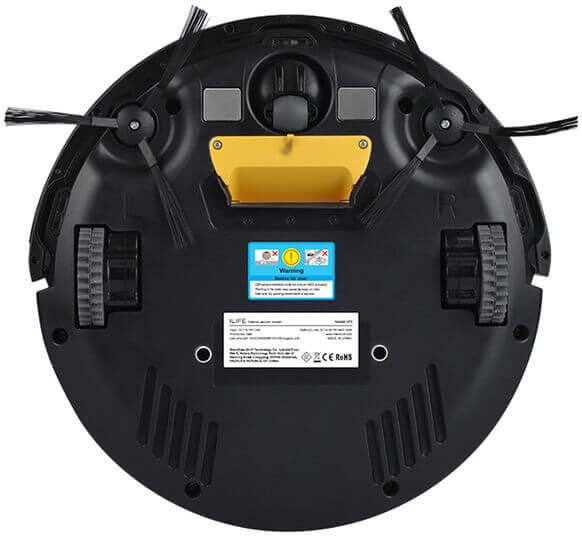
Bottom view
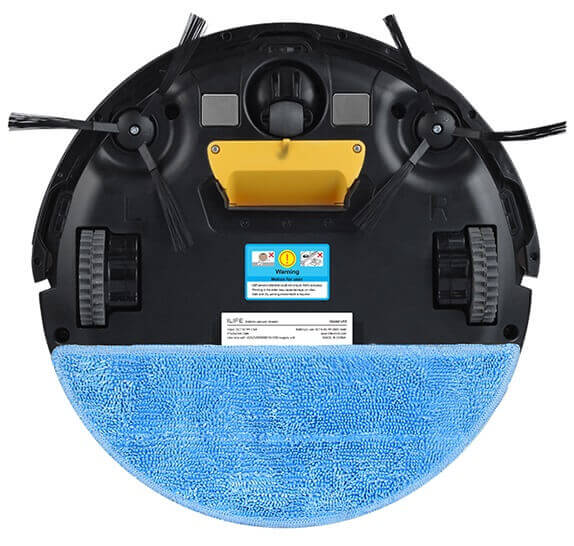
Microfiber is installed
Technical specifications
You can find an overview of the technical characteristics of the iLife V55 below:
| Battery | Li-Ion, 2600 mAh, 14.4 V |
| Battery life on a single charge | 100-120 minutes |
| Charging time | 200-350 minutes |
| Installation on the charger | Automatic |
| Power consumption | 20 W |
| Suction power | 950-1000 Pa |
| Dust collector | Bagless (cyclone filter), 300 ml |
| Wet cleaning tank | 250 ml |
| Overall dimensions | 300x300x78 mm |
| Weight | 2.3 kg |
| Cleaning area limiter | Virtual wall |
| Display | In stock, with backlight |
| Side brush | In stock |
| Soft bumper | In stock |
| Sensors | Infrared |
| Timer | In stock |
Functional capabilities
The iLife V55 robot vacuum cleaner can clean rooms in the following modes:
- auto;
- effective cleaning of a specific area of the room from stains (local/spot cleaning);
- cleaning corners and along walls.
Thanks to the robot's timer function, you can program the vacuum cleaner to clean the room at any time convenient for you.

Floor cleaning
In addition to dry cleaning, the robot vacuum cleaner can also wet mop floors. For this purpose, the components include a separate water tank, which replaces the dust container for solid debris and dust, as well as a special module with a removable nanofiber cloth with Velcro fasteners.
One of the iLife V55's unique features is its two suction modes: basic and maximum. Basic mode is designed for light cleaning with low noise levels, while maximum mode allows the robot to clean more thoroughly, but with a higher noise level.
In order to spatially limit the area of movement of the vacuum cleaner during operation, it is necessary to install the virtual wall included in the delivery set.
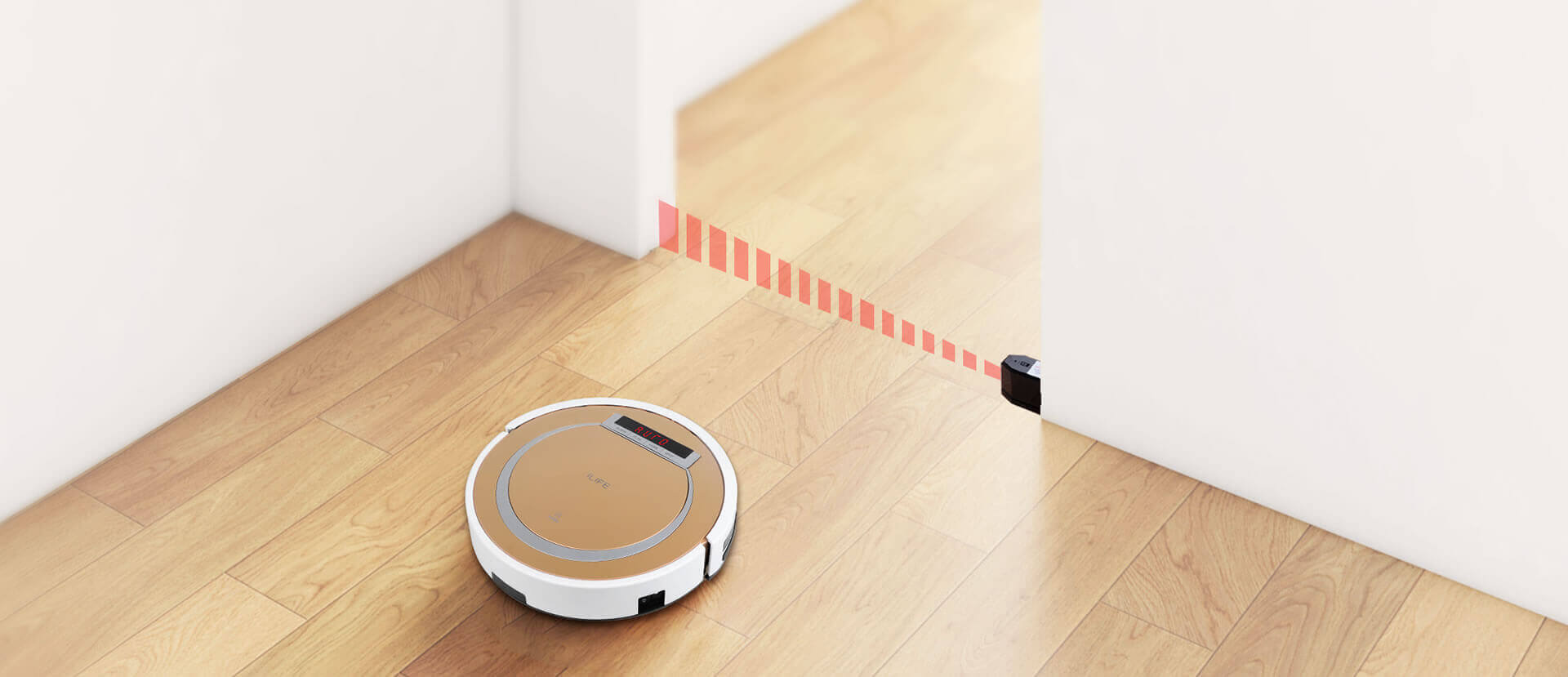
How the virtual wall works
The device navigates its surroundings using built-in infrared sensors to prevent collisions with obstacles, as well as anti-drop sensors located on the bottom of the device. A soft, movable bumper provides additional protection against impacts and collisions.
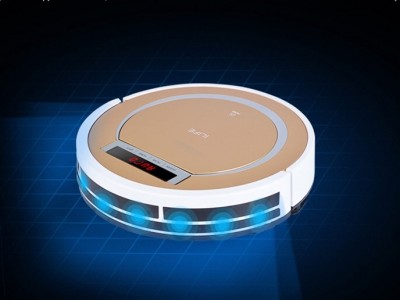
Sensors on the bumper
Operating instructions
The manual contains information on the robot's use, design, safety requirements, procedures to be carried out before first use, a breakdown of notifications, information on the specifics of the device's operation and maintenance, troubleshooting tips, and the vacuum cleaner's technical specifications.
You can download the iLife V55 user manual in electronic format by following the link: V55 manual.
Advantages and disadvantages
So, let's summarize the review. The iLife V55 robot vacuum cleaner offers many advantages for its price (around $110 in 2018):
- Good equipment.
- High movement speed.
- Powerful wheels allow you to easily overcome obstacles.
- Large cleaning area.
- Two different suction powers.
- Wet cleaning unit with a separate water tank.
- Average noise level.
However, despite its low cost and a number of advantages, the iLife V55 also has significant disadvantages:
- Since the vacuum cleaner has a small number of sensors, it is poorly oriented in the surrounding space, bumps into walls, and can clean the same place several times.
- The device does not have a specific movement pattern, so it moves rather chaotically and takes a long time to retract.
In conclusion, I'd like to note that this robot vacuum cleaner offers a very good balance between price and quality. For a budget-friendly model, it's equipped with all the necessary features.
Finally, we recommend watching a video review of the iLife V55, as well as testing the cleaning performance of the robot vacuum cleaner:
Analogues:
- Kitfort KT-519
- REDMOND RV-R300
- Foxcleaner Up
- Rovus Smart Power Deluxe S560
- Clever & Clean 003 M-Series
- Kitfort KT-520
- Polaris PVCR 1012U
Good afternoon
Question: The E-10 error message keeps appearing after vacuuming and charging. It charges for about 5 minutes, then beeps every minute and displays the E-10 error message. According to the manual, this error means the switch is in the O position, but in reality, it's on (I), and pressing the CLEAN button also starts vacuuming.
E10 If the button is turned on and an error appears, it means the button is not working properly or is not working. The vacuum cleaner interprets it as turned off and complains.
To test this hypothesis, short-circuit the contacts on the vacuum cleaner button (simulating the button being turned on) and if it stops complaining after that, then buy a button from the nearest chip and dip and re-solder it with a new one.
Good afternoon
The E03 error code lights up! There's no description in the manual. What is it?
Thank you!
The LED screen will later display the host software version number. After entering test mode, the main body will automatically check the battery voltage, RTC function (real-time clock, reset all settings), and some sensors. Press the CLEAN button to proceed to the next step. Caution: Incorrect codes may be displayed: E 01-E 03. SO you'd better take it to a repair shop.
Hello! Could you tell me what the risks are of using a vacuum cleaner without a dust bag? Thank you.
Water has stopped splashing when I'm wet cleaning. How can I fix this myself? When I remove the container, a stream of water sprays out.
No, it doesn't have a dry dust container. I accidentally started the vacuum cleaner without it. Dust and hair got stuck in the exhaust grille. After that, it started making noise. Could something be clogged? Can I clean it myself? Or will it just clear itself?
Good afternoon, my V55 vacuum cleaner is displaying error E08, but it's not listed in the instructions. What should I do?
For me, this usually means cleaning the side brushes.
Good afternoon,
The V55 Pro vacuum cleaner worked for two days. When charging, the FULL light shows. When removed from the charger, the CLEAN button doesn't turn on. It responds to the remote with a beeping sound, but doesn't work.
The ILIFE V55 robot vacuum cleaner for wet and dry cleaning says "Full." What should I do?
We bought a vacuum cleaner today. Everything was fine, but then it stopped working. It showed an E-01 error.
What is this???
Error E004, what does it mean? Please tell me.
How do I set the current time? There's no clock button on the remote control!
The ILIFE V55 pro robot vacuum cleaner for wet and dry cleaning says "Full." What should I do?
There are no complaints about the vacuum cleaner's operation, but the top cover of the cartridge replacement compartment stopped opening. I didn't want to break it, so I'll take it apart.
What to do if the furniture starts to move, and it is heavy enough for the vacuum cleaner, and it does not show an error
Hello. How long does the battery last on the virtual wall?
Hello! I haven't measured it, but it will last a long time!
Hello, can you tell me where I can buy a filter for a vacuum cleaner?
My iLife V55 vacuum cleaner has stopped dispensing water. What's the real reason? The water duct is clean and not clogged with sand. Could you tell me why there's a permanent magnet in the water container? There's a circuit board on the opposite side. There's no magnet in the dry container! My family and I have bought three of these over the past year. Everyone has the same problem.
Good afternoon.
The vacuum cleaner won't charge. I installed a new battery, but it's not charging, and the display shows 0003. What's wrong?