
iLife A8
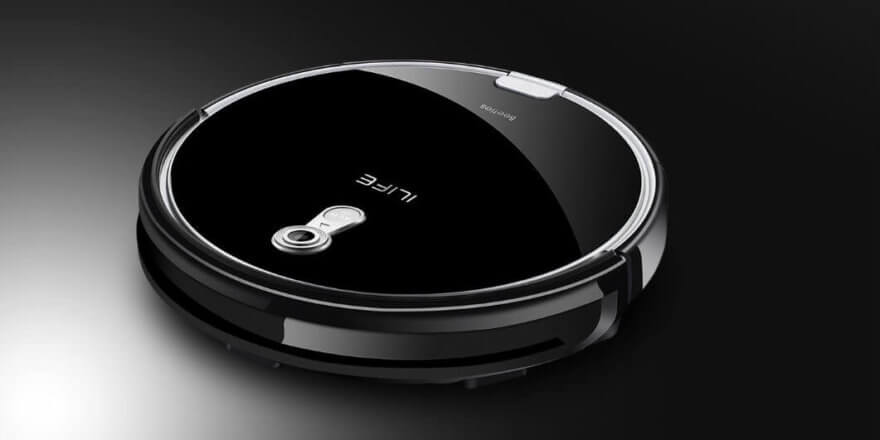
The iLife A8 robot vacuum cleaner is a new product from a renowned Chinese company that produces excellent autonomous robotic cleaners at affordable prices. This model is designed for dry cleaning of all types of flooring, including carpet, and is a slightly improved version of the previous model. A6To understand their differences, we suggest you read our review.
Equipment
The iLife A8 robotic vacuum cleaner is packaged in two boxes: a protective box made of thick corrugated cardboard and a second, more colorful cardboard box with a photo of the device on the front and a description of its main parameters on the back.
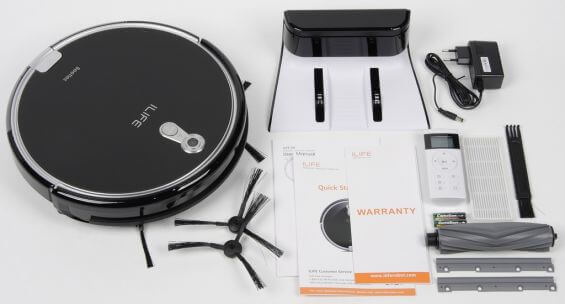
ILife components
The package includes:
- The robot itself.
- Charging base.
- Power unit.
- Infrared remote control with two AAA batteries.
- A pair of spare side brushes.
- Two spare rubber scrapers.
- Replacement HEPA filter for dust collector.
- Brush for cleaning the body and parts.
- Brief and extended user manual in English.
- Guarantee.
Appearance
The iLife A8's design is typical of this manufacturer's robot vacuums. Its disc-like shape, and when viewed from above, it appears perfectly round, is the iLife A8's design. The main body of the device is made of glossy black plastic, with the functional elements framed in silver plastic. The manufacturer chose to make the top cover out of tempered glass, a traditional feature for most iLife devices. The cover features a small platform with a single mechanical on/off button and a camera window, which is designed to map the room. At the very bottom is a button for removing the dust bin (it slides out from the side). The dust bin contains two filters: a primary coarse filter and a HEPA filter, along with a porous sponge.
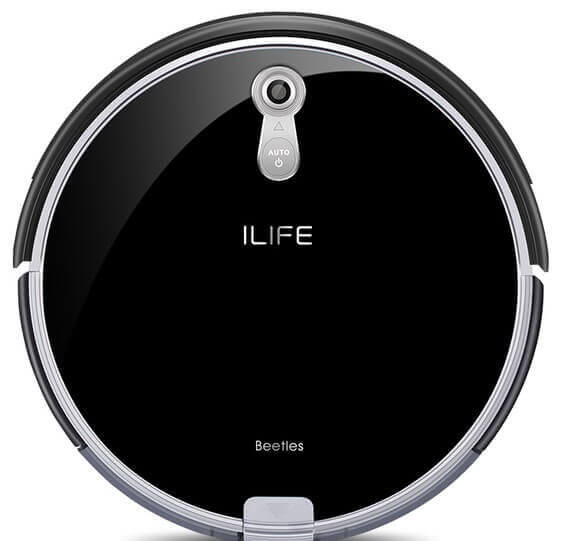
Top view
Looking at the front, we see a movable mechanical bumper, behind which are mounted the main IR sensors. Further around the device are ventilation holes, a power supply port, and a power button.
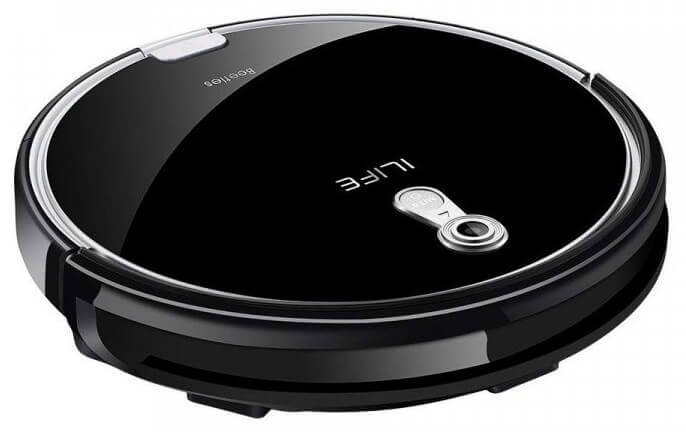
Side view
Turning the robot vacuum cleaner over reveals two large rubberized wheels with a powerful suspension, which allows the vacuum cleaner to easily overcome obstacles, a front roller, two side brushes, a central brush with a fastening element, charging contacts, a battery compartment cover, and anti-fall sensors.
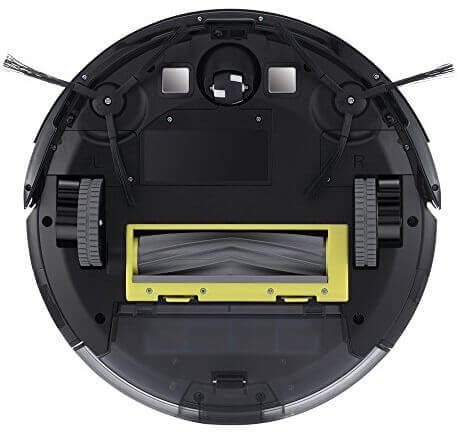
Bottom view
Technical specifications
To learn more about the technical specifications of the iLife A8 robot vacuum cleaner, please refer to the table below:
| Country of origin | China |
| Power supply | Lithium-ion battery, 2600 mAh, 14.4 V |
| Battery life | 90 minutes |
| Charging time | Up to 300 minutes |
| Cleaning area | Up to 90 m2 |
| Dust collector | Cyclone filter (bagless) 0.3 l |
| Overall dimensions | 310x310x72 mm |
| Weight | 2.75 kg |
| Additional options | |
| Orientation system | Bumper, IR sensors for obstacle recognition, height difference, docking station search, overhead video camera, front swivel roller rotation sensor |
| Control | Button on the body; infrared remote control |
| Alert system | LED indication; voice notification and sound signals; LCD screen on the remote control |
| Main brush | Pile + rubber roller scraper |
| Side brushes | Two |
Functional capabilities
Let's take a look at the main operating modes of the iLife A8:
- Automatic (Auto) is the default mode. When the robot vacuum cleaner is turned on, it begins cleaning the room in a zigzag pattern, with the device automatically determining the cleaning pattern based on information received from the camera and sensors. The device can remember previously cleaned areas, thereby saving battery life and wasting unnecessary time.
- Spot cleaning (local/local mode) – designed for thorough cleaning of a specific, dirtiest area of the room. You must manually position the robot vacuum cleaner in the center of this area, after which it will move in a spiral path, increasing its radius over time. When finished, the device will return to its starting point.
- Perimeter cleaning – iLife A8 will move along walls and objects, avoiding obstacles and collecting debris and dust near baseboards, furniture legs, and in corners.
- Maximum mode (MAX) – in this mode, the vacuum cleaner increases suction power, allowing it to clean difficult surfaces like carpets and rugs more effectively and quickly. However, this significantly increases battery consumption and noise levels.
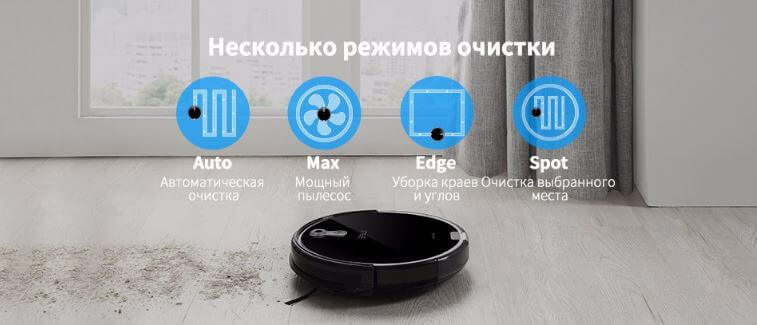
Operating modes
The robot vacuum cleaner can be controlled manually: using the remote control, you can direct the device to the desired location. The robot can also be scheduled for cleaning. To do this, simply set a timer, and it will automatically begin cleaning after a preset time, even in your absence.
The iLife A8's voice alert feature allows you to keep informed of its current status. Like most other robot vacuums, the iLife A8 features a self-charging mode, which, when its battery is low, stops cleaning and returns to the charging base to recharge.
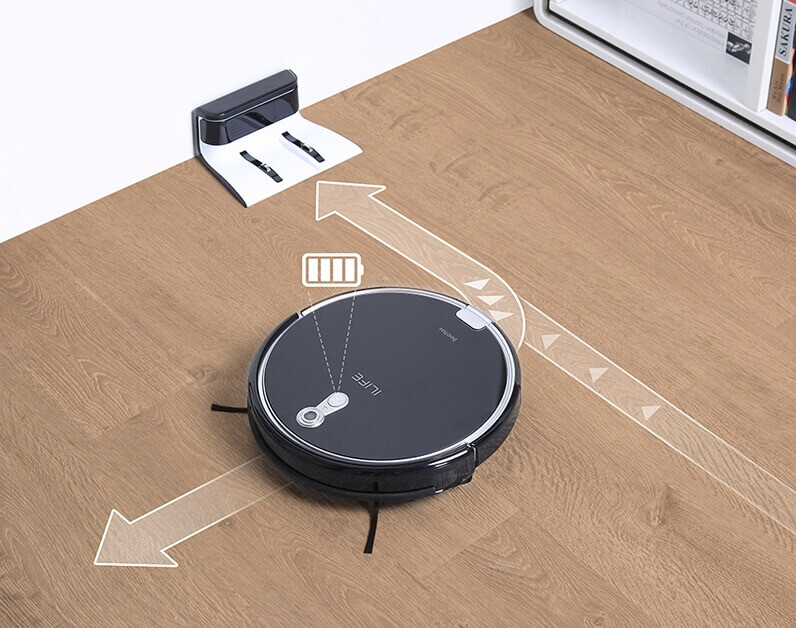
Automatic charging on the base
You can watch a test run of the iLife A8 in the video. The actual noise level is between 54-56 dB.
Advantages and disadvantages
Overview of the main advantages of iLife A8:
- Pleasant external parameters, small dimensions.
- High quality body and its parts.
- Well-designed navigation system.
- Various operating modes + scheduled cleaning.
- Two different turbo brushes.
- Powerful battery.
- Light indication + sound signals.
- Low noise level.
- Good equipment.
- Average price.
ListDisadvantages of a robot vacuum cleaner:
- Small dust collector capacity.
- Leaves debris around the dock.
- There is no movement limiter included.
This concludes our review of the iLife A8. Considering the average price of the model in 2018 is under $200, this robot vacuum cleaner cleans quite well and offers all the necessary features for the price.
By the way, we compared this model with other iLife robots in a video review:
Analogues:
Good afternoon, after two weeks of operation, the iLife A8s vacuum cleaner started to show an error message. It works for a minute, then stops and flashes red. When restarted, it works for another minute and then shows an error message again. What could this be?