
Tefal X-plorer Serie 80: The smartest robot vacuum cleaner in the Tefal lineup
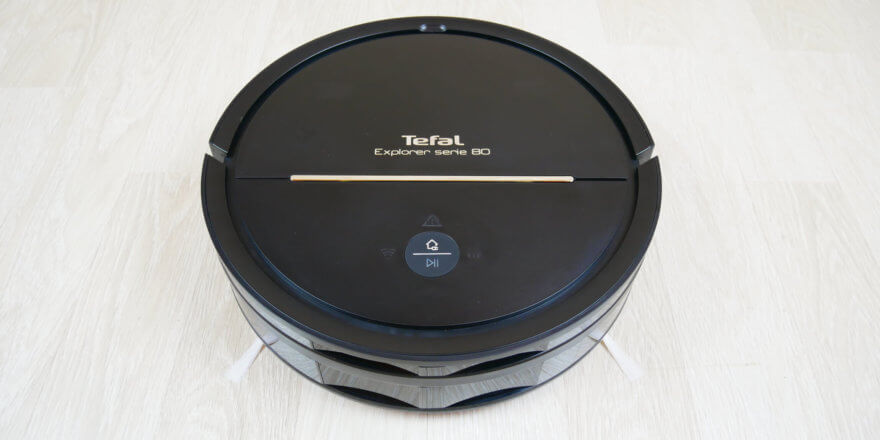
The latest new product I've reviewed is the Tefal X-plorer Serie 80 RG7765WH. Priced at $350 at the time of writing, it's considered a premium product. You'll be interested to learn more about this robot vacuum cleaner. While it doesn't have a camera or lidar sensor, it can build a room map and save it to memory. Furthermore, the device is suitable for both dry and wet cleaning and is controlled via a proprietary mobile app, which offers some of the advanced features. Let's explore how the robot works, what else is interesting about it, and most importantly, how it performs in an automated cleaning role. After watching the video, I'd be grateful if you'd appreciate my efforts by subscribing and liking. So, let's get started!
Equipment
Let's take a look at how the manufacturer packaged the 80th model. This is the box the robot comes in:
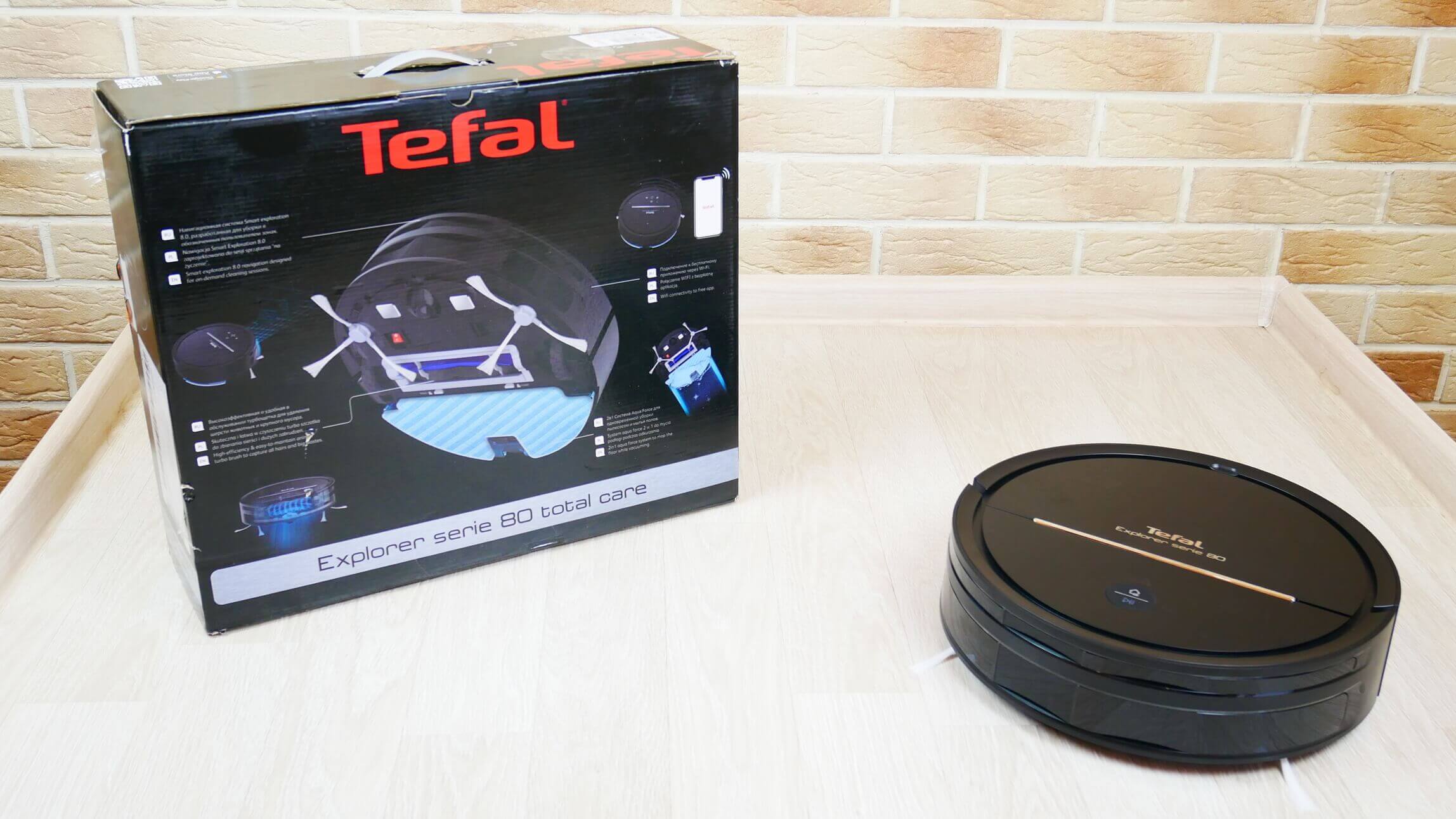
Robot and box
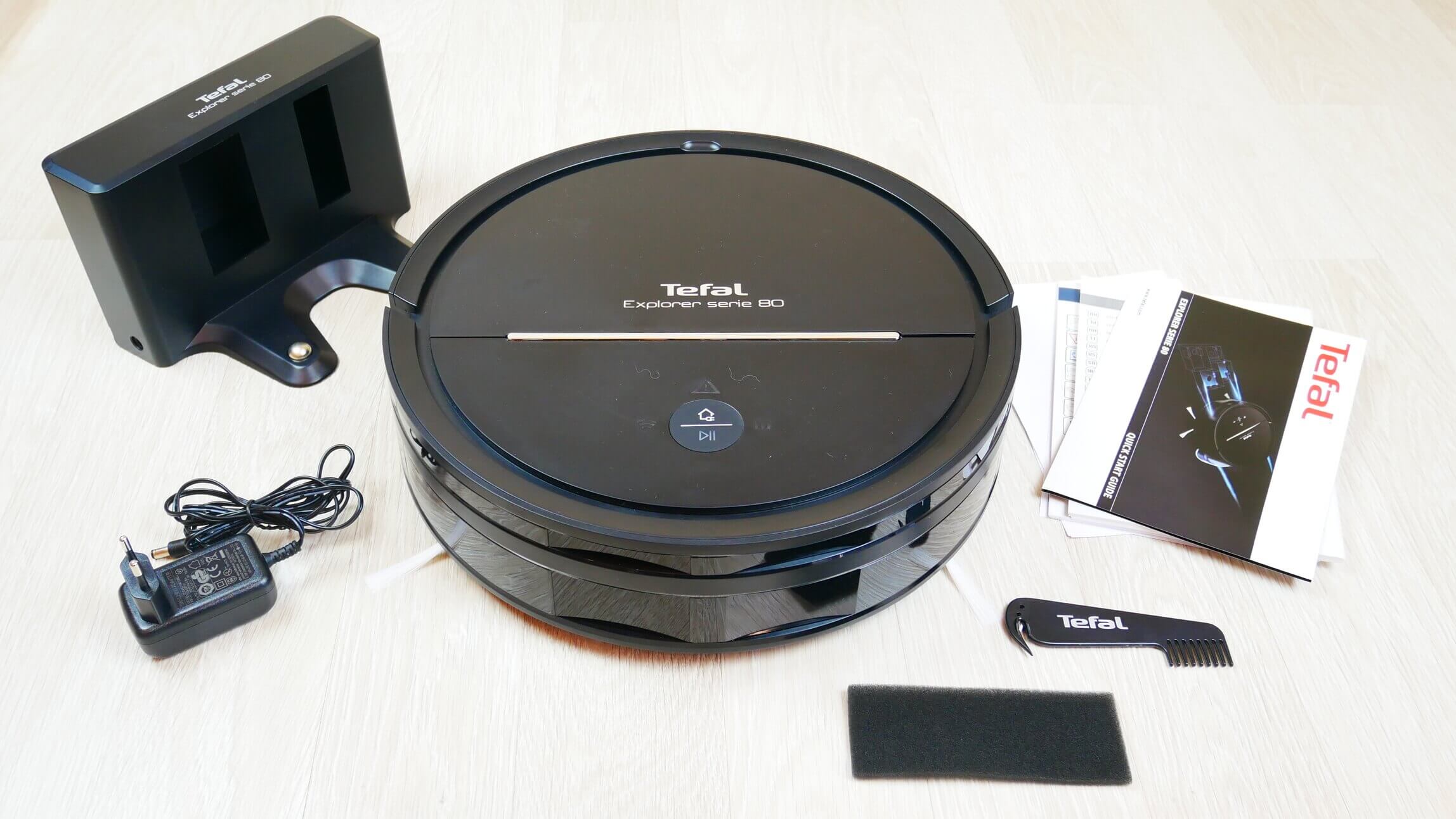
The box contains:
- A robot vacuum cleaner that already has a wet cleaning attachment with a microfiber cloth installed.
- Charging base.
- Power adapter.
- Accompanying documentation.
- Brush for cleaning the central brush.
- Spare foam filter.
This is the entire package. Spare parts, such as side brushes, a cleaning cloth, and a HEPA filter, are not included.
Equipment
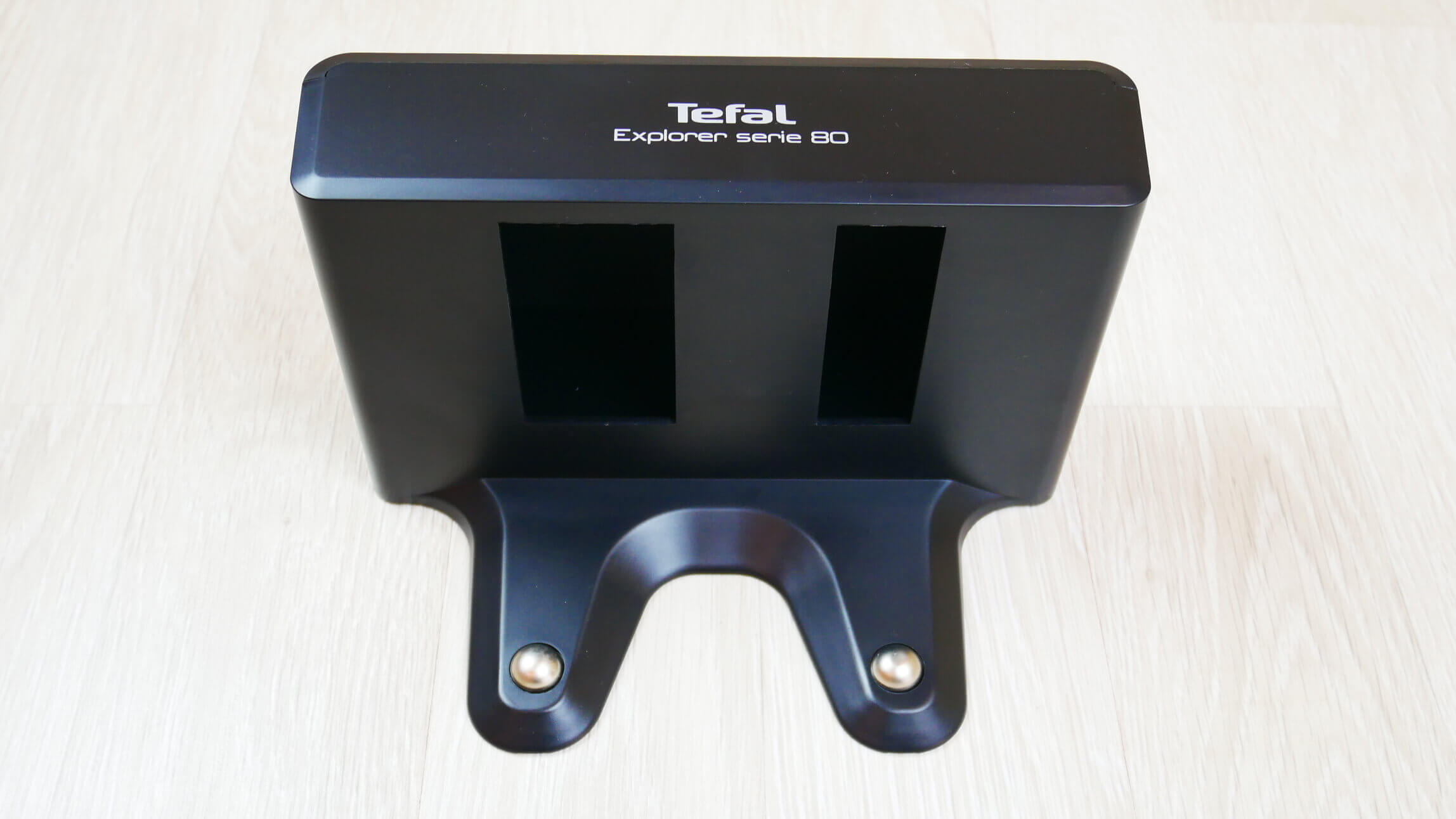
I'd like to pay special attention to the charging base. Here's what it looks like:
Charging base
For a long time, I couldn't figure out what those empty spaces in the front were for. Moreover, the manufacturer forbids inserting any objects into them. As it turns out, the robot uses these two rectangles to connect to the base, visually orienting itself to them. There are no transmitters on the base.
Appearance and navigation
Now let's take a closer look at the robot itself. It's round, with a body diameter of 34 cm. The robot's height is 97 mm from the floor. These are quite impressive dimensions, and we'll try to understand the reason for this height.
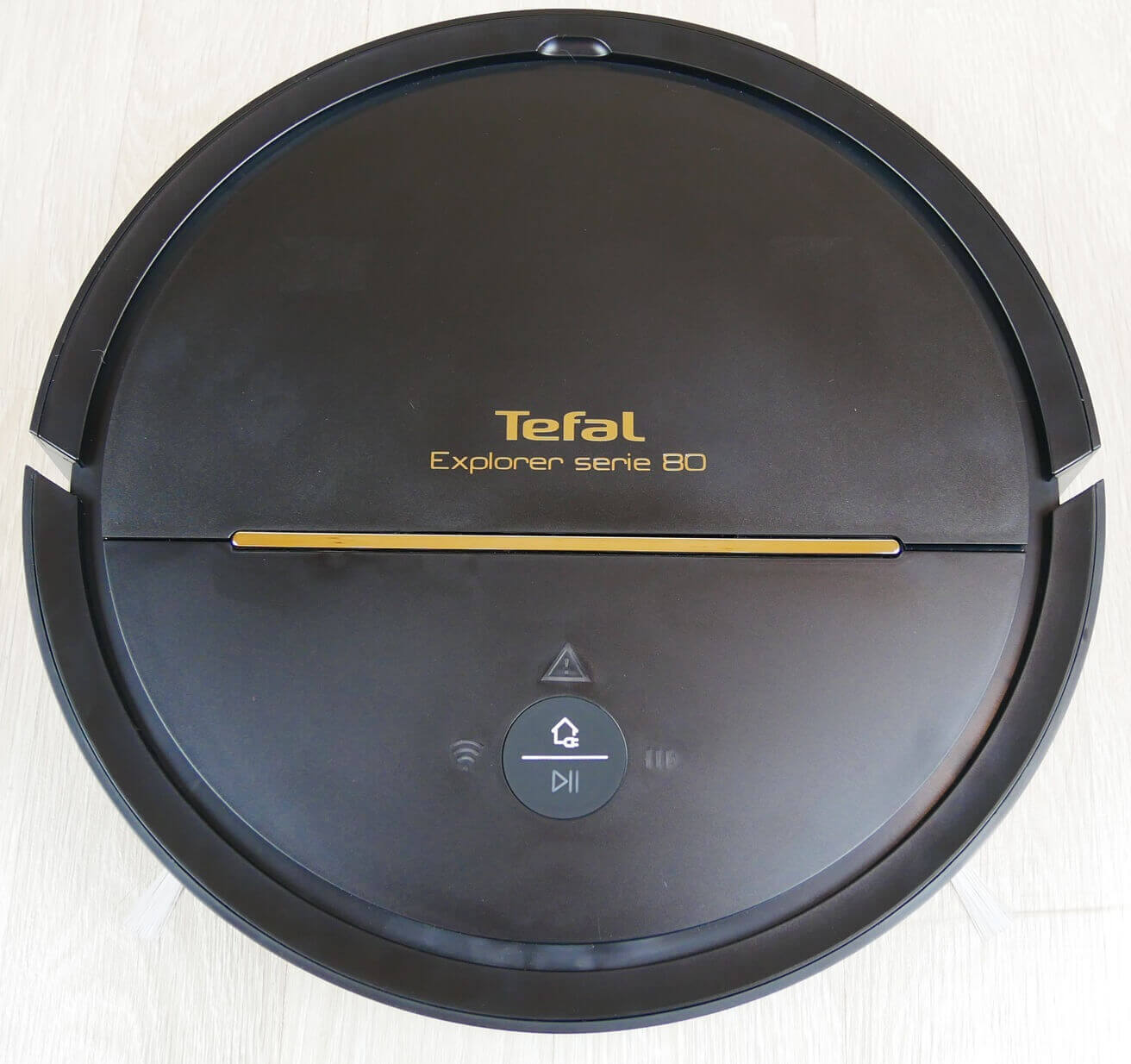
Top view
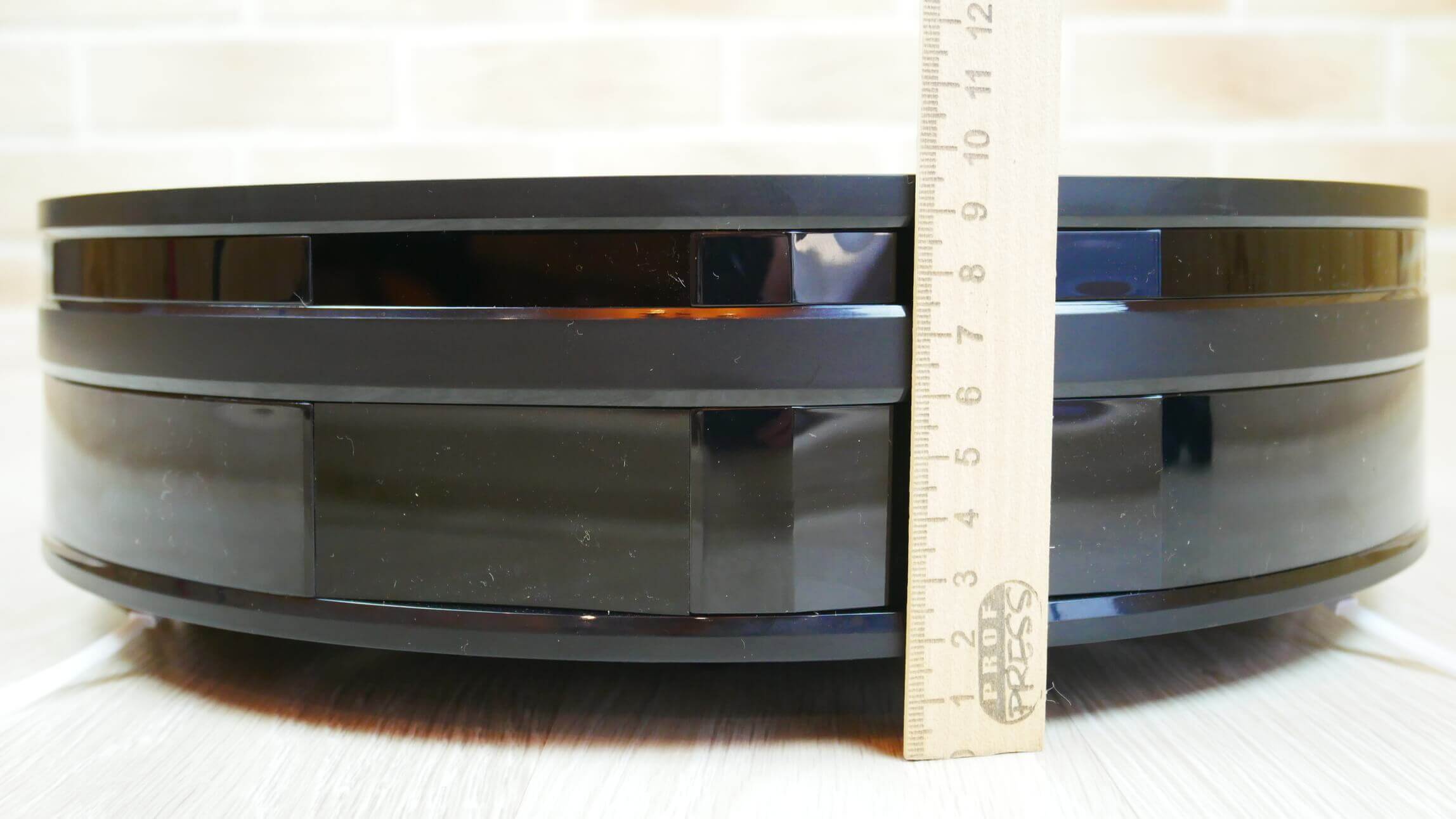
Body height
Otherwise, we see two control buttons on the top of the body. These are the start/pause button and the forced return to base button. Next to them are three indicators: battery charging, Wi-Fi connection, and an error message.
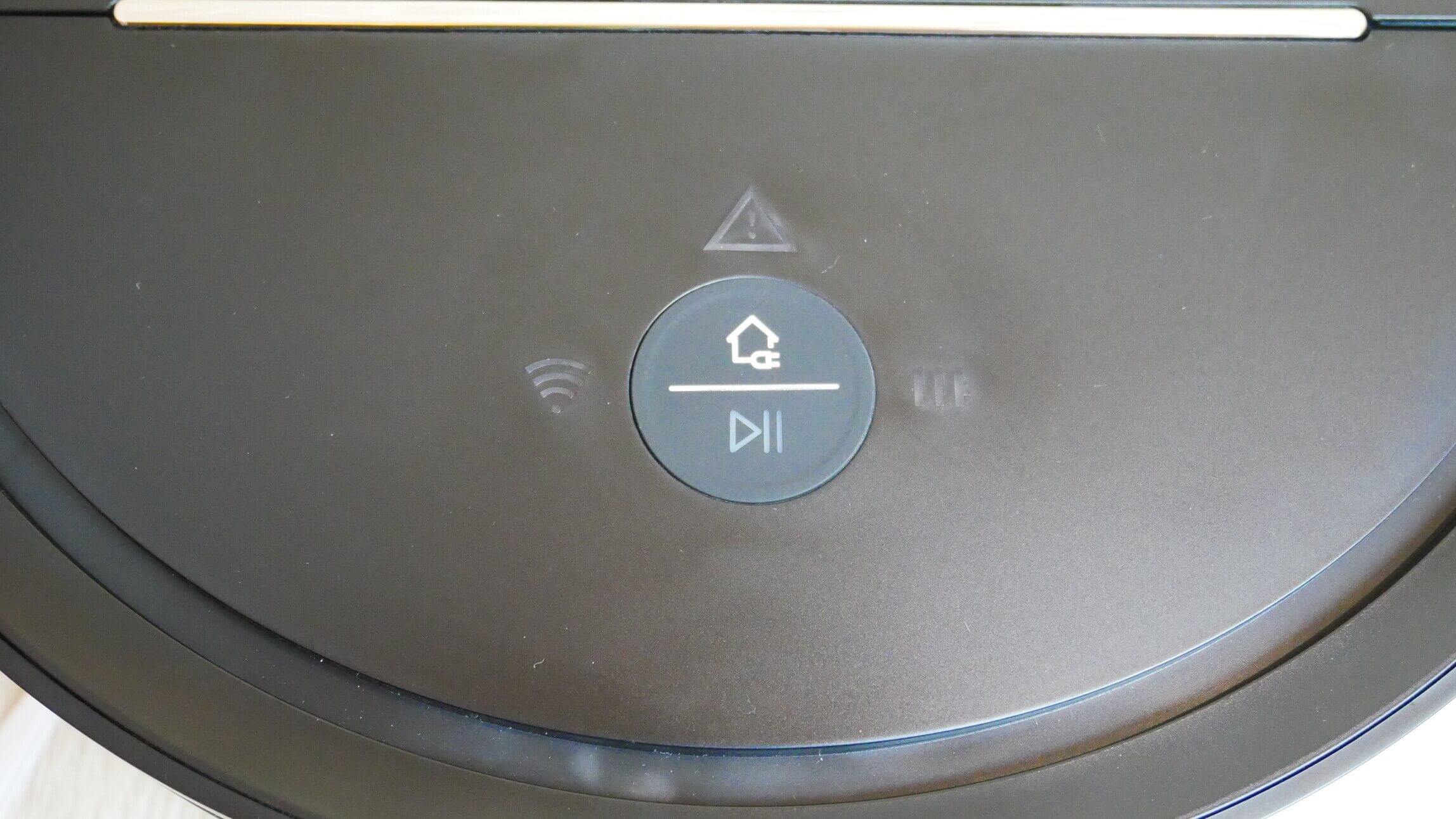
Control Panel
The top cover features the company logo and model name. The dust container is located under this cover.
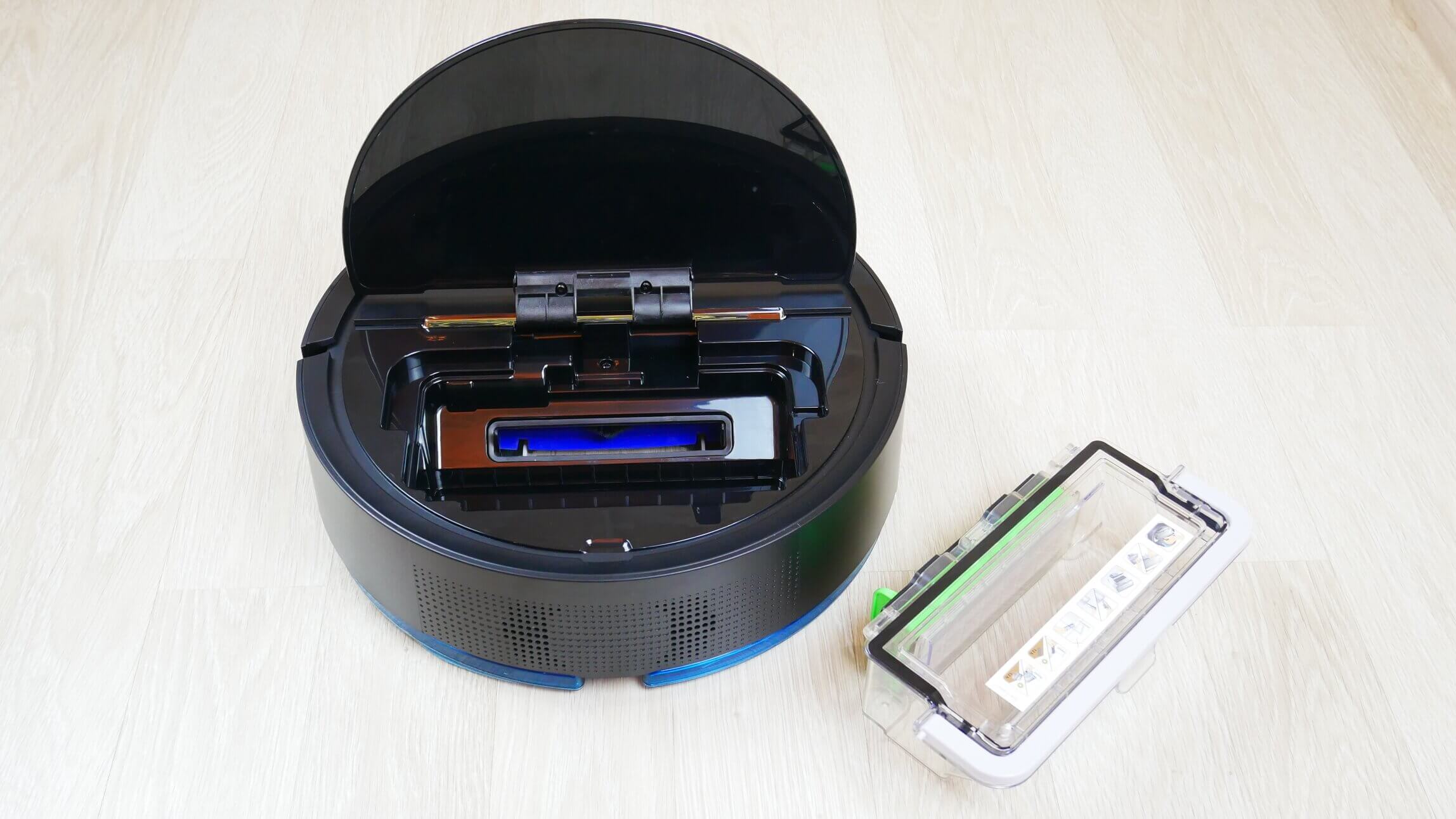
Dust collector location
It holds up to 700 ml of dry waste, which is likely one of the reasons for its tall frame. The container's lid is completely removable for easy emptying. The container is equipped with a triple filtration system consisting of a mesh filter, a foam filter, and a HEPA filter. A sticker on the top of the lid makes it clear that the HEPA filter is not washable.
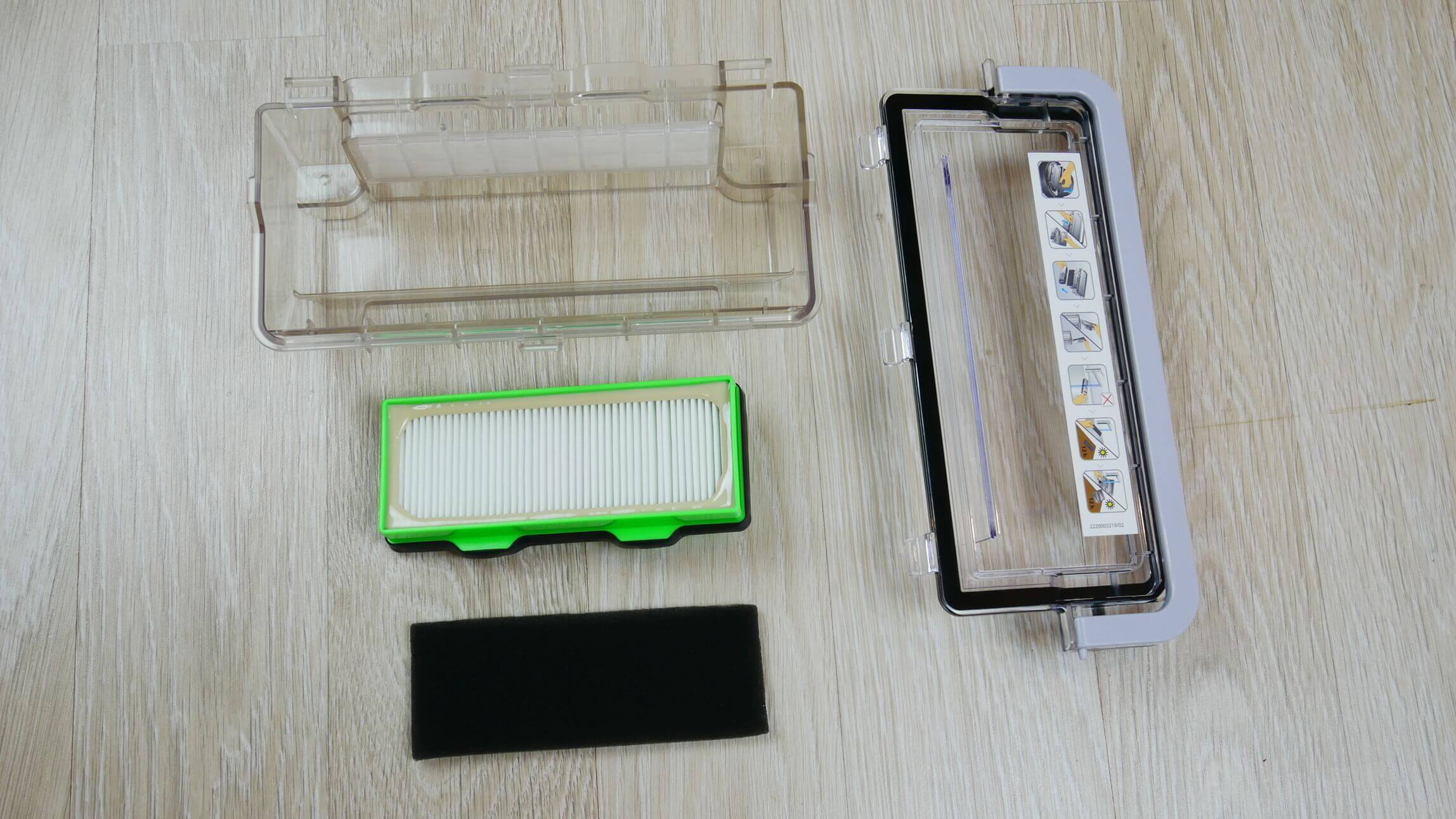
Dust collector design
Now let's turn the robot vacuum over and look at its underside. I'll start with the wet cleaning nozzle. It's attached with clips. The cleaning cloth is held in place with Velcro. Water flows from the reservoir to the cleaning cloth via five gravity-fed holes. At the top is a hole with a sealed valve for filling the water. Incidentally, the reservoir holds only 110 ml.
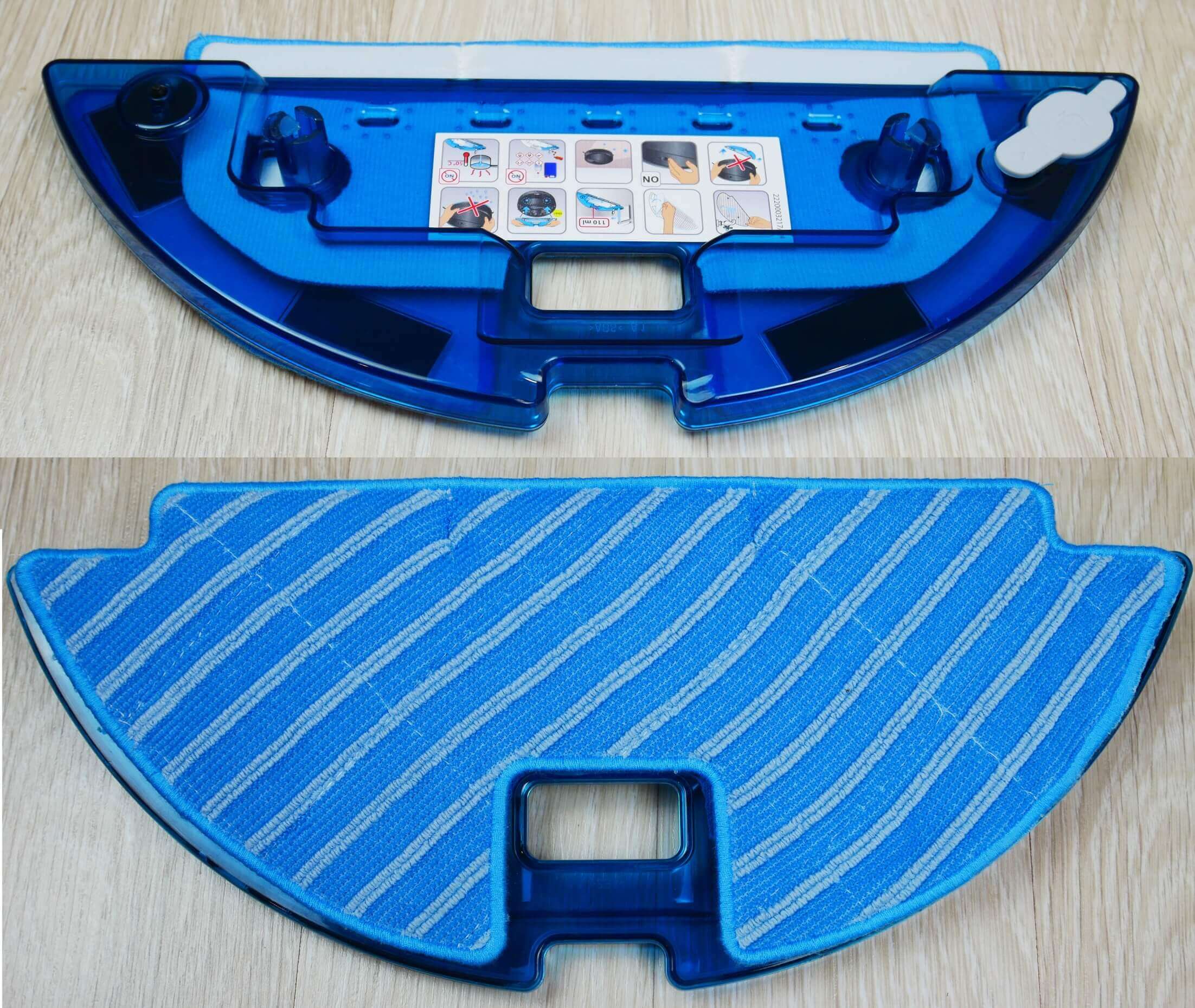
Nozzle with a napkin
Returning to the robot itself, it has two quick-release side brushes with bristle tassels. Next to one of the brushes is a power switch, protected from dust and moisture.
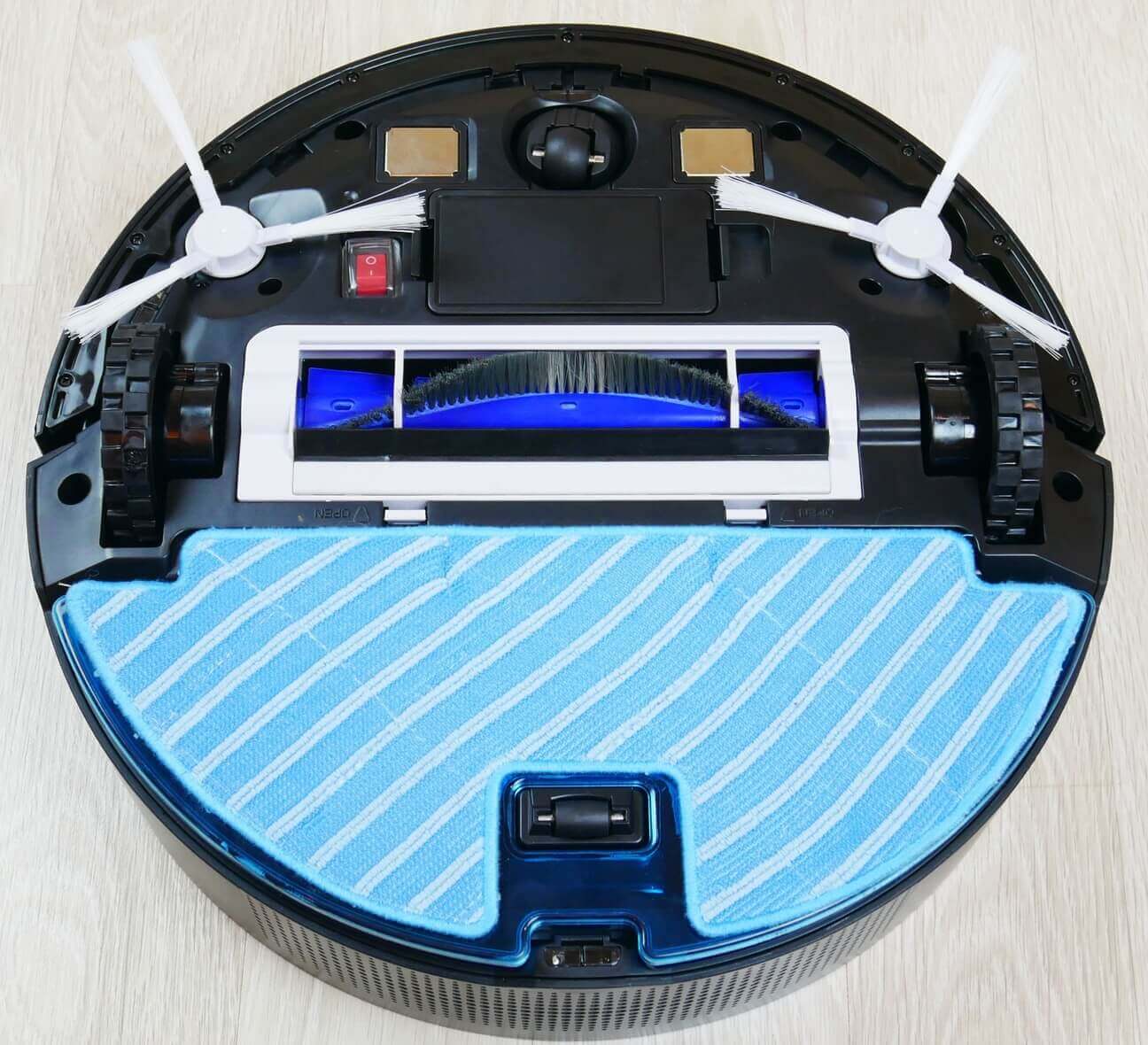
Bottom view with napkin
A bristle-petal turbo brush is installed in the center. It's not removable, but it's easy to clean hair with the included tool.
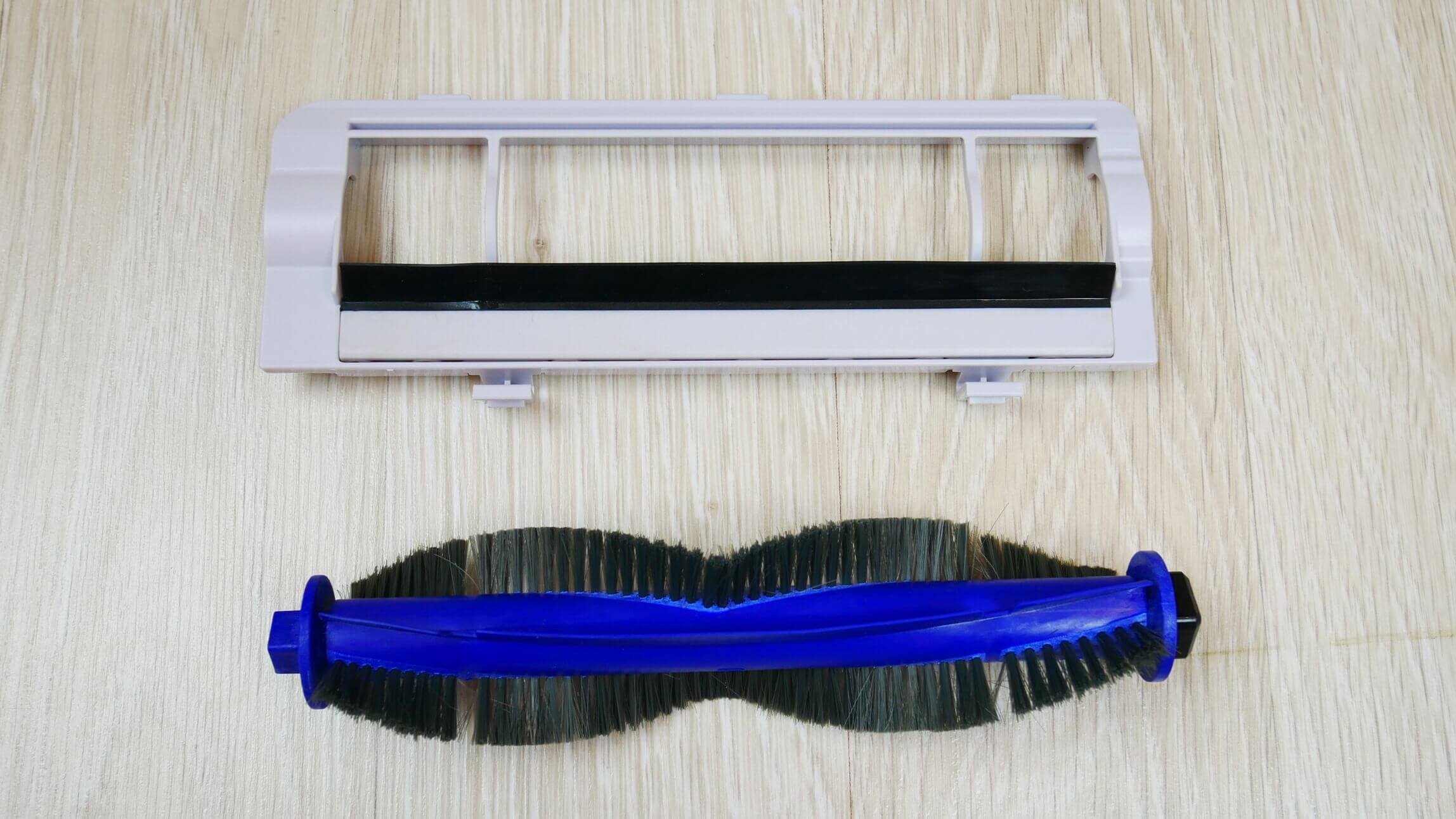
Central brush
That's all for the exterior review. I forgot to mention that the front has a soft-touch mechanical bumper.
And this point is worth dwelling on in more detail. The thing is, this robot vacuum's main navigation system is located in the bumper itself. It's an infrared camera and a laser sensor similar to the one found in a lidar system. The only difference is that the lidar's turret rotates 360 degrees at high speed, whereas in this robot, the laser sensor is fixed and the robot itself rotates as it moves. This solution is new to me. This navigation system builds a map a little slower than a lidar system, but there are no moving parts, which ensures greater reliability. Also, when driving under low furniture, such as kitchen cabinets, robots with lidar They partially slide under furniture and get hit by the protruding part. The Tefal X-plorer Series 80 simply won't fit under it and will hit you with its bumper. This applies to navigation, meaning you've already realized that the robot navigates using a camera and a laser sensor. Testing will reveal how effective this option is.
Overall, the robot's plastic is well made, but the central and side brushes are quite standard.
Technical specifications
Now let's look at the main characteristics of the Tefal Explorer Serie 80 RG7765WH:
| Power supply | Li-Ion battery 2200 mAh |
| Opening hours | Up to 120 minutes |
| Charging time | About 3 hours |
| Cleaning area | Up to 100 m2 |
| Height of obstacles | Up to 15 mm |
| Dust collector capacity | 700 ml |
| Water tank capacity | 110 ml |
| Overall dimensions | 340x97 mm |
| Noise level | Up to 72 dB |
Connecting to the network
Now let's look at the functionality of the Tefal app. You need to download it and install it on your smartphone. First, some important information for those with a Xiaomi smartphone, as you may encounter connection issues, as I did.
By following the link, you can study the document that explains what you need to do to connect this robot without any problems: Setting up a Xiaomi smartphone.
In short, you need to go to the app settings, select the downloaded Tefal app, and select "Allow" under Wi-Fi Status. Otherwise, when the robot connects to the network, a Wi-Fi status notification will constantly pop up, disrupting the connection and causing it to fail. According to the manufacturer, this issue doesn't affect smartphones from other brands.
Otherwise, connecting the robot to the network is quite simple; just follow the prompts. Everything is in Russian and clearly explained.
Functional capabilities
Let's take a look at the app's functionality. All important features become available after the robot has given me a test drive and created a map. I've already done that.
On the main dashboard, swiping up reveals the most frequently used features. The top row displays operating modes. Automatic cleaning of the entire available area is available. You can select specific rooms for cleaning, as well as spot cleaning in a selected area on the map.


Robot functions
Under the modes, you can adjust the suction power, there are 3 levels in total: eco, standard and high power.
Let's move on to the second section, "Activity." This is the so-called cleaning history, but you can't view detailed information about completed cleanings or visually assess on the map where the robot has and hasn't cleaned. Only tasks and their completion times are displayed, and notifications about the robot's status are also sent here.


Activity
The next section is for setting up scheduled cleaning. Here you can select the days of the week, times, and rooms for scheduled cleaning. This is very convenient. You can even set a reminder in advance that the robot will start cleaning soon. Just in case the child just went to bed, and you forgot the robot was about to go clean the nursery.


Cleaning according to schedule
The maintenance section is quite well designed. The robotic vacuum cleaner stores the total mileage, number of cleanings, and total runtime. Below are instructions on how to properly clean the brushes, dust container, cleaning cloth, and sensors. All information is accompanied by images, so you shouldn't have any questions.


Service
The most important feature in the settings section is the ability to edit the generated map. If necessary, you can restart the familiarization drive to generate a more accurate map. You can also combine several rooms into one or, conversely, divide a room into separate zones. These are all the map editing options.


Working with the map
Other settings include changing the robot's name, setting up notifications, and a help section. Here you can find answers to common questions, troubleshooting simple problems, information on after-sales service, and access all the instructions online.
Oh, I almost forgot. If you click the inconspicuous "Settings" tab on the main work panel, another very useful feature becomes available: setting no-go zones on the map.


Setting restricted areas on the map
This feature allows you to restrict the robot's movements in areas it shouldn't go, such as areas where cat dishes are kept or fragile vases that the robot might bump into and break.
It's worth noting that if the battery charge is low and the robot doesn't have time to finish cleaning, it will go to the base, charge, and return to clean from where it left off.
That's all the functionality of the Tefal X-plorer Series 80. Important spoiler: in a future app update, the manufacturer will add multi-map support to the robot's capabilities. This means the robot will be able to store maps of multiple floors in its memory.
It's also important to note that Tefal robot vacuum cleaners have supported the Yandex.Alice voice assistant since early 2021. I've tested it, and it works correctly.
Testing
Now that we've covered the features, let's move on to testing. You can watch a detailed test of the Tefal X-plorer Series 80 in our video review:
Navigation
First, let's test this robotic vacuum's navigation within a single room with obstacles: a box, chair legs, a mirror, and a clothes dryer.
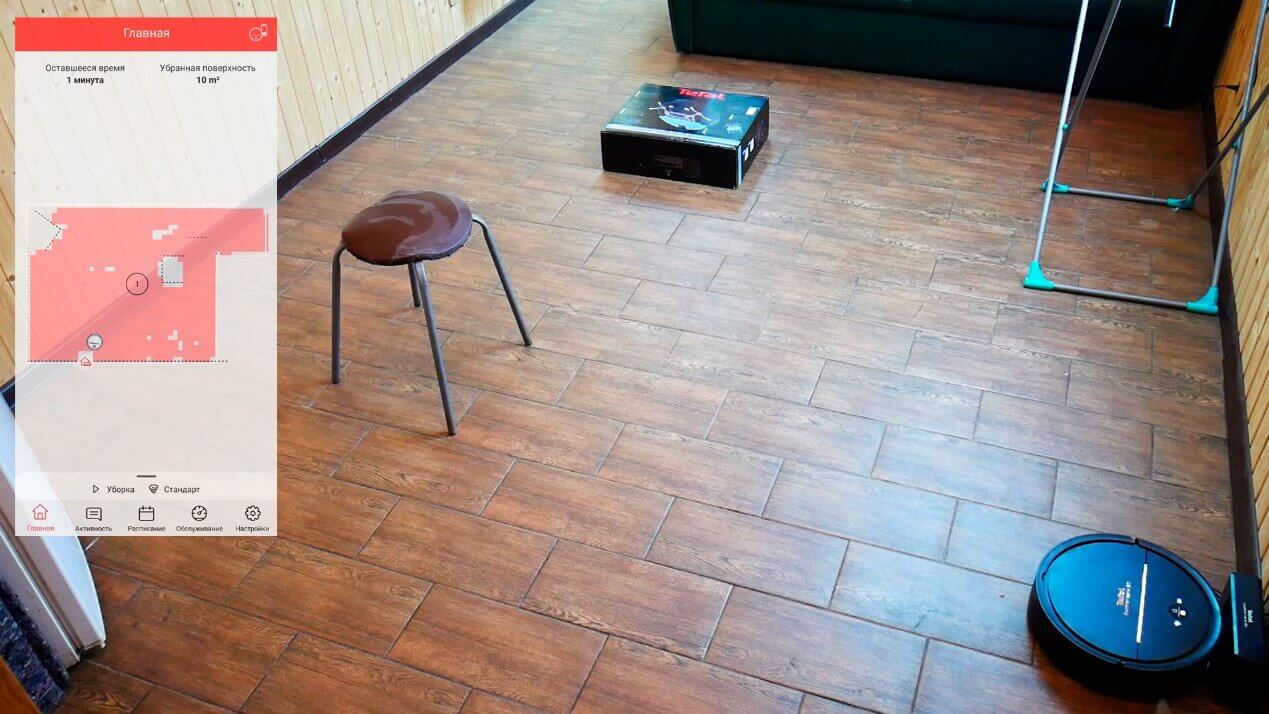
Navigating within a room
The Tefal X-plorer Series 80 first scanned the perimeter of the room, then moved on to cleaning the available area in a zigzag pattern. It didn't get stuck on the legs of the clothes dryer, moved neatly under the chair, sweeping the legs, and circled the perimeter of the box. The mirror didn't interfere with the map, the room's geometry was correct, and the robot left no uncleaned areas. It's also worth noting that the robot's touch is very gentle, which is important.
Now let's see how the Tefal X-plorer Series 80 handles cleaning the entire house. In our case, this includes five rooms with a total usable area of approximately 34 square meters. First, we ran a test run. After the robot returned to its base, the map was saved, and now we can launch it for a full cleaning.
The robot cleans room by room, first sweeping the perimeter and then cleaning inside the rooms in a serpentine pattern. There's a slight measurement error in the room area, but that's not a big deal. Interestingly, the robot initially estimated it would take an hour to clean the entire house, but in reality, it cleaned in 30 minutes. Overall, the cleaning speed is as fast as that of robots equipped with lidar.


Navigation within the home
I liked the navigation; I have no complaints. Incidentally, I noticed that the robot doesn't go blind in the dark, but cleans just like it does in daylight. So, at first glance, this navigation option may seem slightly inferior to rotating lidar, but it competes well with camera.
Suction power
On a test bench with gaps of varying depths, the robot performed just like most of its competitors—it was only able to vacuum dust from a 2mm gap. There are no complaints; many premium robots can't even vacuum up this much, although there are more powerful models.
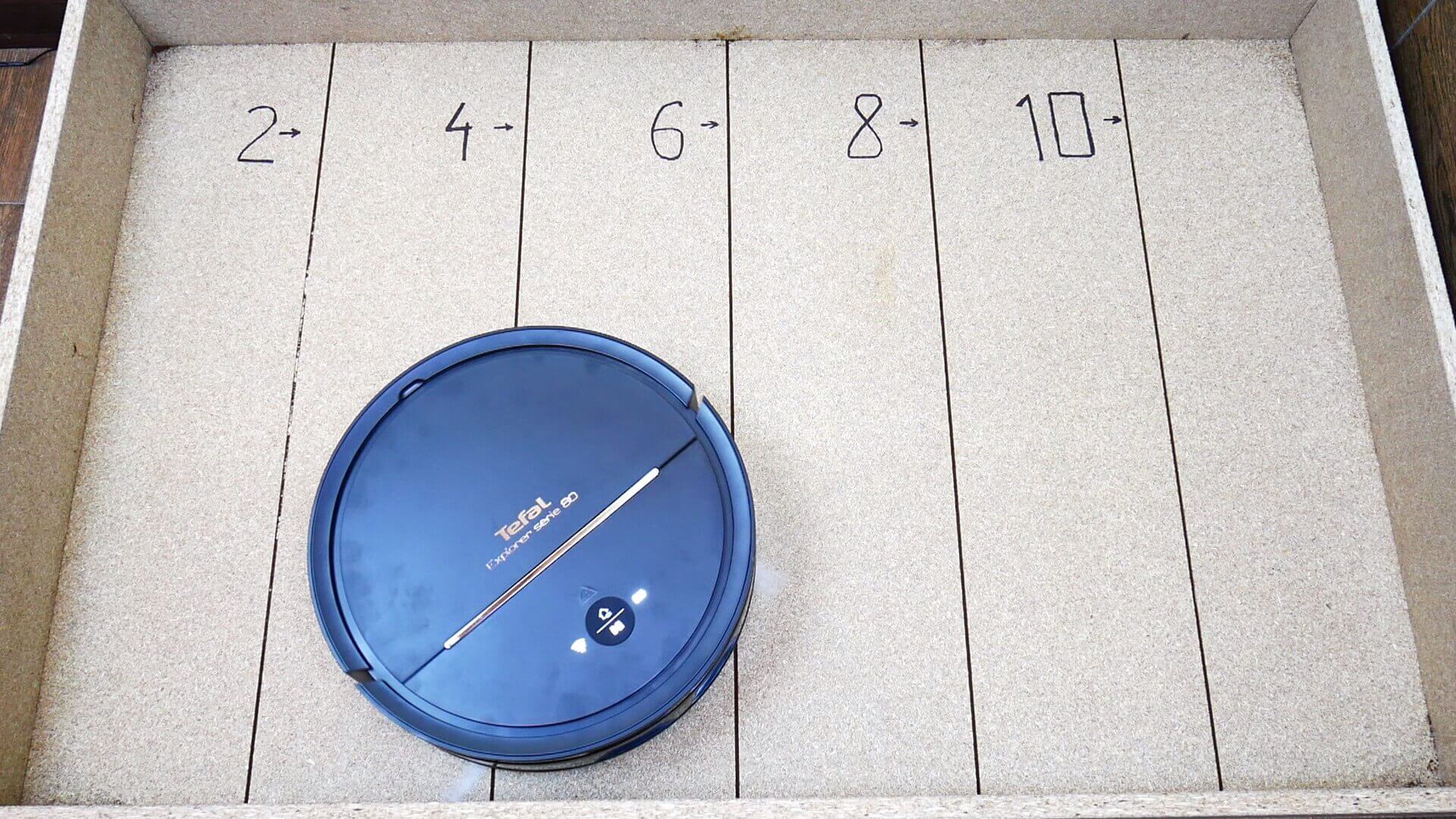
Suction power
Dry cleaning of laminate flooring
It's much more important to test how the Tefal X-plorer Serie 80 performs when vacuuming dry debris on laminate floors. We used hair, fur, ground coffee (to simulate dust in corners), and various grains as debris. The brushes and dust container were completely clean before use.
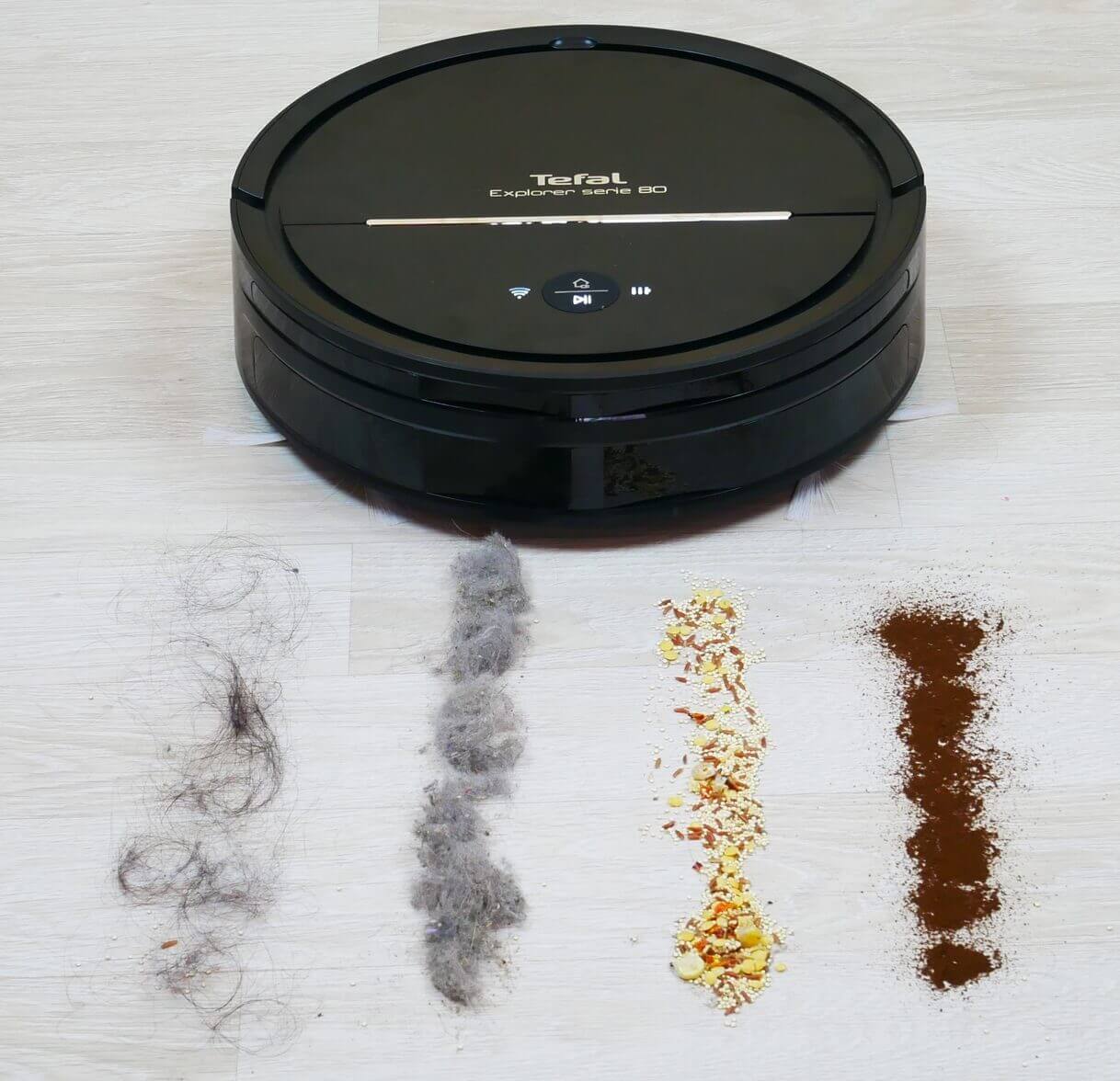
Garbage before the test
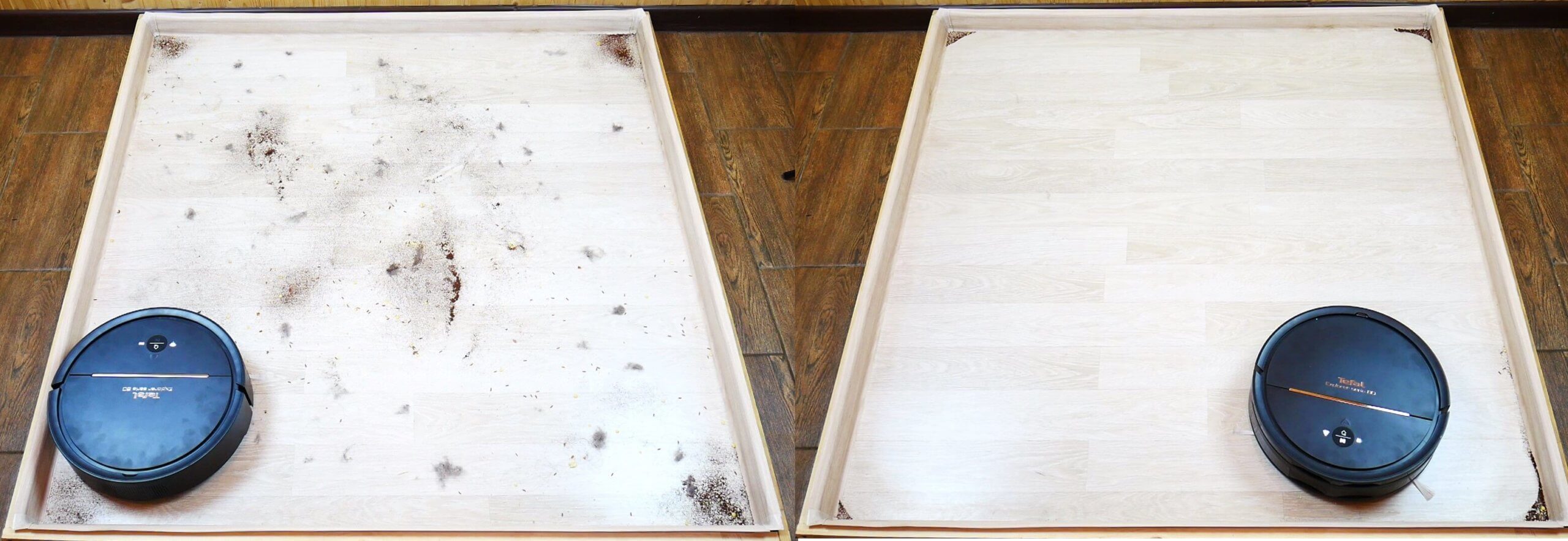
Quality of dry cleaning on laminate flooring
And you can see that the robot did a good job, leaving some debris in the corners, like any other round robot vacuum. A very small amount of debris remained in one spot along the baseboard.
Cleaning the carpet
Now let's scatter the same debris on the carpet and see how the Tefal X-plorer Serie 80 can clean it.
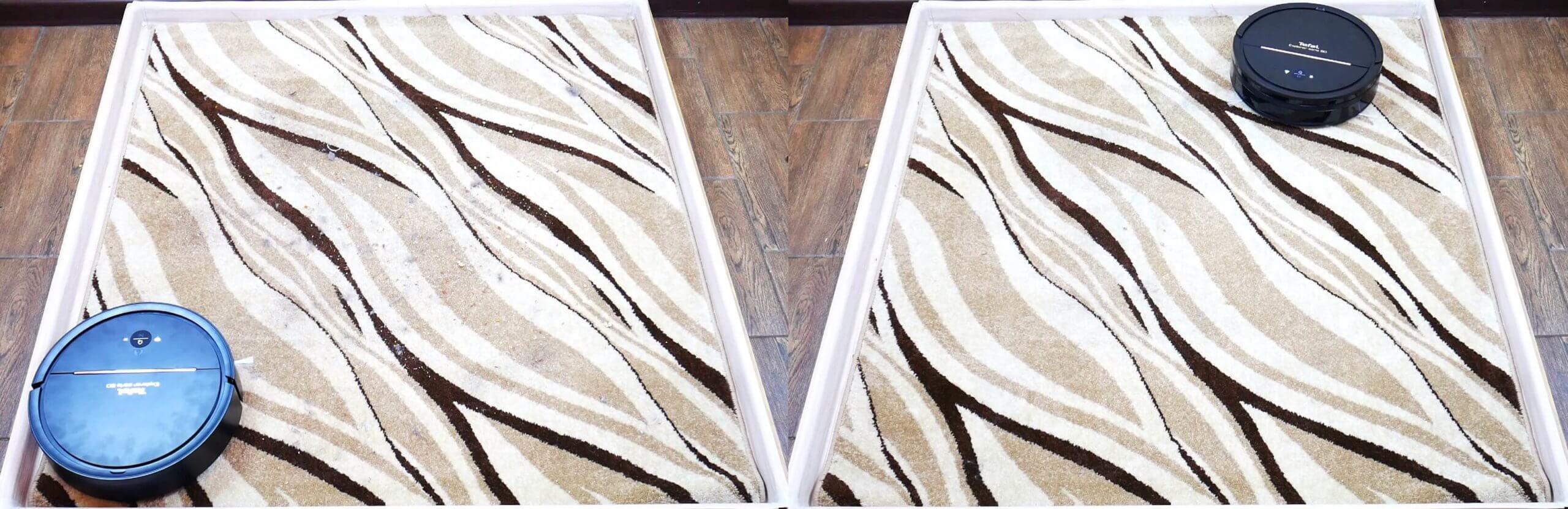
Cleaning the carpet
And here's where a problem arose: despite the fact that the carpet was clean after the robot passed, I initially couldn't understand why its trajectory was so unpredictable. By the end of the test, it became clear that the robot was wary of dark stripes, recognizing them as elevation changes. This meant that the carpet it passed over cleaned properly, but debris remained only because the robot couldn't reach it. In this case, if there are no elevation changes in your home, I recommend simply covering the sensors underneath to prevent the robot from being wary of dark surfaces. Overall, the cleaning performance on carpets was decent.
Wet cleaning
Now let's see if the Tefal Explorer Series 80 can handle slightly dried-on dirt on laminate flooring. I filled the tank with water and manually dampened the cloth before attaching it to the nozzle, as recommended by the manufacturer.
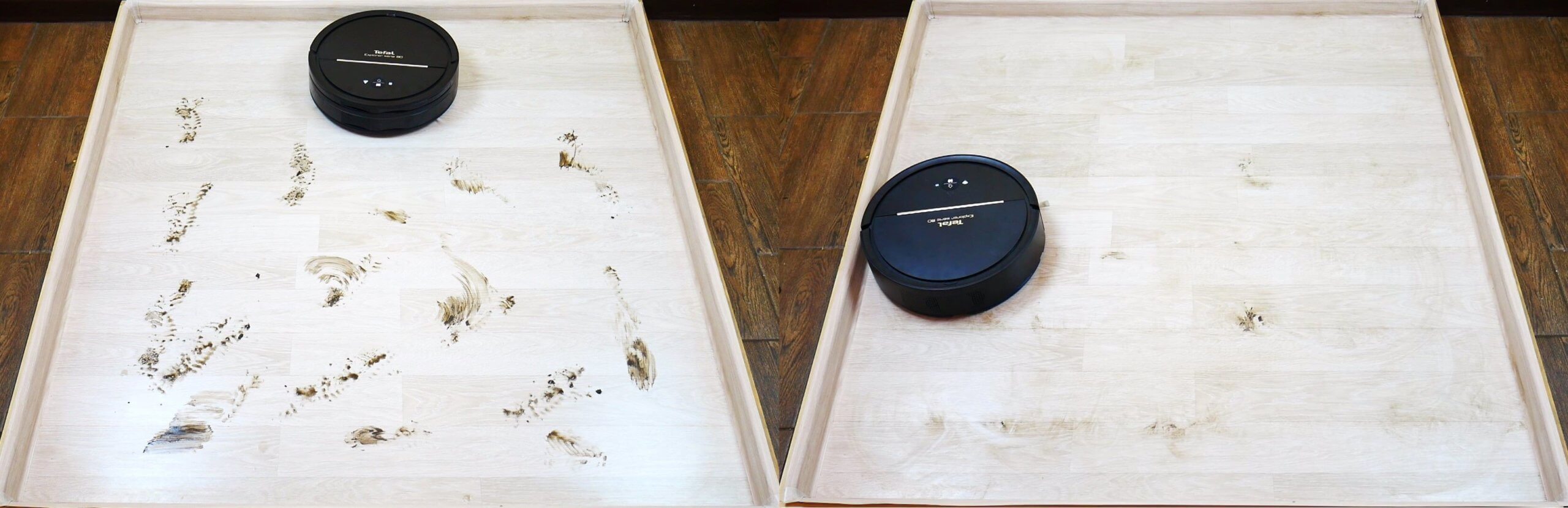
Wet cleaning
We see that the dirt removal performance is average. The robot removed some spots, but not others. This is because the cloth doesn't press firmly against the floor. Attachments of this design are better suited for delicate cleaning, specifically wiping dust and light stains off the floor. Therefore, this robot vacuum cleaner doesn't compete with mopping robots or floor polishers. Overall, however, this attachment is sufficient for cleaning a surface area of approximately 40 square meters, and for everyday tasks, this will be more than enough for many.
Obstacle clearance
Now let's look at the threshold heights the Tefal X-plorer Series 80 can cross. The manufacturer states a threshold height of 15 mm.
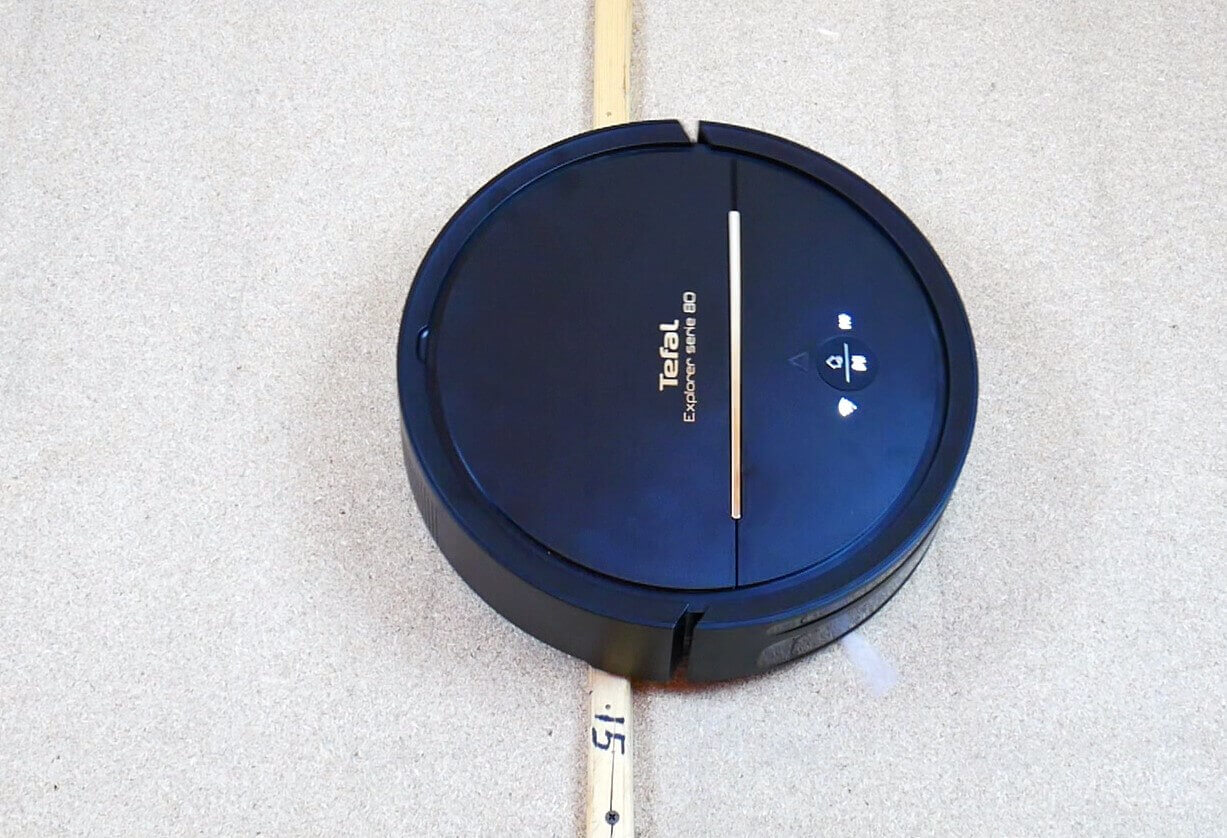
Obstacle clearance
Yes, that's right. It can go over thresholds of 10 and 15 mm, but it can't handle a 20 mm threshold.
Dark spots
Regarding driving over dark areas of the floor, the observation on the carpet was accurate. The robot recognizes the black carpet as a height difference, so it avoids it.
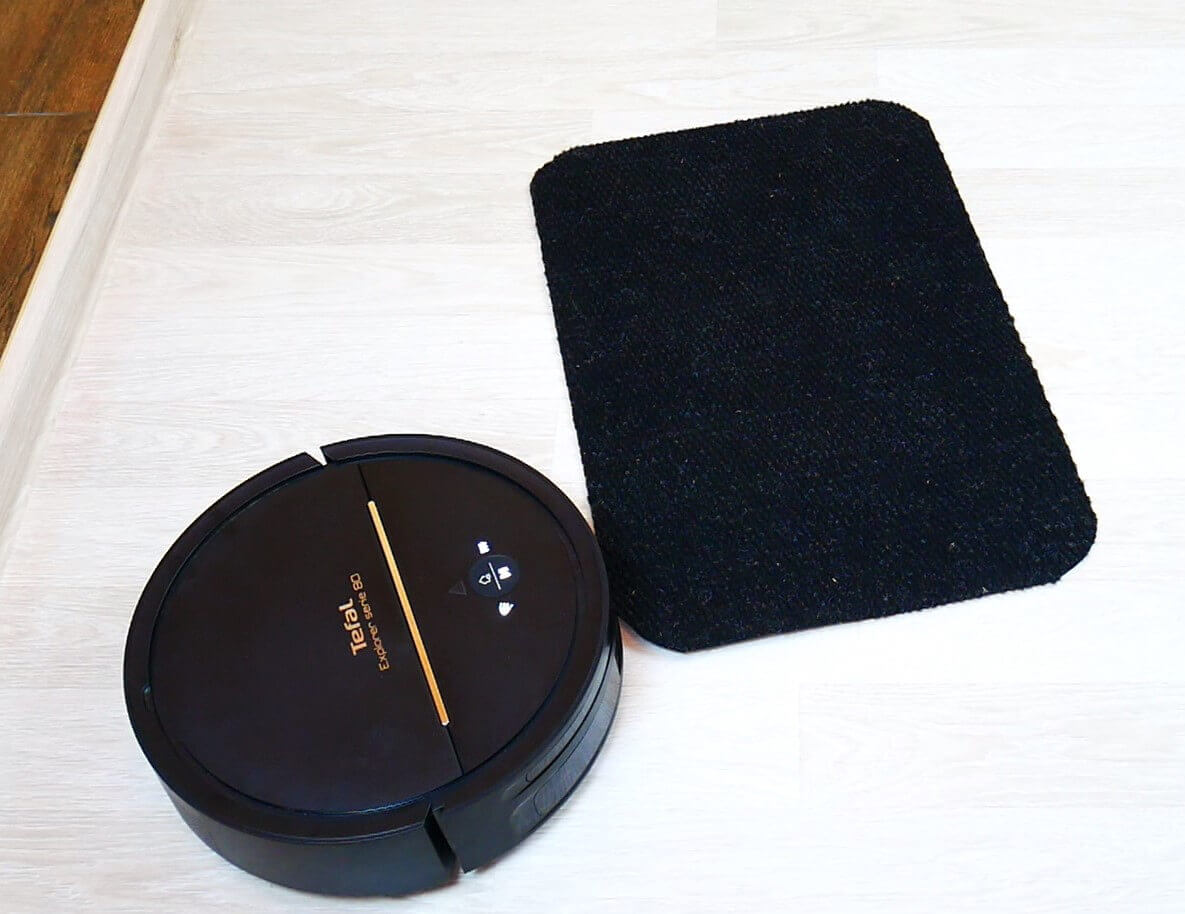
Robot and black rug
Noise level
In our final test, we'll check the robot vacuum's noise level. In Eco mode, the noise level is around 64 dB, while in Standard mode, it reaches 67 dB. The difference in noise level between Standard and Maximum modes is barely noticeable, even to the ear. The device's peak reading reached 67.1 dB.
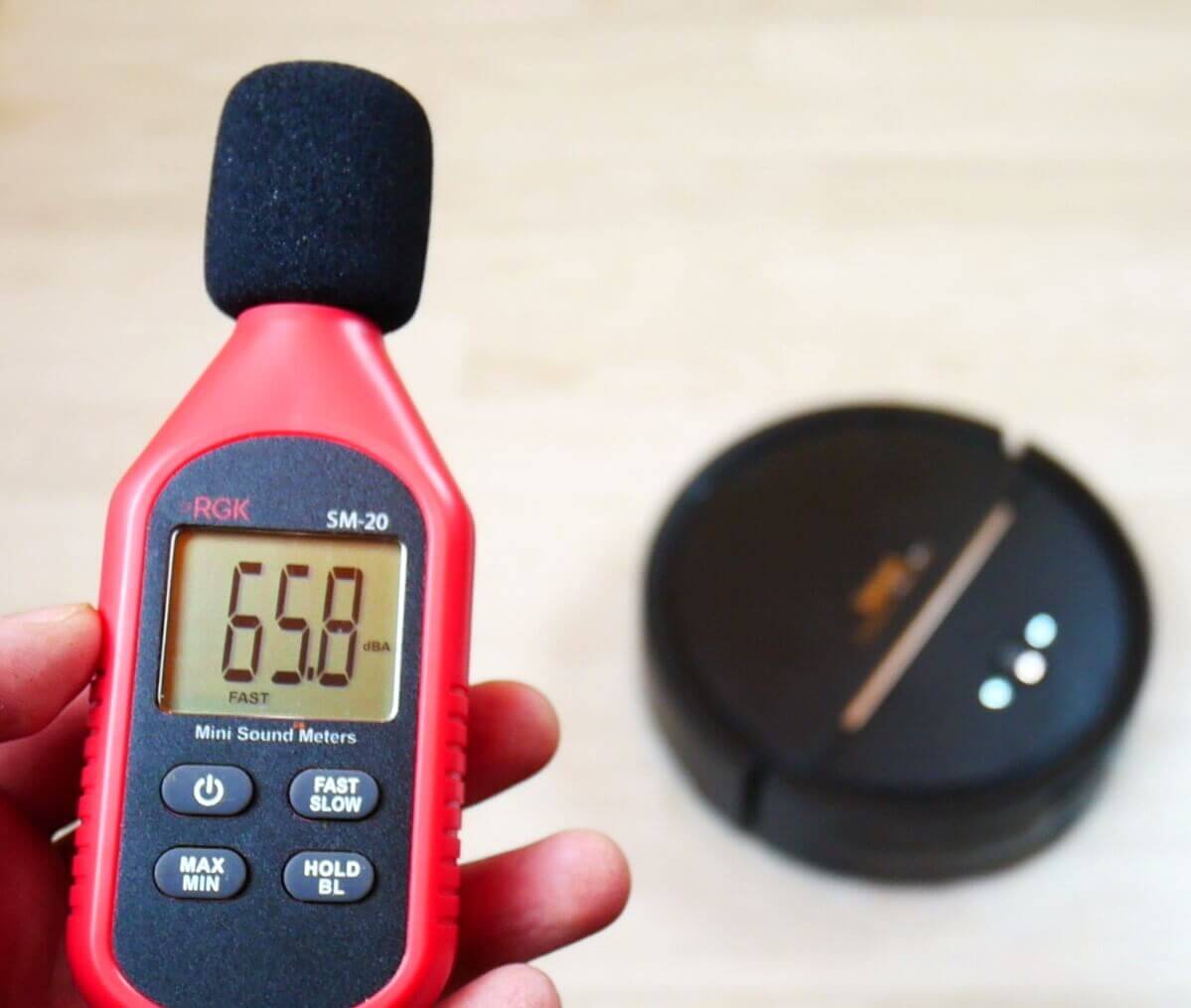
Measuring noise levels
It can be said that the Tefal Explorer Serie 80 is quite quiet.
Let's sum it up
We've thoroughly tested the robot in question, and now we'll evaluate it based on various criteria, taking into account its price of $350.
According to our new grading system Tefal X-plorer Serie 80 scored 55 out of 100 points. We also recommend checking out our overall rating of robot vacuum cleaners that have been tested at robovac.washerhouse.com: https://robovac.washerhouse.com/en/rejtingi/robovac-obshhij-rejting-robotov-pylesosov-robo.html.
The rating may be adjusted over time, so I recommend rechecking the results after viewing the review. However, I can already say that for a price over $300, a good robot vacuum cleaner should score at least 50 points overall, indicating that it's a good choice for its segment.
Speaking about my personal opinion of the robot after getting to know it and thoroughly testing it, I definitely liked the spatial orientation system. The navigation is unconventional, but nevertheless, the robot isn't afraid of the dark, mirrors, or complex layouts. And the navigation system itself, according to the manufacturer, is more reliable than lidar because it has no rotating parts. This can definitely be considered an advantage of the model.
It's great that the Tefal X-plorer Series 80 can vacuum and mop simultaneously, and it can clean both hard floors and carpets without dark patterns. The dust bin is also spacious.
As I mentioned earlier, the plastic itself is of good quality, as is the assembly. I was pleased with the spacious dust bin and the presence of a second side brush. However, the brushes themselves are quite standard in design. Furthermore, the water tank is small. I have particular complaints about the height of the body, which prevents the robot from cleaning under low furniture. All these minor issues combined impacted my rating.
Overall, there are no complaints about the Tefal X-plorer Series 80's cleaning performance. The cleaning quality is good. There was virtually no debris left on the stands, including the carpet. The robot did a little poorly in the corners, but this is due to the shape of the robot's body. However, the quality of the dirt removal and the wet cleaning itself are only suitable for gently wiping the floor of dust and light stains.
In principle, this robot vacuum cleaner has all the basic functions needed to automatically keep your home clean. The only key features missing are manual control and electronic water flow adjustment.
It's also important to note that Tefal has been around for quite some time, and while they don't specialize exclusively in robot vacuum cleaners, their equipment is high-quality and reliable. This is reflected in the robots themselves. They come with a warranty, and if a malfunction occurs, you can contact a service center. Furthermore, the robots are controlled via a proprietary mobile app.
Based on my testing, I can say that the robot vacuum cleaner turned out to be even better than I expected. It offers many of the same features, and the price is affordable. So, if you're interested in this model, feel free to buy it.
That's all I have for now. If you have any questions, please ask them in the comments below. Happy shopping, everyone!
Which is better, it or Xiaomi S6 Pur?