
Xiaomi Dreame F9: An Improved Duplicator of the Mijia 1C
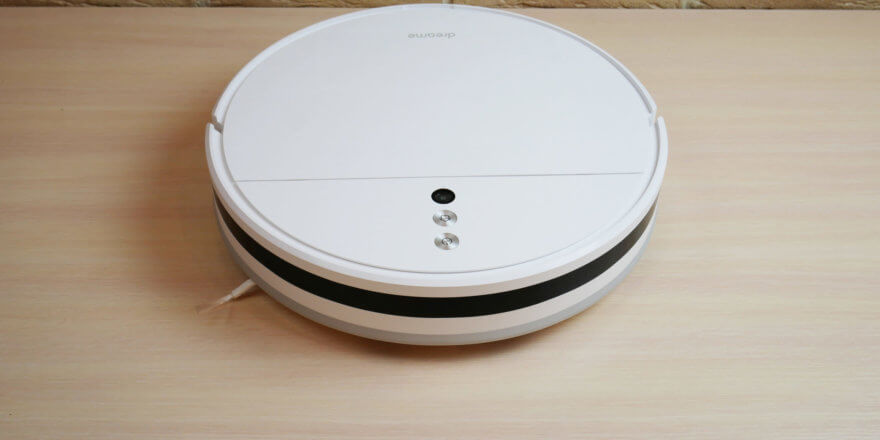
Hello, readers! I finally got a chance to review one of the most popular and most functional robot vacuum cleaners in the sub-$200 price range. It's the Dreame F9, the entry-level model in the lineup of one of Xiaomi's top sub-brands. I paid $170 for the robot; the purchase link is at the end of the review. Below, I'll thoroughly test the Dreame F9 and then express my opinion on whether it's worth buying. So, let's get started!
Equipment
First, let's look at the package contents. The Dreame F9 arrived in this branded box:
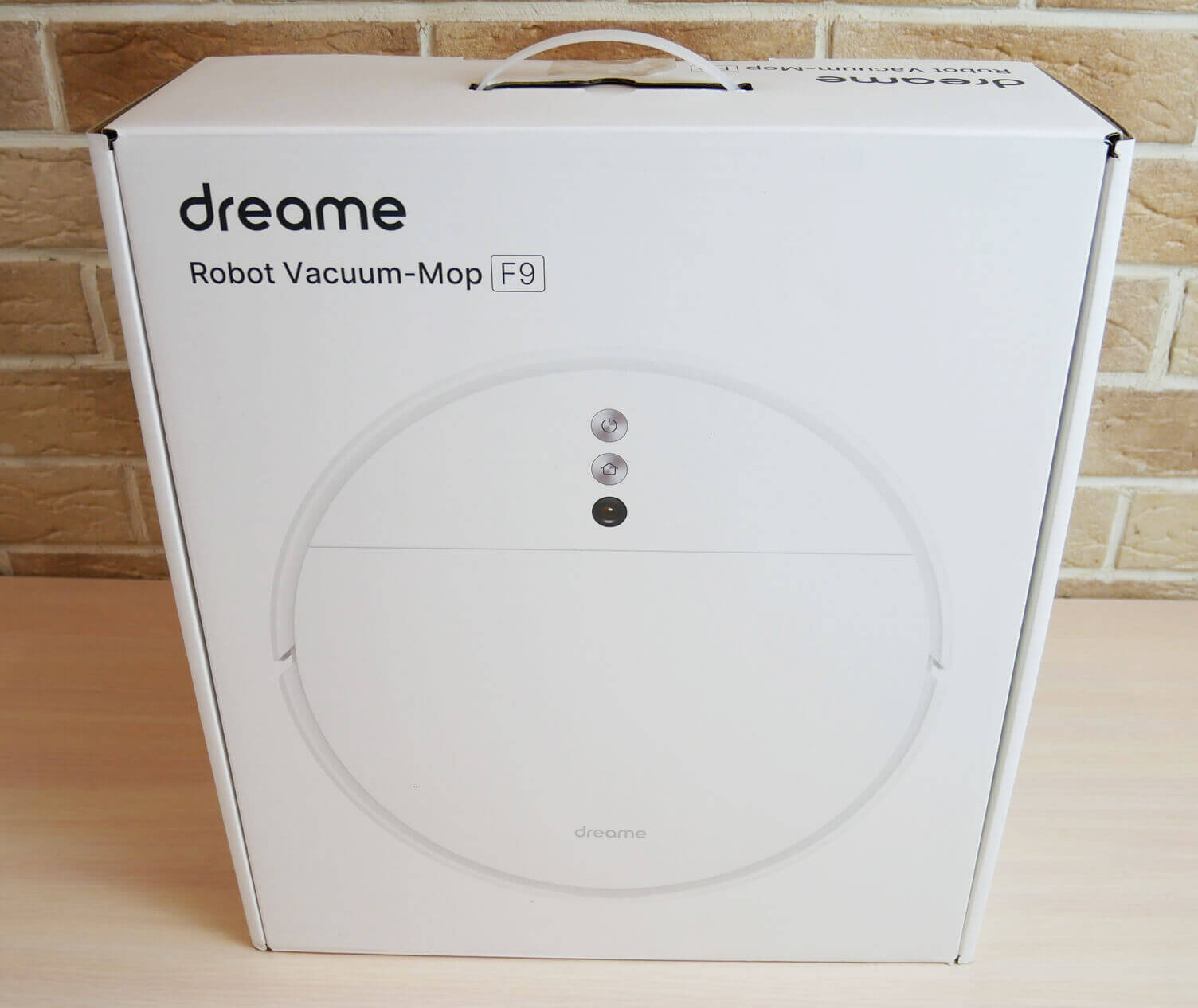
Box
In addition to the robot vacuum cleaner itself, it contains:
- Charging base.
- Power adapter.
- Wet cleaning nozzle with a microfiber cloth installed.
- Operating instructions in several languages, including Russian.
- And also a short guide on how to start the robot for the first time.
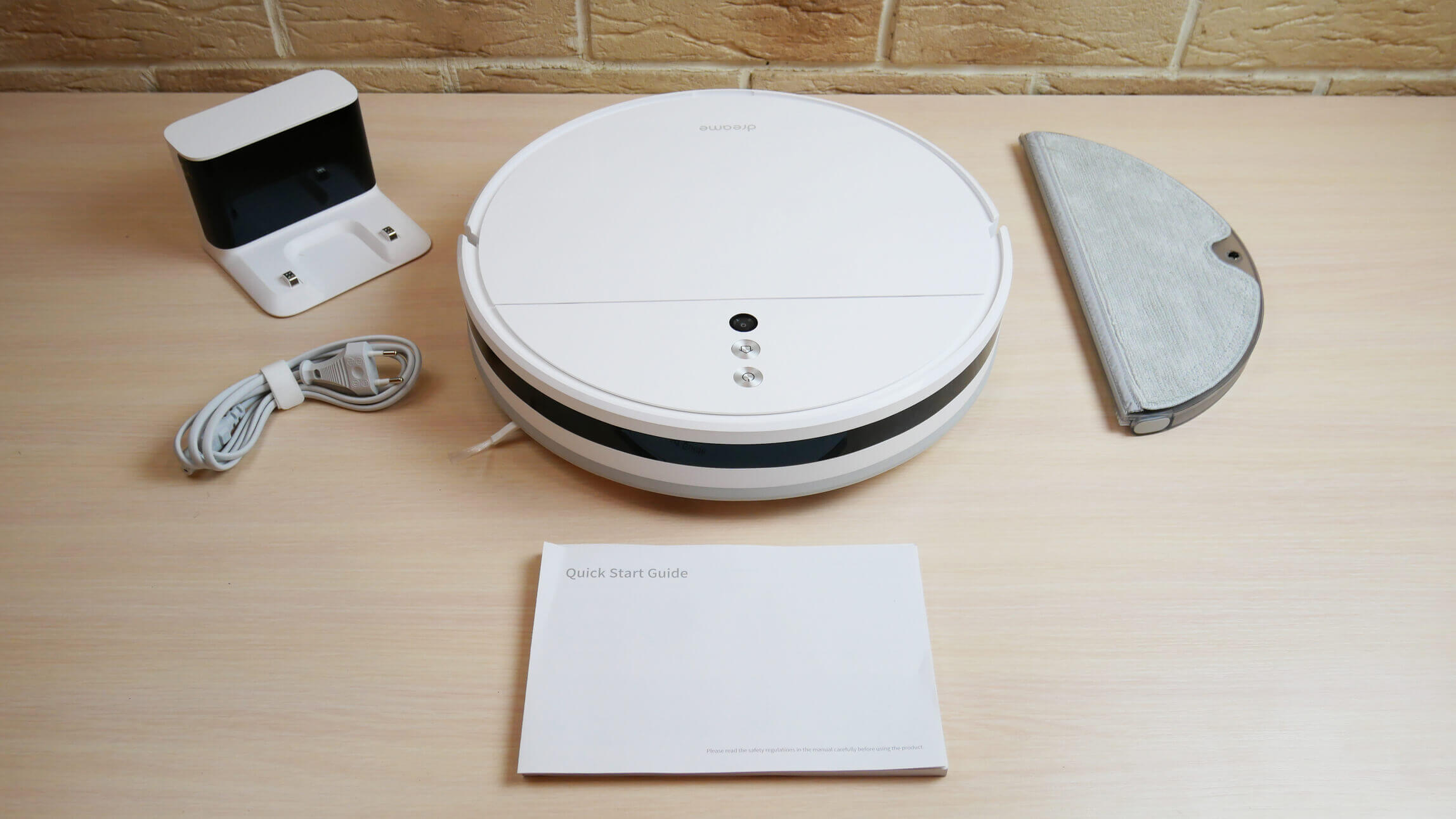
Equipment
The kit is minimal and doesn't include any spare consumables, so I recommend purchasing at least a spare HEPA filter right away. Better yet, a set of consumables for the first six months to a year of use.
Appearance
Now let's look at the Dreame F9's appearance. It's white and round.
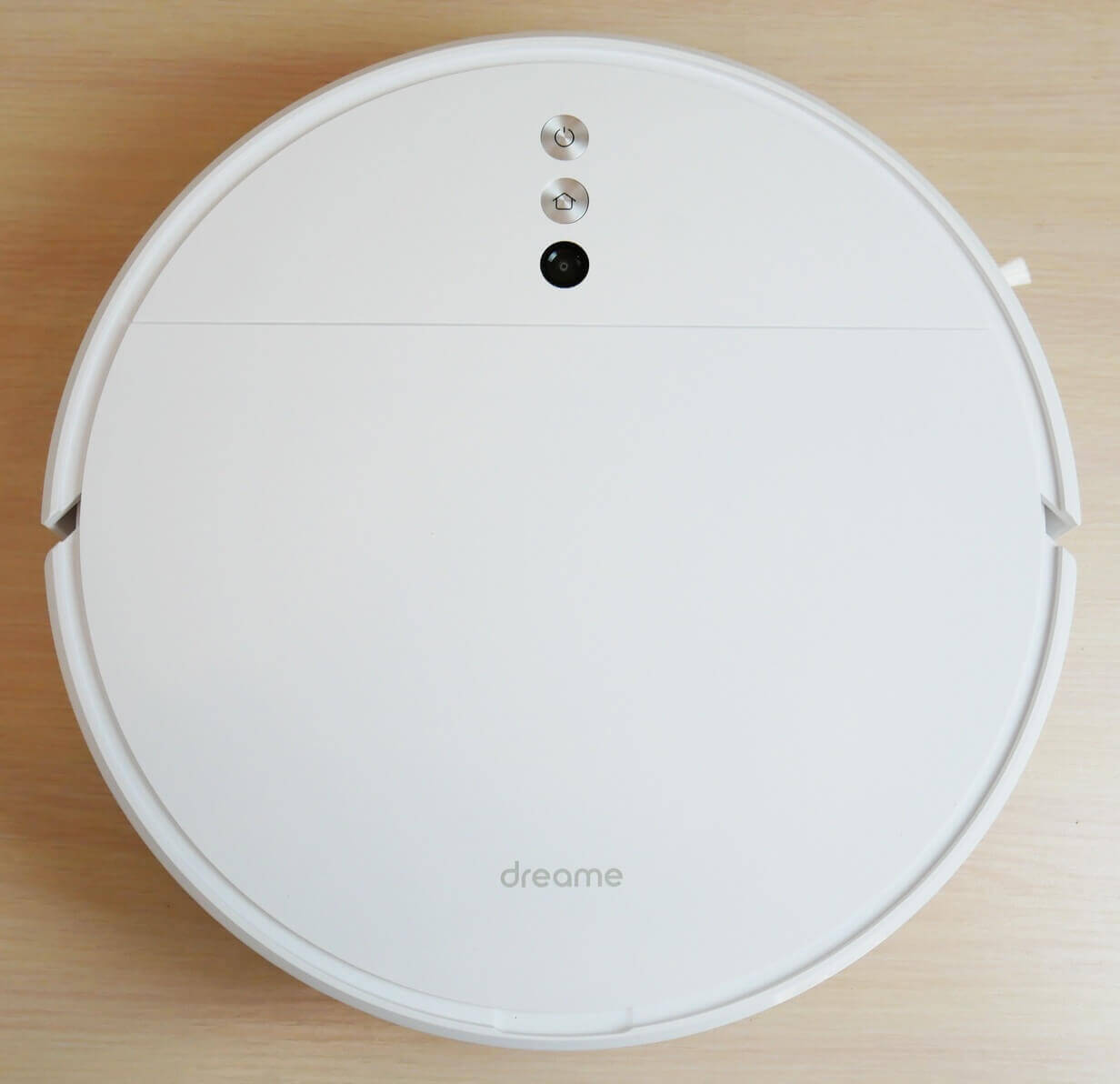
Top view
In appearance, this robot is exactly like the popular one Mijia 1C, which will also soon be tested in a new format. The robot's body is only 8 cm tall, allowing it to crawl under low furniture to clean hard-to-reach areas.
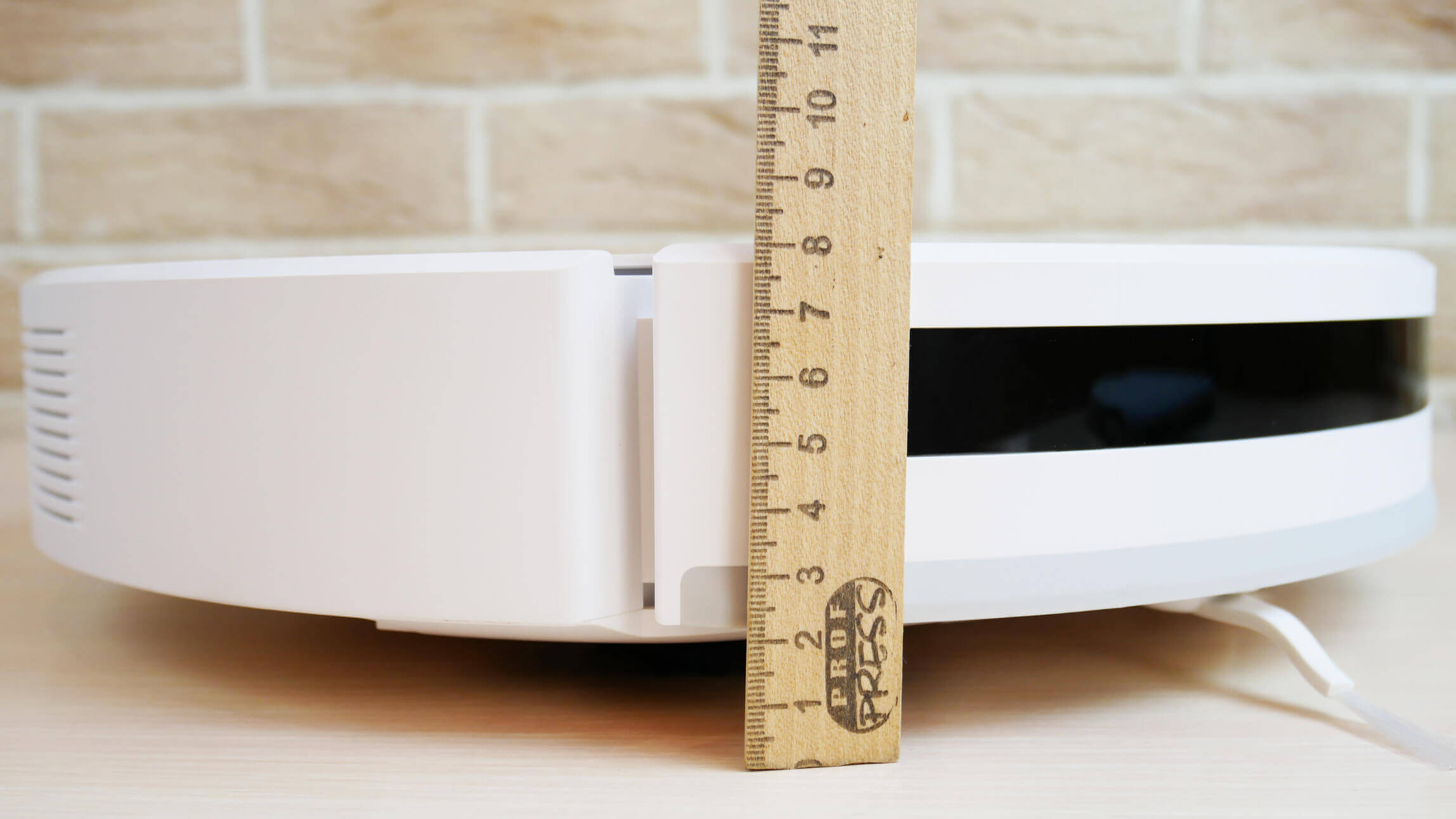
Body height
A soft-touch mechanical bumper is installed at the front. The control panel features two mechanical buttons: start/pause and a forced return to the charging base. Next to it is the main navigation control—the camera, which allows the robot vacuum to map the room and store it in its memory.
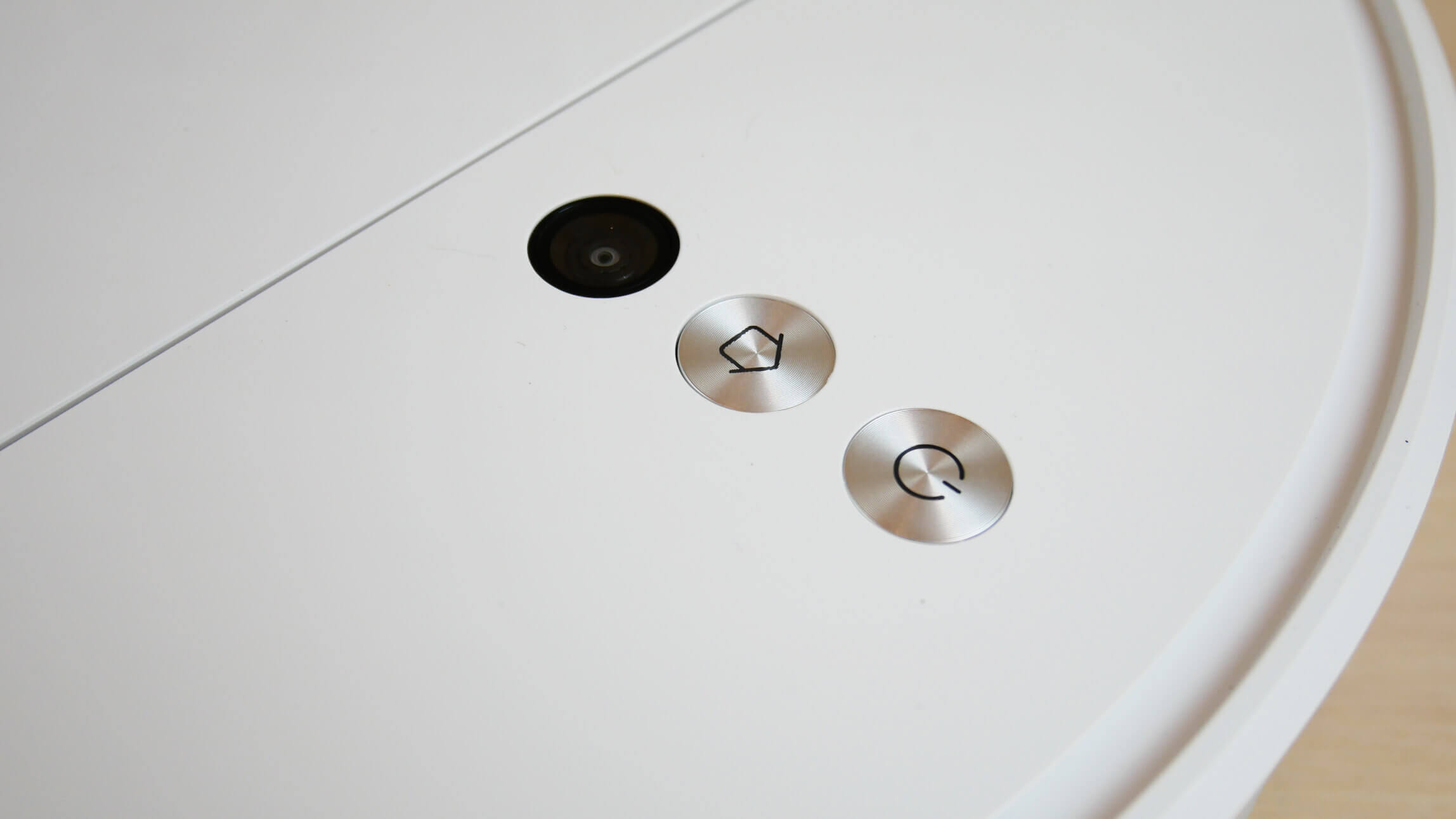
Control panel and camera
The dust container is located under the top cover and opens easily for emptying. The container is large enough to hold up to 600 ml of dry waste. The filtration system includes a mesh filter and a HEPA filter. A tool for cleaning the container and central brush is conveniently located next to the dust container.
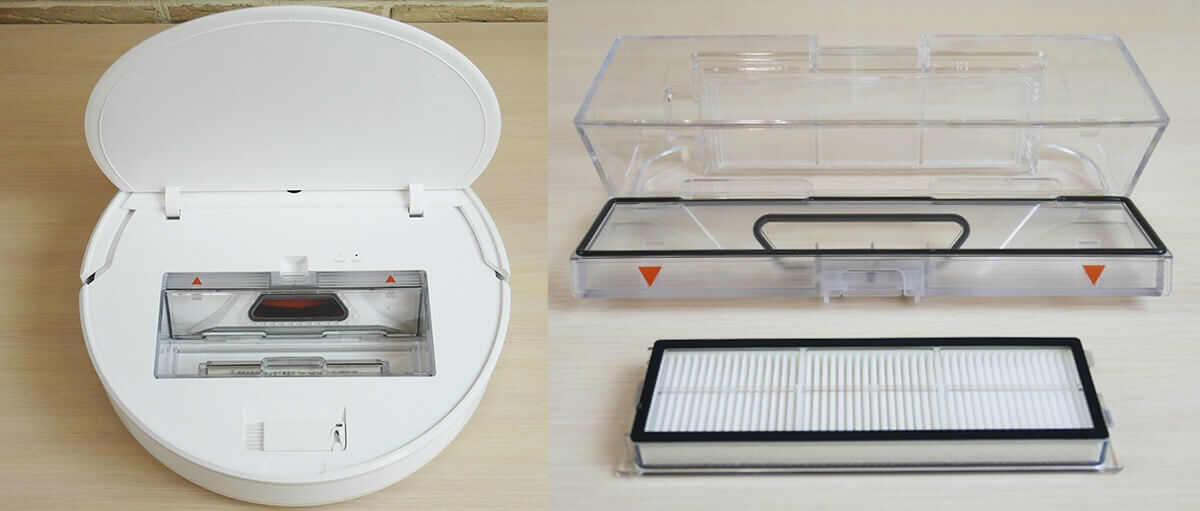
Dust collector
The wet cleaning nozzle conveniently attaches to the back of the robot's underside. The reservoir holds up to 200 ml of water. Inside, you'll find a pump for electronically controlling the amount of liquid delivered to the cleaning pad. The cleaning pad is attached to the nozzle with Velcro and a groove. The cleaning pad itself is fluffy throughout, with no bare spots on the sides.
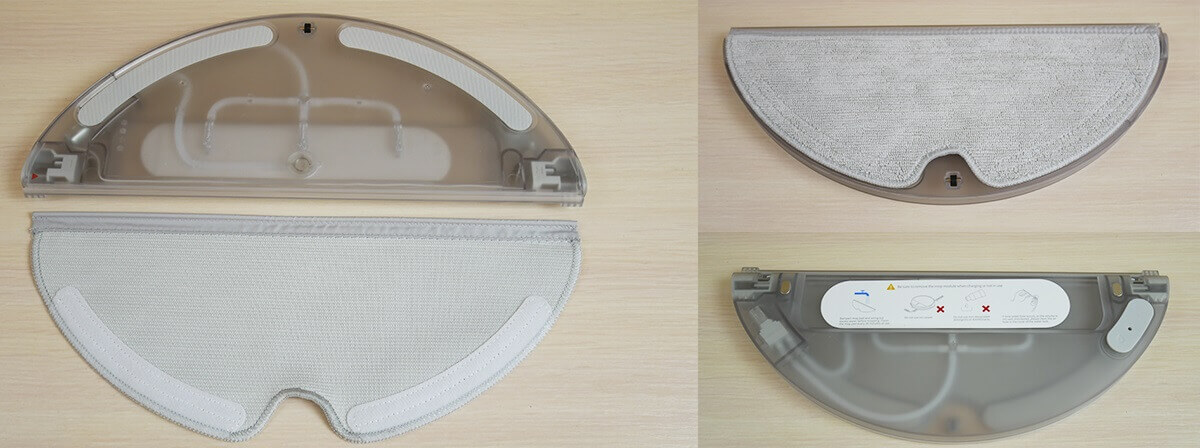
Nozzle with a napkin
Let's take a look at the robot's underside. It's equipped with a single side brush. It's a three-pronged, quick-release brush with bristles. The front section features four fall protection sensors, as well as an additional optical sensor that helps the robotic vacuum cleaner better navigate its surroundings.
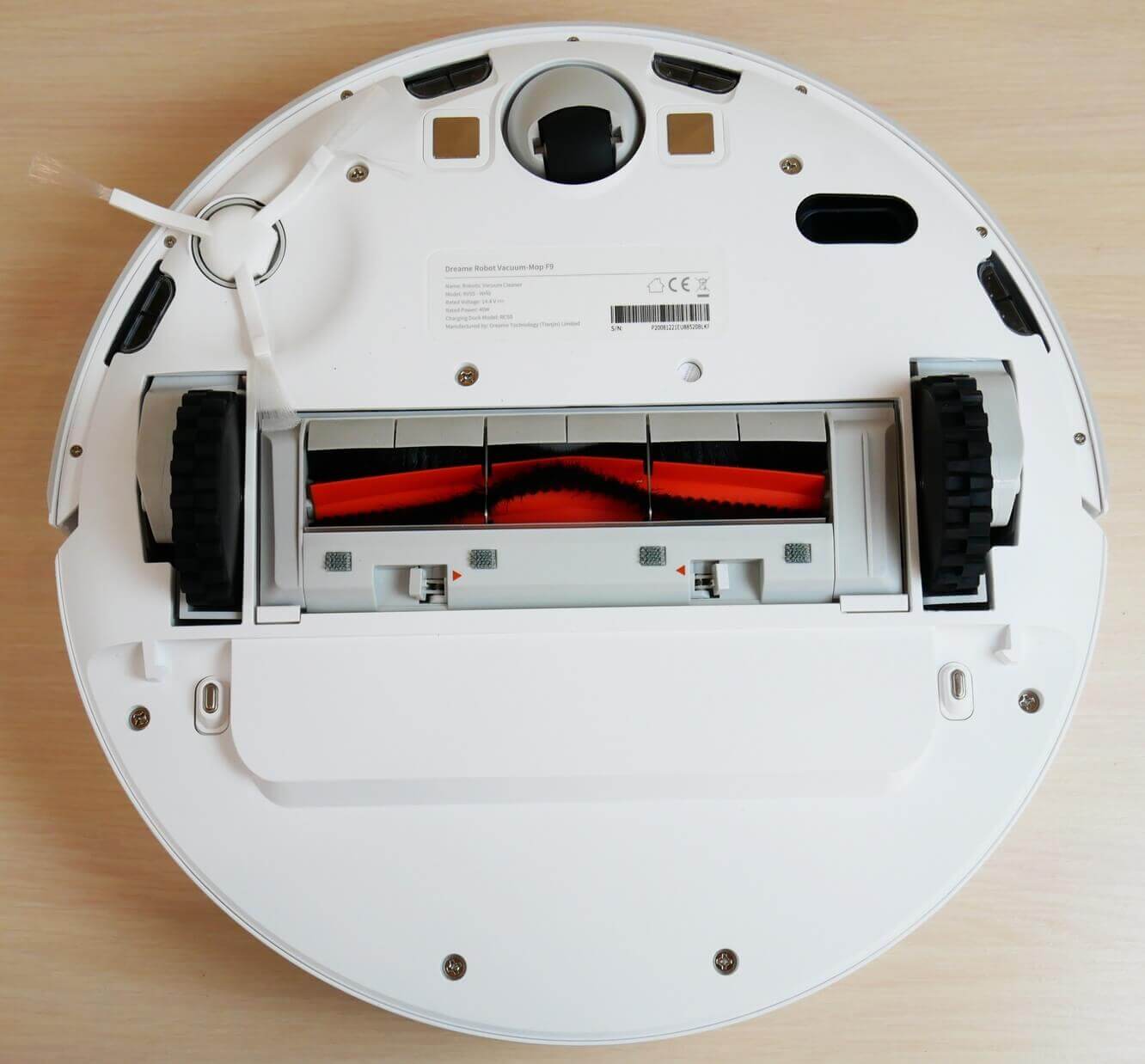
Bottom view (without napkin)
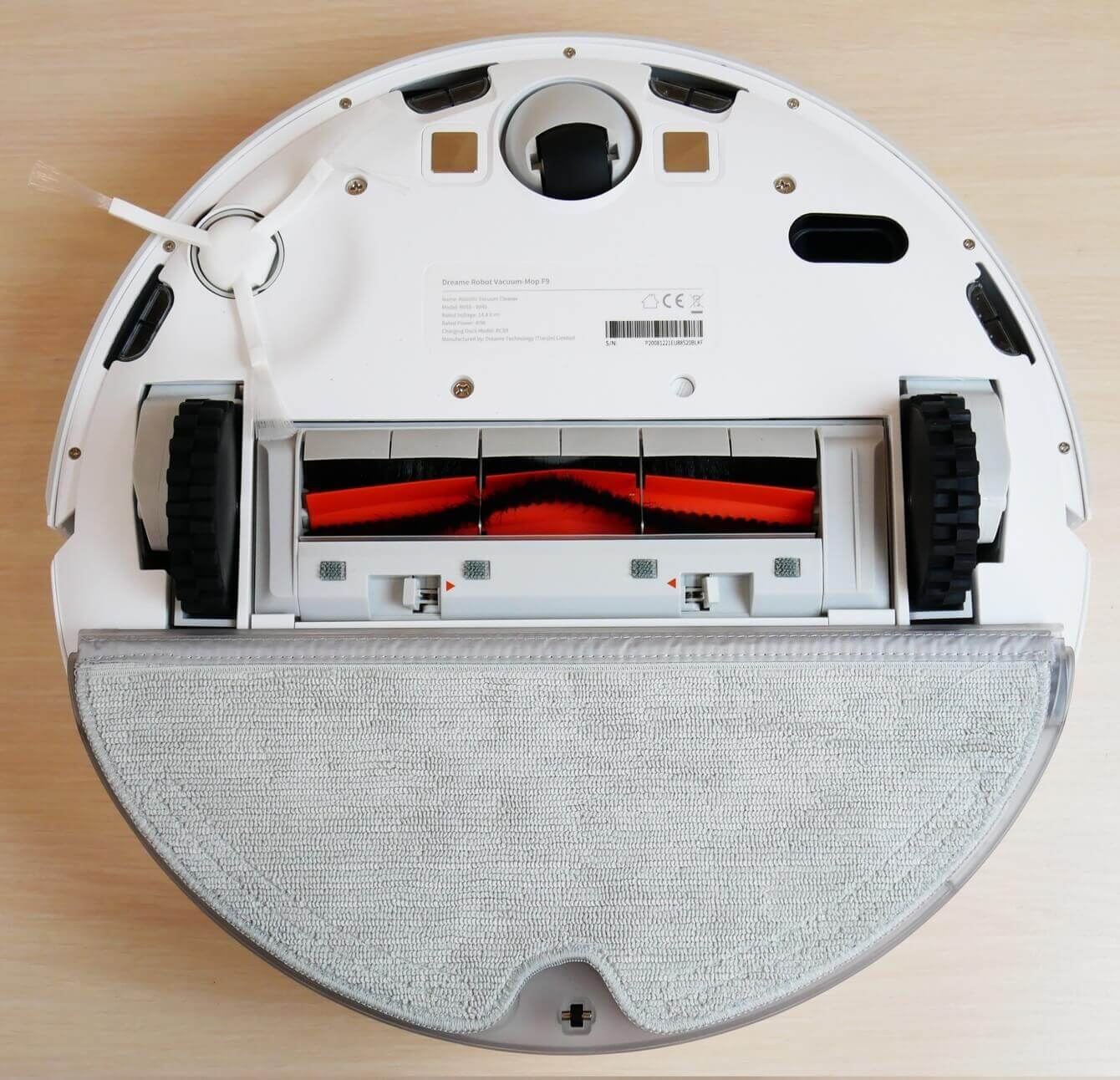
Bottom view with napkin
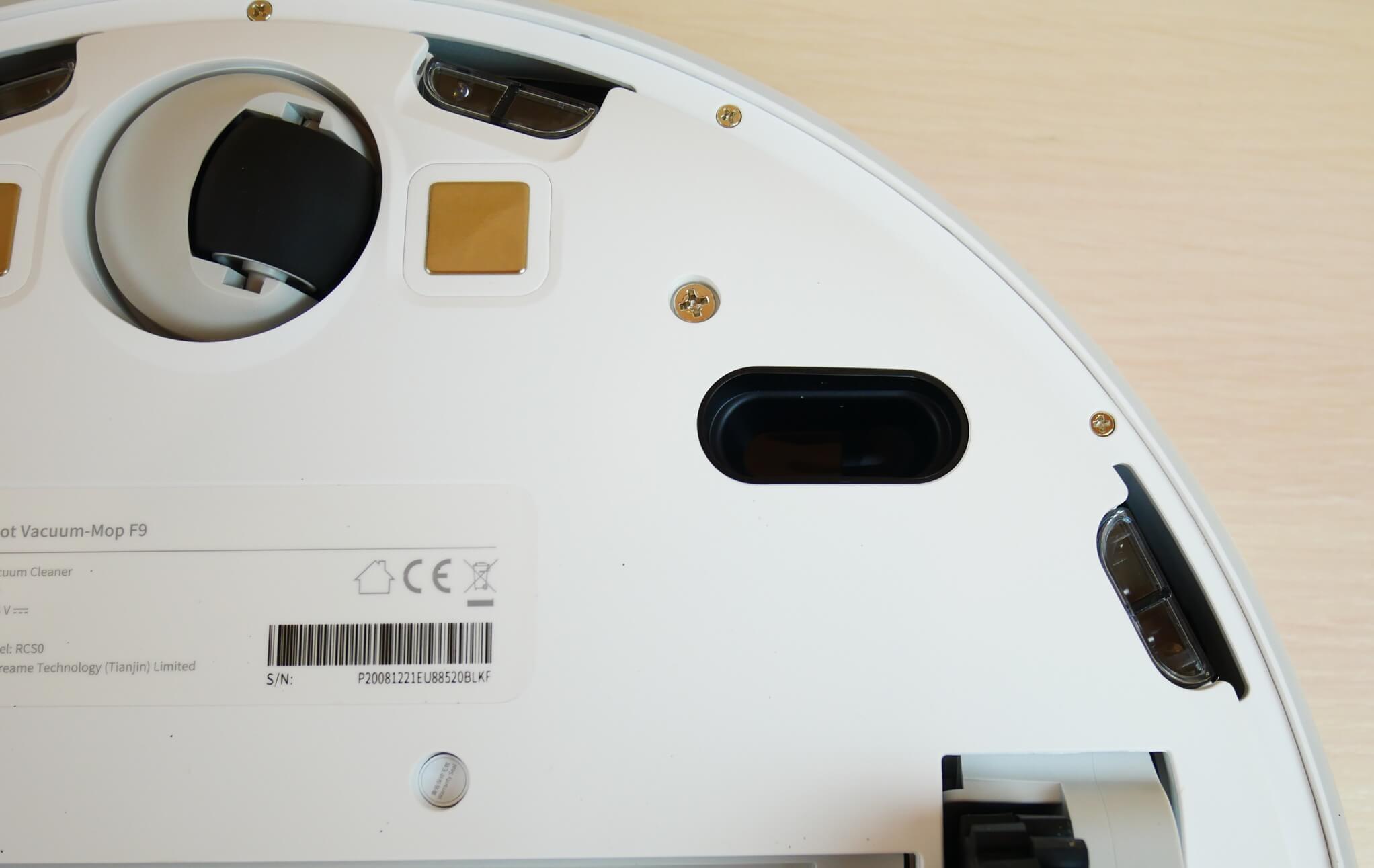
Optical sensor at the bottom
The central turbo brush has bristles and petals and can be removed on both sides for easy cleaning of hair and fur.
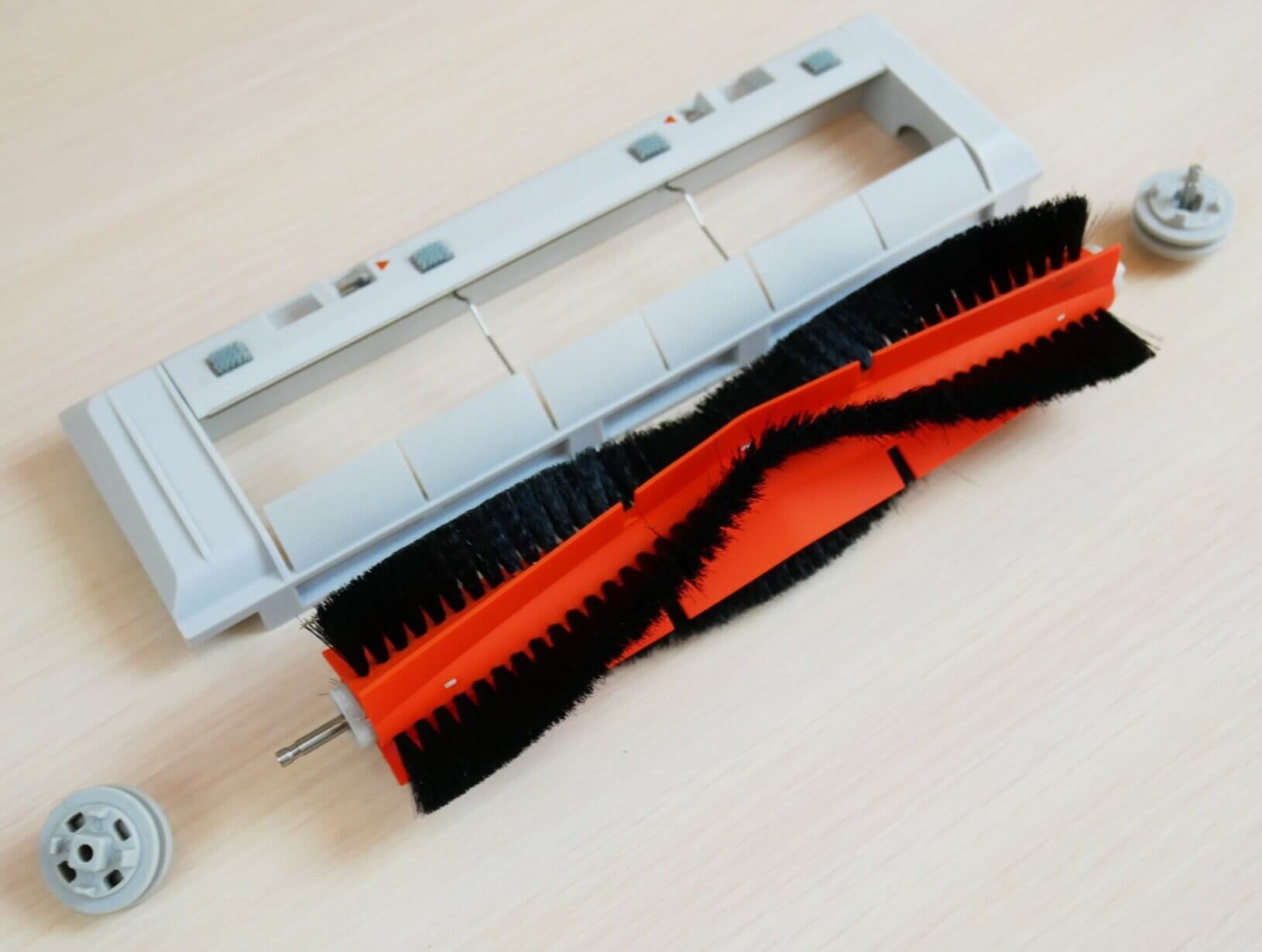
Central brush
Overall, the robot is well-assembled for the price, and I have no complaints about the quality of the materials or construction.
Technical specifications
Let's look at the main characteristics of the Dreame F9, as stated by the manufacturer:
- Li-Ion battery 5200 mAh.
- Suction power up to 2500 Pa.
- Operating time up to 150 min.
- Cleaning area up to 240 sq.m.
- Dust collector capacity is 600 ml.
- The water tank capacity is 200 ml.
- Obstacle clearance up to 20 mm.
- Dimensions: 350*80 mm.
- Noise level up to 72 dB.
It's important to note that the Dreame F9 has a fairly powerful battery, which gives it an edge over most similar models, including the Mijia 1C. Overall, this model's specifications are quite competitive. Let's move on.
Functional capabilities
Now let's look at the Dreame F9's functionality. This robot vacuum is controlled via the Mi Home app. It supports the Russian region, so the app works correctly. Connecting to a Wi-Fi network is straightforward; follow the manufacturer's instructions.
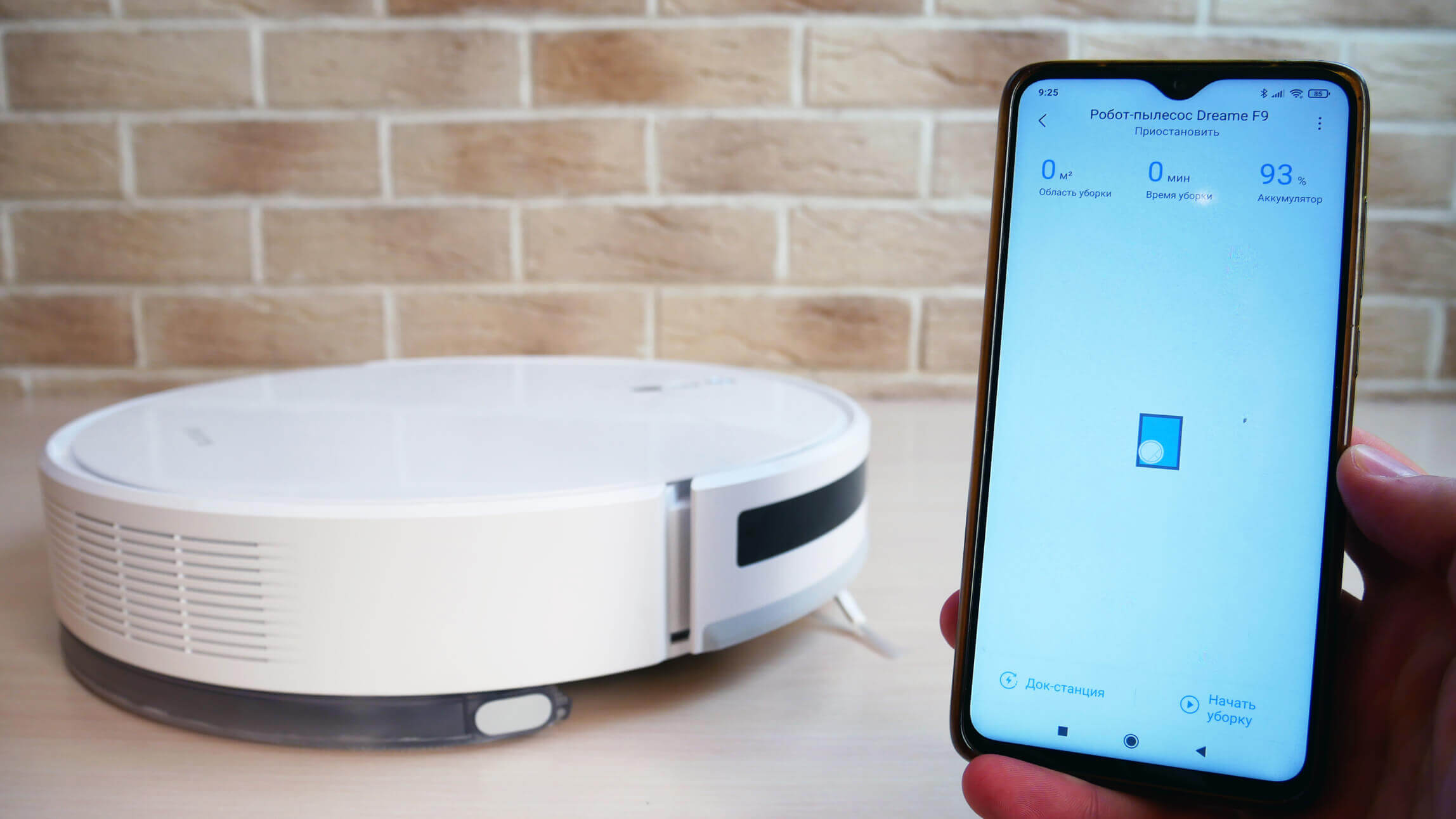
Control via app
In the app's main dashboard, the robot creates a room map, automatically divides it into rooms, and saves it to memory—a plus. First, let me explain the features available in the main settings section. Here, you can enable an experimental map saving mode; it works correctly. You can adjust the volume of voice notifications and select their language. The Dreame F9 speaks Russian.
In addition, in the settings, you can enable or disable notifications, activate the automatic power increase mode when entering carpets, enable the function of continuing cleaning after recharging at the base, and also set the time when the robot should not disturb you.
You can also adjust the suction power and the wetness of the cloth, and set a cleaning schedule, even selecting specific rooms to clean, not just the time and days of the week. You can also select the suction power and water flow level when setting up a scheduled cleaning.
You can also use the settings to view the cleaning log, track the status of consumables, manually control the robot, enable voice search, change the robot's name, share control with other users, and update the firmware if necessary.
On the main control panel, you can select one of three main cleaning modes. In Room mode, you can select the desired rooms to clean and the number of passes the robot will make: one or two. In Automatic mode, the robot cleans the entire available area. In Zone mode, you can direct the robot vacuum to a specific point on the map for spot cleaning. You can also select the number of passes: one or two.
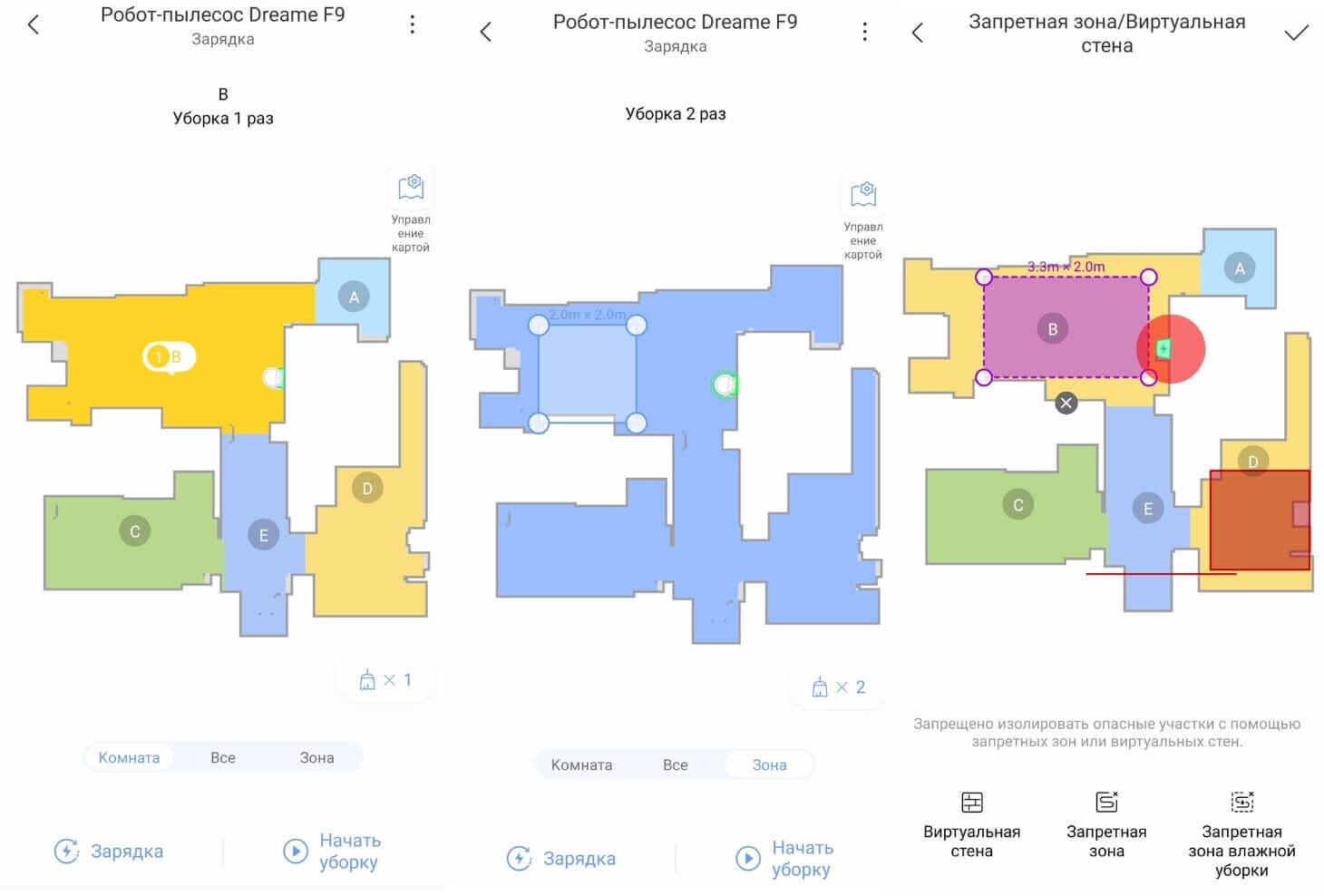
Functions when working with a map
In the map editor, users can set virtual walls, general no-go zones, and no-go zones for wet cleaning mode only. If needed, they can also merge several rooms into one, divide a room into separate zones, and name the rooms.
That's all the functionality of the Dreame F9. Additionally, this robot vacuum cleaner supports control via Yandex.Alice, which is a plus.
Testing
You can watch a detailed review with all the tests in our video, which has already been prepared and published on the channel:
Navigation
First, let's test the Dreame F9's navigation in a room with obstacles. The robot vacuum first traverses the entire accessible area in a zigzag pattern, then proceeds to the perimeter and returns to the charging station. It didn't get stuck around the chair legs or the box, but it did get stuck on the dryer legs. Navigation is decent, but not great.
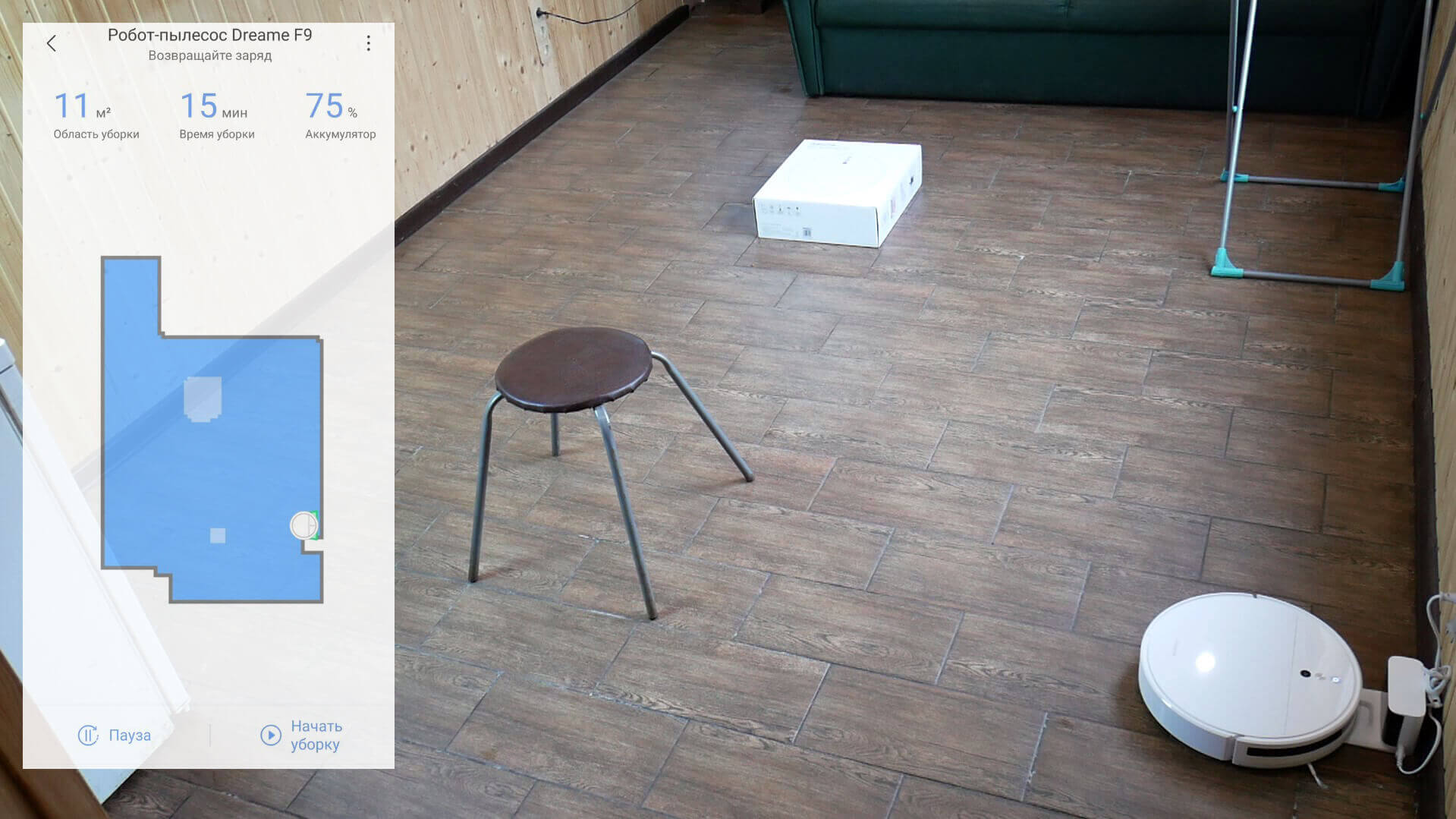
Navigating within a room
Regarding house-wide navigation, I first tried running a test drive at night, with the lights off. Under these conditions, the map is indeed inaccurate. But if you run the first run during daylight hours, the robot will create an accurate map and zone the area into rooms. After that, it won't be so blind in the dark. Furthermore, the map becomes more accurate with each cleaning, as indicated in the app.
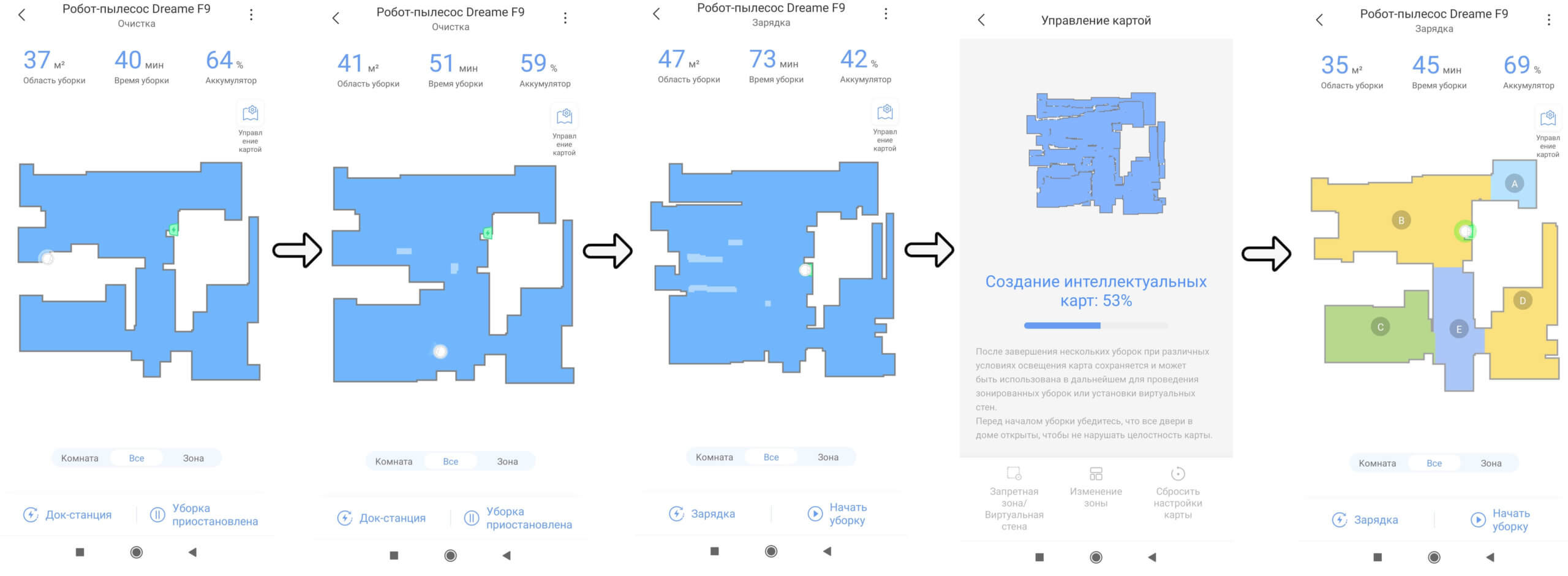
Map construction
So, the Dreame F9 cleans room after room in a serpentine motion, then circles the entire perimeter and returns to its base. There are no uncleaned areas left, the robot navigates its surroundings well, and the test passes.
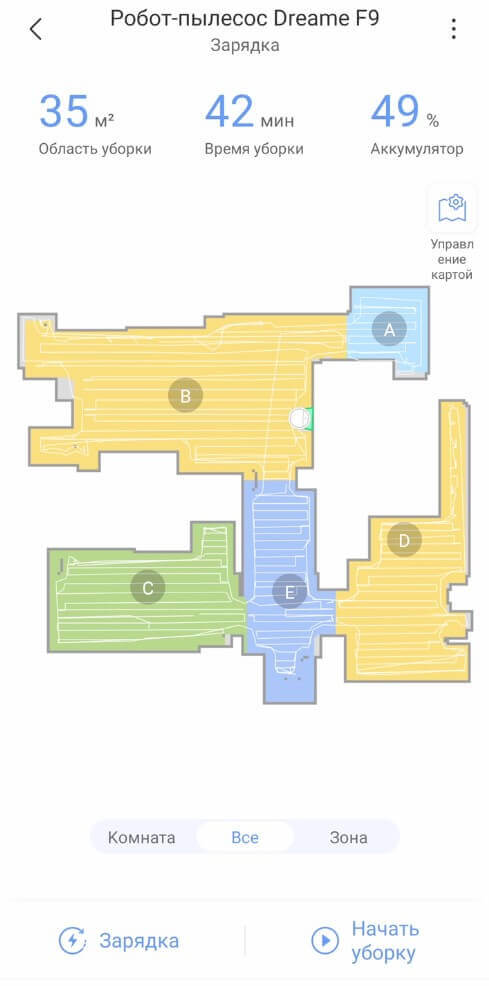
Navigation within the home
Suction power
The Dreame F9's suction power was slightly above average, able to suck up a small amount of debris even from a 4mm gap. For a typical household situation, this is more than sufficient. Let's move on.
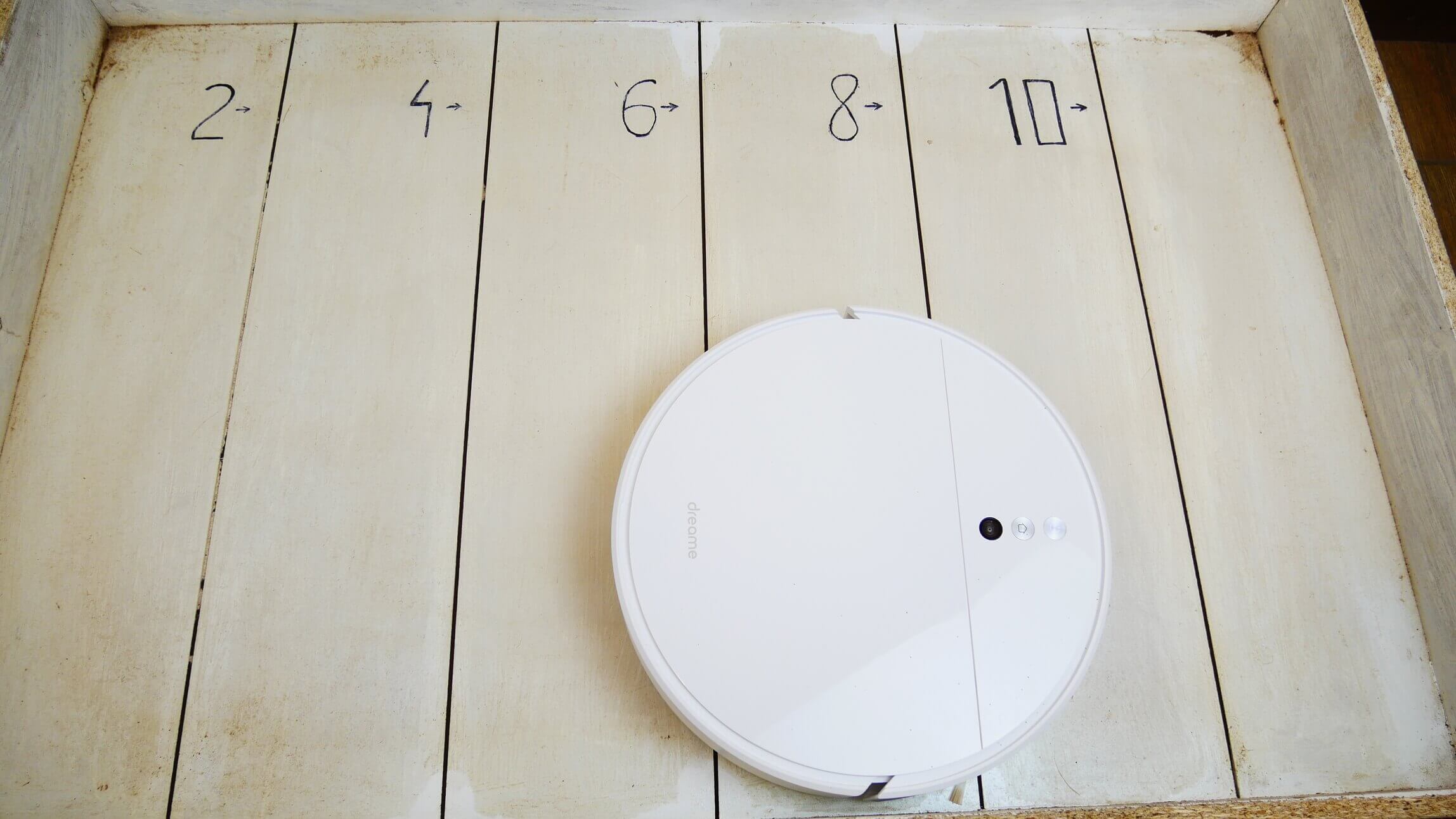
Suction power
Dry cleaning of laminate flooring
There are also no complaints about the quality of dry cleaning on hard floors. The robot was able to pick up almost all the debris on the stand, scattering only a little bit of buckwheat with the side brush.
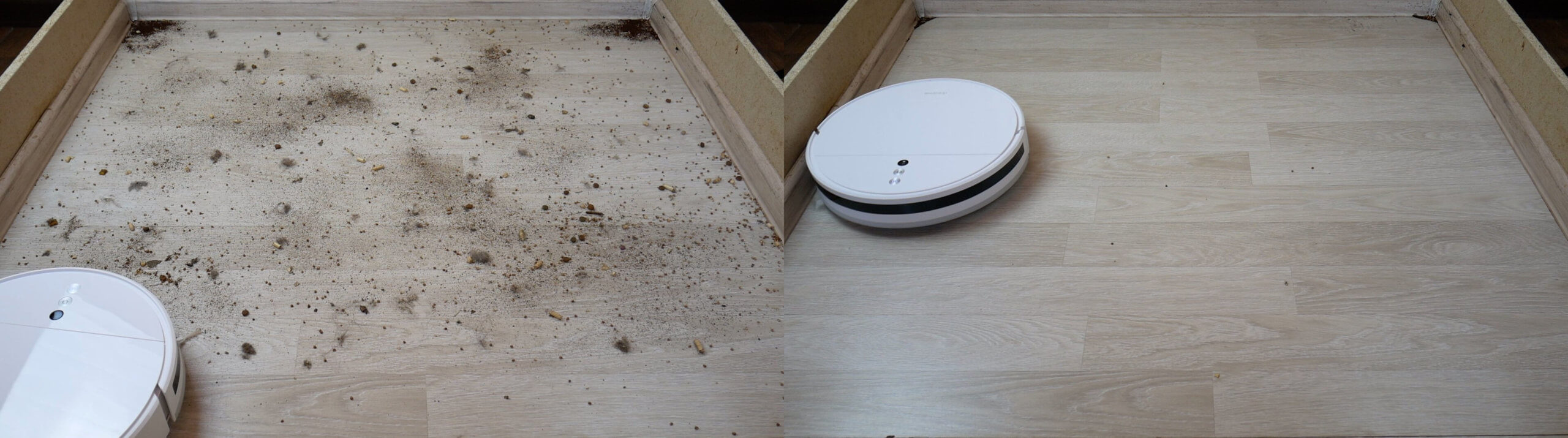
Dry cleaning of laminate flooring
There was a small amount of debris left in the corners, but this is a problem with all round robot vacuums. Most of the debris was collected in the dust bin. Hair and pet hair were tangled around the side and center brushes.
Cleaning the carpet
There are also no complaints about cleaning the carpet; the robot cleans the carpet well from various debris, including hair and wool.
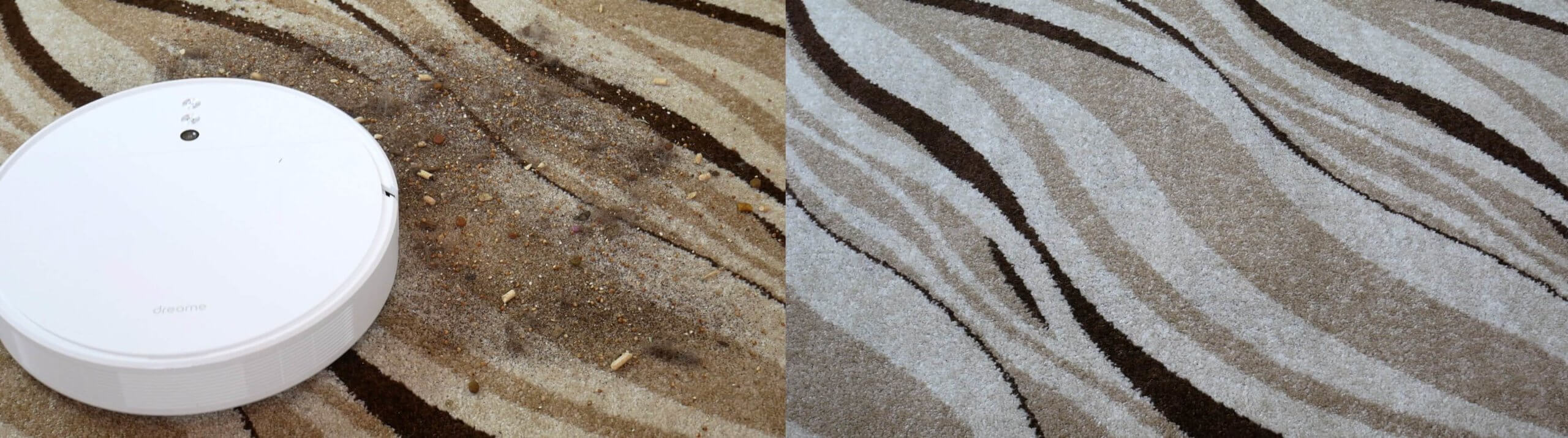
Cleaning the carpet
Wet cleaning
The dirt removal performance is also high. The robot is capable of removing slightly dried dirt from laminate flooring. However, like all its peers, the Dreame F9 is unable to clean a small area along the baseboard due to its design.
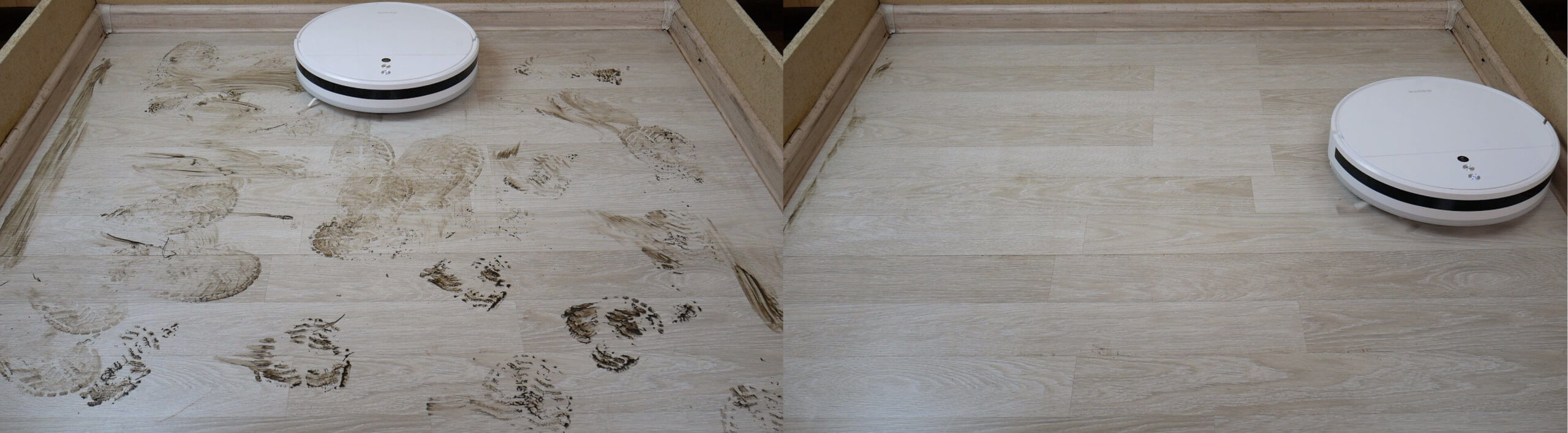
Wet cleaning
But overall, this robot is a very good option for delicate wet cleaning. At maximum water flow, the robot doesn't flood the floor, the cloth is evenly moistened, and there are no streaks. It's also important to note that the Dreame F9 can vacuum and mop simultaneously, which is a big plus.
Obstacle clearance
As for cross-country ability, the device can easily overcome two-centimeter thresholds, which is a plus!
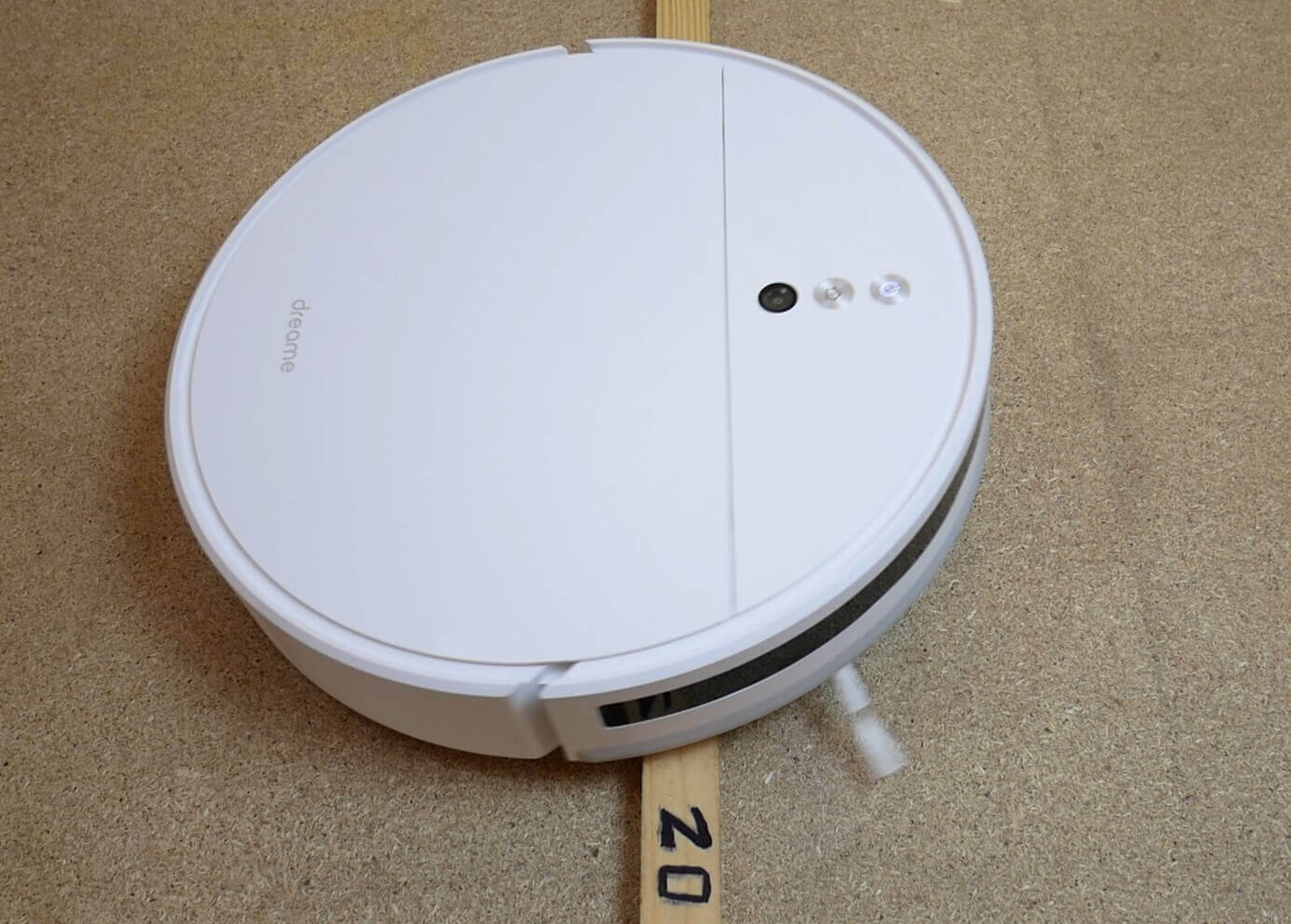
Obstacle clearance
Driving on dark surfaces
But the Dreame F9 is afraid of dark surfaces, like all other robot vacuum cleaners in the Xiaomi family, which is not very good.
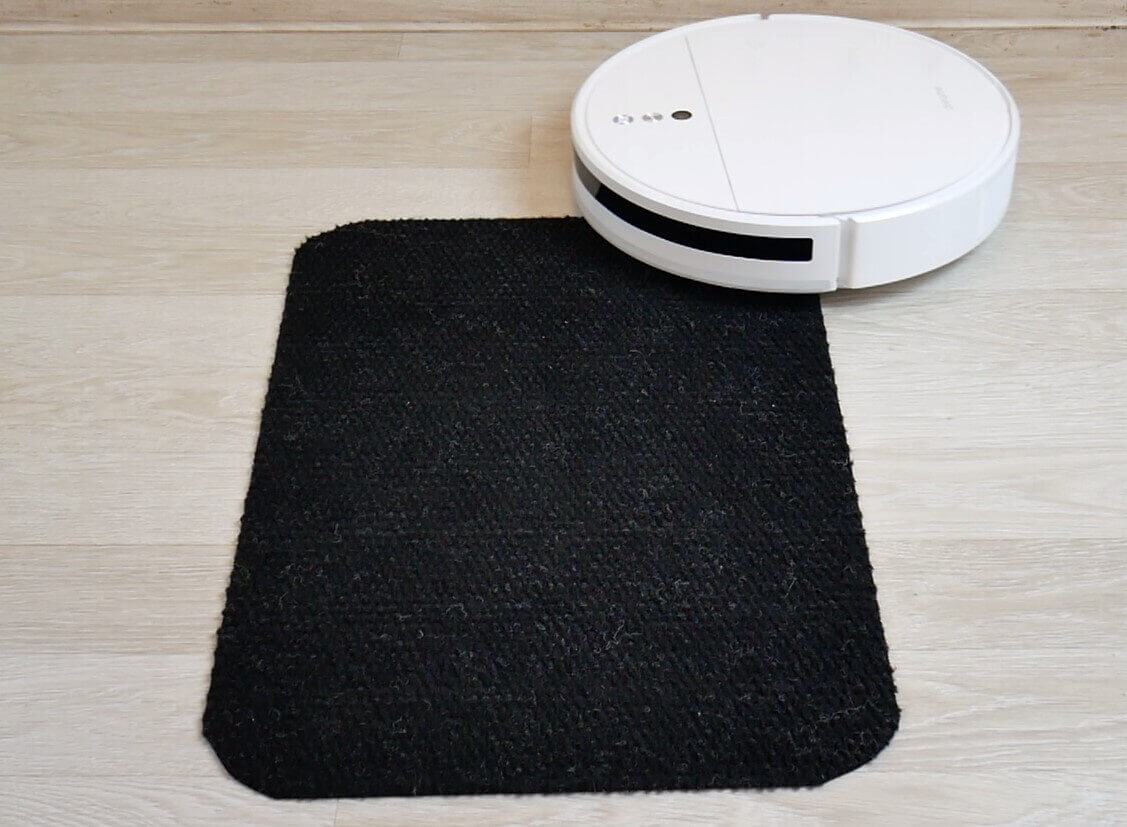
Driving on dark surfaces
Noise level
Finally, we measured the Dreame F9's noise level in different modes. At minimum power, the noise level is between 58-60 dB. In standard mode, it's slightly higher at 61 dB. In intensive cleaning mode, the noise level can reach 66 dB, and at maximum power, the peak was around 72 dB, as stated by the manufacturer. Yes, this robot vacuum is noisy, which is worth considering.
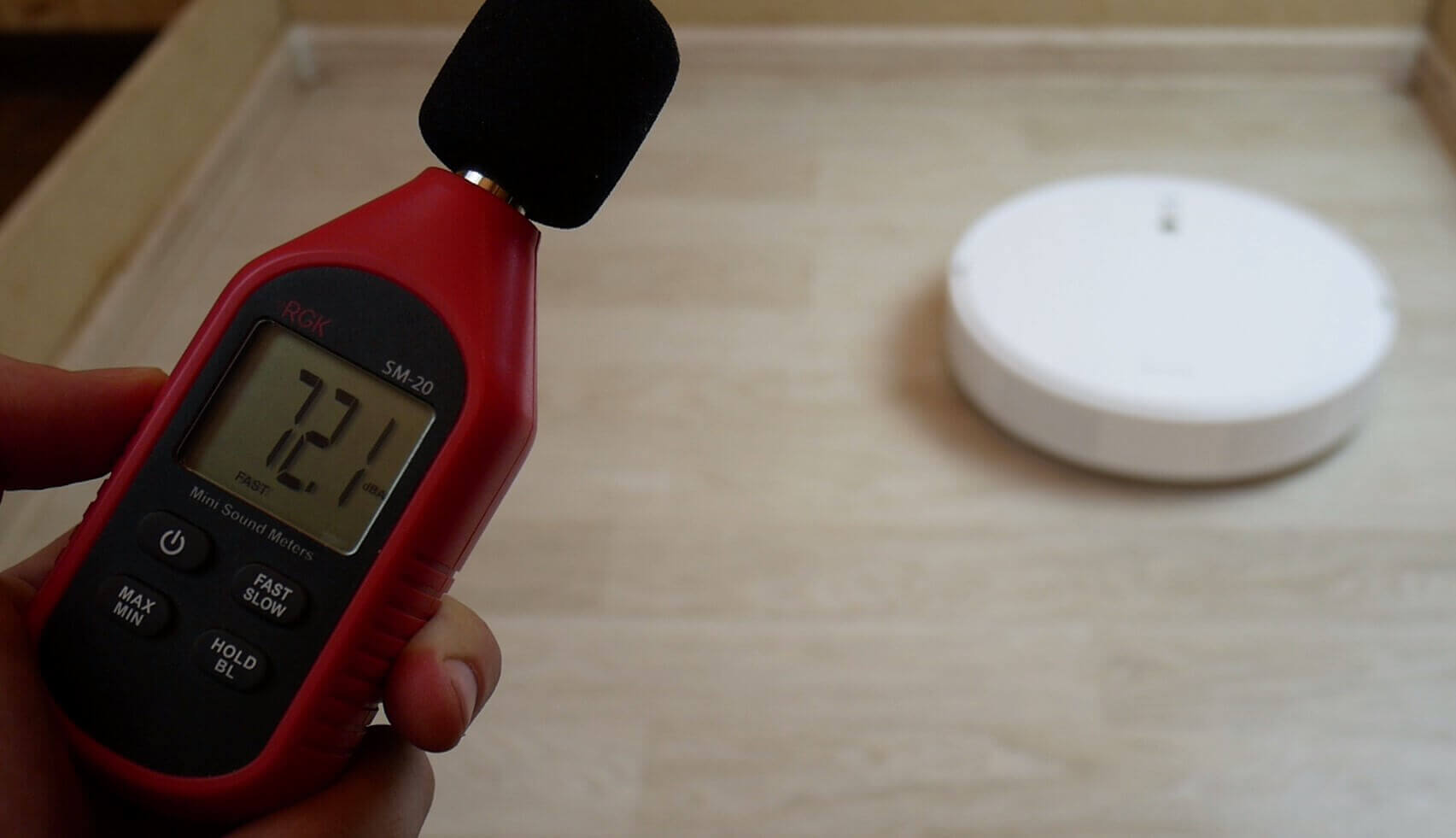
Noise level
Let's sum it up
The Dreame F9 was thoroughly reviewed and tested. Overall, the robot vacuum left a largely positive impression, considering the price, features, and test results. our evaluation system he was able to dial 67 out of 100 points, and this is an excellent result considering the price. The robot placed in the table next to more expensive lidar models. Incidentally, its counterparts Dreame D9 And Dreame Bot L10 Pro We also reviewed these and scored 71 and 77 points, respectively. Here's the overall rating of the robot vacuums tested at robovac.washerhouse.com: https://robovac.washerhouse.com/en/rejtingi/robovac-obshhij-rejting-robotov-pylesosov-robo.html!
Now I'll share my personal opinion of the Dreame F9 after testing it. Among the advantages, I'd like to highlight:
- Good navigation.
- Suction power is above average.
- Simultaneous dry and wet cleaning.
- Good quality dry and wet cleaning.
- The map provides essential functions for working with the map, namely: zoning the room into rooms, the ability to select rooms for cleaning, as well as support for no-go zones and virtual walls.
- Good obstacle clearance.
- High quality assembly.
- Small body height.
- The optimal price, considering all the above.
This robot doesn't have many downsides, but they do exist. These are:
- The fact that the robot is afraid of dark floor coverings.
- Poor equipment.
- Well, and a little increased noise during operation.
For me personally, these downsides are insignificant, especially when weighed against the advantages. Overall, for a budget of under $200, I can confidently recommend this robot vacuum as one of the best in its price range.
Over the next month, I'll be testing popular competitors to the Dreame F9, namely the Mijia 1C, Mijia 2C, Mijia 1T, and Roborock E5. Afterward, I'll be able to confidently choose the best option. I recommend subscribing to the channel so you don't miss the comparison!
On that note, I'd like to conclude this review. Thank you all for your attention. If you have any questions, please ask them in the comments! Happy shopping!
Will consumables from 1c be suitable?
How does the RP behave in the dark compared to RPs with lidar?
Hello, how does it work in the dark? There's no mention of this anywhere. Will it charge if the compartment with the water and microfiber cloth is left in place?
I didn't notice any problems cleaning it in the dark. It charges with the water compartment.
Good afternoon
<< The most important difference between the Xiaomi Dreame F9 and the Mijia 1C lies in its functionality: room zoning and the ability to select specific rooms for cleaning. This functionality is found in more advanced robot vacuum cleaners with lidar; the Mijia 1C cannot divide a room into rooms, although it does create a map and save it to its memory.
and below
<<
The only thing that's confusing is that the Mijia 1C's competitor doesn't have the room zoning feature; apparently, the manufacturer has cut the functionality.
Please explain if there is zoning:
1) at 1C
2) at Dreame F9
Xiaomi F9. Worked twice. Only speaks English, haven't found any Russian yet. It creates a map, but hasn't found any zoning yet.
After a few days of use, everything became clear.
The settings menu now supports Russian! After a full run through all the rooms (I had to remove chairs, armchairs, etc.), the vacuum created a complete map of the accessible spaces and automatically designated access zones. Now I'm completely thrilled with its intelligence and cleaning performance. I turn it on remotely by phone before I get home. The charge lasts for 100 m2.
Hello! I'm concerned about the weight of this miracle vacuum cleaner. Compared to other models, it's very light, despite the impressive battery. Does weight make a difference at all?
Hello! Yes, it does indirectly indicate the quality of the parts installed inside!
Tell me, according to your test, it turns out that F9 removes the same area almost 2 times slower than D9?
Somewhere around one and a half times slower.
The app says it's time to replace the filter. Can you tell me where I can buy one for the F9?
There are many options on Ali) Even complete sets of all consumables.
What should I do if the F9 isn't charging? How do I know it's charging?
Good afternoon. Could you please tell me how it sees the door stops? Does it try to run into them and get stuck? (That's exactly what happened with the Iclebo with the YCR-005 camera.)
I've drawn a map and divided the rooms. I don't like how it keeps going back and forth between different rooms. Can you tell me how to make it clean a specific room or rooms one at a time? I can't figure out how to use the app... And what about the different levels in the house? If I "boost" it up three steps, it starts having map issues?
Hello! Click the desired room on the map (it will highlight) and press the start button. The robot will go clean that room. If you move it to another floor/level, the map will be lost, as the robot only stores one map in its memory.
Please tell me, can it only do dry cleaning?
Yes, but without a wet cleaning attachment.
Hello, can you tell me how to delete a selected zone? I deleted the map and restarted it, but the zone is still highlighted in red.
Can you tell me if I need to update the robot? Many people are reporting crashes after updating.
Hello. Is the map the robot creates stored on the server or on the robot itself? How will a lack of internet access affect the robot's navigation?
If you first run it by connecting to the network, and the robot builds and saves the map, then, theoretically, it will not affect navigation in any way.
Could you please tell me if this device is still the best in the 15,000-18,000 price range? Maybe I've missed a certain model.
360 S8
Good afternoon! I'm choosing between three vacuum cleaners.
1. Vacuum Mop
2. Vacuum Mop 2
3. Dreame F9
There are two dogs in the apartment, one room has carpet all around and the hallway is mostly carpeted.
Which one do you recommend? Should I take it?
Hello! I can't seem to connect to Wi-Fi. I'm trying to connect to my phone's mobile data plan. The procedure isn't entirely clear. Or does it only work with the router?
I'm considering buying the Dreame f9 pro and the Xiaomi E10. Which one do you think is better value?