
360 C50: The most powerful robot vacuum cleaner in the budget segment (and beyond)
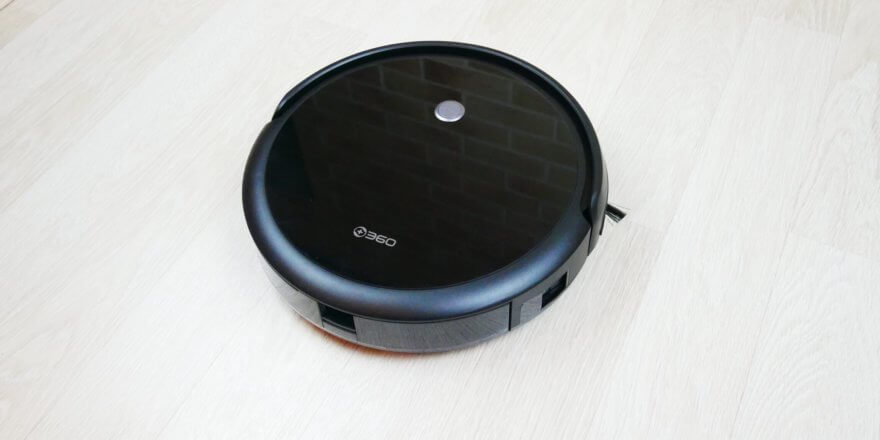
Greetings to all readers of this site! In this post, I'll be reviewing one of the most powerful robot vacuums I've had the pleasure of testing: the new 360 C50. 360 is popular abroad, and their flagship robot vacuums, such as the S7 and S9, can compete successfully with similar products from renowned brands, such as the Roborock or Ecovacs Deebot. The entry-level version of the 360 C50 is equipped with a gyroscope for navigation, which is why its price tag at the time of writing is $113, or just over $150. The price is simply incredible, but it may go up a bit, as this review is being prepared during a sale. Below, I'll show you why I like this robot so much and why, for its price, it's one of the best options on the market, if not the best. So, let's get started!
Equipment
The robot vacuum cleaner arrived in a box like this:
Box
It contains:
- Separate water tank with built-in microfiber cloth.
- Charging base.
- Universal power adapter with three types of electrical plugs, including the European standard.
- Operating instructions, which have also been translated into Russian.
- Remote control.
- Batteries for it.
- Brush for cleaning the dust collector and central brush.
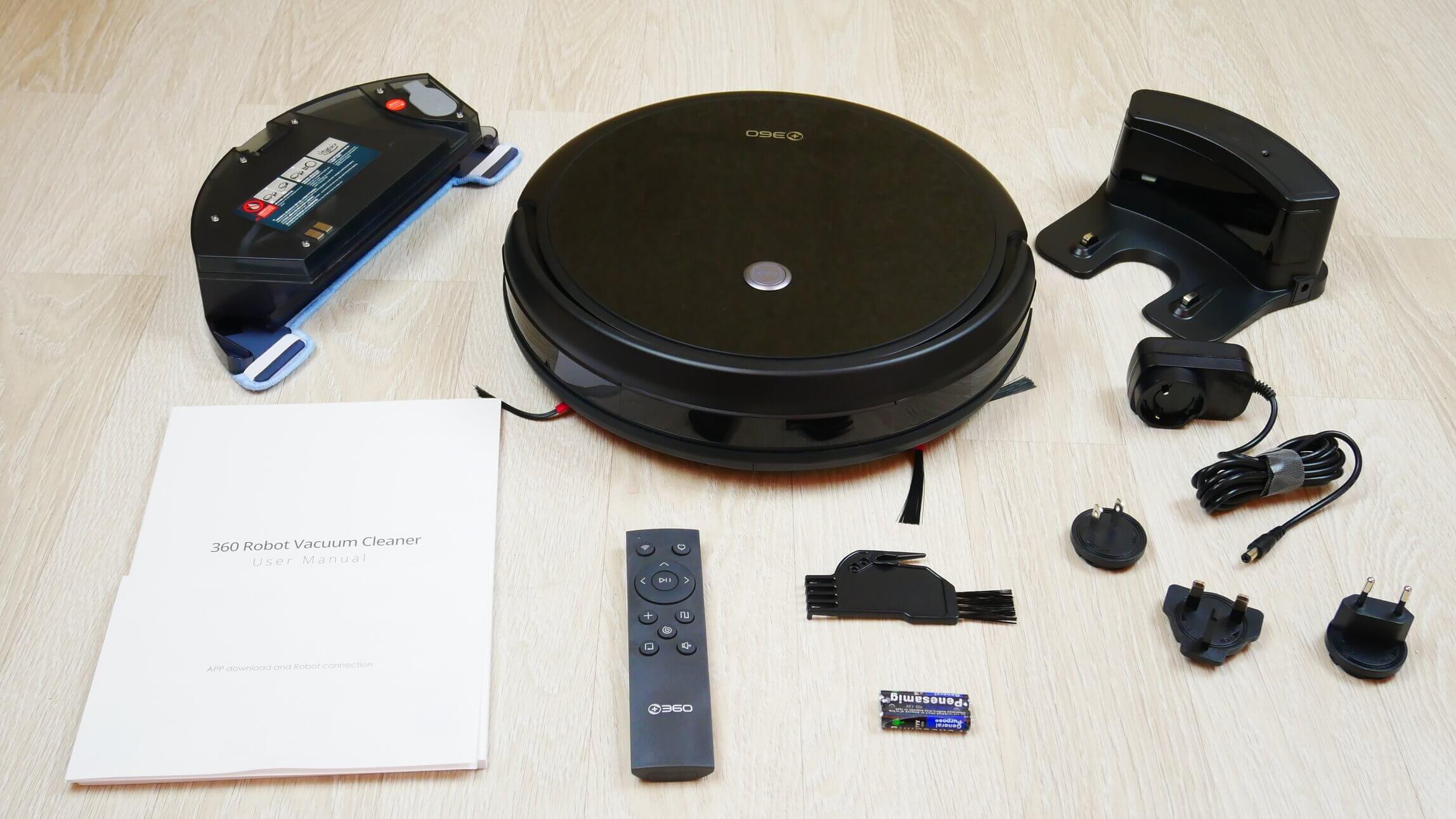
Equipment
There are no spare parts like side brushes, a cleaning cloth, or a HEPA filter, but that's not a big deal for the price. However, there is a remote control.
Appearance
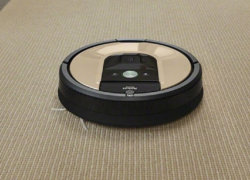
Now let's look at the 360 C50's design. It's black, with a glossy top cover. It has just one control button: start/pause. The case is 79 mm tall.
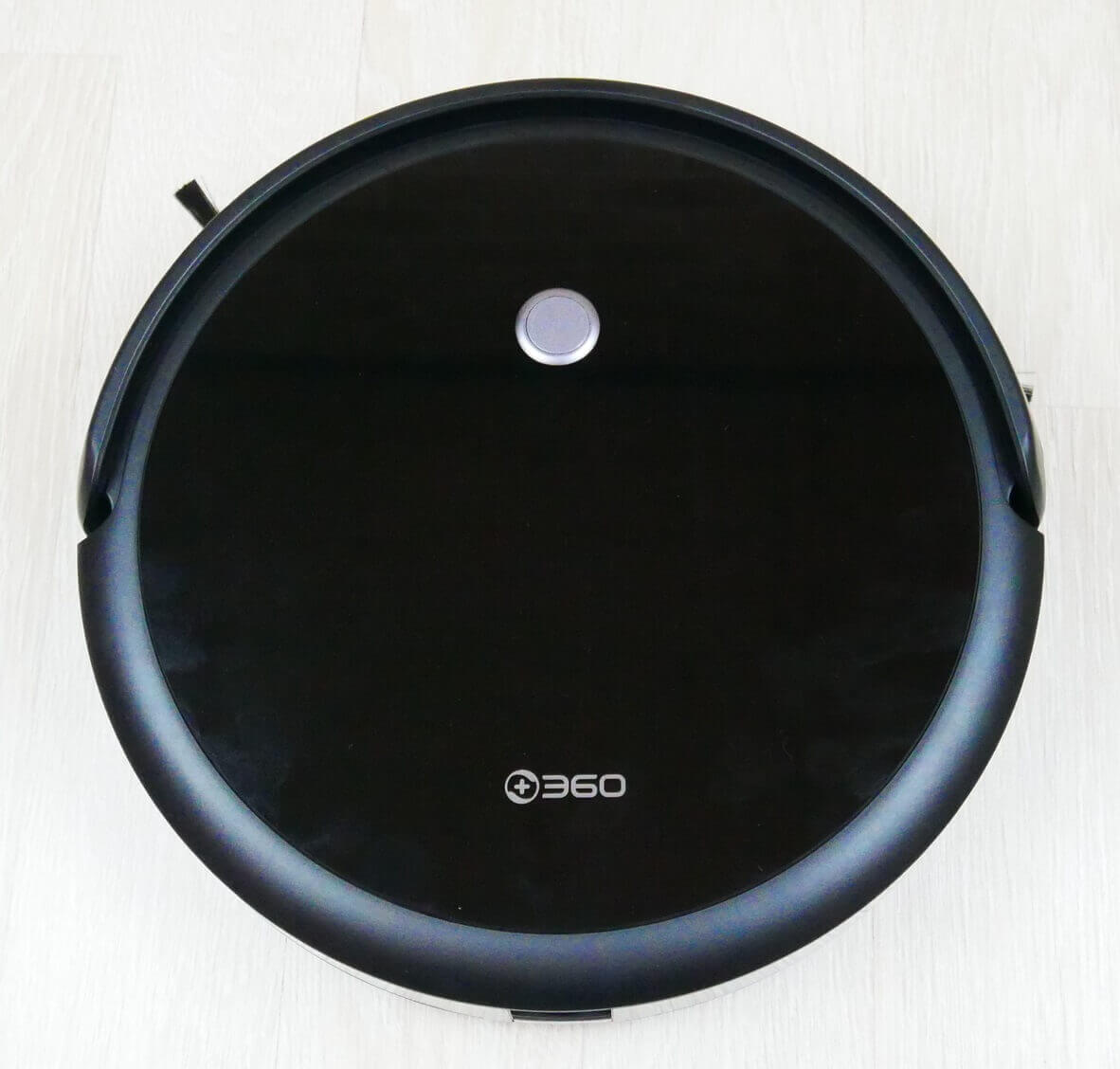
Top view
The robot comes with a dust bin out of the box. It's removable from the back and has a decent capacity of 510 ml. A protective flap inside the dust bin prevents accidental spillage when the bin is removed. The filtration system uses a mesh and HEPA filter.
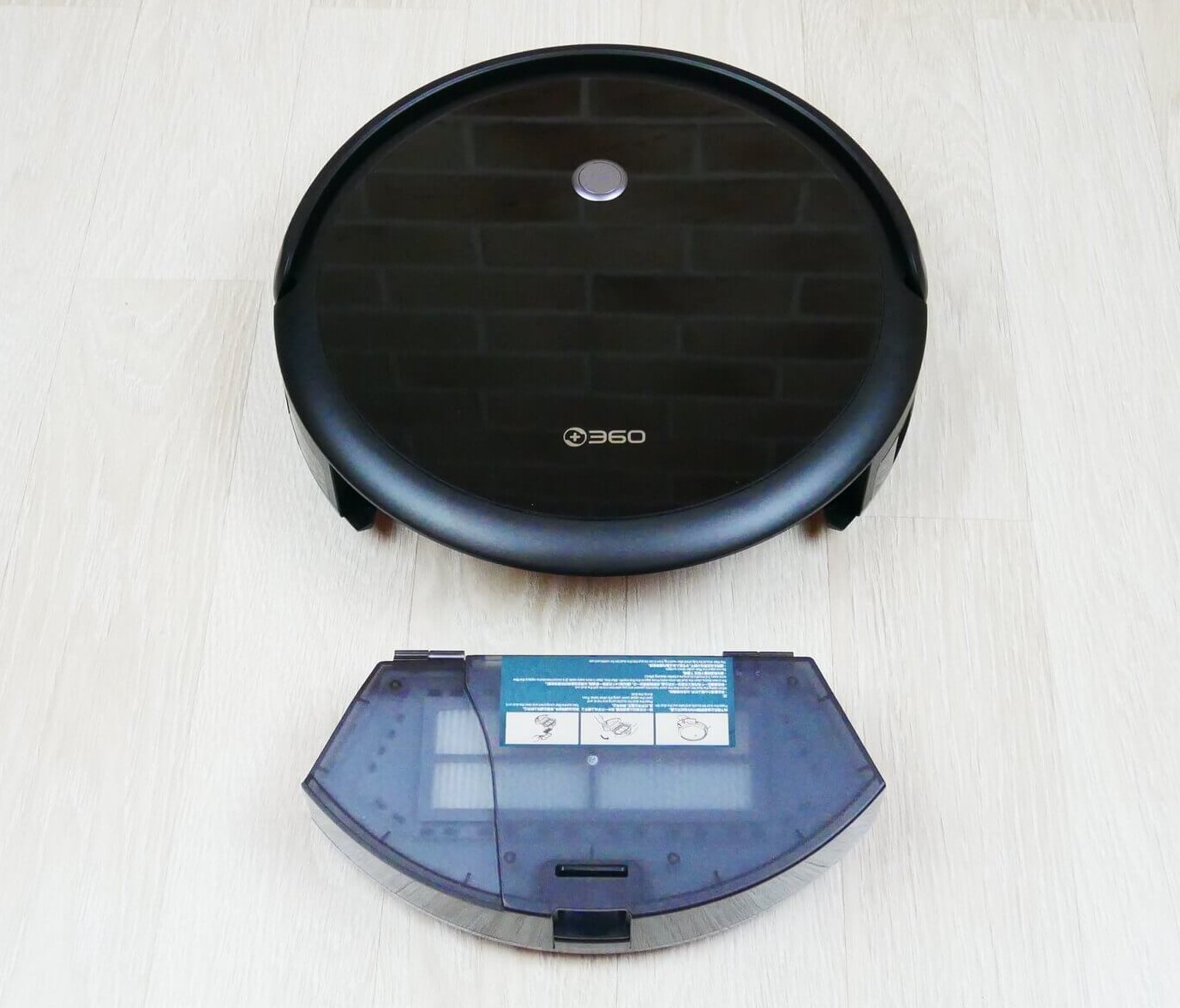
Dust collector location
A water tank can be installed in place of the dust collector. Terminals are visible on top, and next to them is the pump. Electronic water flow control is also provided.
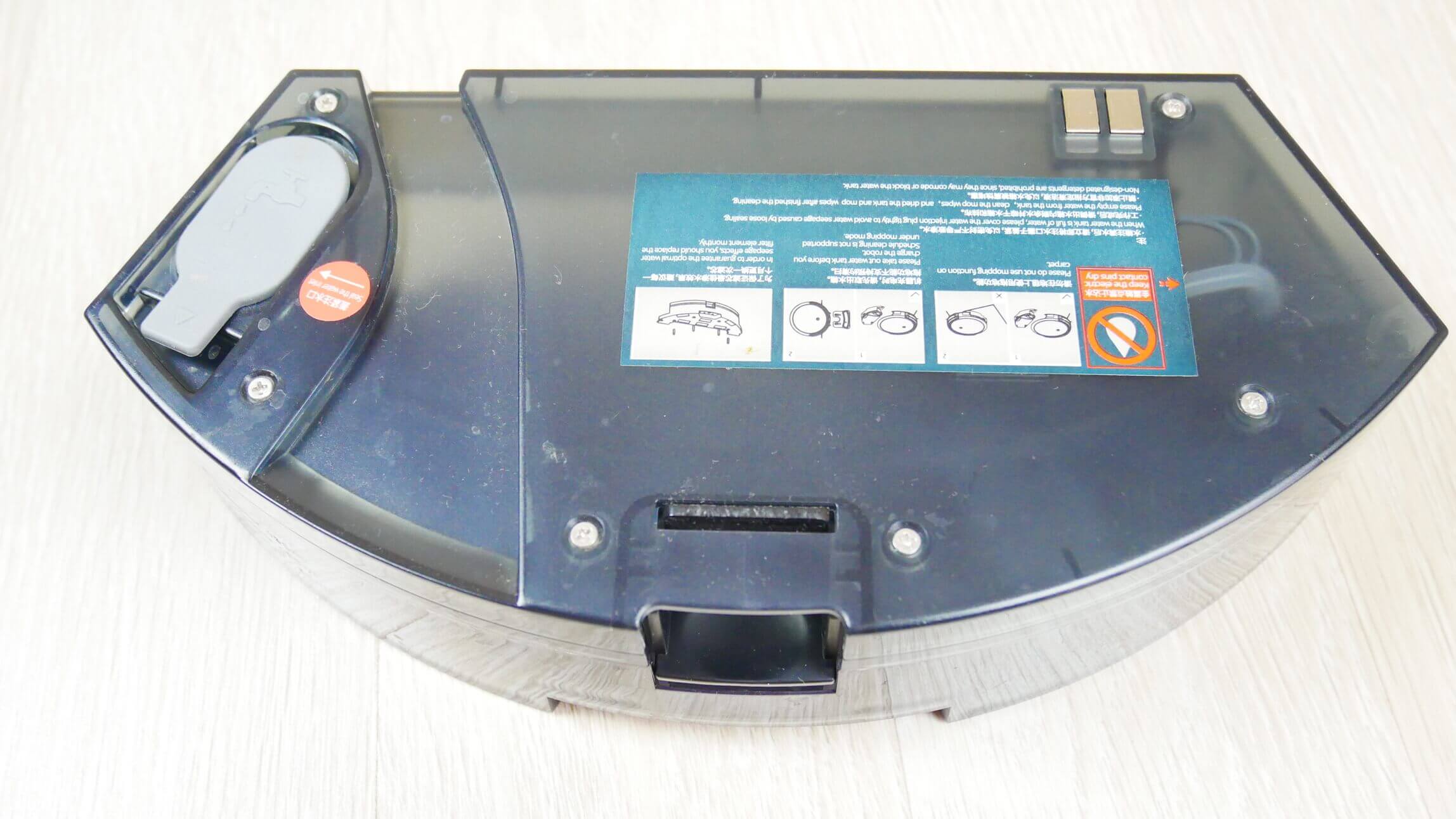
Water tank
The water tank has an additional compartment for dry waste. In wet cleaning mode, the robot can sweep up debris but not vacuum, so please keep this in mind. According to the manufacturer, the tank holds 300 ml of water, although the tank itself states 150 ml and one division higher. The cloth is attached with Velcro, and water is dispensed through four holes with dispensers.
Let's look at the robot's underside. It has two side brushes, each with a three-pronged bristle design. They are secured with screws. Three fall protection sensors are located at the front. A turbo brush is located in the center. The bristles are not very dense, and there are no silicone inserts. The brush mechanism is not removable.
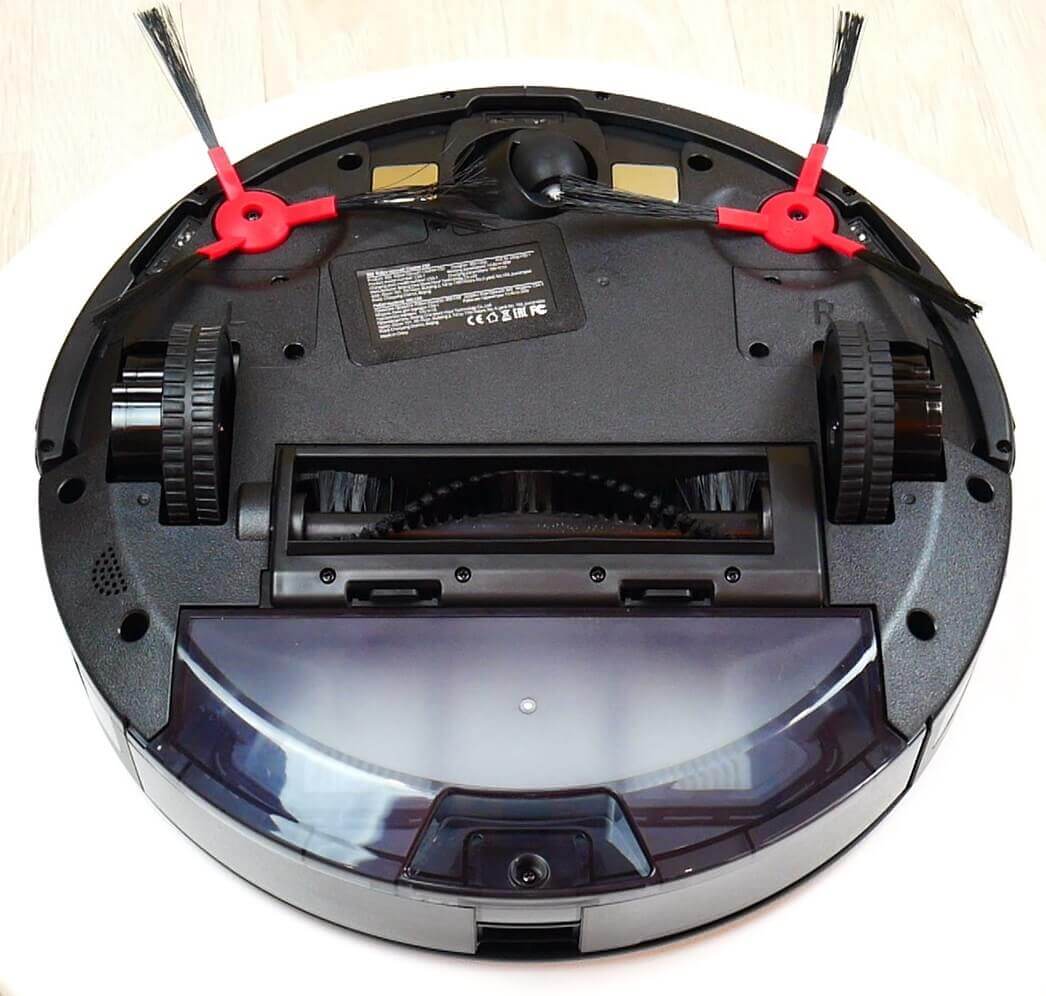
Bottom view (without napkin)
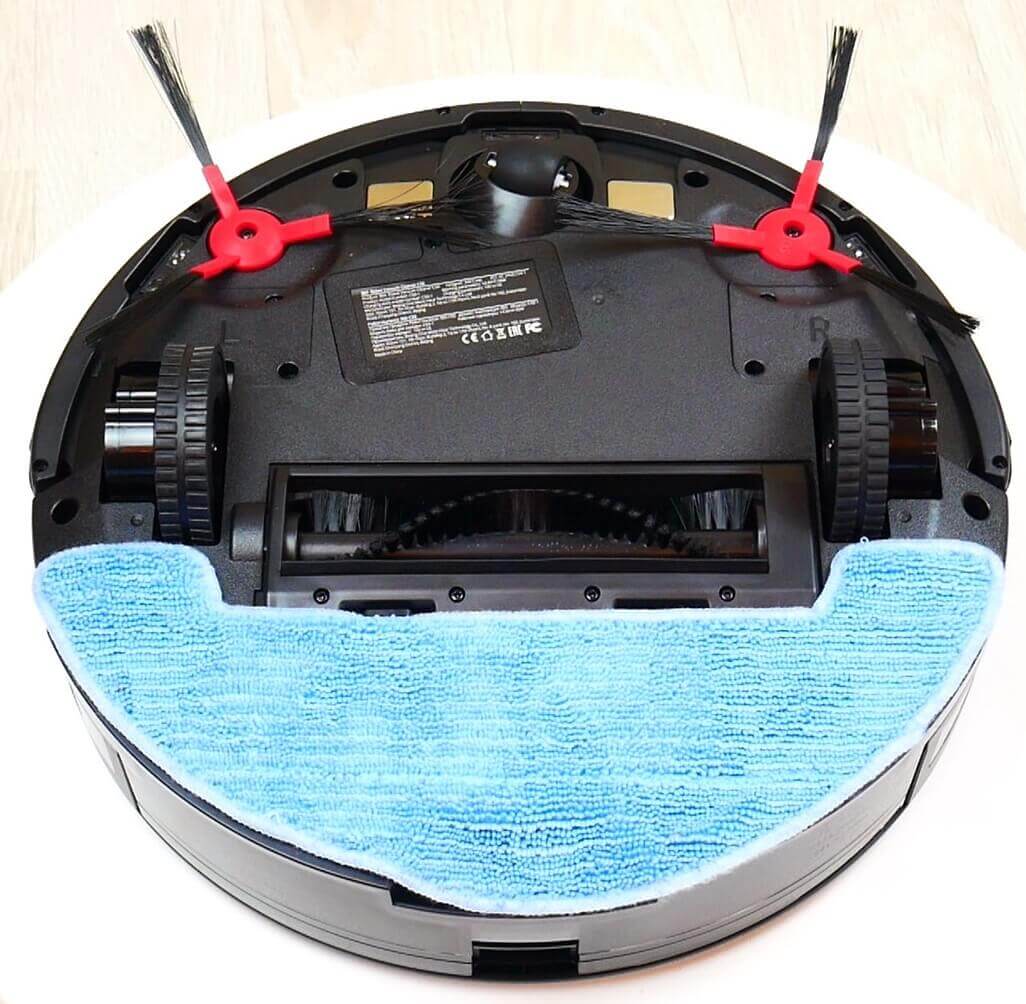
Bottom view with napkin
Overall, the robot is well-made for the price. There are no complaints about the build quality.
Technical specifications
Among the main characteristics of the 360 C50, I would like to highlight:
| Type of cleaning | Dry and wet |
| Battery | Li-Ion |
| Battery capacity | 2600 mAh |
| Suction power | up to 2600 Pa |
| Opening hours | 120 minutes |
| Charging time | 240 minutes |
| Cleaning area | 60-80 sq.m. |
| Dust collector | 510 ml |
| Water tank | 300 ml |
| Dimensions | 315*315*79 mm |
| Weight | 3.15 kg |
The only thing that's important to highlight here is the suction power, and I'd like to point out that it's truly very high, much higher than those new models that claim 2700 Pa. I'll definitely back this up with a test later.
Functional capabilities
The main functions are available in the proprietary mobile app, which you need to download and install on your smartphone. To do this, use the QR code in the instructions. Connection shouldn't be a problem. I got an error the first time, but the second time, the robot connected quickly to the Wi-Fi network.
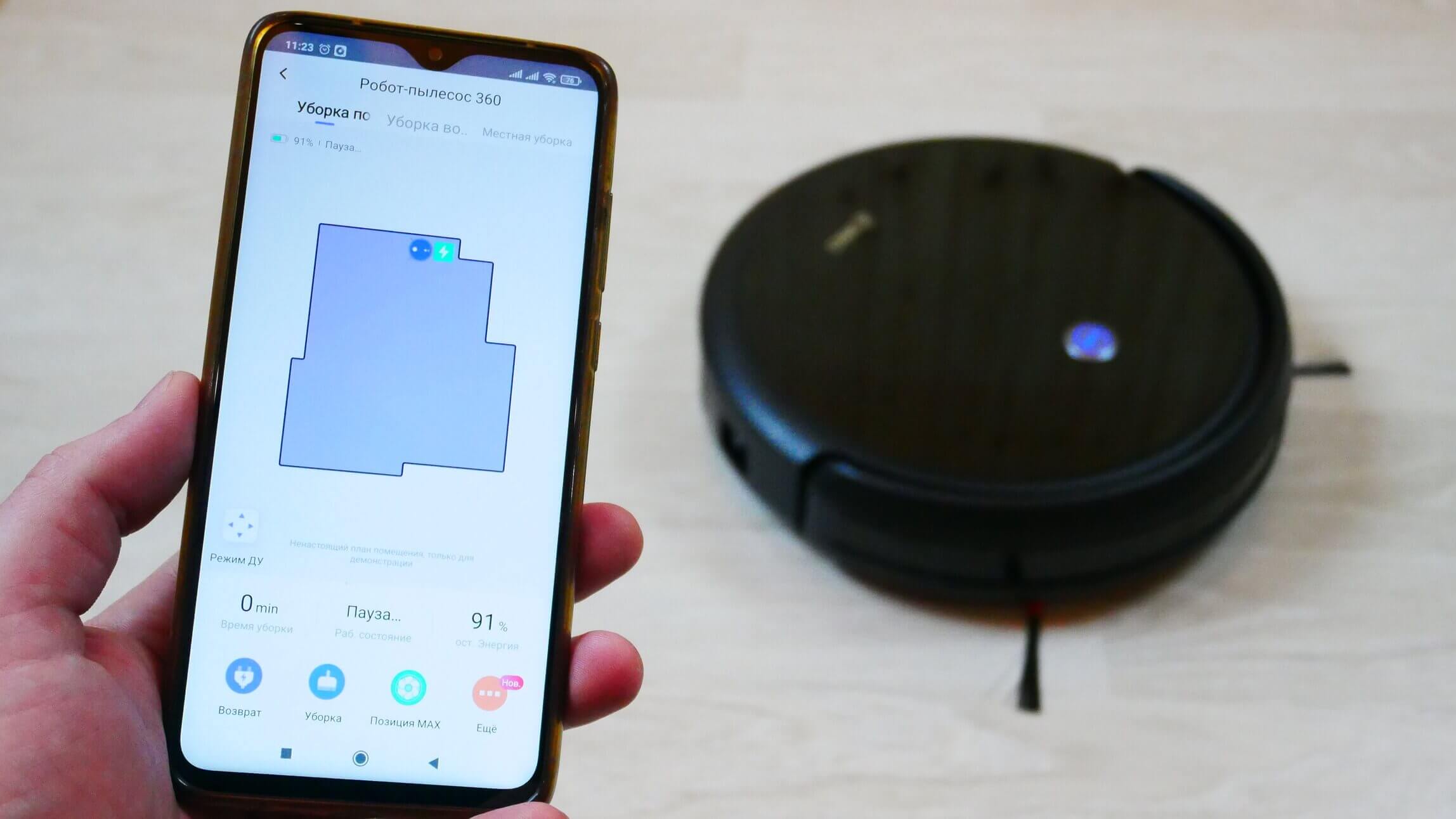
Control from a smartphone
On the main control panel at the top, you can select one of three cleaning modes: perimeter, automatic, and spot. In spot mode, you can select a specific area to clean, where the robot will move, as well as the number of passes. A remote control is also available for manual control.
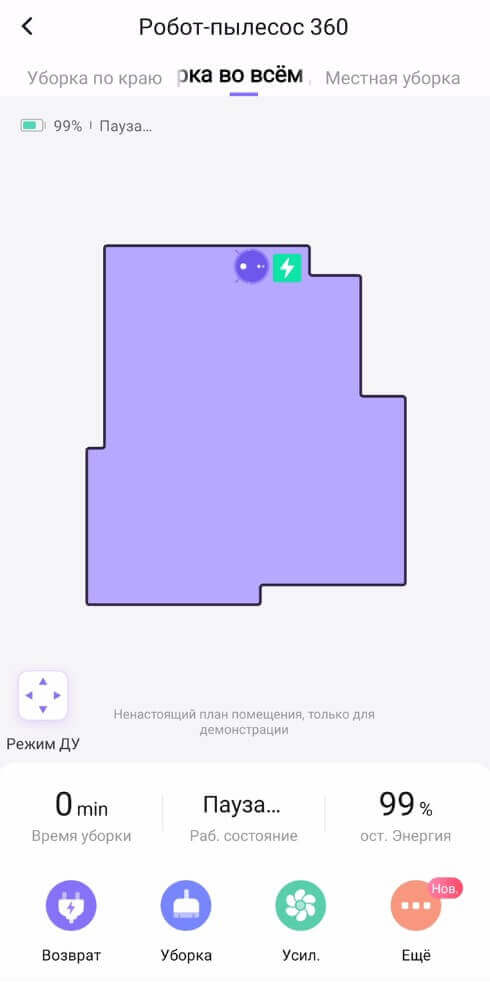
Control Panel
The bottom row of buttons forces the robot to return to the charging base, initiates automatic cleaning mode, adjusts suction power (one of 4 levels), or adjusts water flow (3 levels). Pressing the "More" button unlocks additional features.
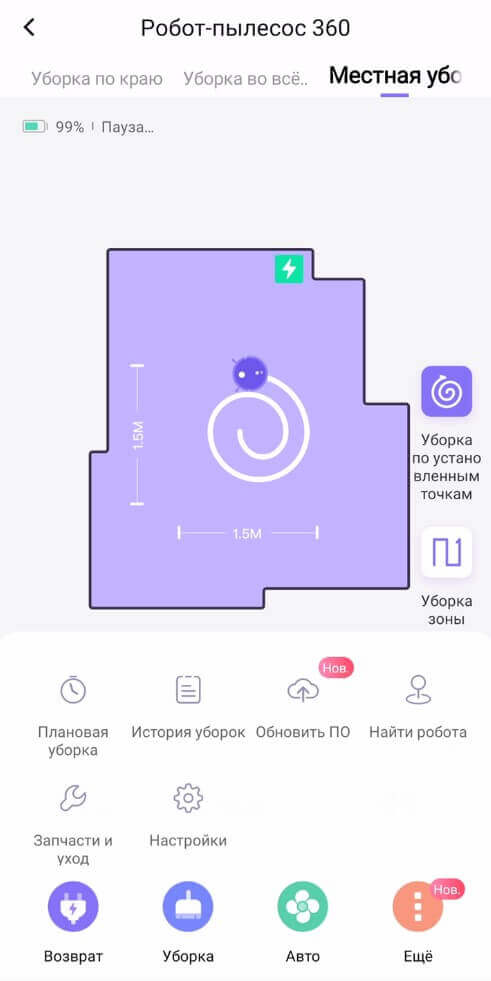
Additional features
You can schedule cleaning at a specific time and day of the week, choosing the power level. View the cleaning history, update the robot's software, locate it by its sound signal, and monitor the status of its consumables. In the settings section, you can share control with other family members, change the robot's name, enable do not disturb mode, adjust the volume of voice alerts, and disable the robot's indicator lights if needed.
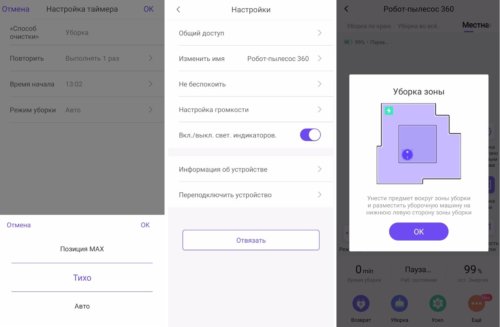
Settings and functions
Incidentally, the 360 C50 speaks Russian. You can also view device information in the settings and reconnect the robot to the Wi-Fi network if necessary. You can also view system notifications and access the online user manual.
Some 360 robot vacuum cleaners can also be controlled via Yandex.Alice, but this model does not yet support this option.
Let's look at the functions on the remote control. The top left button connects the robot to the Wi-Fi network, and next to it is the forced return to base button. Below is a joystick for manual control of the robot vacuum cleaner and a start/pause button in the center.
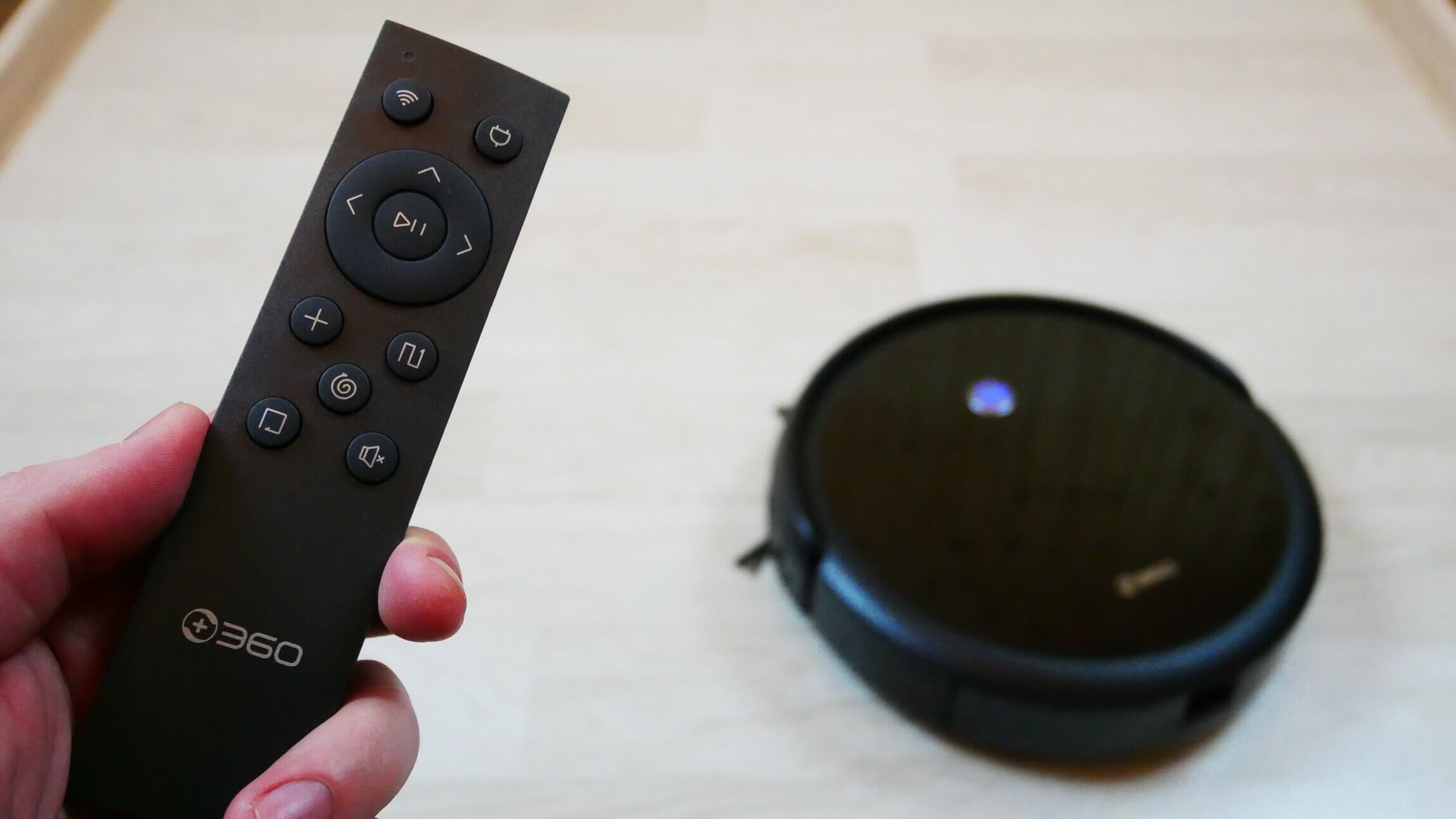
Remote control
Below the joystick are buttons for adjusting suction power, starting automatic cleaning mode, spot cleaning, perimeter cleaning, and a button to mute voice alerts. All important functions are duplicated.
Testing
I recommend watching a detailed review and test of the 360 C50 in a separate video:
The main points from the testing are duplicated in text form below.
Navigation
First, let's test the 360 C50's navigation in a room with obstacles.
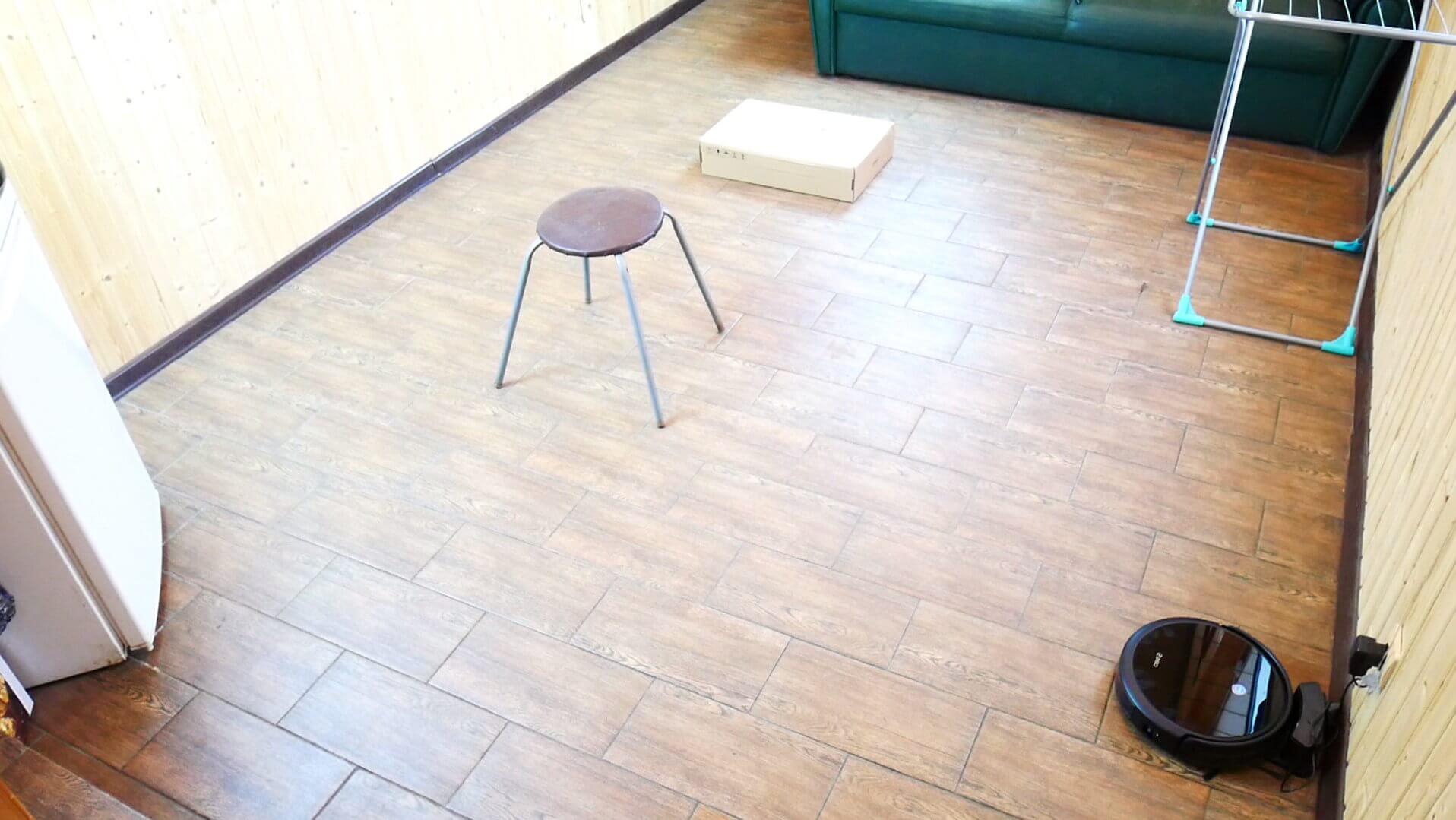
Navigating within a room
The robot first sweeps the entire accessible area in a zigzag pattern, then switches to perimeter mode and returns to the base. It was able to cover the entire accessible area without getting stuck anywhere, but it didn't particularly clear the area around the box or chair legs. It took it 17 minutes to clean approximately 10 square meters, at a standard cleaning speed. It's important to note that the robot doesn't create a real-time map. Overall, there are no complaints about the navigation, considering the robot's low cost and the gyroscope.
As for cleaning the entire house, the robot was able to completely cover five rooms with a total usable area of approximately 34 square meters. There were no uncleaned areas, the cleaning took about an hour, and the standard charge was sufficient. The navigation test was successfully completed.
Suction power
Now I'll demonstrate the suction power of the 360 C50. As a reminder, the manufacturer claims 2600 Pa.
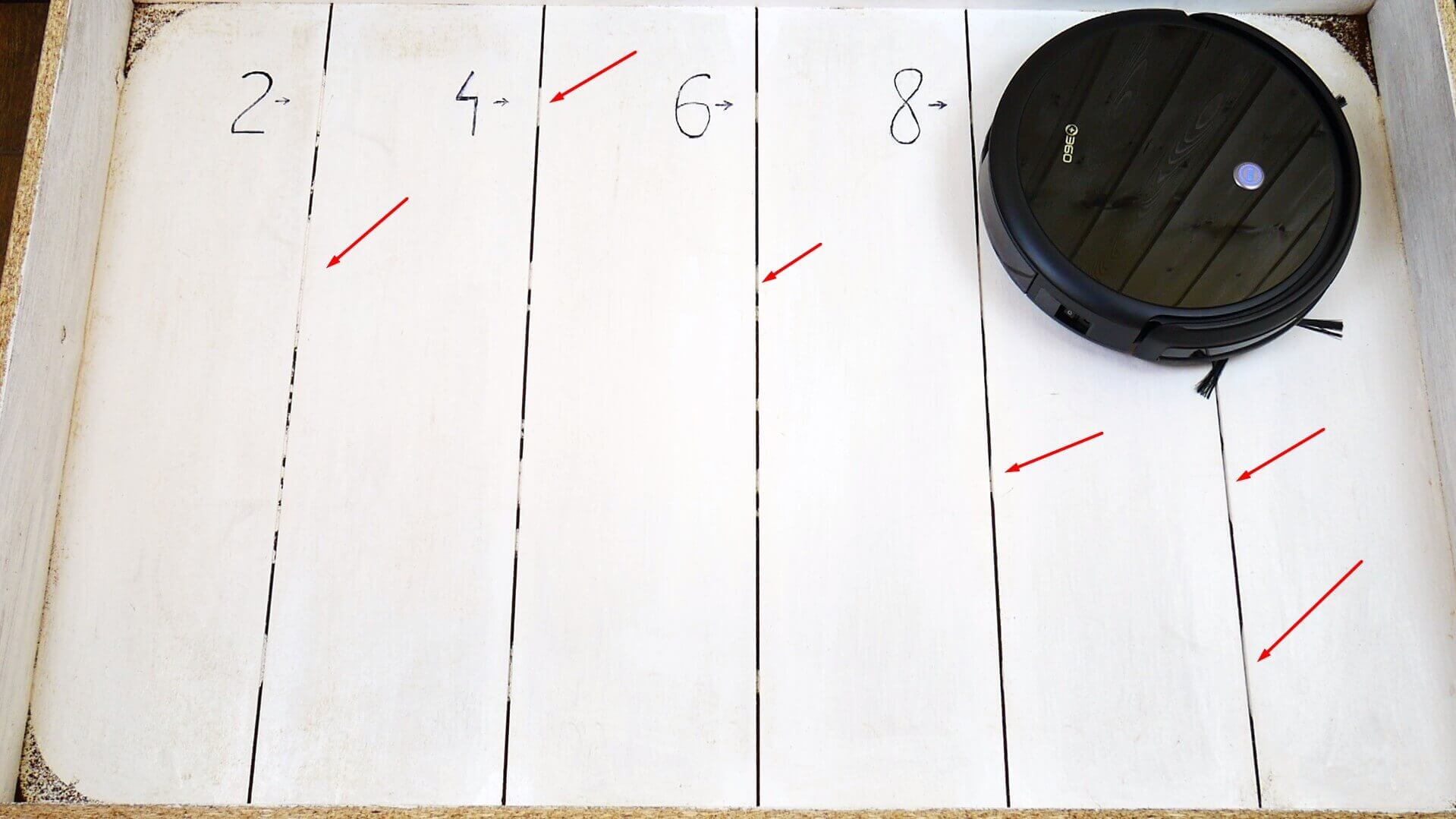
Suction power
And at maximum power, it amazed me. It was able to suck out debris even from cracks 10 mm deep, and this is a new record so far. This robot is even more powerful. iCLEBO O5 Wi-Fi, which I've praised many times before. The 360 C50 sucks up dirt at the level of powerful handheld vacuums—an excellent result for a robot.
There's a caveat, though: firstly, it's noisier than a handheld vacuum cleaner on maximum power, and secondly, the battery lasts about 60 minutes on maximum power. So I recommend using this mode only when necessary, for example, in a room with high carpets that need a deep clean.
Dry cleaning of laminate flooring
Now let's test the dry cleaning performance of laminate flooring. We used wool, hair, grains, and ground coffee as dust samples.
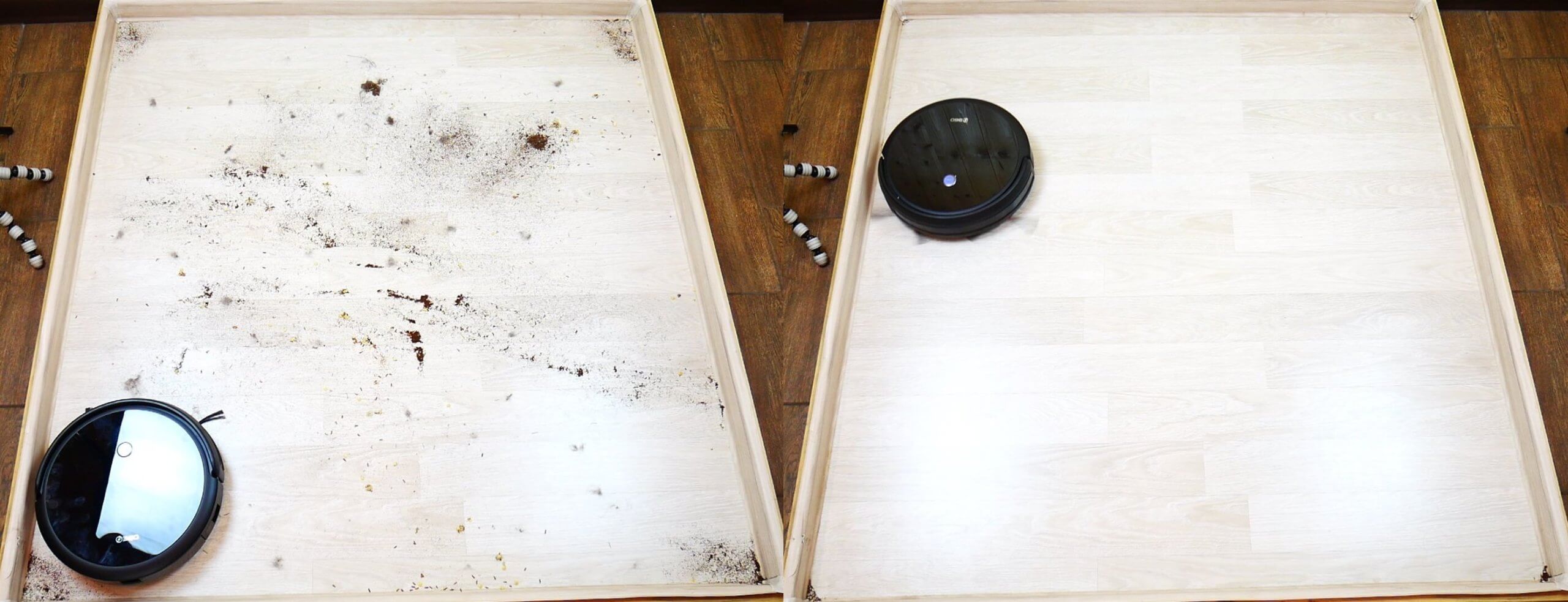
Dry cleaning quality
The 360 C50 performed well. Only a little debris remained in two of the four corners of the rig. The test was a success.
Cleaning the carpet
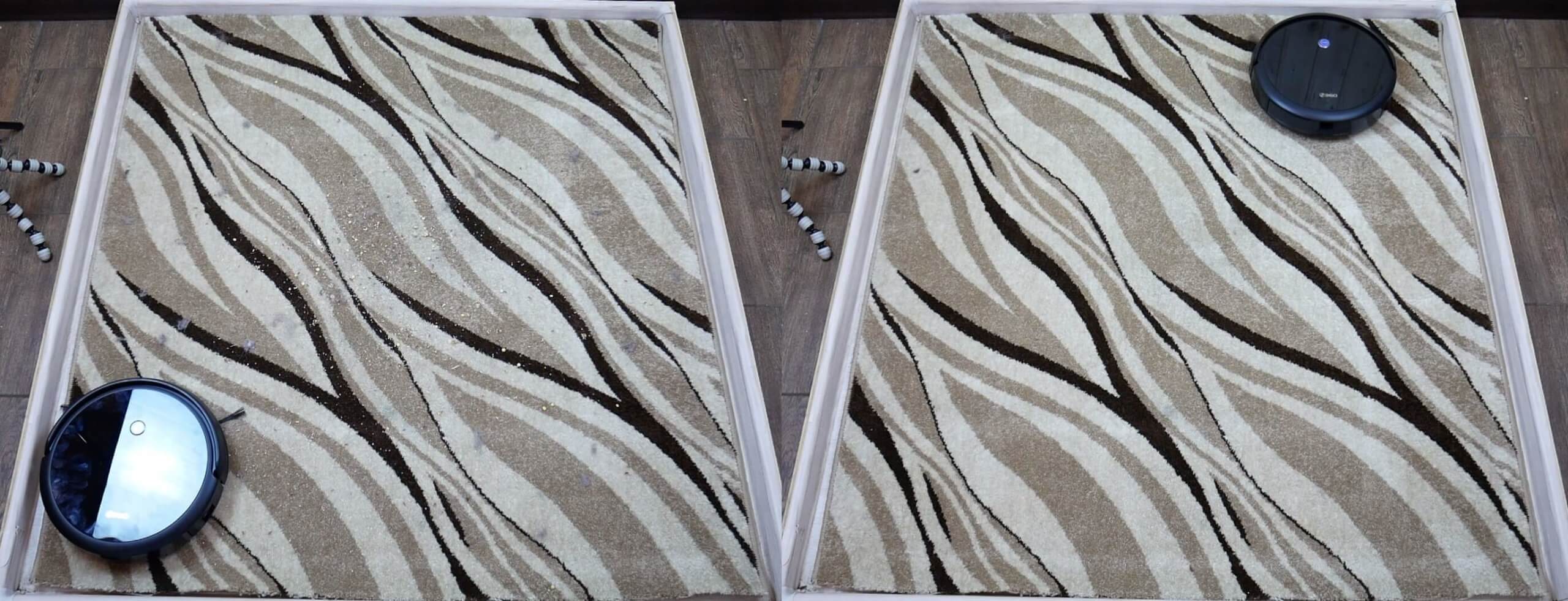
The same debris was scattered on the carpet. The 360 C50 handled the task without any difficulty, thoroughly cleaning the carpet. Only one clump of hair remained, but it was tangled in the carpet pile and had to be manually removed—a task beyond the robot's capabilities.
Cleaning the carpet
Wet cleaning
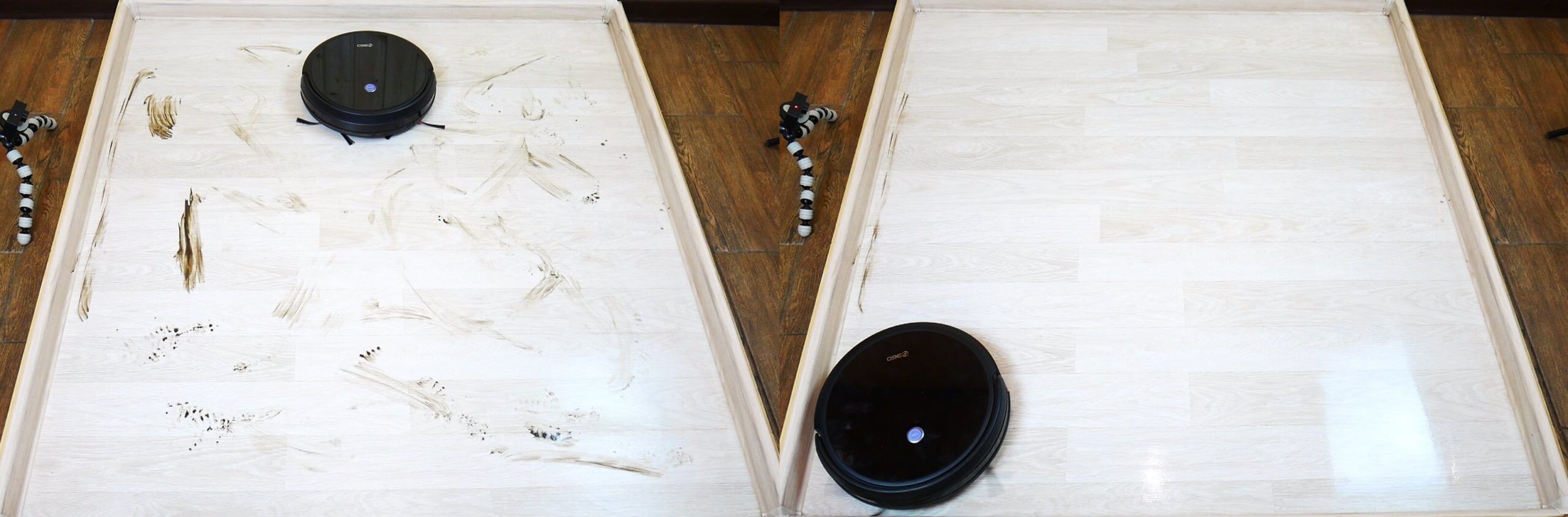
Let's test the quality of its cleaning of the laminate flooring. The robot was able to remove all the dried-on dirt from the main part of the stand, leaving only a section along the baseboard where the cloth didn't reach. So far, this is the only criticism we've had in the entire review.
Wet cleaning
Overall, the wet cleaning performance is high; the robot wets the cloth thoroughly without flooding the floor. The tank is sufficient for the entire cleaning cycle, i.e., approximately 60-80 square meters.
Obstacle clearance
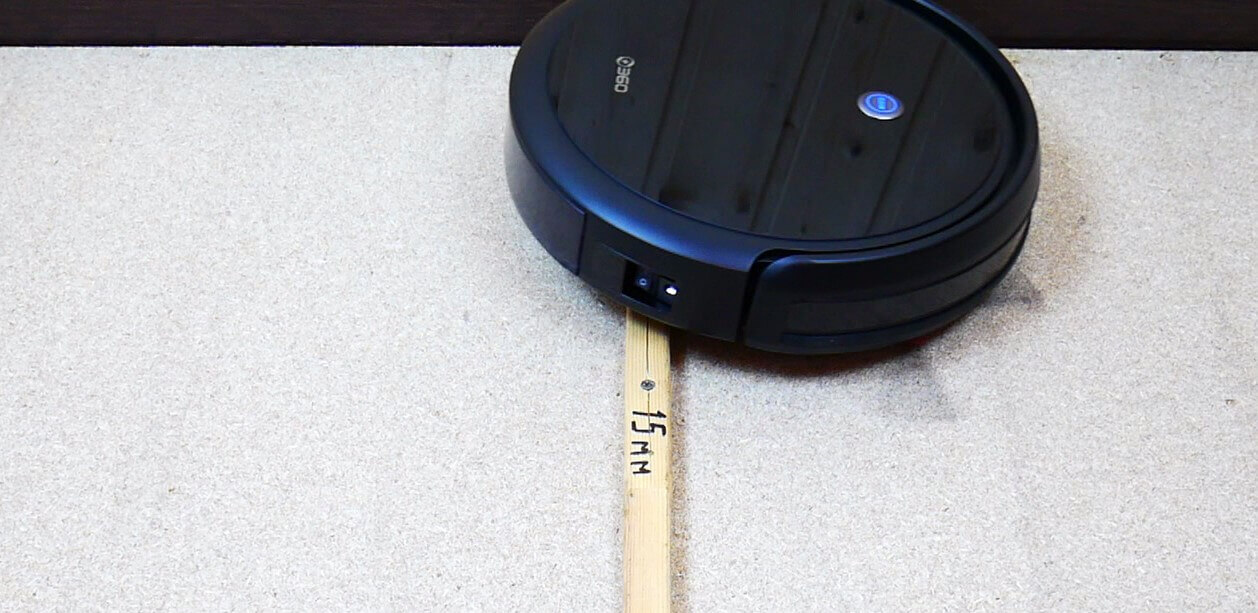
Let's see what height thresholds the 360 C50 can handle. It can handle thresholds as high as 10 and 15 mm. Unfortunately, it can't handle a two-centimeter threshold.
Obstacle clearance
Dark coatings
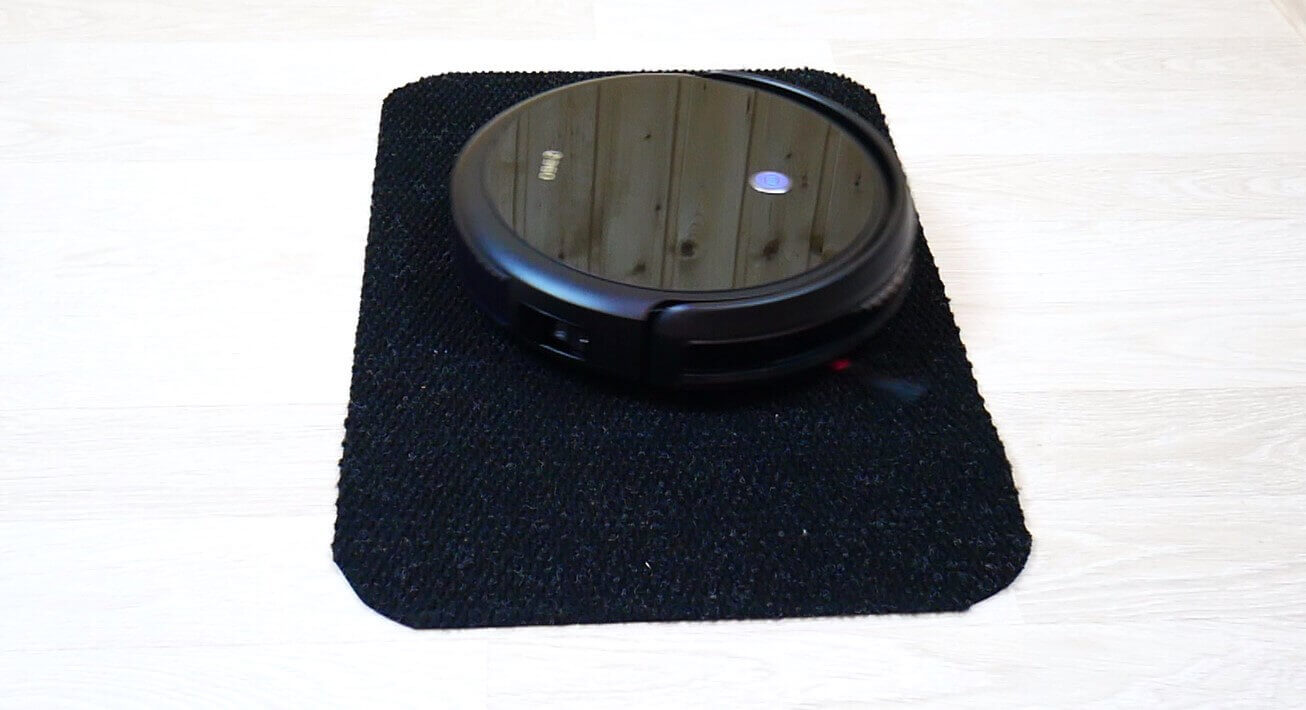
There are no issues with dark surfaces. In our test, the robot drove over a black rug without recognizing it as a height difference.
Driving on dark surfaces
Noise level
Finally, we measured the 360 C50's noise level in different modes. At minimum suction power, the noise level is around 67 dB, while in standard mode, it reaches 71.5 dB. In high-power mode, the noise level is around 75 dB, and at maximum power, the peak was 77.3 dB. This is a very powerful robot vacuum cleaner, and one of the noisiest on the market, which is related.
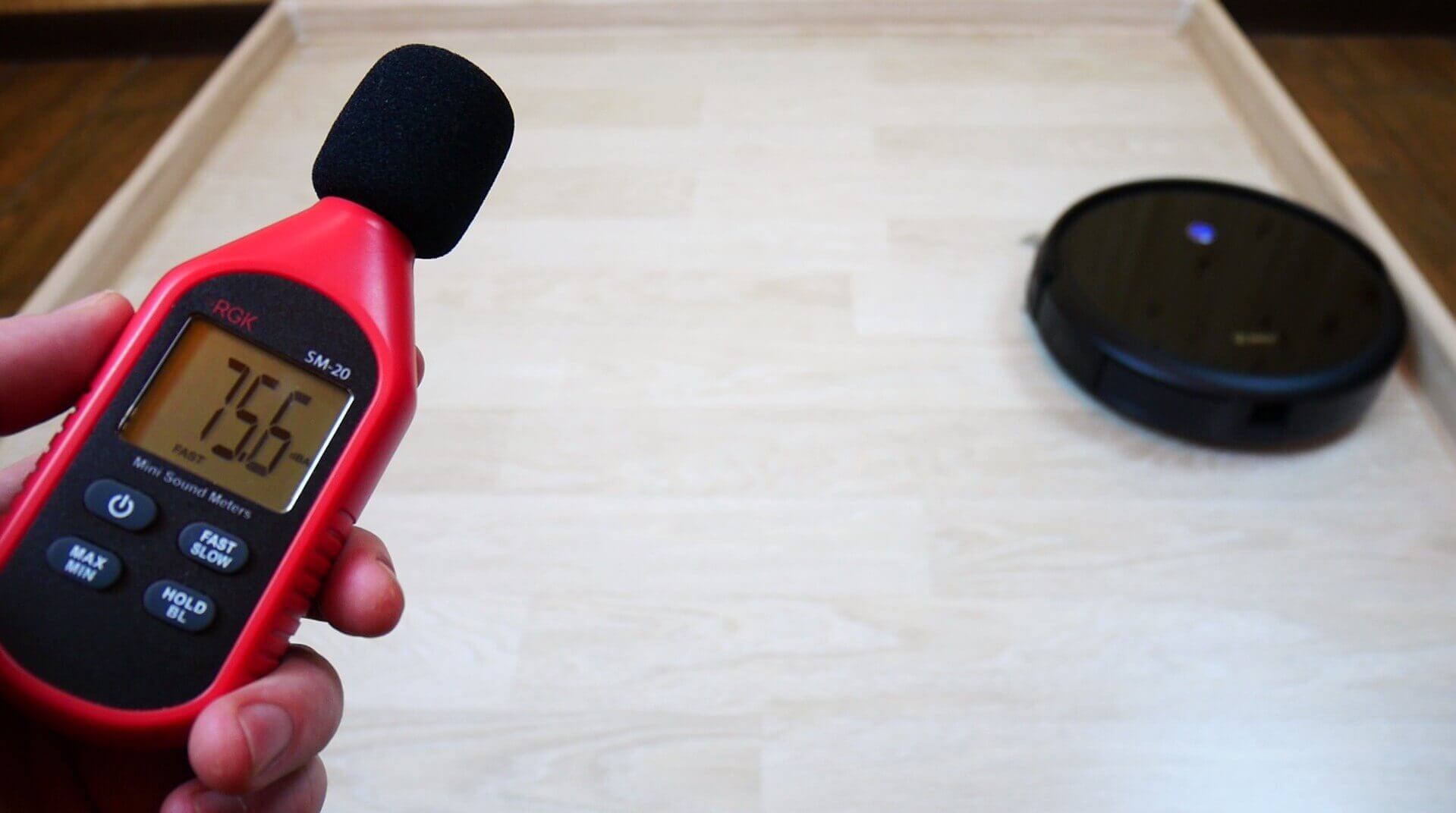
Noise level
By the way, in wet cleaning mode, when the engine is turned off and the robot simply sweeps, the noise level does not exceed 56 dB.
Let's sum it up
The 360 C50 has been thoroughly reviewed and tested. our grading system he dialed 48 out of 100 Possible points. Considering the incredibly low price, this is a very good result for a robot vacuum cleaner with a gyroscope.
Let me tell you what I liked about the 360 C50:
- Very high suction power. This robot's calling card.
- Good quality dry and wet cleaning on various surfaces.
- Availability of a remote control and an application for control.
- Voice notifications in Russian.
- Not afraid of dark surfaces.
The following comments would be welcomed:
- No movement limiter included.
- The robot does not clean along the baseboard.
- Noisy at maximum mode.
- Does not create a map of the premises in real time.
- There are no spare consumables included.
But, I repeat, for this money these are just minor remarks that are common to many robotic vacuum cleaners costing up to $150 And for the price, especially with the discount, it's definitely one of the best robots out there, and I highly recommend checking it out. Its high power and excellent cleaning performance, along with the full range of standard features available in the app, make the 360 C50 a very attractive purchase.
On that note, I'd like to conclude this review. If you have any questions, please ask them in the comments below. Happy shopping, everyone!
Hello, I ordered a vacuum cleaner and now I'm wondering where to get consumables. There are some for the S9 model, but not for the C50. Perhaps they are compatible? Another question: what's the difference between the C50 and C50-1 models?
I was also looking for the difference and couldn't find it. Did you find out? I'm planning to buy one; I'm completely lost in thought.
I ordered a vacuum cleaner; the promo discount works, thanks. It only cost me 8,400 rubles. This seller also has consumables, though they're not cheap.
Are C50 and C50-1 the same thing or not?
I think it's the same thing)
Cleans carpets perfectly! The battery lasts for 90 minutes in standard auto mode, then it goes back to charge.
There are a dime a dozen consumables for it on Ali.
Hello. Could you please tell me how to change the language? English is the default.
Double-click the speaker icon on the remote control
Hello, I pressed it as you wrote, now it’s completely silent ((( What should I do, please tell me 😫🙏🙏💓
The link to Alik costs more than $1000, is this a joke, right?))))
How do I reset it to factory settings so it can scan the entire house again and remember where it is? We moved the base station, and now it scans half a room. Thanks.
Hello, the vacuum cleaner arrived yesterday. It cleaned the entire 50 sq m apartment twice. I cleaned the brush and emptied the container. Then it stopped and asked me to wipe the sensors. I wiped them about 50 times, then it moved 1-2 meters and then asked me to wipe the sensors again. What should I do?
How did you solve the problem?
Is it possible to install voice packs on it?
As far as I know, no.
The vacuum cleaner does not see an obstacle, what can be done?