
Xiaomi Mijia Self-Cleaning Robot Vacuum-Mop Pro: Review and Comparison with the Dreame Bot W10
- Equipment
- Appearance
- Technical specifications
- Functional capabilities
- Testing
- Navigation
- Suction power
- Dry cleaning
- Cleaning the carpet
- Wiping off dirt
- Removing difficult stains
- Wet cleaning and carpets
- Simultaneous dry and wet cleaning
- Obstacle clearance
- Driving on dark surfaces
- Noise level
- Let's sum it up
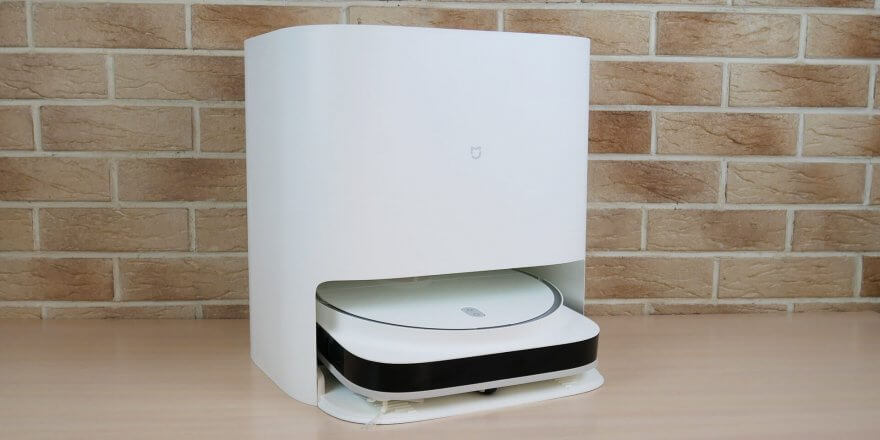
This review will examine a rather interesting robot vacuum cleaner called the Xiaomi Mijia Self-Cleaning Robot Vacuum-Mop Pro. An alternative name for this model is the Mijia Pro Self-Emptying Robot Vacuum. To avoid confusion, I recommend referring to the model number STYTJO6ZHM. This device boasts important design features such as a cloth rinsing station, two rotating microfiber cloths behind the central brush, and a D-shaped body for more effective sweeping of debris in corners. I'm sure many will be interested to know not only how well the Xiaomi Mijia Pro performs at its primary function, but also how much better or worse it is compared to its direct competitor – its lookalike. Dreame Bot W10, which I previously reviewed. Despite the visual similarities, the price difference between the robots can be significant. The Xiaomi Mijia Pro costs around $600, while the Dreame Bot W10 is priced between $850 and $1,000. So, below, I'll try to detail and demonstrate all the key features of the Xiaomi Mijia Self-Cleaning Robot Vacuum-Mop Pro and compare it with its main competitor from Dreame. So, let's get started!
Equipment
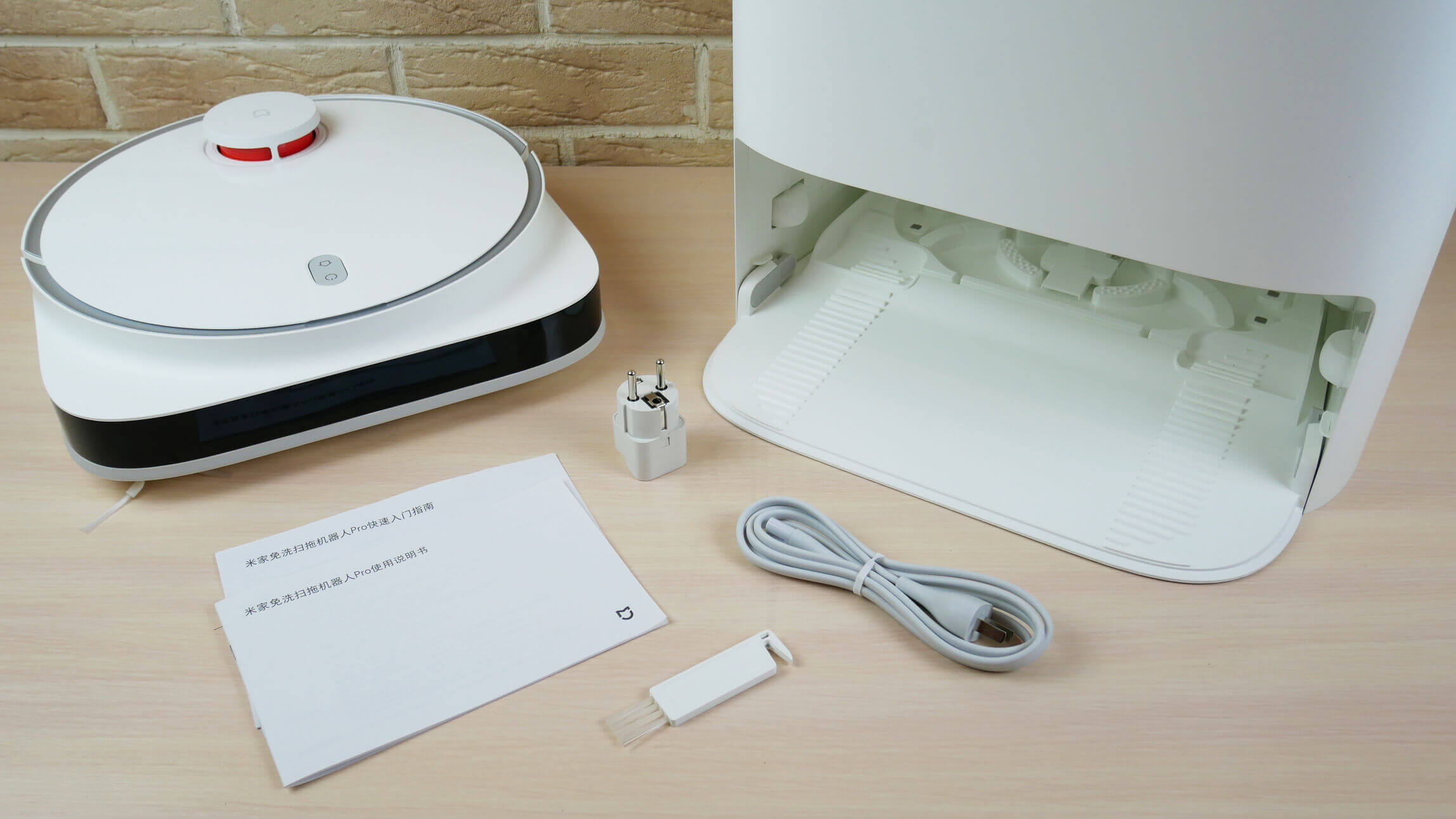
In addition to the robot itself and the wipe rinsing station, the delivery kit includes:
- Operating instructions in Chinese.
- Power adapter and adapter for European standard socket.
- Robot cleaning tool.
Equipment
The kit is minimal. Unfortunately, there are no spare consumables included.
Appearance
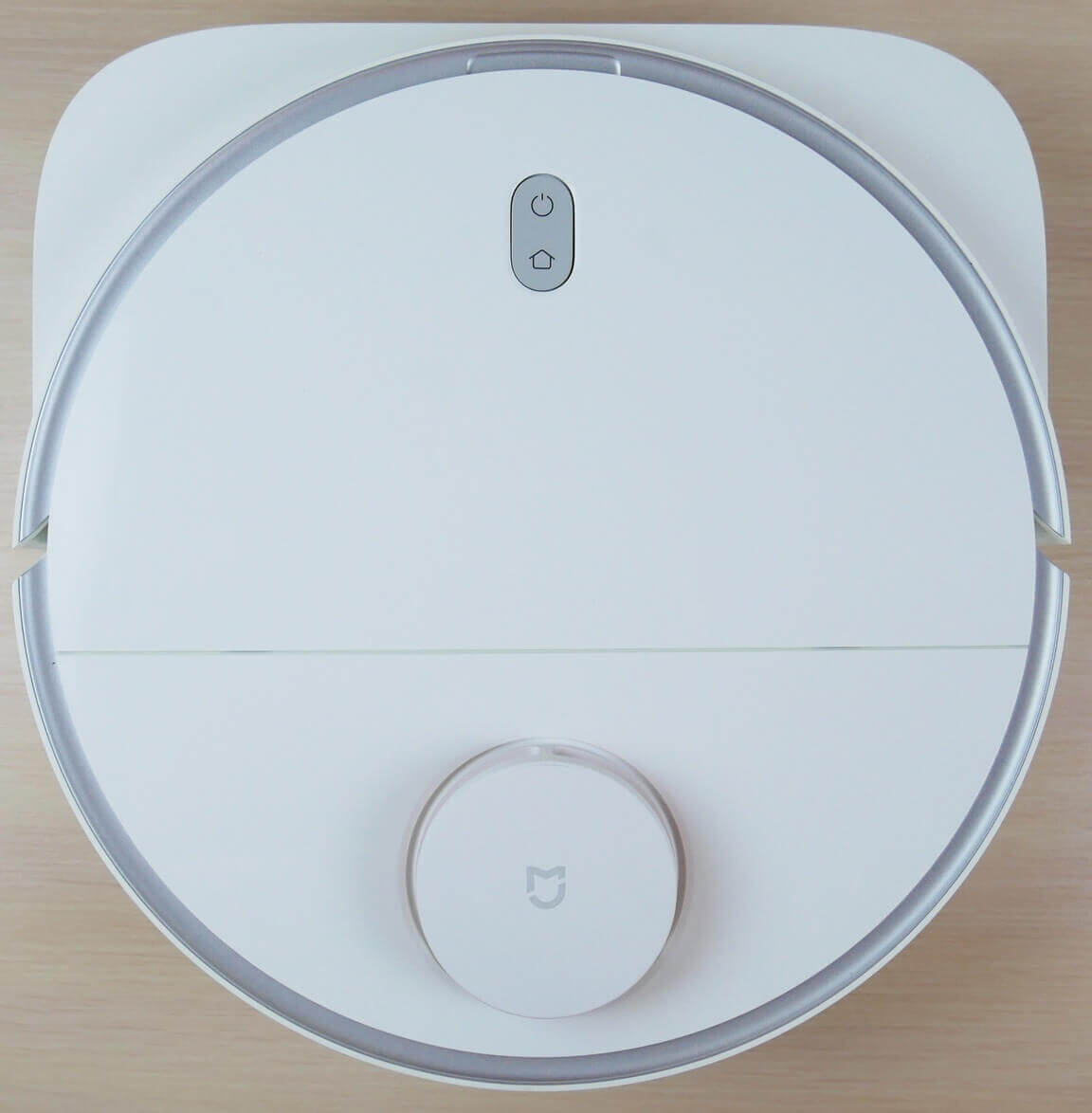
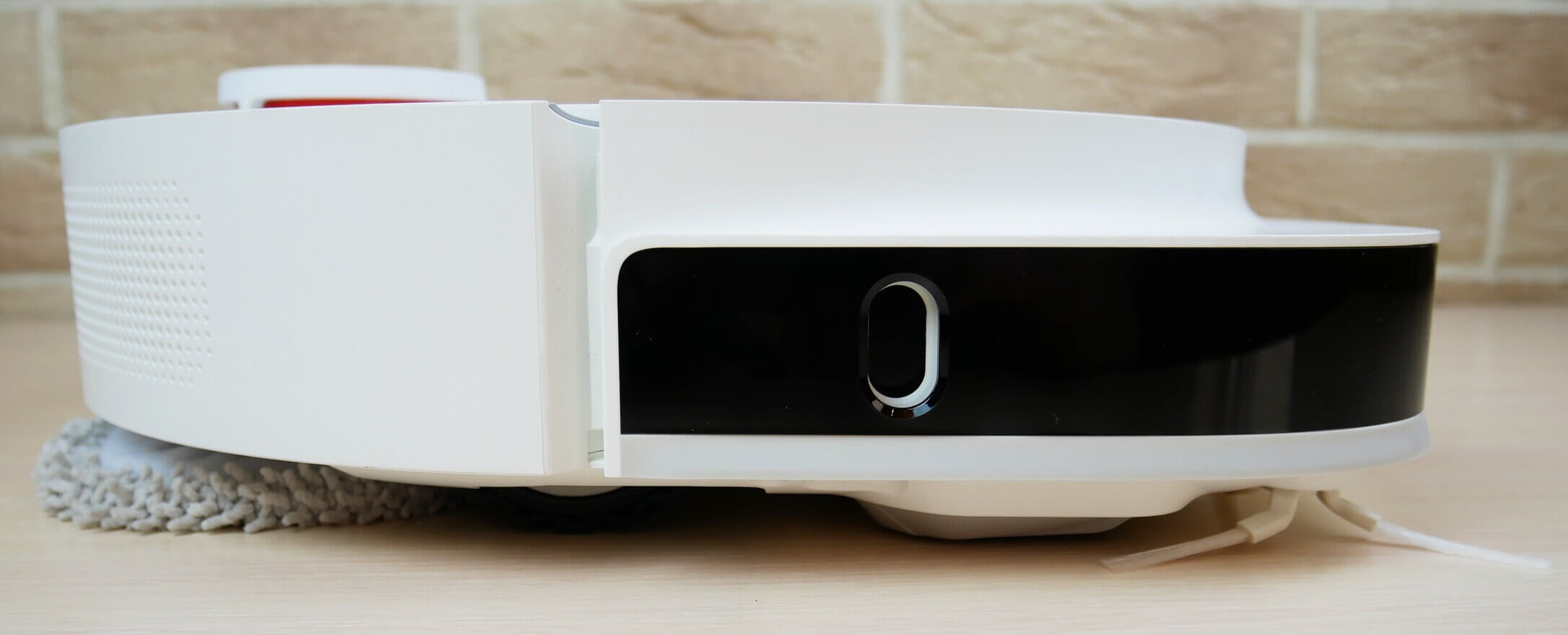
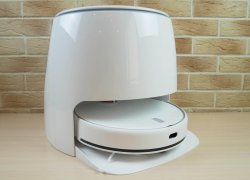
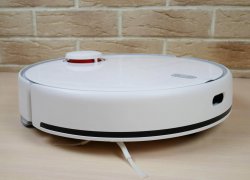
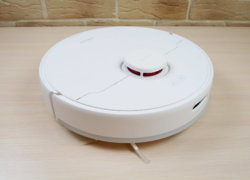
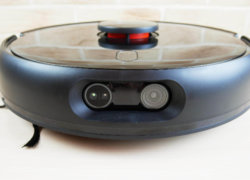
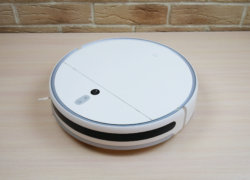
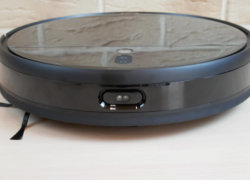
Now let's look at the Xiaomi Mijia Pro's appearance. Let's start with the robot itself. Its body is D-shaped and white. A wall sensor is mounted on the right side of the bumper.
Top view
Side view
The robot's body stands just over 10.5 cm above the floor. Admittedly, the robot's design is an acquired taste. The Dreame Bot W10 looks neater and more stylish, in my opinion.
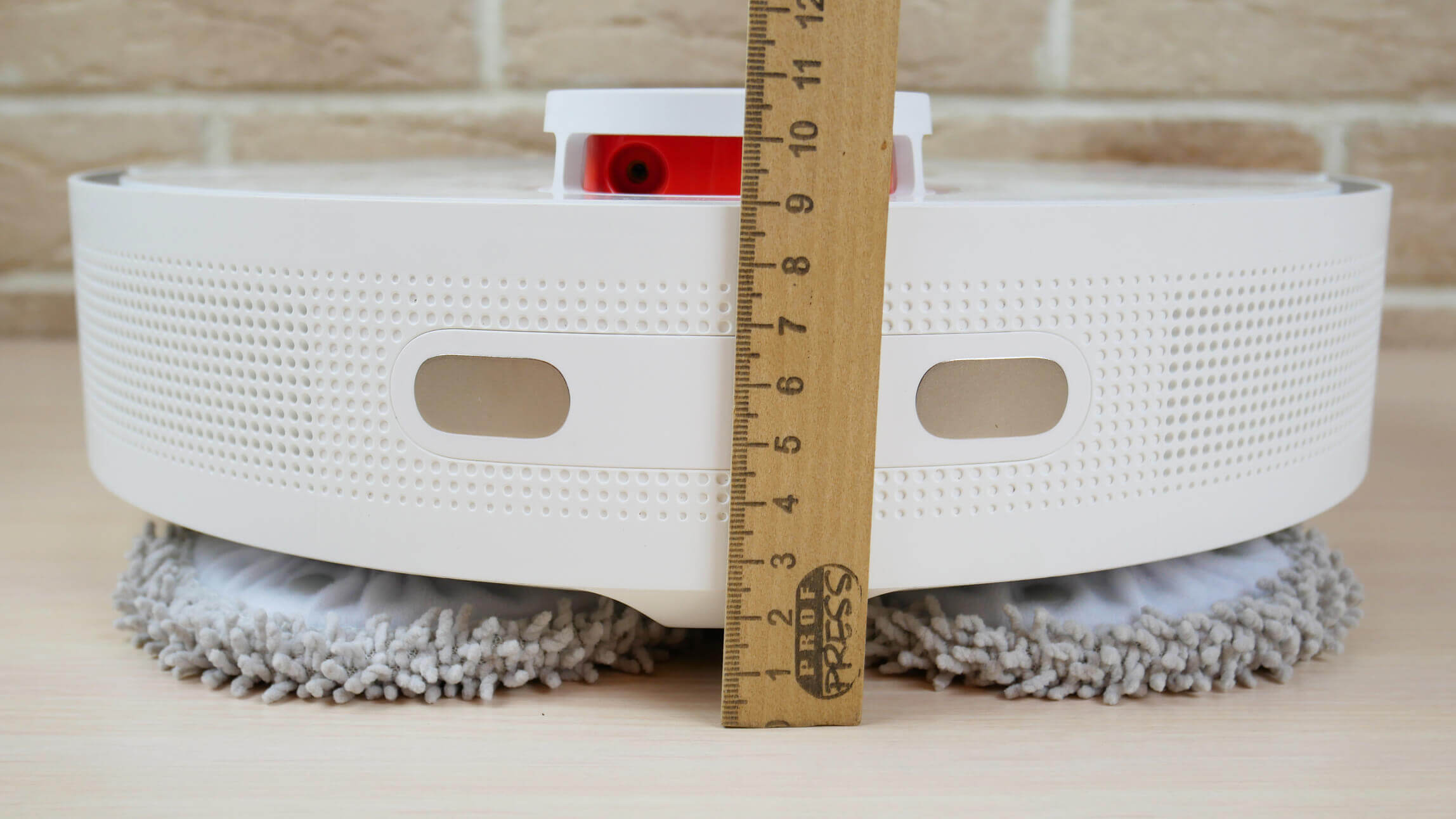
Body height
A soft-touch mechanical bumper is installed at the front. Two mechanical control buttons are located on the top of the body. A lidar sensor is used for navigation. It is equipped with a spring-loaded cover to prevent the robot from getting stuck under furniture.
The dust container is located under the top cover. It holds up to 450 ml of dry waste. The filtration system includes a mesh filter and a HEPA filter.
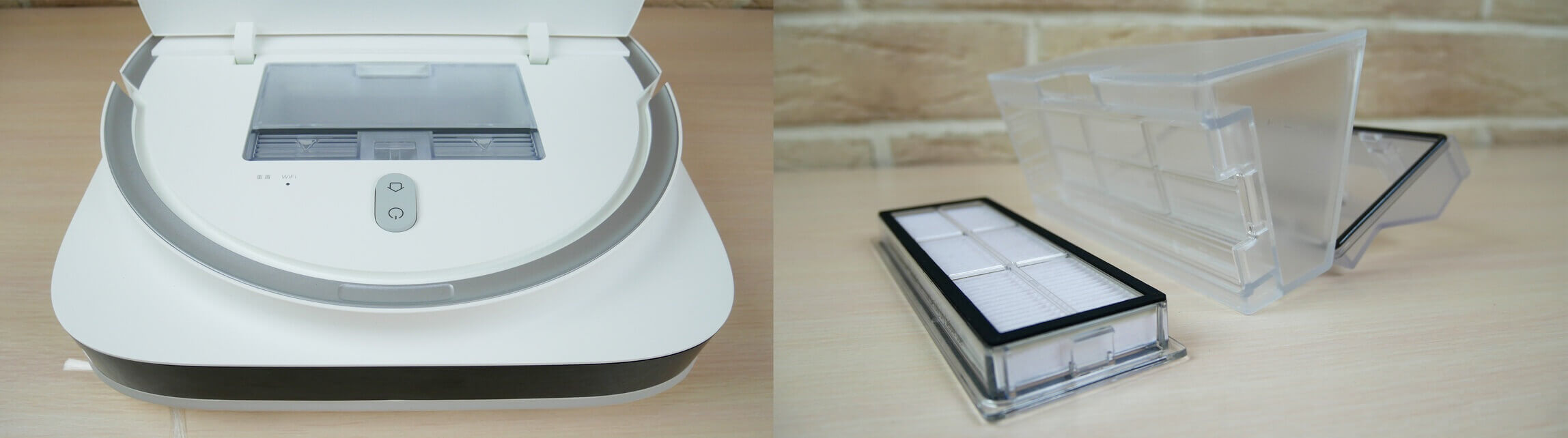
Dust collector
The robot has six fall protection sensors on its underside. It lacks the ultrasonic carpet detection sensor found on the Dreame Bot W10.
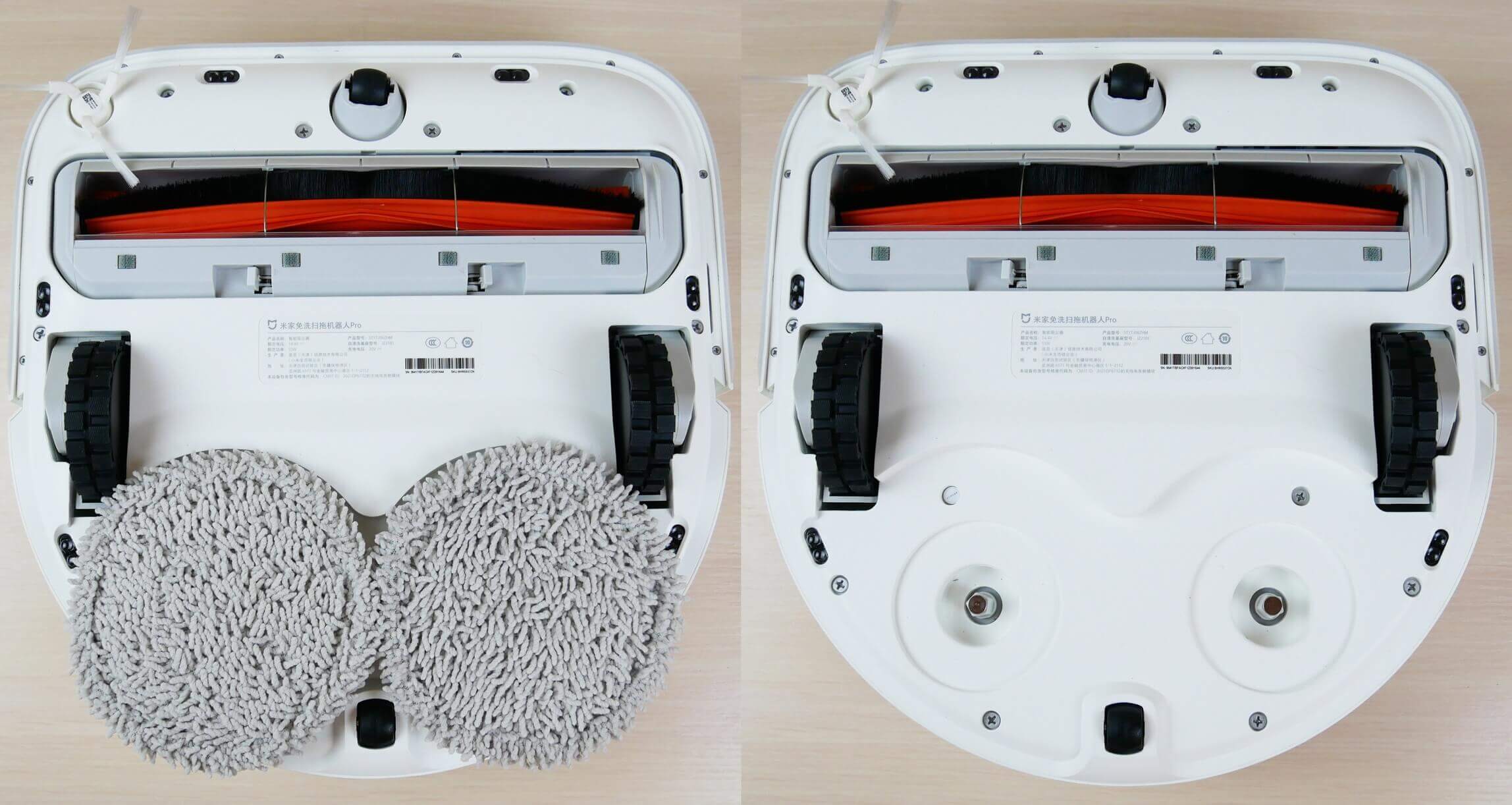
Bottom view
The side brush is single, three-pronged, and quick-release. It's positioned right on the corner of the body, allowing the brushes to better reach into corners and sweep away debris.
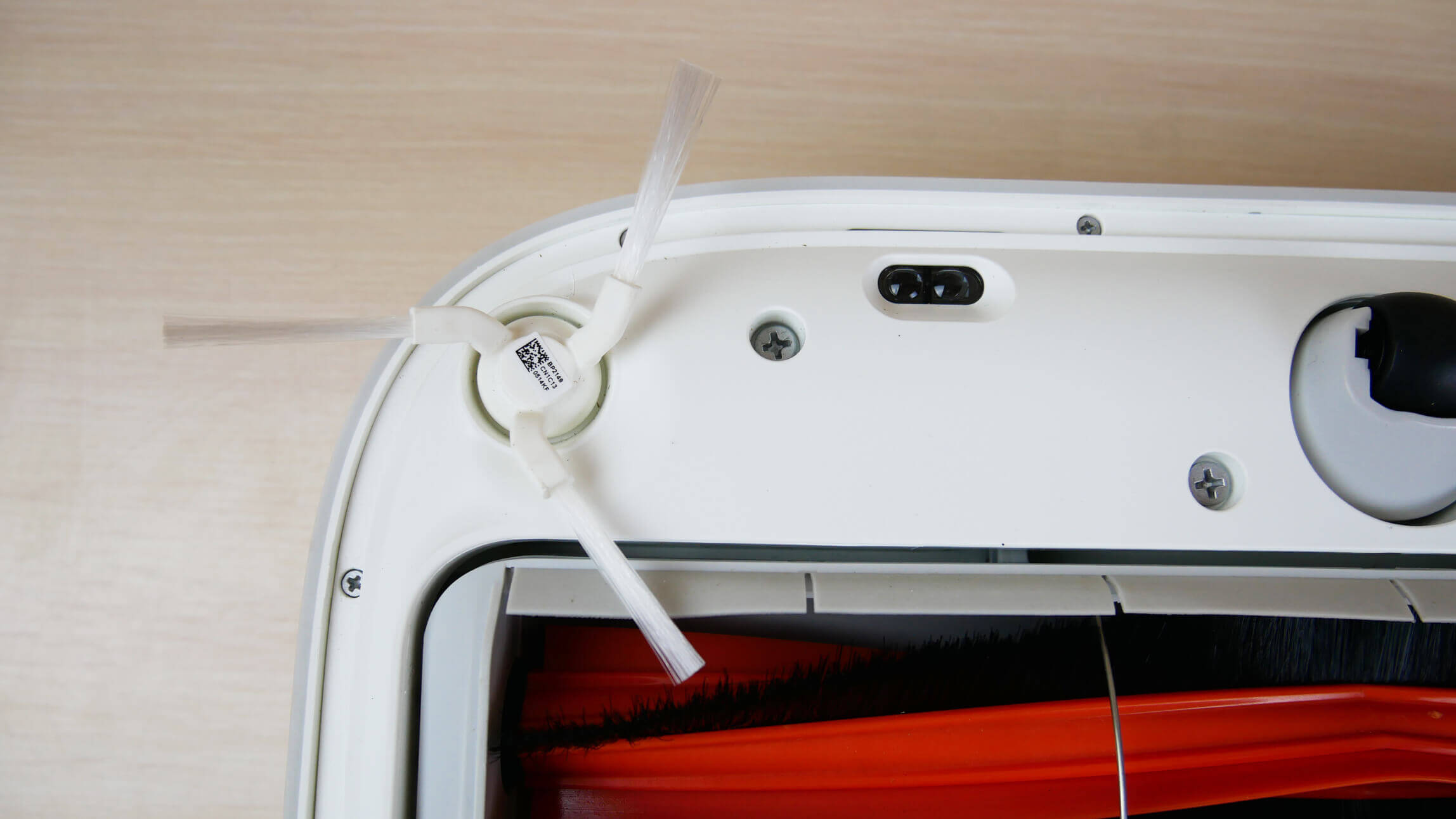
Side brush
The central brush has bristles and petals. Both ends can be removed to remove tangled hair and fur. It's very long!
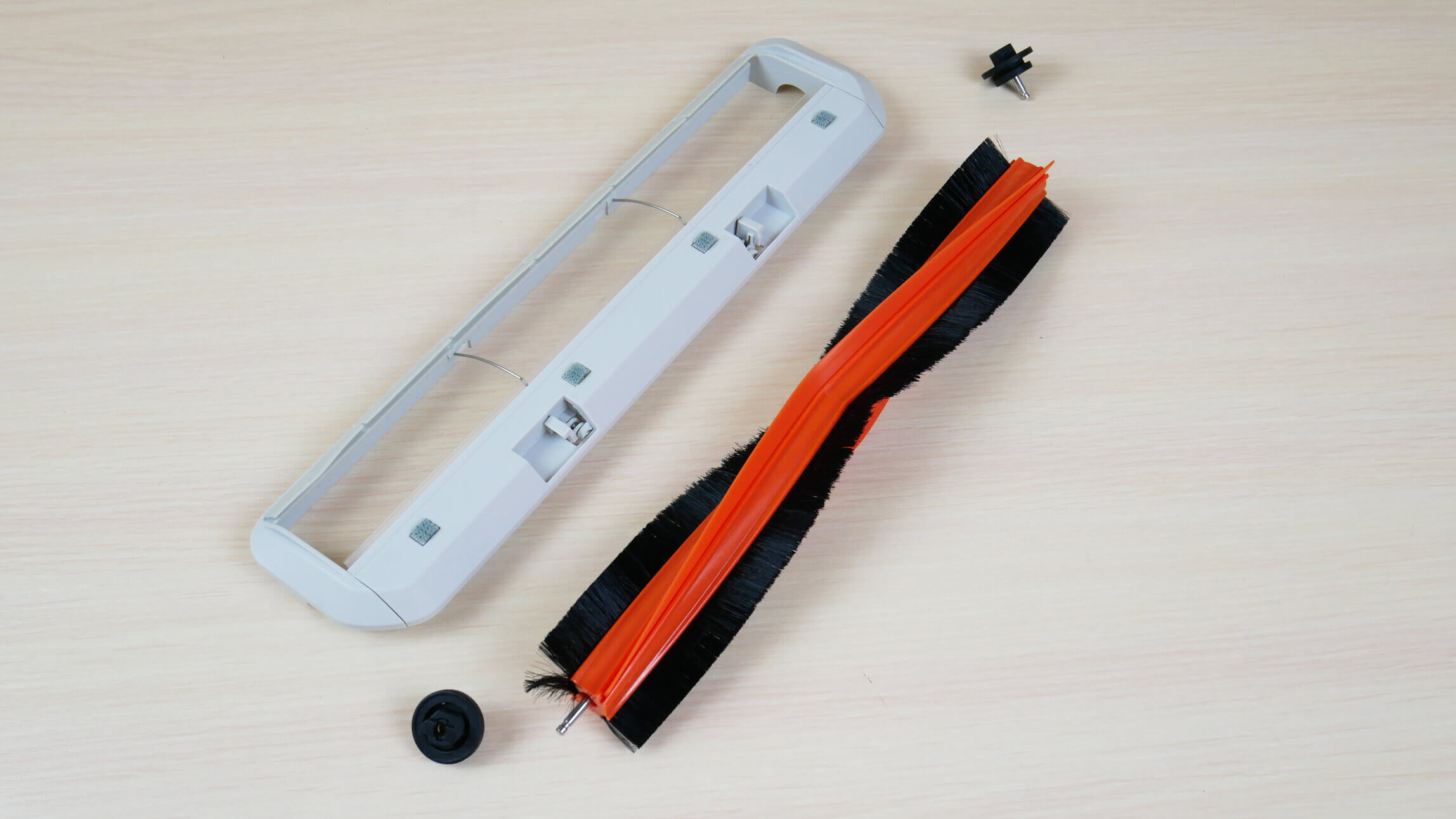
Central brush
Here, you can visually compare the length of a regular Xiaomi robot vacuum cleaner turbo brush with the length of this extended brush:
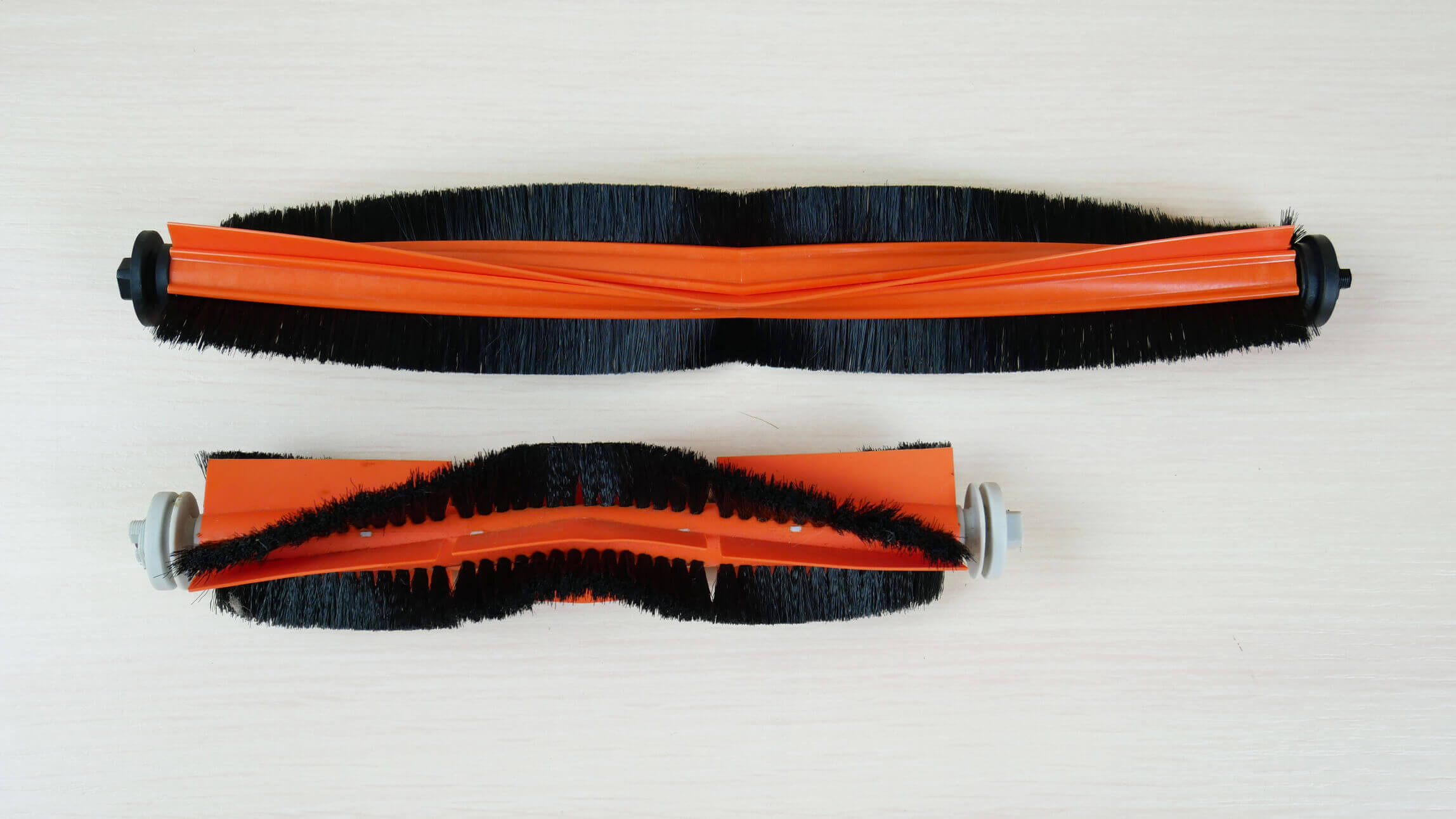
Comparison of turbo brush lengths
The central brush block is floating, which is a plus.
The floor cleaning pads are quick-release and held in place by magnets. They are very easy to remove and install. There's also a roller located behind the pads.
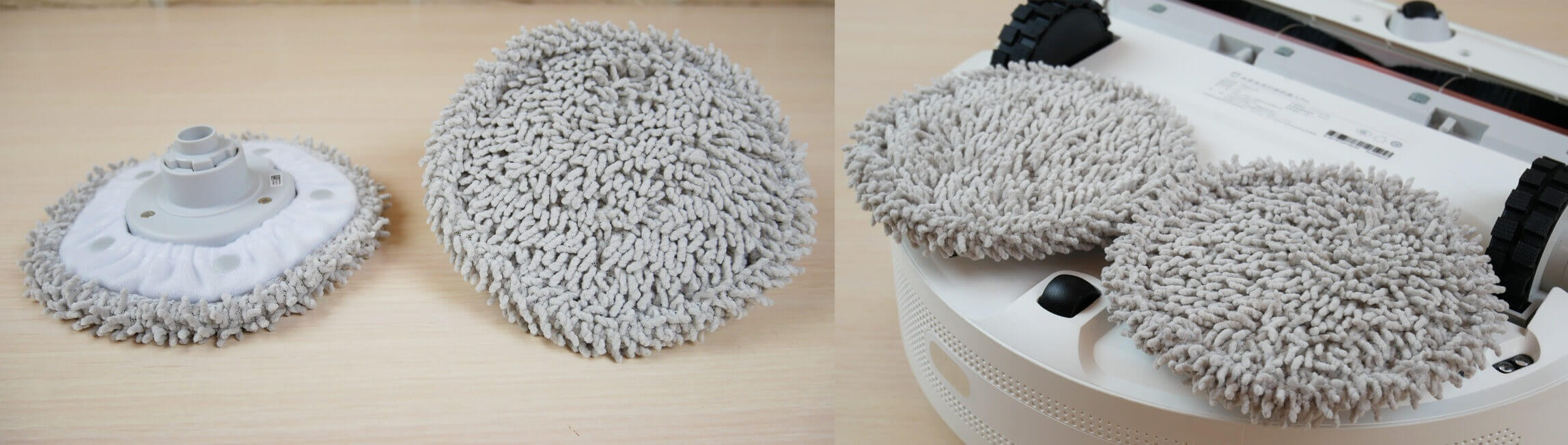
Napkins
The wiper rinsing station, especially the robot's entry platform, is identical to the one included with the Dreame Bot W10. It features the same wiper cleaning combs and a removable platform for easy maintenance.
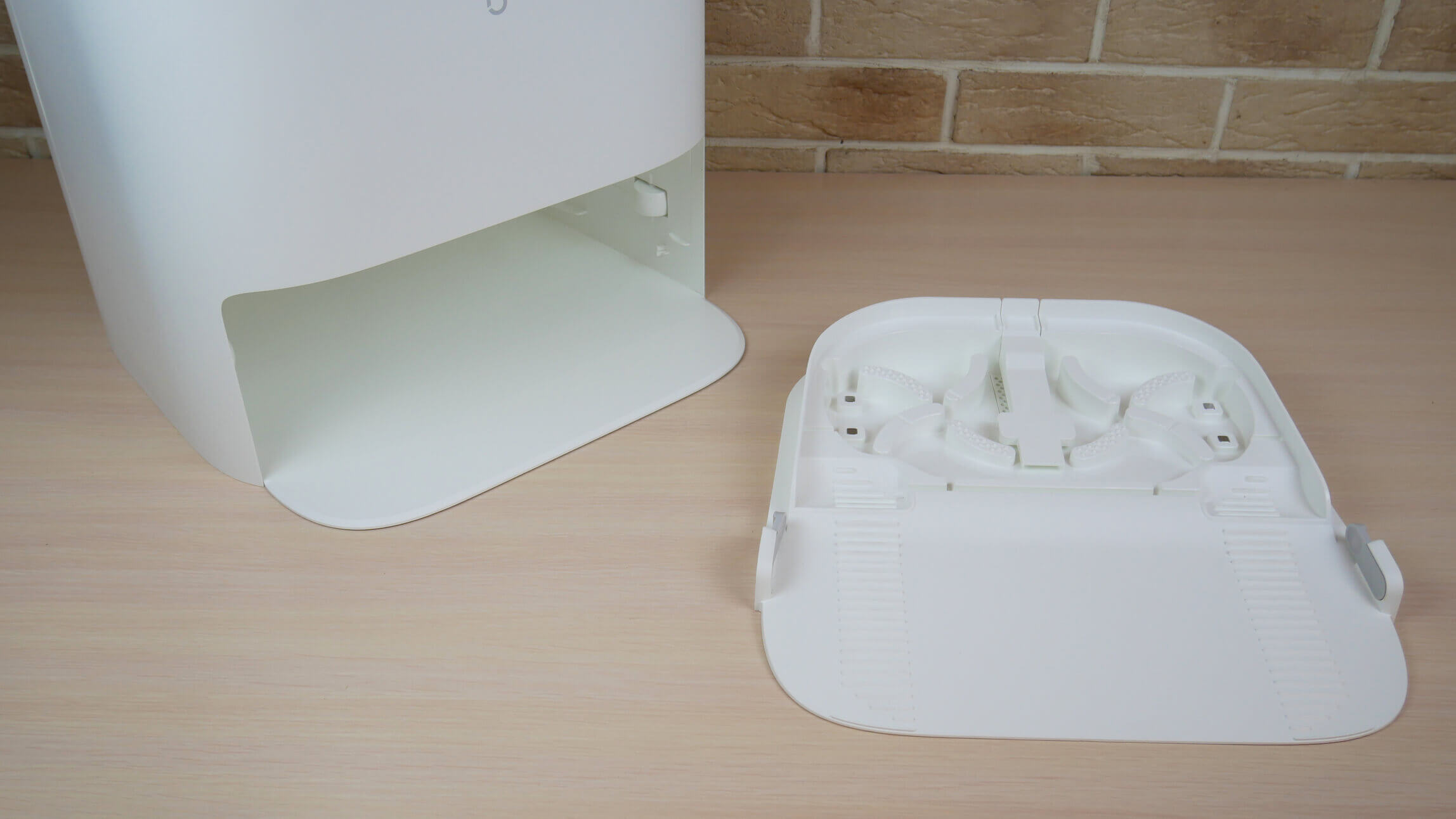
Removable platform
The display on the body is shaped differently, but it still contains touch-sensitive buttons and robot status information. The clean and dirty water tanks are located under the top cover. They are the same capacity: each holds 4 liters of water.
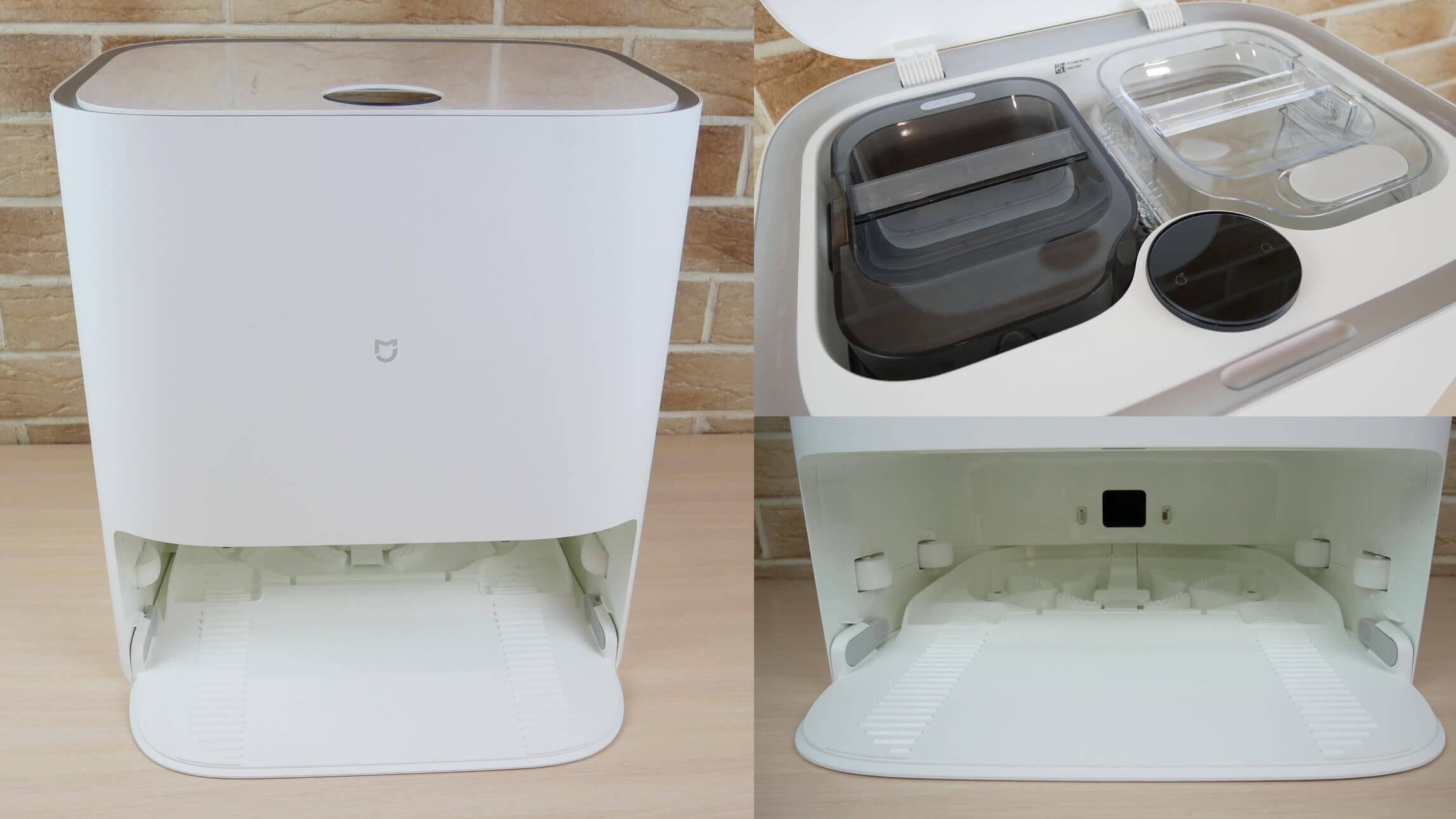
Wipe rinsing station
However, the Xiaomi Mijia Self-Cleaning Robot Vacuum-Mop Pro has one important distinguishing feature: its dirty water tank is equipped with an ultraviolet lamp for disinfecting dirty water. This is a small design advantage.
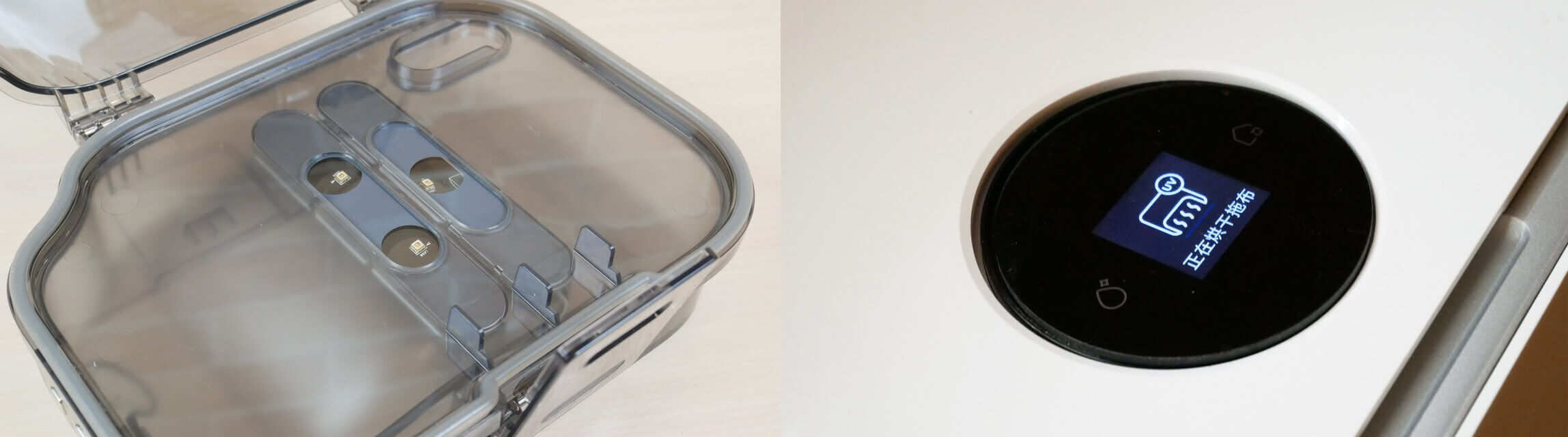
UV disinfection of dirty water
It's also important to note that the station not only rinses the wipes but also automatically dries them with hot air, just like the Dreame Bot W10. This is a plus.
Overall, the robot's build quality is above average. No specific issues were noted.
Technical specifications
The main characteristics of the Xiaomi Mijia Pro, as stated by the manufacturer:
| Battery | Li-Ion 5200 mAh |
| Suction power | Up to 3000 Pa |
| Cleaning area | Up to 200 sq.m. |
| Battery life | 120 min |
| Dust collector | 450 ml |
| Volume of tanks for dirty and clean water (at the station) | 4 l + 4 l |
| Obstacle clearance | up to 20 mm |
| Dimensions of the robot | 343*332*106 mm |
| Dimensions of the station | 410*405*430 mm |
The specifications are quite standard for a modern robot vacuum cleaner with lidar. Compared to the Dreame Bot W10, the Xiaomi Mijia Pro has a weaker battery and less suction power. I'll test it and compare it in real-world tests.
Functional capabilities
Let's move on to a review of the Xiaomi Mijia Pro's features. The robot vacuum cleaner is controlled via the proprietary Mi Home mobile app. Since this version of the robot is currently only available in the Chinese market, you must select the China region in the app. Consequently, the app interface is in English, the app itself freezes, and the robot speaks in either Chinese or English. These nuances are important to consider, and they will be taken into account during the final evaluation of the robot.
On the main control panel, the robot vacuum creates a room map and automatically divides it into rooms. Swiping up opens the cleaning settings section. Three operating modes are available: dry cleaning only, dry and wet cleaning, or wet cleaning only. You can adjust the suction power and the wetness of the cleaning pads at the station.
By clicking on the rooms on the map itself, you can select the desired rooms for the robot to clean. There's also a cleaning mode for selected zones and at a specific point on the map.
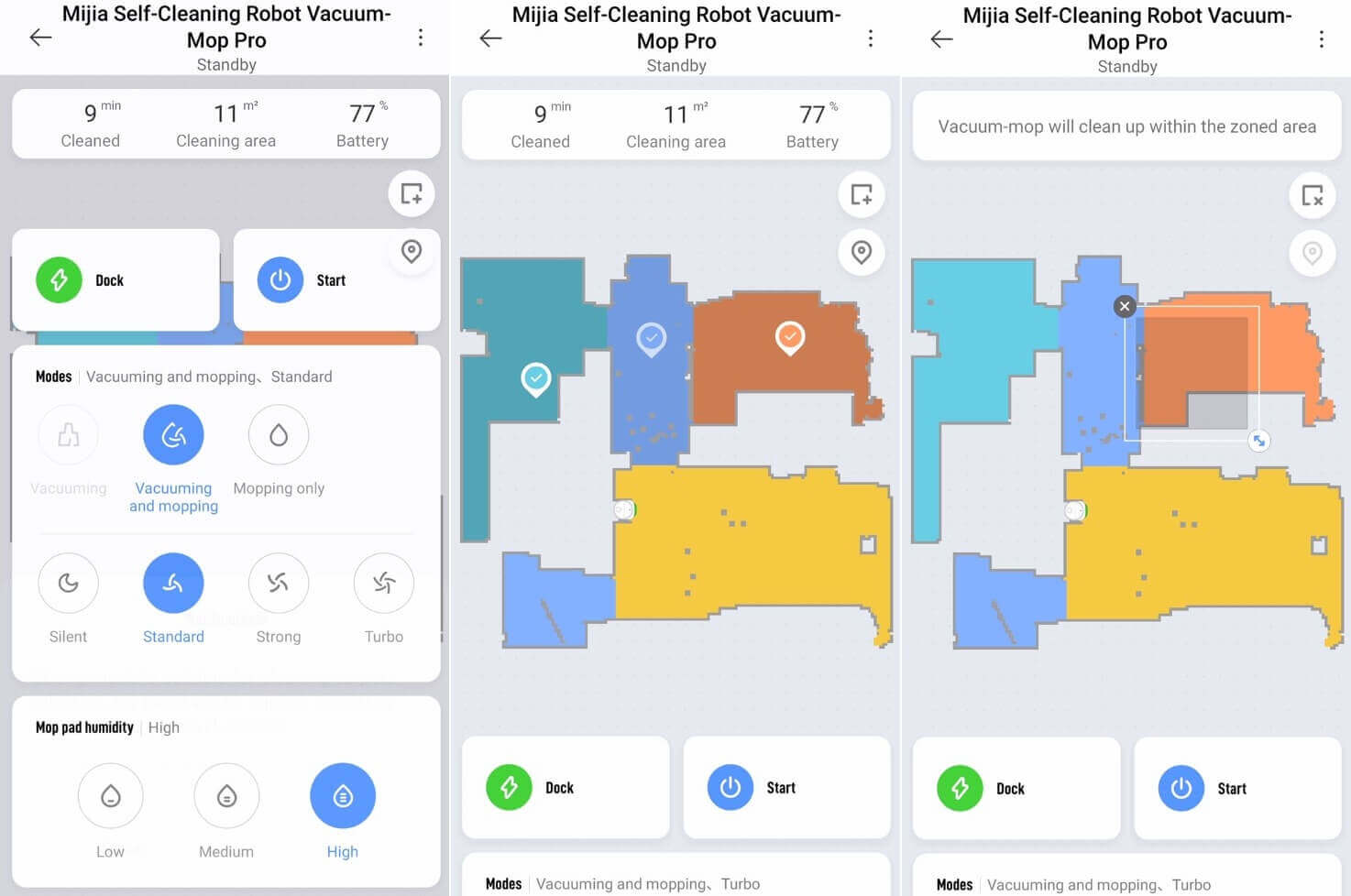
Cleaning Parameter Settings
The following sections are displayed in the settings:
- Cleaning log where you can view data on completed cleaning cycles.
- Map editor where you can change the boundaries of rooms and give them names.
- Setting up virtual walls and no-go zones, even separate no-go zones for wet cleaning mode.
- Set up a cleaning schedule where you can select only the time, days of the week, and cleaning zones: the entire available area or specific rooms.
- Device settings. Here you can enable the resume cleaning function after recharging at the base, set a quiet time for the robot, enable notifications about the robot's status to your smartphone, select a language, and adjust the volume of voice notifications. You can also disable them completely.


Functions
You can also monitor the status of consumables, switch to manual control mode, activate a sound signal to search for the robot vacuum, enable UV disinfection of dirty water, and, most importantly, set the cleaning frequency of the cleaning station's cloths. Rinsing is possible every 5, 10, or 15 square meters. This is certainly convenient, but the Dreame Bot W10, for example, can also be set to rinse the cloth after each cleaned area or similarly, based on area.
These are the Xiaomi Mijia Pro's core features. It's important to note that this robot vacuum cleaner doesn't recognize carpets, so it doesn't have the automatic power boost feature found on the Dreame. Furthermore, Yandex.Alice control isn't available, at least temporarily. The robot only stores one memory card. There's no way to customize the number of times the robot passes through rooms and zones, which would definitely improve cleaning performance. Therefore, in terms of functionality, the Xiaomi Mijia Pro falls short of its main competitor.
Testing
A detailed video review with all the tests has already been prepared and published on the channel. I recommend watching the entire video:
Navigation
And finally, let's move on to the tests. First, we tested the Xiaomi Mijia Pro's navigation in a room with obstacles. The robot got stuck on the feet of a dryer, but was able to free itself and continue its cleaning cycle. It also managed to partially clean around the legs of a chair and a box, after which it returned to the charging base. Test successful!
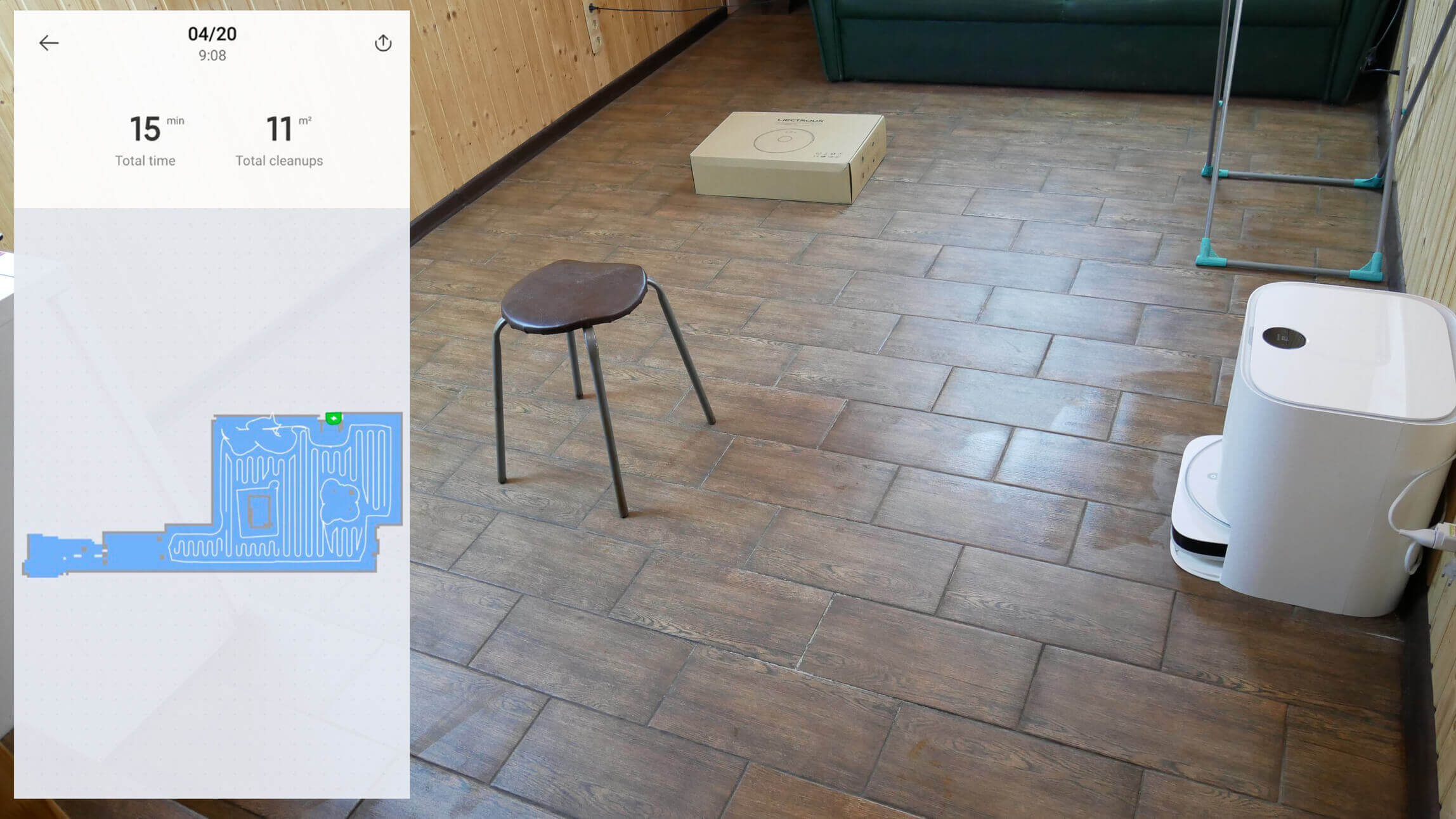
Navigating within a room
Navigation within the home was tested in dry cleaning mode to ensure the robot could navigate carpets and cover the entire accessible area. The Xiaomi Mijia Pro's navigation is excellent. It cleans room by room, first along the perimeter, then in a serpentine pattern. There were no uncleaned areas. This test was also passed!
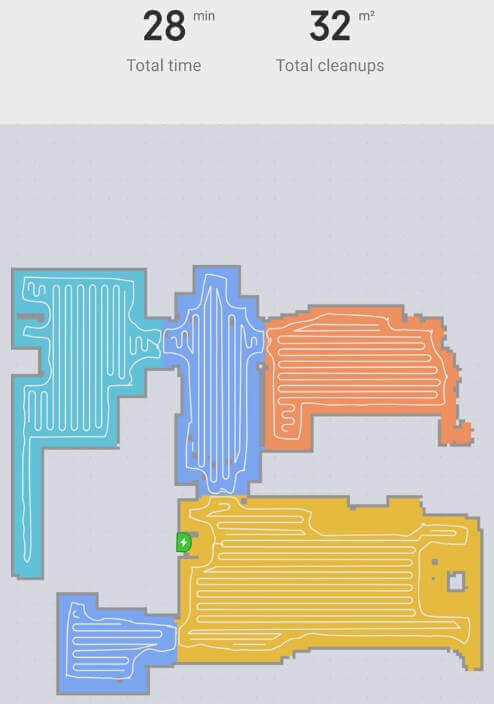
Navigation within the home
Suction power
In terms of suction power, the Xiaomi Mijia Pro was only able to vacuum up debris from a 2mm gap. This is a fairly standard result. Meanwhile, the Dreame Bot W10 is actually more powerful, vacuuming up debris from as little as 4mm. In any case, this power is sufficient for automatically maintaining cleanliness in your home, especially if there are no carpets.
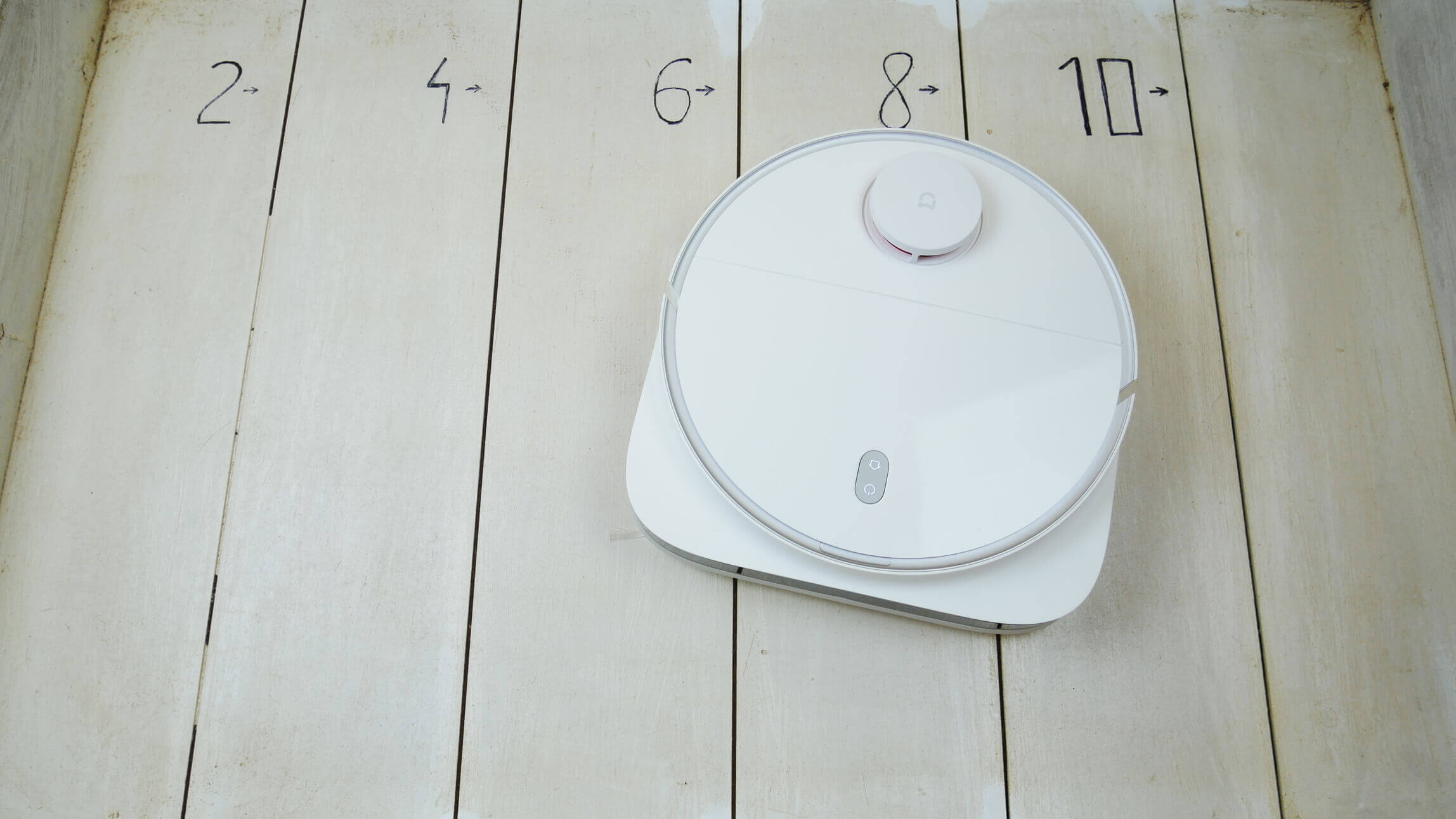
Suction power
Dry cleaning
The quality of debris collection on laminate floors is very high. The robot was able to pick up debris of various textures, including fur and hair. It's also important to note that the Xiaomi Mijia Pro is truly capable of thoroughly sweeping debris into corners, although not always on the first try. Test passed!
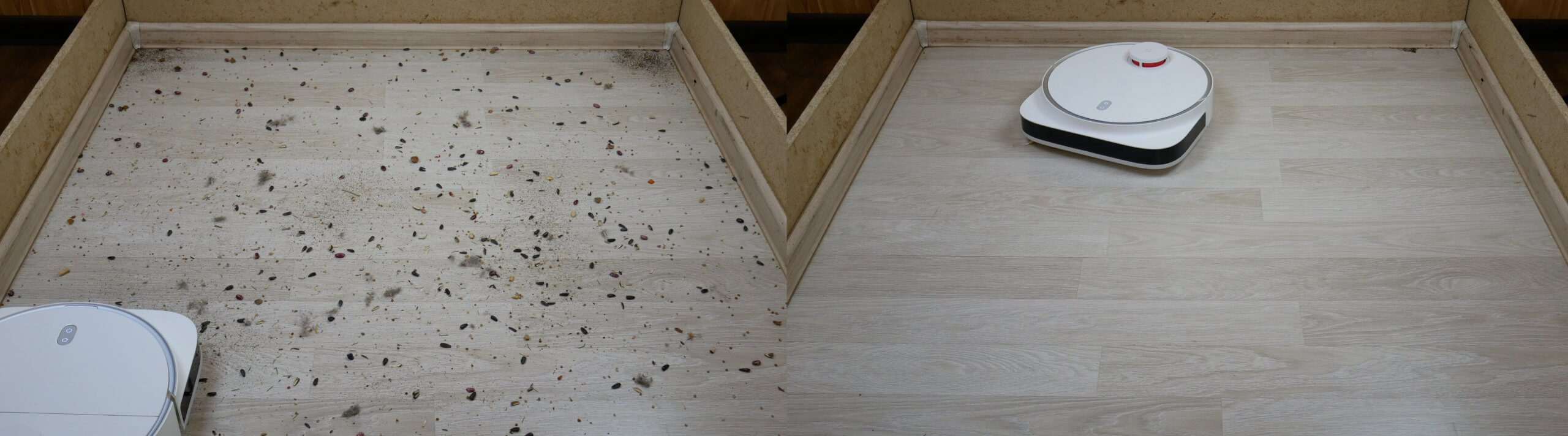
Dry cleaning
Cleaning the carpet
The cleaning quality on the carpet is high; the robot was able to collect all the debris, thoroughly cleaning the carpet with brushes; I have no complaints.
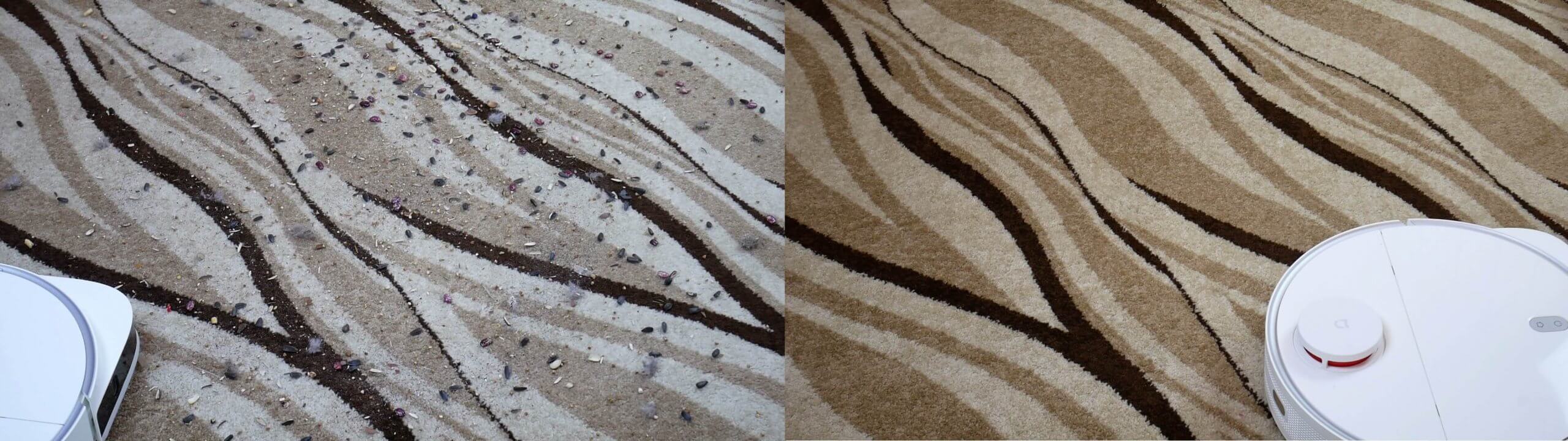
Cleaning the carpet
Wiping off dirt
The Xiaomi Mijia Pro does an effective job of removing dried-on dirt. The only area left unwashed was along the baseboard, but that's a blind spot for all the robot vacuums I tested, including the Dreame Bot W10.
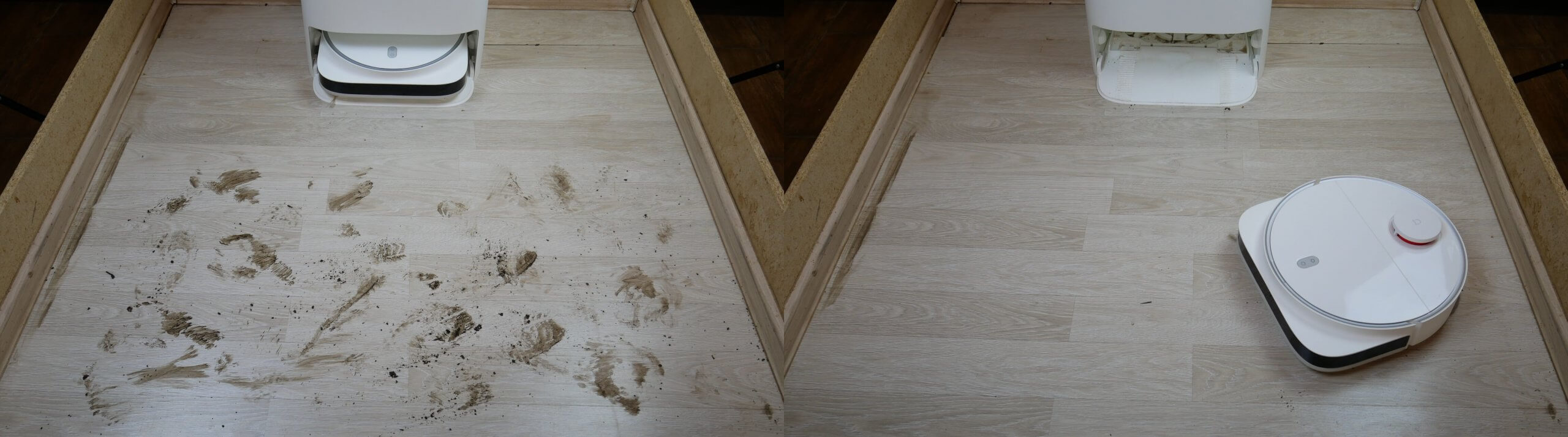
Wiping off dirt
Removing difficult stains
The Xiaomi Mijia Pro has serious problems removing tough stains, such as dried-on coffee and sauce stains. It can remove coffee stains after a few tries, but sauce stains are a real challenge. It only partially removed sauce stains, and even then, it took four tries. This isn't a criticism, just a point of comparison.
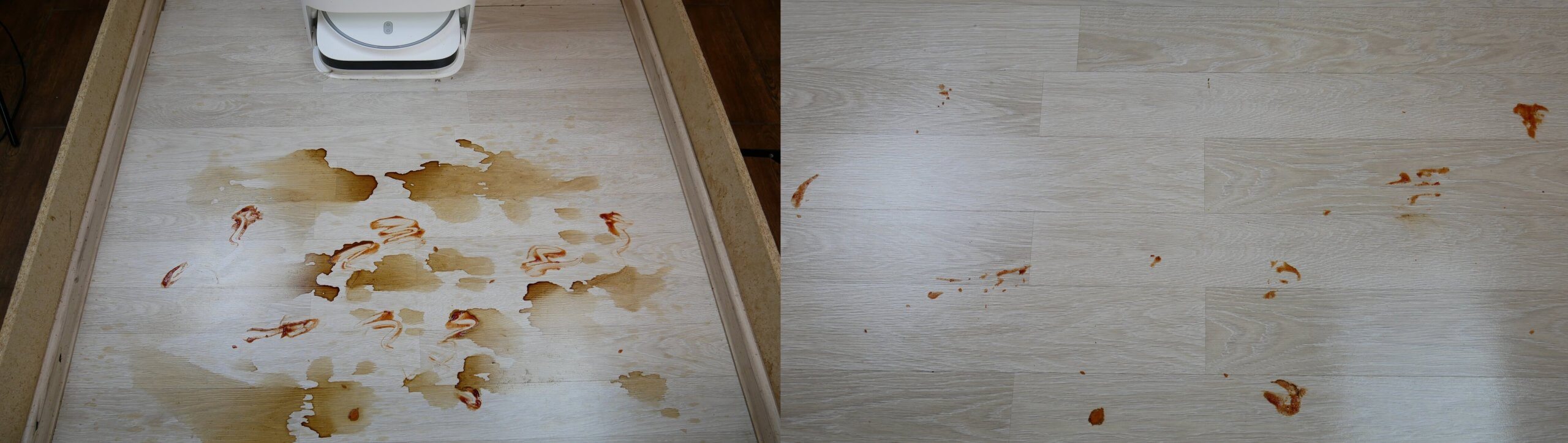
Removing difficult stains
For example, Dreame Bot W10 also failed to cope with this task, but Hobot Legee 7 It copes with this task better thanks to its moving platforms with napkins that scrub away dirt more effectively.
Wet cleaning and carpets
Regarding simultaneous dry and wet cleaning in a home with carpets, the Xiaomi Mijia Pro doesn't recognize them, so it moves onto them in wet cleaning mode. I recommend protecting carpets with separate no-go zones for wet cleaning to prevent the robot from soiling or damaging them.
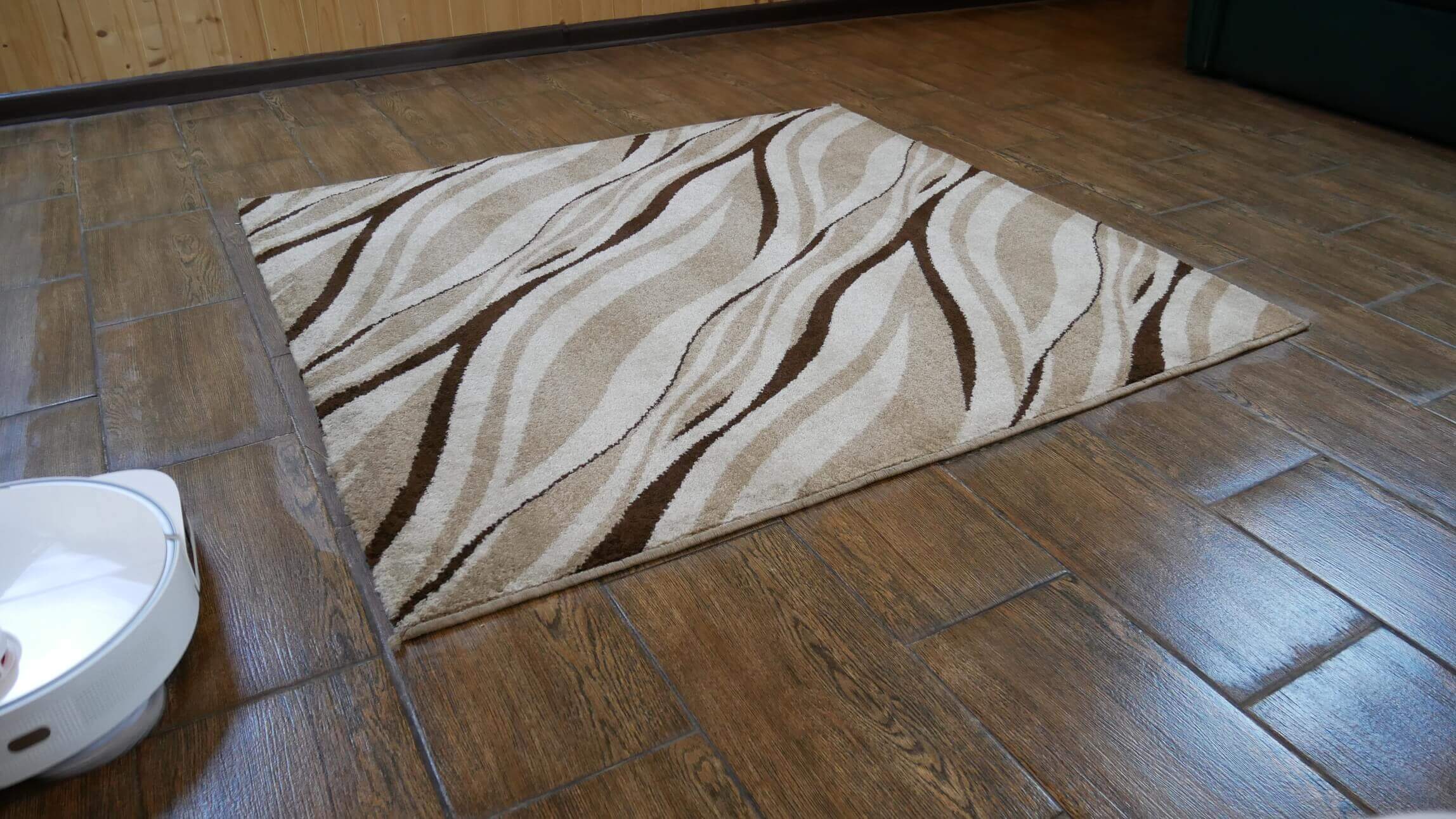
Wet cleaning and carpets
Simultaneous dry and wet cleaning
However, a big advantage of the Xiaomi Mijia Pro is that it can vacuum and mop the floor simultaneously, rinsing the cleaning cloths during the cleaning cycle to maintain cleaning performance. Here, look how well this robot vacuum cleans the floor where I had scattered various debris. The floor cleaning performance is very high.
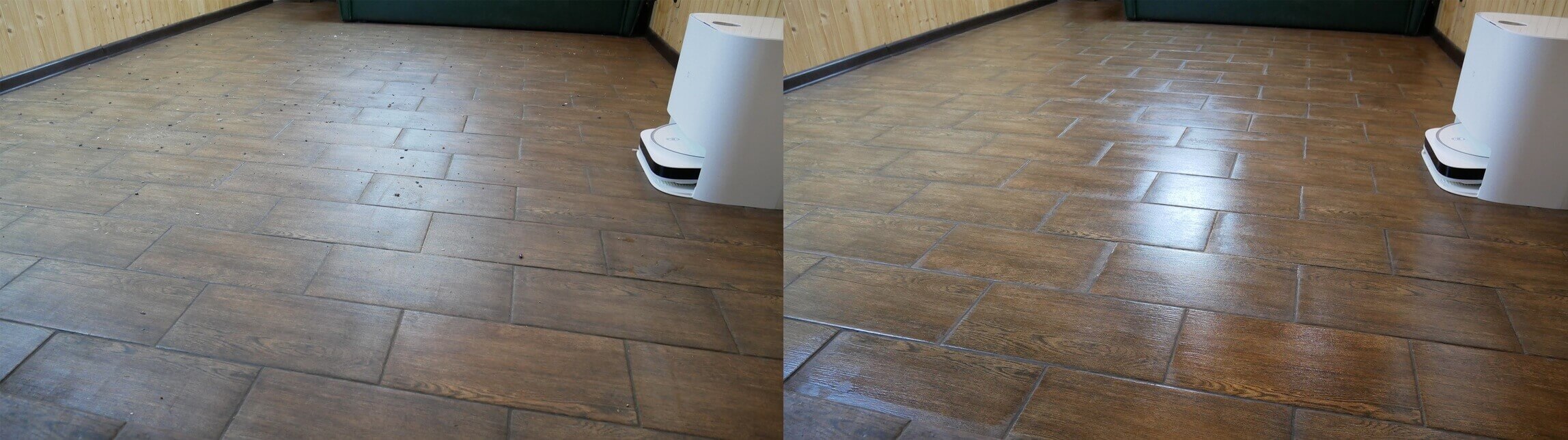
Simultaneous dry and wet cleaning
However, again, I remind you that a small area along the baseboard remains unwashed due to design features.
The wipes' rinsing quality is decent. They're not perfectly clean, but for keeping a home clean in less-than-shabby conditions, the station does a good job.
Obstacle clearance
The robot vacuum's obstacle clearance was impressive. Even with the cleaning pads installed, it was able to clear a 2-centimeter threshold. This is a major plus for the robot!
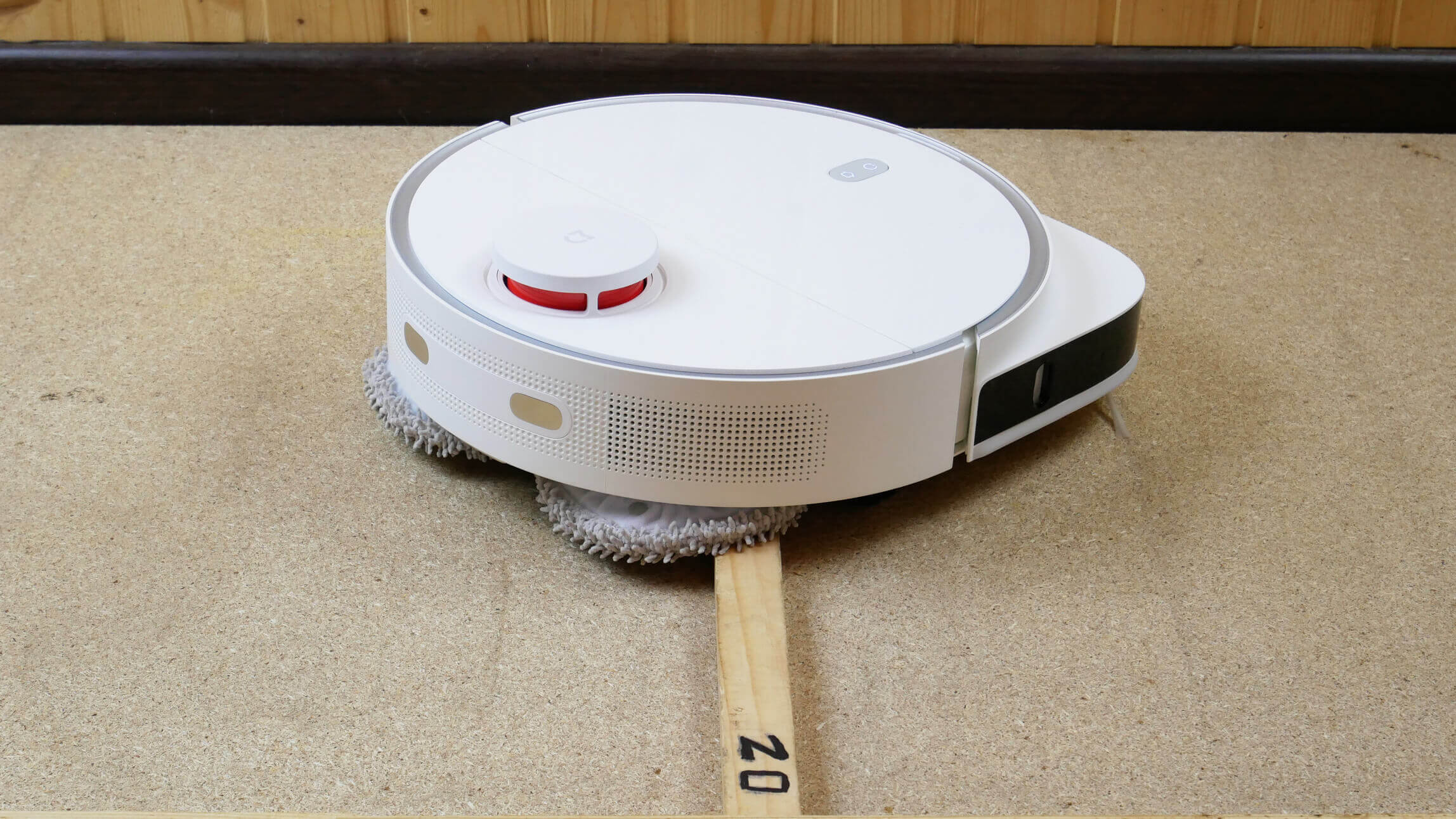
Obstacle clearance
Driving on dark surfaces
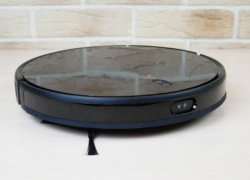
Another advantage of the robot is that it is not afraid of dark surfaces, unlike most other robot vacuum cleaners in the Xiaomi line and elsewhere.
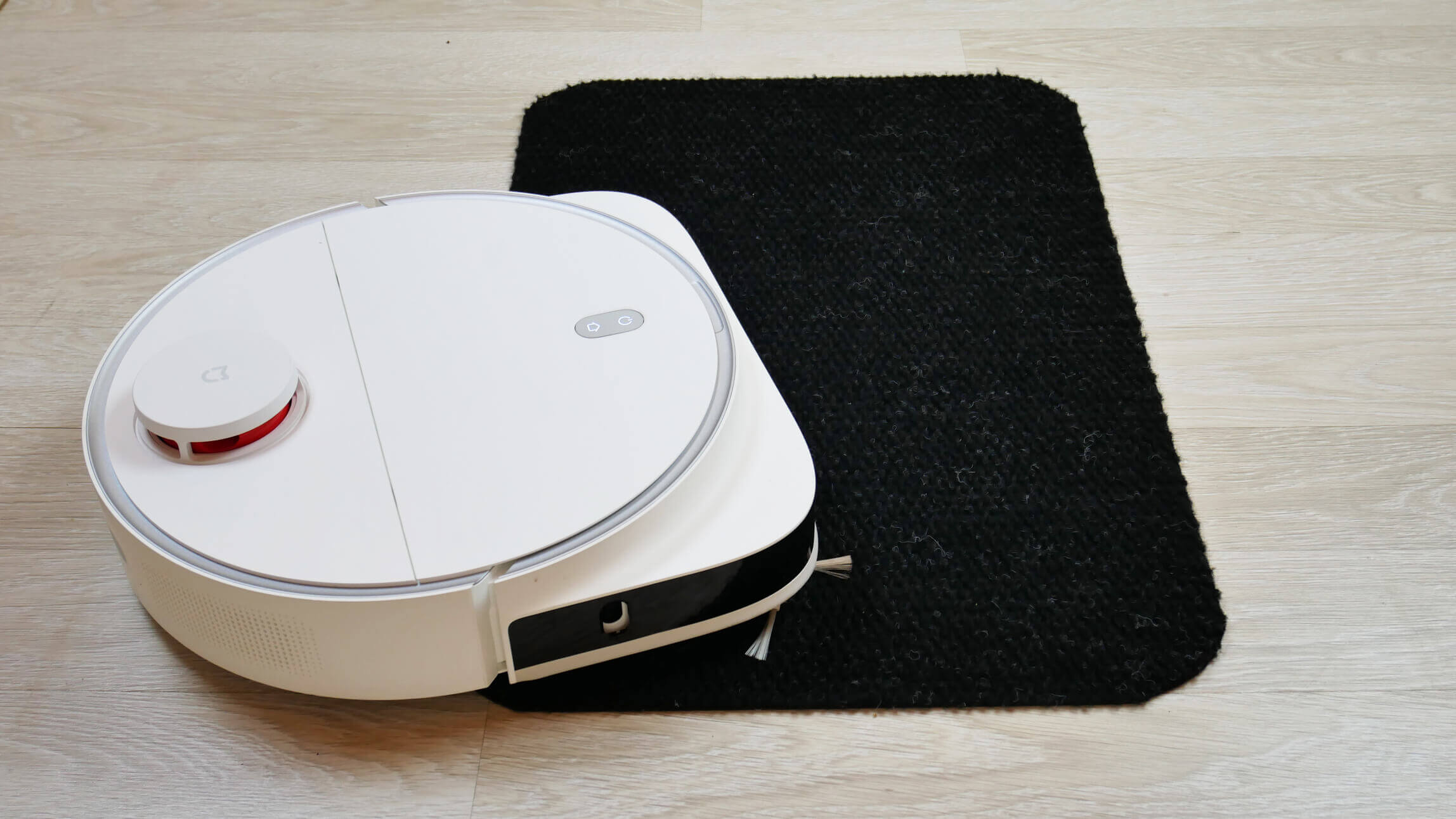
Driving on dark surfaces
Noise level
Finally, we measured the Xiaomi Mijia Pro's noise level in different modes. With suction disabled, the noise level is approximately 54 dB. At minimum power, it rises to 57 dB. At medium power, the noise level reaches 61 dB, and at maximum power, the peak was 65 dB. The Xiaomi Mijia Pro's noise level is low, just like the Dreame's. This is a plus.
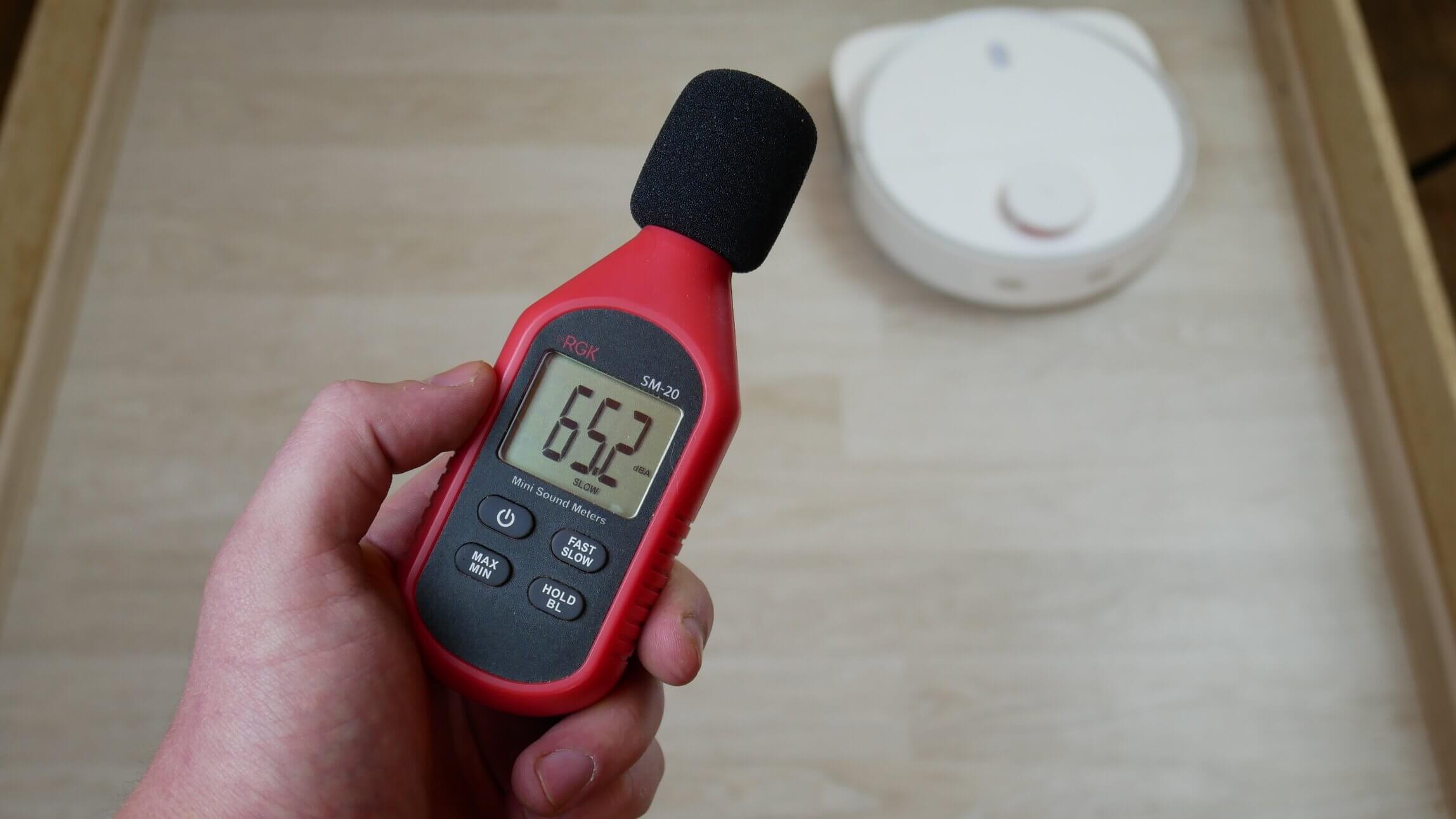
Noise level
Let's sum it up
Xiaomi Mijia Self-Cleaning Robot Vacuum-Mop Pro has been thoroughly reviewed and tested. our evaluation system he managed to gain 73 out of 100 pointsThe result is 6 points less than the Dreame Bot W10, but 1 point more than its brother Xiaomi Mijia Self-Cleaning Sweeping Mopping Robot MJSTPOverall, the result is good considering the price.
Overall rating of tested robot vacuum cleaners: https://robovac.washerhouse.com/en/rejtingi/robovac-obshhij-rejting-robotov-pylesosov-robo.html.
I'll share my thoughts on the Xiaomi Mijia Pro after a thorough review. I liked the following:
- High-quality wet cleaning over large areas thanks to a wipe rinsing station and rotating wipe platforms.
- It sweeps away debris in corners well.
- Overall, high-quality dry cleaning on both hard surfaces and carpets.
- Good navigation.
- The robot vacuum cleaner is not afraid of dark surfaces.
- Sterilization of dirty water with ultraviolet lamp.
- Low noise level.
- Optimal price for a robot vacuum cleaner with a wipe rinsing station.
However, this robot also has its fair share of drawbacks. Namely:
- Designed for the Chinese market, the app and voice notifications are not available in Russian.
- Does not recognize carpets.
- Stores only 1 map in memory.
- Doesn't wash the narrow area along the baseboard.
- Small dust collector capacity.
- There is no way to flexibly customize cleaning parameters for each room.
Well, if we compare this robot with flagship models from other brands, we can also highlight the following disadvantages:
- No self-cleaning.
- Doesn't recognize objects on the floor.
- The cleaning module with cloths does not rise when driving onto carpets.
Ultimately, for those who don't find the above shortcomings significant and prioritize high-quality dry and wet cleaning on hard floors and over large areas, I believe this robot vacuum is definitely worth considering. It's on par with the Dreame Bot W10 in terms of cleaning performance. It even sweeps better into corners, but its power is weaker, which reduces its effectiveness on carpets. While it's certainly a bit less feature-rich, it's also 50% cheaper. So, for the price, it's a very attractive option, and in most cases, the savings will be worth it.
Promo code for a $20 discount: LRC7RIDF
If cost isn't that important to you and you're simply unsure whether the Dreame is worth the extra cost, I think it's definitely worth it if ease of use is key. But if the robot's performance is what's most important, you likely won't notice any difference.
On that note, I'd like to end the review. If you have any questions, please ask them in the comments below. Don't forget to subscribe and like the video. Happy shopping. Bye!
Hello, thank you very much for the review, your site is very helpful!
I wanted to use a promo code on AliExpress, but it says there is no such code. Could you please update it? We would be even more grateful!!!
Hello! I can't connect my STYTJ06ZHM CN robot vacuum. The Wi-Fi is blinking, but there's no connection to the app. I press "Enter manually" in the app, but it doesn't find the model. Is there a Russian-language firmware version for this vacuum available, and how can I force it to be added as a new device in the app on my phone? Thank you in advance.
Why disinfect DIRTY water?
To finish off the microbes))
I've had it for two weeks now. My impressions are mixed.
DRY cleaning. Disadvantages: 0) the app is simple, it still needs to be improved - I compare it to the Roborock s55, 1) it is VERY clumsy, especially in corners, both internal and external, 2) and if it reaches and cleans the inner corner itself, then, when trying to turn around (to do this, due to its shape, it needs to move away), it starts bumping into the wall, sliding like a car on ice and rolling away, resulting in debris remaining 10-15-20 cm from the corner, 3) when going around outer corners (and in fact, going around them from afar), it leaves an uncleaned area of the same 10-15-20 cm, which is a complete nightmare and horror. Advantages: thanks to the long turbo brush, it vacuums the entire area of the room (the perimeter is not its strong point, frankly).
WET cleaning. Disadvantages: These follow from the above, namely, its clunkiness, which makes it so hard to clean the perimeter, bed legs, and corners. However, it cleans the area itself well, just like with dry cleaning.
Bottom line: I use the Roborock first, then this "wet" vacuum. It works fine (except for cleaning the perimeter and corners (anywhere)—I insist on that). I have a round mop, and I will (and already have) use it to clean places this miracle can't reach. Would I buy it again? I don't know, to be honest, it was a revelation to me that the D-shaped design is a complete dud. So, a round one is better.
P.S. In the robot battle (we clashed a couple of times during simultaneous work), the hero of this review clearly wins – he's incredibly strong, he tears Roborock apart like a dog rips a hot water bottle, moves chairs, doesn't even pay attention to slippers, and the drawer in the cabinet (opens with a push) only opens when he bumps into it (by the way, I forgot – he REALLY likes to bump into things, I blame it on the firmware; Roborock doesn't have that kind of frantic urge to bump into things with all his might).
The vacuum cleaner can't roll onto the base on its own. You have to physically push the platform down a few millimeters so it can back up onto the charger. How inconvenient.
There are two side latches in the form of buttons (spaced on different sides of the base, they are almost on the edge, easy to see) and one far, powerful one, in the center of the tray, in the form of a lever “from top to bottom” (you need to bend down and look inside to see if they are latched?
I've been having trouble for two days now—the vacuum cleaner has started breakdancing in certain spots around the room—in corners, doorways, along the walls—for three to five minutes at a time, then it moves on, cleaning, and sometimes even circles the perimeter in the opposite direction, clockwise... I'll be taking it apart this weekend. Incidentally, when I removed the bumper, I discovered there's a horizontal oval slot in the middle, and in that spot on the body is some kind of complex plastic plug, a large one, clearly meant to be the front sensor. And something rattles and rolls around inside... 🙂
I terribly regretted buying this piece of junk.
Good afternoon! Thanks for the review.
Can you tell me if it's possible to add detergent to the clean water tank?
It is possible, but in the right ratio (1:50 is recommended, I think), and the right detergent (so that it doesn’t foam and is suitable for this type of equipment, maybe the branded one from Smartmi A1, for example, or Roborock/Dreame).
It worked fine for a few days, but for the last two days it's been acting up with the navigation. It used to navigate around the perimeter, then in a zigzag pattern, but now it's started getting lost, sometimes driving in circles, making strange zigzags, then returning to the zigzag pattern. There are no obstacles, I can't figure out what it could be connected to?
Hello, could you please tell me if I understood correctly? The brushes are washed in the base, but the dust container needs to be cleaned manually?
Hello! Your reviews are the most informative, and I really like this vacuum cleaner for its price/quality ratio! But here's the problem: I can't find it anywhere. It's out of stock on AliExpress, and it's not available on Yandex.Market, Ozon, or anywhere else. Could you recommend where I can find one to buy?