
iLIFE W450: A budget-friendly robot vacuum cleaner with a camera for navigation
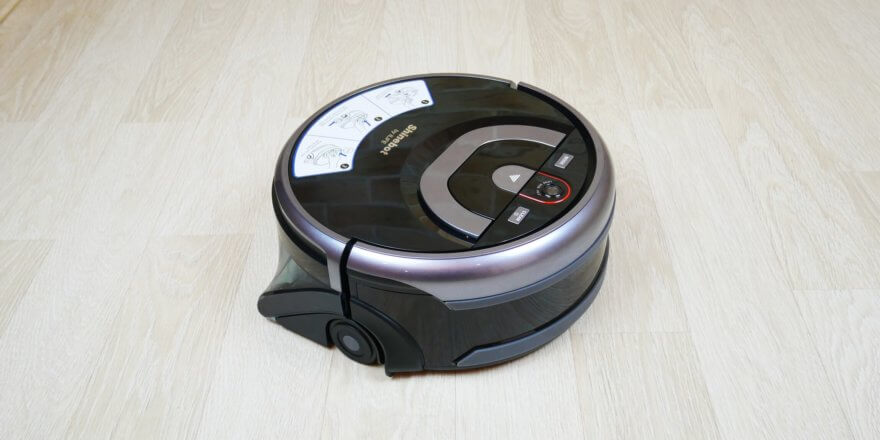
At the end of 2020, the iLIFE W450 robotic vacuum cleaner hit the market. It replaced W400 The main difference between these two robots is the navigation camera installed in the updated model. This allows the robotic floor cleaner to navigate larger areas better and map the room in real time. The price at the time of writing ranges from $150 to $210, which is generally not expensive. Below, I'll thoroughly test this robotic vacuum cleaner in various conditions and on various surfaces, after which I'll express my opinion on whether it's worth the money. So, let's get started!
Equipment
First, let's take a look at the iLIFE W450's package. It comes in a branded box like this:
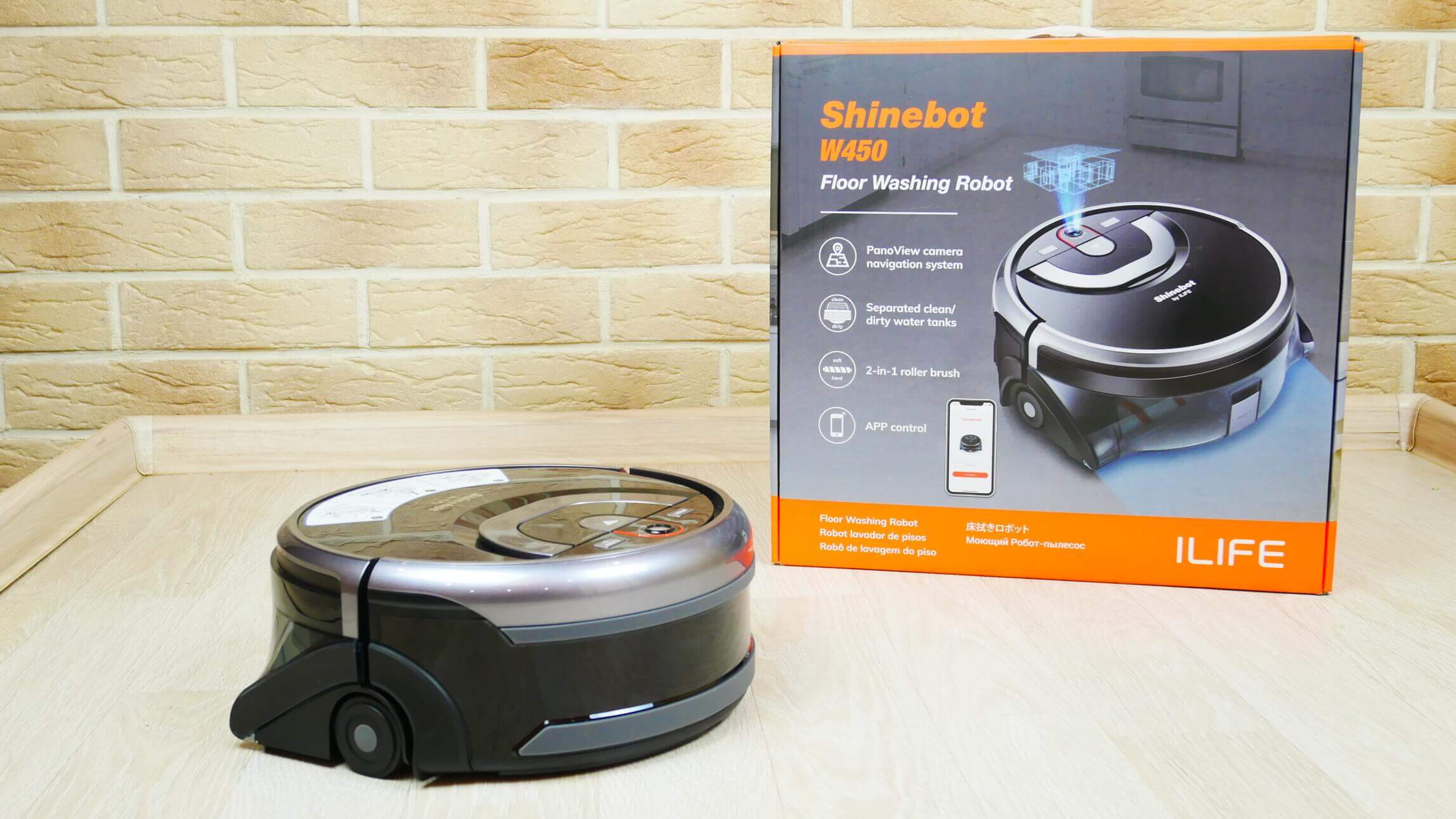
Box
The device is equipped with a charging base in the form of a platform with terminals.
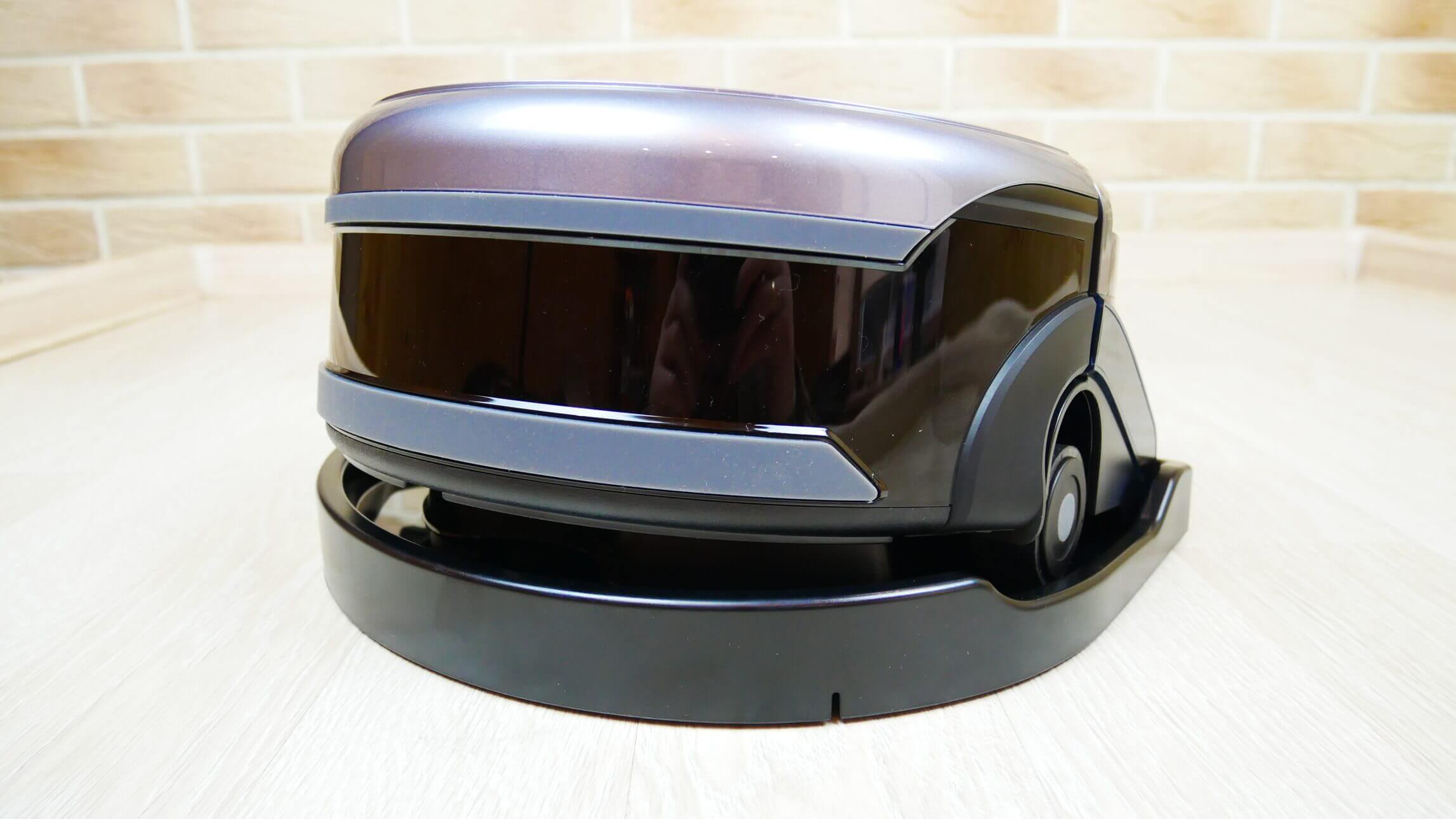
Robot on a platform
It's important to note that charging isn't automatic. It must be manually removed from the platform and placed back on it. This isn't very convenient, but considering that a robotic vacuum cleaner still needs to be serviced immediately after cleaning, draining the dirty water and any remaining clean water, manual charging isn't much of a drawback. Furthermore, the robot returns to its starting point, which may be right next to the base. The power adapter is connected to the base.
In addition, the package includes:
- A replaceable roller, which is the main component of the cleaning module.
- Robot cleaning tools.
- Operating instructions and warranty card (translation into Russian is provided).
- Remote control and batteries for it.
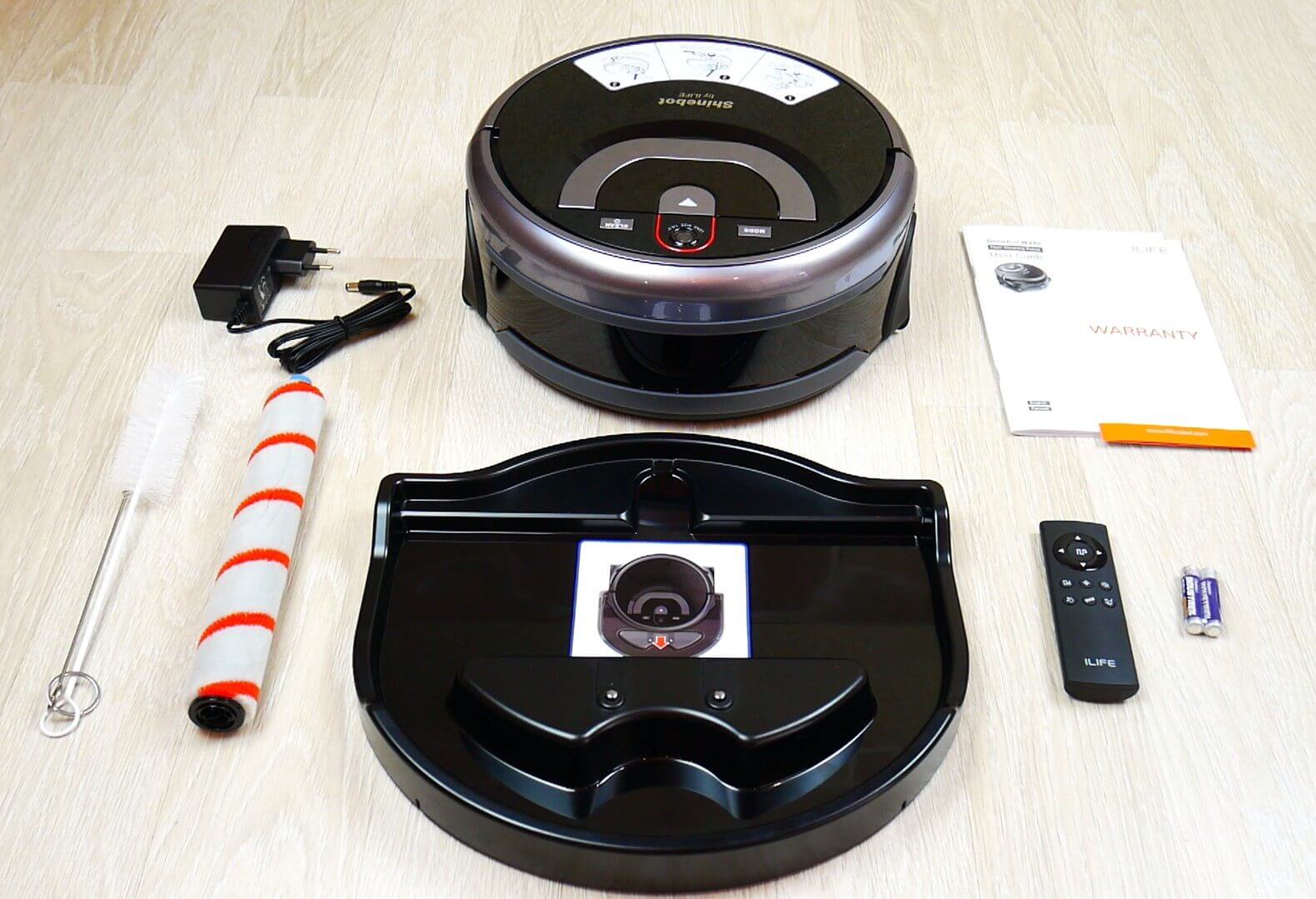
Equipment
This is the entire delivery set, and it is complete; this robot does not need any other spare consumables for the first time, and later you will understand why.
Appearance
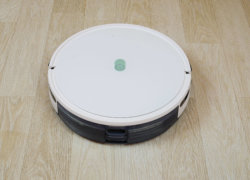
Now let's look at the robot itself. It's quite bulky, with a body height of almost 12 cm.
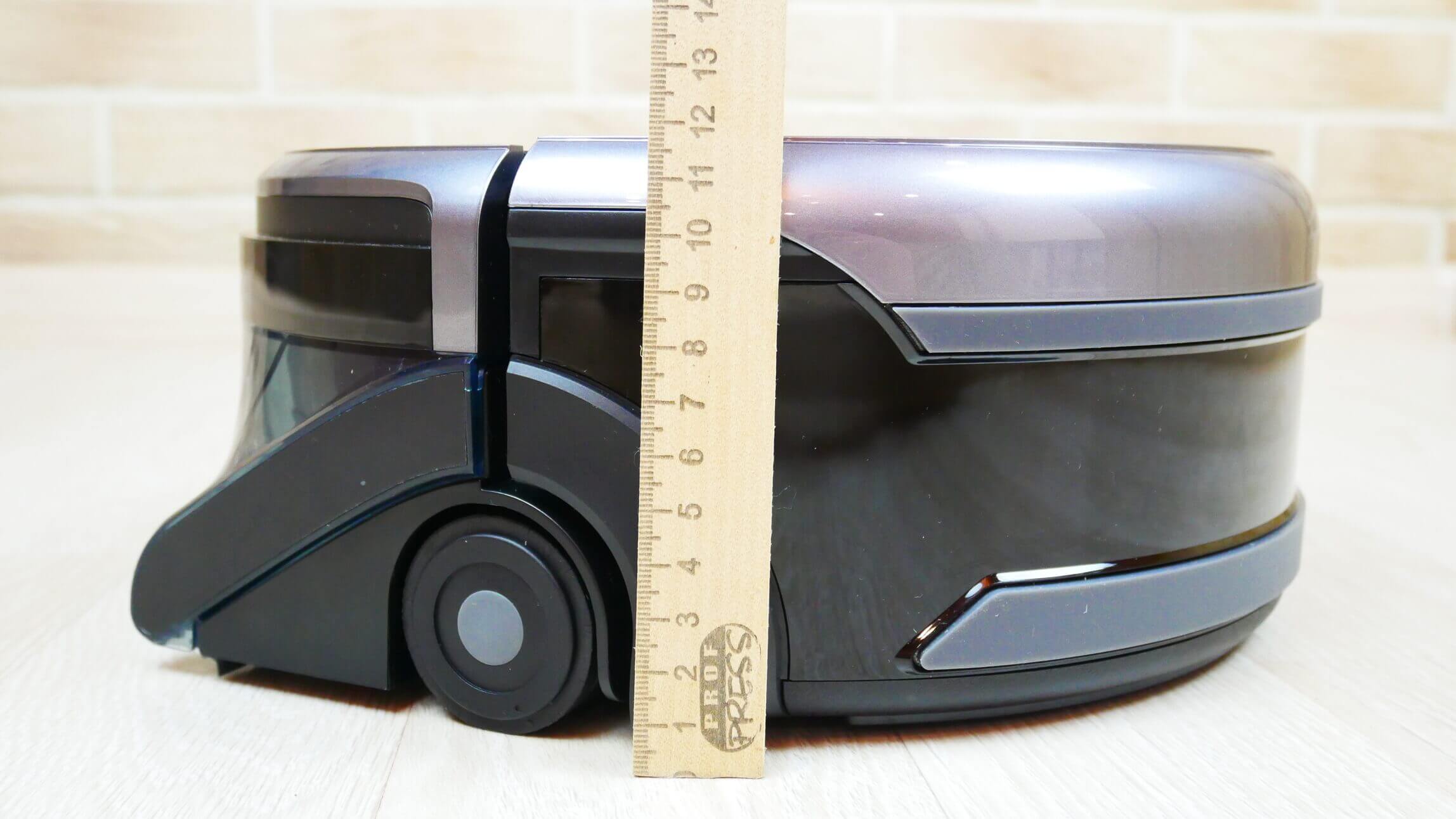
Body height
At the top there is a camera for navigation and 2 control buttons: start/pause and operating mode selection.
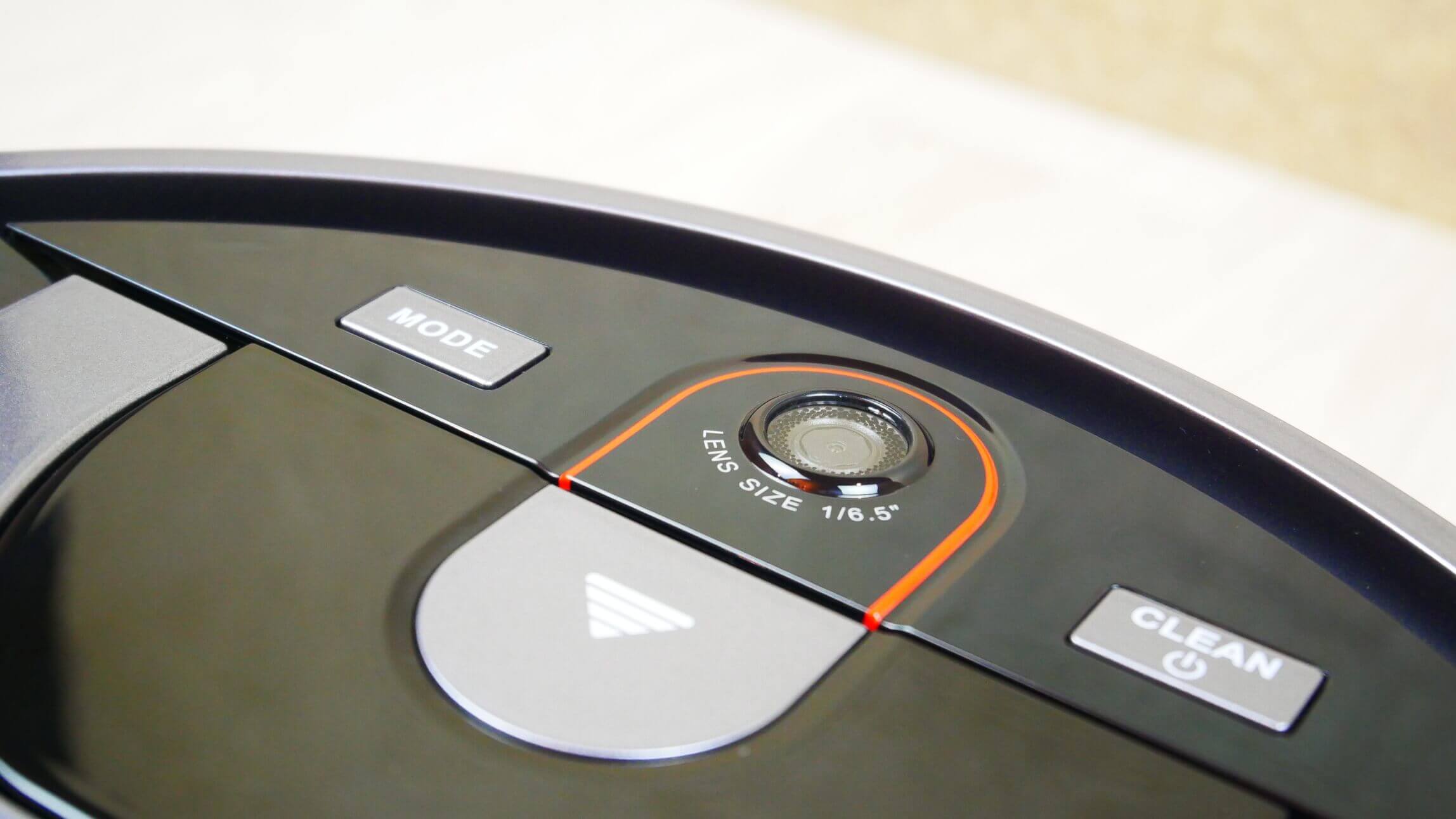
Camera
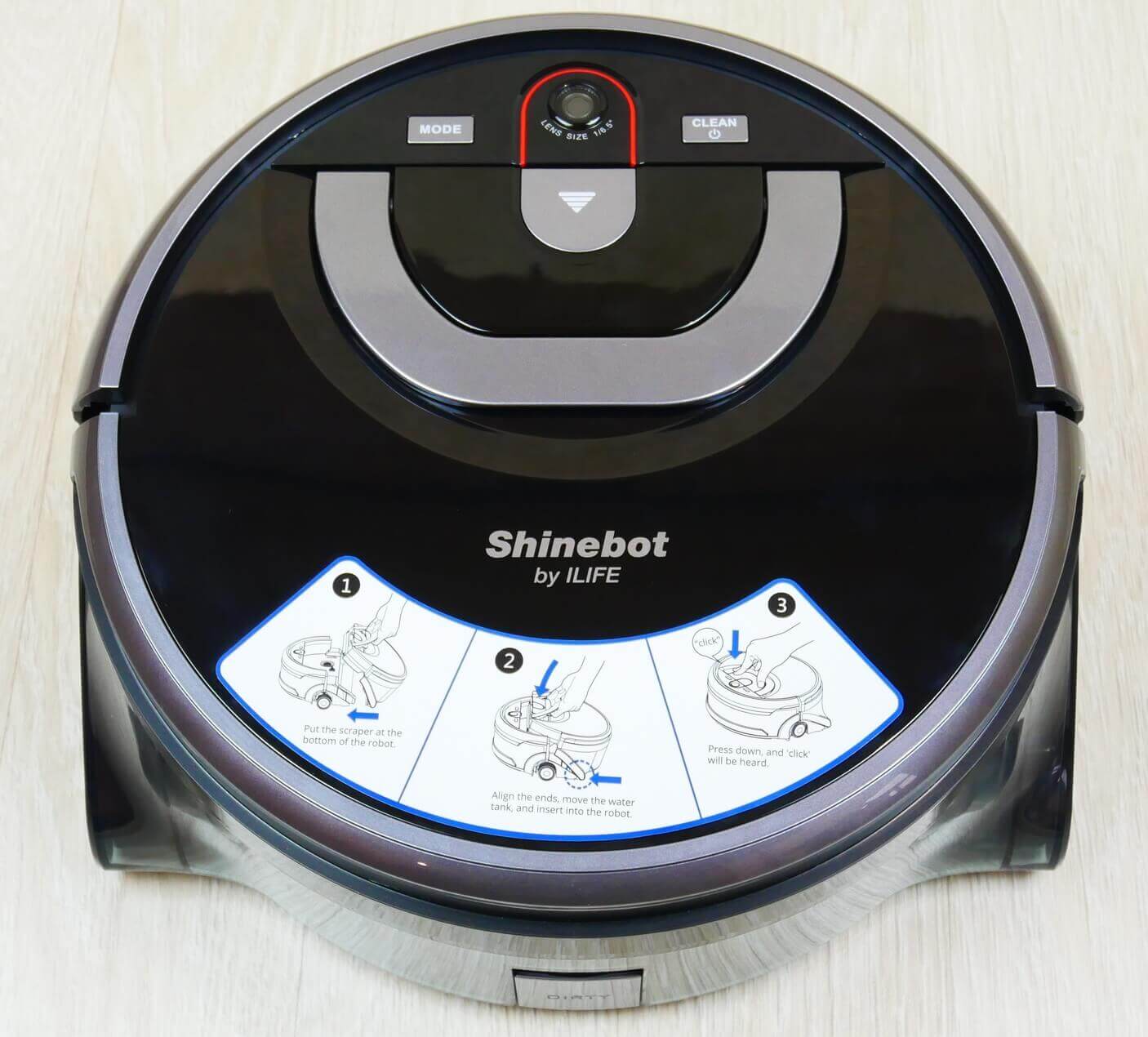
Top view
There is a sticker from the manufacturer on the body that shows how to use the robot.
Next to the camera is a button for detaching the module containing the clean and dirty water tanks. There's also a handle for carrying the robot and easily detaching the module.
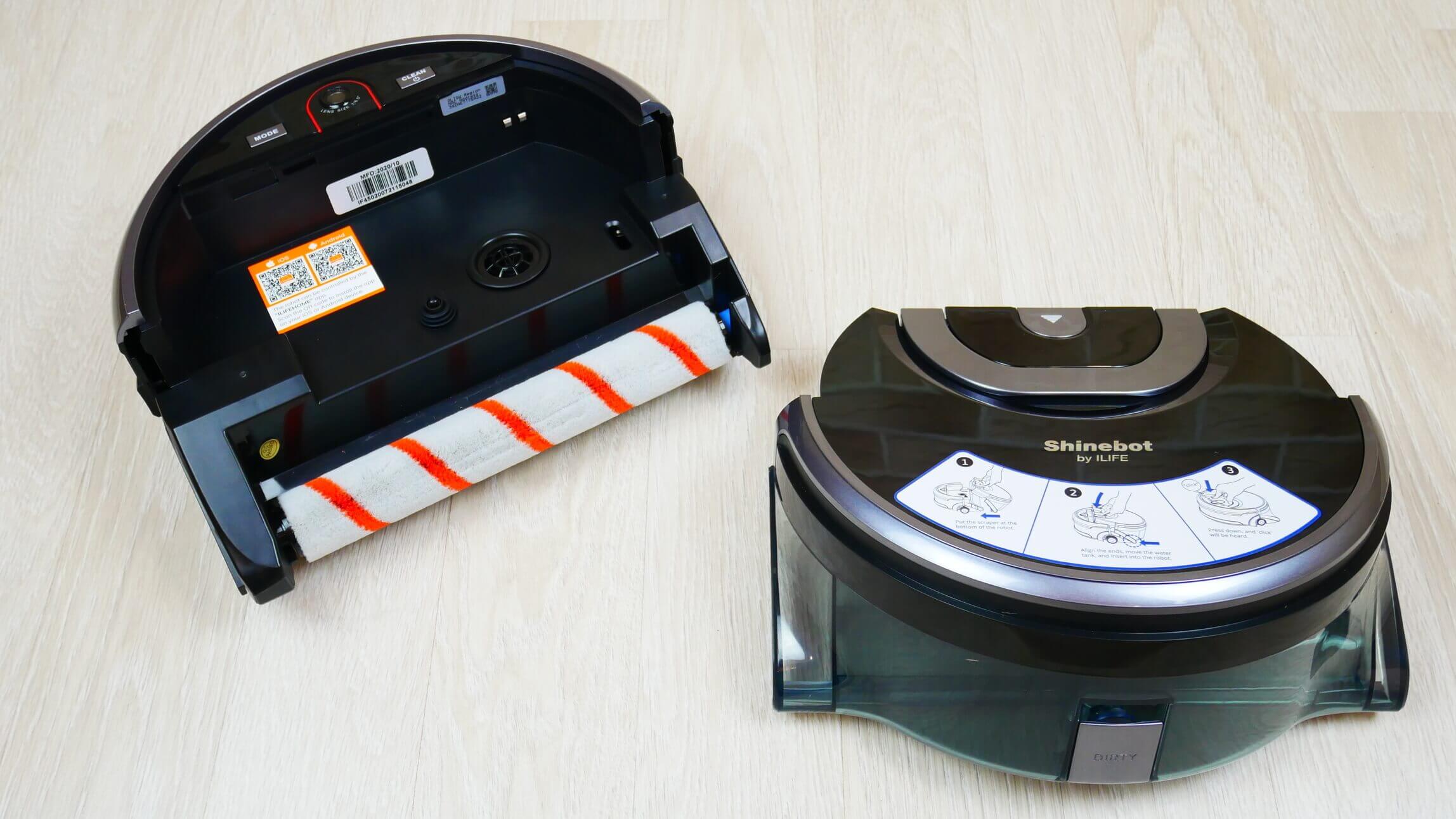
The module with tanks is disconnected
Let's take a look at the main unit. It features a QR code for downloading the mobile app, which you can use to control the iLIFE W450. The central roller is easily removed, and one side can be easily disassembled for cleaning out tangled hair and other debris.
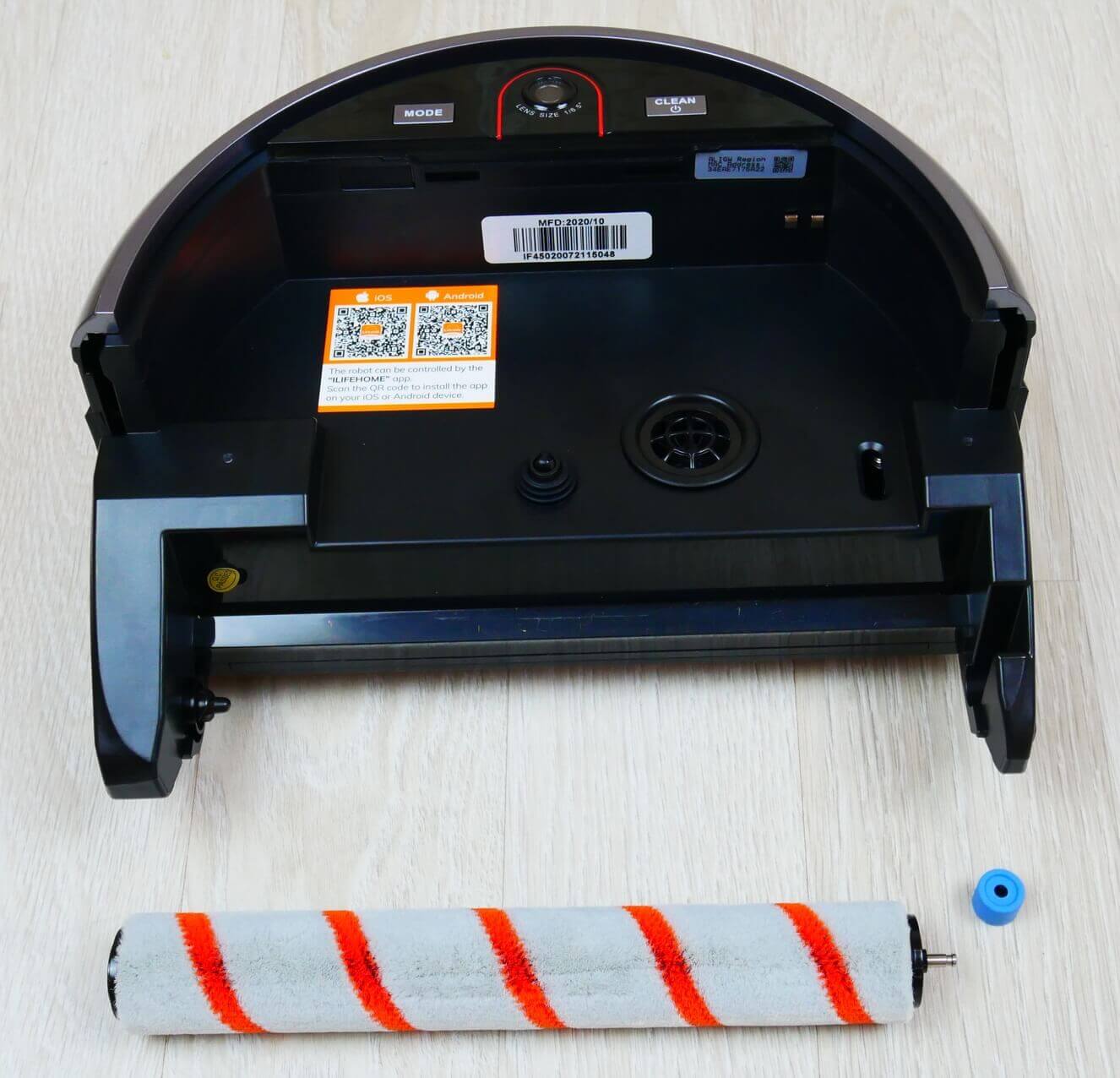
Main block
Below we see 3 fall protection sensors mounted on a soft-touch mechanical bumper.
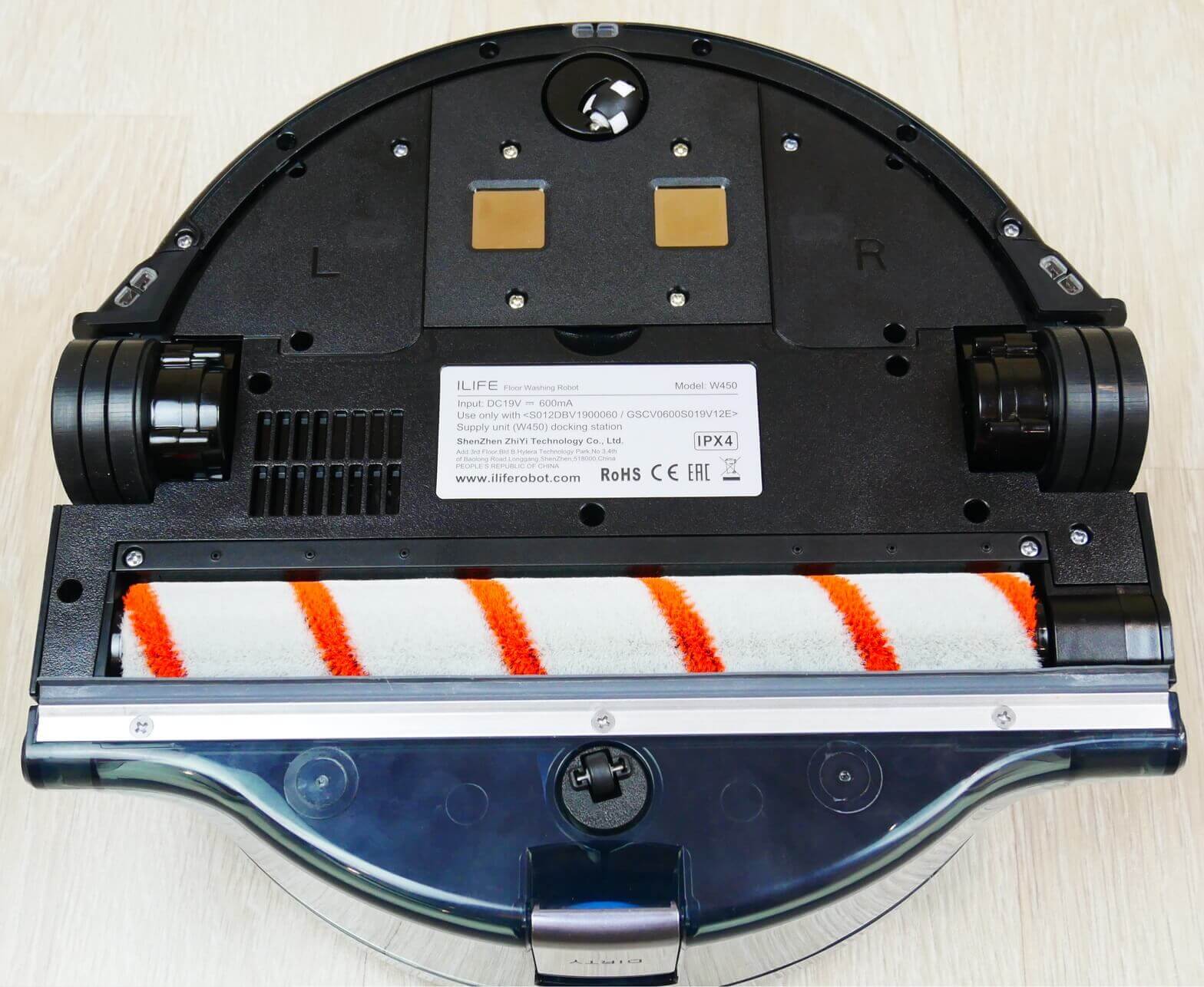
Bottom view
Please note that this model doesn't have side brushes; debris is collected only by the center roller, which doesn't cover the entire width of the unit. It will likely have trouble cleaning the floor along the baseboards, but I'll definitely check that later.
The second part of the robot is a module with a tank for clean and dirty water. They are separated, so the robot dispenses clean water from one tank onto the floor and collects dirty water in the other. This prevents dirty water from leaving streaks on the floor; I'll check that out too.
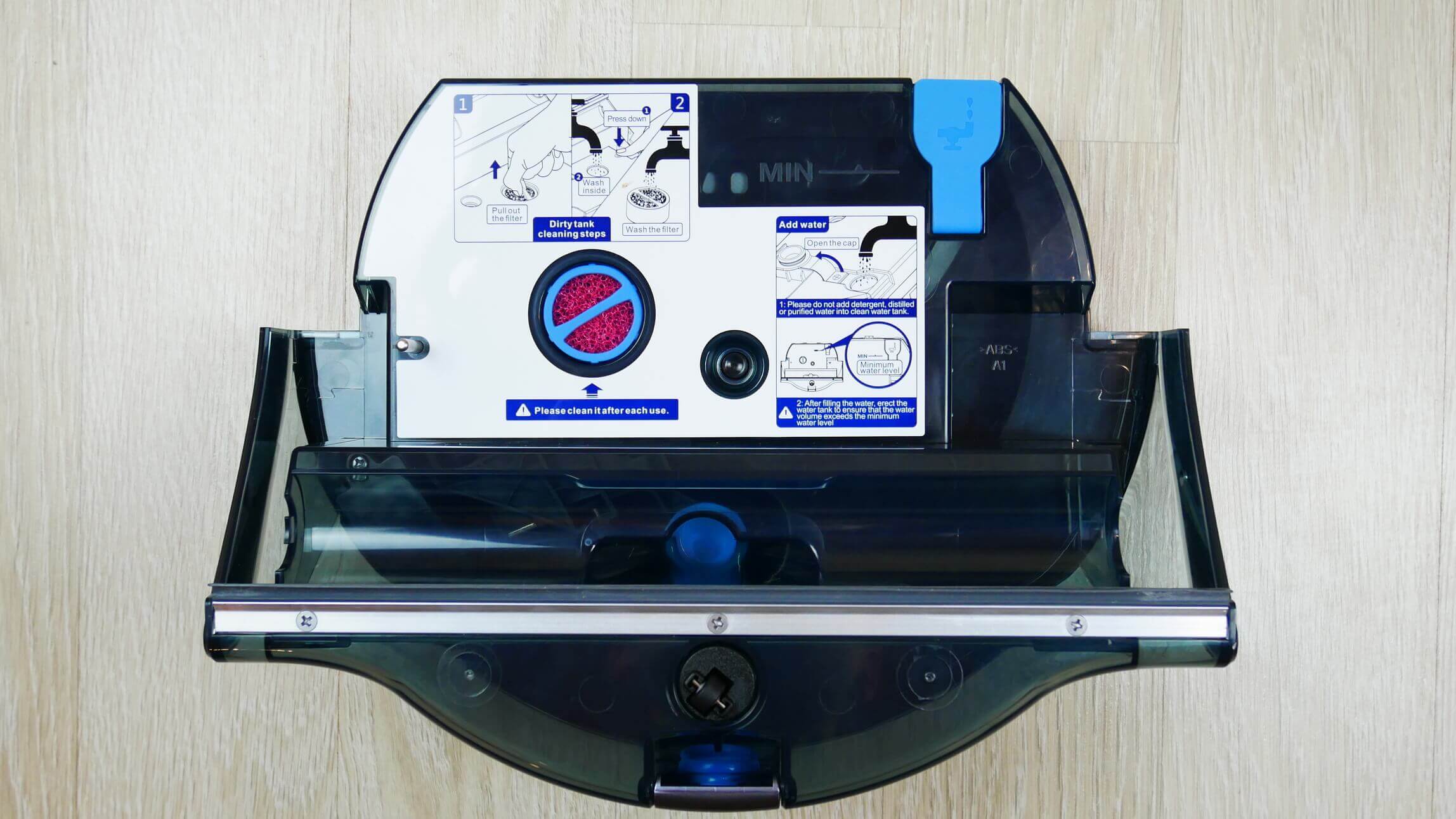
Module with tanks
The body also features stickers for proper operation of the washer. Clean water is added through a hole with a sealed valve. The tank has a minimum water level mark. There's also a special filter that needs to be periodically rinsed and cleaned. Dirty water is sucked up through a channel, which is additionally equipped with a squeegee to remove residual water from the floor.
And this is the hole through which you need to drain dirty water from the tank:
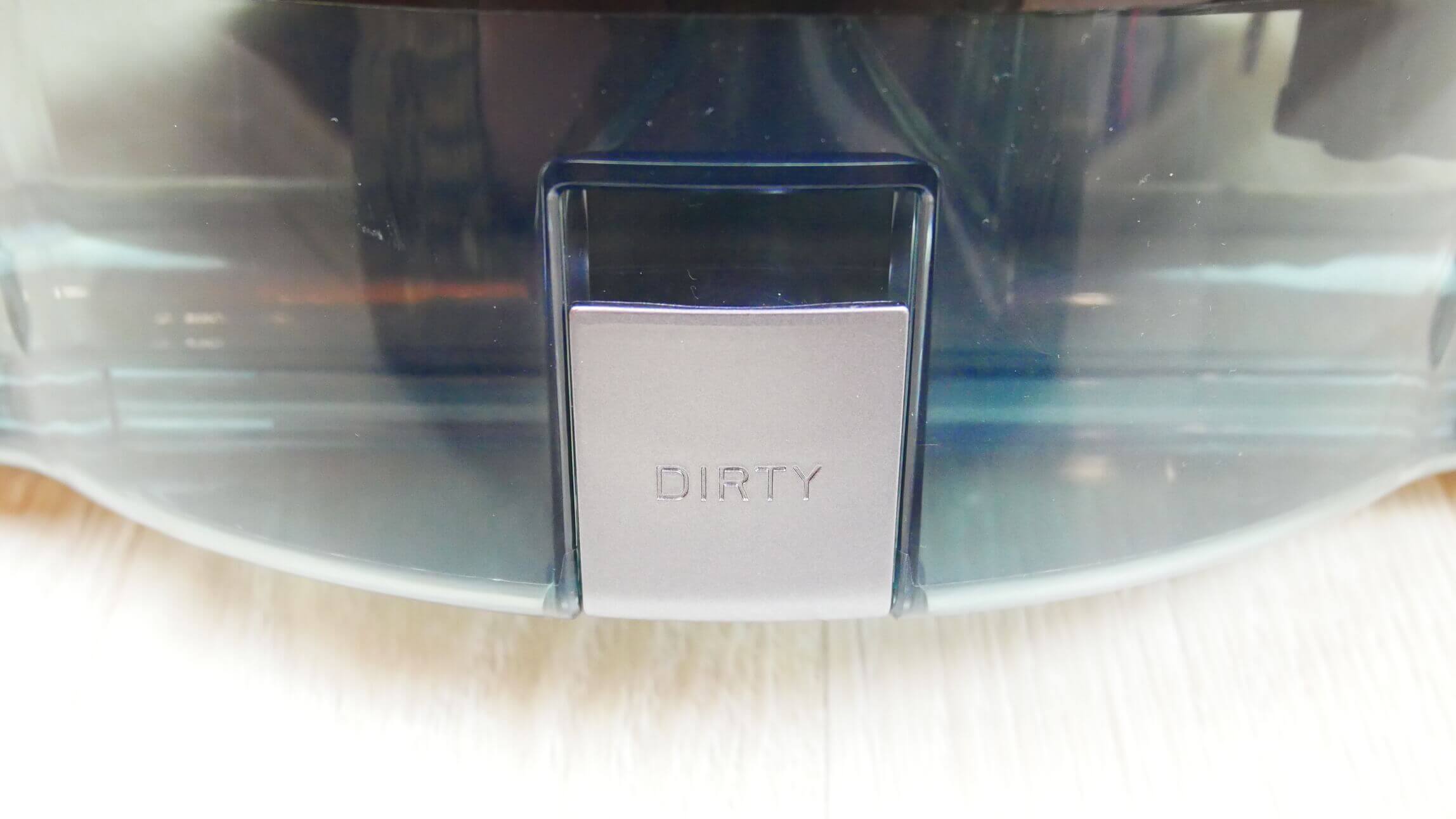
Drain hole
There is a special sensor installed inside that will inform you that the tank is full.
The robot vacuum is assembled in reverse order. You need to locate the guides underneath, push the module flush against the main unit, and press until it clicks into place. There are no complaints about the build quality or the plastic; the robot is well-assembled.
Technical specifications
Let's look at the main characteristics of the iLIFE W450, as stated by the manufacturer:
- Li-Ion battery with a capacity of 2500 mAh.
- Operating time up to 80 min.
- Charging time up to 300 min.
- The volume of the clean water tank is 850 ml.
- The capacity of the dirty water tank is 900 ml.
- Passability of obstacles up to 3 mm high.
- Dimensions 292*118 mm.
- Weight 3.3 kg.
I'll immediately add the characteristics I was able to determine during the test. According to my measurements, the noise level was between 64 and 68 dB.
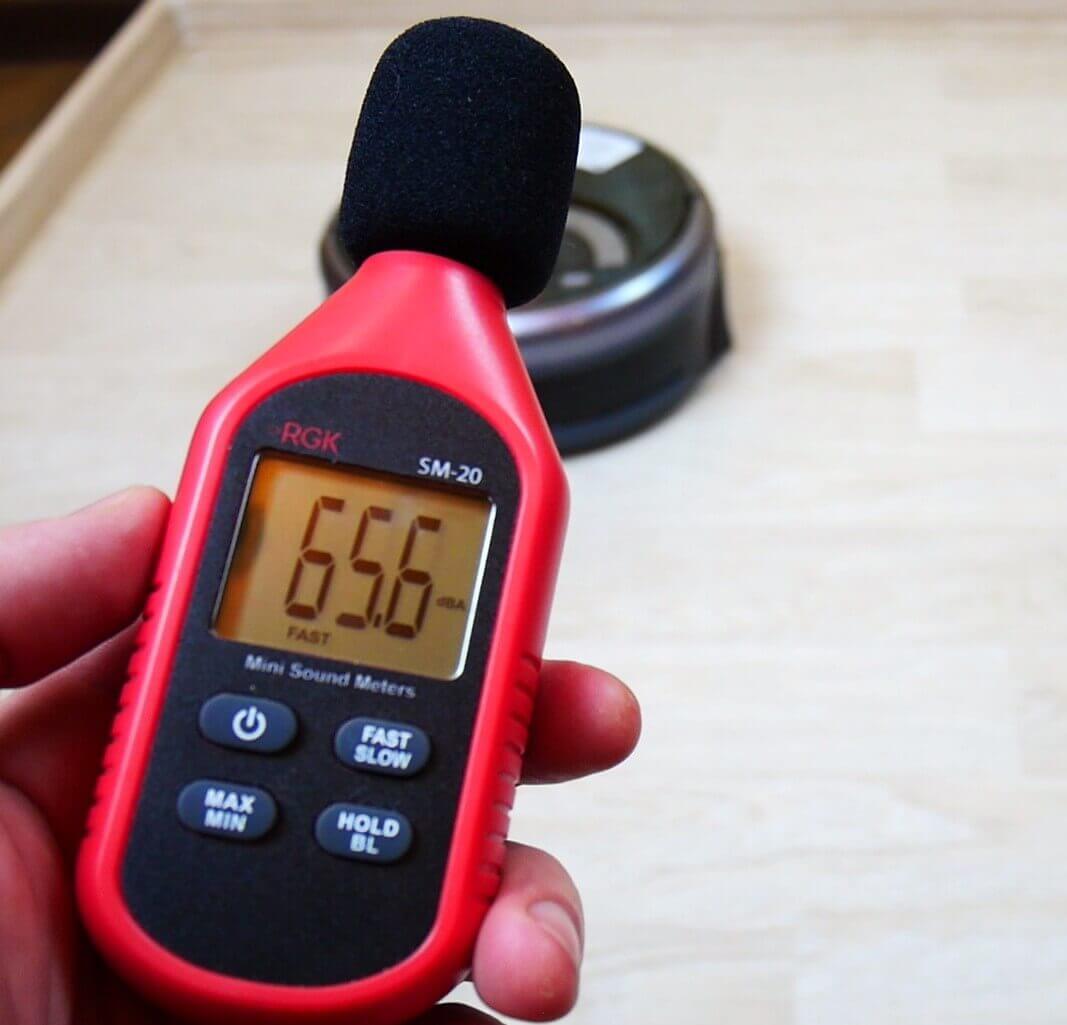
Noise level
The battery life is truly up to 80 minutes. The cleaning area on a single charge is approximately 70-80 square meters. I think if the layout is simple, and you use the maximum travel speed and minimum roller speed, the battery could cover an area of up to 100 square meters.
These are the main characteristics worth mentioning.
Functional capabilities
Let's move on to an overview of the iLIFE W450's features. All key capabilities are available in the proprietary mobile app. It can be downloaded using the QR code located on the robot.
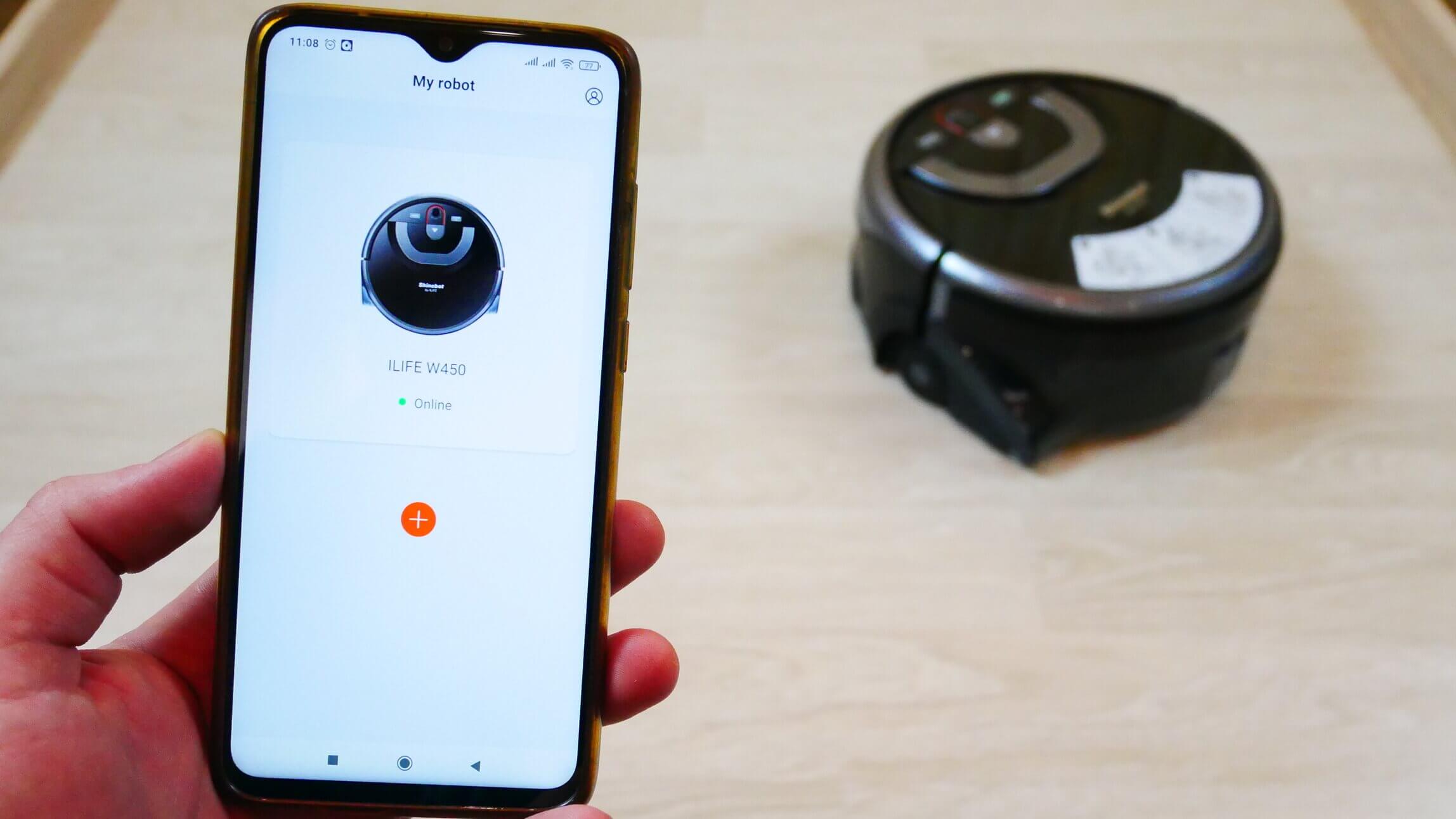
Control from a smartphone
The app interface is in English, so keep this in mind. The main control panel displays a map of the last cleaning; the robot doesn't save the map in its memory, which is important to understand and certainly a drawback of the model. In the settings, you can view the cleaning history, smoothly adjust the water flow level, and use a slider from 0 to 100%. You can also smoothly adjust the robot's speed and roller rotation speed. A do-not-disturb mode and a sound search feature are also available.
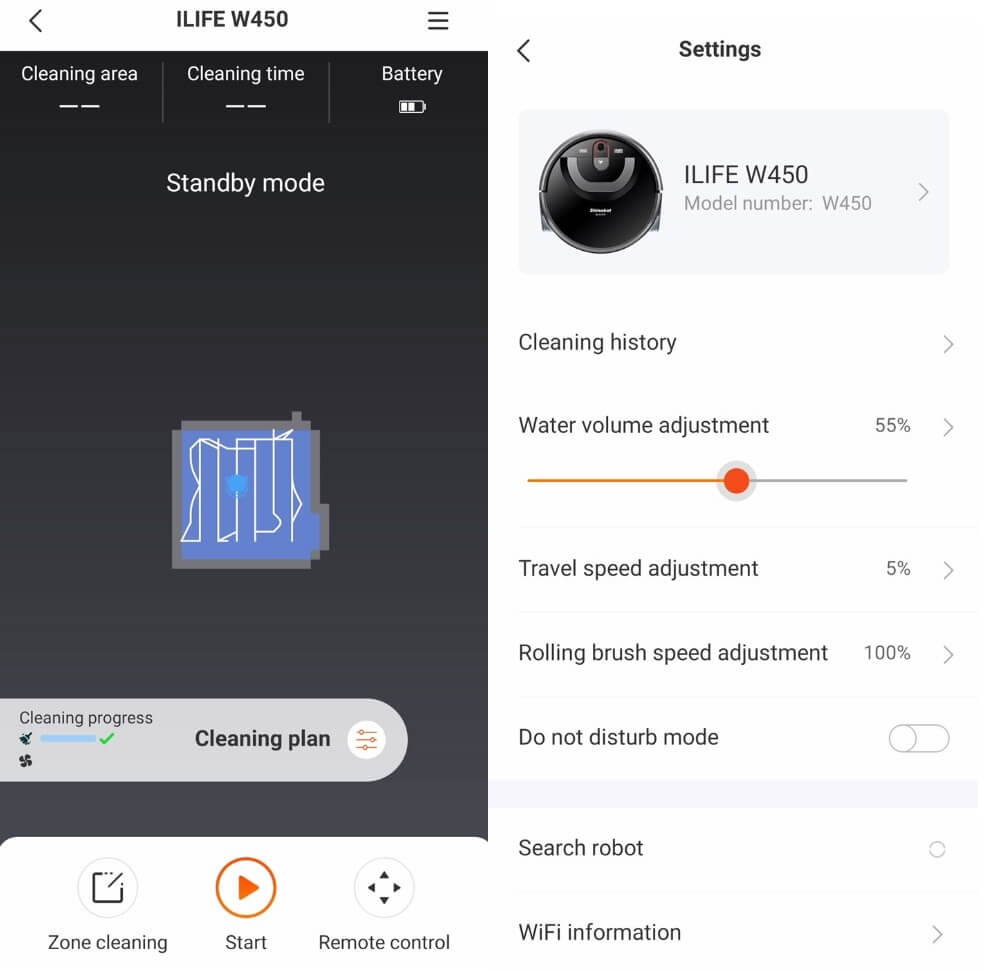
Basic settings
Let's return to the main control panel. Here you can set cleaning zones, but it's not really clear how to use it properly. The robot doesn't store a map in its memory, allowing you to, for example, select specific rooms or areas within rooms for cleaning. You can simply draw a dark rectangle around a dark area, which only visually shows where the robot is located relative to the rectangle. I find this rather inconvenient; it's essentially the same as spot cleaning.
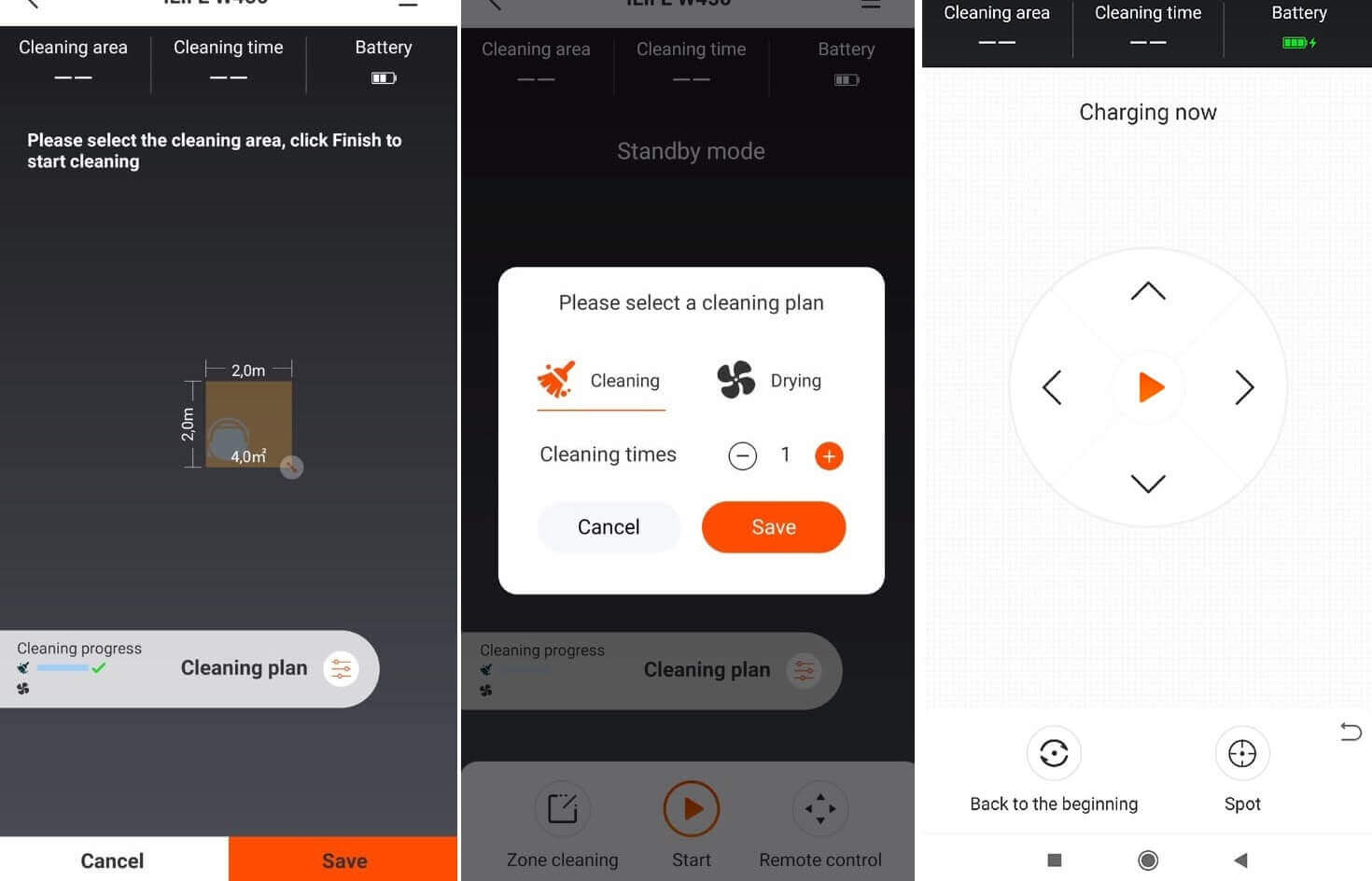
Functions
There are two additional settings: apparently, the number of cleaning repetitions and the number of repetitions of the so-called floor drying mode. Most likely, in this mode, the iLIFE W450 robotic floor cleaner simply vacuums up residual water from the floor without spraying clean water. The instructions don't mention this mode. Finally, the app offers manual control of the robot. There's also a button to return the robot to its starting point and to activate spot cleaning mode.
That's all the app can do. Now let's look at what the remote control does.
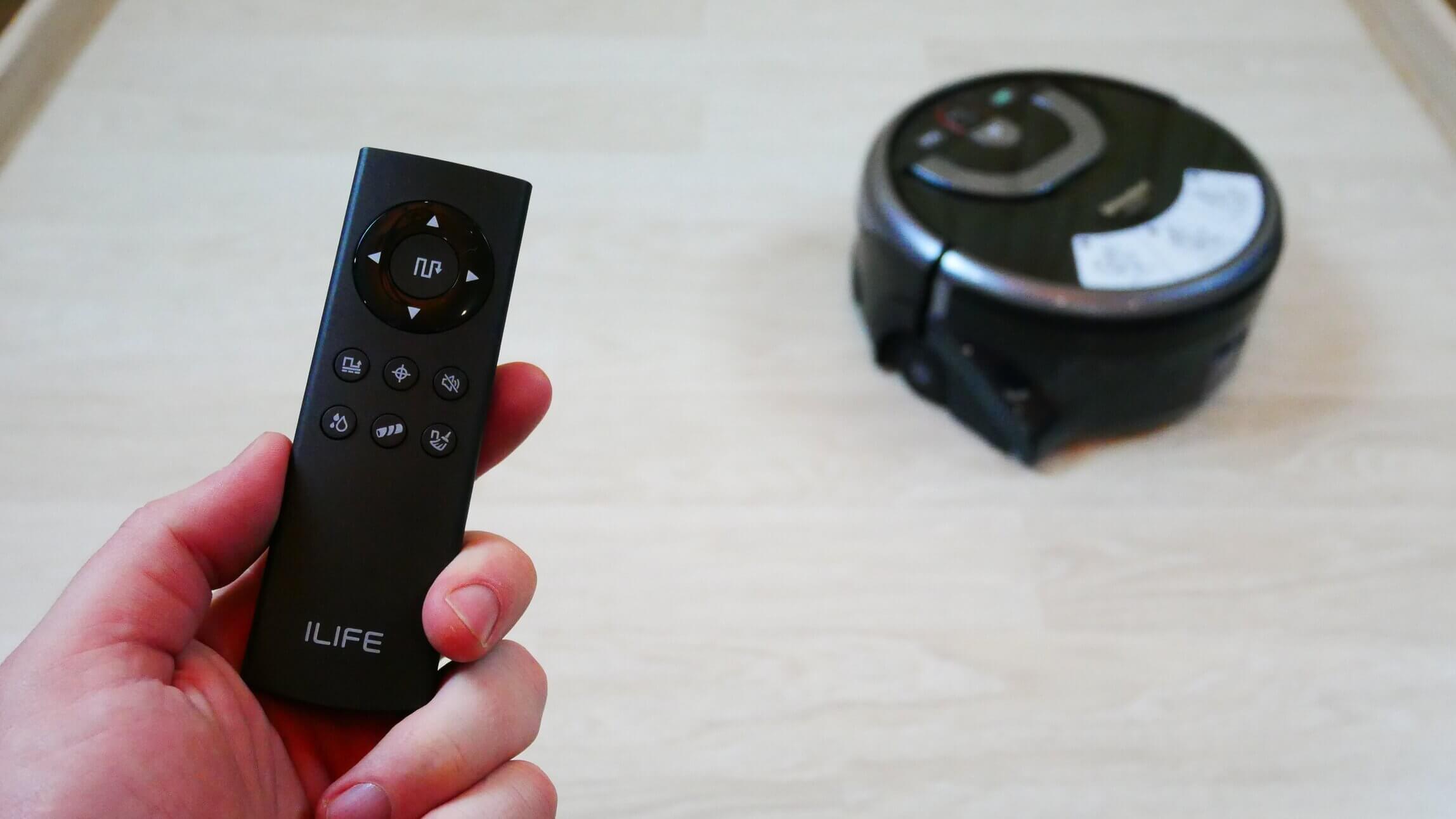
Remote control
The buttons for manual control of the robot are located on the top. In the center of the joystick is a button for starting and pausing the automatic cleaning mode. There's also a zone cleaning mode, a spot cleaning mode, a button for disabling voice alerts, adjusting the water level and roller speed, and setting the number of cleaning cycles. Essentially, the remote control has all the necessary functions for operating the iLIFE W450.
Testing
You can watch all the tests and a detailed review of the iLIFE W450 in our video:
Navigation
First, let's test this robot's navigation in a room with obstacles. It traversed the entire accessible area in a serpentine pattern, leaving no untidy areas. It didn't go around every chair leg or box. It only moved in parallel lines. After cleaning, it returned to where it started.
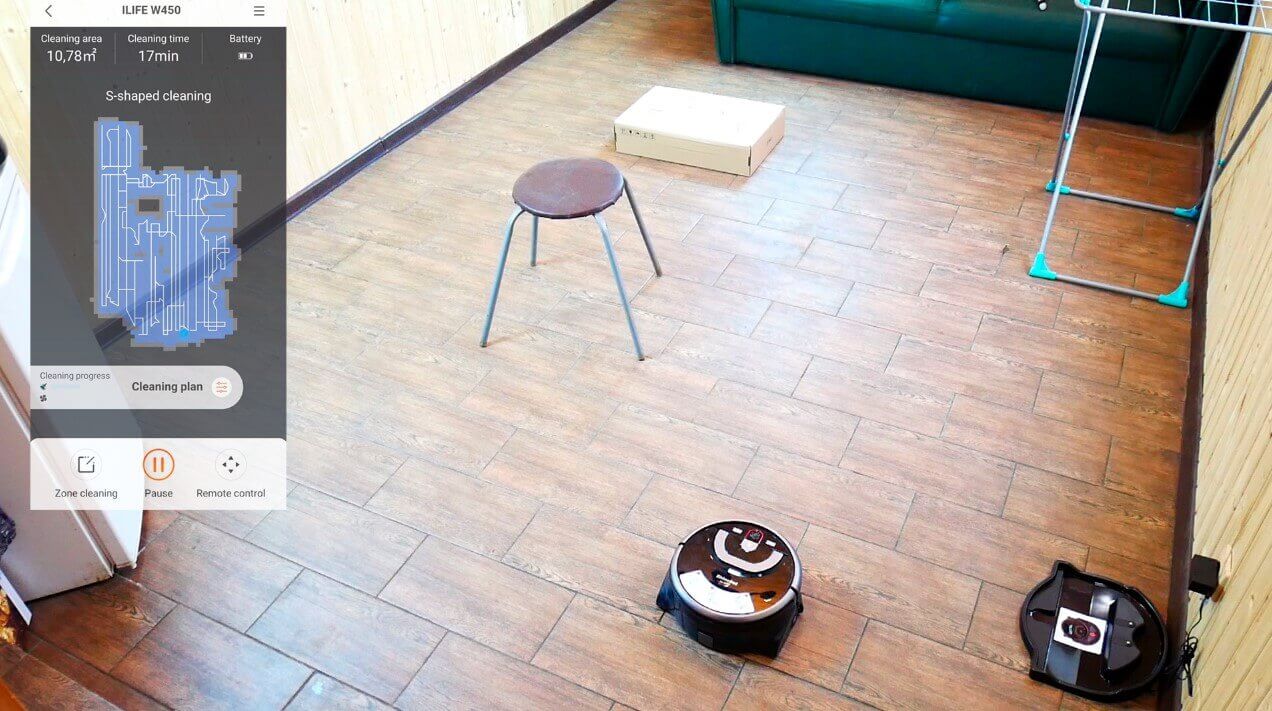
Navigating within a room
Now let's take things a step further and see how the iLIFE W450 handles my entire home. In my case, that's five rooms with a total cleaning area of over 34 square meters.
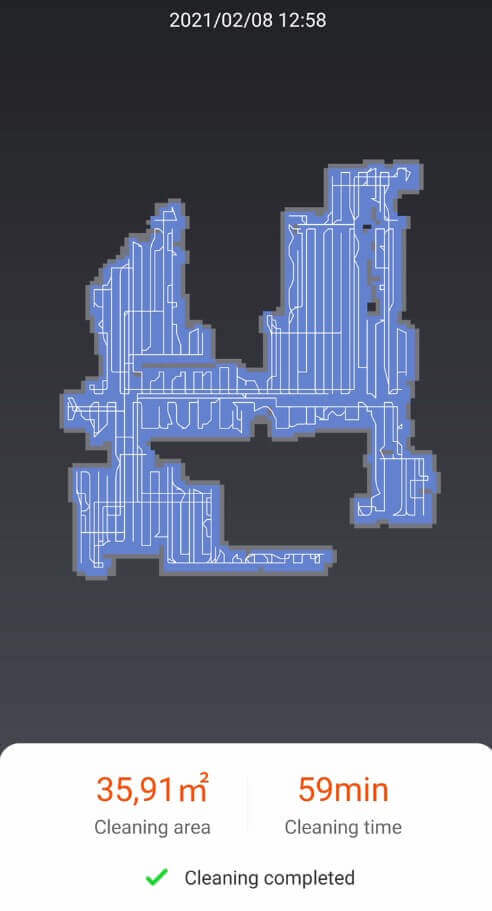
Cleaning the whole house
The iLIFE W450 cleaned the entire available area, created an accurate map of the room, and returned to its starting point. It divided the rooms into several zones and returned to any areas it hadn't finished cleaning. No complaints in this regard. The battery didn't run out after 59 minutes of use, so I'm confident it will last for another 80 minutes of battery life. In my case, the layout was complex, and the robot cleaned almost 36 square meters in 60 minutes.
I would like to highlight a few observations:
- The wall-to-wall cleaning algorithm is poorly designed. Instead of adapting and cleaning along the wall in a single pass, the robot makes perpendicular passes and marks the edges with its bumper. As a result, it takes longer to complete a perimeter cleaning.
- The iLIFE W450 only cleans in a snaking motion; it does not make the final perimeter pass.
- When moving from one part of the room to another, if the robot hasn't cleaned there yet, the water supply is turned off. This means the robotic vacuum cleaner knows where it has already cleaned and doesn't waste water on those same spots.
My only complaint about navigation, and a significant one for me, is that if the robot encounters an error—for example, if debris gets stuck on the roller—after you've cleaned it and picked it up, the map resets and the robot starts cleaning again. That's a downside.
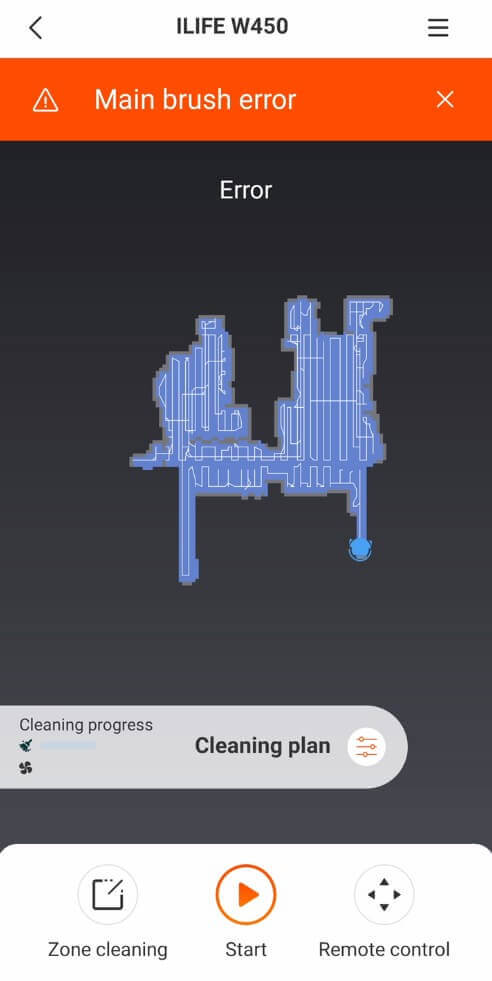
Malfunction
Overall, navigation is good, and the robot is suitable for apartments and houses up to 100 square meters. However, if the area is larger, you'll need to run the robot twice, separating the cleaning zones.
Quality of cleaning
It's much more important to test how well the iLIFE W450 removes dirt from floors. I tested it several times under different conditions. The first and most challenging test was removing dried stains. The stand was stained with coffee and sauce, then left for 24 hours to allow the stains to dry thoroughly.
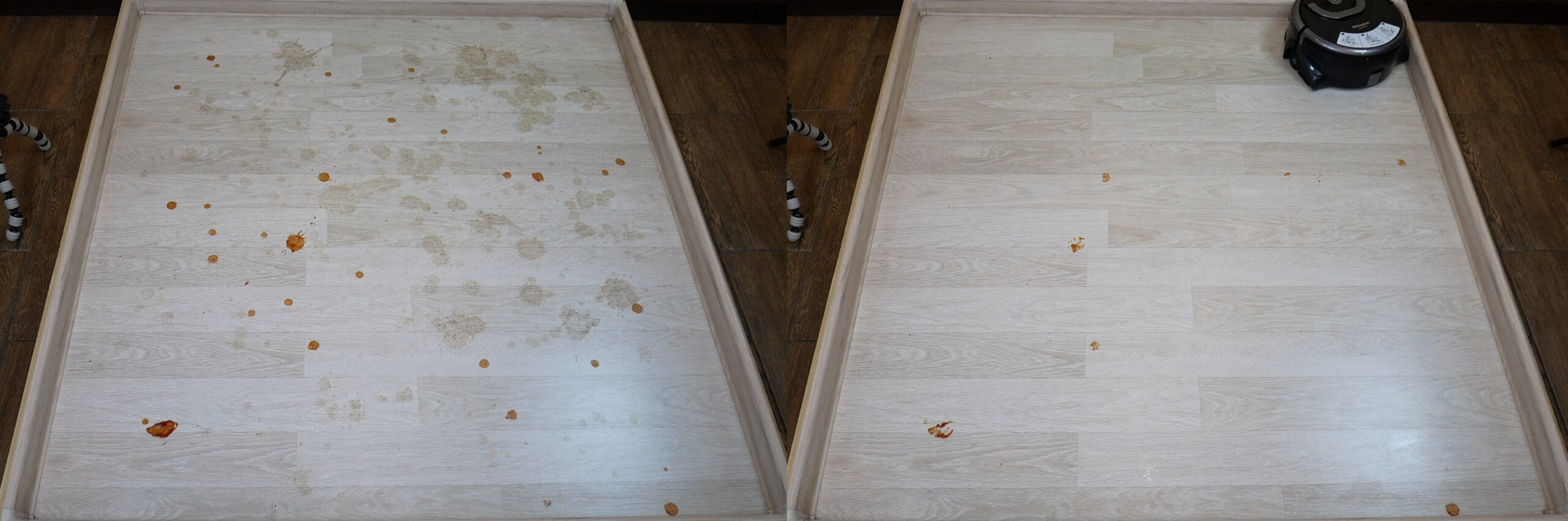
Removing difficult stains
On the first pass, the robot easily wiped away the coffee stains; on the second pass, it managed to wipe away some of the sauce; and on the third pass, it removed a significant portion of the remaining stains.
A few stains remained, but after the test, I decided to try scrubbing them off by hand. This only worked with firm pressure and thorough scrubbing. So, I think the stain removal performance is good for a robotic vacuum cleaner. Perhaps adding a cleaning solution to the water would improve the cleaning performance. However, as far as I know, the manufacturer doesn't recommend using anything other than clean water to avoid damaging the nozzles.
Now I'll smear some watercolor paints and lipstick on the stand and let them dry a little.
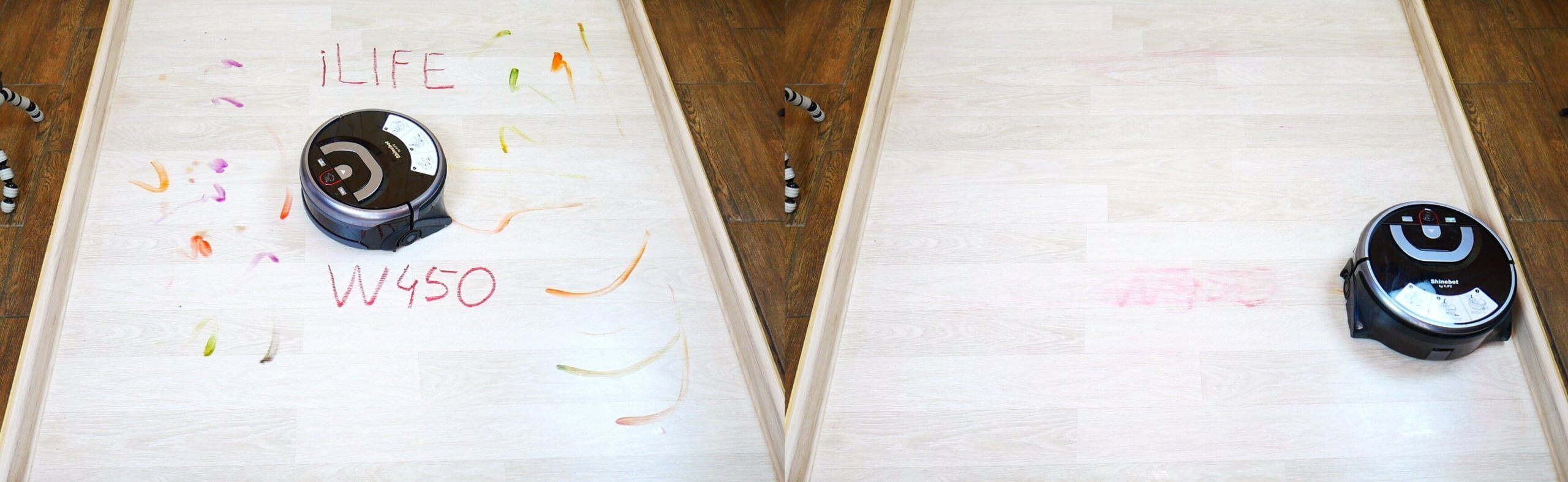
Removing lipstick and paint
On the third try, the iLIFE W450 was able to remove almost all the paint and the top lipstick inscription. It struggled with the bottom, but it was clear that it had removed most of it. These tests will help us compare the iLIFE W450's removal performance with that of its closest competitors.
Now I'll dirty the stand with dirt, it also dried a little before turning on the robot.
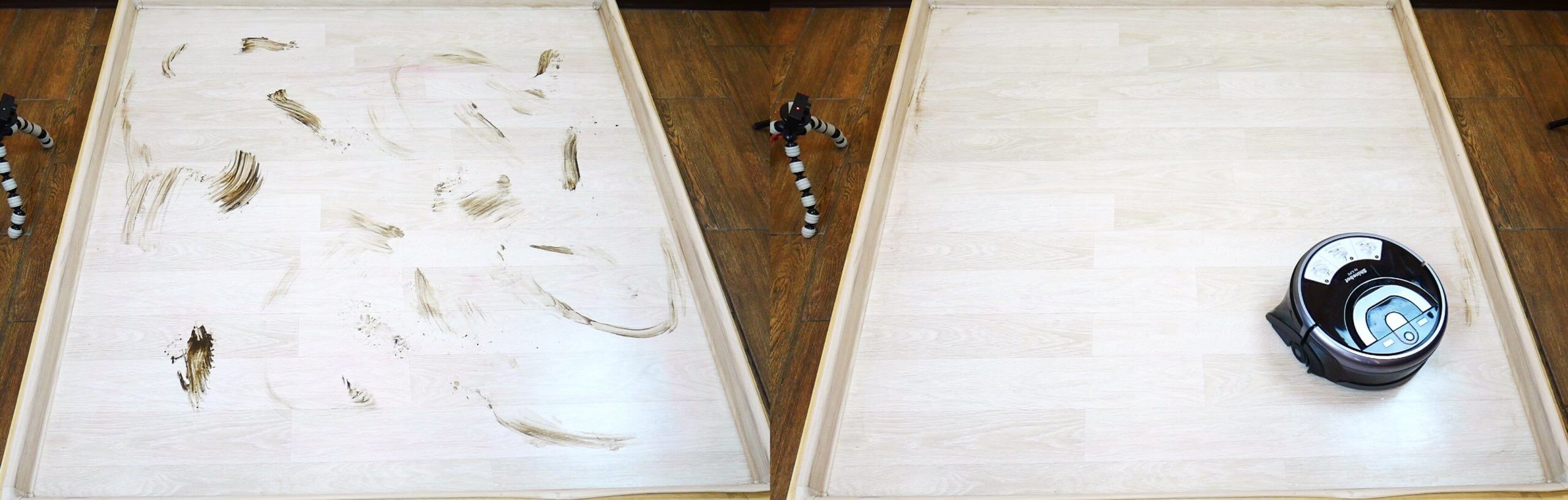
Wiping off dirt
The iLIFE W450 robotic floor cleaner handles dirt well. One issue I mentioned at the very beginning, which has been confirmed, is that the robot doesn't clean a small area along the baseboards—about 3-4 cm. This is because the roller doesn't cover the entire width of the body, but only the area between the robot's wheels. It's precisely this width of the wheels that isn't cleaned.
I think it would be possible to attach the Velcro strip with double-sided tape and attach a small piece of microfiber cloth to it to eliminate this blind spot. Ideally, I'd like the iLife engineers to refine the robot and address this design flaw in future models.
So, in my final test, I decided to see if this robotic floor cleaner could simultaneously clean and vacuum. In addition to the dirt, I also found some small debris scattered across the floor.
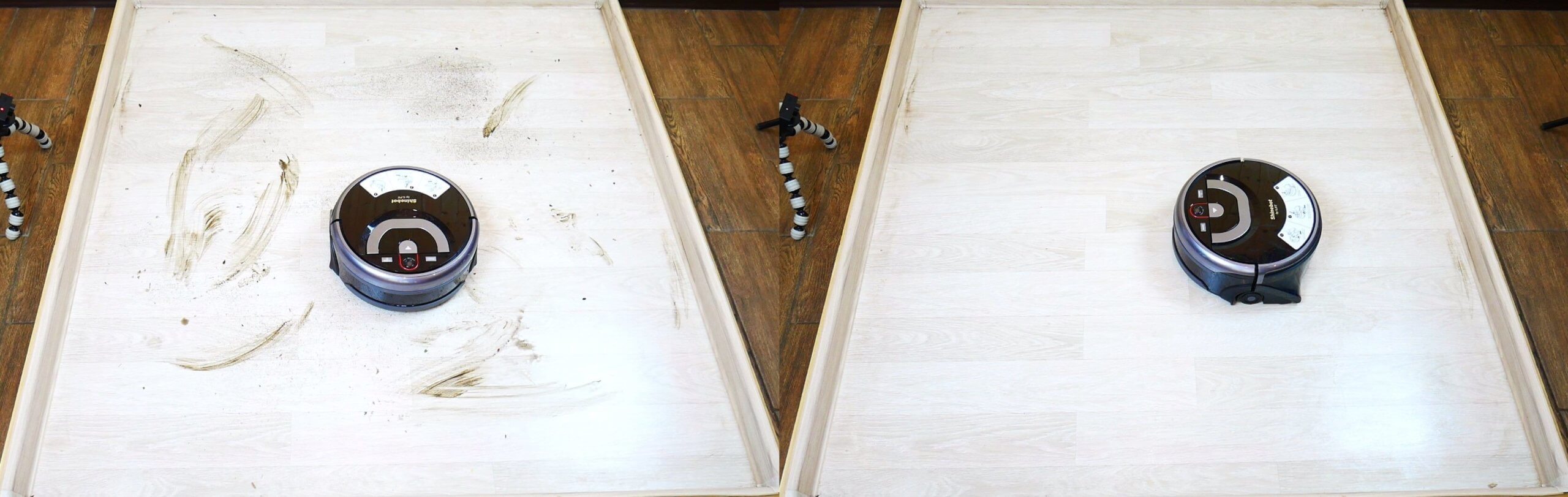
Garbage collection and floor washing
And you see that the robot has simultaneously removed both the debris and traces of dirt. All that remains is some uncollected dirt along the baseboard, which it's physically unable to remove.
Driving on dark surfaces
Finally, let's test whether the iLIFE W450 is sensitive to dark flooring. Since it can't drive onto floor mats, I'll simulate the situation by applying strips of black electrical tape instead of a black floor mat.
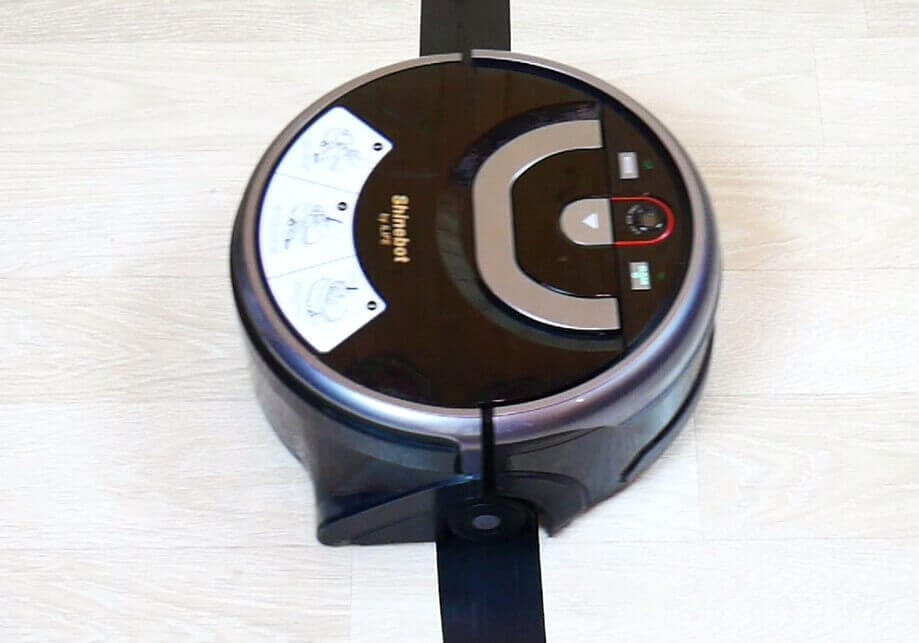
Driving on dark surfaces
The robot is not afraid of black patterns on the floor, which is a plus.
Let's sum it up
The iLIFE W450 was thoroughly tested, and I can say that I'm very pleased with this robotic vacuum cleaner. I've decided to use it for spot cleaning in the kitchen and bathroom, where the floors are tiled, and I'll also use it once a week to mop the laminate floors throughout the house.
It's probably not very objective to evaluate it scoring algorithm for robotic vacuum cleaners, since this robot is designed for slightly different conditions, but we'll still give it a try so we can at least compare these results with similar robots. As a result, the iLIFE W450 scored 47 out of 100 points and even ranked higher than some wet and dry cleaning robots in the same price range. Link to the overall ranking of robot vacuum cleaners that passed our tests: https://robovac.washerhouse.com/en/rejtingi/robovac-obshhij-rejting-robotov-pylesosov-robo.html.
Now, regarding my opinion of the iLIFE W450, I liked that the robot really cleans the floor well. At 100% water flow, it soaks the surface that small puddles remain. When you repeat the cleaning, you can set the water flow to minimum, and the robot will soak up all the water from the floor. On the laminate flooring in my house, I set the water flow to 6%, and in this case, the wetting wasn't too intense, but it was enough to remove stains and clean the surface.
The second obvious advantage is its ability to remove stubborn stains. The iLIFE W450's cleaning module is much more effective than conventional ones. robots for dry and wet cleaningTherefore, if floor cleaning is a priority, it is better to consider this option.
The iLIFE W450 has been proven to not only clean floors but also pick up small debris. The roller also picks up pet hair well, which is a plus.
The robot in question can clean large areas, making it superior to floor polishers without navigation or with gyroscopic navigation.
I was also pleased with the control via remote control and app, which allows you to choose the appropriate option for different audiences.
And the final important plus is the price. For $200 or less, the iLIFE W450 is well worth the money and does its job well.
Now I'll tell you what I didn't like:
- The map isn't saved in memory, so you can later select cleaning zones on the map. This feature may not be used as much, but there are similar devices with more advanced navigation that support this functionality.
- The iLIFE W450 doesn't clean along baseboards. This is an important point for a robotic vacuum cleaner.
- No virtual walls or no-go zones where the robot won't go. Again, this is debatable. It won't go onto carpets anyway, and its touch is gentle. However, there's a chance it might move cat bowls or bump into fragile objects on the floor. A virtual wall wouldn't hurt.
- There are no side brushes to sweep debris along baseboards and into corners. Considering the robot can vacuum and mop floors, side brushes would be a nice addition.
- The high body limits accessibility under furniture. It won't clean under kitchen cabinets or other low furniture.
Of all the above, the most important thing is that the robot doesn't do a very good job of cleaning floors along baseboards. The rest are minor concerns that may be less important to many.
But again, for the price, this is a very good option, especially if you need a robotic vacuum cleaner and not just a floor polisher. I think the iLIFE W450 will be especially useful for cleaning the kitchen and bathroom, as well as for thoroughly cleaning floors if there are no carpets in the house. I would also recommend this robot for use in offices and retail spaces, especially if the floors are tiled and need to be kept clean.
That's all I have for you. I hope you enjoyed the review. If you have any questions, please leave them in the comments. Happy shopping, everyone!
Tell me, I'm choosing between this and Hobot 668.
The task in a 90m2 apartment is to wash the floors after the Xiaomi 1S vacuum cleaner.
Floors: tiles + laminate.
Ideally, I would like to press a button and have the robot do everything itself, rather than dragging it from room to room.
This one, in my opinion, is slightly better than the 688, but I already had the Hobot LEGEE 7 with lidar to test, and it's absolutely fantastic. Ultimately, the best is the LEGEE 7 (coming in May), then the W450, then the 688. I'm afraid the 688 might not be very good at navigating at 90 square meters, but the other two similar models can do it.
I disagree with your expert opinion. For cleaning 90 square meters, the 688 is better than the 7, for the simple reason that they clean automatically on a schedule and perfectly.
I'm not speaking as an armchair expert, but as a user of the Trunk 688 with over a year of experience.
Is there a significant difference between the W450 and the W400, other than the 2,000 ruble price tag? The W400 was perfectly fine for me in terms of functionality, but after two years of use, it simply fell apart and I needed a replacement.
I understand you installed the app on Android, but you can't connect to Wi-Fi on your iPhone—it just won't find the network. I contacted the app's support team, but nothing happened. So far, this is the only downside, but it's a significant one. The official Russian service center responded that they're only responsible for the device itself and can't help with this. Could you try installing the app and trying to connect it to your iPhone? I think many people will be interested in this question when choosing and comparing it to the latest Hobot.
I found a drawback in this review: there is no review of the vacuuming function. I still can’t tell from the review whether it sucks up dust like a vacuum cleaner or is just a washer.
I had to Google the question. Maybe I didn't read the review carefully, but I think I did. Then I realized that since there's a dirty water tank, it must be sucking it up somehow.
P.S. As a happy user of the Hobot 688 robotic cleaner for over a year, I definitely recommend Hobot to anyone struggling to choose, who wants not only a vacuum cleaner but also a high-quality cleaning system. It's top-of-the-top, the best of the best.
I haven't picked up a mop for a year, now I'm waiting for the Hobot 7 to go on sale, I'll give the old one to my relatives.
The trunk is definitely cooler than the robot from this review. Here are some points on this topic:
1) The trunk washes automatically on a schedule, just add water and empty the container once a week and change the wipes
2) This iLife has a whole ritual of draining and filling with water every cleaning, why is this necessary, the trunk automatically washes the floor a little more than perfectly without such manual suffering every cleaning
3) There was another comment, but I forgot, the main result is that the Hobot is super-top for those who want to WASH the floor, so that they can completely forget about cleaning by hand, take the Hobot and enjoy life
Good health to all! My iLife W450 completed 12 cleaning cycles in a two-room, 90 sq. m apartment with a hallway, kitchen, and bathroom, but I still haven't figured out how to adjust the water flow or the number of cleaning cycles using the remote control, as there's no indicator. The brush speed can be determined visually, but the rest... I don't have a smartphone, so don't recommend accessing the settings via Wi-Fi (I don't have one either). As for the vacuum cleaner itself (my opinion, I'm not forcing it on anyone!), it's a complete dud. It doesn't clean the floor; it just drags dirt around, as the brush gets saturated with wet dirt within a few meters, and then starts dragging the floor around. The other shortcomings have already been mentioned. Its operation is like sweeping the floor with a damp broom. I got positive cleaning results on the third day of daily cleaning with the Mister Proper solution. But I still haven't figured out the settings. Please help.
Hello.
I read your review and bought this robot. Like Valery, I don't see any difference in the water flow across all possible water flow settings. The smartphone app doesn't have a 0 to 100% setting. It only says weak, medium, and strong. In all settings, it doesn't clean, but rather wipes. And when adjusting the remote, it's completely unclear what water flow it's delivering.
What am I doing wrong?