
Roidmi Eve Plus: An affordable robot vacuum cleaner with lidar, self-cleaning, and advanced mopping.
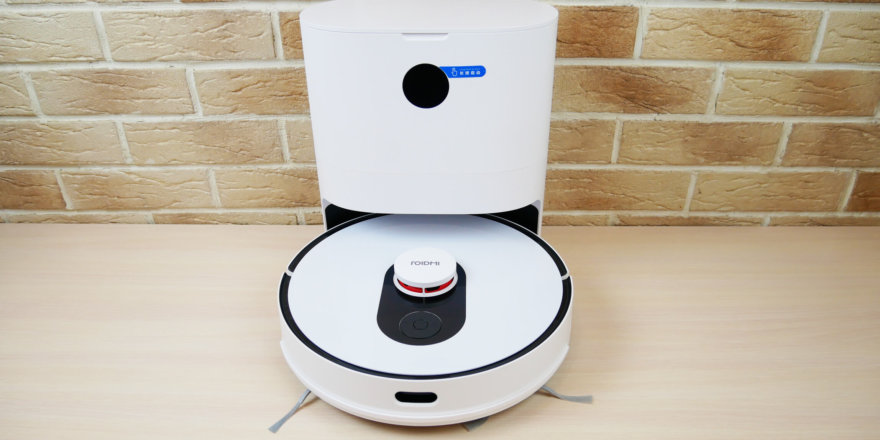
Hello to all readers of the project! This post will review one of the most popular robot vacuum cleaners of the first half of 2021: the Roidmi EVE Plus from Xiaomi. It's attracting interest because, for $300-$350, the robot features a self-cleaning base, lidar, and both dry and wet cleaning functions. Furthermore, the Roidmi EVE Plus boasts advanced features found in premium robot vacuum cleaners. Below, we'll take a detailed look and test the new product, after which we'll share our opinion on whether it's worth buying. So, let's get started!
Equipment
Let's start with the package contents. The Roidmi EVE Plus comes in two boxes: one contains the robot itself, the other the self-cleaning base.
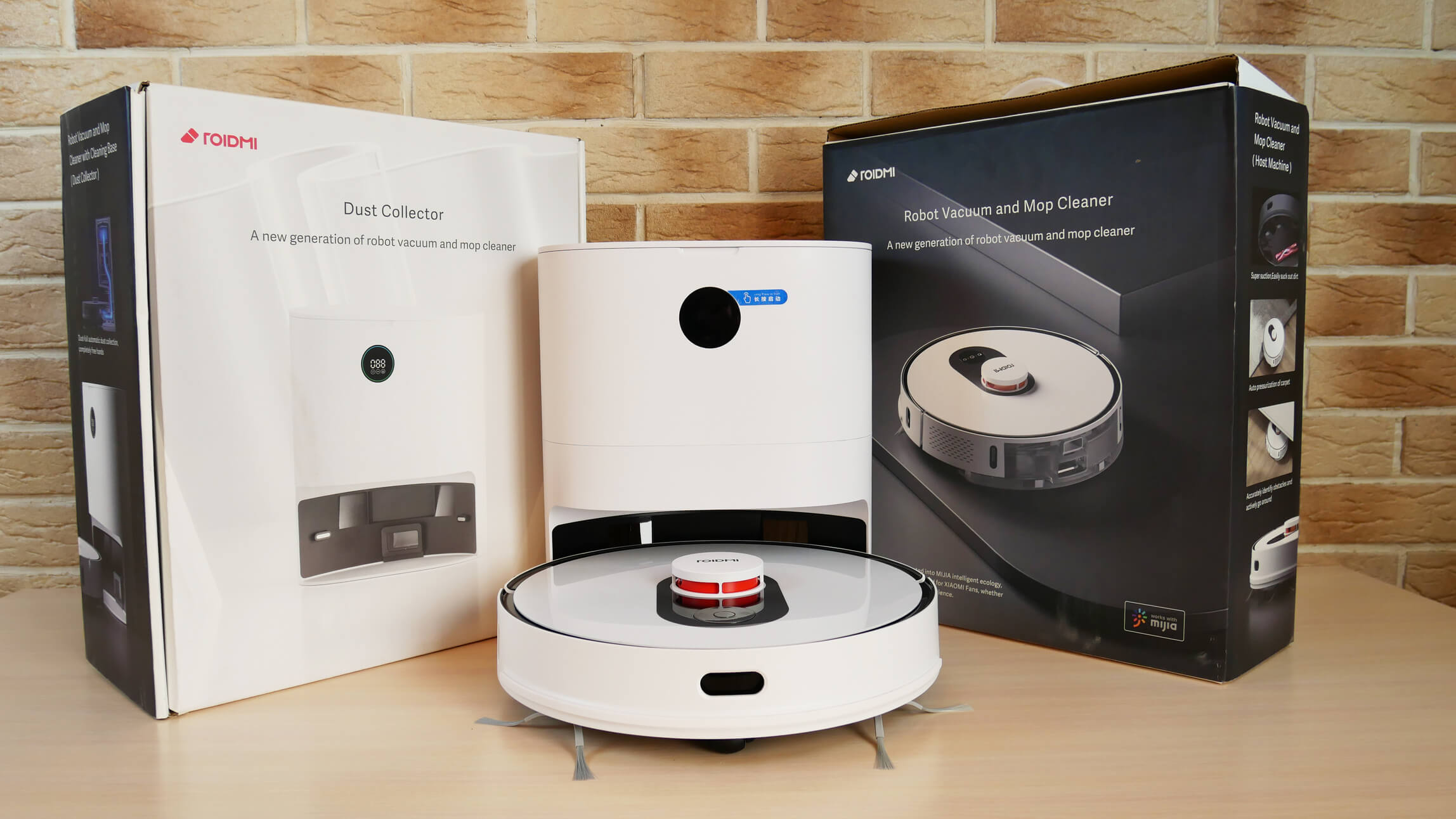
Robot and boxes
The package includes:
- Power adapter for connecting the base to the network.
- Wet cleaning nozzle with a microfiber cloth installed.
- Set of disposable napkins (10 pcs).
- Spare HEPA filter.
- Two spare bags for the base (one of which is already installed inside).
- Operating instructions and a quick start guide for the robot.
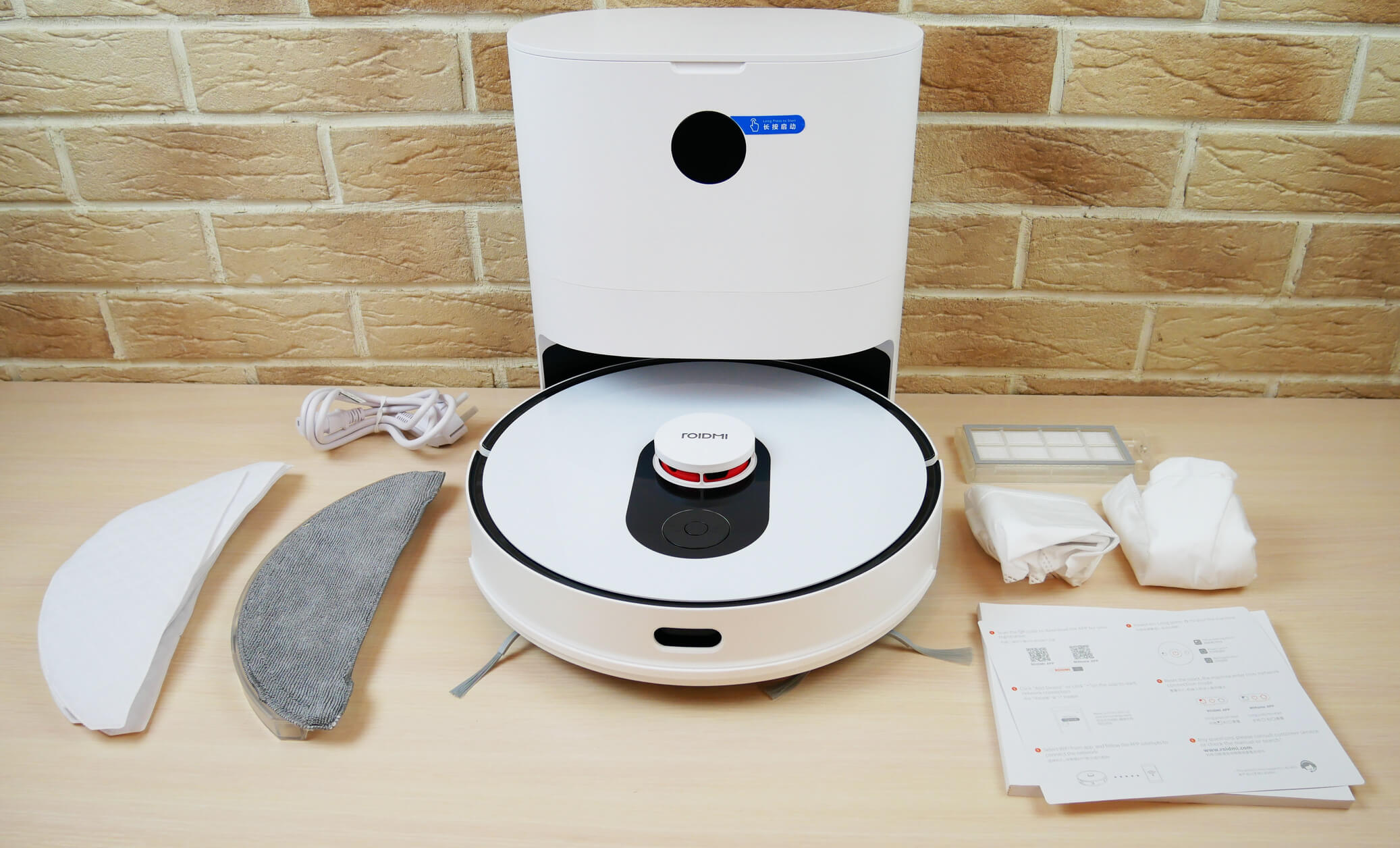
Equipment
Personally, I'm missing spare side brushes, but that's not a deal-breaker. Overall, it comes with all the necessary consumables for the first few months of use, which is a plus.
Appearance
Now let's look at the Roidmi EVE Plus's exterior. It's white with black accents. A lidar for navigation is mounted in the center, the mechanical bumper houses wall sensors on both sides, and an obstacle detection sensor is located at the front.
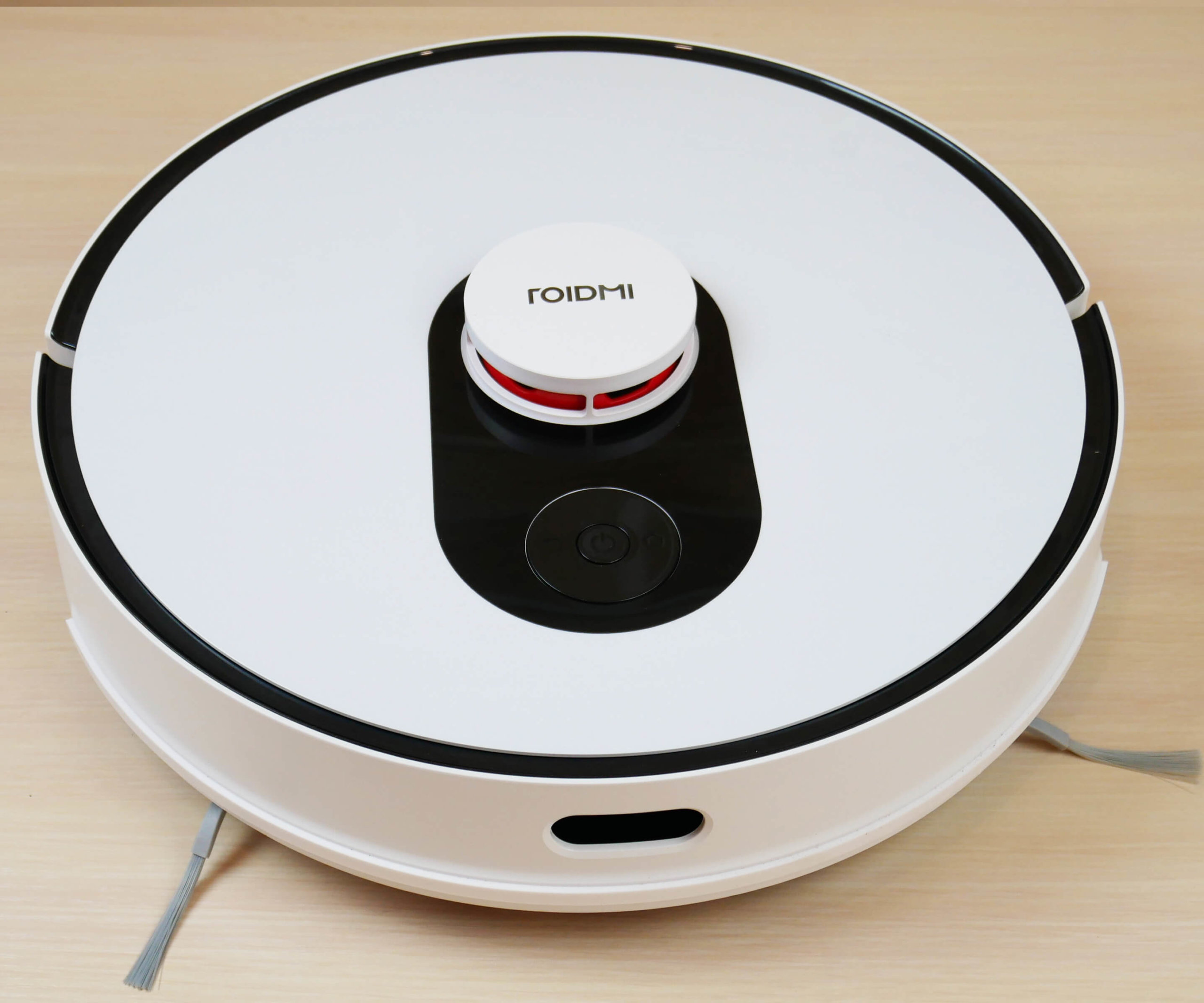
Top view
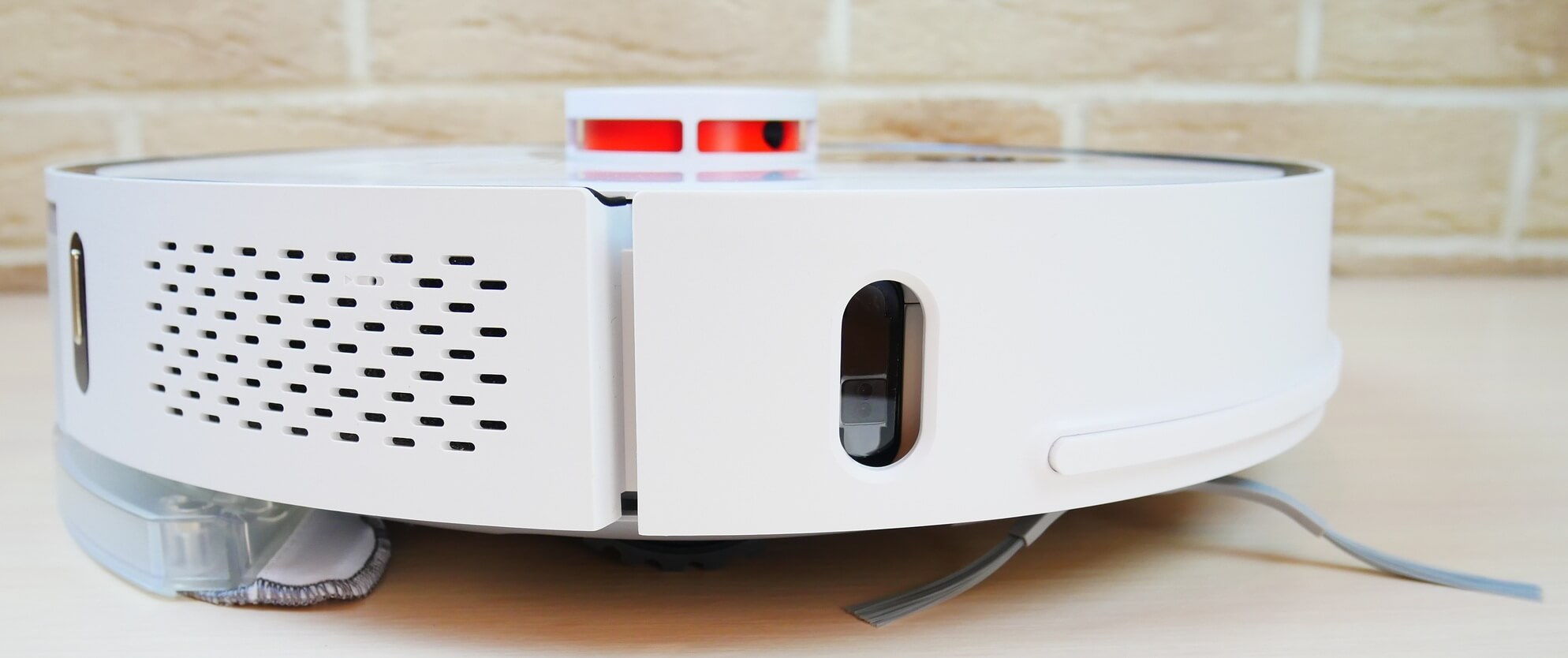
Side view
Incidentally, the lidar itself is equipped with a mechanical button to prevent it from getting stuck under furniture. Next to the lidar are three mechanical control buttons: a forced return to the charging base, a start/pause button, and a local cleaning mode.
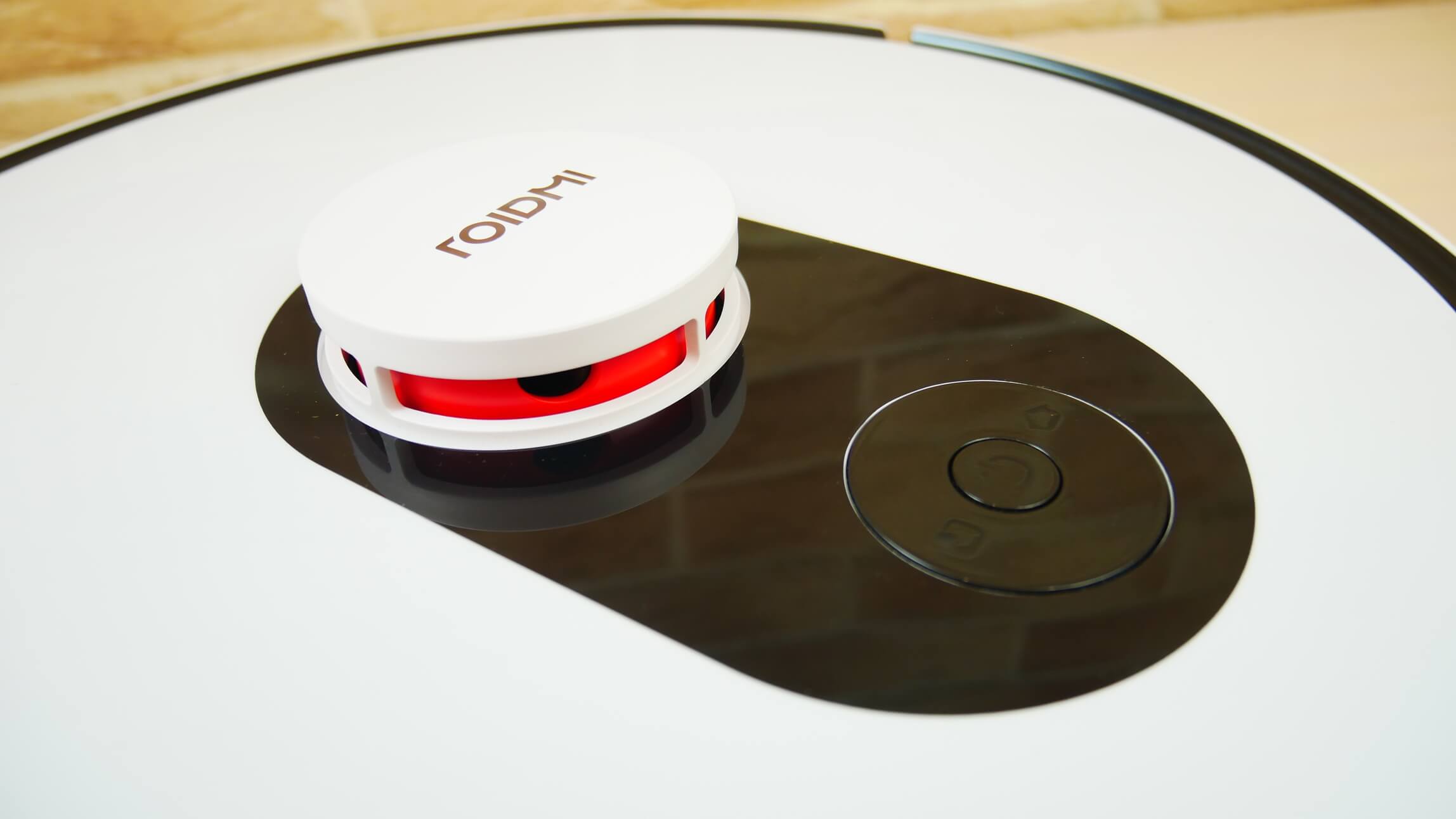
Lidar and control panel
The combined water and waste container is removable from the rear. Inside, you'll find a pump for electronically regulating the water flow. A self-cleaning opening with a shutter is located at the rear of the base container.
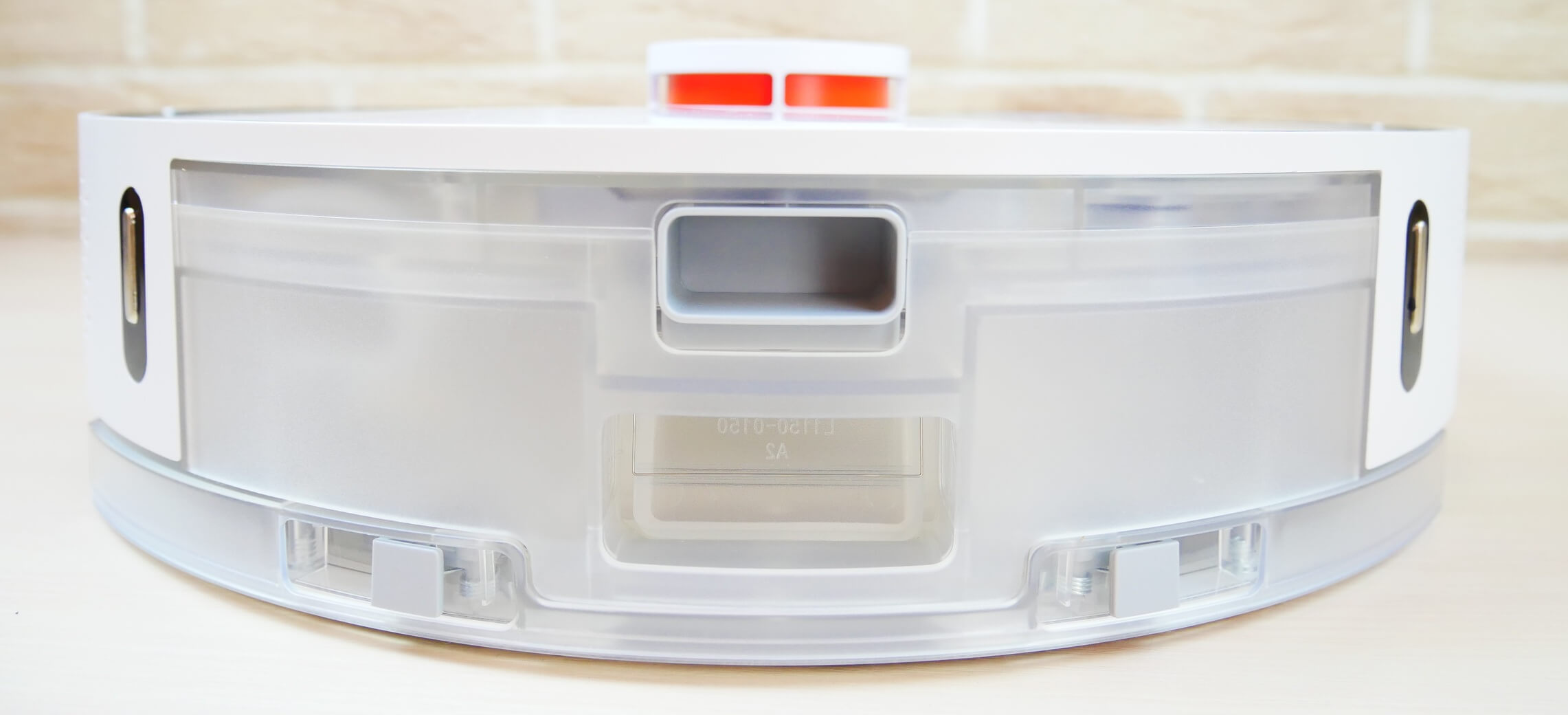
Rear view (combined container)
The dust container is accessed by removing the HEPA filter. It also contains information for connecting the robot to the power supply. The dust container itself is equipped with a shutter to prevent accidental spillage when the container is removed. The dust container has a capacity of 300 ml, and the water tank holds 250 ml.
Let's take a look at the underside of the Roidmi EVE Plus. It has four fall protection sensors. This robot vacuum has two side brushes, three-pronged, with bristle tassels. They are secured with screws.
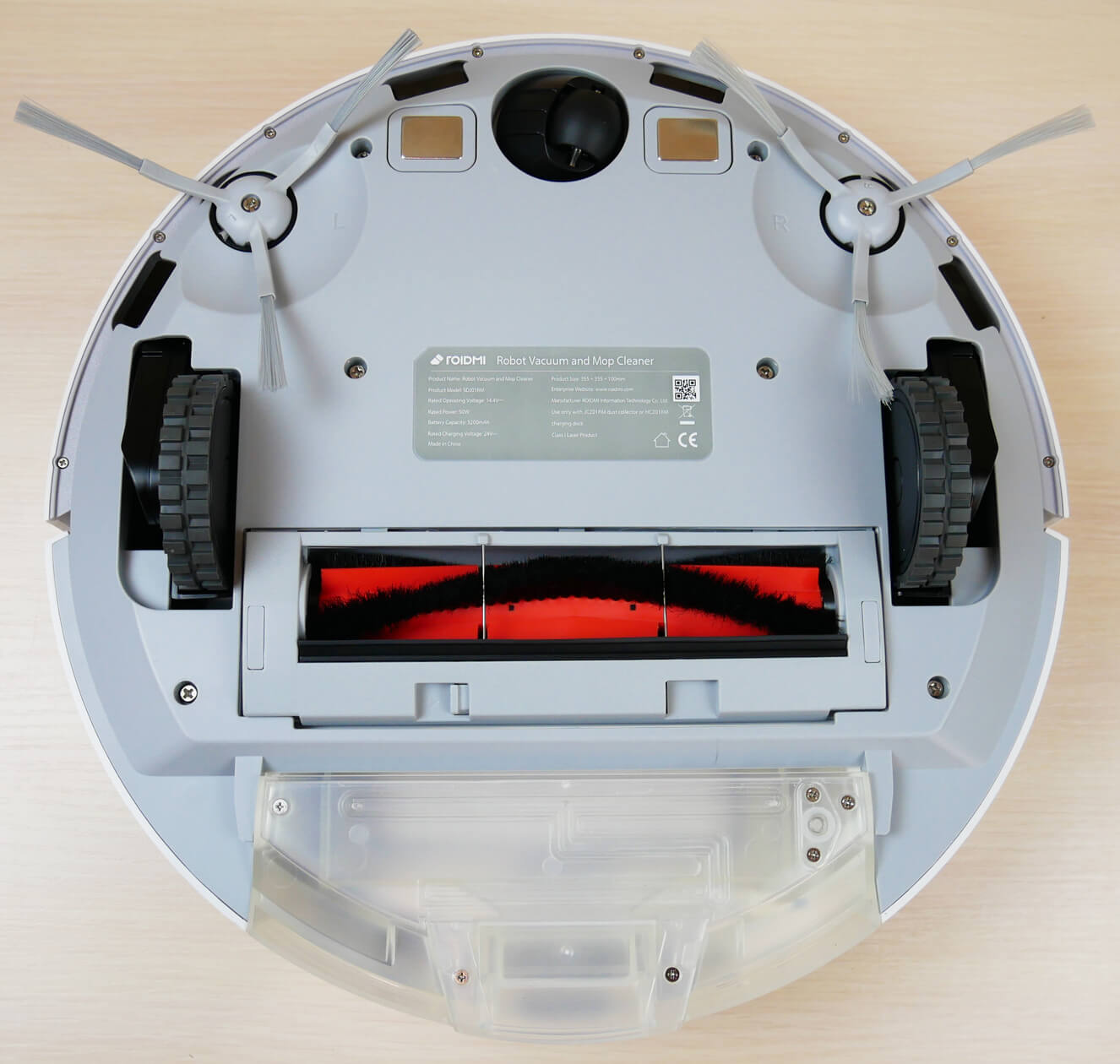
The central brush has a petal-shaped bristle pattern. The bristles are quite dense, which is a plus. The brush can be removed on both sides to remove tangled hair and fur.
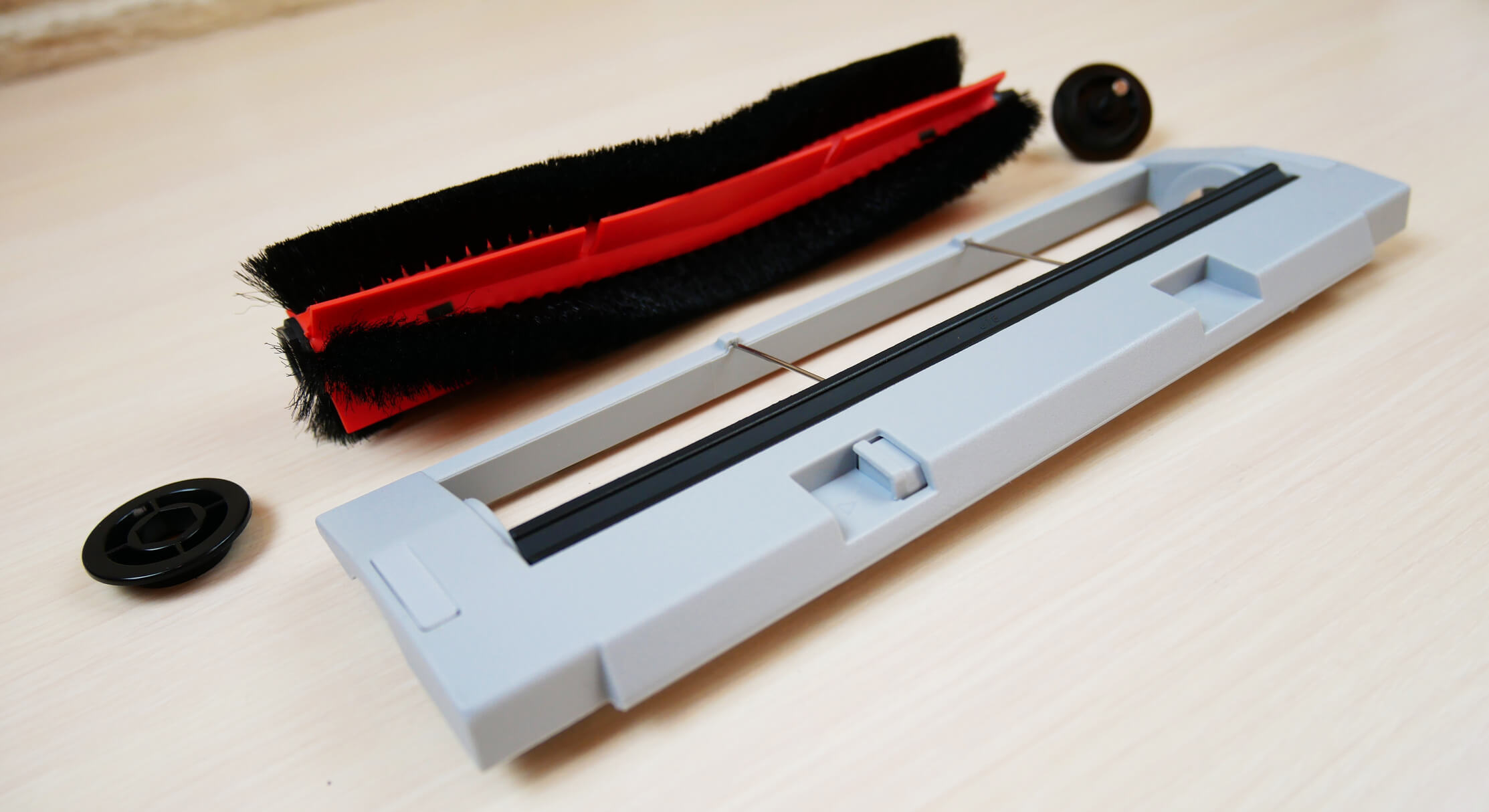
Central brush
A wet cleaning attachment can be attached to the bottom of the robot. Water flows through three holes onto the cleaning pad. The pad is secured with Velcro and pockets on the front.
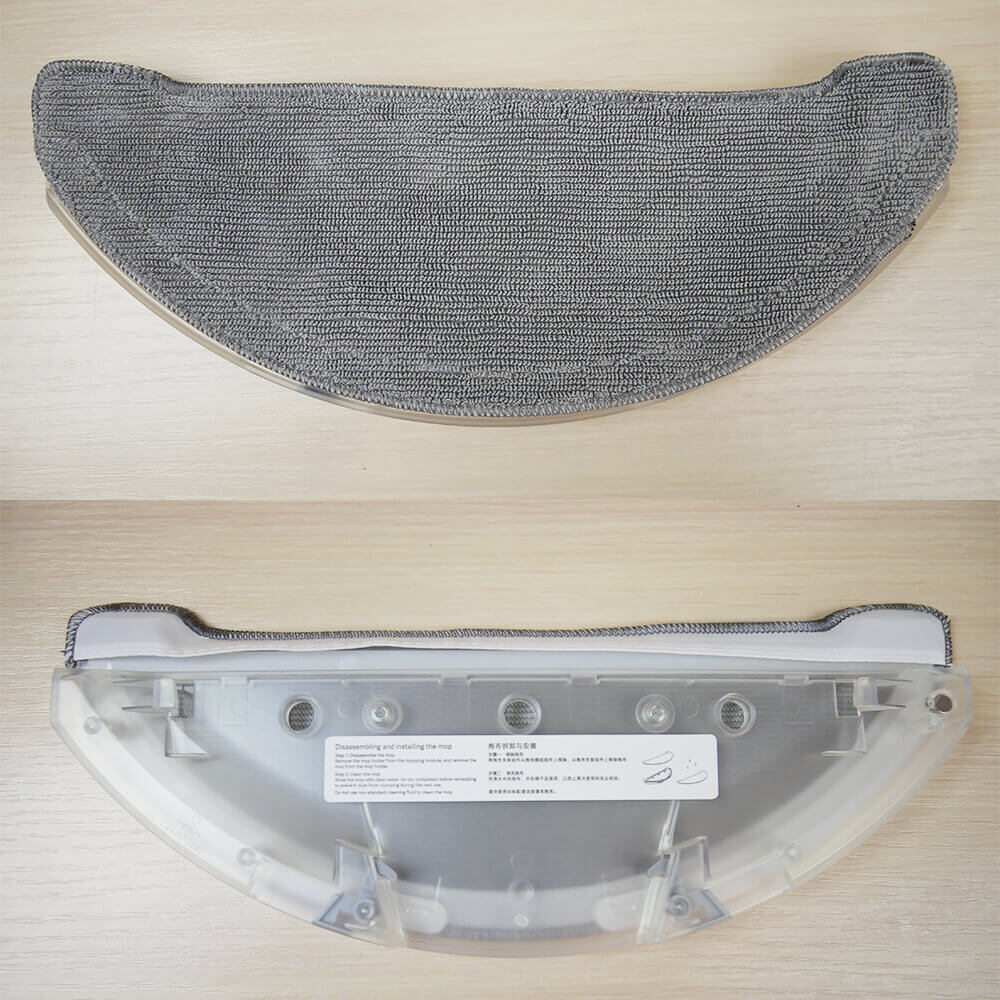
Wet cleaning attachment
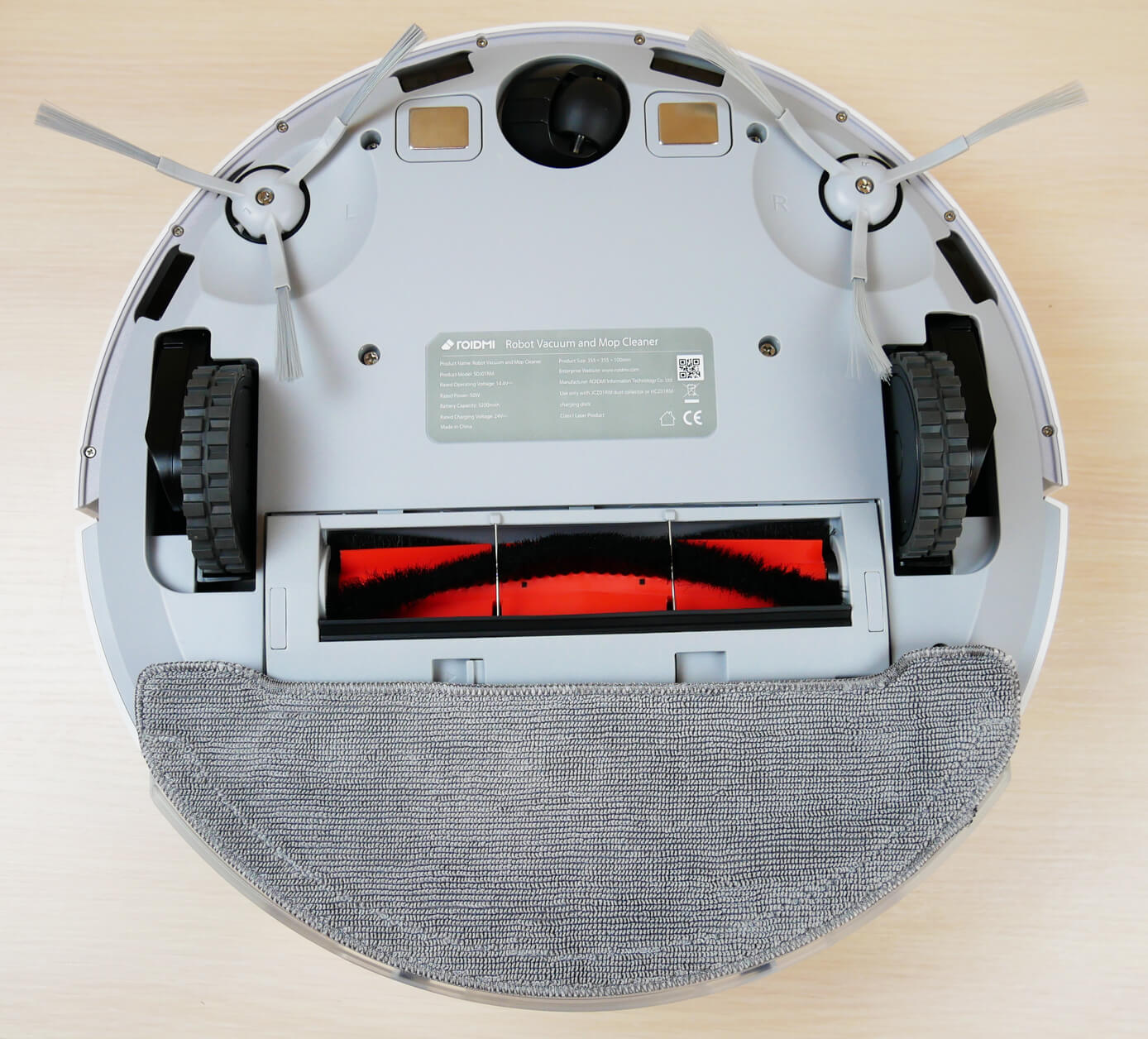
Bottom view with napkin
Now let's look at the base itself. Waste is sucked out through a suction channel located at the front. The base itself has a recess for parking the robot. This allows the robot to take up less space when parked at the station.
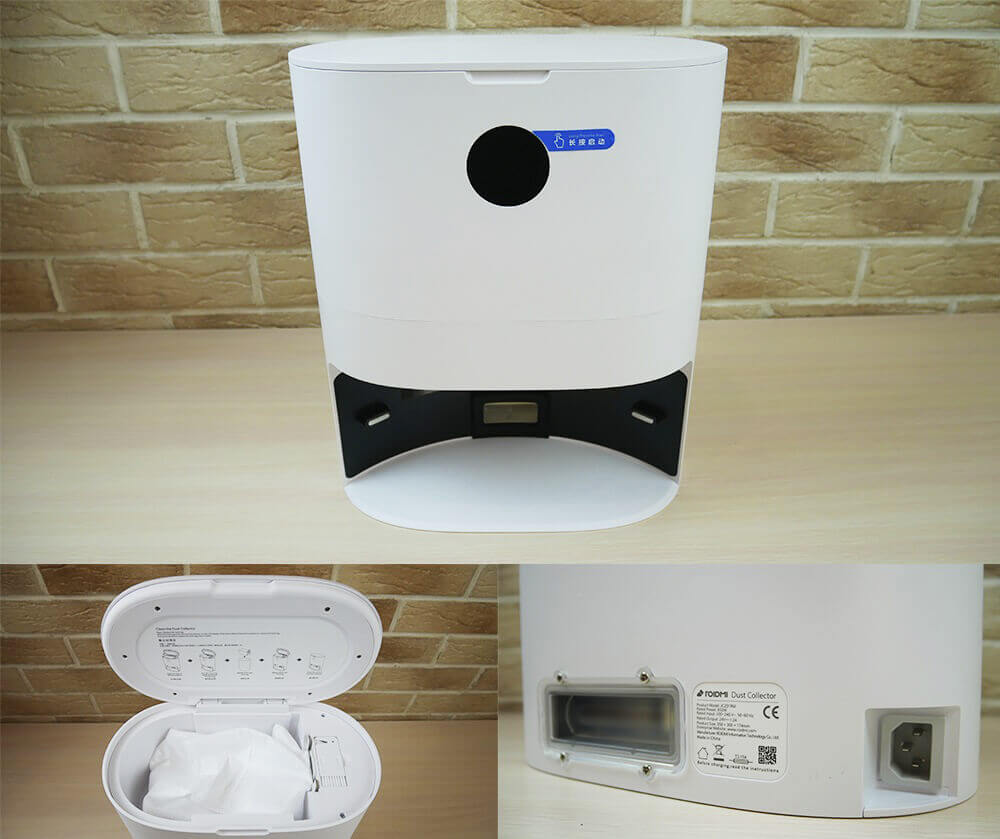
Self-cleaning base
The base features a display. It displays information such as the robot's self-cleaning countdown, battery percentage, and indicators that indicate the base's status: a timely reminder when the dust bag is full, an error code when a malfunction occurs, and even an indication that the ionizer is activated. According to the manufacturer, this ionizer disinfects.
Under the top cover is a dust bag and cleaning tool for the dust bin and central brush. The dust bag holds up to 3 liters of dry waste, enough for 1-2 months of use. Underneath is a ventilation hole for the self-cleaning motor. On the side is an opening for the duct itself, through which waste is discharged from the robot into the station.
Overall, the robot is well-made for the price. The plastic quality isn't as good as that of premium models, but it's still above average compared to budget Chinese robots with lidar.
Technical specifications
The main characteristics of Roidmi EVE Plus, as stated by the manufacturer:
- Li-Ion battery 5200 mAh.
- Station power consumption: 850 W.
- Suction power up to 2700 Pa.
- Operating time up to 200 min.
- Cleaning area up to 200 sq.m.
- Dust collector capacity is 300 ml.
- The water tank capacity is 250 ml.
- Obstacle clearance up to 20 mm.
- Dimensions: 350*98 mm.
The specifications are quite standard for mid-range and premium robot vacuums released in 2021. Let's move on.
Functional capabilities
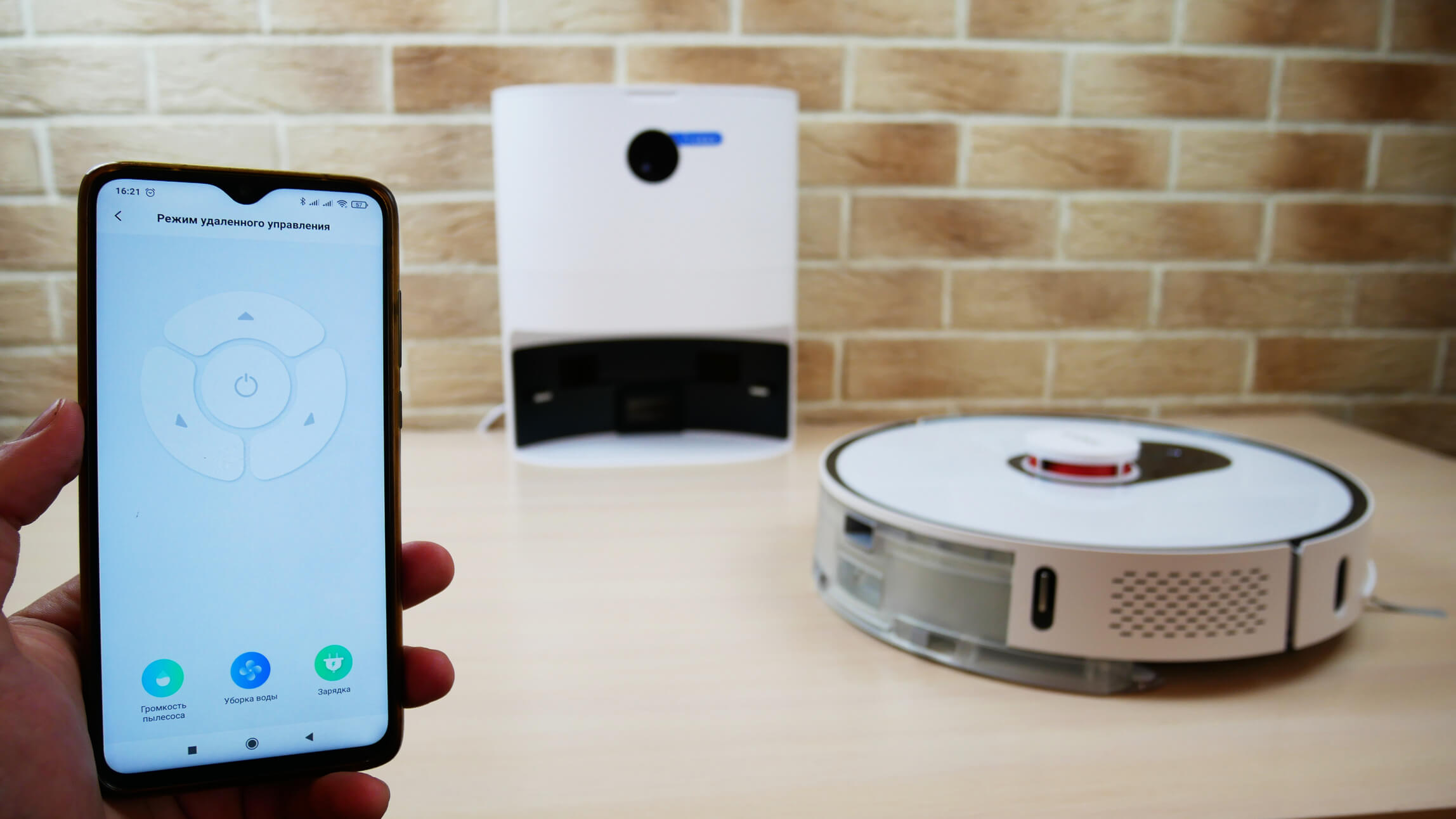
Now let's look at what the Roidmi EVE Plus can do. It can be controlled either via Mi Home (if you select the China region) or via the proprietary Roidmi mobile app. The latter option is more interesting.
Control
When I tried to scan the QR code in the app download instructions, nothing happened. The code wouldn't scan. So I had to manually search for the Roidmi app in the app store. Registration was straightforward, but connecting the robot to my smartphone was a bit tricky. If your smartphone can't find the robot after resetting your Wi-Fi, you'll need to manually select the robot's network in your smartphone's Wi-Fi settings. Then, select your router's network in the settings and pair the robot vacuum with your home network. While this might be a bit of a hassle, I think you'll figure it out. If not, let me know in the comments, and I'll be happy to help.
So, the app's main dashboard displays the generated and saved cleaning map, which, as you can see, the robot has automatically zoned into rooms. First, let's go over the basic settings. You can enable obstacle avoidance, disable the robot's indicator lights, enable automatic power boost when entering carpets, and set a "Do Not Disturb" mode for a preset time.


Settings and functions
Regarding the self-cleaning base settings, you can also turn off the display if needed and select the robot vacuum's self-cleaning frequency. If your home is small, it's not necessary to have the robot self-clean every time. This will extend the life of the motor in the base.
Let's move on. Roidmi EVE Plus can be configured to clean on a schedule, allowing you to select the appropriate days of the week, times, cleaning modes, and even specific rooms as needed. That's a plus.
The app also stores data on past cleanings, and you can adjust the volume and language of voice alerts. Incidentally, this model speaks Russian.
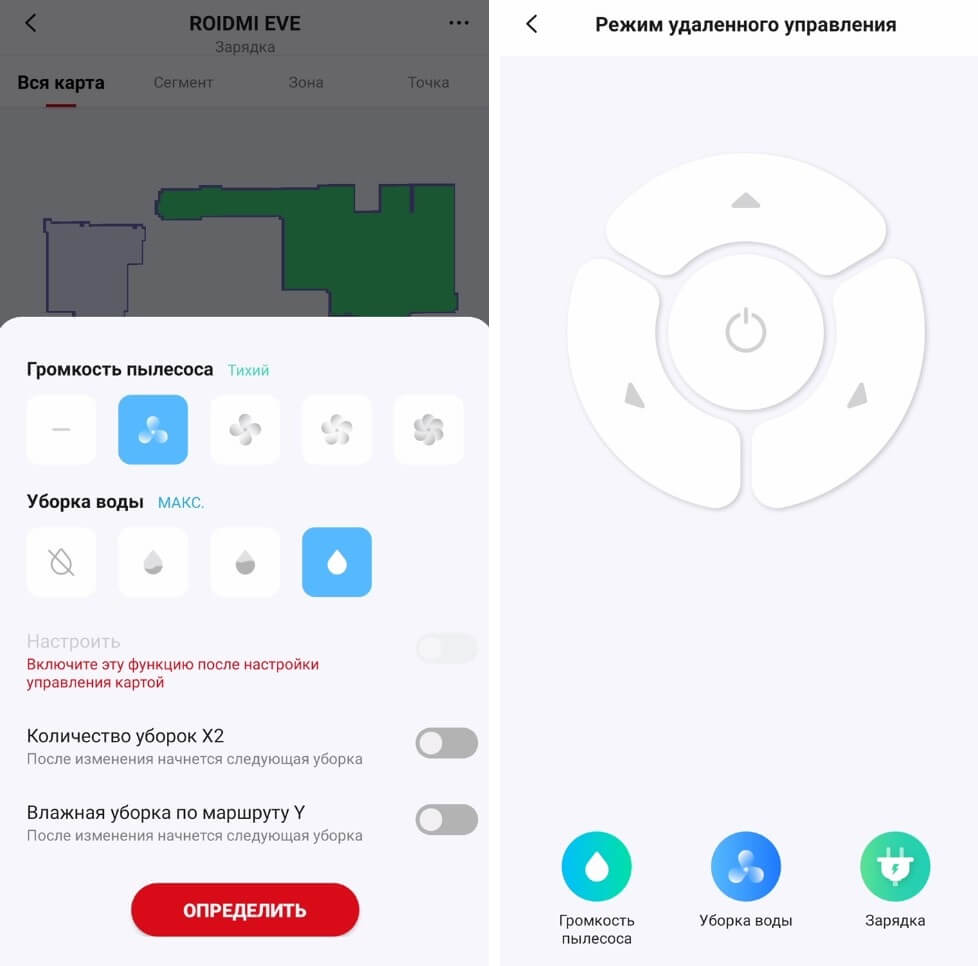
Additional features include monitoring the status of consumables, remote control mode, changing the robot's name, granting control access to other users, and updating the firmware if necessary.
Additional features
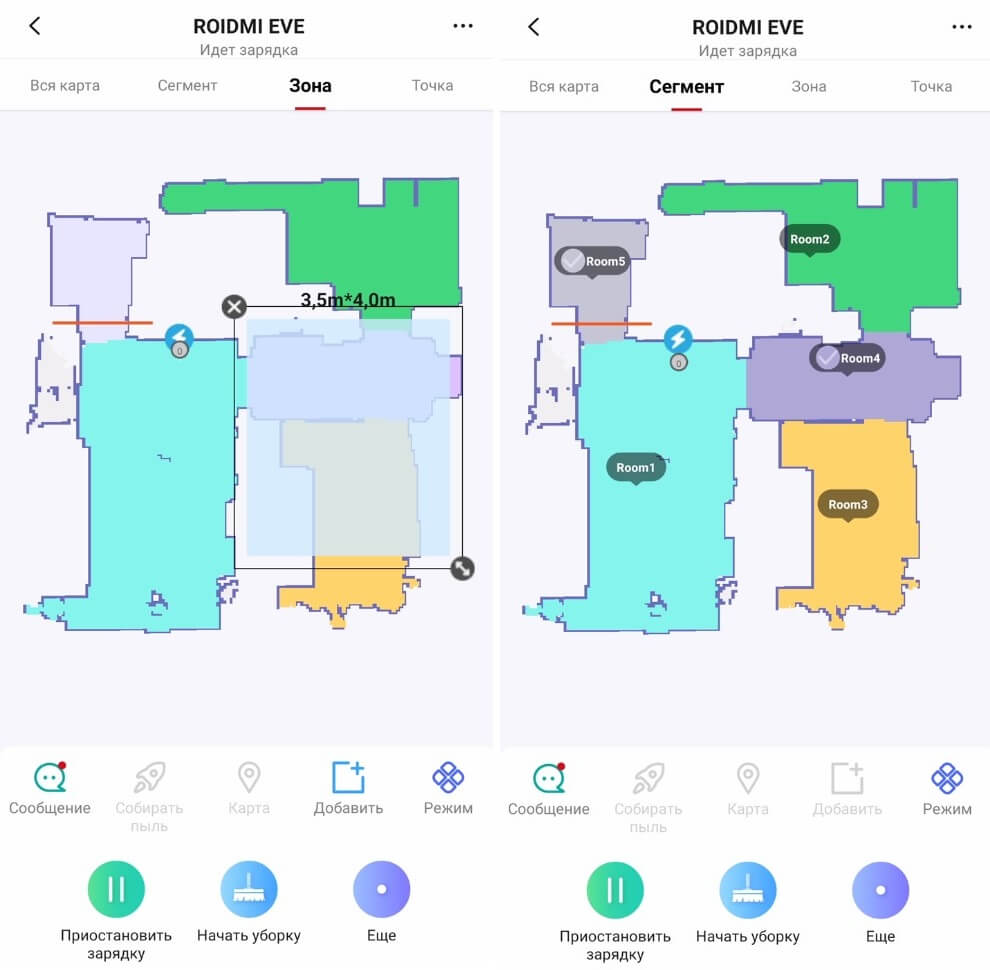
Now let's talk about more important features. On the main control panel, you can select one of four main cleaning modes. These include automatic cleaning of the entire available area, selection of rooms to clean, individual zones, and even a point on the map where the robot can go to perform localized cleaning of an area measuring 1.6 x 1.6 meters.
Operating modes
Below the map, we see two rows of buttons. Let's start with the top one. Here you can view notifications the robot sends to your smartphone, force self-cleaning, adjust the suction power and water flow level, enable dual-pass cleaning of the entire accessible area, and, by the way, the Roidmi EVE Plus can also move in a Y-pattern, like a floor polisher, in wet cleaning mode.
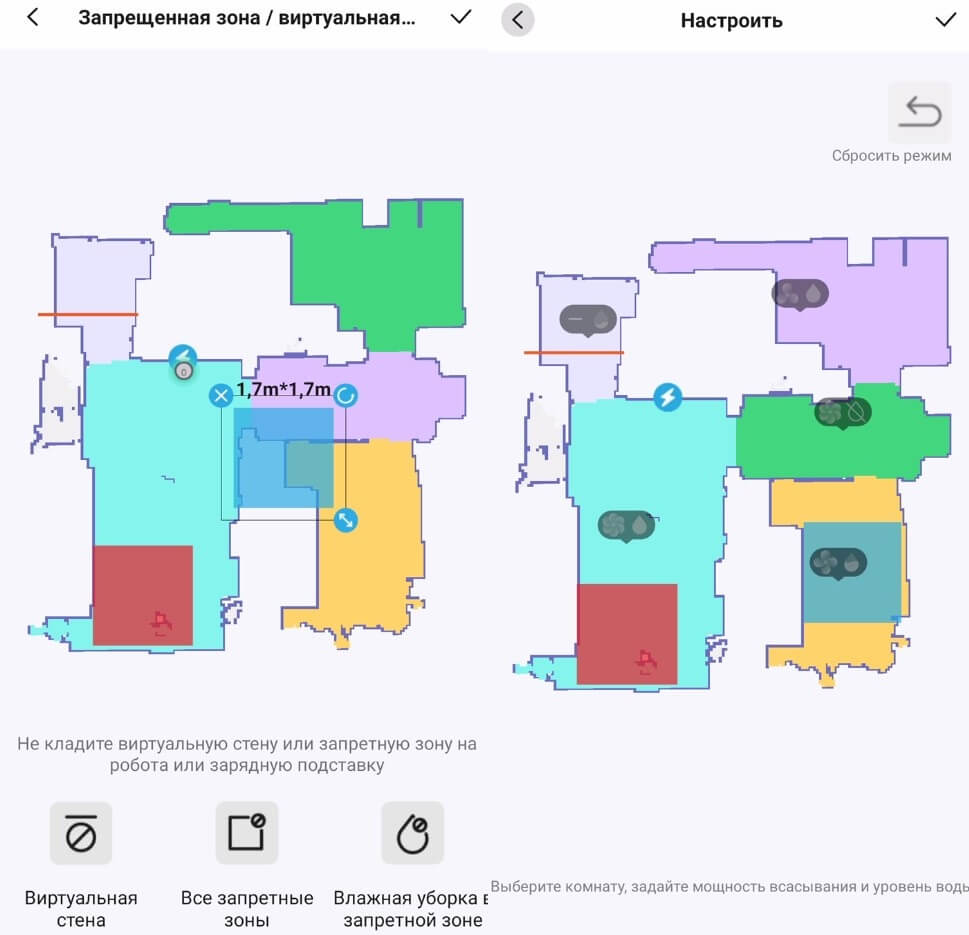
When working with a map, of which the robot can store several in its memory, you can set virtual walls, no-go zones, even separate ones for wet cleaning mode, combine several rooms into one or, conversely, divide a room into several zones, rename rooms, customize the cleaning sequence, and even select individual water flow levels and suction power for each room. Absolutely fantastic!
Working with the map
It has all the necessary features for comfortable use of a robot vacuum cleaner. It's also important to note that Roidmi EVE Plus supports pairing with Yandex.Alice.


Yandex Alice
So, in the end, there are no complaints about the functionality, and the application itself works adequately; no problems were identified during testing.
Testing
A video review of the Roidmi EVE Plus, including all tests, has already been prepared and published on our channel. We recommend watching:
Navigation
Finally, let's move on to the tests. First, we'll check how Roidmi EVE Plus navigates a room with obstacles. First, the robot navigates the perimeter of the room. It got caught in a trap with the legs of a dryer, but managed to escape on its own without making any errors. After completing the perimeter, Roidmi EVE Plus began cleaning the entire accessible area in a serpentine pattern. It swept around all the chair legs and around the box separately. Double-pass mode was selected, so after another pass around the entire perimeter, the robot began cleaning in a serpentine pattern in a perpendicular direction. Navigation was excellent. Test successful!
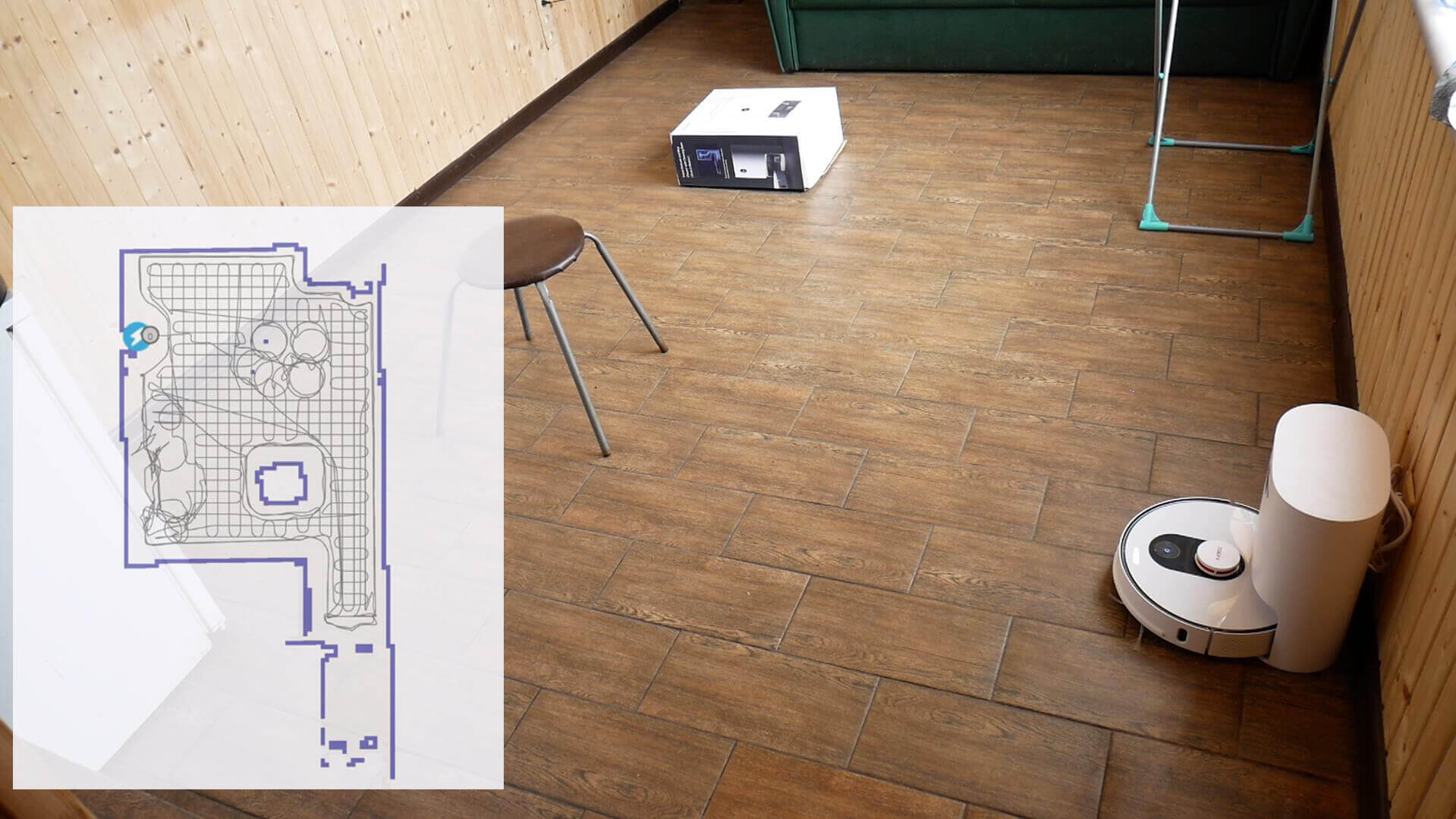
Navigating within a room
Navigation within the house is also flawless. The robot navigates room by room, first along the perimeter, then in a serpentine pattern. It took only 26 minutes to clean the entire house, a useful area of approximately 34 square meters (360 square feet), which the robot somehow calculated as 27 square meters. Cleaning speed is high, and there are no uncleaned areas. Another test successfully passed!
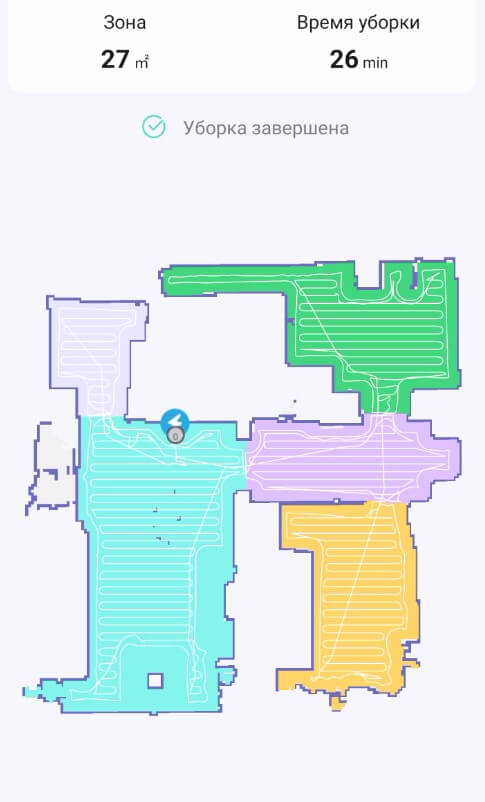
Navigation within the home
Suction power
As for suction power, it's standard. The Roidmi EVE Plus can suck up debris from crevices no deeper than 2 mm, just like its peers, which claim a suction power of up to 2700 Pa.
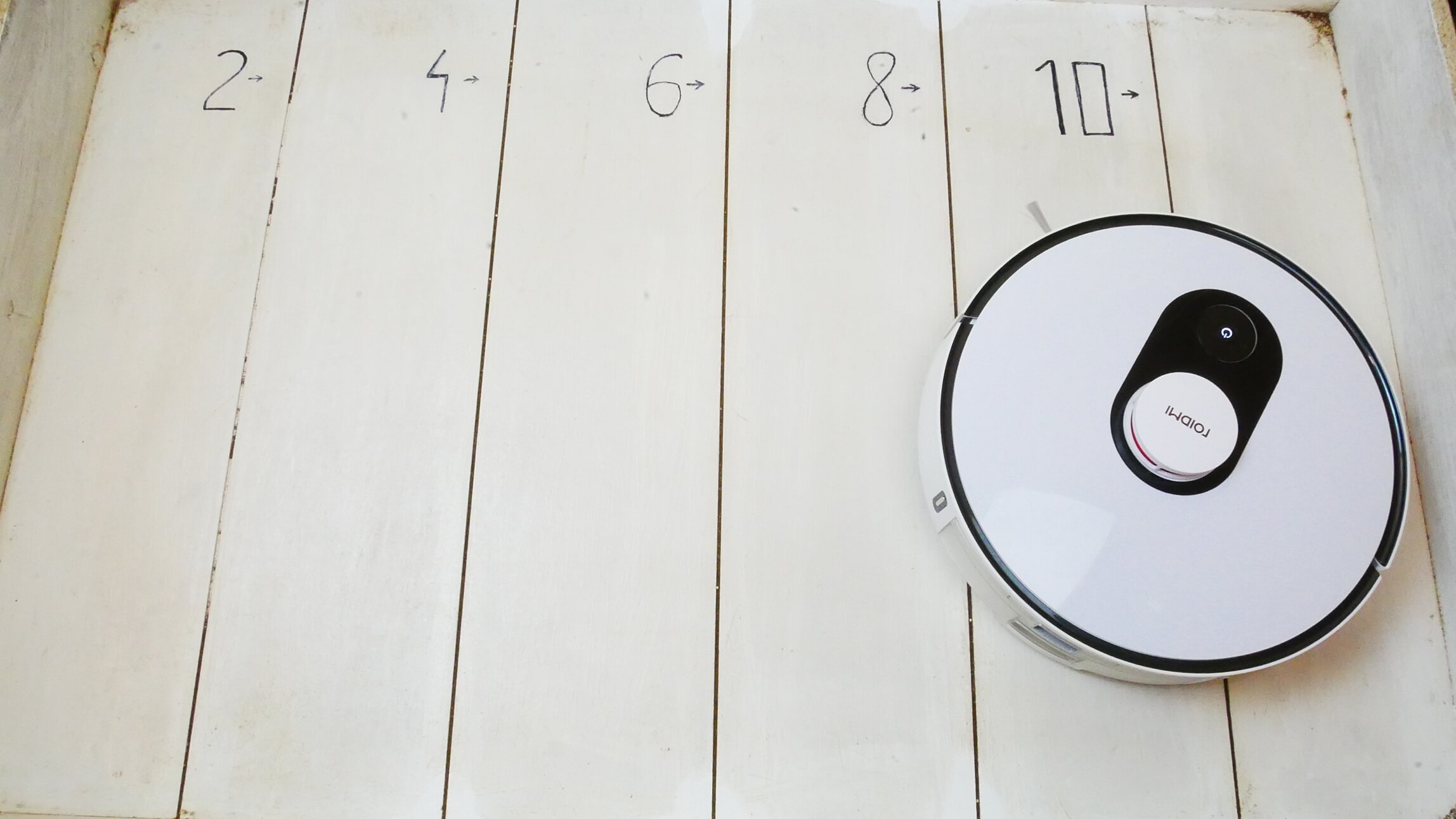
Suction power
Dry cleaning of laminate flooring
Dry cleaning performance on laminate floors is quite decent. Although the robot scatters small debris with its side brushes, it can still pick up debris from the floor in just one pass. It also sweeps well into corners, compared to most other round robots.
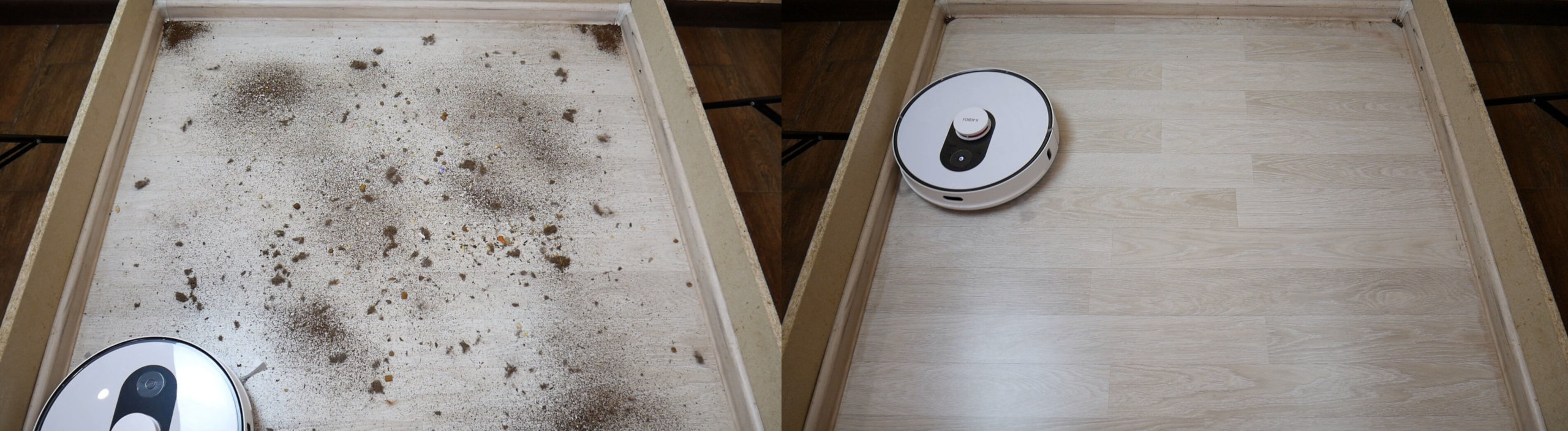
Dry cleaning of laminate flooring
Cleaning the carpet
There are no complaints about the quality of carpet cleaning either. The robot thoroughly cleans carpets thanks to its increased power and high-quality central brush.
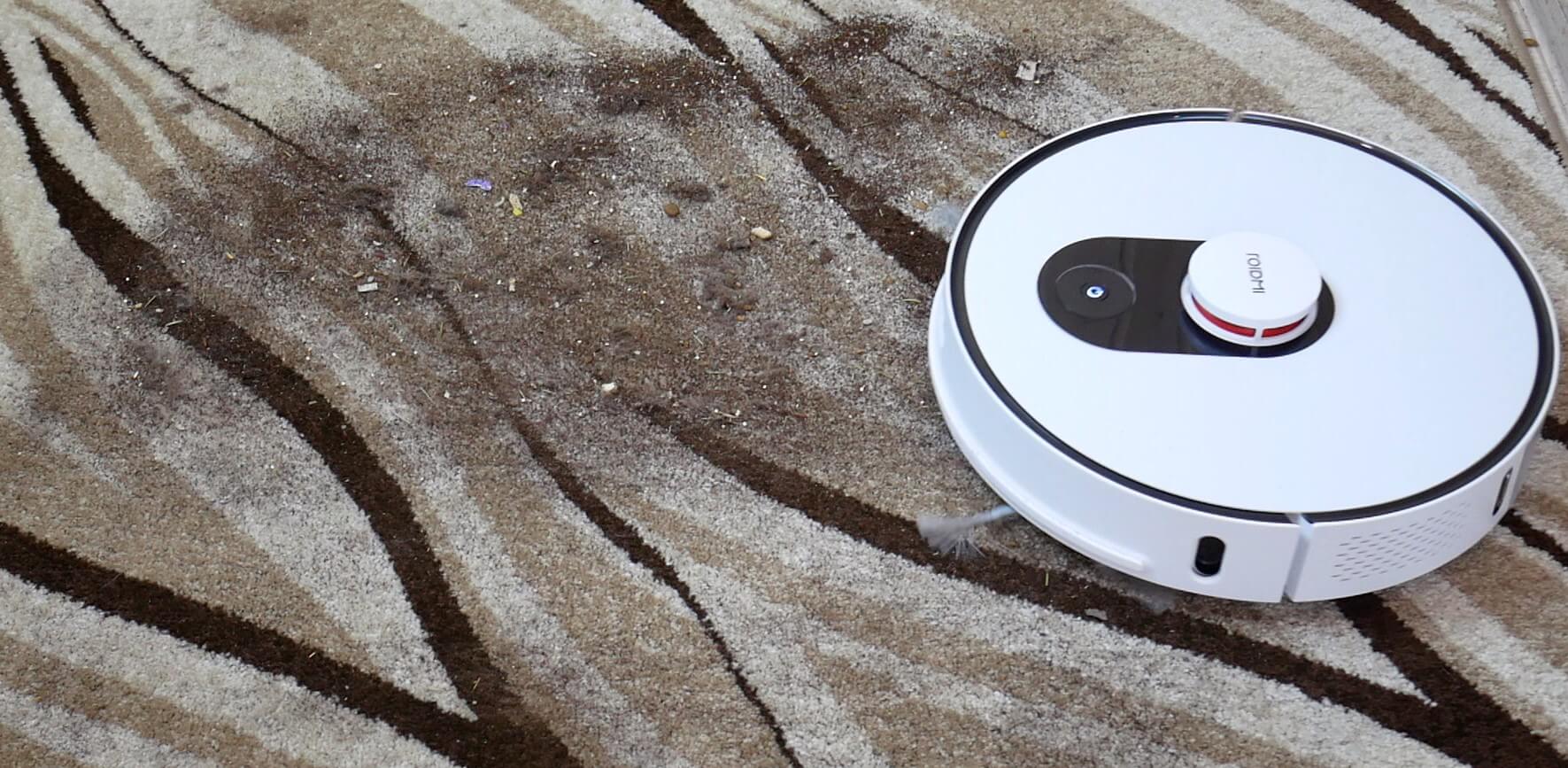
Cleaning the carpet
Self-cleaning quality
Here's a rather interesting test that subscribers requested: how well the base empties the dust container during self-cleaning. For this test, we completely filled the dust container and returned it to the base. After self-cleaning, a significant amount of dust remained in the container, requiring a second run. The Roidmi EVE Plus self-cleaned almost completely after the second run, but it still wasn't perfect. So keep that in mind.
But in any case, with periodic operation, so much waste will not accumulate in the container and, accordingly, the base will only need to perform self-cleaning once.
Wet cleaning
The cleaning performance of dried-on dirt on laminate flooring was also above average. The robot removed all shoe marks without leaving streaks. The only thing that remained was a line along the baseboard, which robot vacuums are currently unable to remove due to their design. At least compared to all the other robot vacuums we tested.
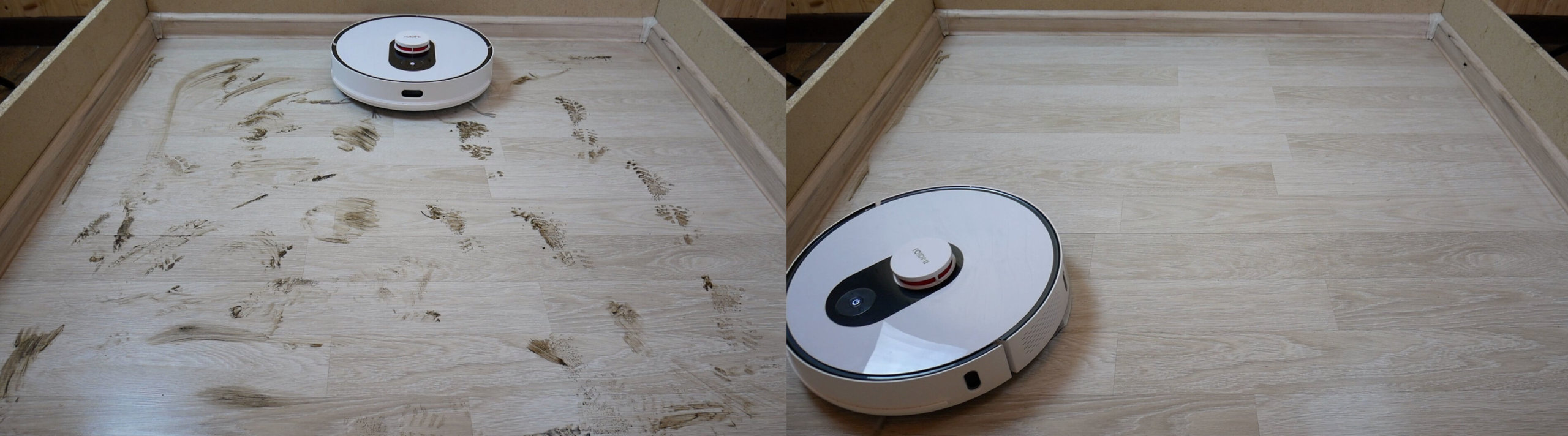
Wet cleaning
Overall, the wet cleaning performance is good, and a big plus is that the Roidmi EVE Plus can vacuum and mop simultaneously, as well as move in a Y-shaped pattern.
Obstacle clearance
This robot can easily handle 2-centimeter thresholds, so it has good cross-country ability.
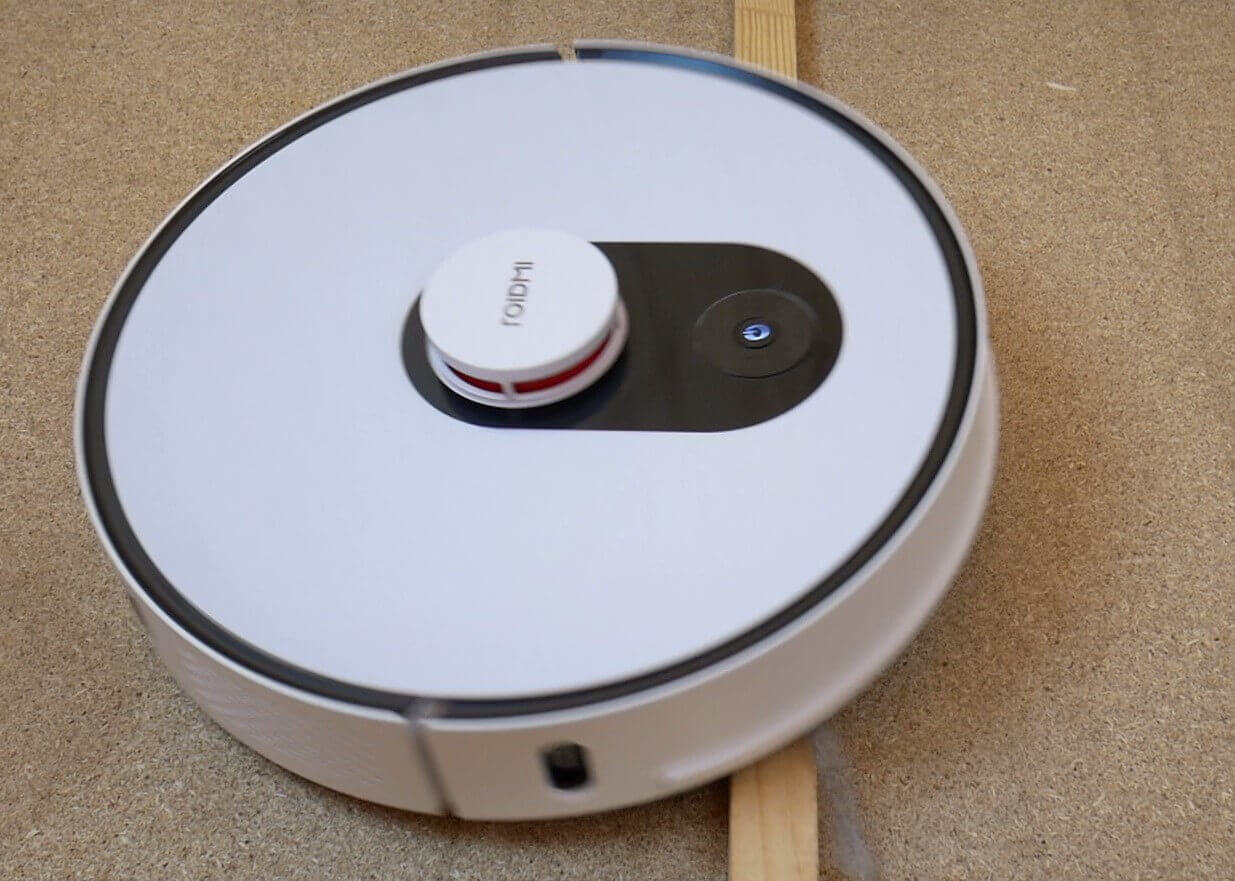
Obstacle clearance
Driving on dark surfaces
And what was truly surprising and pleasing was that the Roidmi EVE Plus is resistant to dark surfaces, unlike all other Xiaomi robots. This is a significant advantage!
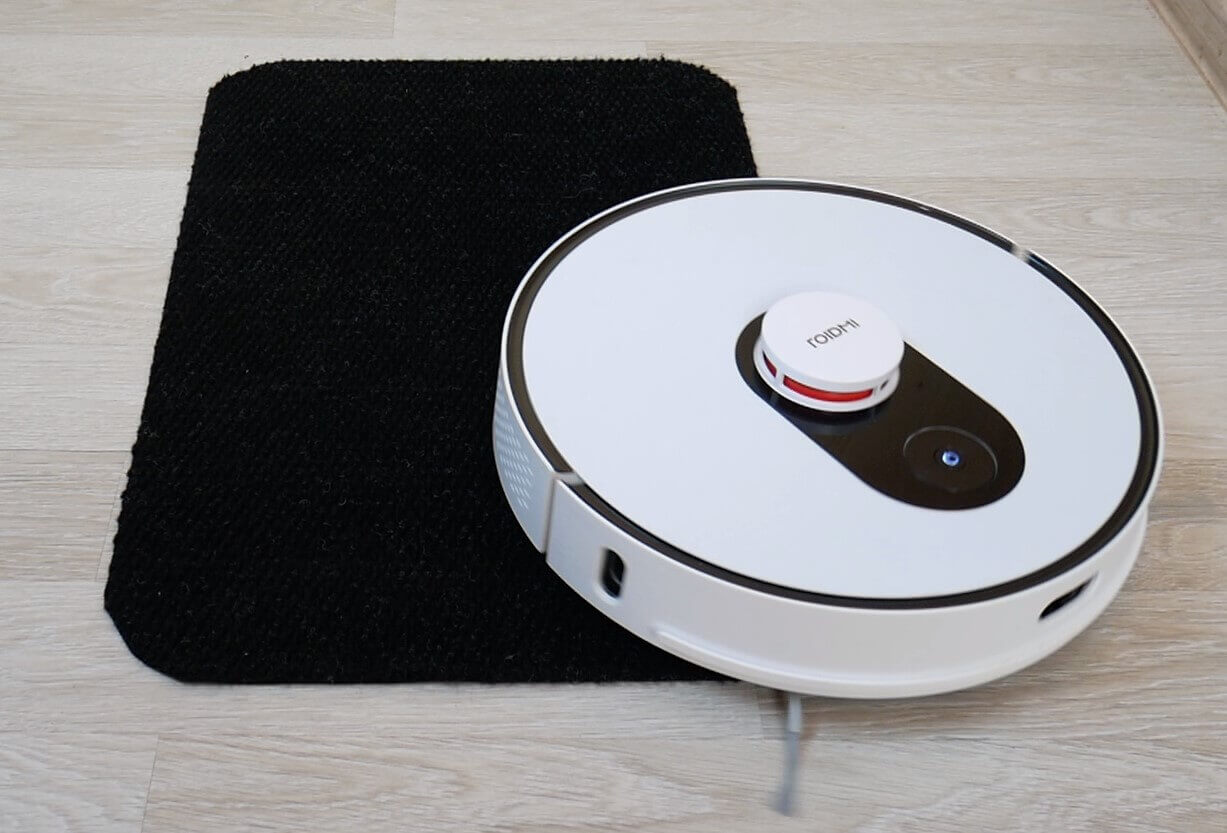
Driving on dark surfaces
Noise level
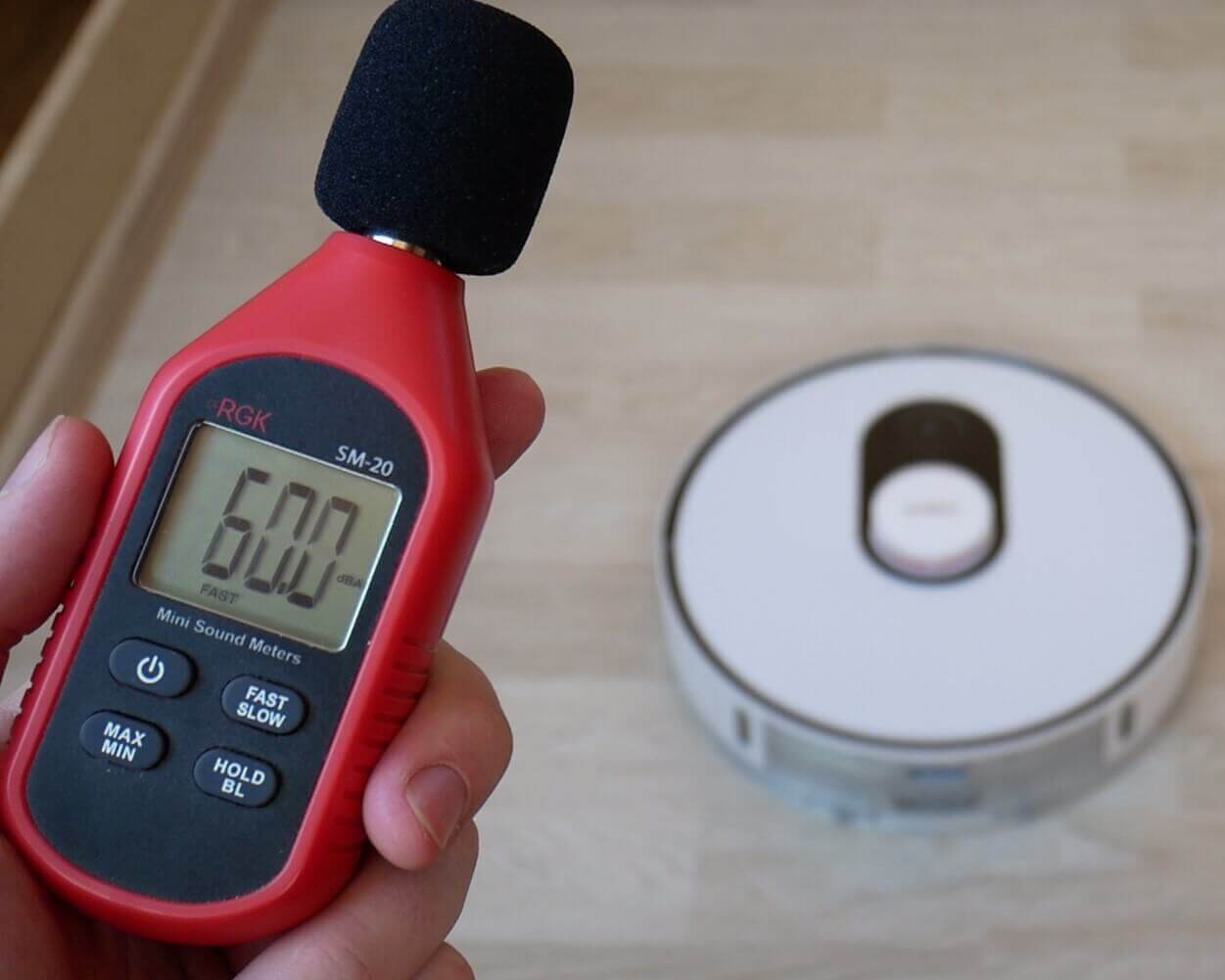
Finally, we measured the Roidmi EVE Plus's noise level in different modes. In floor polishing mode and at minimum power, it ranged from 57-60 dB, in standard mode the noise level reached 64 dB, and at maximum power, the peak reached almost 72 dB. Yes, this robot vacuum cleaner is noisy despite its standard suction power.
Noise level
Let's sum it up
Roidmi EVE Plus has been thoroughly reviewed and tested. our evaluation system It managed to score 80 out of 100 points, which would place it in second place after the Viomi S9 (overall rating: https://robovac.washerhouse.com/en/rejtingi/robovac-obshhij-rejting-robotov-pylesosov-robo.html), however, it was decided to deduct 2 points from it due to the large number of negative reviews online. Total: 78 out of 100The robot has only recently hit the market, but issues have already been reported, including a malfunction in the water supply to the cleaning cloth from the tank—the Roidmi EVE Plus stops supplying water, requiring repairs. Furthermore, users complain that the robot sometimes fails to find its base after a cleaning cycle, and navigation issues arise. There are also issues connecting to the app, as I experienced firsthand. And given the price, the build quality of this model is clearly inferior to Roborock or Dream. So, overall, the robot is quite interesting for the price, but it's not yet the best. Let's consider the pros and cons one by one.
Advantages:
- Self-cleaning base.
- Lidar for navigation.
- All advanced functionality in the application.
- Simultaneous dry and wet cleaning.
- High quality cleaning on both hard surfaces and carpets.
- There is a Y-shaped floor cleaning mode.
- Automatically recognizes carpets and increases suction power on them.
- Good obstacle clearance.
- The robot vacuum cleaner is not afraid of dark surfaces.
- The optimal price, taking into account all of the above.
As for the disadvantages, I would like to highlight the following:
- Increased noise when operating at maximum power.
- The station does not suck out all the debris from the dust collector at once.
- There are quite a few complaints about the robot on the internet.
In the end, for me personally, only the last point is important, especially considering the experience of testing the double Lydsto R1, which started creaking after just a few days of testing. However, the Roidmi Eve Plus is definitely the more attractive option between these two models. Overall, for a budget of around $300, it offers a wide range of features and competitive specifications. Therefore, I can only recommend purchasing from local stores or trusted sellers so that if a malfunction occurs, you can easily fix it and continue using the robot. This model left a positive impression on most aspects, and I personally had no complaints during testing. Therefore, you must decide for yourself whether to take the risk, taking into account the information provided, or pay a premium for a more reliable robot.
On that note, I'd like to end this review! If you have any questions, please ask them in the comments. Happy shopping, everyone. Bye!
Good evening! Could you please tell me how to restore the robot's Wi-Fi network? I turned off the lights, and now the vacuum cleaner is offline in the ROIDMI app. Restarting the Wi-Fi, and if that doesn't help, do I have to start over again, like holding down both buttons on the robot, etc.?
Were you able to connect your vacuum cleaner to Yandex Alice yourself? Did you control it using voice commands? There are many reviews online about connection failures. Thank you.
Good afternoon
Please write in more detail about connecting the robot to the Roidmi app.
I managed to connect to Mi Home, but it was also difficult.
Thank you.
Hello. I can't figure out how to merge, split, and rename? How do I set them up and assign them to rooms? Thank you.
Good afternoon. It was well advertised. Someone liked it and bought it. But after a while, it broke. Nothing lasts forever. The question is: where can I find service centers?