
How to clean a robot vacuum cleaner from debris and pet hair – simple tips
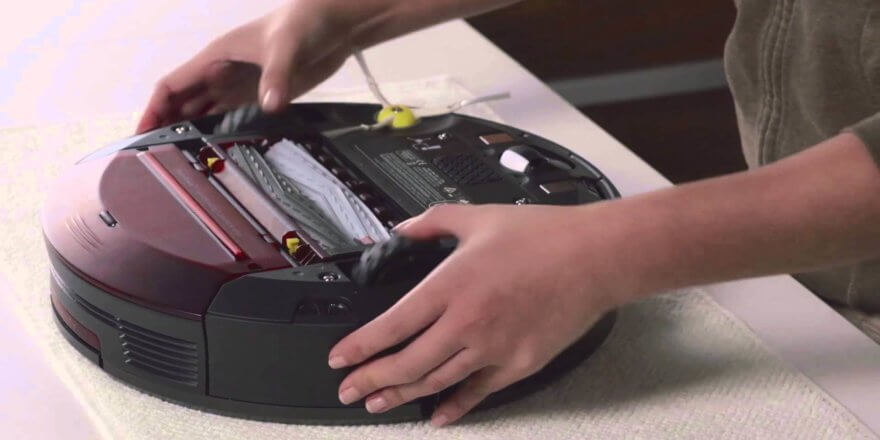
A robot vacuum cleaner is a modern, high-tech device designed to make life easier and help keep your home clean. Although a smart vacuum cleaner is designed as a standalone device for cleaning your home, like any other household appliance, it requires periodic care and maintenance. Cleaning the various parts of a robot vacuum cleaner is simple and doesn't take much time, but it has a significant impact on its overall performance and lifespan. It's important to know that maintaining the device doesn't require any special skills; absolutely anyone can do it. All you need is a little time and a few special tools. Today, we'll cover how to clean a robot vacuum cleaner of debris, as well as how often to clean all its important components.
A detailed video tutorial has already been prepared and published on our channel. We've tried to clearly demonstrate all the nuances of maintaining a robot vacuum cleaner:
Cleaning the dust collector and filter
First, let's look at how to properly clean the dust container and filter. Almost all robot vacuum cleaners have a cyclonic dust container—that is, a bagless one—equipped with one or more air filters. Some older models still use dust bags, which are simply replaced with new ones.
To empty the dust bin, you remove it from the device by pressing the corresponding button on the body. Typically, it is removed from the top, like on the Gutrend or Panda robots, or it slides out from the side, like on the iRobot Roomba.
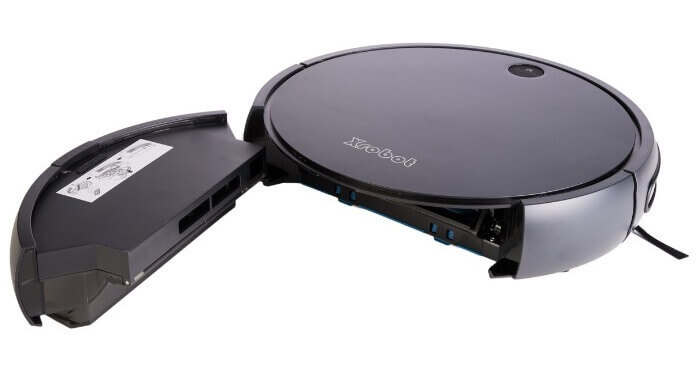
Dust collector location
The vacuum cleaner's brand will also determine whether the dust container and filter can be washed underwater. The dust containers of the iRobot Roomba robotic vacuum cleaners should never be washed underwater, as they contain an electric motor. At most, you can wipe them with a slightly damp cloth. As for the filter, you can clean it with the special brush included in the package (if included), by blowing it with compressed air, or by vacuuming it with a traditional vacuum cleaner.
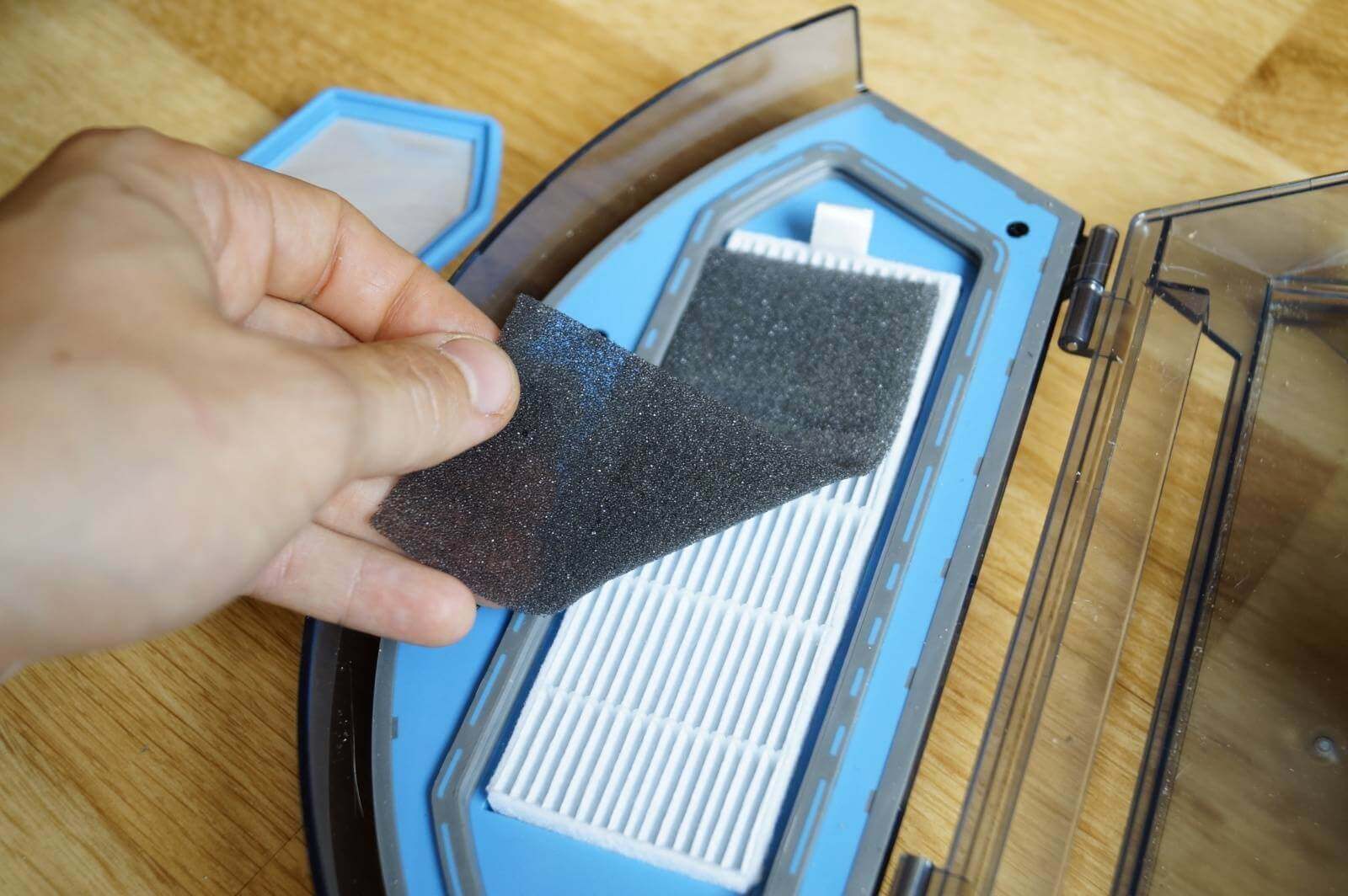
Filter
It's recommended to empty the dust bin after each cleaning cycle, but if the bin is large, it can be emptied every few cleaning cycles. It's important not to overfill the bin, as this will negatively impact the robot vacuum's suction power and overall performance. It's also important to remember that the filter doesn't last long. If you use your appliance daily, the filter should be changed every two months. If you use it several times a week, you can change the filter every four to five months.
Cleaning the turbo brush
Next, we'll look at how to clean the turbo brush of a robot vacuum cleaner from hair and accumulated pet hair if you have pets. Some models may have two turbo brushes. The configuration and installation method of this brush may vary depending on the manufacturer. However, in any case, before cleaning the turbo brush, you must remove it from the robot vacuum cleaner.
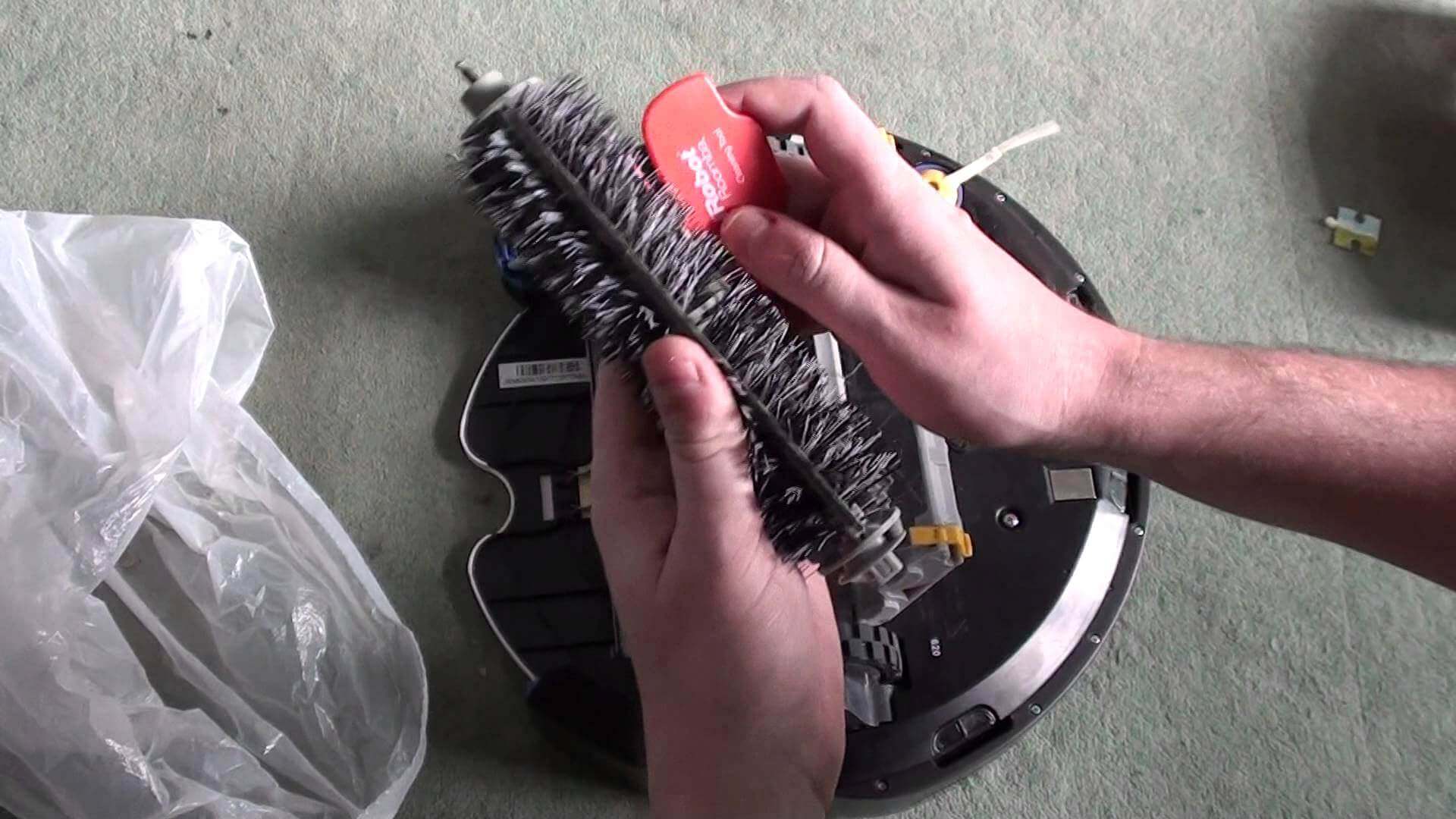
Cleaning the central brush
Many device owners make a common mistake: they only perform superficial maintenance on the main turbo brush without removing it, which leads to further bearing failure and eventually its failure. Replacing this part can be quite expensive. Your device may come with a special plastic comb or a small knife designed for cleaning the turbo brush. This component should be maintained as it becomes dirty, but don't let it get too dirty. Once you've cleaned the brush, reinstall it and secure it securely.
Side brush maintenance
Now let's talk about how to clean the side paddle brushes from pet hair and other debris. Some models may have a single brush, like most. Xrobot robotic vacuum cleanersWhen servicing and maintaining a robotic vacuum cleaner, many users overlook this important step. However, if the brushes are not cleaned promptly, their motors can simply burn out.
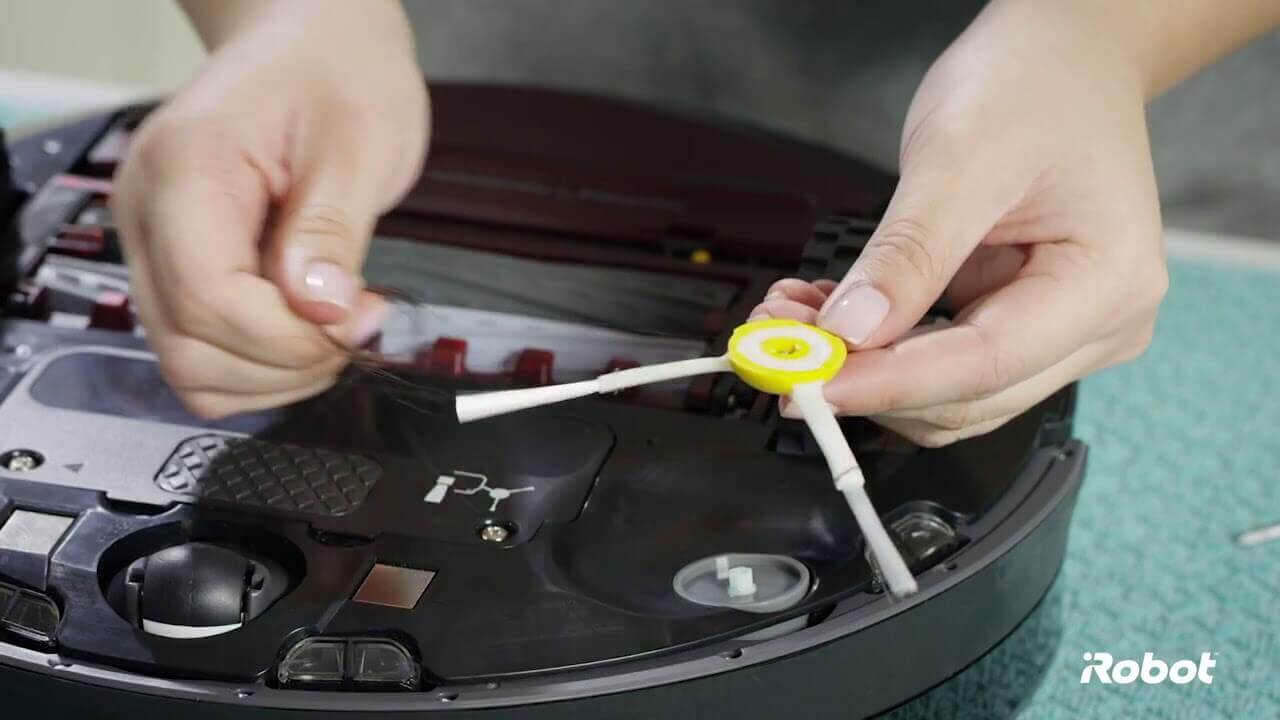
Side brush maintenance
To clean the paddle brush, carefully loosen the screw that secures it using a Phillips screwdriver and pull it gently off the robot vacuum's shaft. Clean the side brushes approximately once a week if you have pets, or every two to three weeks under normal use.
Cleaning the wheels
Cleaning the robot vacuum's guide wheel and drive wheels is essential. Failure to clean the front wheel promptly can significantly reduce the robot's speed, or even stop it altogether if there's a sensor under the front wheel. Maintain the front wheel as it gets dirty. Before cleaning, pull the wheel module toward you and remove it, along with the component, from the housing. Then, remove the wheel from the holder and clean both it and the holder. Next, apply pressure to the wheel axle and remove it to clean any debris. Once cleaned, reinsert the wheel in the same manner as you removed it from the housing.
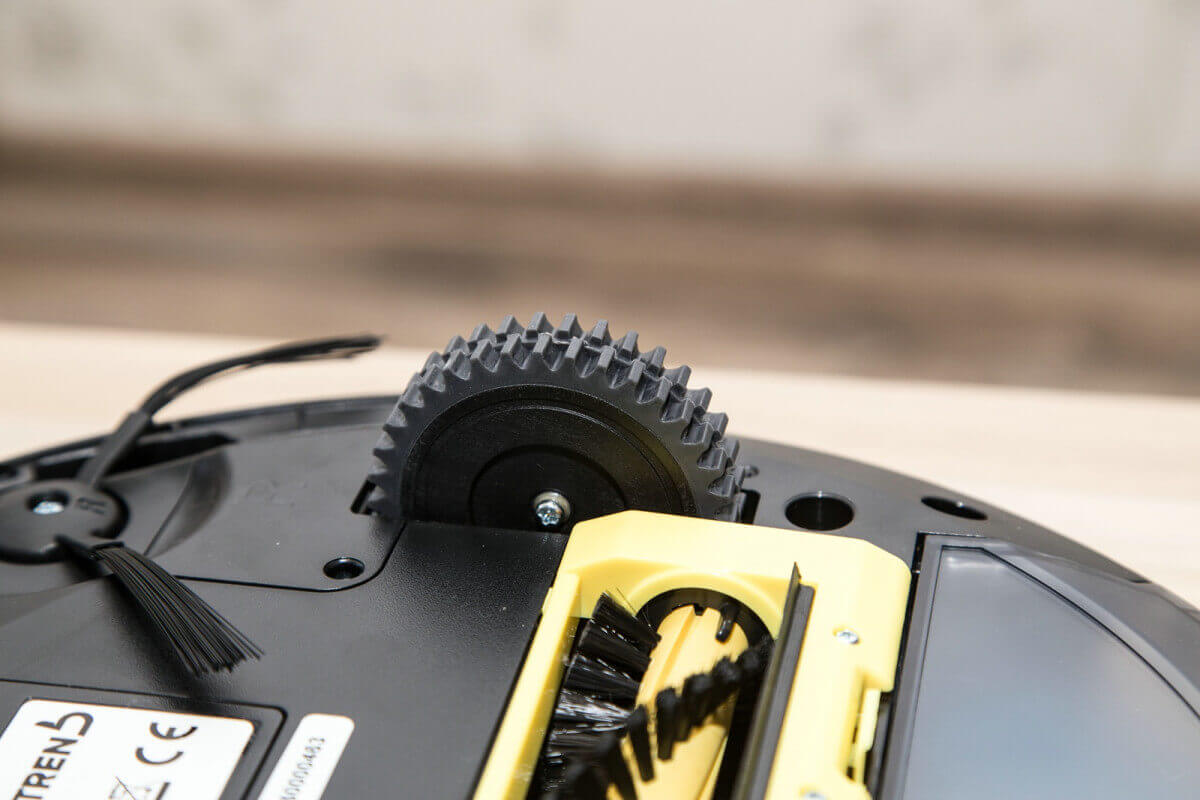
Wheel
The side wheels are the robot vacuum's drive wheels, responsible for its movement. Cleaning them is even easier than the front roller. Simply turn the unit over and apply gentle pressure to the wheels to remove any debris that may have accumulated underneath.
Wiping the sensors
After cleaning the main parts of your robot vacuum, be sure to clean the sensors, which become dusty and dirty over time. This can cause the robot to operate incorrectly, backing up abruptly, or stopping for no apparent reason, resulting in an error. The most important sensors in the device are the dust sensors and the height difference sensors. These elements should simply be periodically wiped with a dry, soft, lint-free cloth.
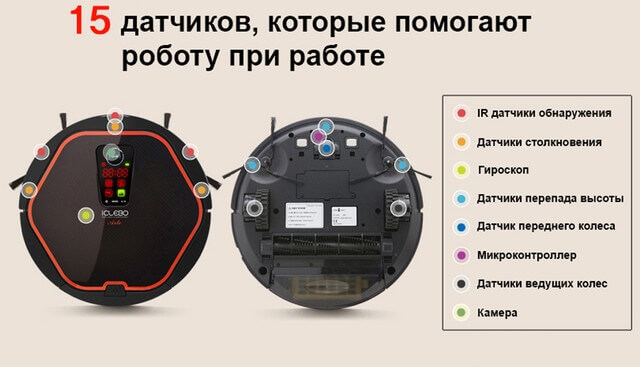
Location of sensors
The video below clearly shows how to clean the iRobot Roomba robot vacuum cleaner, as well as the iClebo Arte:
As you can see, maintaining a robot vacuum cleaner isn't difficult at all, but it does require regular maintenance. Don't forget to take care of your robotic assistant, and it will strive to serve you faithfully for a long time.
The more often you use your robot vacuum, the better it is, oddly enough. Even a week's break from use can negatively impact its battery life.