Robokos RM600i: an affordable robotic lawn mower with advanced features!
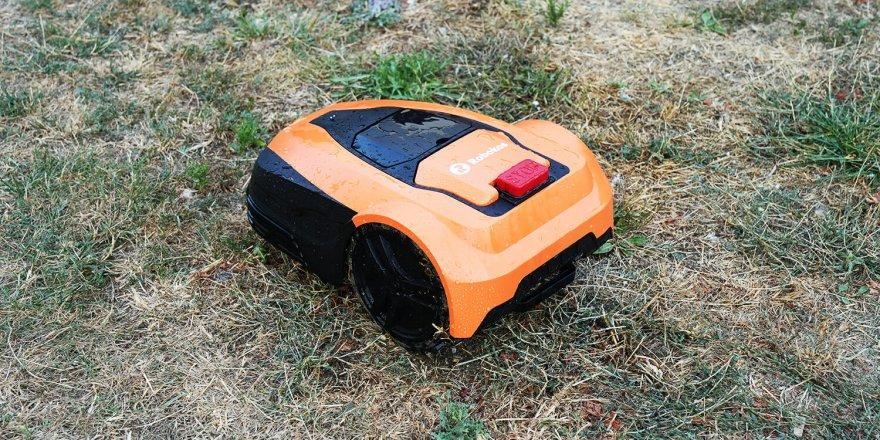
Hello to all the readers of this project! This time, I've received the Robokos RM600i robotic lawn mower for testing. Its price is significantly lower than the similar mowers I tested earlier this year, at $400. However, it boasts several key features that make it even more attractive compared to more expensive models. I'll tell you all about it in detail, test the Robokos RM600i, and then share my opinion. So, let's get started!
Equipment
Let's start with the package contents. The robot arrived in a box like this:
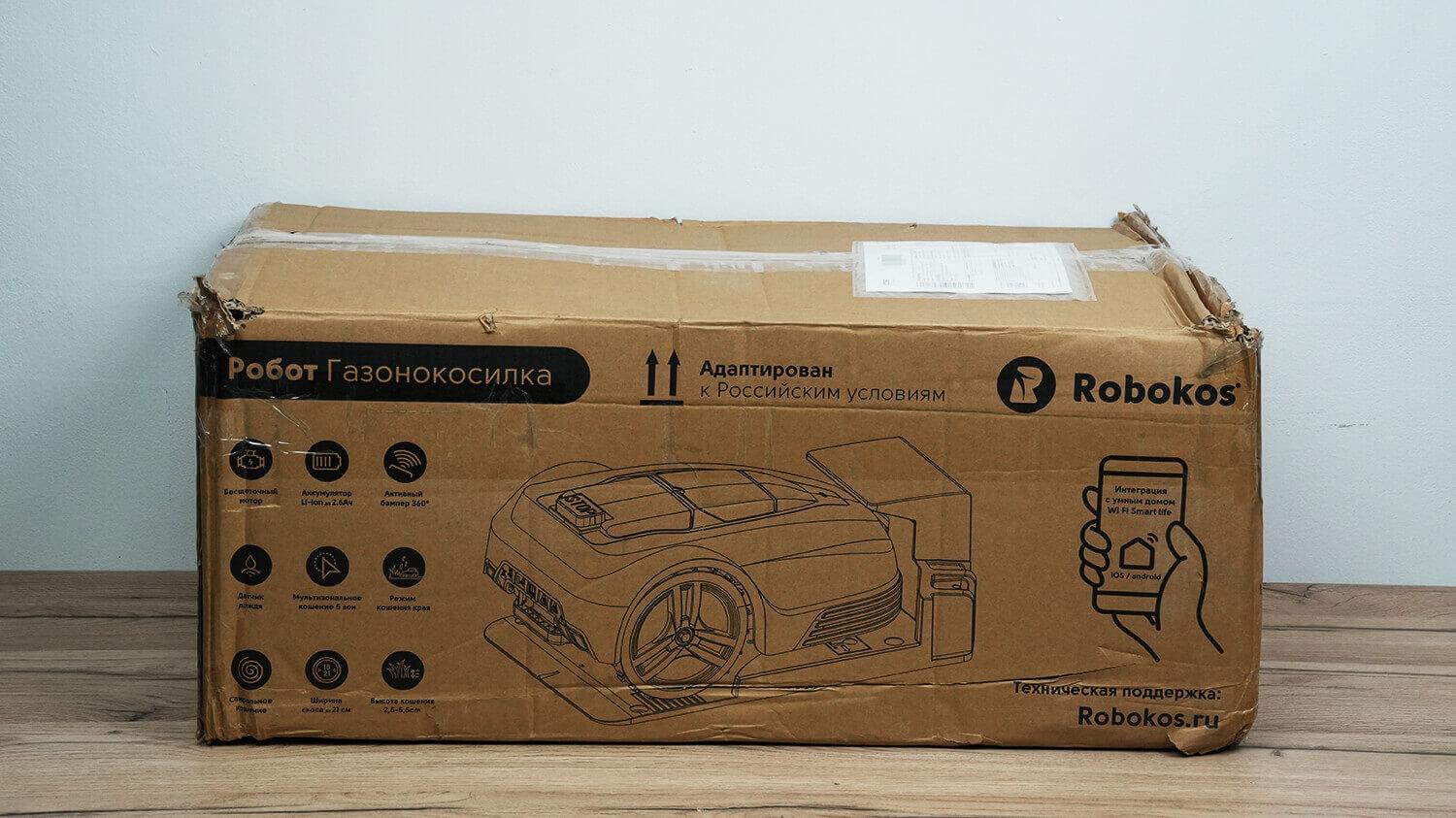
Box
The standard delivery package for the 600 model includes the robot itself with a charging base, a power supply with an extension cord, a set of accessories (which includes screws for attaching the base to the ground, removable charging pins, a spare set of blades, and terminal blocks for connecting the boundary wire), as well as a tool for installing the base and an operating manual in Russian.
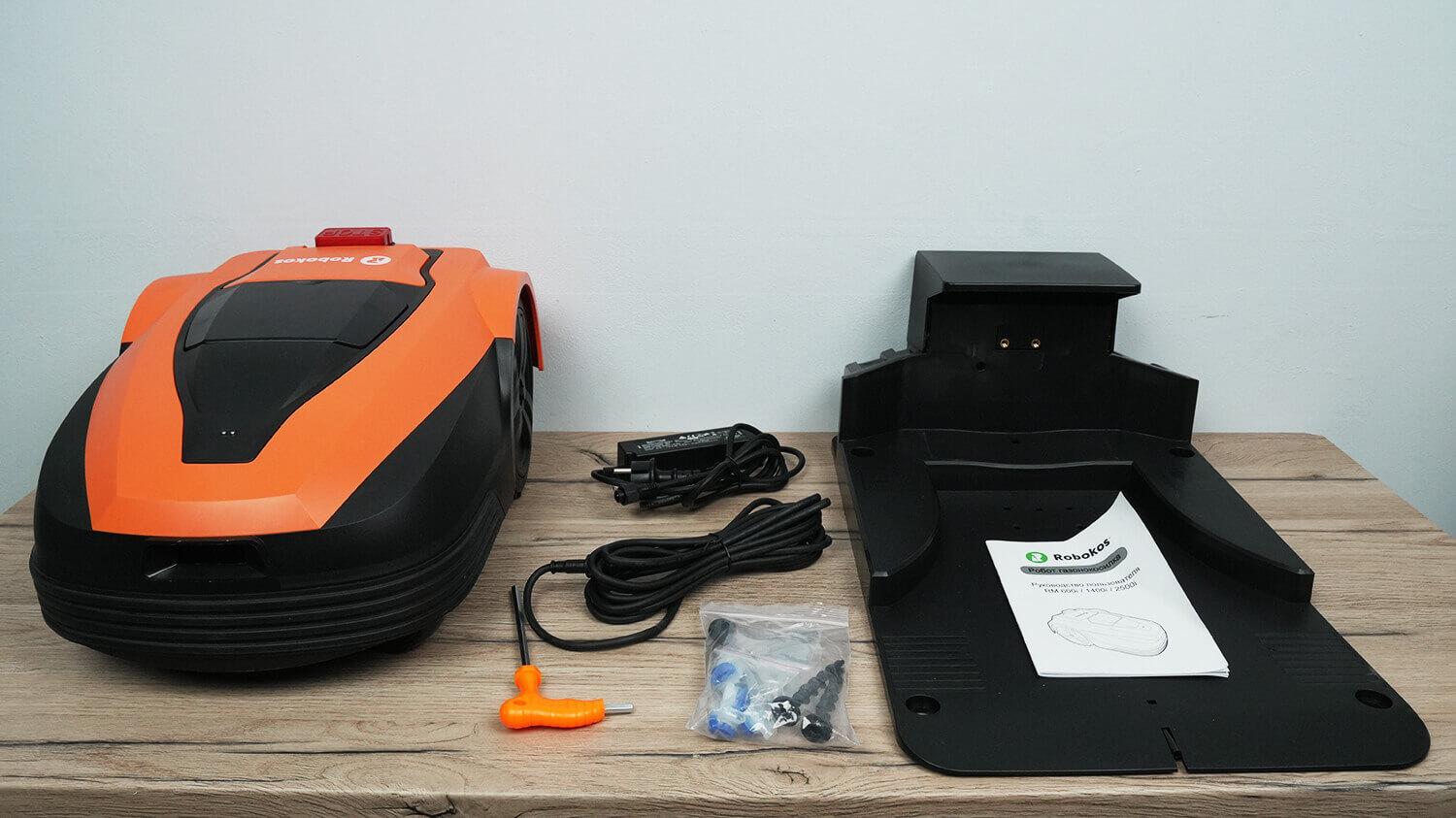
Standard equipment
You'll also need to order boundary wire of the required length and stakes to secure it to the ground. In addition to the wire and stakes, you can order all the necessary accessories, from branded fence houses to this all-metal knife.
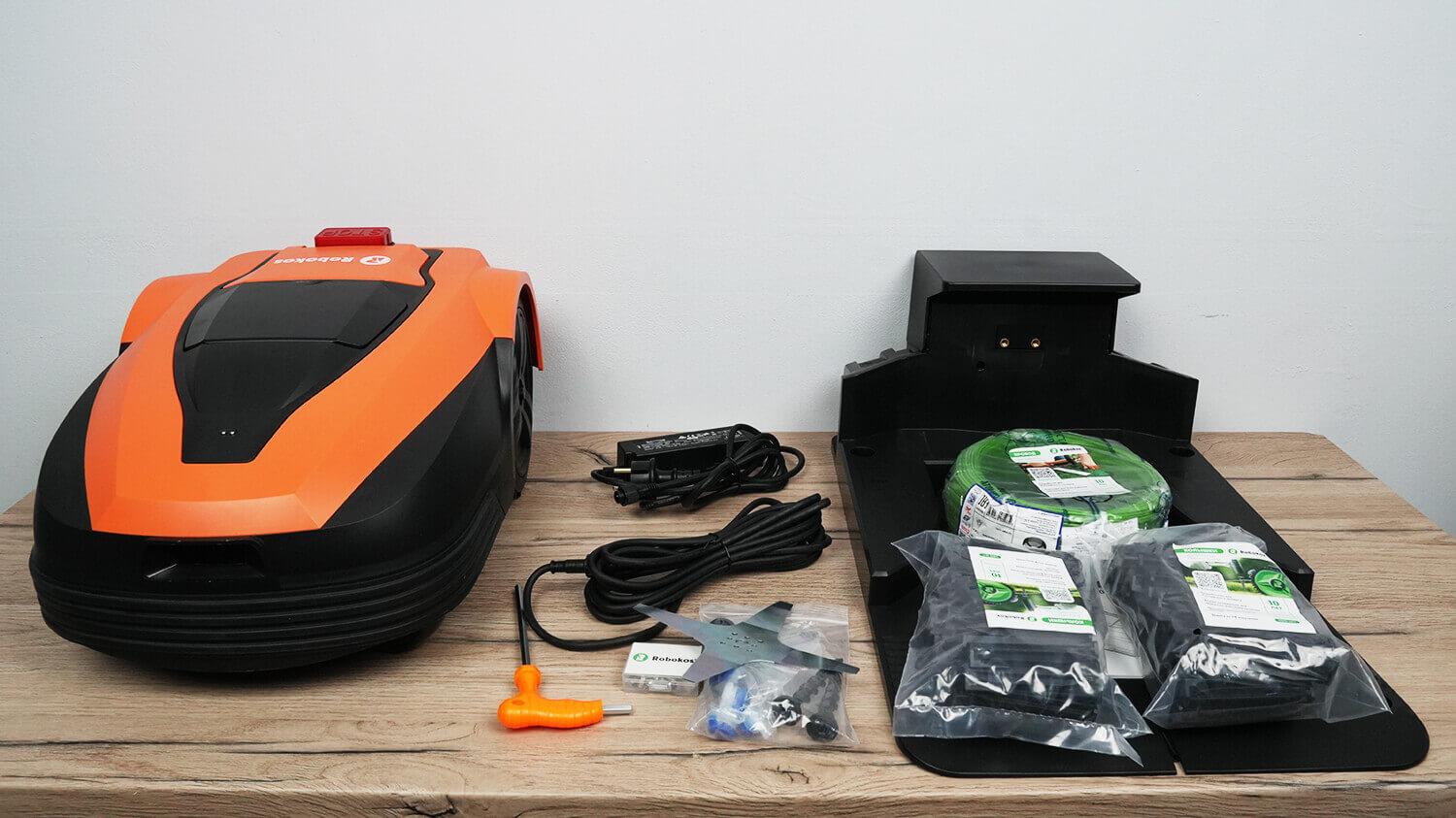
Extended kit
The manufacturer asked me to add an important point: they always have spare accessories, such as a power supply and blades, in stock, as well as all lawn mower parts, such as batteries and motors. Incidentally, they are brushless, which is great because brushless motors have a longer service life.
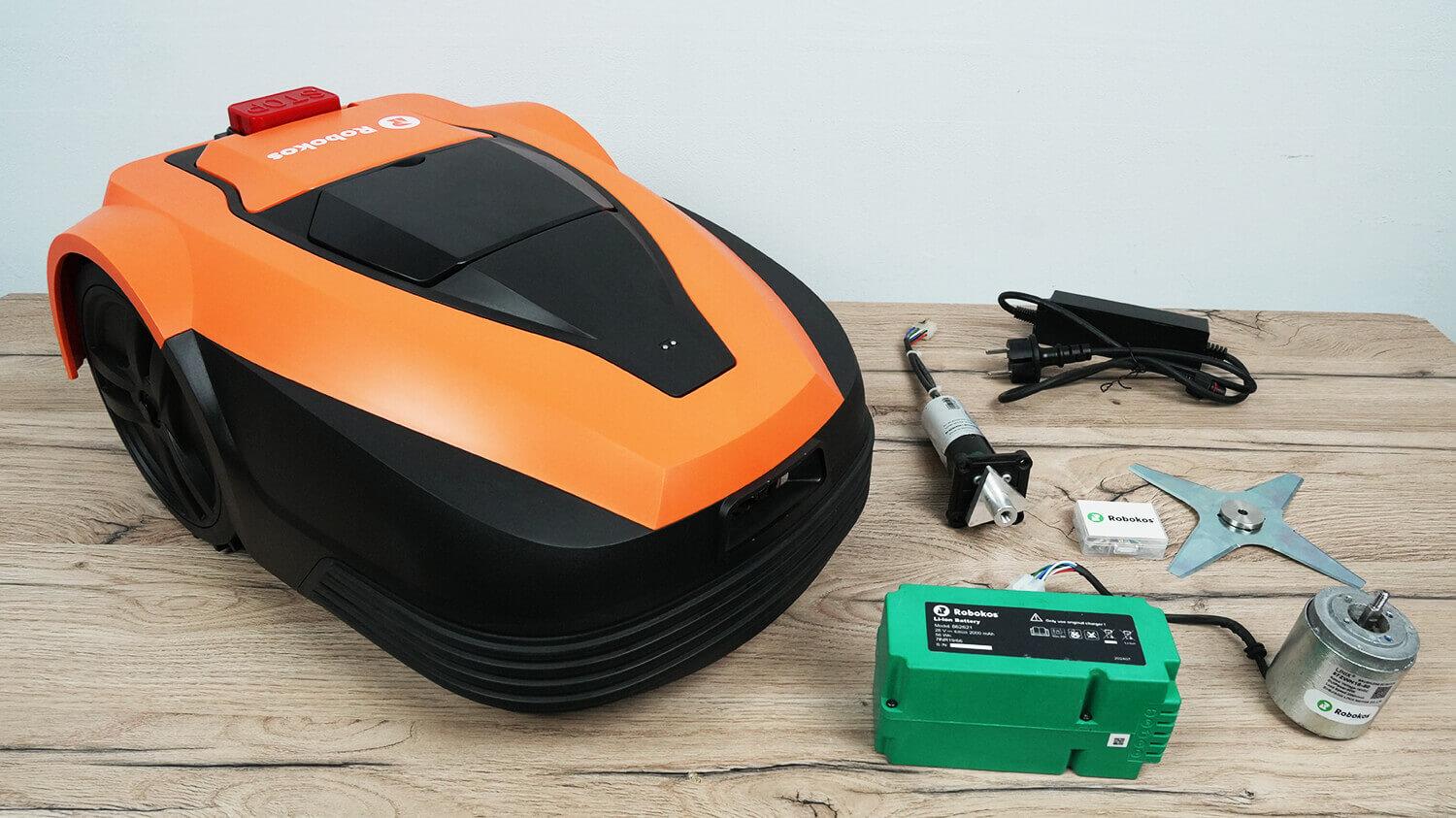
Spare parts
Appearance
Now let's take a look at the Robokos RM600i. It's a robotic lawn mower with a familiar design, finished in orange and black.
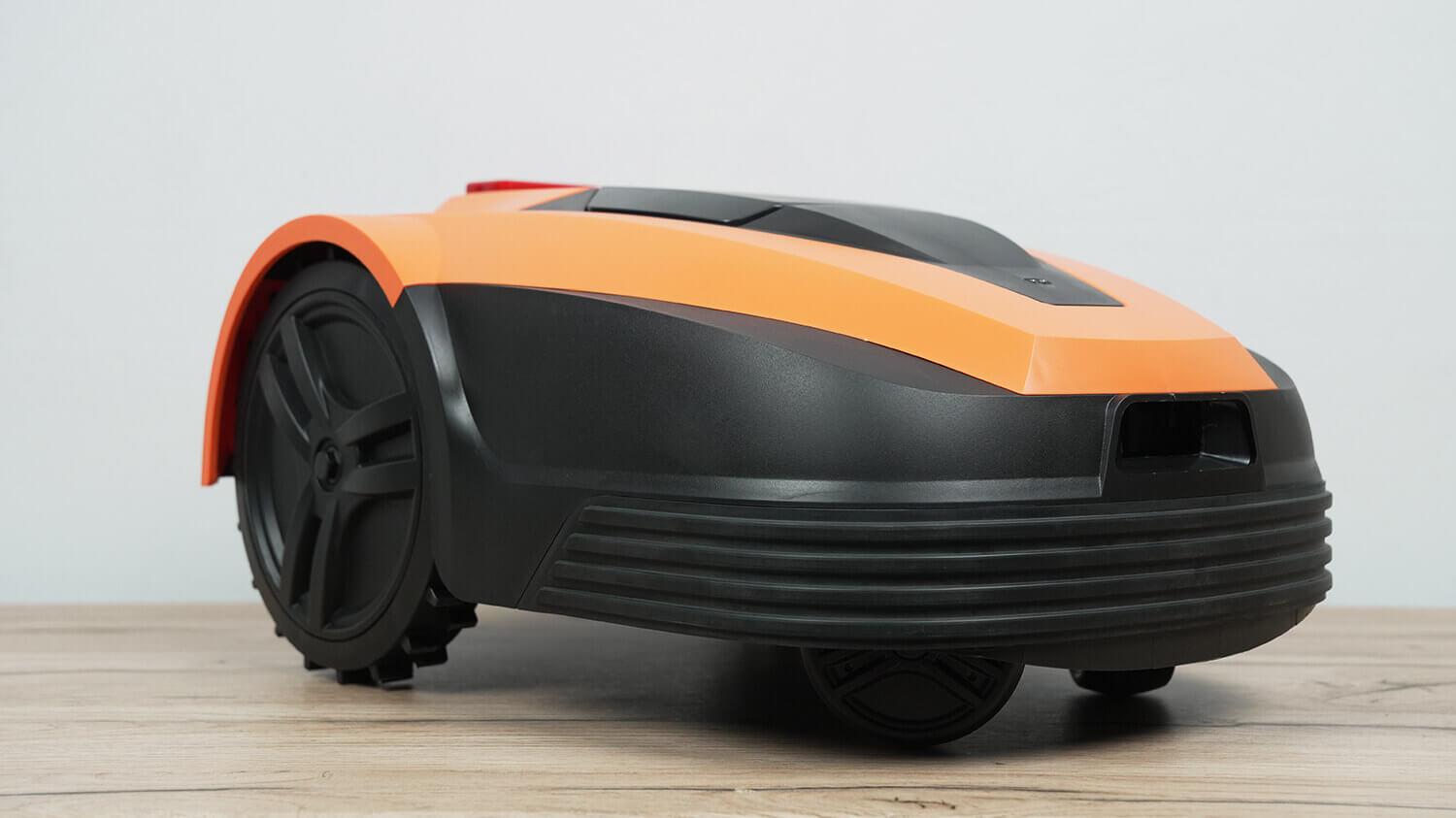
Robokos RM600i
Its navigation is wired, meaning the robot detects the boundaries of the lawn using a buried wire connected to the station. This type of navigation has its pros and cons. The main drawback is that it requires preparing the working area and marking the mowing area with a wire. However, it allows for precise distance control from fences and other objects on the lawn, minimizing the robot's blind spot and better mowing the lawn's edges.
A large red emergency stop button is located on the top of the robot's body. When pressed, mowing immediately stops and the cover opens, protecting the control panel.
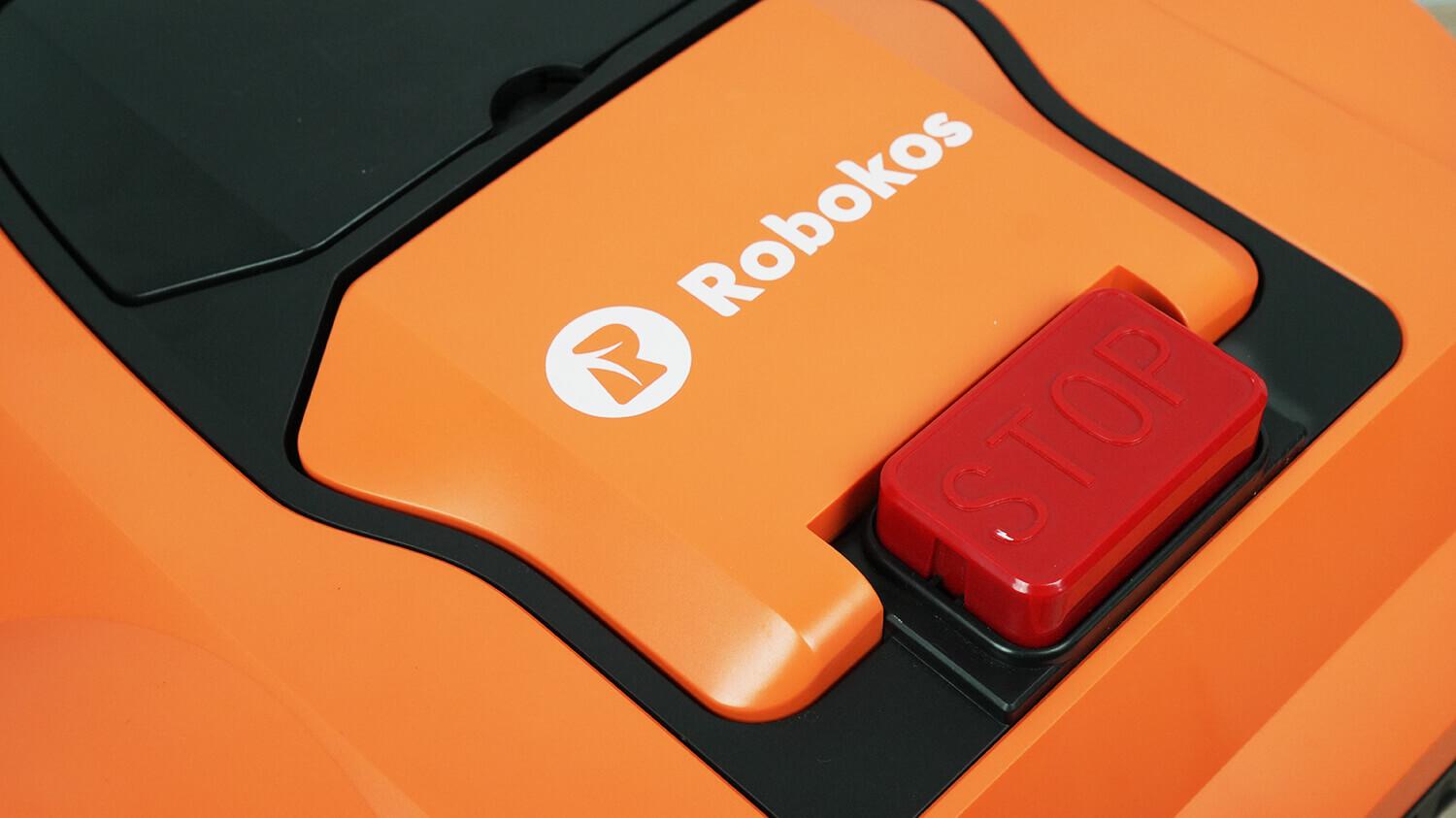
Control panel cover and emergency stop button
This panel is represented by an LCD display and mechanical control buttons.
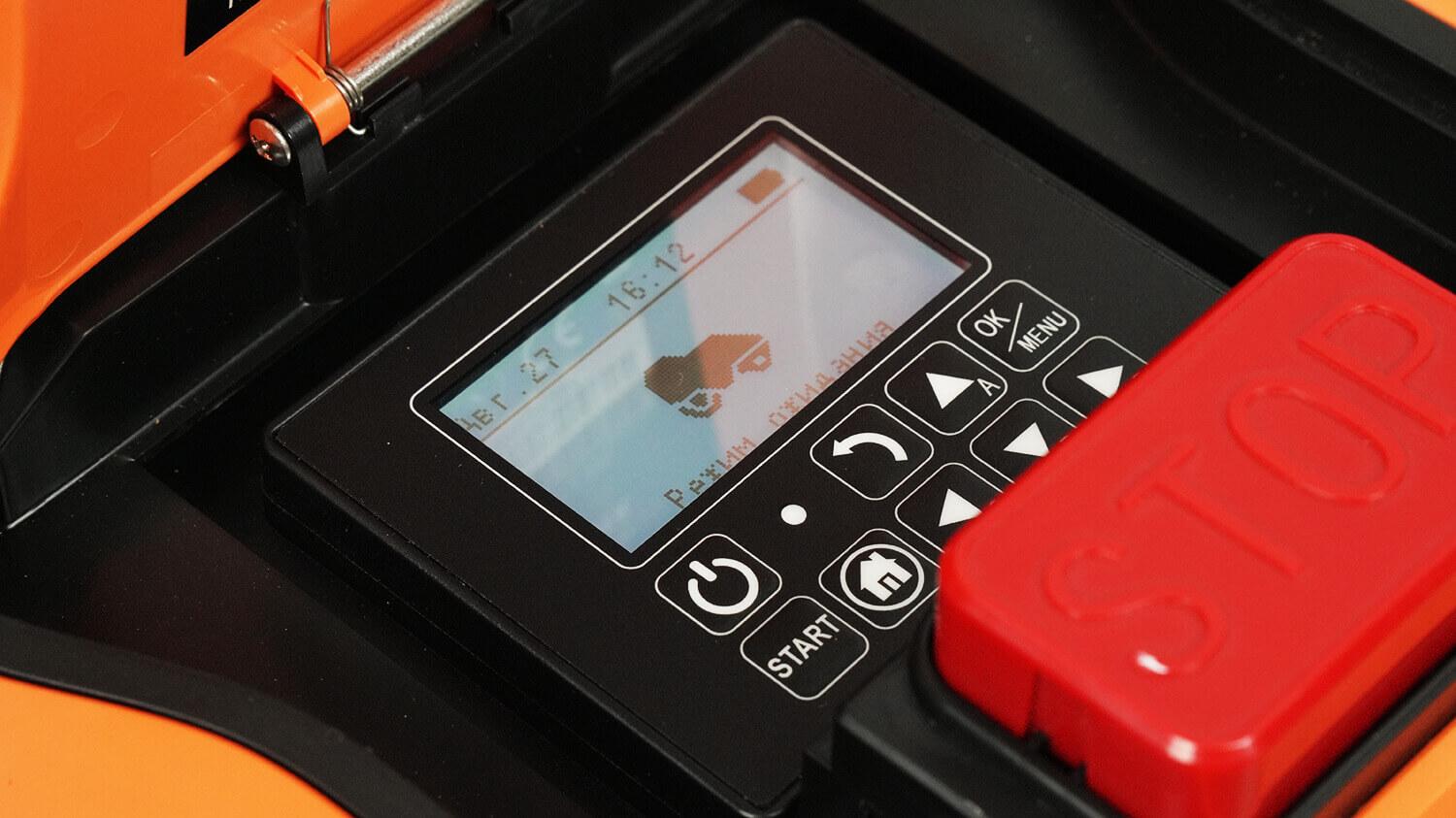
Control Panel
A compartment with a lid is located nearby, revealing a mechanical lawn mowing height adjuster. Adjustment ranges from 25 to 55 mm in 5 mm increments.
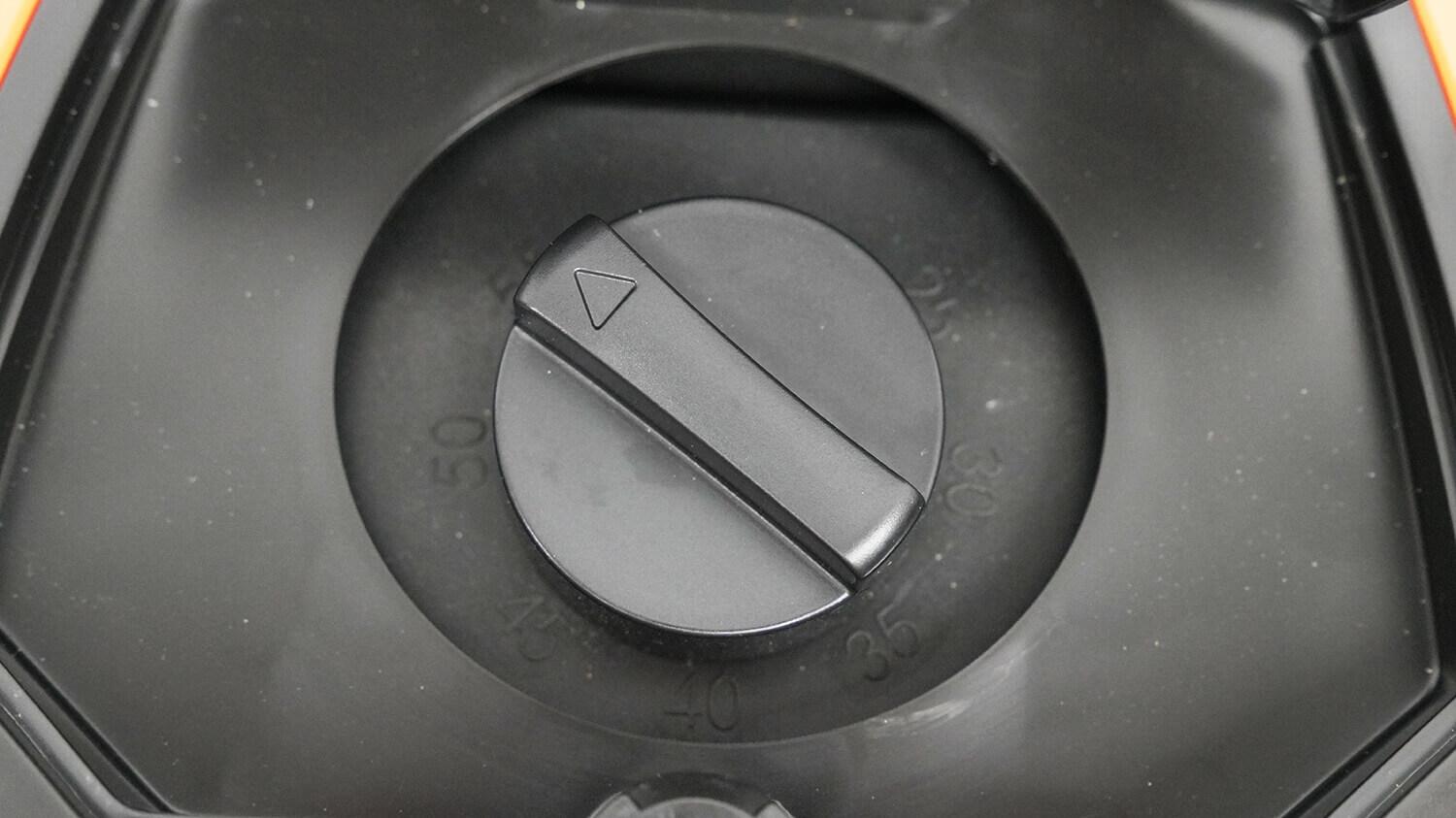
Adjusting the grass cutting height
The front of the robot is equipped with charging terminals and a rain sensor, which, when activated, returns the robot to its base when it comes into contact with water.
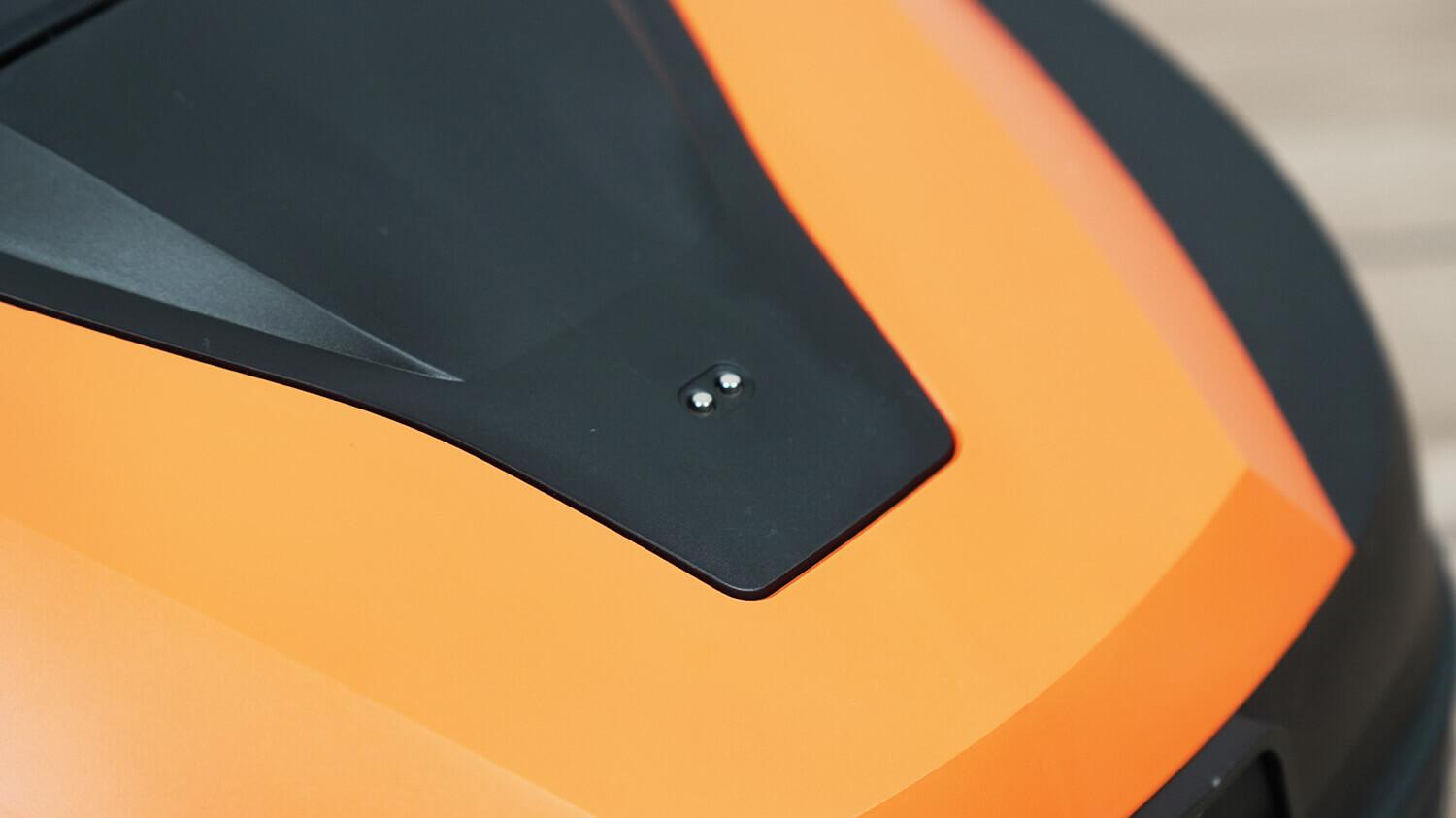
Rain sensor
Robokos RM600i moves thanks to the rear driving wheels with a fairly large tread, the front wheels are flat and swivel.
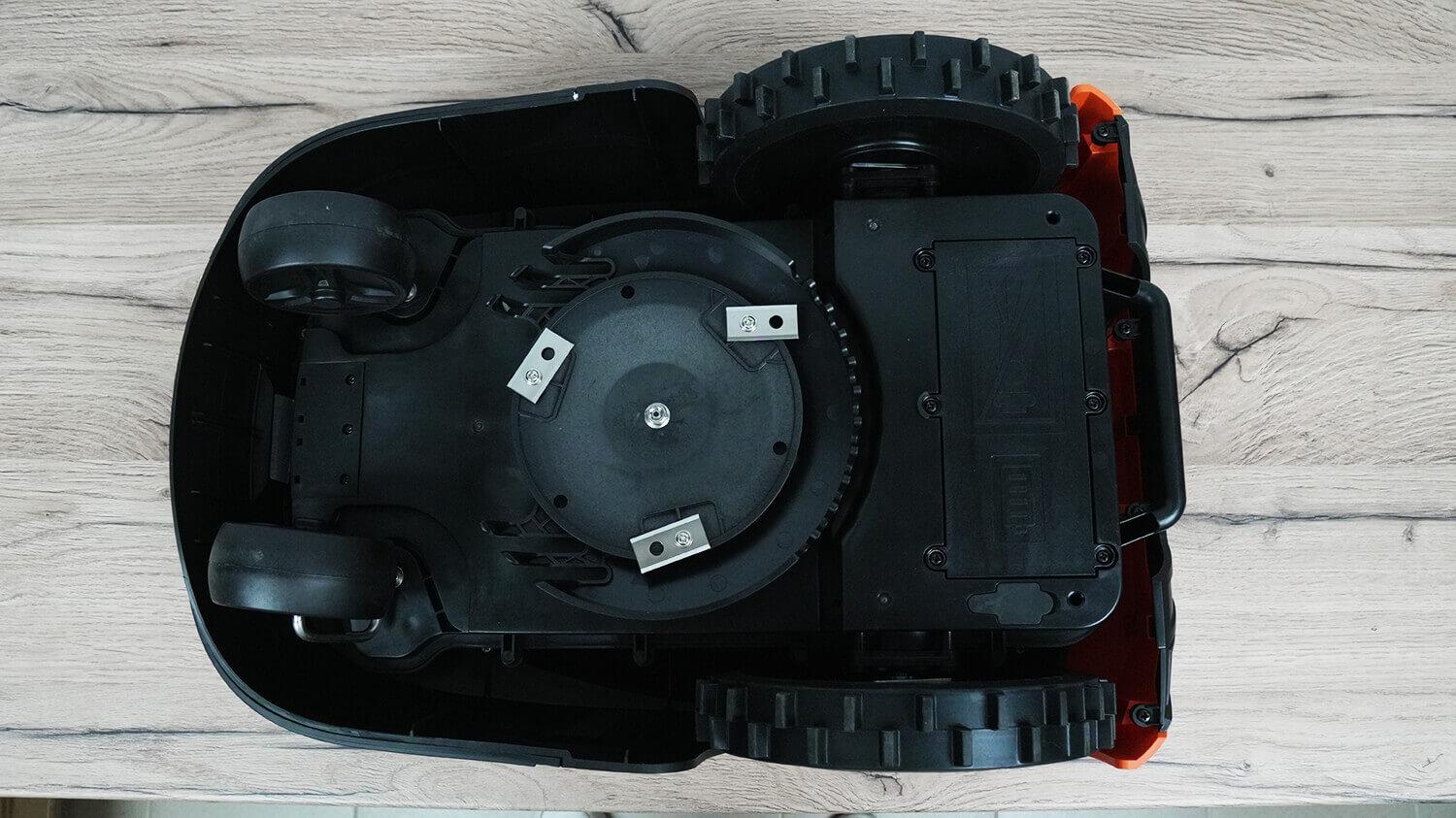
Bottom view
The robot's ground clearance is 5 cm on the sides and 3.5 cm on the sides, which is designed to protect a person from damage from the blades if, for example, the lawn mower were to move toward a child. With this clearance, it shouldn't be able to run over a child's foot.
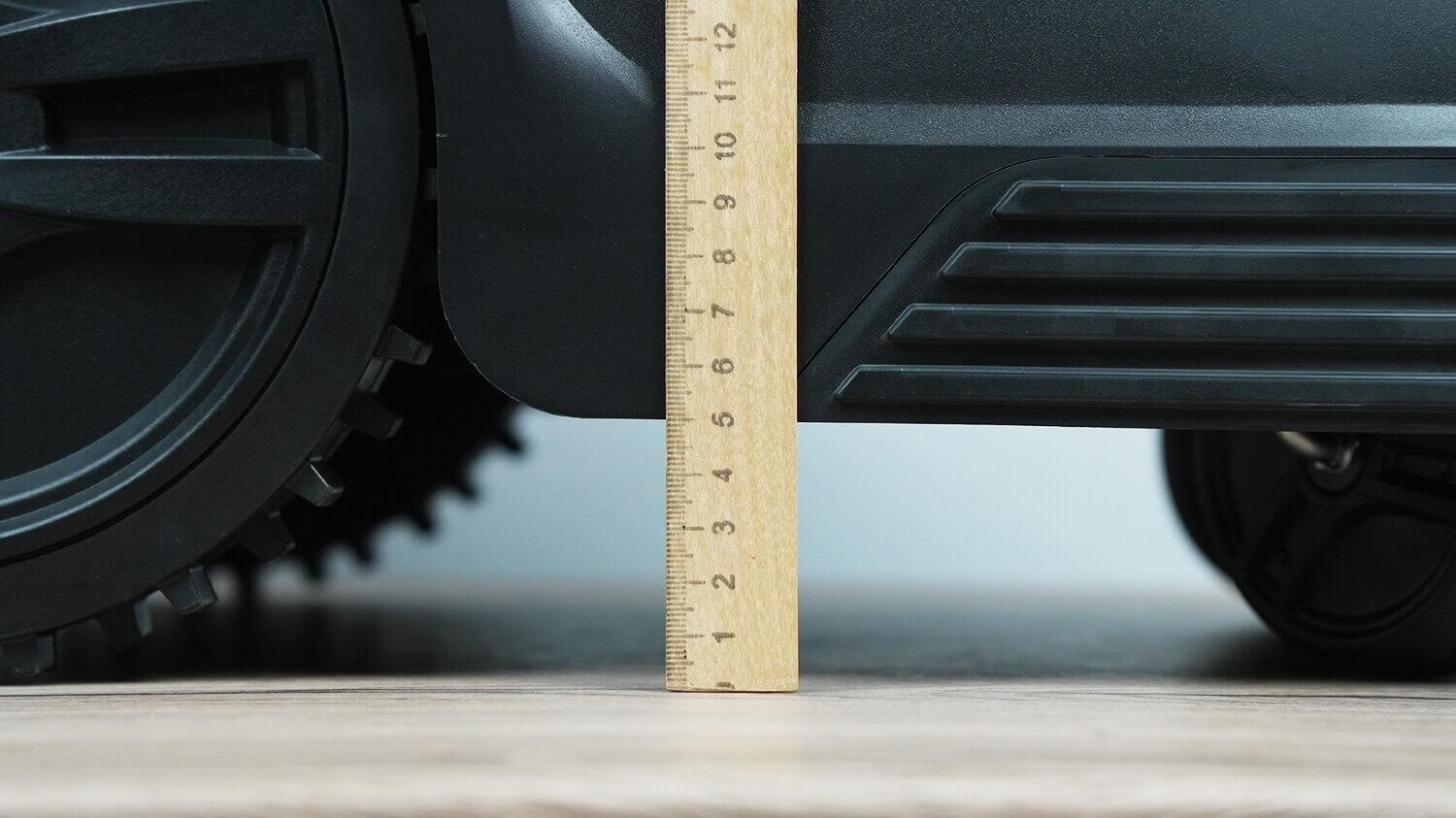
Lateral clearance
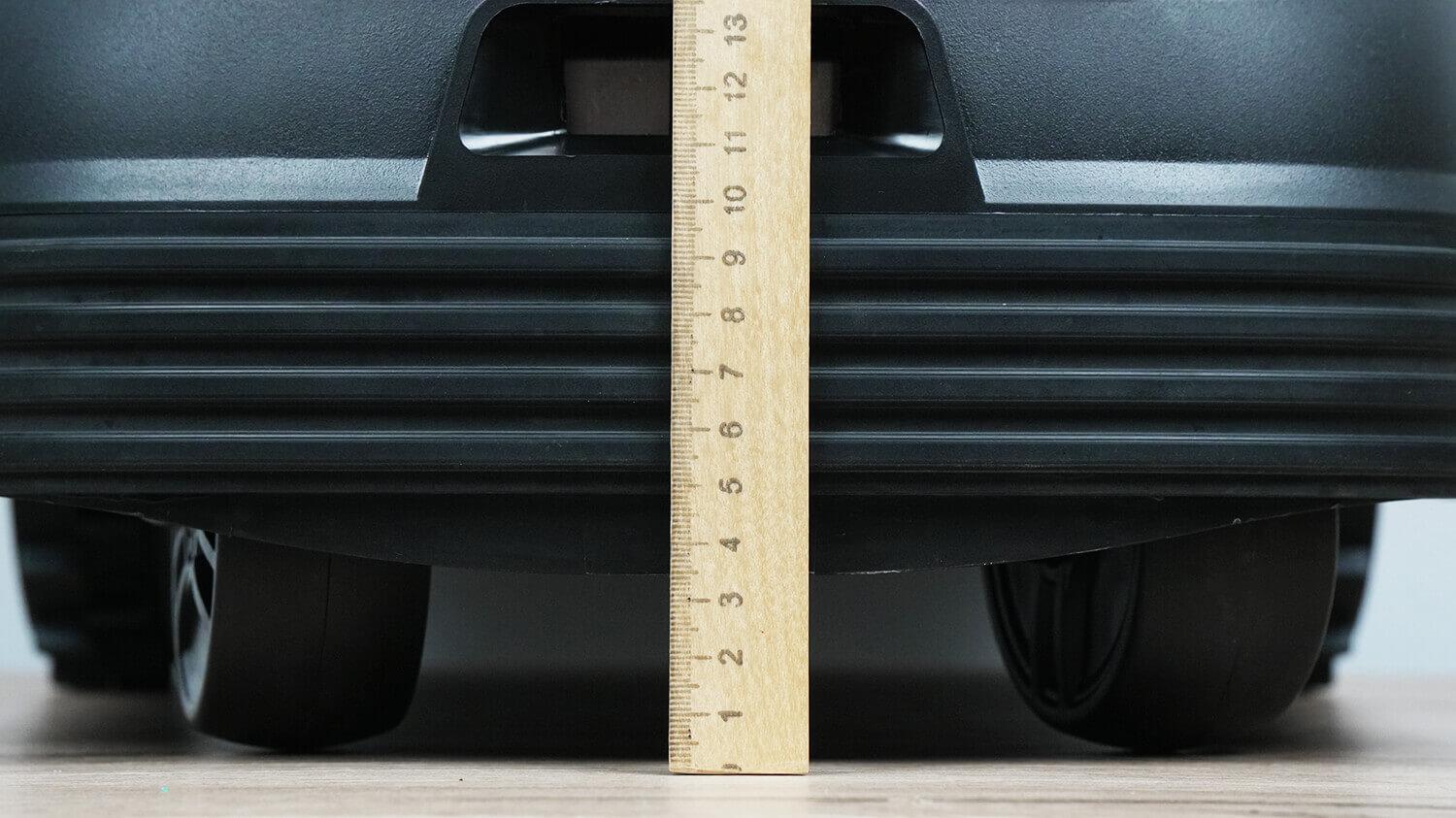
Clearance in front
Additionally, the Robokos RM600i is equipped with a 360-degree active bumper. It reacts sensitively to any collision from all directions. This feature is especially useful in gardens with trees or plantings: there's no need to install a boundary wire around every obstacle—the robot will automatically stop and avoid it.
The lawn is mowed by three blades mounted on a disc. The disc itself is floating, protecting the blades from damage when hitting bumps or other objects.
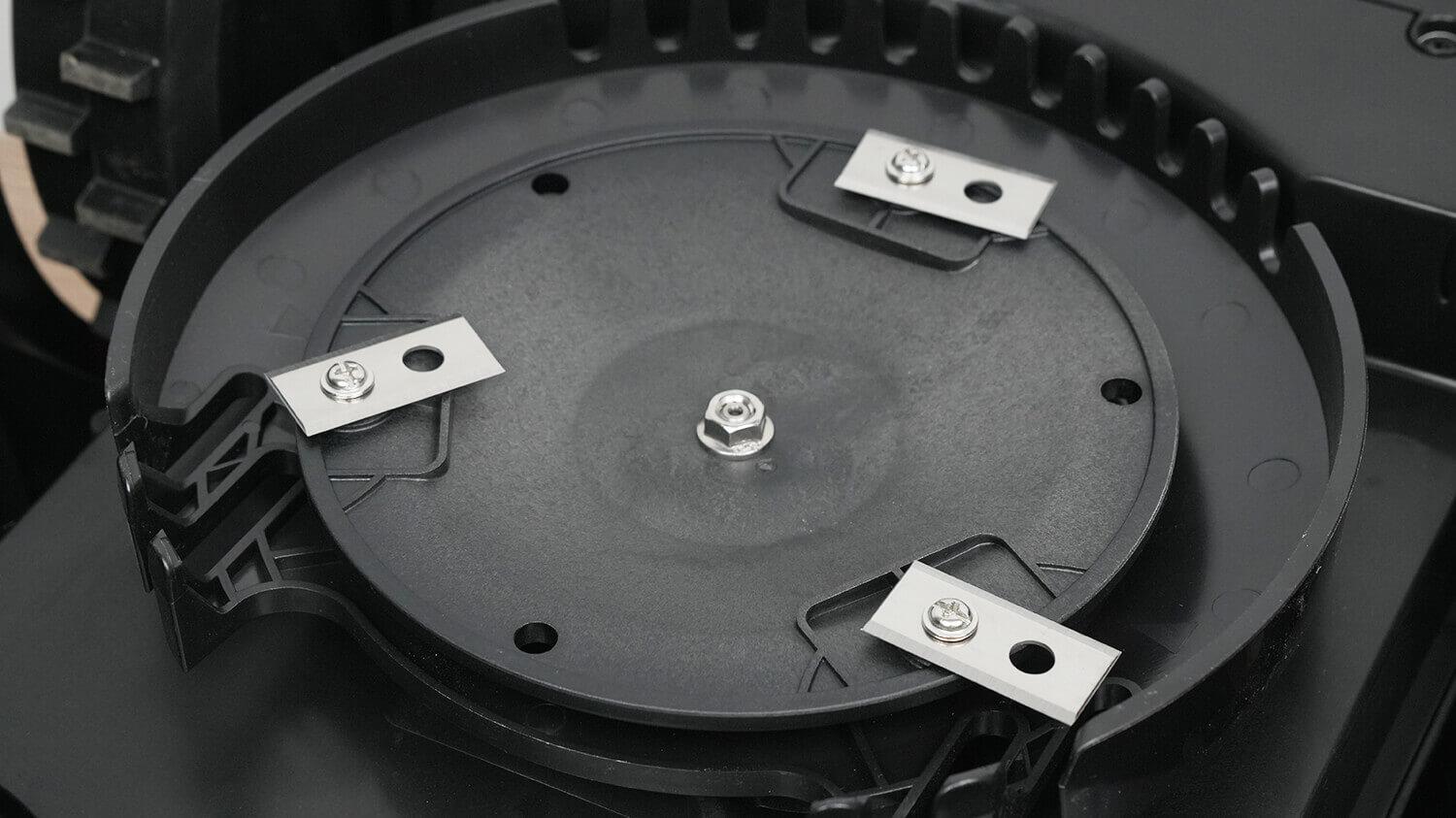
Three-blade disc
As mentioned above, you can replace the disc with a solid metal one for better mowing of tough grass.
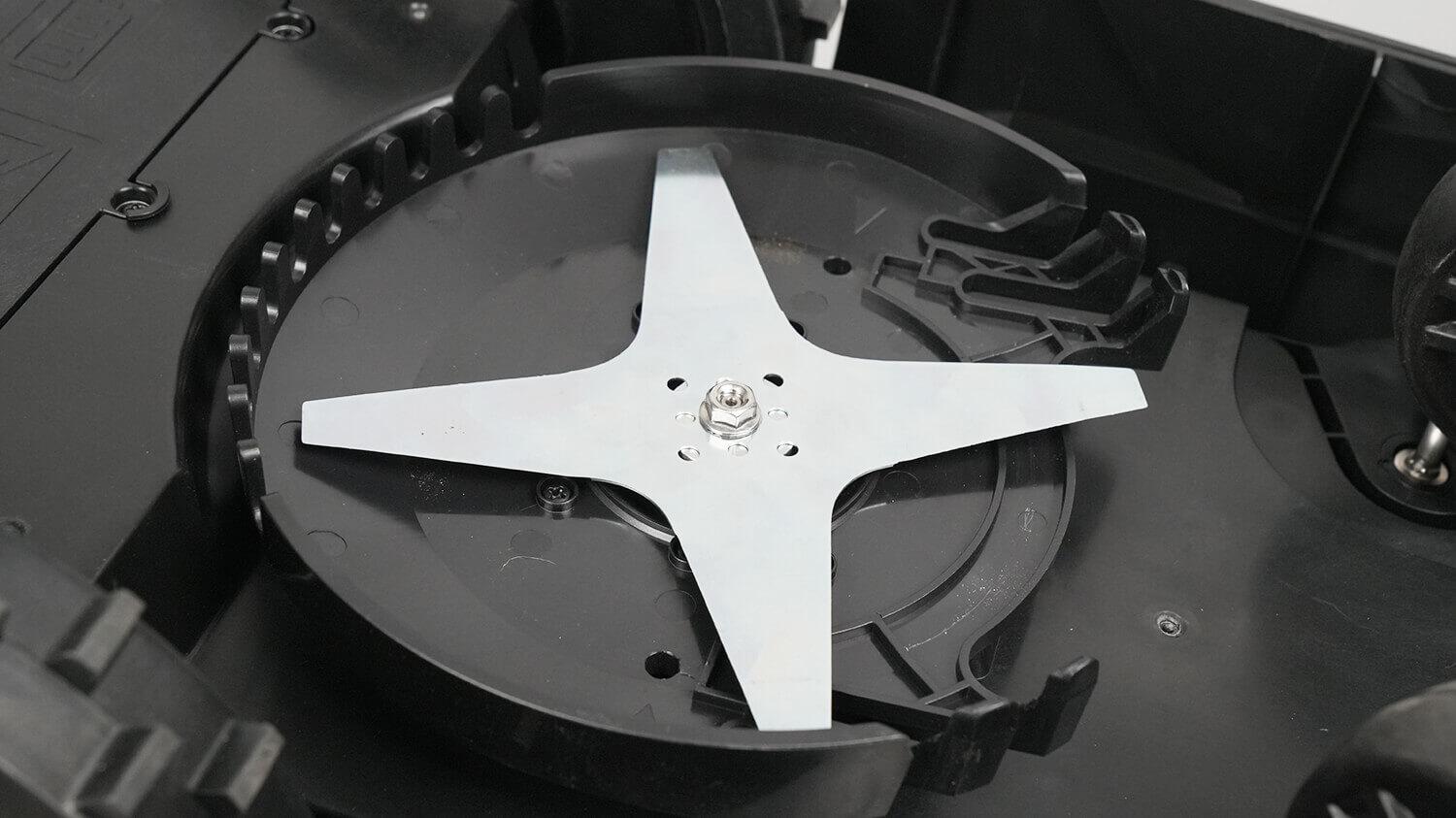
Disc with a solid metal knife
Around the blade disc, we see ridges to protect hands and feet, as well as various objects that might get in the robot's way. At least, that's what the manufacturer claims: grass will grow through the ridges, but hands and feet won't.
It is located in the center of the body, so it immediately becomes clear that the robot will have a blind spot from the edge of the knives to the edge of the body, the width of which is about 9.5 cm.
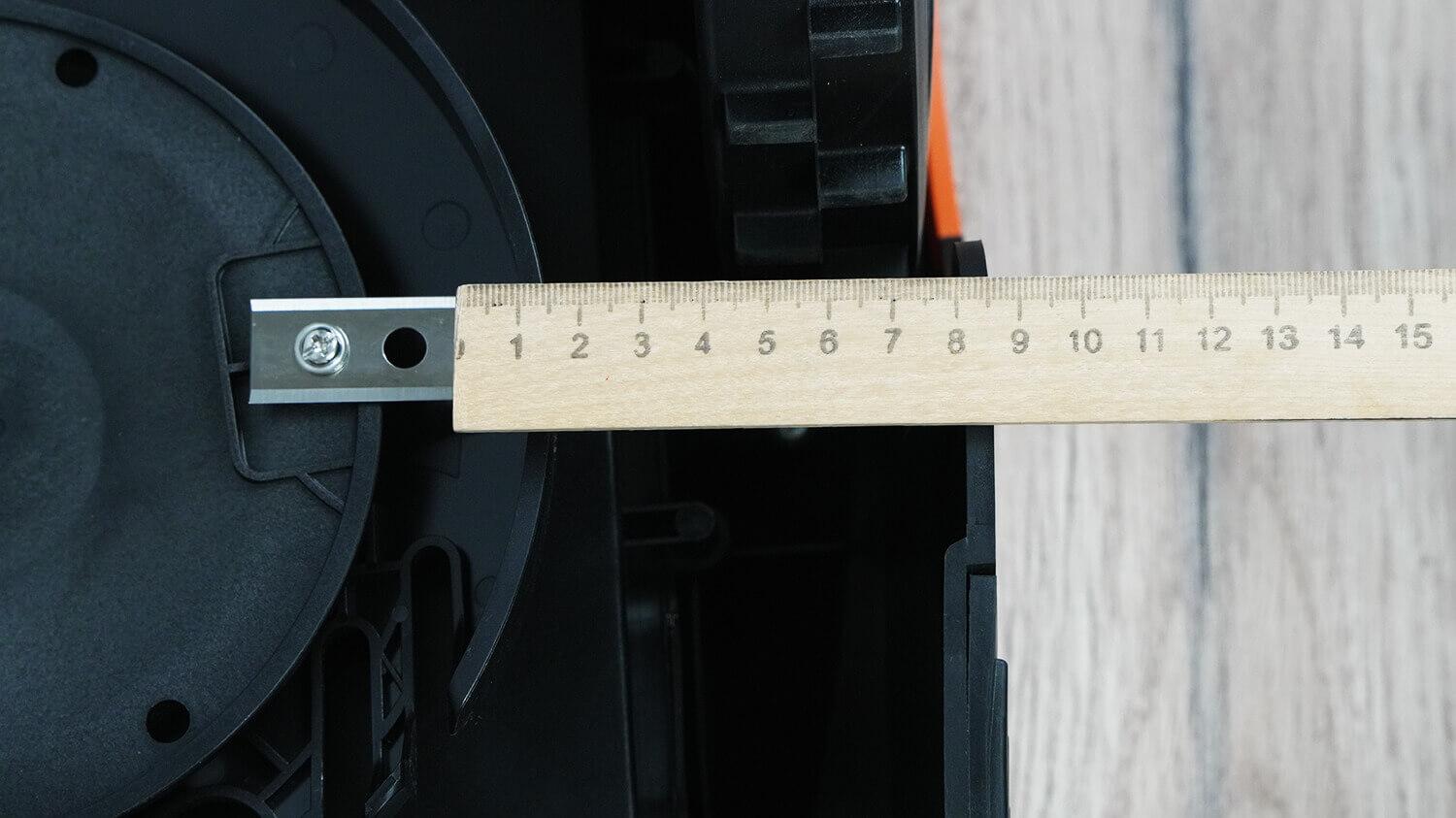
Blind spot at the edge
It's also important to note that the robot's body is waterproof on all sides, making it easy to clean and safe to handle even if it gets wet. It has an IPX4 rating.
Speaking of the base, you first need to screw the charging pins into it.
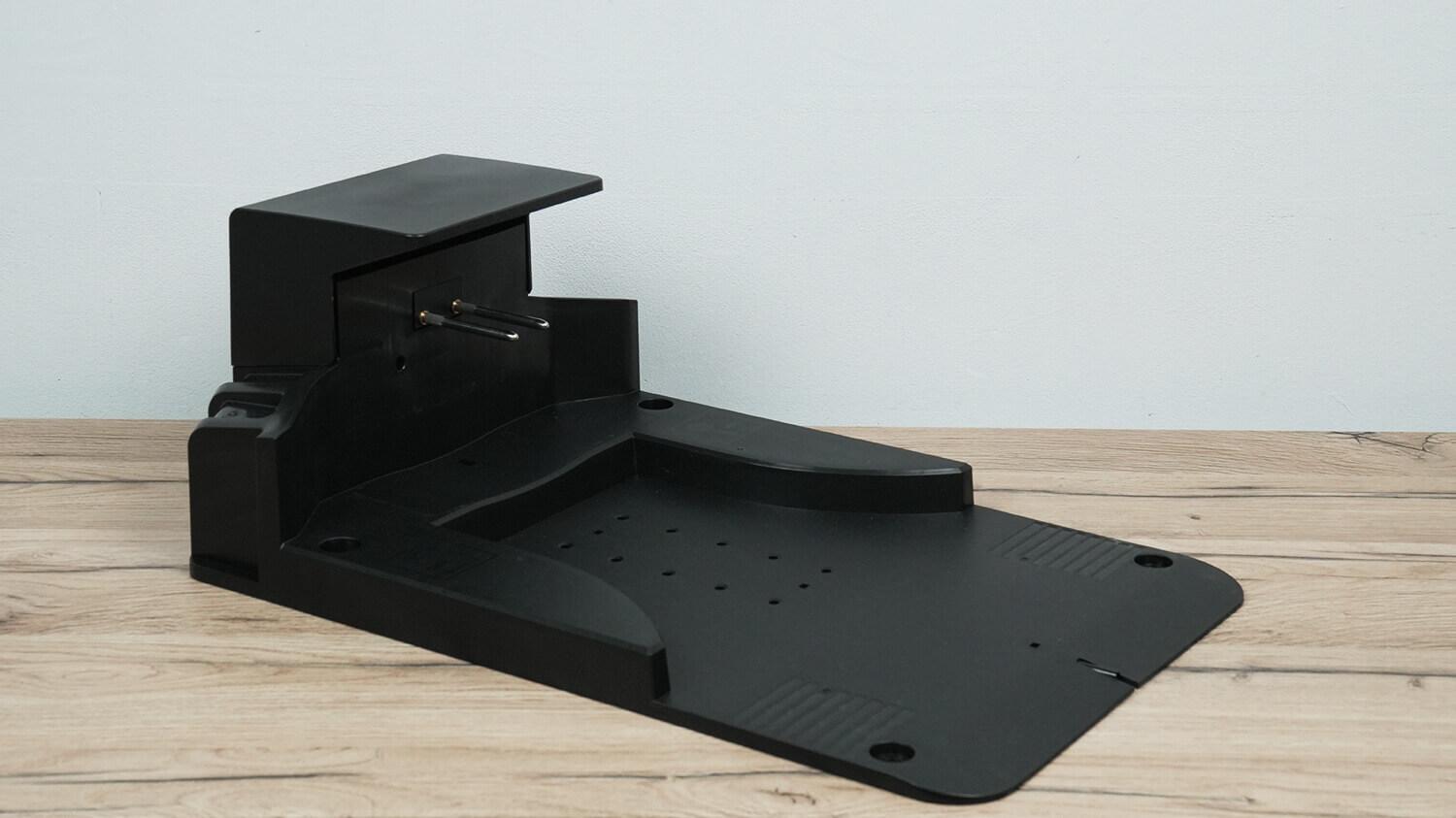
Charging base
Under the top cover are terminals for connecting the power supply from the mains and the power supply to the boundary wire. Below the charging pins is a circuit status indicator light.
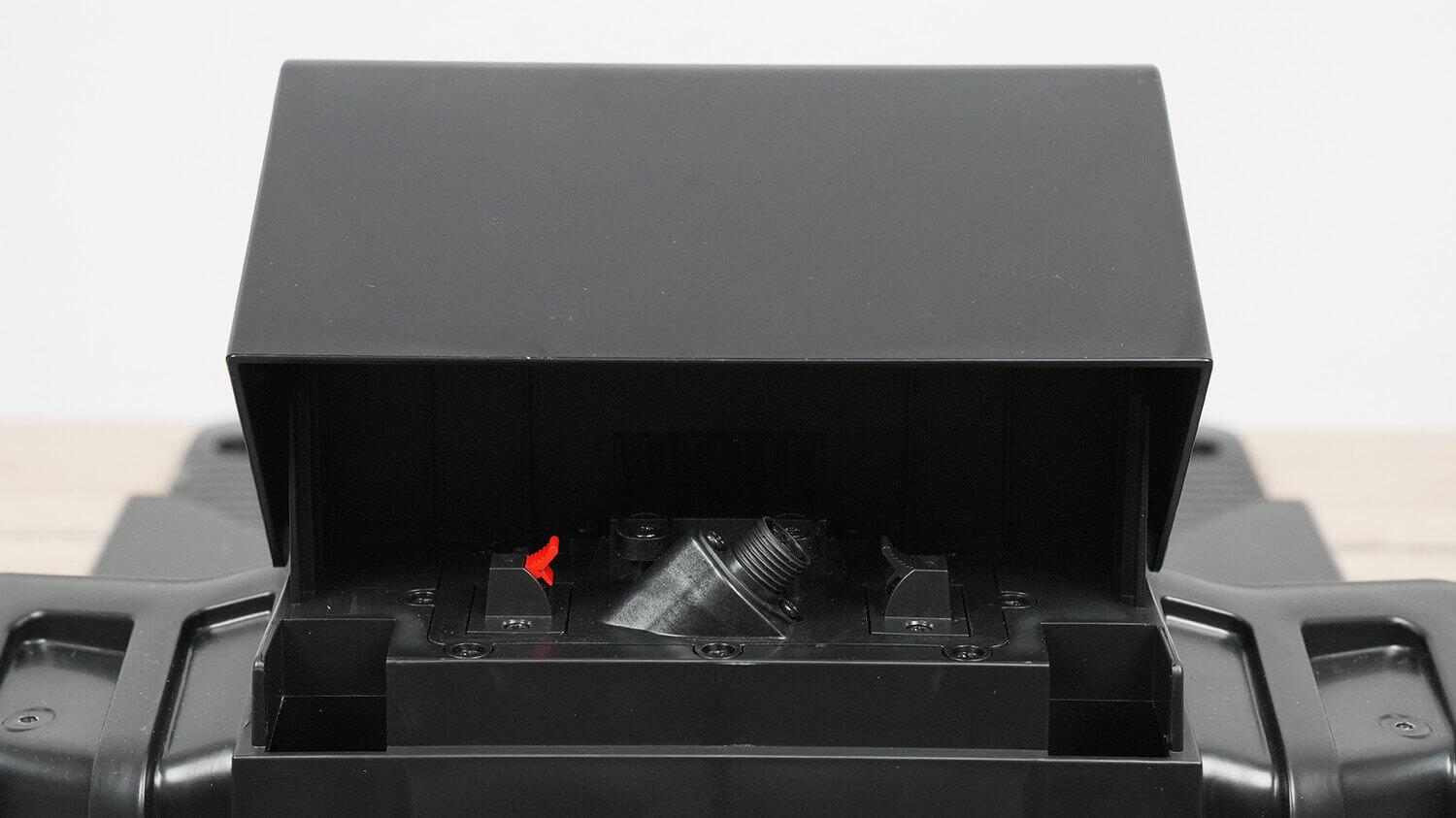
Power connection terminals
The pros and cons of this design will be discussed during the final review. Let's move on!
Technical specifications
The main characteristics of Robokos RM600i, as stated by the manufacturer:
- Battery: Li-Ion 22.5V 2.6Ah (57 Wh).
- Charging time: 60 min.
- Working time: 120 min.
- Recommended lawn size: up to 600 sq.m.
- Cutting height 25-55 mm.
- Mowing width 18 cm.
- Maximum cutting angle: up to 36% (20°).
- Maximum length of boundary wire: 250 m.
- Protection class: IPX4.
- Robot weight: 12.5 kg.
I'd like to point out that this robotic lawn mower is available in three versions: the Robokos RM600i, RM1400i, and RM2500i. I've highlighted the differences on the screen:
| RM600i | RM1400i | RM2500i | |
| Battery | 2.6 Ah (57 Wh) | 5.2 Ah (114 Wh) | 5.2 Ah (114 Wh) |
| Maximum lawn area, m² | 600 m² | 1400 m² | 2500 m² |
| Maximum length of boundary wire | 250 m | 250 m | 300 m |
| Maximum distance from the base to the mowing area | 200 m | 200 m | 300 m |
| Guarantee | 1 year | 2 years | 3 years |
| Equipment | Standard | Standard | Extended (+ 200 m of wire and 300 pegs) |
We see that the difference lies not only in the battery and the maximum length of the boundary wire that the robot follows, but also in the warranty period and the included accessories.
Functional capabilities
Let's take a look at the robot's capabilities. It can be controlled either via the control panel on the body or via a smartphone. The built-in control panel, protected by a PIN code, displays the robot's status, battery level, and the current time and date. Everything is in Russian, which is a plus.
You can activate classic or spiral mowing modes, set up scheduled mowing, adjust up to 5 mowing zones, and set the frequency of lawn edge mowing. You can also activate the "hard-to-reach zone" mowing function. This is an area from which the robot cannot independently reach the base station. In this case, you can choose between two mowing options: 30 minutes or until the battery is completely discharged.
In the additional settings, you can enable the rain protection sensor, set the date and time, reset the settings to factory defaults, and configure the perimeter mowing mode by selecting the number of starts per week.
Speaking of smartphone control, it works over Wi-Fi. You need to install the Smart Life app and follow the instructions to connect the robot to the app. It's not that complicated.
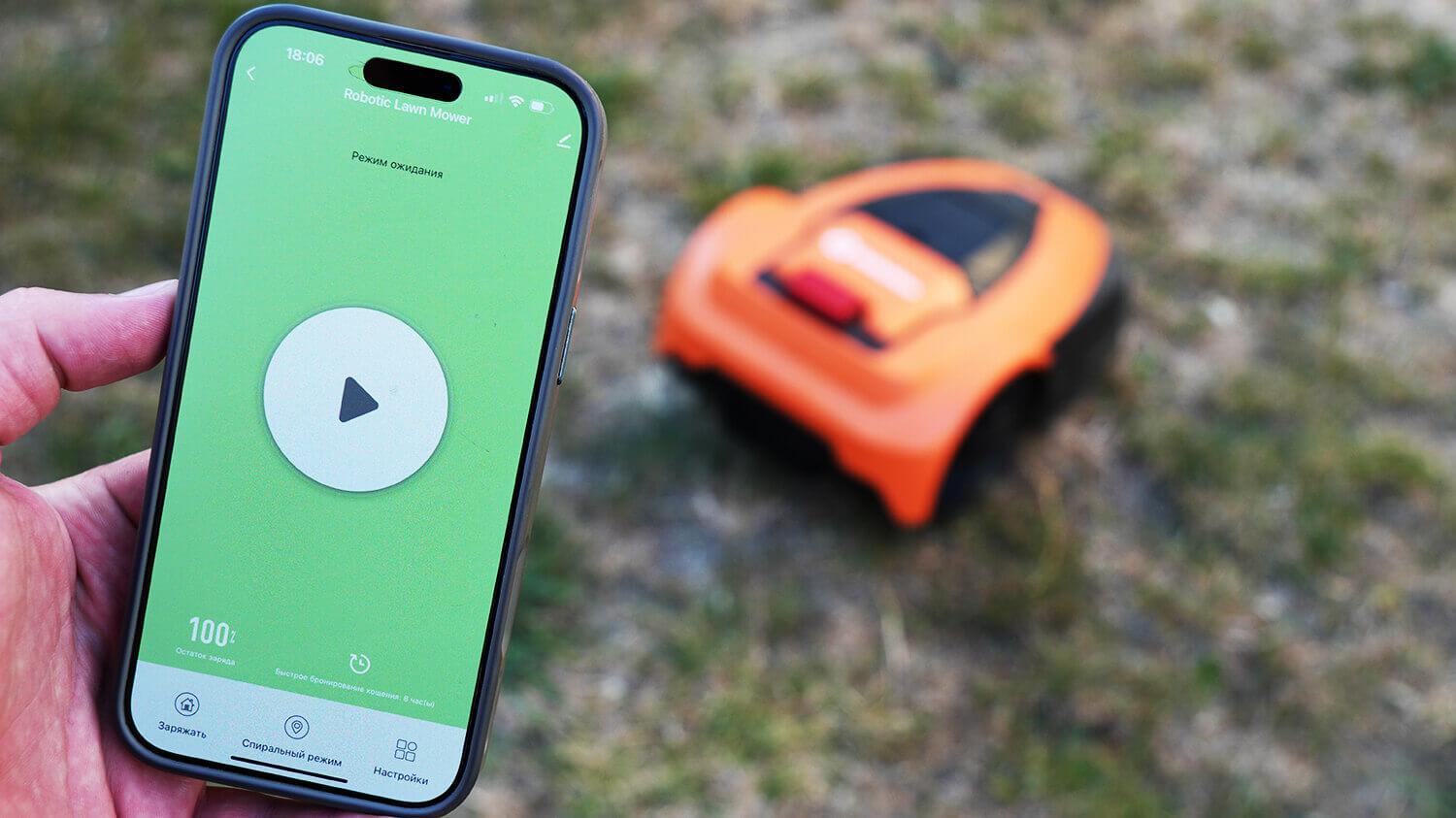
Control via app
The app's functionality wasn't very impressive, but the basic features are there.
From the main control panel, you can start mowing remotely, return the robot to the base, and activate spiral mowing mode. Additional settings allow you to set a continuous mowing time with an intermediate charge at the base for a specified period of time each day. You can also adjust mowing zones, which I'll discuss in more detail. Due to its chaotic movement, the robot can't be directed to a specific area on a map, as is the case with robotic lawn mowers with precise navigation using GPS antennas or lidar. However, the manufacturer does suggest starting the robot at a preset distance from the base, measured along the length of the cord extending from it.
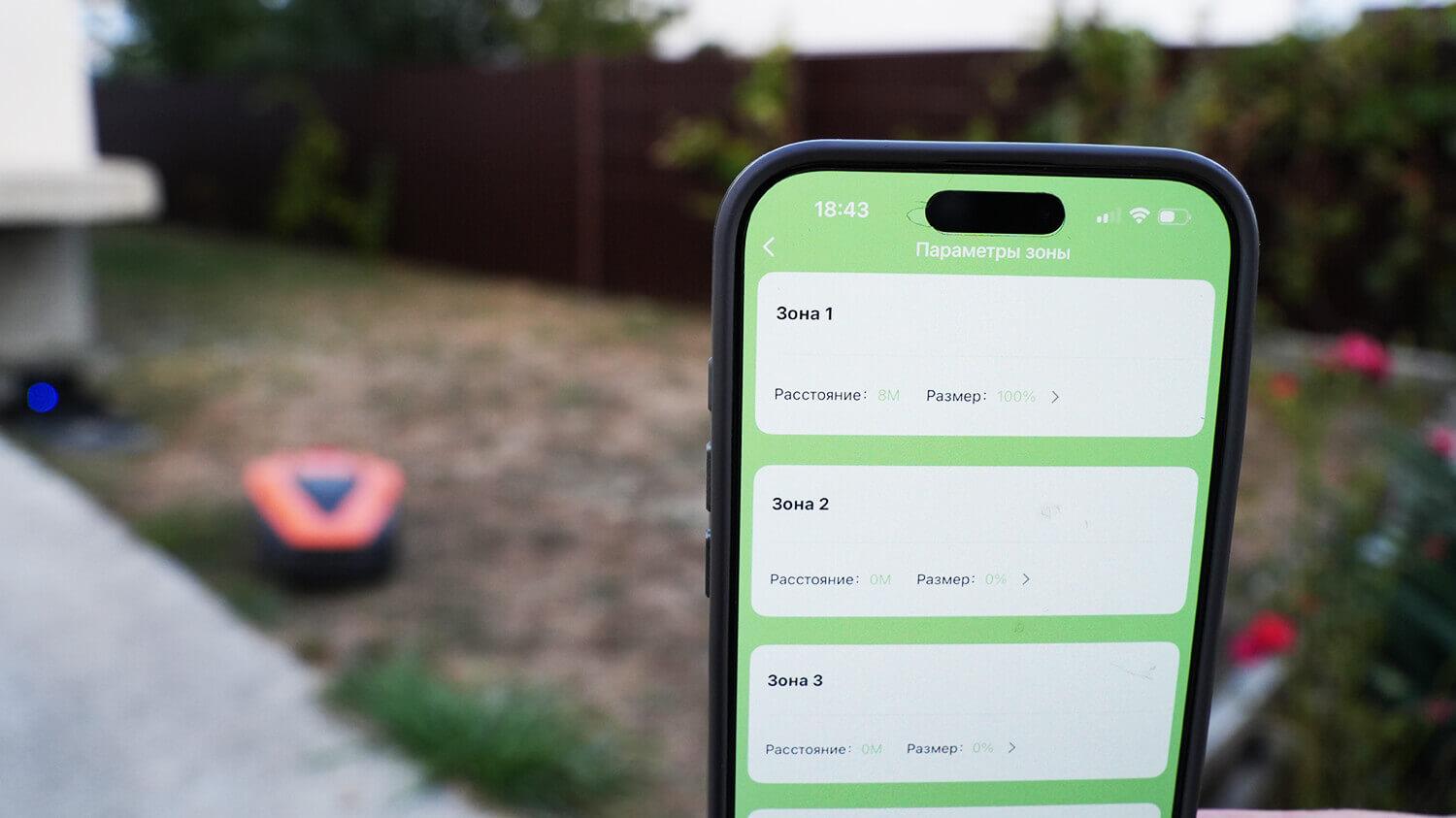
Mowing in selected areas
I set the mowing distance to 8 meters from the base. The robot left the charger, followed the wire, and after 8 meters, began mowing within the area in its usual random pattern. This way, you can calculate the distance to your desired zones and set the distance to them along the wire in the settings. You can also set the mowing frequency for that zone as a percentage. For example, 10% means every 10th mowing.
The app also features a mowing log with saved data on the time of each mowing cycle and a section for changing the PIN code.
In my opinion, the app lacks a manual control mode, a section for setting up perimeter mowing mode, which is available in the built-in control panel, and some more detailed statistics in the log. The latter is due to navigation issues.
However, I'd add that interesting possibilities open up when integrating the robot with other devices. For example, with an automatic irrigation system or moisture sensors, which allows you to create complete lawn care scenarios. You can also sync the SmartLife app with Siri for voice control of the robot, which can be convenient.
Testing
A detailed video review of the Robokos RM600i, including all tests, has already been prepared and published on the channel:
Getting ready for work
Finally, let's move on to testing. First, you need to install the base in a suitable location and run a boundary wire around the perimeter. Then, connect the power and the ends of the wire according to the instructions, which is what I did.
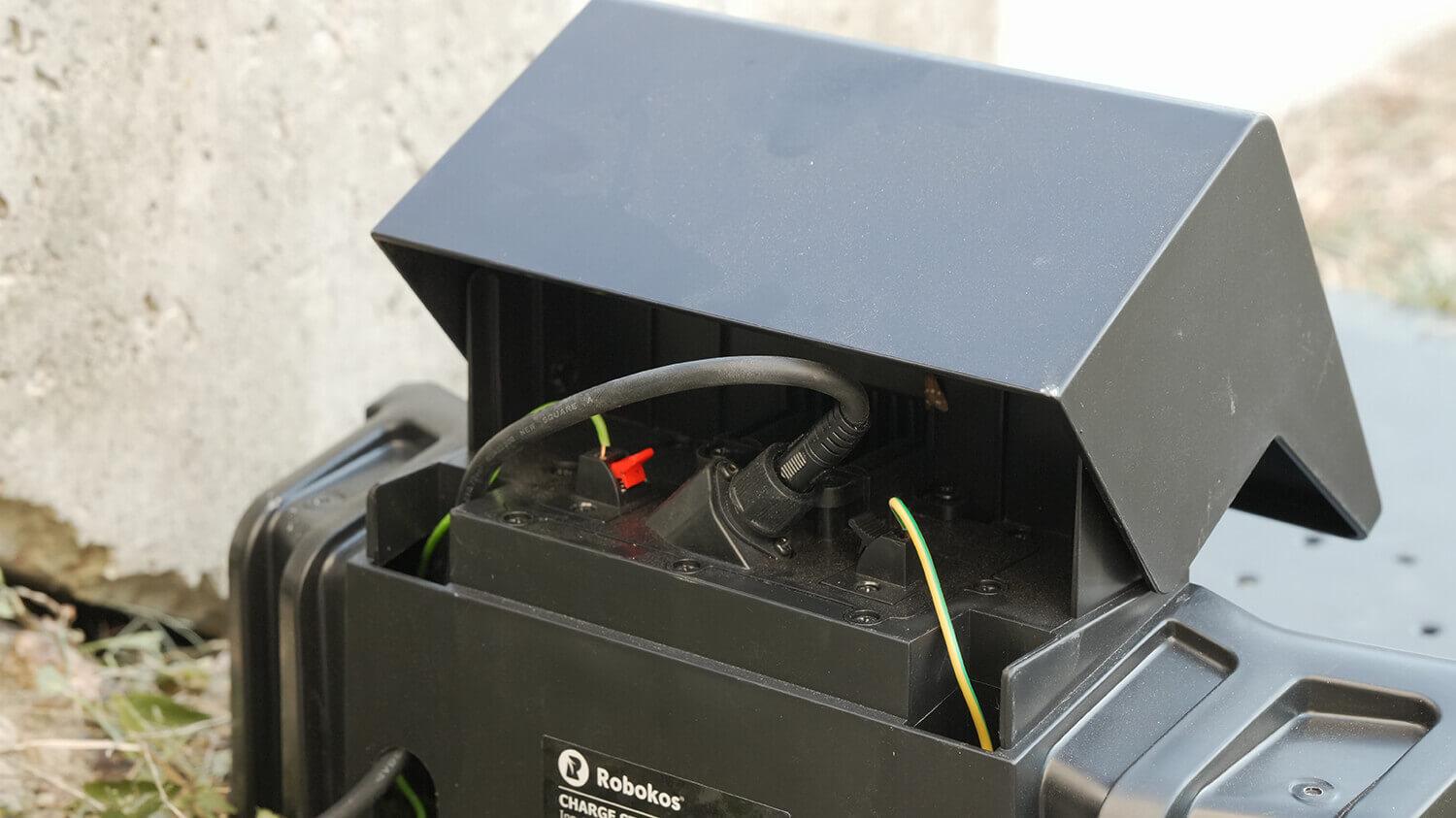
Connecting the database
So, initially I installed the base like this:
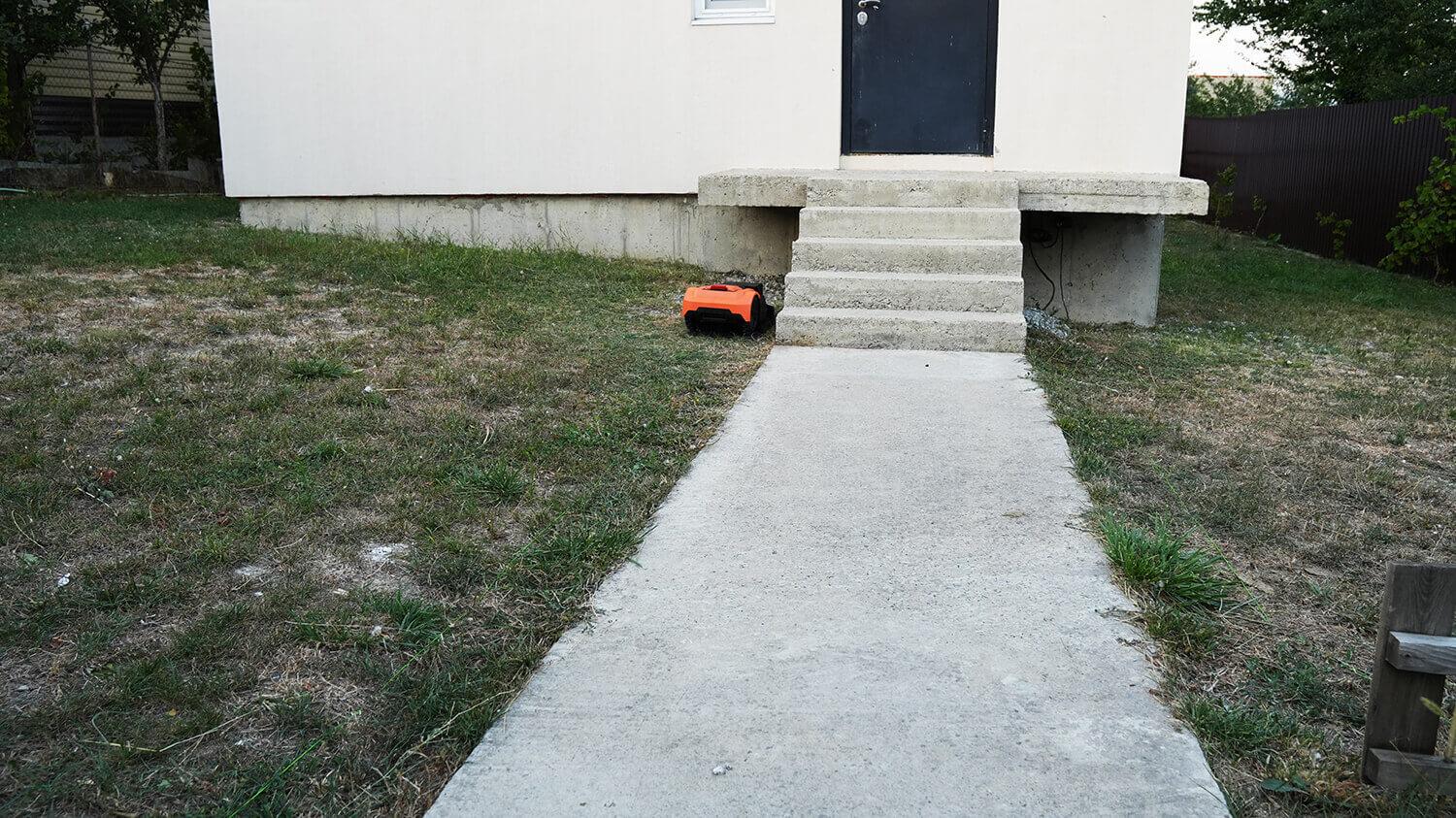
Poor base location
The indicator light is blue, meaning everything is connected correctly. I start the robot and, to my surprise, it drives off the base and turns not into the mowing zone, but in a direction beyond it. It turns out that this base placement isn't compatible with the Robokos RM600i's algorithms. It always turns right after driving off. I had to change the base placement like this:
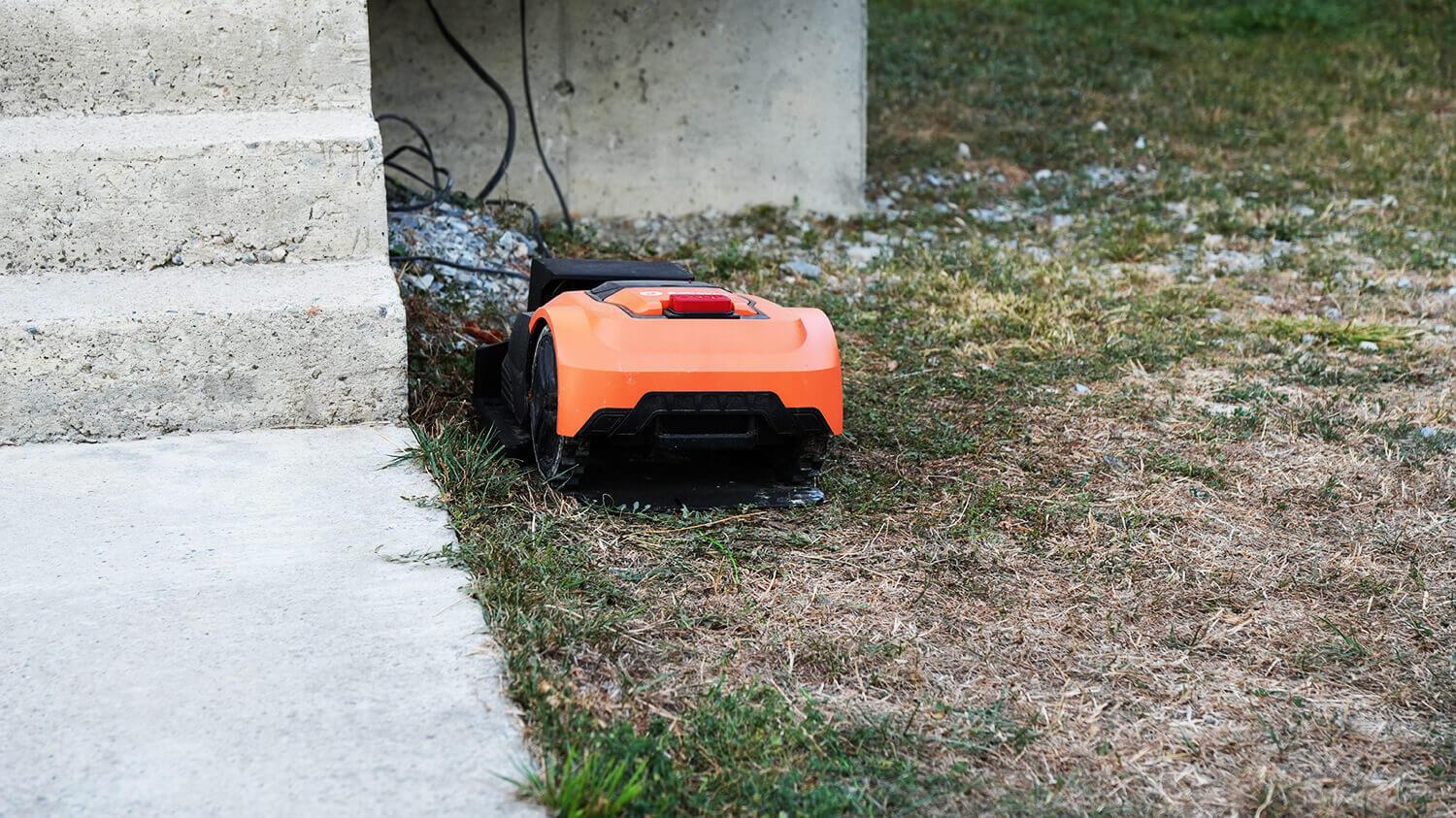
Correct location of the base
Luckily, there are repair connectors included, so all I had to do was connect the wires in one place, disconnect them in another, and connect them to the base.
Restart and the robot now correctly starts the mowing cycle inside the boundary wire area.
Mowing results
My village lawn isn't in too bad shape anymore, as I use a robotic lawn mower myself. However, I deliberately let the grass grow a bit to test the effectiveness of the Robokos RM600i. And I can say that after a week of use, running it daily between 8 a.m. and 7 p.m., the robot was able to level the lawn.
Since there is no object detection system, it is not afraid of tall thickets, unless the stems are very thick, which could lead to the bumper being triggered.
However, due to the lack of navigation and a mowing algorithm for even stripes, it will take longer to completely restore the lawn to its original shape. And of course, due to the erratic movement of the Robokos RM600i, missed areas will inevitably occur. While minor gaps remain, over time, the eye becomes less able to notice them, as the difference between mown and unmown grass is literally half a centimeter.
In general, here I'll just show the condition of the site after a week of active robot use:
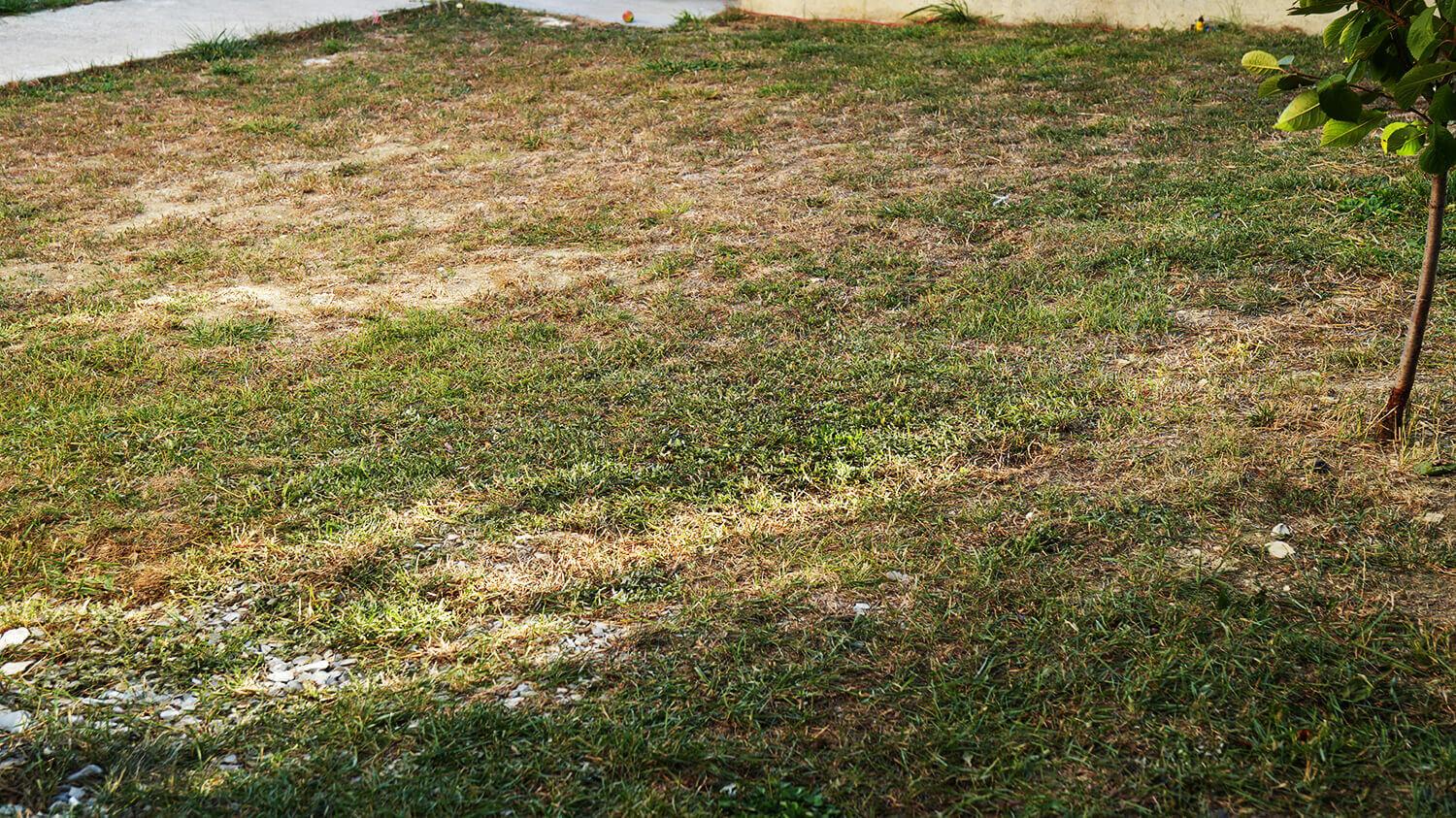
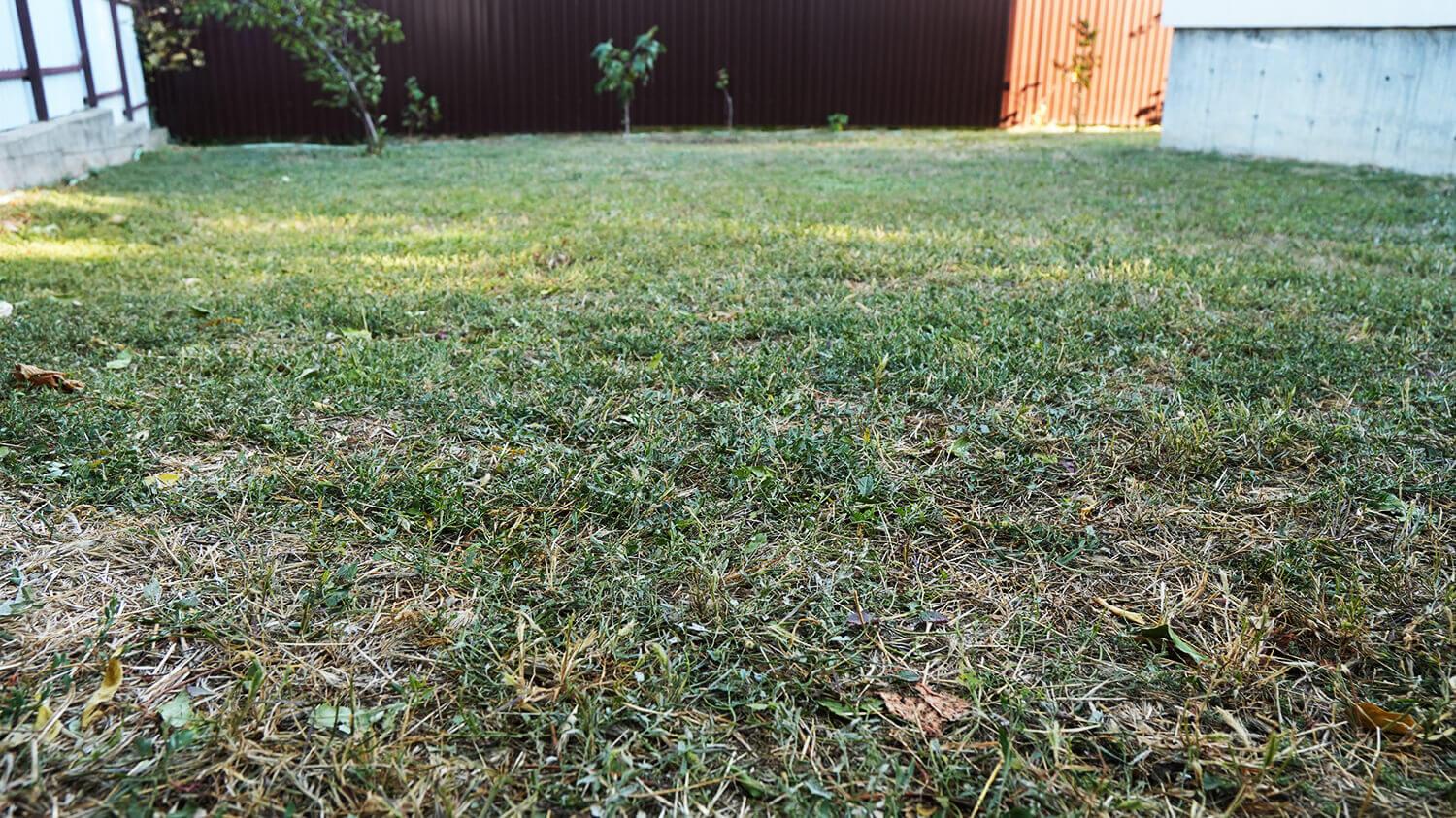
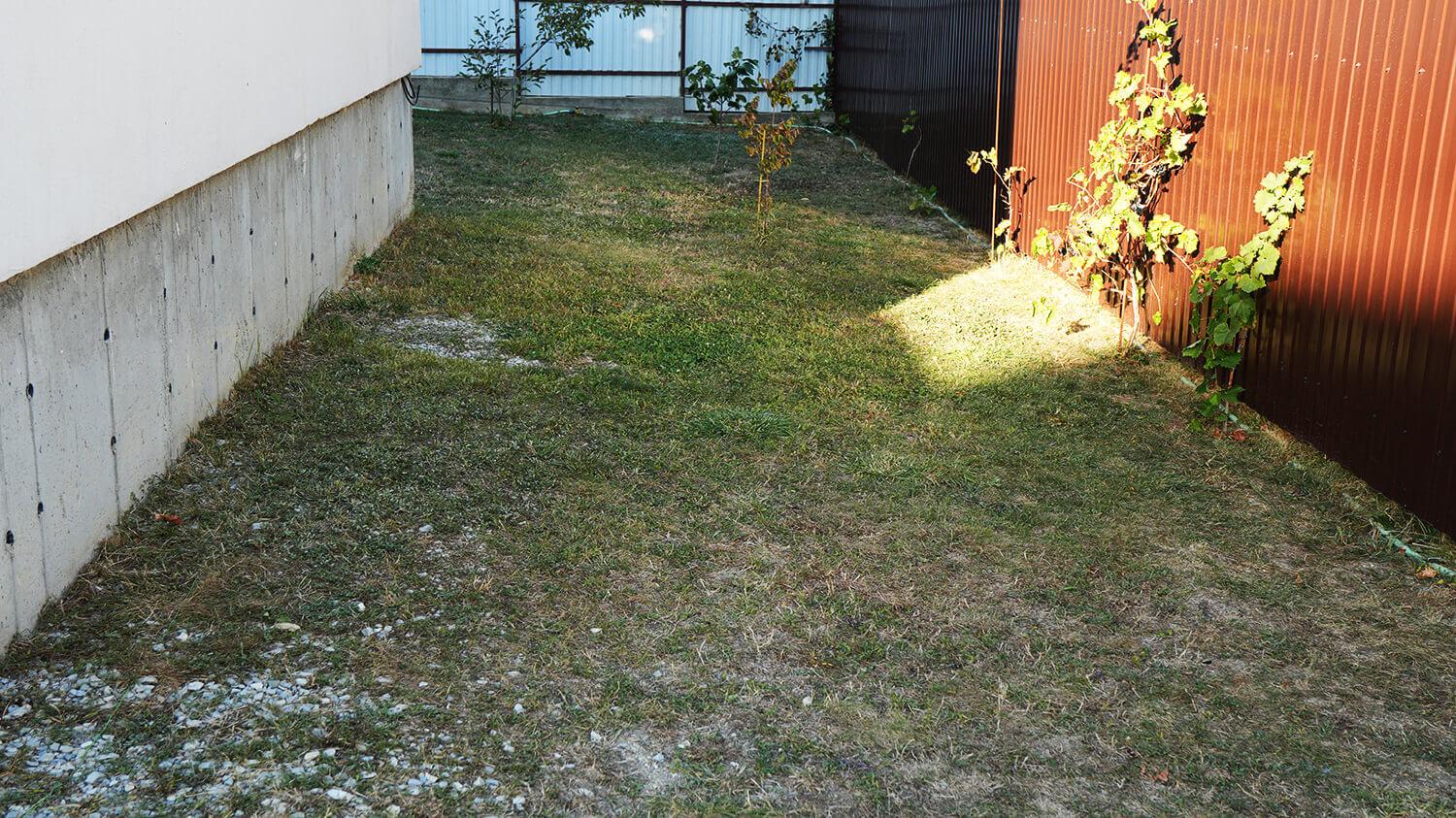
In my opinion, the result is good, and the robot does its job. There's only a blind spot along the perimeter where the knives can't reach. It's about 10 centimeters wide.
Autonomy
The next important thing to test was the robot's autonomy. This is more difficult, as it's impossible to determine 100% coverage of the working area due to its erratic movement. The only reference point is the runtime. The battery charge lasts for two hours. In my case, it lasted for two hours and fifteen minutes. At 30% battery life, the robot returns to the base, charges fully in an hour, and is ready to mow for another two hours.
So, 8 hours of operation equals 6 hours of mowing with two one-hour recharges. There's no way to calculate how much lawn it'll mow in that time. It all depends on the geometry of the plot and the plantings. It handled my 200 square meters with ease, so I think it's within its capabilities for the 600 square meters it claims to be capable of.
Object Identification System
I also tested the active bumper. I placed common items around the area that might appear on the lawn or be accidentally left behind. The robot drove over a hose, ran over a shovel, ran over a hammer and a ball, got stuck briefly on a shovel, and knocked over a watering can and a hedgehog.
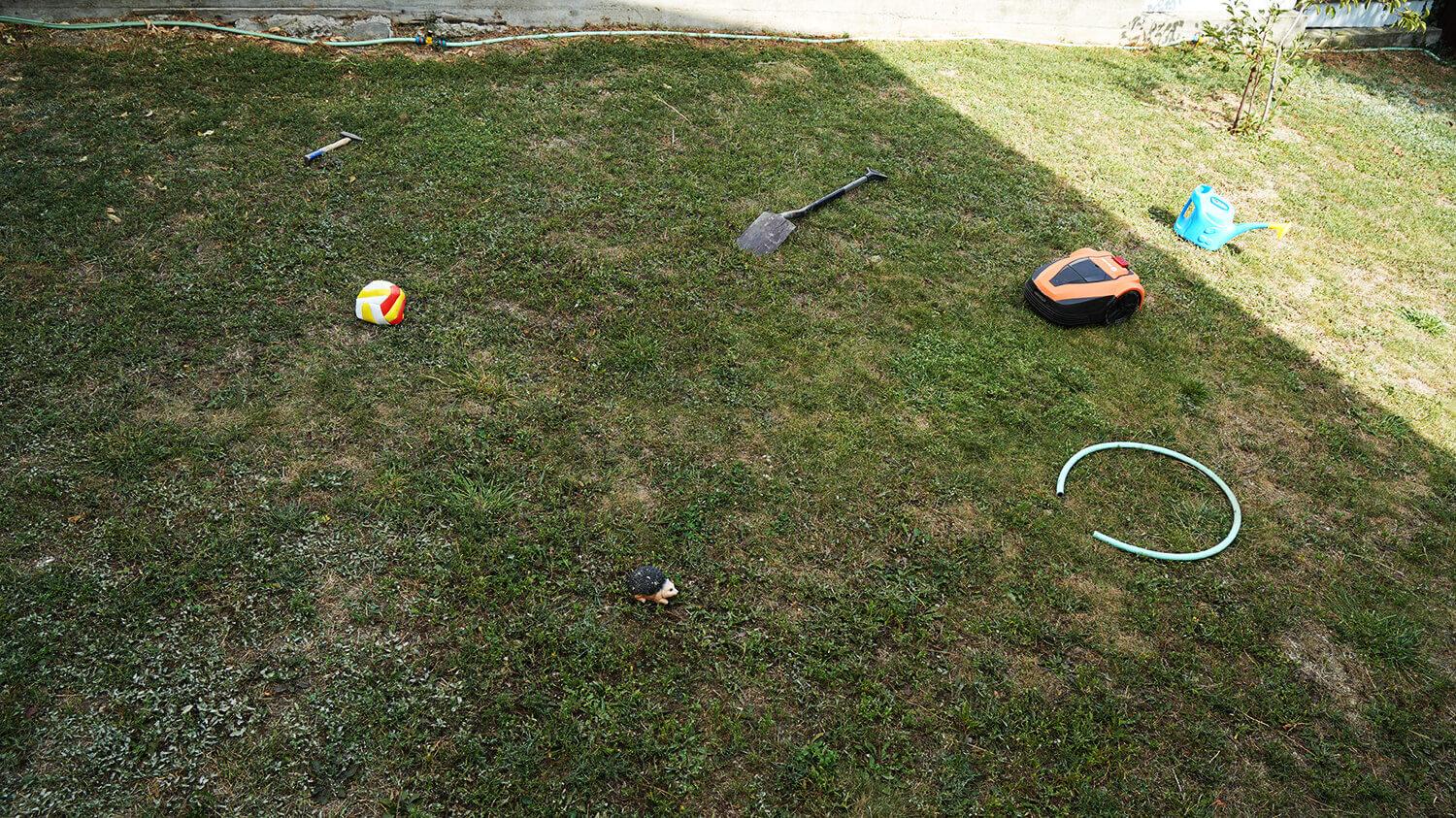
Bypassing objects
In general, the robot doesn't have a feature for carefully avoiding objects. However, when it comes into contact with objects like trees, the robot moves away and changes direction, so it doesn't crash into any trees.
The robot's condition after testing and its maintenance
I'll show you what happened to the Robokos RM600i after several weeks of use. Let's start with its visual condition. There are virtually no scratches. This is because the robot follows the perimeter strictly along the wire and avoids contact with fences, the house foundation, or other objects that could damage it. The plastic itself is not flimsy, wear-resistant, and has retained its appearance during testing.
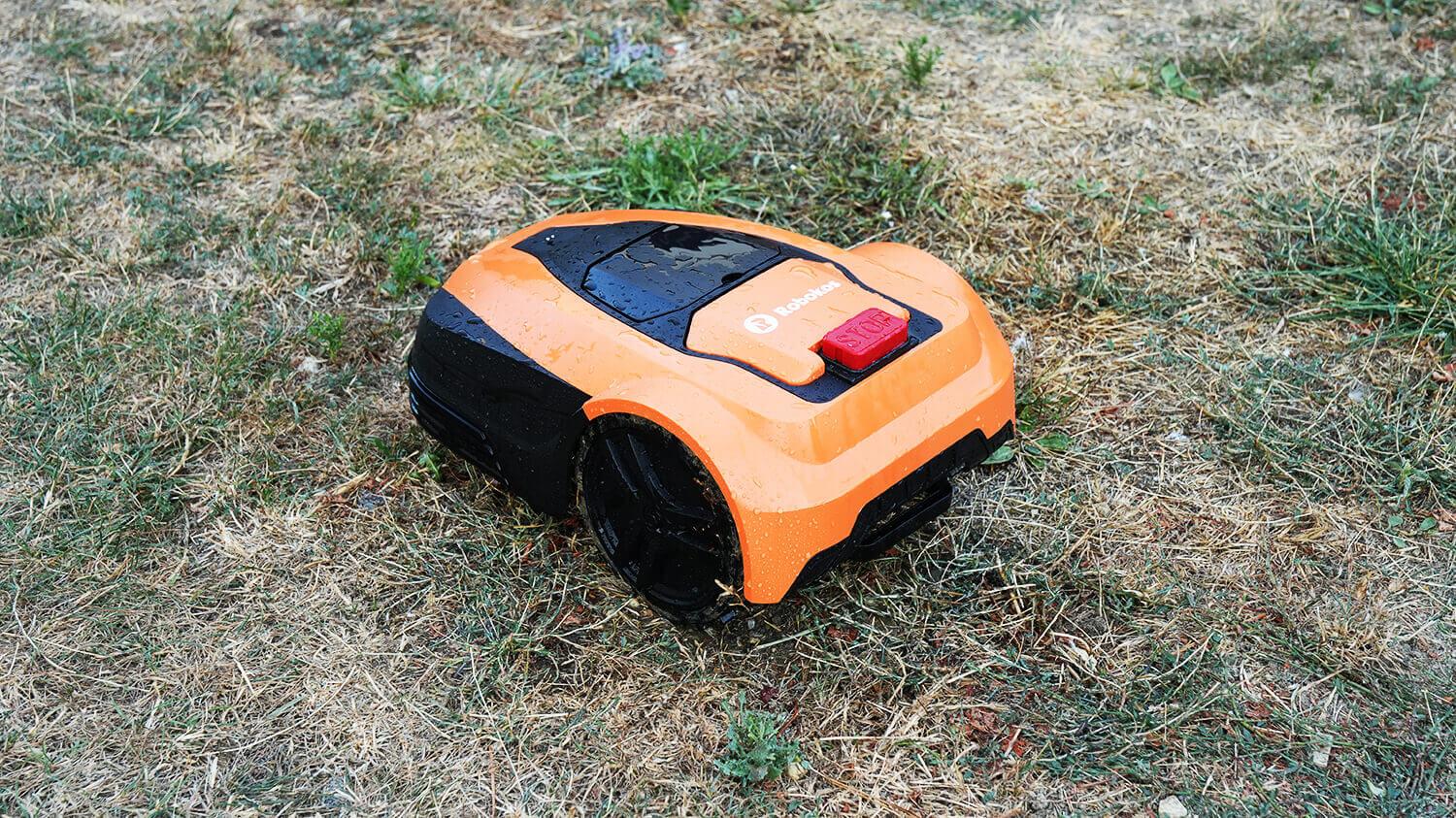
Let's check the condition of the blades. They're also in good condition and will last for a while. You just need to periodically clean off the residue from the mown grass.
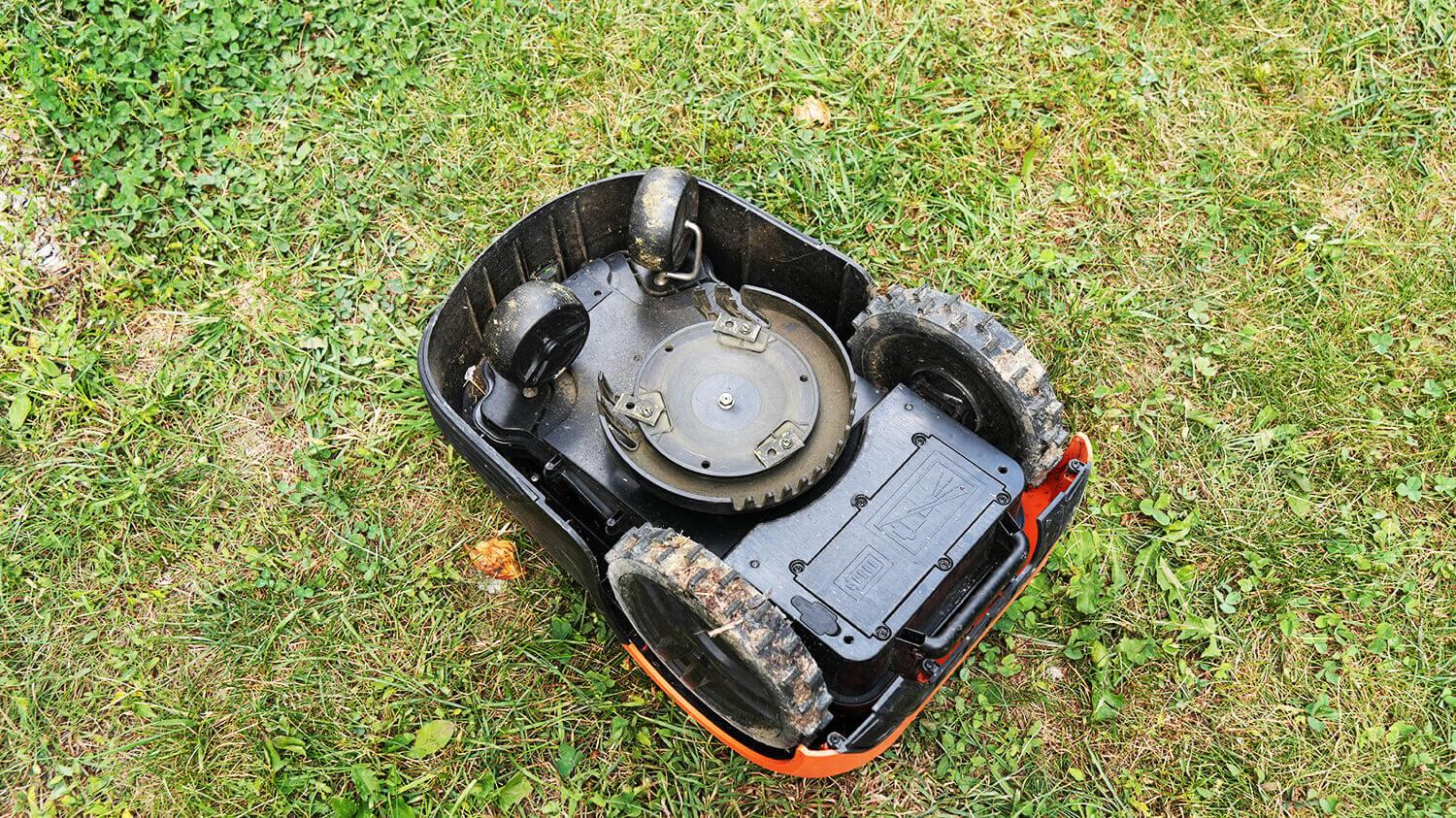
Condition of the knives
Speaking about cleaning the robot itself, the manufacturer does not recommend washing it even with a hose, either from above or from below, although I did this during testing, and the robot did not malfunction.
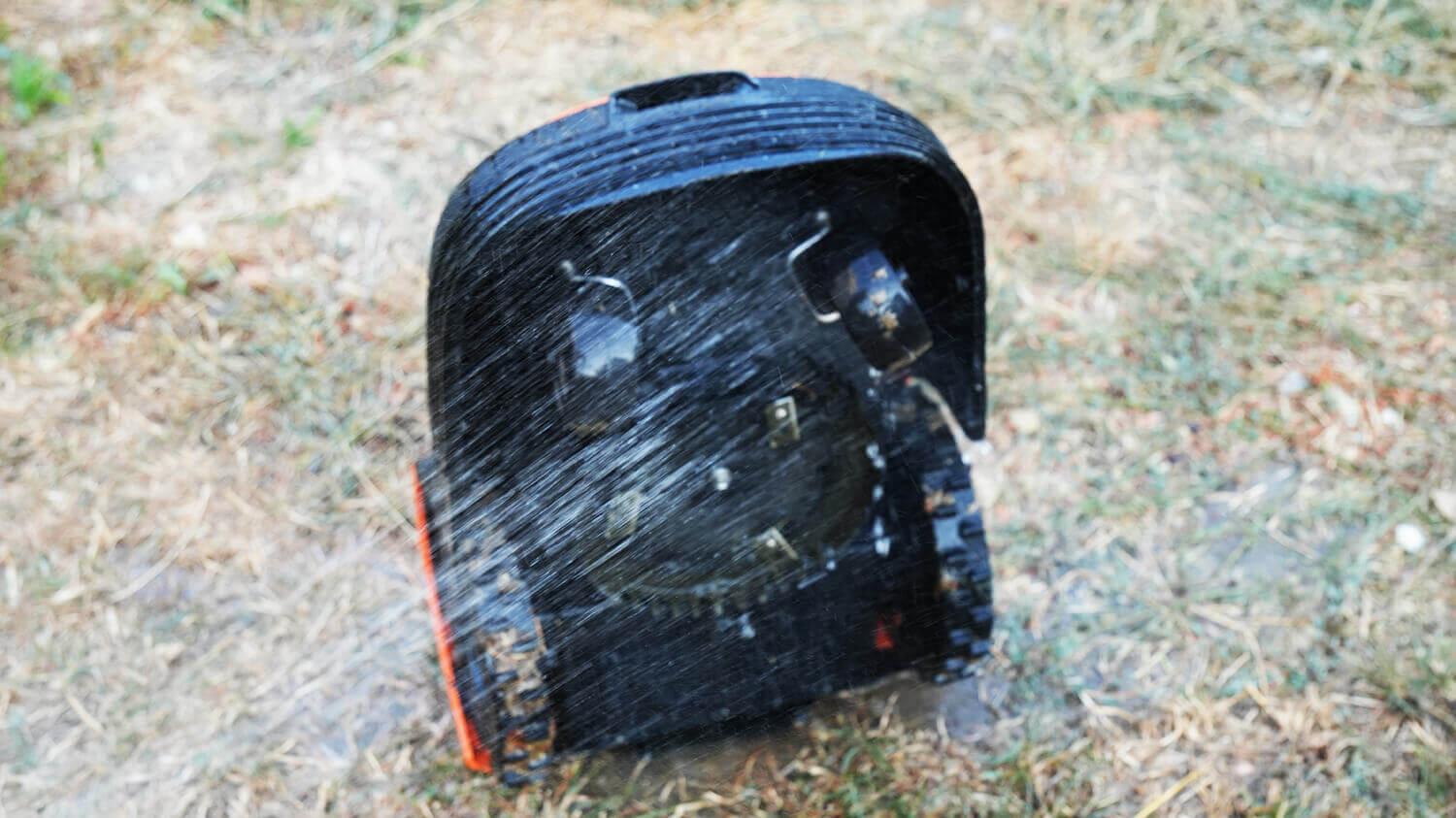
Bottom washing
If it needs to be cleaned, it is recommended to blow it out with compressed air and brush out any dirty parts.
Personal opinion
The Robokos RM600i robotic lawn mower was thoroughly reviewed and tested. I'll highlight the pros and cons I discovered, and then share my thoughts on it. Here's what I liked:
- A budget price for this type of equipment. Prices for these devices start at just $350, so this model is sold at the very bottom of the market.
- A full warranty and service support are included for the price. All spare parts and accessories are in stock. The brand has experience in this field and a whole line of robotic lawn mowers, which it specializes in. Additionally, it has an official website, social media chats, and other customer support options.
- Control is via an app that can be synced with other devices in the Smart Home system to create customized mowing scenarios. It's worth noting that the robot connects via Wi-Fi and can therefore be started remotely. There are also similar robots that are controlled only via Bluetooth, such as the one we tested earlier. Robomow RT300, and this is already completely last century.
- You can set mowing zones so the robot starts not from the base, but after traveling a specified distance along the boundary wire. Having multiple mowing zones is a great idea.
- An informative display on the body, through which you can also control the robot and adjust the mowing parameters.
- Rain protection has been implemented.
- Good maneuverability. During testing, the robot never got stuck or skidded.
- An all-metal blade for cutting tough grass and overgrowth is optional. I haven't seen this option on any other robots I've tested.
- Wear-resistant plastic. Its appearance does not fade over time.
As for comments, I would like to highlight the following:
- Erratic movement. I'm not a fan of robots without navigation, and this applies to both robot vacuums and robotic lawn mowers. However, having a map display of the mowing pattern and the ability to select mowing zones is very convenient. Robots that mow in a serpentine pattern also tend to groom the area more quickly, and there are fewer missed zones. However, the Robokos RM600i has a spiral mode, a mowing mode, and a hard-to-reach area mowing mode, which can be used for quick, precise mowing.
- To operate, it is necessary to lay a boundary wire around the perimeter, which can spoil the appearance of the area.
- There are requirements for installing the station; otherwise, the robot will move out of the mowing area when starting, as it only ever turns one way—to the right. It would be nice to add a rotation control feature to the app. I know some robots already have this feature.
- The app's functionality is limited. Even with its simplicity, it's strange that some of the robot's functions are only accessible through the control panel. For example, the mowing frequency can only be adjusted through the robot's settings. Also missing is manual control of the robot, so you can direct it with the joystick in the app instead of moving it to the desired area. Yandex.Alice support would also be helpful.
- There's no camera or full-fledged object detection system. The active bumper itself only provides a minimal solution to obstacle avoidance.
- There is a blind spot between the edge of the blades and the edge of the housing due to the disc not being shifted to the edge.
Overall, most of the criticisms are related to the robot's budget price, which is also common to other models in this price range, but there are also some individual flaws. In any case, this is a truly effective robot that can handle mowing and maintaining a beautiful lawn, provided you use it correctly and are prepared for the nuances discussed in the review.
I'd like to point out that the manufacturer also has more advanced models with navigation and cameras, and I hope that I'll get my hands on them for testing in the near future to show them in action.
That's all from me. If you have any questions, please ask them in the comments. Happy shopping, everyone. Bye!