
iLife A10s: The company's first robot vacuum cleaner with lidar
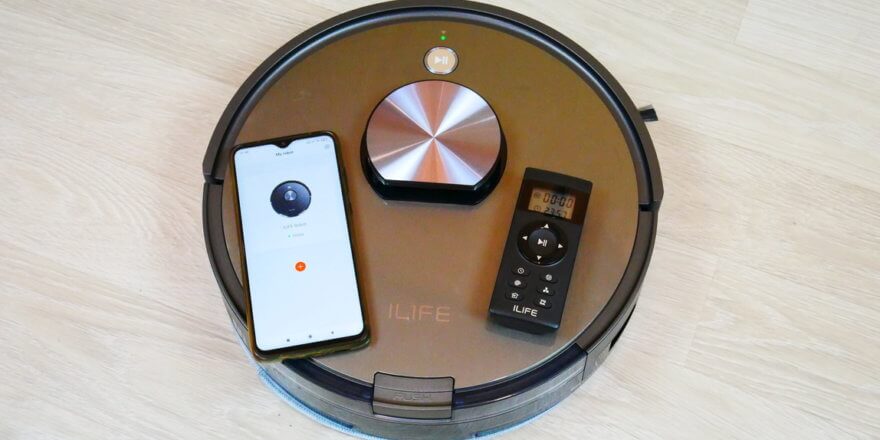
At CES 2020 in January, the new iLife A10s robot vacuum cleaner was announced, attracting attention for its lidar navigation system. iLife robotic vacuum cleaners Previously, the robots were equipped with nothing more than a camera and a gyroscope. Now, the new product has become the company's flagship product, boasting all the most advanced features and competitive specifications. The price is up to $320, but during sales, with all the discounts, this robot can cost around $150–$250. Below, we'll explore the iLife A10s, its features, its capabilities, and, most importantly, how well it performs its primary function. Let's get started!
Equipment
The manufacturer's delivery set includes:
- The robot vacuum cleaner itself with a water tank installed.
- Charging base with an additional platform for the robot.
- Separate dust collector.
- Power adapter.
- Documentation for the robot.
- Replaceable central silicone brush.
- Brush for cleaning the central brush and dust collector.
- Remote control with two batteries.
- Two spare side brushes.
- Spare microfiber cloth.
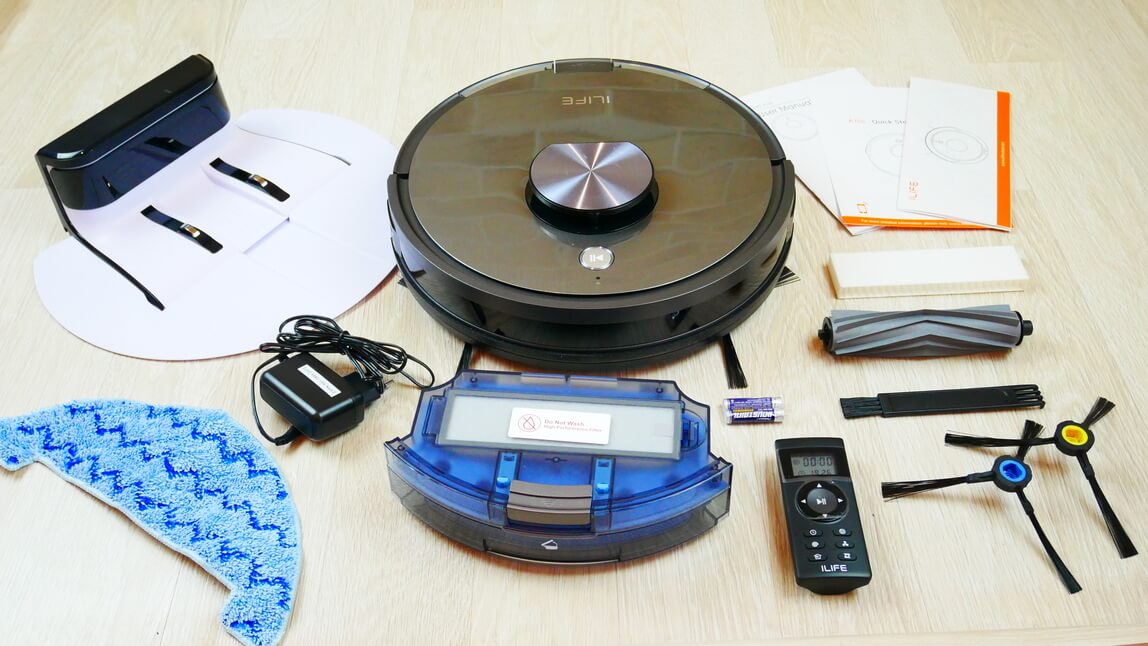
Equipment
Overall, the kit is complete, with all necessary accessories and spare consumables.
Appearance
Let's take a look at the robot's appearance. It's dark gray with a glossy finish.
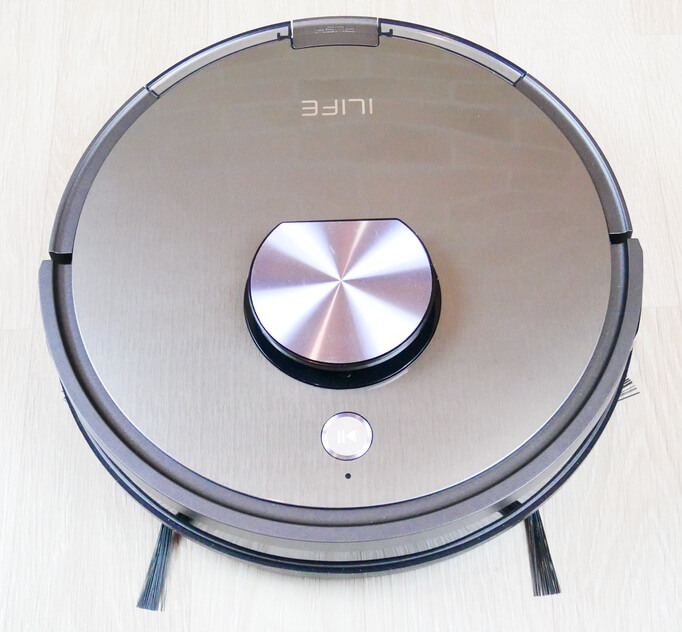
Top view
The water tank is removed from the rear by pressing a button. It holds 300 ml of water, which is filled from the top through a special opening with a sealed valve.
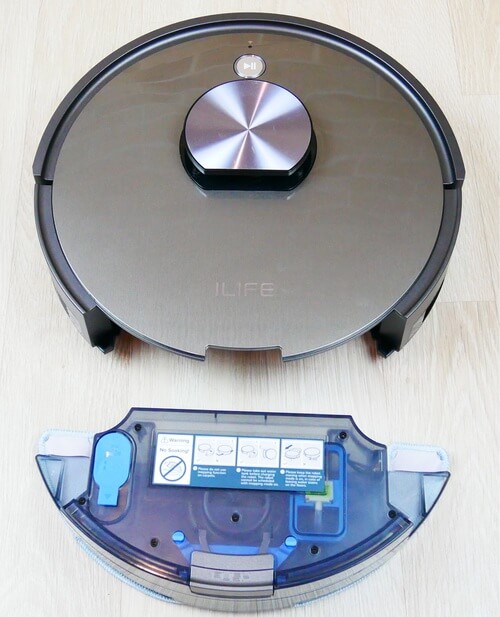
Water tank location
The tank itself is quite interestingly designed. Special motors are installed inside, causing the cloth to vibrate as you drive, effectively removing dirt. We can see the terminals on the tank and the pump installed inside; these are used to electronically regulate the water flow to the cloth. There's also a waste collection compartment inside the tank.
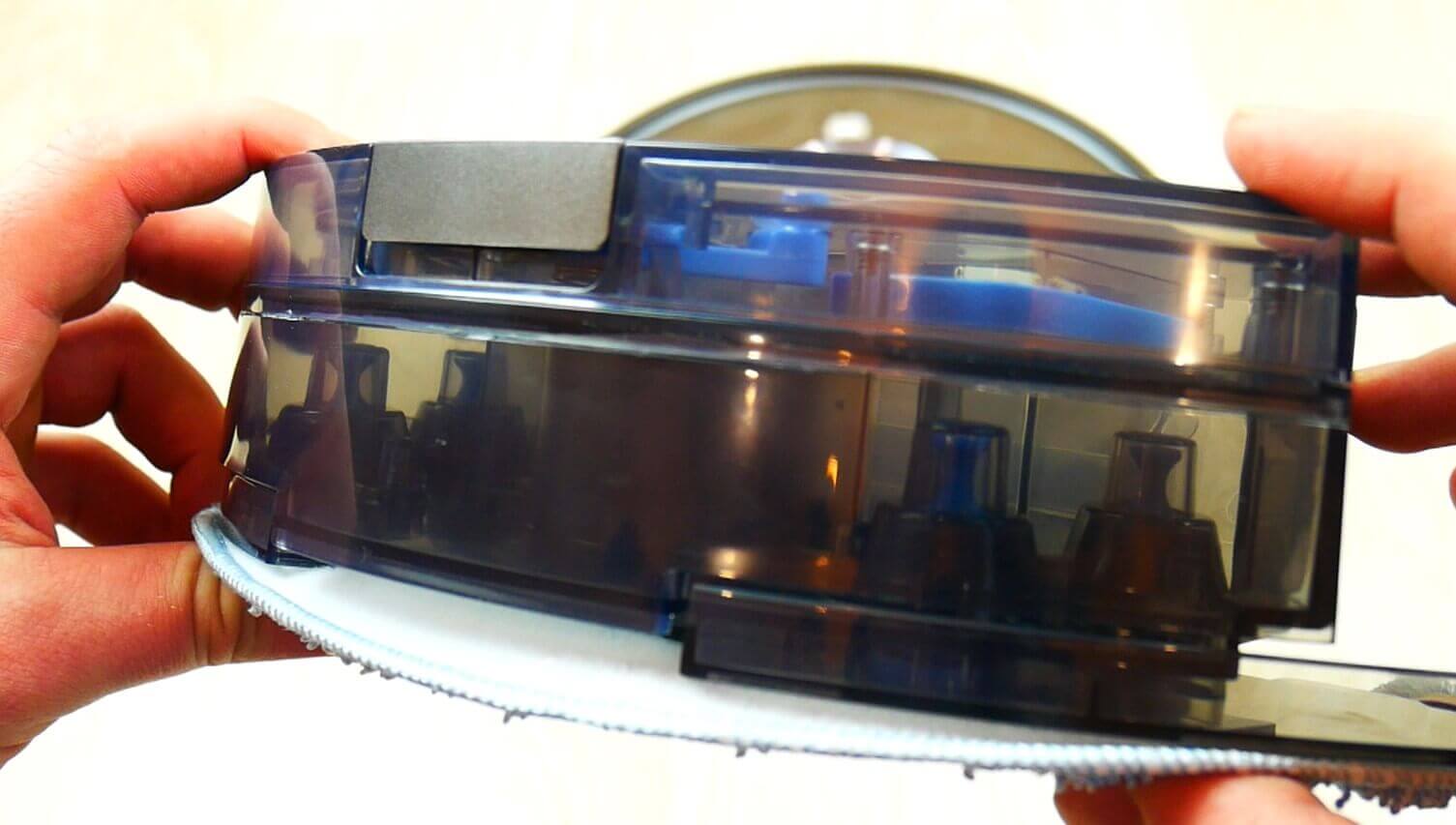
Tank design
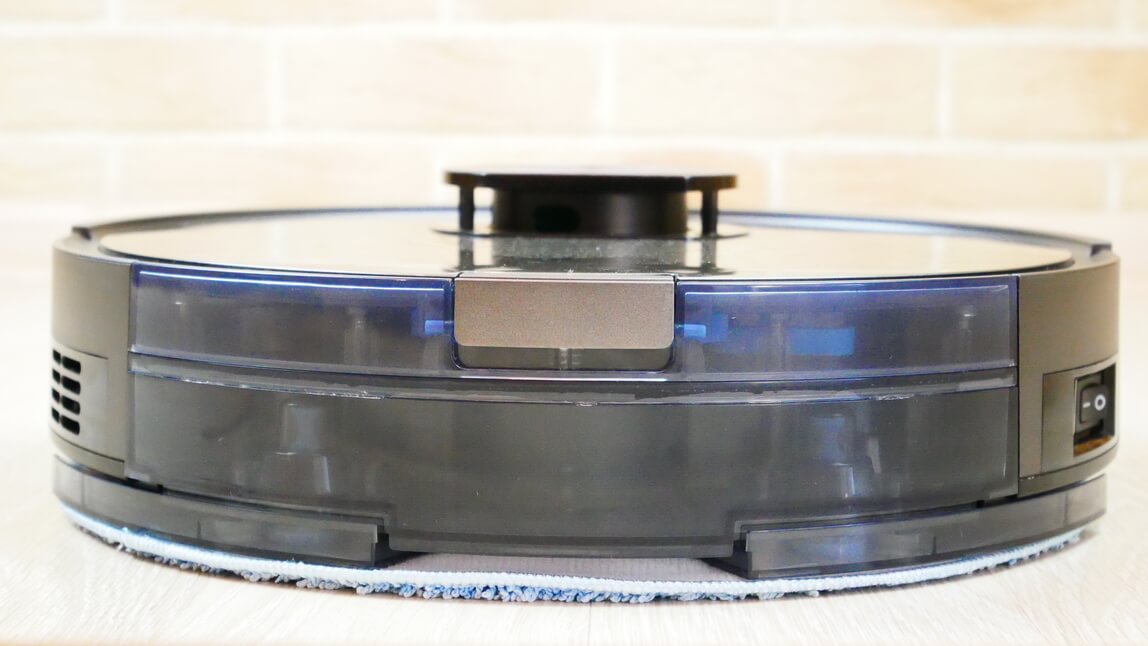
Rear view
With the water tank installed, the iLife A10s can simultaneously mop and collect debris. It doesn't vacuum, just sweep. The cloth is thick and well-made. It attaches to the platform with Velcro and pockets on the front.
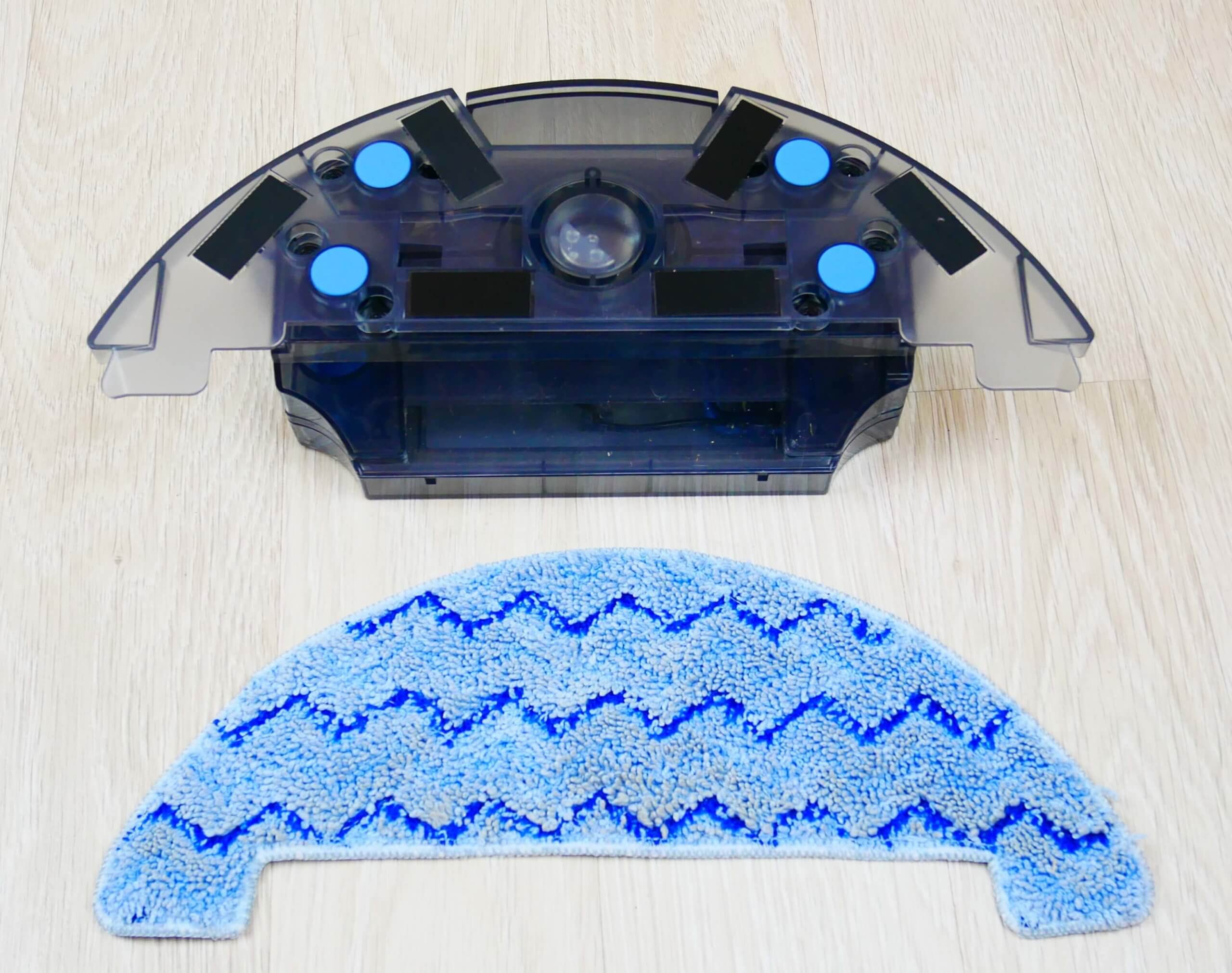
In order for the iLife A10s to vacuum, you need to replace the water tank with a dust collector.
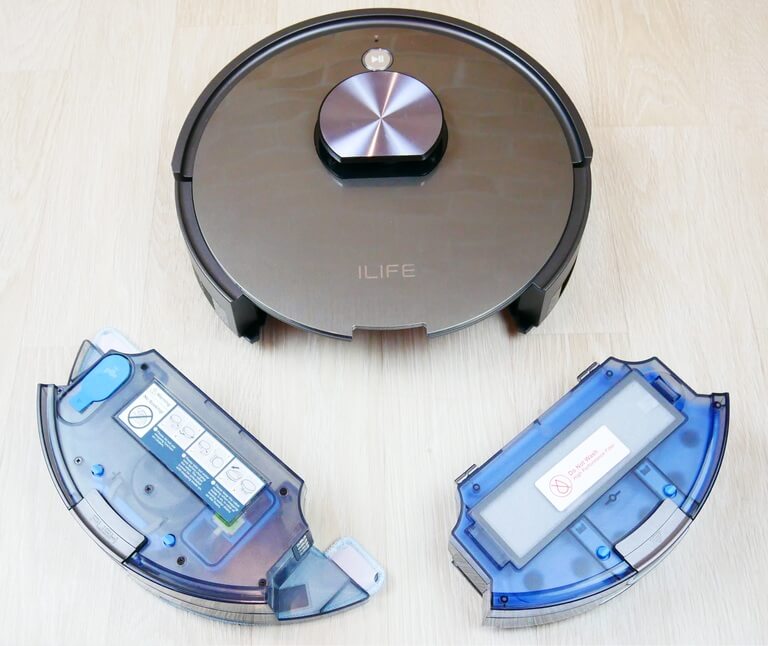
Water tank and dust collector
The waste container itself has also been updated. A custom-designed HEPA filter is installed on top. The filtration system inside the container features a honeycomb structure.
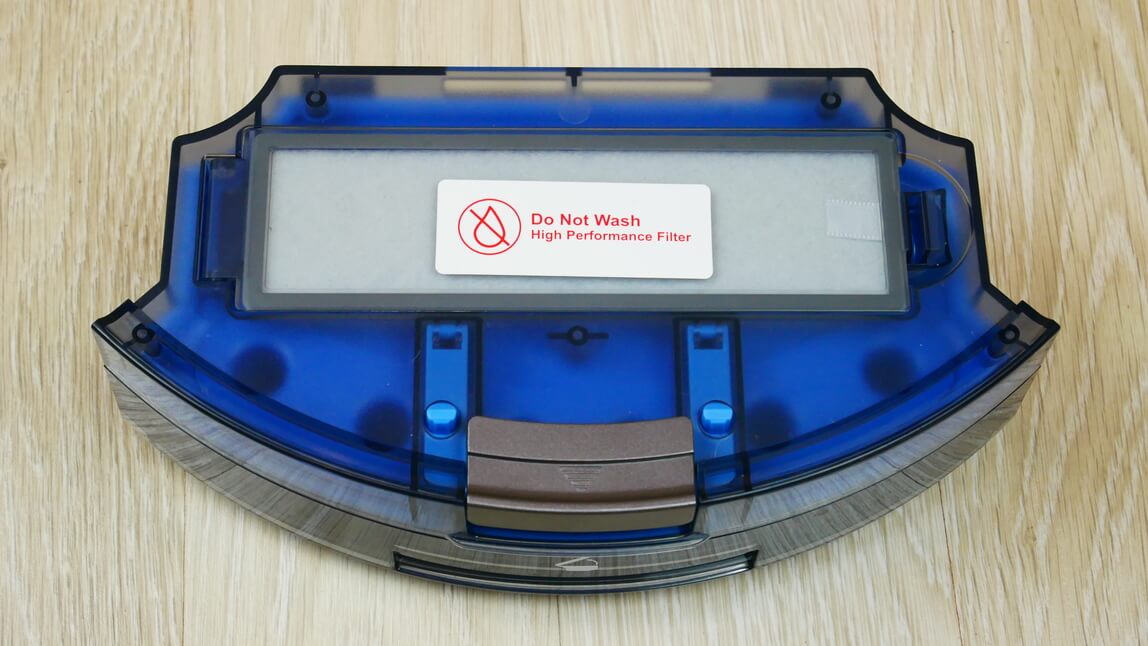
HEPA filter placement
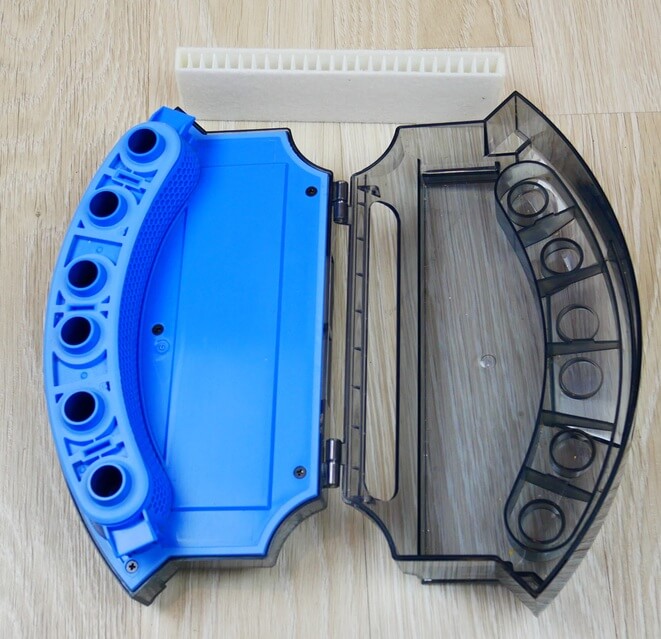
Dust collector device
According to the manufacturer, this design allows the robot vacuum cleaner to maintain suction power as the container fills. The dust container holds 600 ml, providing ample space.
Let's turn the robot over and examine its underside. It has two side brushes, each color-coded and marked with a corresponding letter. The attachment mechanism is quick-release. A bristle-petal turbo brush is located in the center. There is no additional anti-winding system.
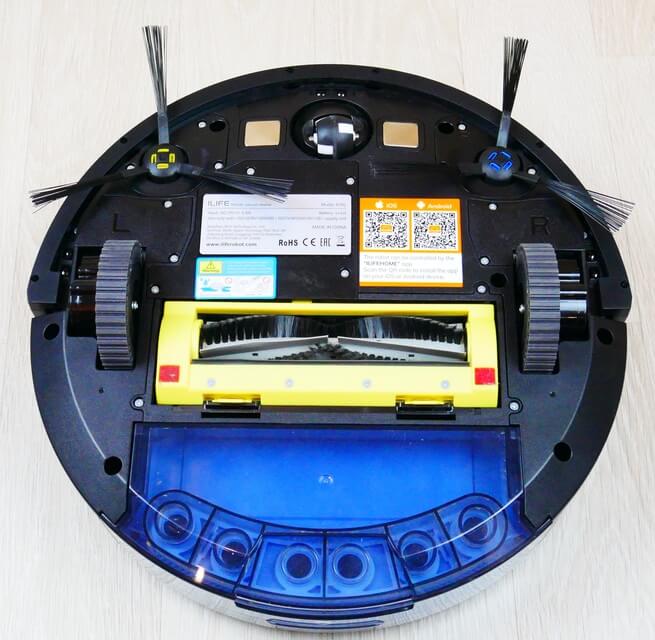
Bottom view
If necessary, you can replace the central brush with a silicone one. It collects less hair and fur, directing all debris directly into the dust collector.
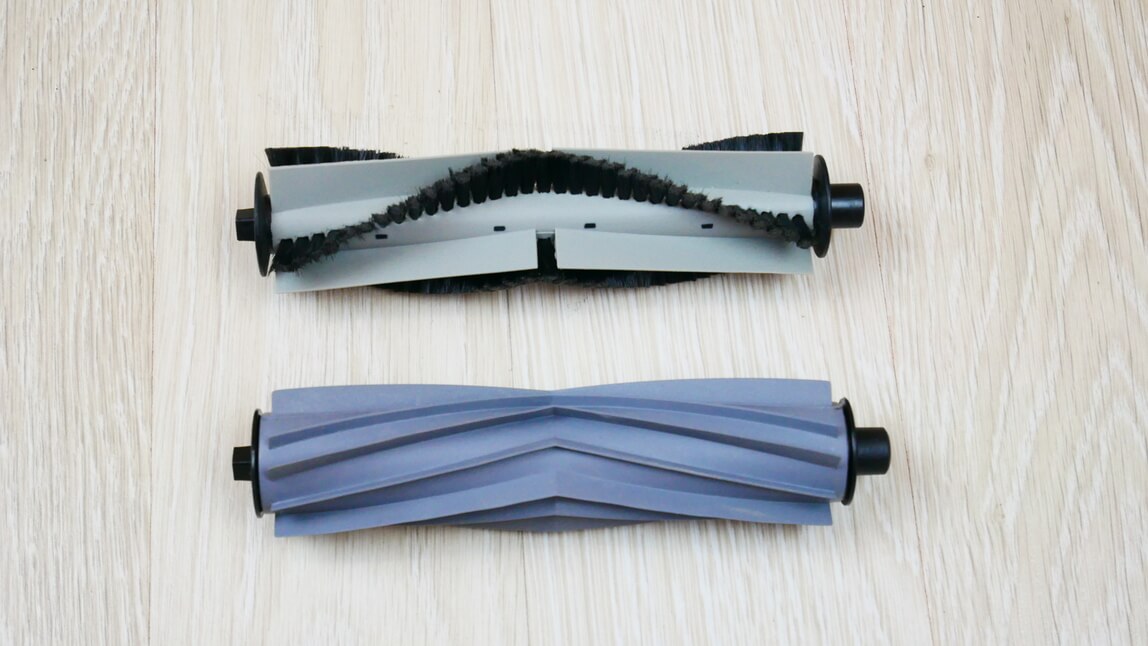
Central brushes
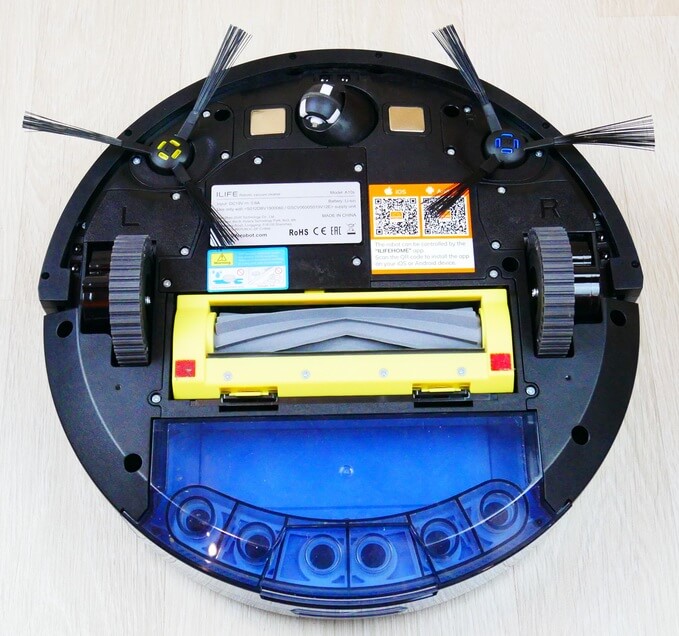
Bottom view (silicone brush)
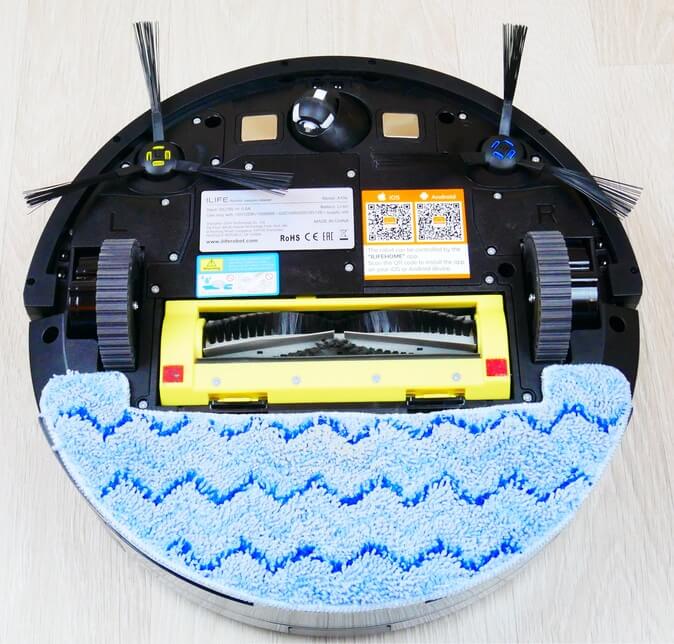
Bottom view with napkin
Overall, the robot's design and build are average for a budget of up to $320. The plastic is decent, but still not up to the premium segment. The side brushes are budget-friendly.
Technical specifications
We've summarized all the key features of the iLife A10s that are currently known in the table:
| Battery | Li-Ion, 2900 mAh |
| Suction power | >1000 Pa |
| Battery life | up to 100 minutes |
| Charging time | up to 300 minutes |
| Cleaning area | up to 150 sq.m. |
| Height of obstacles to be overcome | up to 15 mm |
| Dust container volume | 600 ml |
| Volume of the container for wet cleaning | 300 ml + 100 ml for garbage |
| Overall dimensions | 33x32x9.5 cm |
| Weight | 2.65 kg |
| Noise level | up to 68 dB |
The specifications are quite standard for a mid-price segment. The manufacturer doesn't specify suction power, but I can say the robot is quite powerful, based on the test results shown below.
Functional capabilities
Now let's take a look at the features of the iLife A10s. First, we'll show you how to control the robot vacuum using the remote control.
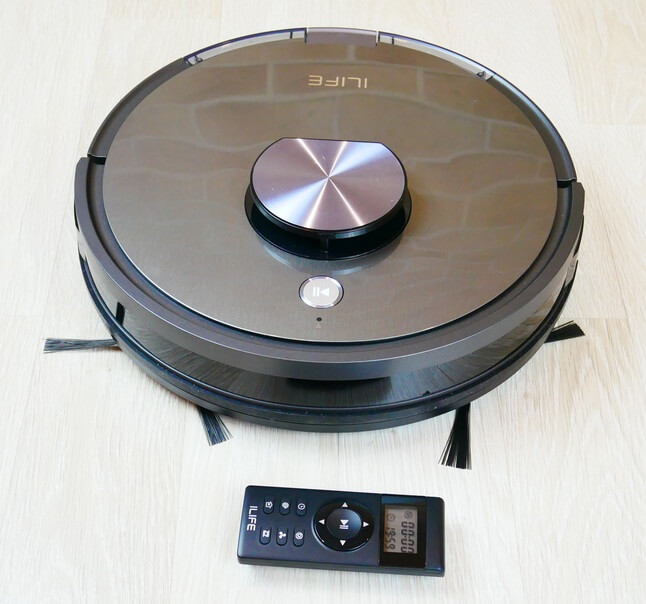
Robot and remote control
The remote control is equipped with a display that shows the actual time and the scheduled cleaning time.
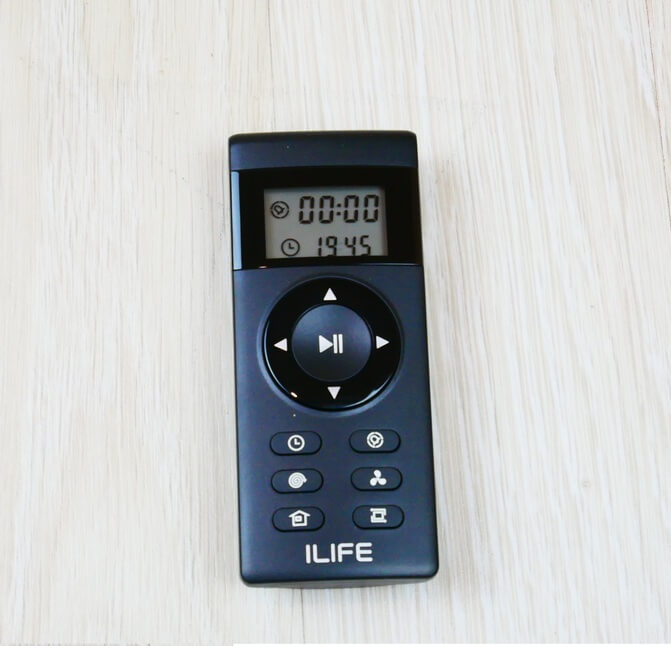
Remote controller
Below the display are buttons for manual control of the robot vacuum cleaner and a start/pause button in the center. Below that, on the left, is a button for setting the real-time clock, and to the right is a button for setting a scheduled cleaning time. Below that, on the left, is a local cleaning mode, which causes the robot vacuum to move in a spiral pattern in a specific area. On the right is a button for adjusting the suction power.
In the very bottom row on the left is a button forcing the robot to return to the charging base, and to the right of it is the room perimeter cleaning mode.
These features are sufficient for automatically maintaining cleanliness in your home if there is no Wi-Fi or if it is difficult to control the robot vacuum cleaner via smartphone.
But when you connect the iLife A10s to your smartphone, the proprietary app unlocks more useful features. Connecting the robot vacuum to the network is quite simple; just follow the prompts.
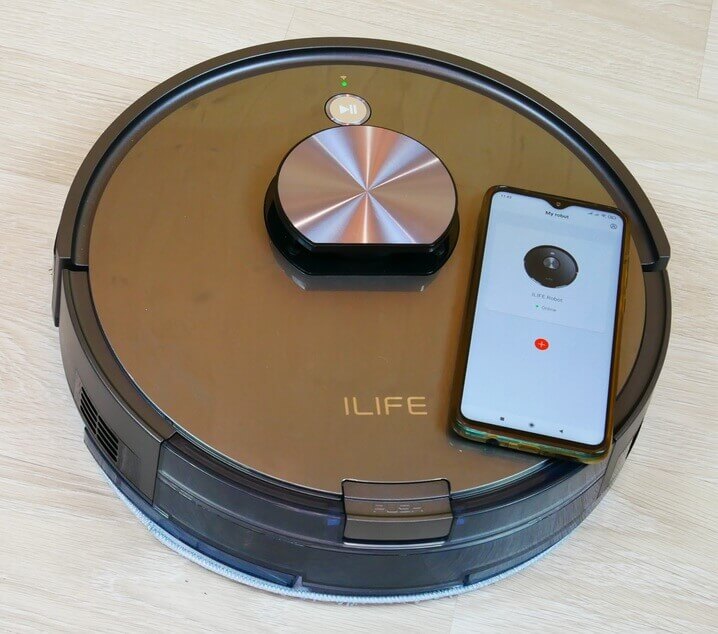
Control via app
After connecting, it's important to run a walkthrough so the robot can map the room and save it. The saved map highlights the robot vacuum's most interesting features.
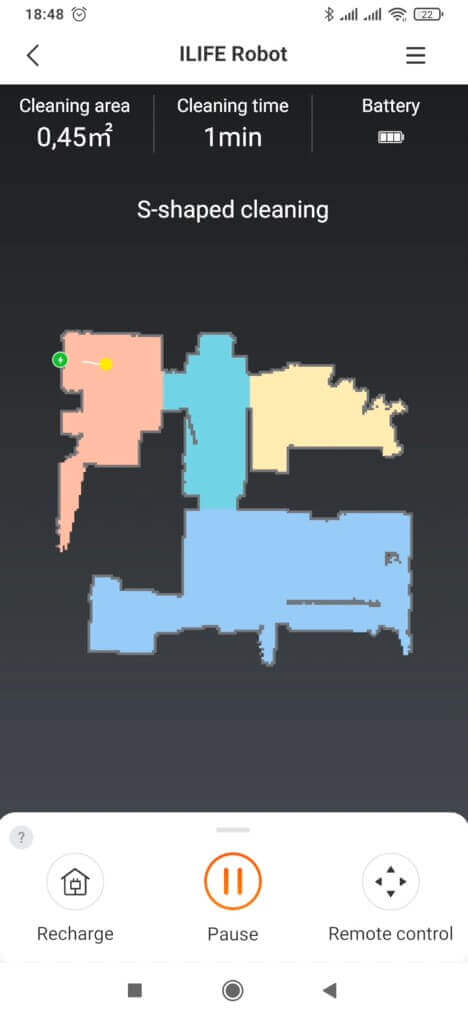
Cleaning map
So, in our case, the map has already been created. You can see that the iLife A10s has automatically recognized the rooms and divided the space into zones. It's worth noting right away that the menu is in English, and so is the interface. In our case, there's no option to select Russian, but perhaps the manufacturer will fix this issue in the future.
Among the iLife A10s's key settings, it's worth highlighting the ability to change the robot's name, set up scheduled cleaning at a specific time, day of the week, and room, view the history of previous cleanings, and view the status of consumables. This is similar to most similar robots.
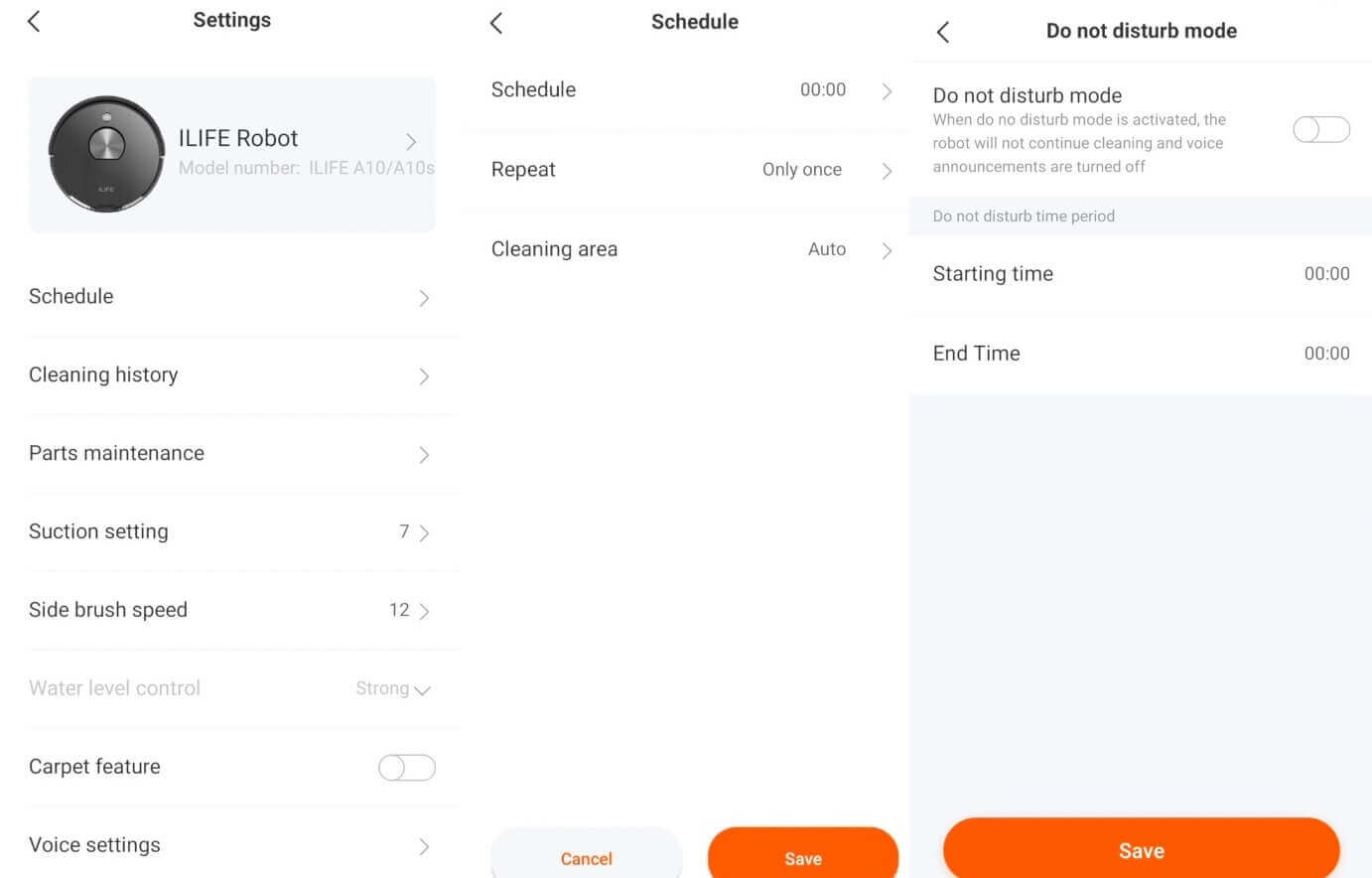
Settings
But what's truly interesting is the ability to precisely adjust the suction power. Not in steps like competitors, but smoothly, in percentages. The adjustment works reliably. You can also customize the rotation speed of the side brushes, which will impact the cleaning performance. With the water tank installed, you can choose between three levels of cloth wetting. There's also an automatic power boost when driving on carpets.
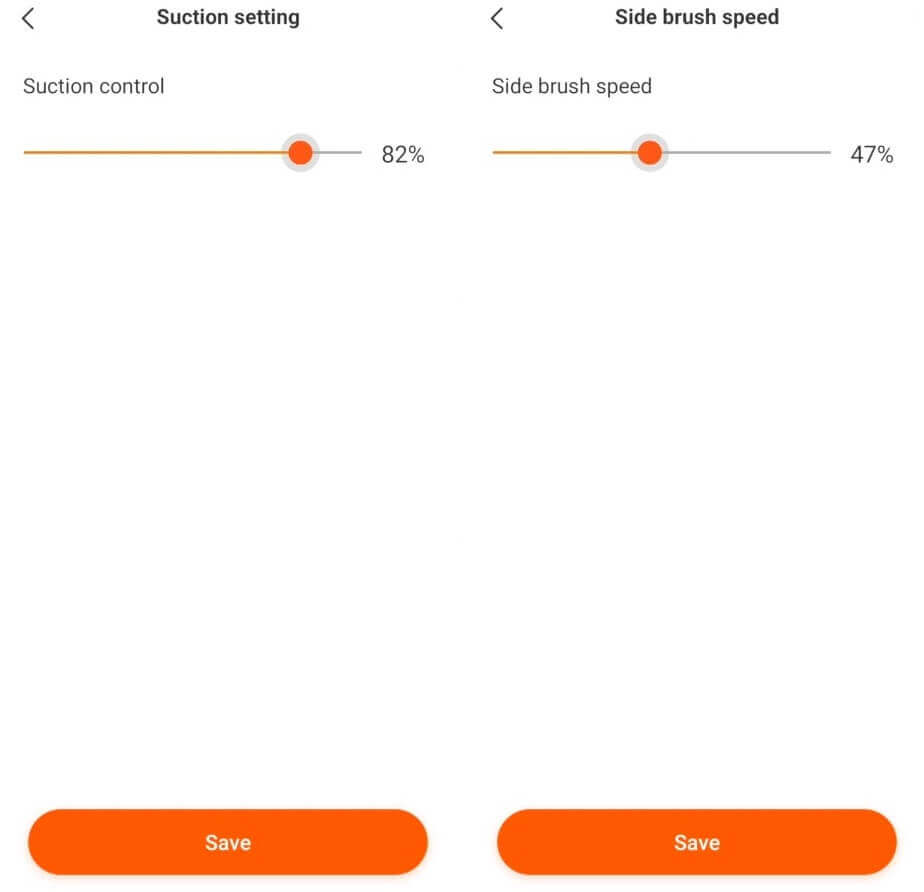
Adjustments
Additionally, you can adjust the volume of voice alerts, enable do not disturb mode at specific times, and choose from a variety of languages, including Russian. There's also a search function for the robot by sound and firmware updates.
It's much more interesting to explore the capabilities of the saved map itself. You can set virtual walls that the robot cannot cross. You can also set up carpet zones to prevent the robot from entering carpets during wet cleaning. There are also separate no-go zones. You can direct the robot vacuum to specific rooms for cleaning. You can also direct the robot vacuum to spot clean a specific area, select the desired cleaning map from three that the robot can remember, force the robot to return to charging, and control it manually. Incidentally, under the joystick are buttons for spot cleaning or room perimeter cleaning.
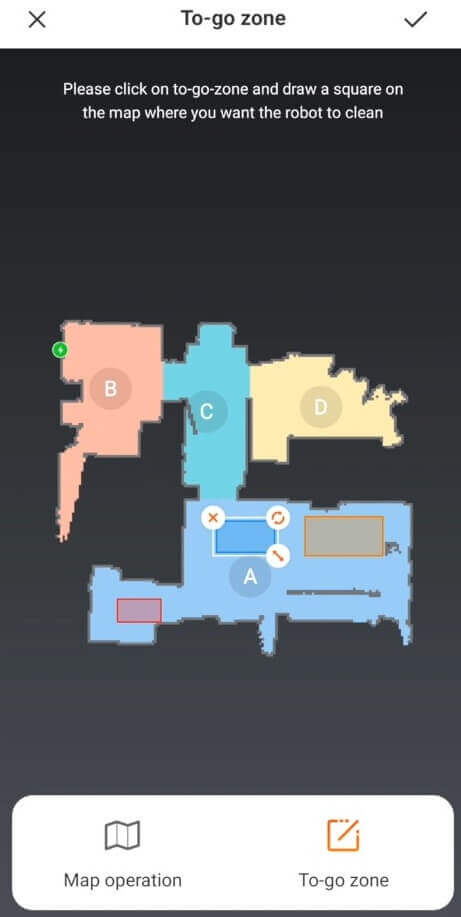
Working with the map
Overall, the iLife A10s's functionality is truly impressive. It has everything you'd expect from a premium model. robotic vacuum cleaners with lidarThe main features are, of course, automatic room zoning, the ability to set virtual walls and no-go zones, and flexible settings for power, water flow level, and even the rotation speed of the side brushes.
Testing
We recommend watching a detailed video review and test of this robot vacuum cleaner:
Navigation
Let's move on to the tests. First, we'll test this robotic vacuum's navigation within a single room with obstacles. These obstacles include a clothes dryer, a chair, a box, and a mirror, which could pose challenges for the lidar system.
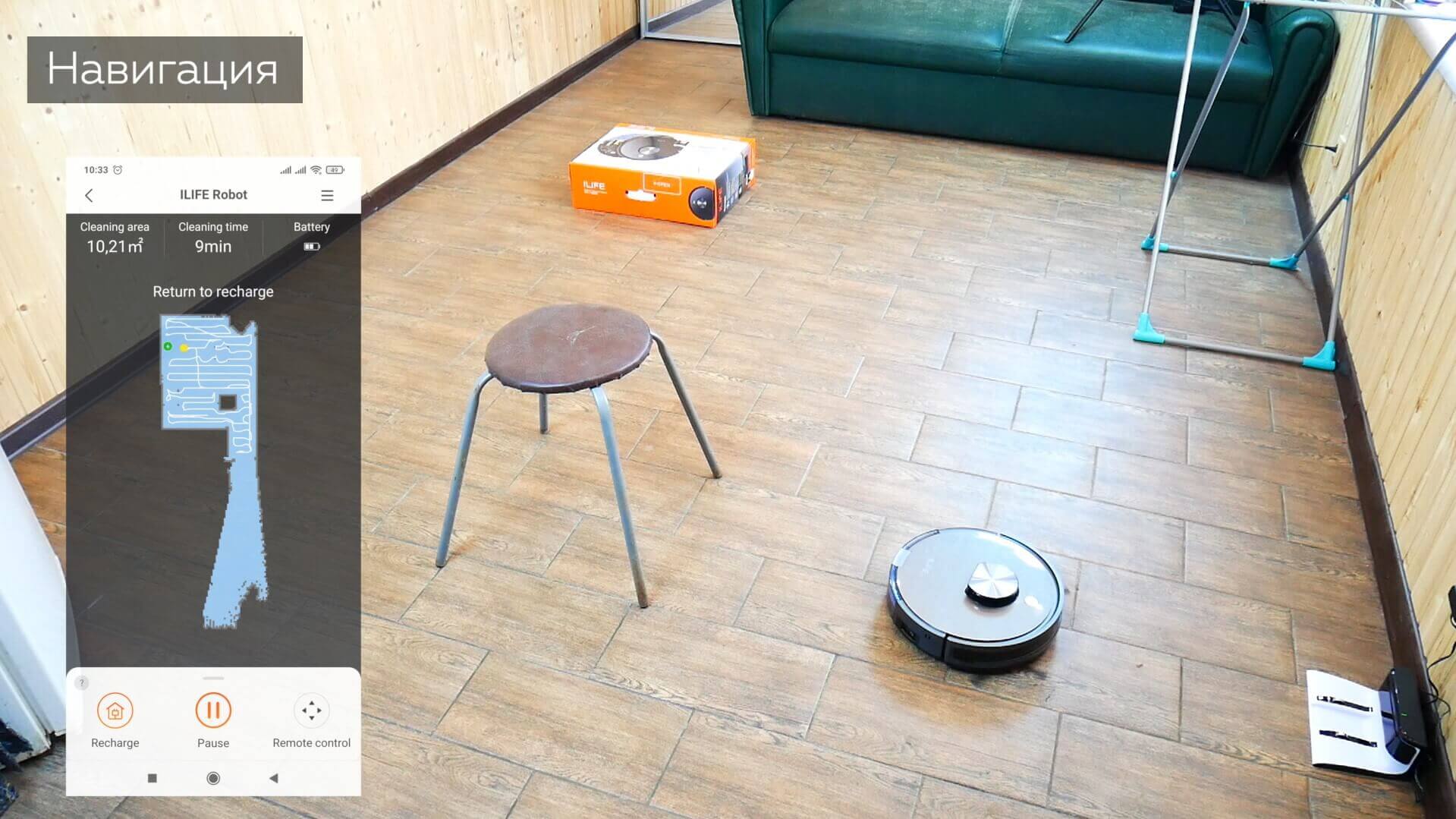
Navigating within a room
The iLIfe A10s swivel-route covered the entire accessible area, avoiding getting stuck on the dryer legs and hitting the mirror, despite the mirror introducing errors into the map. The robot didn't clean around each chair leg, as it would have moved the chair slightly. Overall, the robot's contact with objects was gentle, and it didn't bump into them too much. The only question is why it didn't perform an additional perimeter sweep at the beginning or end of the cleaning cycle; this is a drawback of the built-in motion algorithm. It took 9 minutes to clean 10 square meters, which is a fairly standard speed for lidar-equipped robots.
Now let's see how the iLife A10s navigates within several rooms, with a total usable area of just over 30 square meters. To begin, we recommend running a familiarization drive and saving the map to help the robot become more familiar with the room. We did just that.
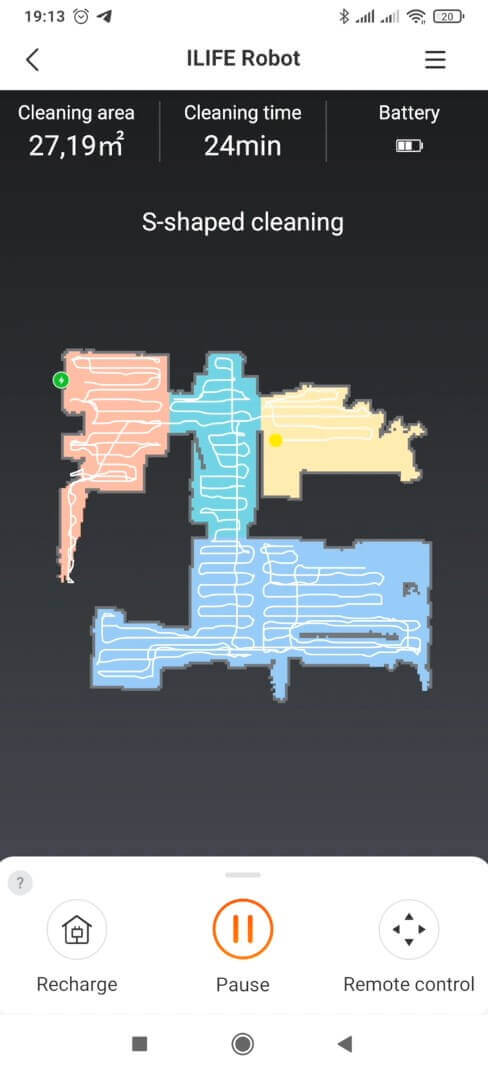
Home navigation
And you see the robot vacuum cleaner moving room after room in a serpentine pattern, dividing the large area into zones. It took 28 minutes to clean 30 square meters. The speed is high, but the perimeter isn't completely covered.
Suction power
Let's test the suction power of this robot vacuum cleaner on the test bench.
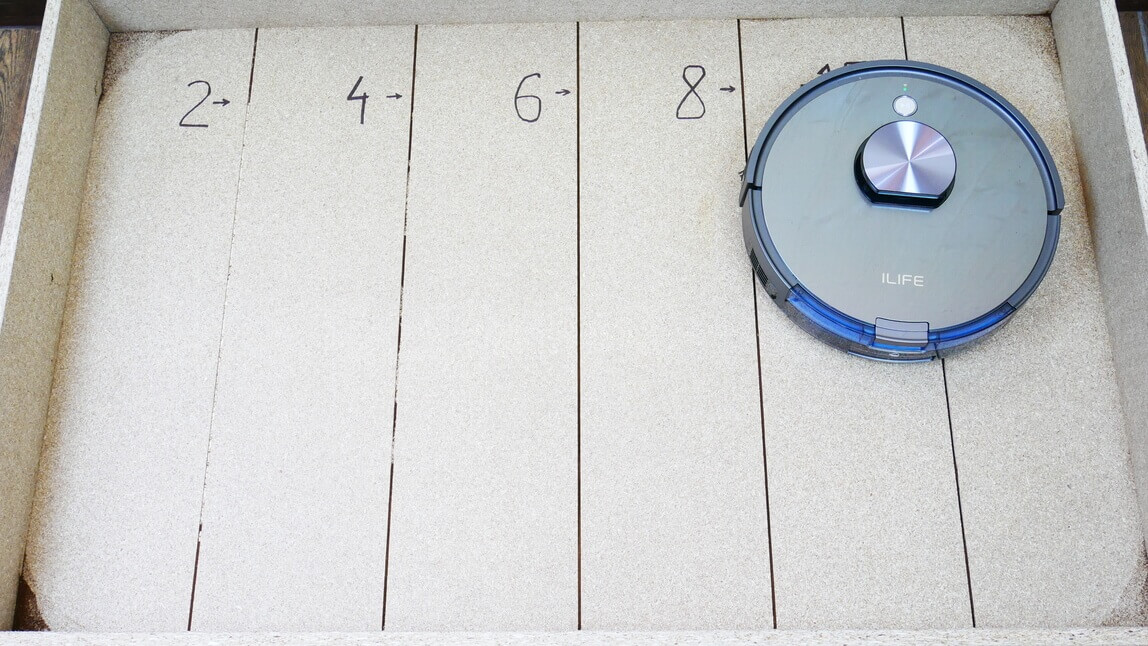
Suction power
The iLife A10 successfully removed debris from a 2 mm-deep gap. It also managed to remove some debris from a depth of 4 mm, a feat that most competitors cannot match. This test was passed with flying colors. The robot vacuum truly boasts above-average suction power.
Dry cleaning of laminate flooring
Now let's test how the iLife A10s handles everyday debris, such as pet hair, dust, and grains. The dust container and brushes are completely clean before use.
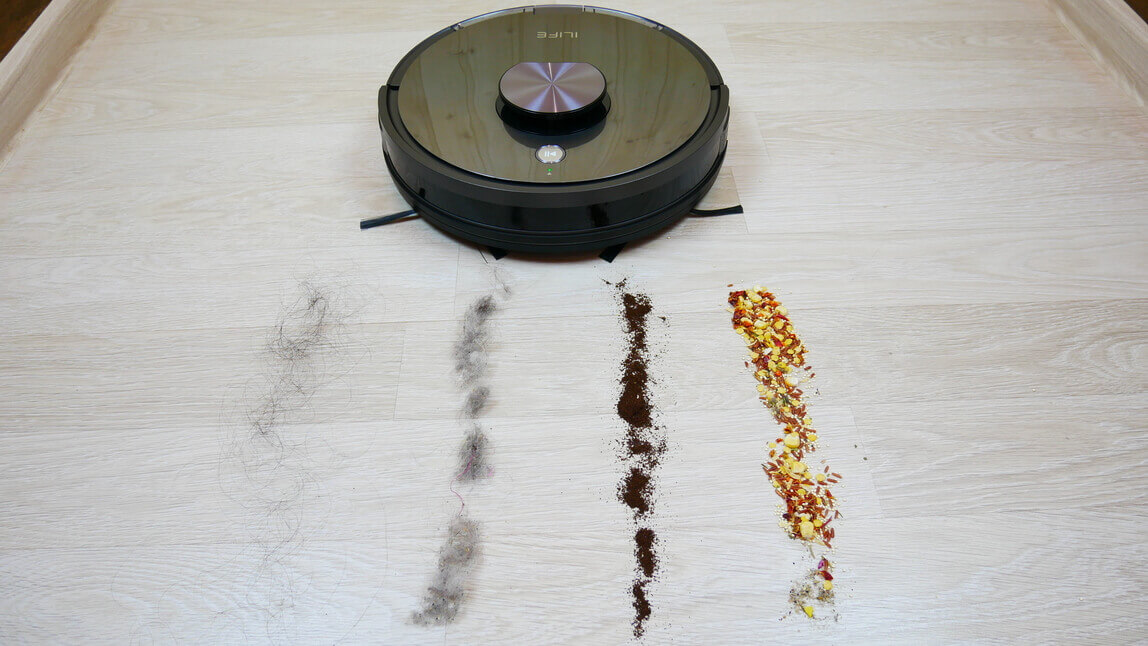
Robot vacuum cleaner and trash
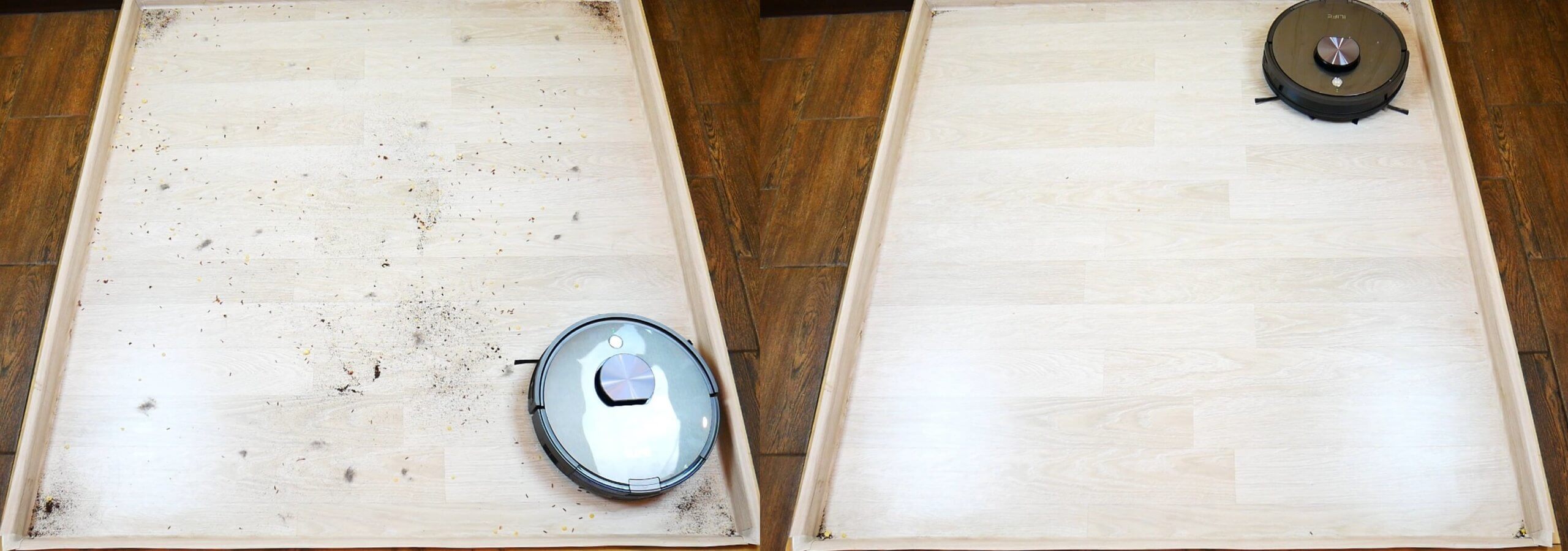
Dry cleaning of laminate flooring
And you can see that the robot vacuum has collected almost all the debris. It scattered a small amount of grain with the side brushes, but it's worth noting that I manually adjusted the side brush speed during cleaning. At maximum speed, they do scatter more debris, but at 30-40%, the side brushes are more effective. You can adjust the robot vacuum to your needs. Some debris remained in the corners due to the round shape of the body.
The side and center brushes caught hair, which should be easy to clean with the included cleaning tool. Most of the debris was collected in the dustbin. Overall, I think the iLife A10 did a good job.
Cleaning the carpet
We scattered the same debris on the carpet. Let's see how the robot handles the installed bristle-petal brush.
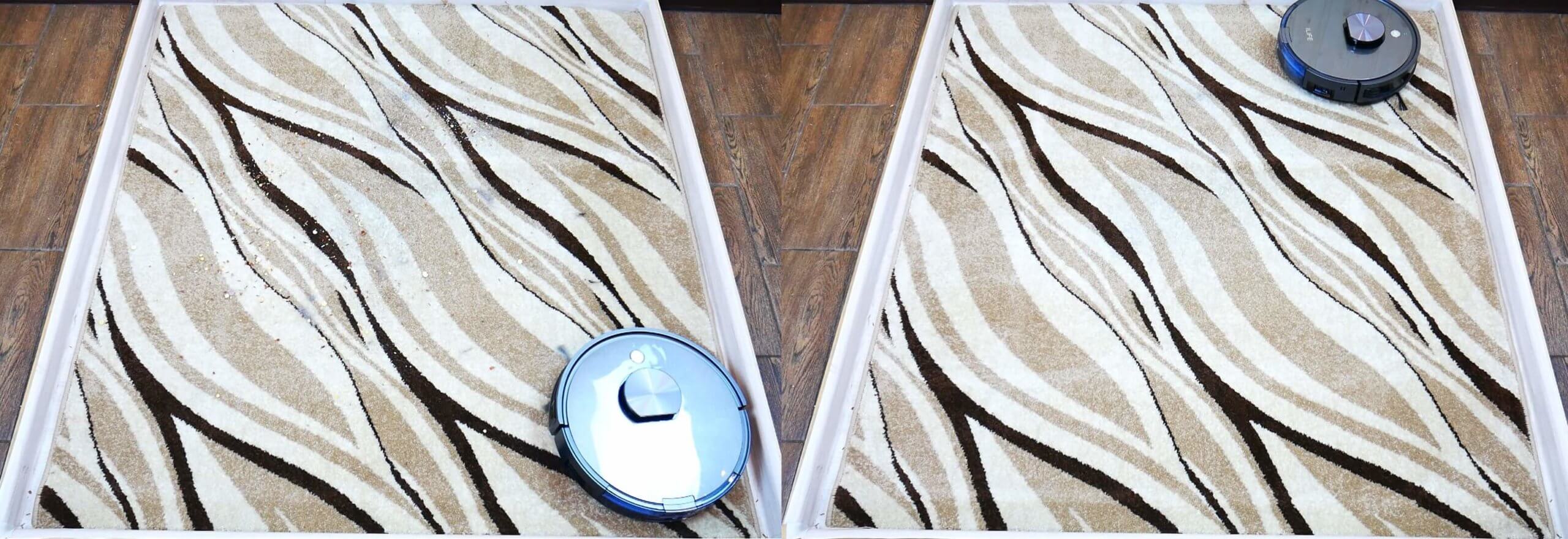
Cleaning the carpet
The iLife A10s cleaned carpet very well, capturing all the debris. We even ran it with the silicone brush attached, and it didn't pick up any hair or fur, while still delivering the same cleaning results.
Wet cleaning
Now let's test how well the iLife A10s removes dirt from the floor. In our case, it was slightly dried dirt from shoes.
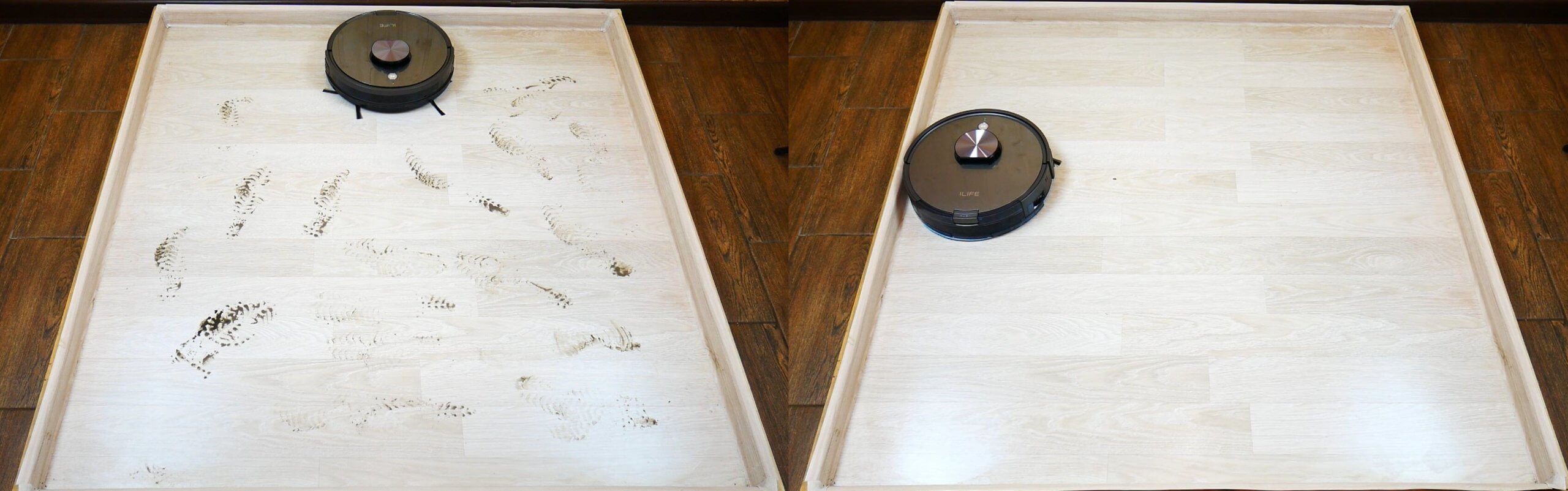
Wet cleaning
The test was successful; the robot cleaned the floor. The vibrating platform didn't show any significant difference compared to the standard version, where the cloth was fixed to the nozzle. However, vibration was indeed noticeable as the robot moved.
At the maximum water level, the robot doesn't flood the floor too much, as we tested on tiles. The water tank is sufficient for more than 100 square meters of floor space.
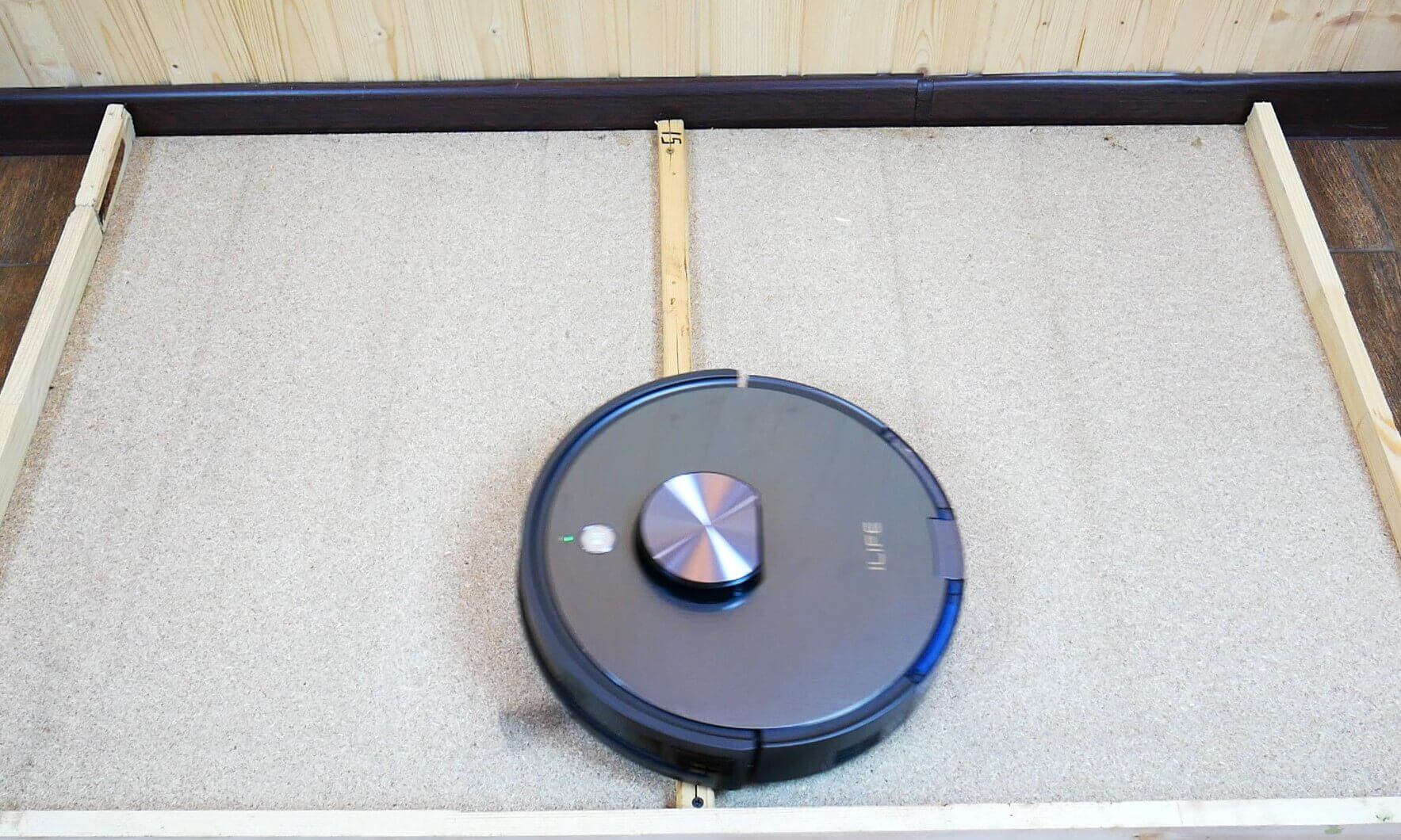
Threshold passability
We also checked what height obstacles it can overcome.
Threshold passability
iLife A10s. It can handle thresholds of 10 and 15 mm, but it won't be able to cross 20 mm.
Dark spots
We also tested whether this robot vacuum cleaner is sensitive to dark areas on the floor, recognizing them by height differences.
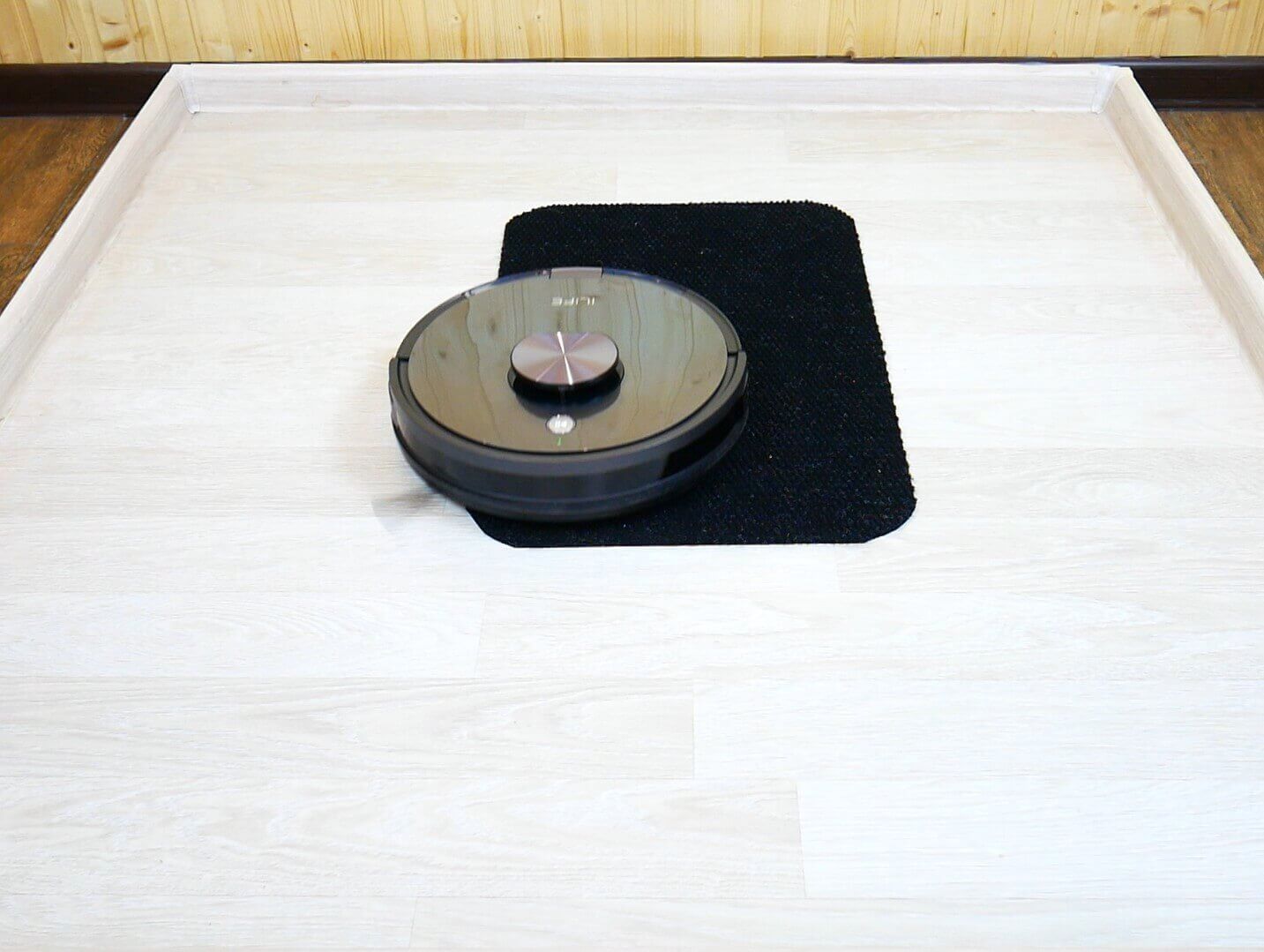
Driving through dark areas of the floor
No, the iLife A10s is not affected by black surfaces and can move normally on them.
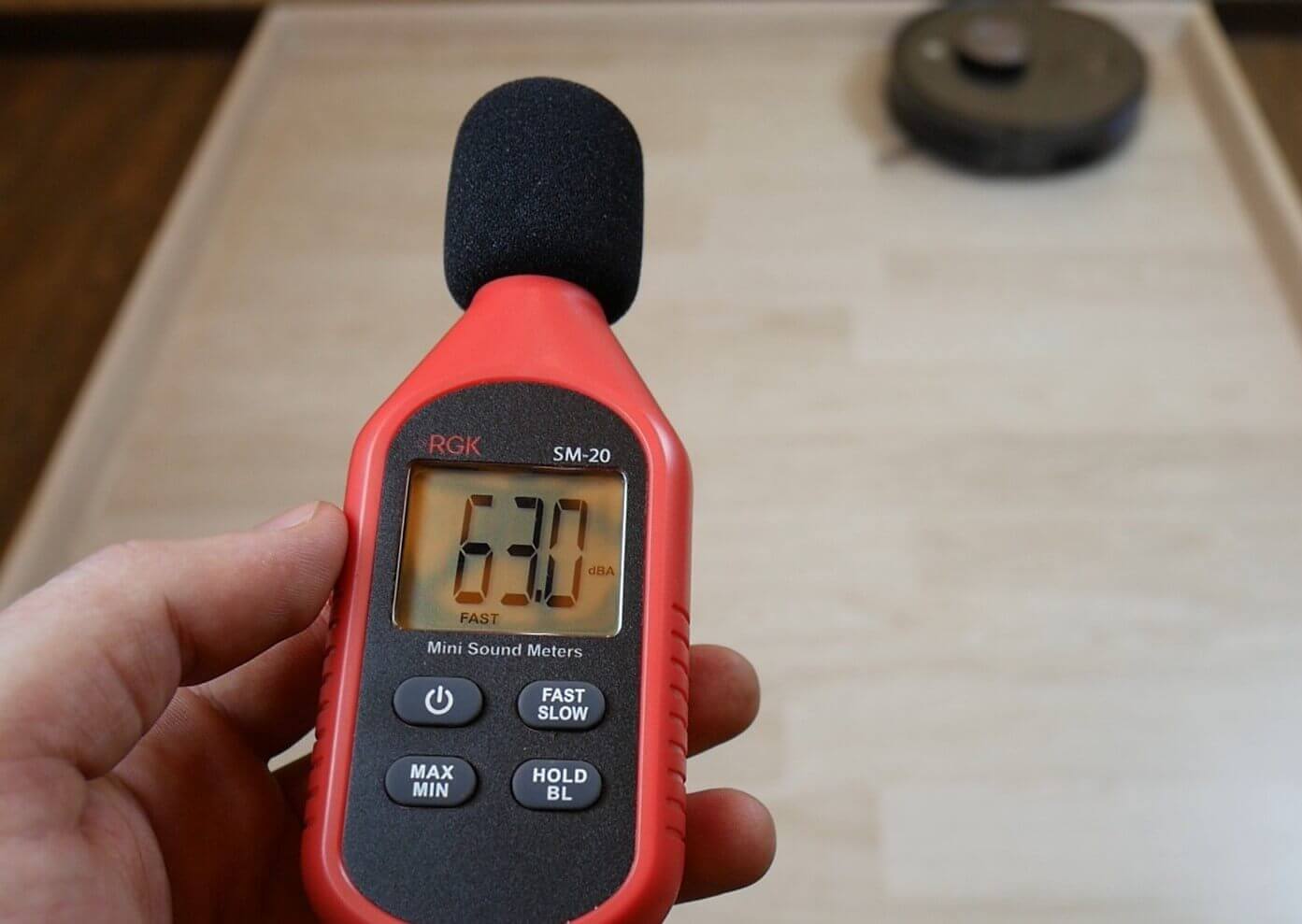
Noise level
And lastly, we checked the noise level of this robot vacuum cleaner.
Noise level
In floor polishing mode, the noise level is approximately 57 dB. At minimum suction power, the noise level reached 62.1 dB. In medium mode, it reached 65 dB. At maximum power, the noise level reached 68.5 dB. Considering the high suction power, I consider the noise level to be low.
Let's sum it up
We've thoroughly tested the iLife A10s. Now, considering our experience and the sub-$320 price point, we'll evaluate this robot vacuum across a variety of criteria.
Navigation 9 out of 10. This robot creates a precise map of the room, stores up to three unique cleaning maps, divides the room into rooms, and gently touches surrounding objects. I'm deducting a point only because it doesn't sweep the perimeter when cleaning, and you need to enable perimeter cleaning separately when needed.
Versatility 9 out of 10. The iLife A10s can clean both hard floors and carpets. It can be controlled via both the app and the remote control. It has a replaceable center brush, which is recommended for cleaning hair and pet hair from the floor. We're not giving it a full rating only because this robot vacuum can't vacuum and mop at the same time.
Design and execution 9 out of 10. For the $200 price point, it's generally good, and for $150, even better. However, at $320, there are a few complaints. These include the poorly designed side brushes, the average center brush, and the inability to cross two-centimeter thresholds. So, it all depends on the final price of the robot.
Cleaning quality 9 out of 10. As you've seen, cleaning quality isn't perfect, but it's on par with competitors in this price range. The shape of the body makes it difficult to clean corners, and the side brushes scatter debris a bit, so you need to adjust their speed carefully. Nevertheless, its high suction power and vibrating platform for wet cleaning are clear advantages.
Functionality 10 out of 10. In this price range, the robot packs all the essential advanced features. True, it doesn't detect objects on the floor or self-clean at its base. But only a few premium models offer these features, and the iLife A10s is equally capable in other respects, with some of them duplicated on the remote control. So in this regard, the robot vacuum deservedly earns top marks.
Manufacturer support 7 out of 10. However, iLife still has some work to do to compete successfully in the market. The robot is primarily sold on Tmall and AliExpress, with the official online store priced at a staggering $430 at the time of writing. Furthermore, there may be issues with prompt service and warranty support. Judging by online reviews, assistance can sometimes take a while. Furthermore, the necessary consumables aren't always in stock. Nevertheless, iLife has already gained a reputation and numerous positive reviews. Moreover, they specialize in robotic vacuum cleaners, not just a generic brand, so this is a distinct plus.
Total 53 out of 60 points
The iLife A10s left a largely positive impression. It's a functional robot vacuum cleaner that boasts excellent navigation and high-quality cleaning. And given its attractive price during sales, it's a competitive model.
If you have any questions, please ask them in the comments below. Happy shopping, everyone!
Analogues:
1. How does laser navigation affect pets?
2. Is it worth buying this model now?
1. I don't think there is any particularly harmful effect, as compared to the waves from a router.
2. We'll be testing this in detail soon, and then we'll know. Overall, it seems like a good option.
I understand the laser beam is scattered there, and that's about the height of a cat's eyes. In terms of its impact on vision, I couldn't find any information on that.
It cost 15,000 rubles on Tmall on November 11, but they were all sold out within 24 hours. It comes with a silicone center brush. There's no Russian language yet, either on the robot or in the app. The app is new, ilifehome.
So the robot is good, similar ones cost around 30 thousand.
I bought it for 15 on November 11. There was a problem with registration, but otherwise, it's been a positive experience so far. All consumables are duplicated.
How did you register?
The robot is amazing!!! Last November, I bought an A55. This machine is a blast. It even sucked up a stone and then started blaring an error. I saw a stone in the brush! The wet cleaning is also great. Even during this pandemic, my mom suddenly texted me, "I'm coming to see you." So, what was I doing sitting at work and running the A10 five times around the house?
How many points did the Roborock S5 Max score in the tests? I want to compare everything.
Here is the overall robot ranking with updated scores https://robovac.washerhouse.com/en/rejtingi/robovac-obshhij-rejting-robotov-pylesosov-robo.html
I would like to hear your opinion when comparing this model with the Ozmo 900. Which one should I choose, given the roughly similar price tags for these models?
100% iLIFE:)
will there be arguments?)
I got it from Tmall for 17,900, I'm happy as a clam, but I'm wondering... My entire first floor is tile and laminate, maybe a silicone brush would be better???
Good afternoon. After using it for several months, how is the device performing?
How does the vacuum cleaner perform after a while? How is the battery? Does it last a long time?
This robot allows you to adjust the brush and brush speed in the app. Suction power is controlled only via the remote control. I also didn't notice any difference in suction power on carpet. It cleaned 50 square meters in 40 minutes at maximum suction power, using 70 percent of the battery. Otherwise, it's a great machine.
If you compare it with the mamibot exvac880 at the same price, which is better to buy?
Don't buy! This is a crap company. Spare parts are impossible to find. They cost half the price of a new one. The circuit board on this vacuum cleaner is broken. It's no longer available.
The Ilife V50 wheel motor broke. They sell the complete unit for $15. A pair is $30. A new one is $80.