
Kyvol Cybovac S31: Another Affordable Robot Vacuum with Self-Cleaning
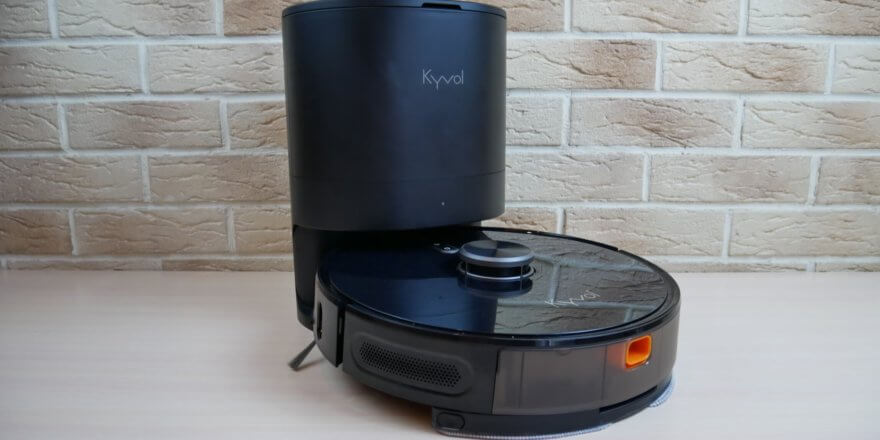
In this review, I'll be looking at another affordable robot vacuum cleaner with a self-cleaning base. The Kyvol Cybovac S31 costs between $240 and $300. For that price, the robot already comes equipped with a dust dump station and boasts lidar for navigation, all the advanced app features, and even a wet mopping function. Next, we'll explore the Kyvol Cybovac S31's design and how it performs its primary function. After watching the video, I'd be grateful if you'd appreciate my efforts by subscribing and liking. So, let's get started!
Equipment
First, let's look at the package contents. The robot arrived in this branded box:
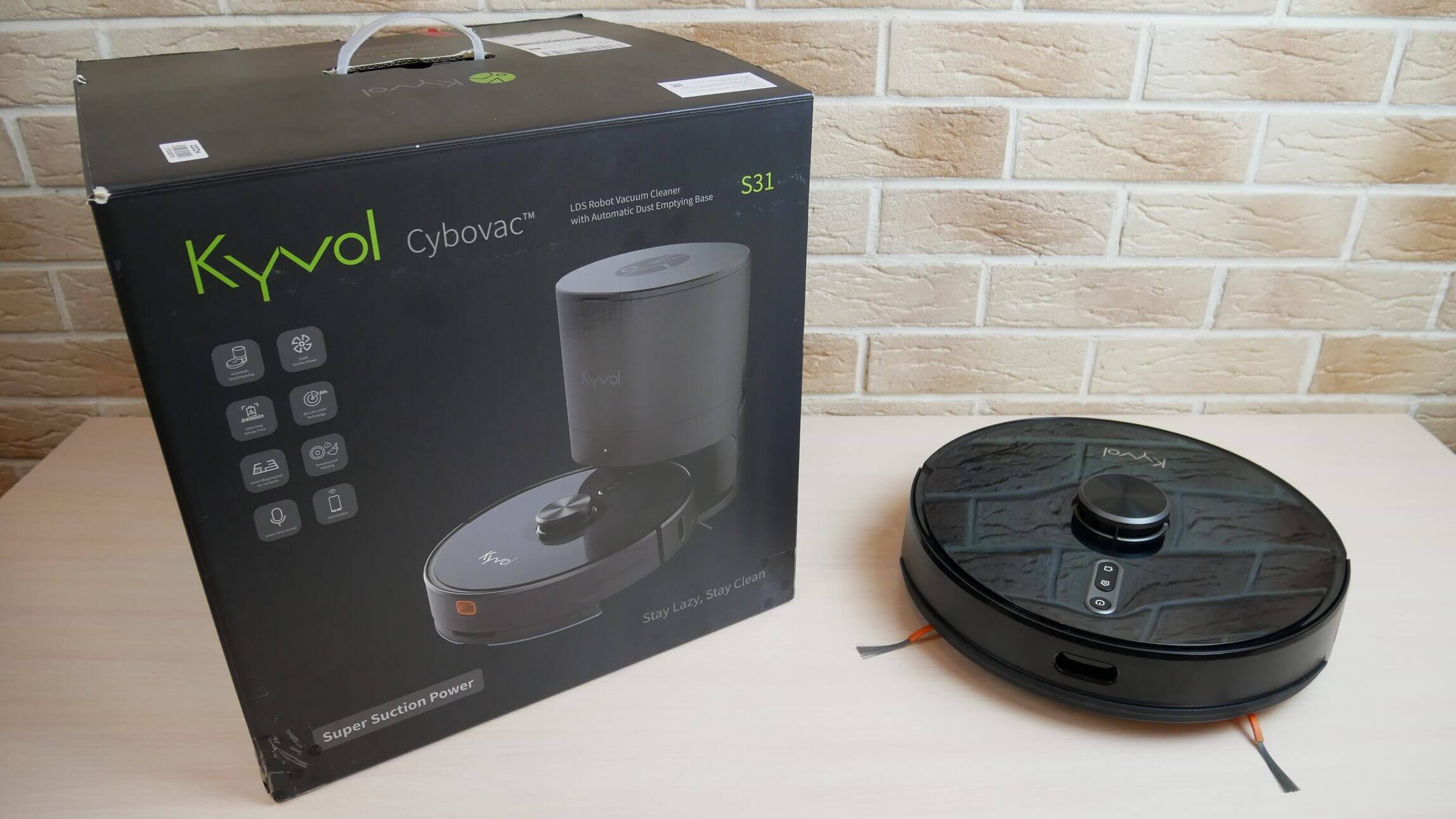
Robot and box
In addition to the robot itself and the self-cleaning station, it contains:
- Wet cleaning nozzle with a microfiber cloth installed.
- Set of disposable napkins (10 pcs.).
- Two spare bags for the base, one of which is already installed inside.
- Spare reusable microfiber cloth.
- Two spare side brushes.
- Remote control with batteries.
- Spare HEPA filter.
- Operating instructions.
- A quick guide to connecting your robot to the network.
- Warranty card.
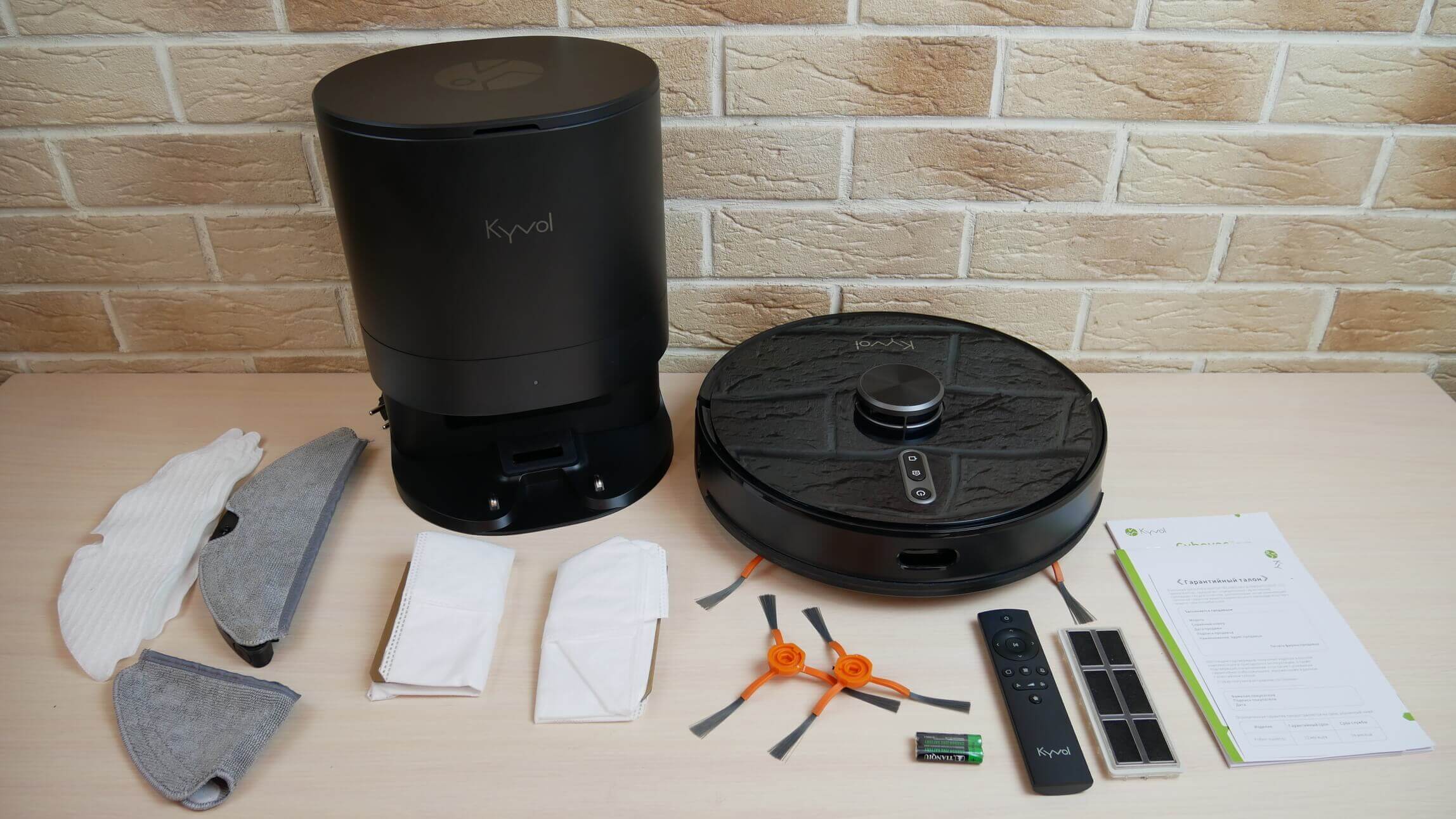
Delivery set
The package is very good considering the price. Let's move on.
Appearance
Now let's look at the robot vacuum cleaner's appearance. It's round, with a height of 350 x 98 mm. Wall sensors are located on both sides of the mechanical bumper, and an obstacle detection sensor is located in the center.
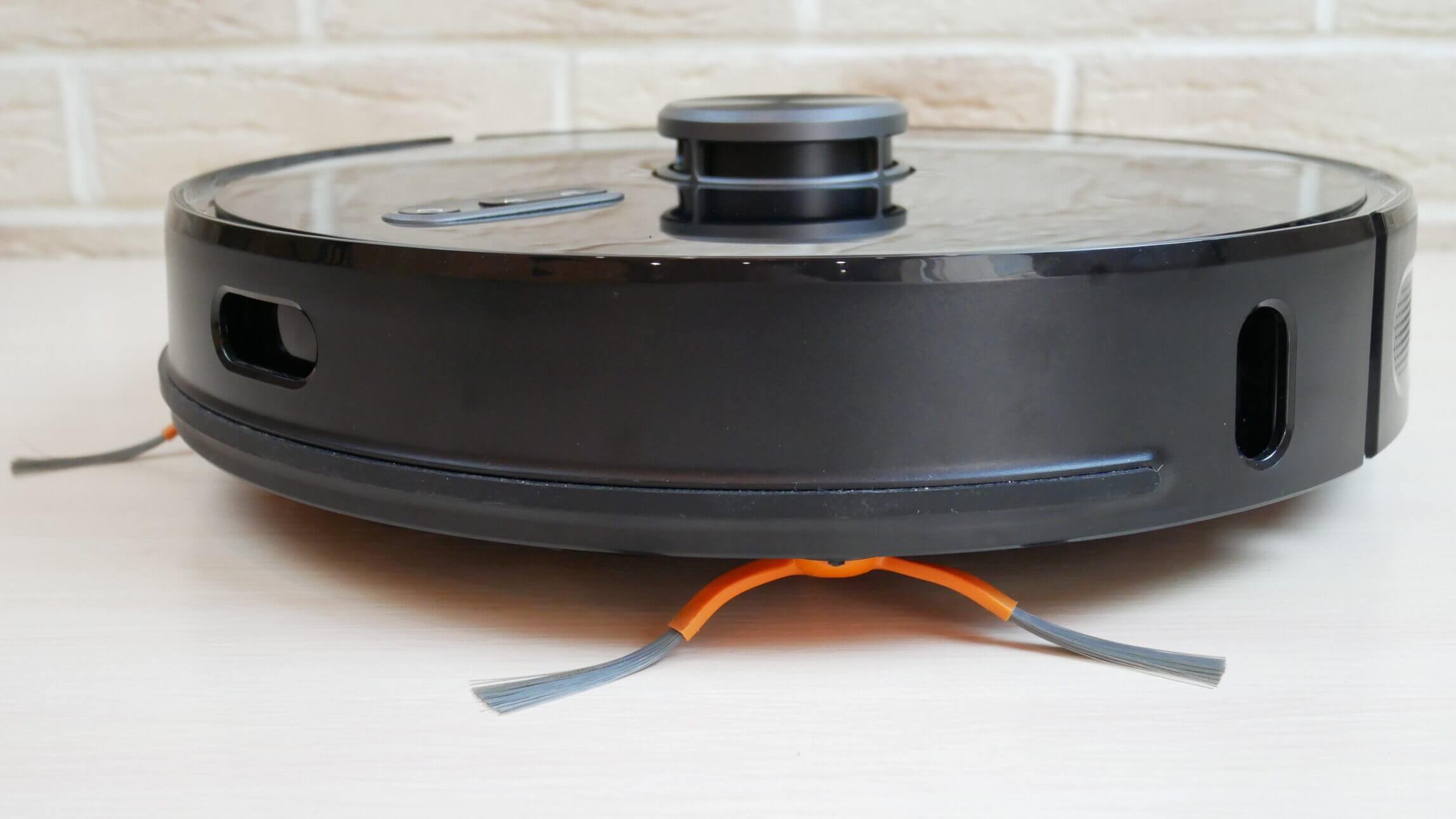
Side view
On the control panel we see three mechanical control buttons: start/pause, forced return to the base for charging, and starting the local cleaning mode.
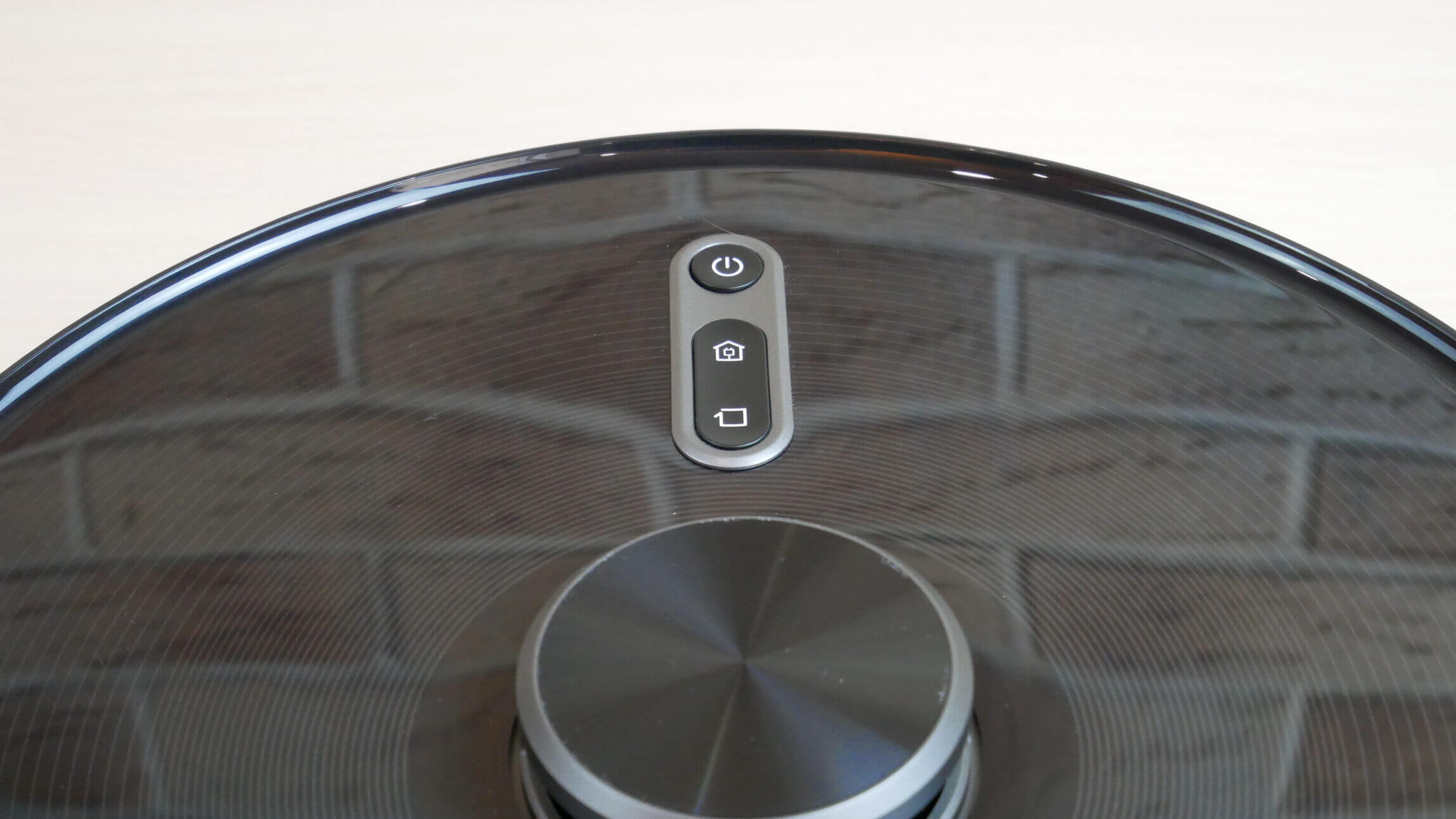
Control Panel
The lidar is equipped with a mechanical button to prevent it from getting stuck under furniture, which is a plus. The brand logo is located near the back.
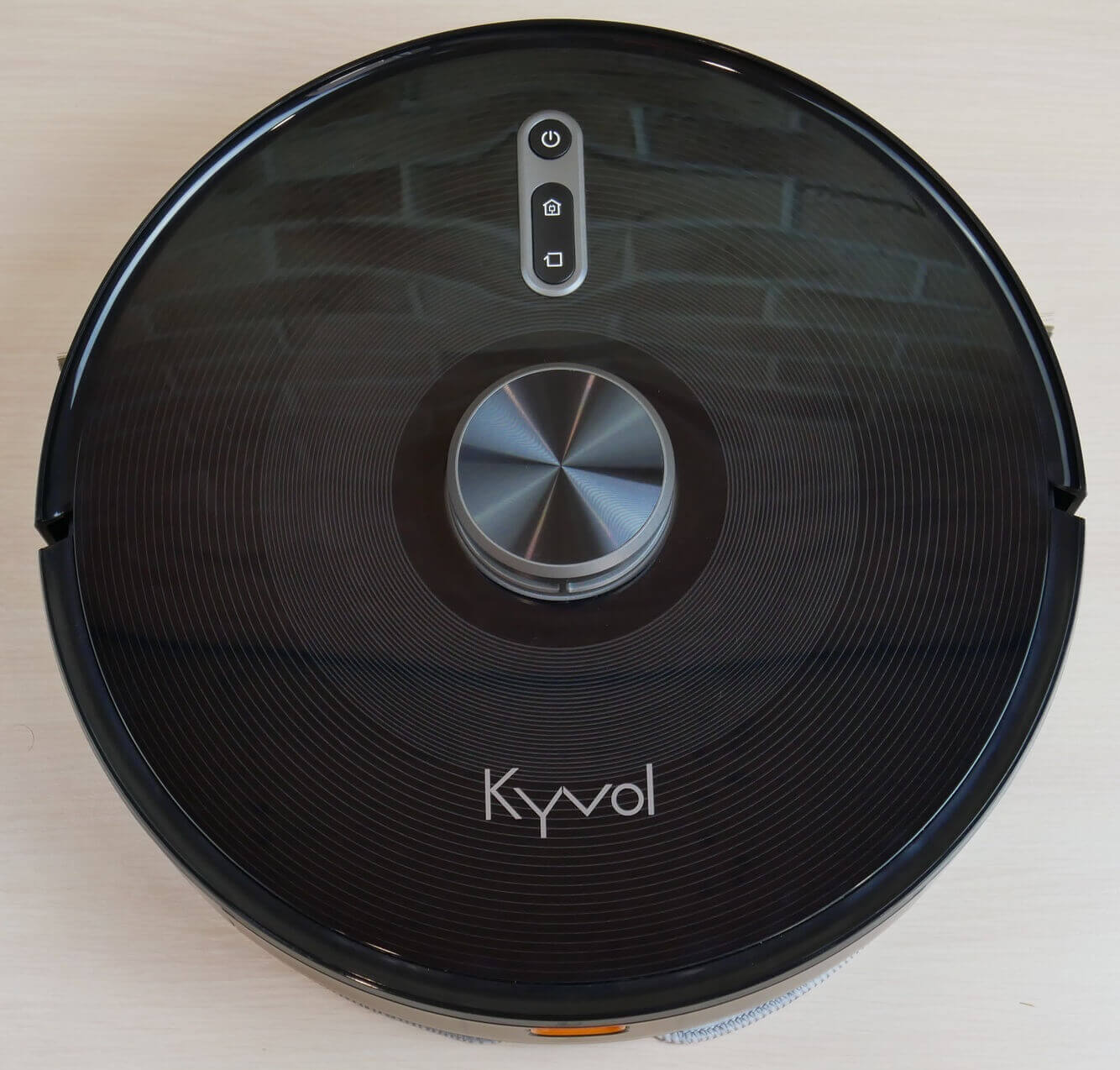
Top view
The dust container is removable from the rear. A flap underneath allows you to empty the container into a bag in the base. The container conveniently stores a cleaning brush for the robot.
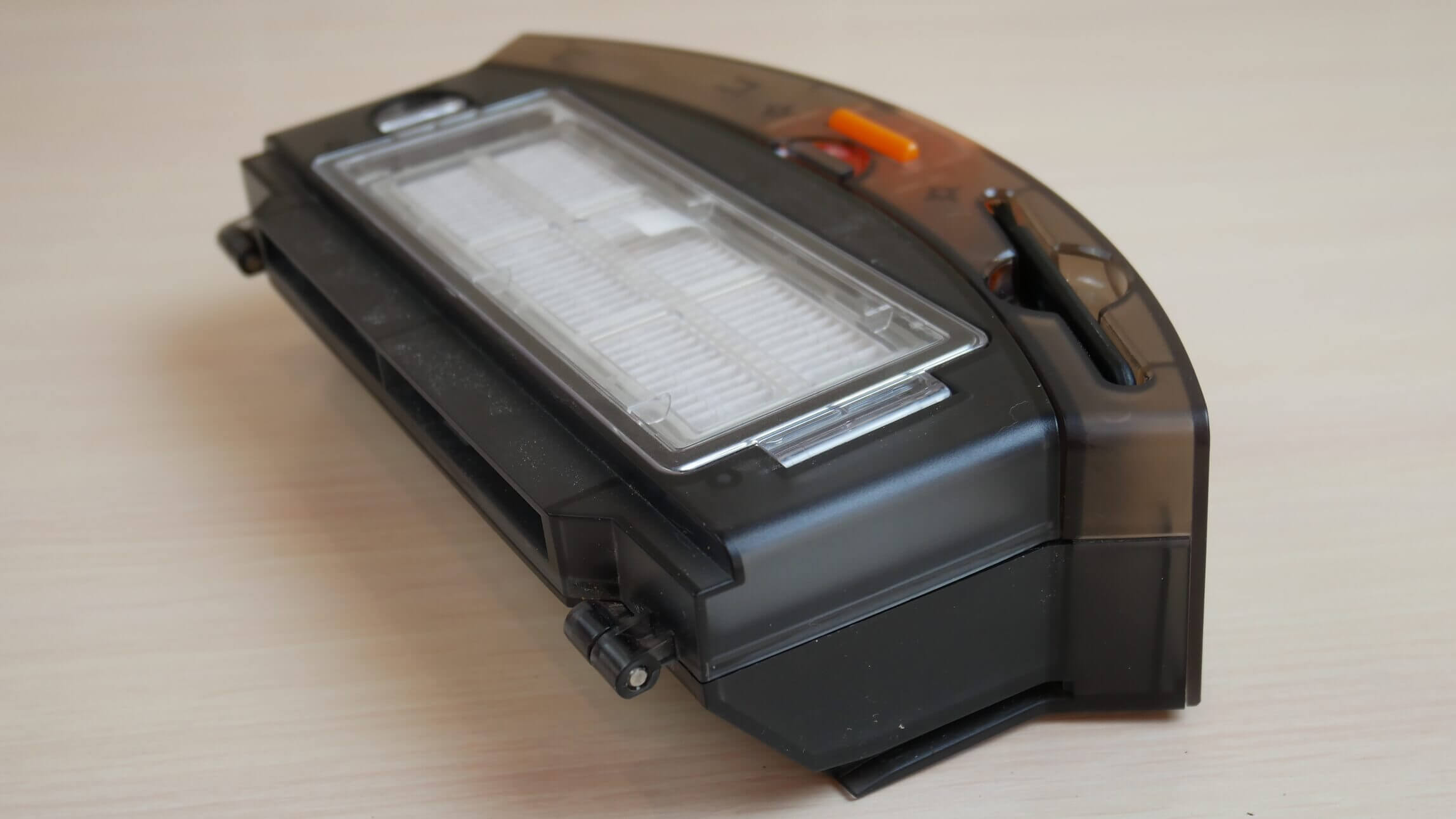
Dust collector
A protective curtain is installed inside to prevent debris from spilling out when the dust container is emptied. Incidentally, the container itself holds up to 500 ml of dry waste. It features a triple filtration system with HEPA, foam, and mesh filters.
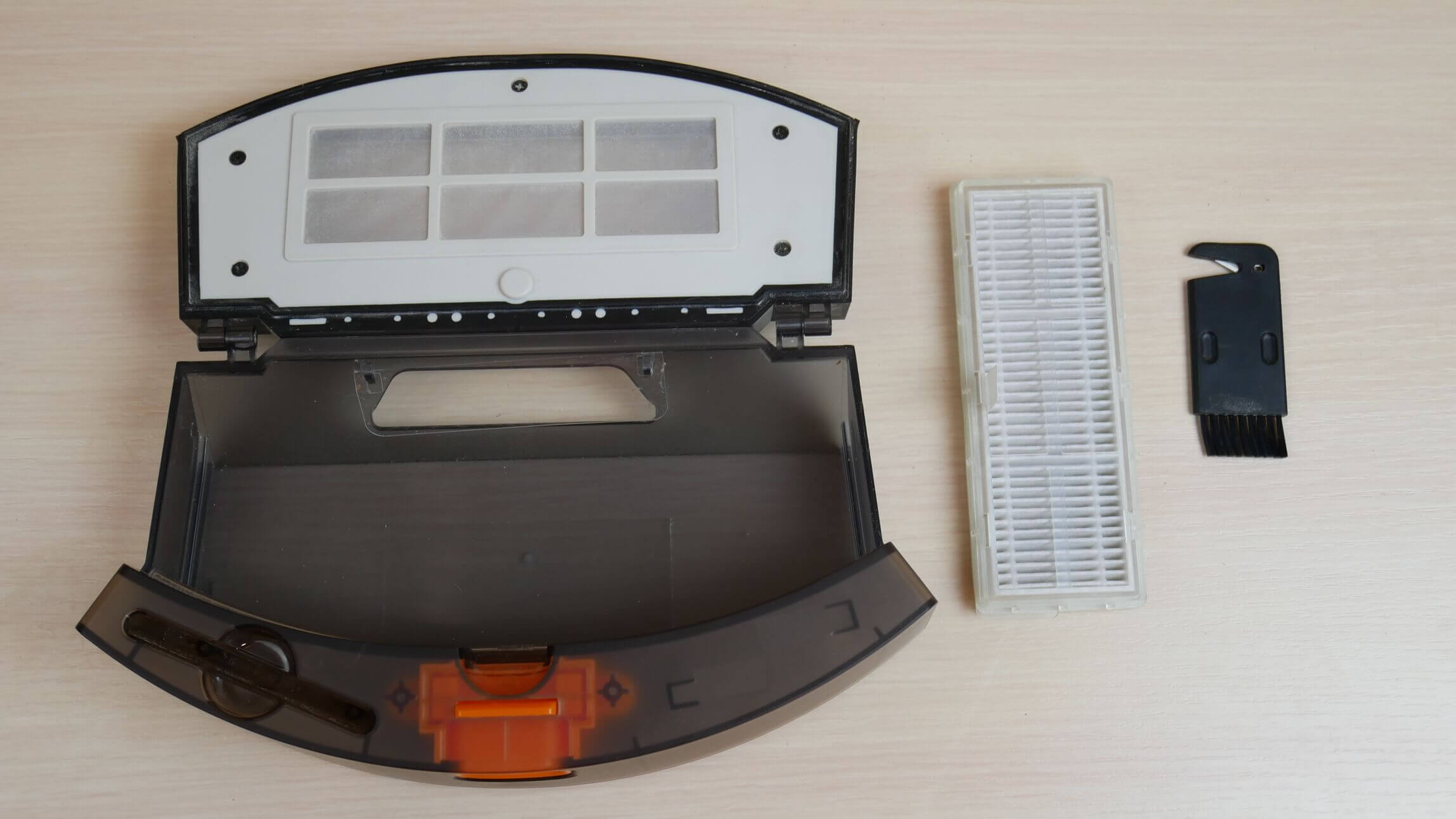
Triple filtration system
Let's take a look at the Kyvol Cybovac S31's underside. It has four fall protection sensors. Two side brushes are visible at the front, which is a plus. Note that there are two pairs of terminals on the underside of the robot: one at the front and one at the back.
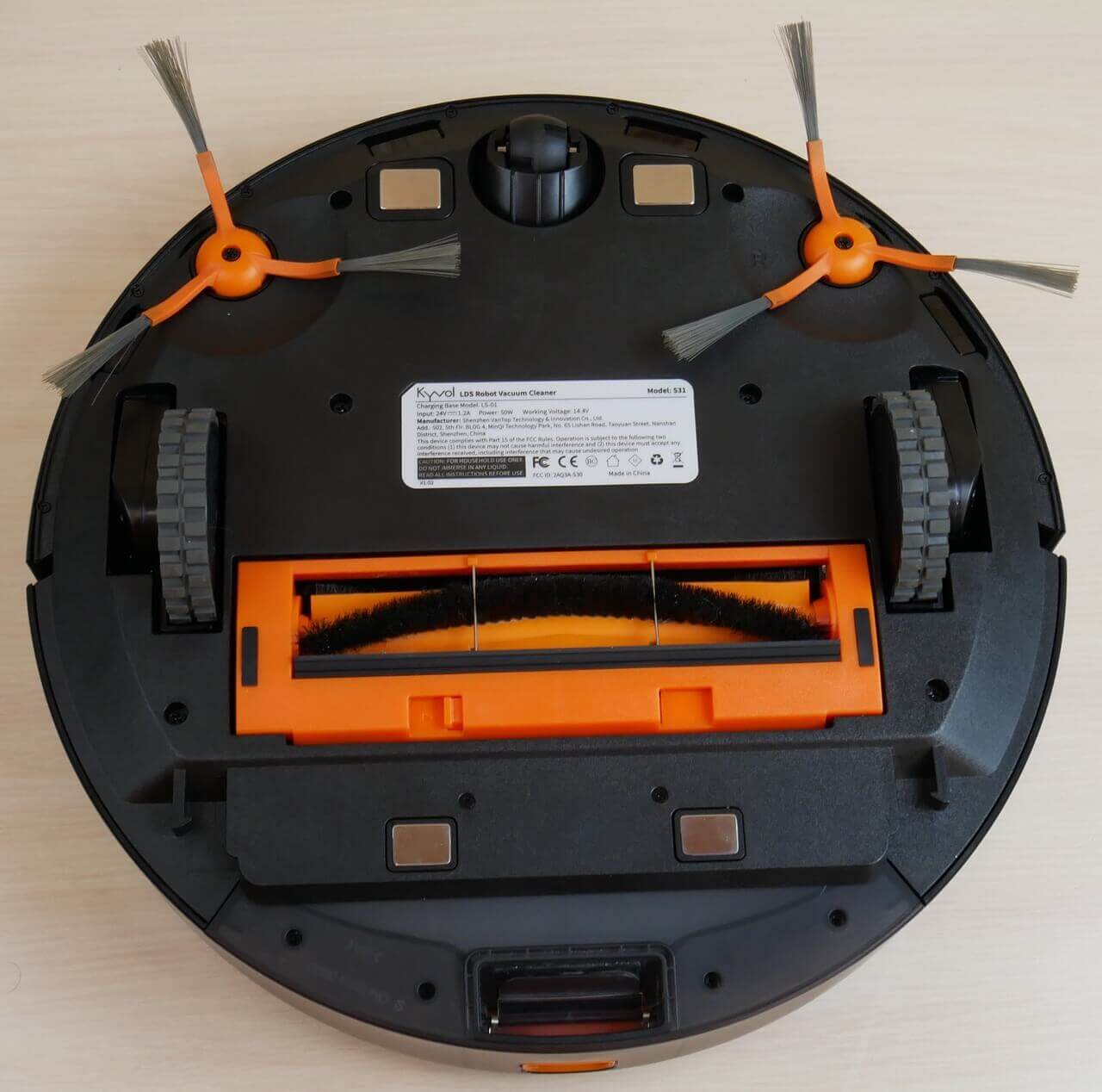
Bottom view (without napkin)
Here's the situation: if the wet cleaning attachment is installed, the robot is not capable of self-cleaning, so it simply drives forward onto the base and charges.
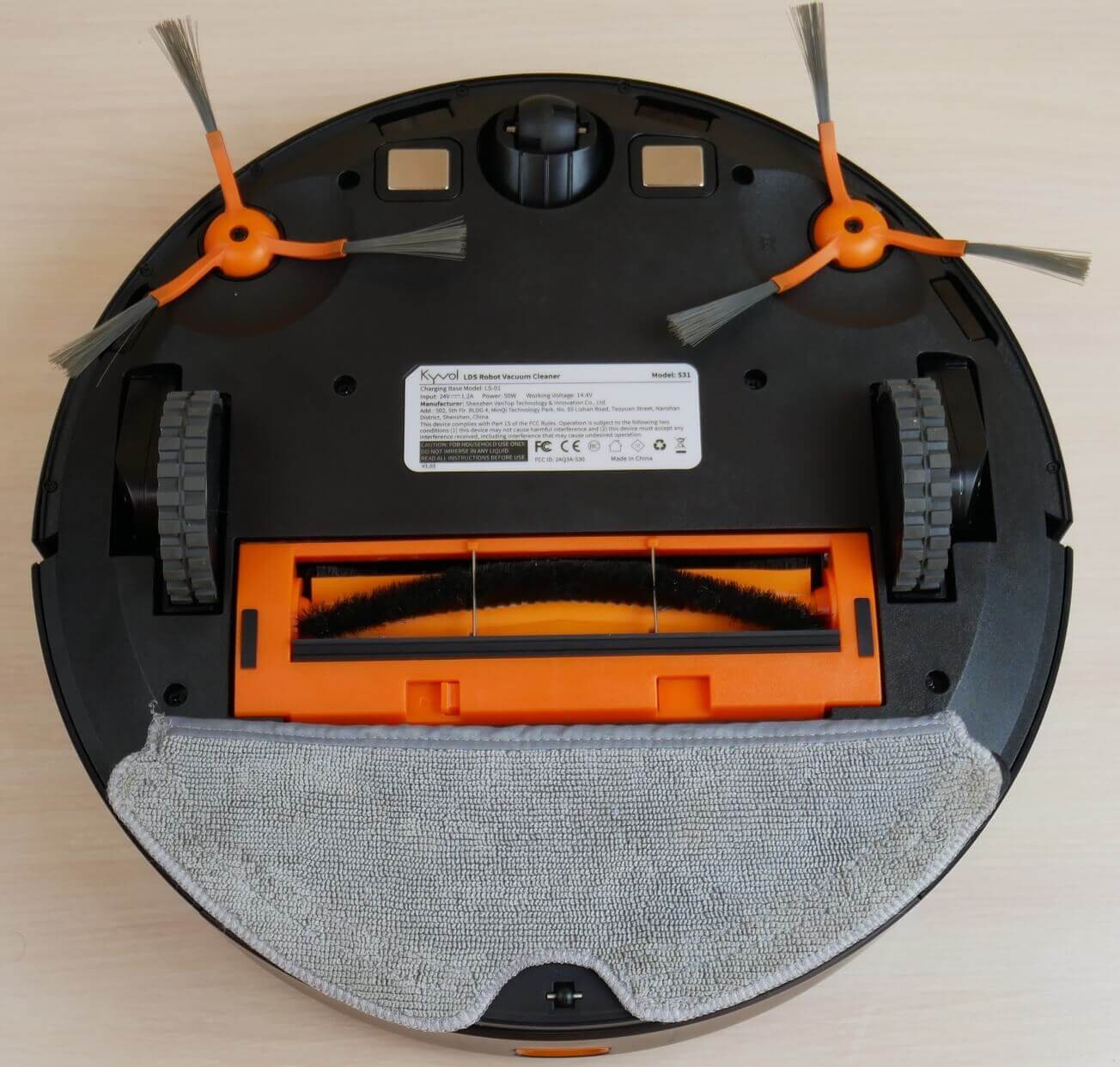
Bottom view with napkin
If there's no attachment and the robot is only performing dry cleaning, then after cleaning, it will first dock rear-end for self-cleaning, then roll off the base, turn around, and back up to charge. Not a very well-thought-out design, after all. Lydsto R1 and Roidmi EVE Plus They are self-cleaning even when the wet cleaning attachment is installed, as the terminals and dust collector curtain are located at the back, not at the bottom.
Speaking of the wet cleaning attachment, it holds only up to 110 ml of water, the water is supplied by gravity, and the cloth is attached using Velcro and a pocket.
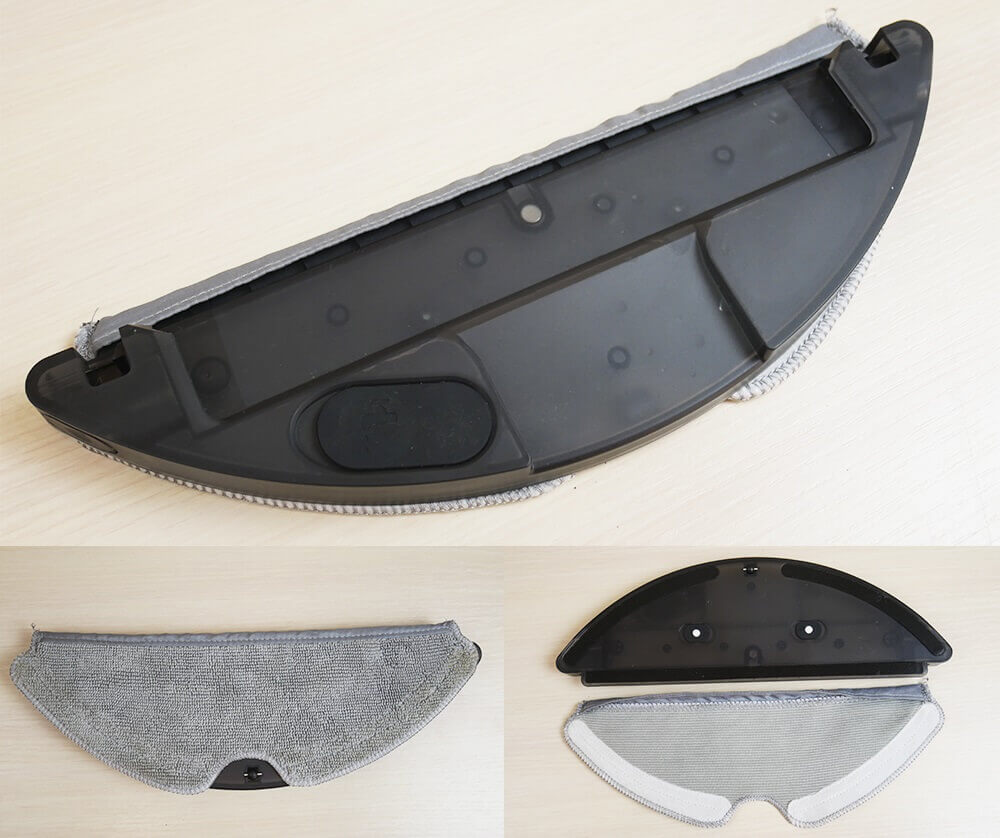
Nozzle with a napkin
The central brush has bristles and petals and can be disassembled on both sides to remove hair and fur.
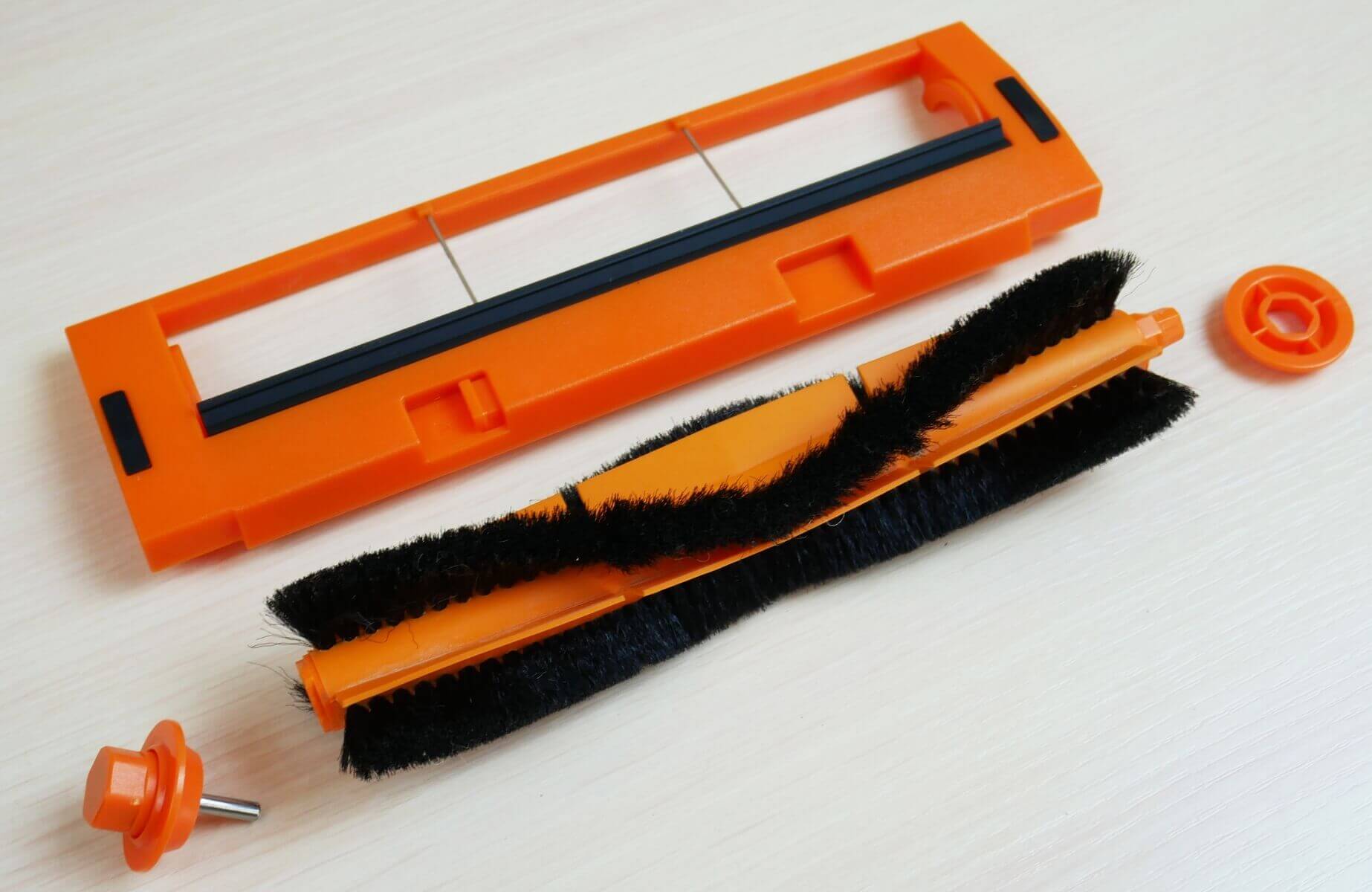
Central brush
Overall, the build quality is average, but that's understandable considering the price.
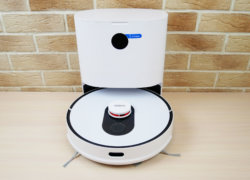
And here's what the base itself looks like:
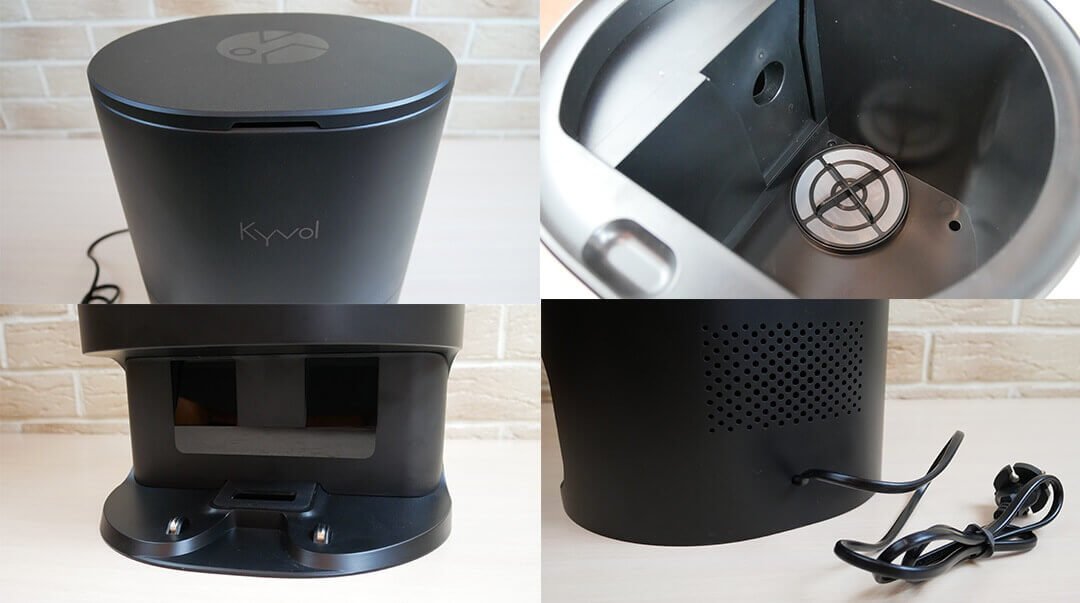
Self-cleaning base
Technical specifications
The main characteristics of Kyvol Cybovac S31, as stated by the manufacturer:
- Li-Ion battery 5200 mAh.
- Suction power up to 3000 Pa.
- Operating time up to 240 min.
- Cleaning area up to 300 sq.m.
- Dust collector capacity is 500 ml.
- The water tank capacity is 110 ml.
- Obstacle clearance up to 20 mm.
- Dimensions: 350*98 mm.
Of the specifications, the most interesting is the increased suction power compared to similar models. All other specifications are quite standard.
Functional capabilities
Let's take a look at the Kyvol Cybovac S31's features. The robot vacuum is controlled via the Kyvol mobile app and a remote control.
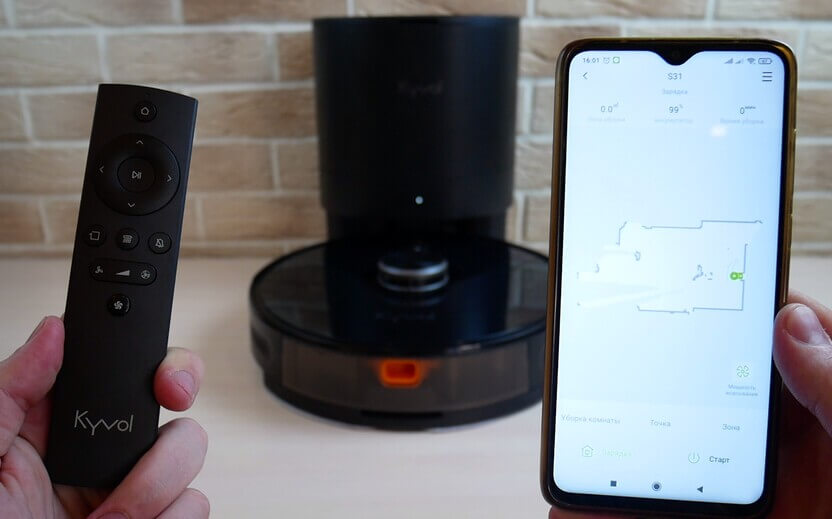
Control via remote control and app
Let's first look at the app's functionality. It can be downloaded by scanning the QR code in the instructions. Installation was straightforward, and the robot connected to the Wi-Fi network quickly.
On the main work panel, the robot creates a map of the room and automatically divides it into rooms. In the settings section, you can:
- Set up a cleaning schedule by choosing the time, days of the week, suction power, and even the rooms to clean.
- Select the desired map for cleaning (this robot vacuum cleaner is capable of storing several maps in its memory).
- Control the robot manually.
- Set up virtual walls and no-go zones on the map, with separate no-go zones provided for wet cleaning mode.
- Adjust the volume of voice notifications. In my case, the robot only speaks English.
- Select the intensive cleaning mode, an additional perimeter walk after automatically cleaning the entire available area, and also select the floor cleaning mode, in which the robot only wipes the floor without suction.
- In addition, you can activate the "Do Not Disturb" mode at a certain time, turn on the automatic power increase mode when driving on carpets, and set the frequency of self-cleaning of the robot vacuum cleaner.
- You can also reset the map if necessary, enable the battery charge percentage display, view the cleaning log, track the status of consumables, change the robot's name, and update the firmware to the latest version if necessary.


Basic settings
These are the basic settings for the Kyvol Cybovac S31. Let's return to the main control panel. It offers three cleaning modes: automatic sweeping of the entire available area, spot cleaning, and cleaning in a selected zone on the map. When setting a zone, you can also choose the number of passes the robot will make: one or two.
When using the map, you can combine several rooms into one or, conversely, divide a room into separate zones, as well as change room names. Additionally, on the main control panel, you can manually adjust the suction power by selecting one of four modes. Finally, you can select the desired cleaning map. This is the app's full functionality, and it essentially includes everything except electronic water flow control.


Working with the map
The remote control has duplicated functions such as forced return to the charging base, manual button control, start/pause, perimeter cleaning mode, floor washing mode, voice alert disabling, suction power adjustment, and automatic power increase when entering carpets.
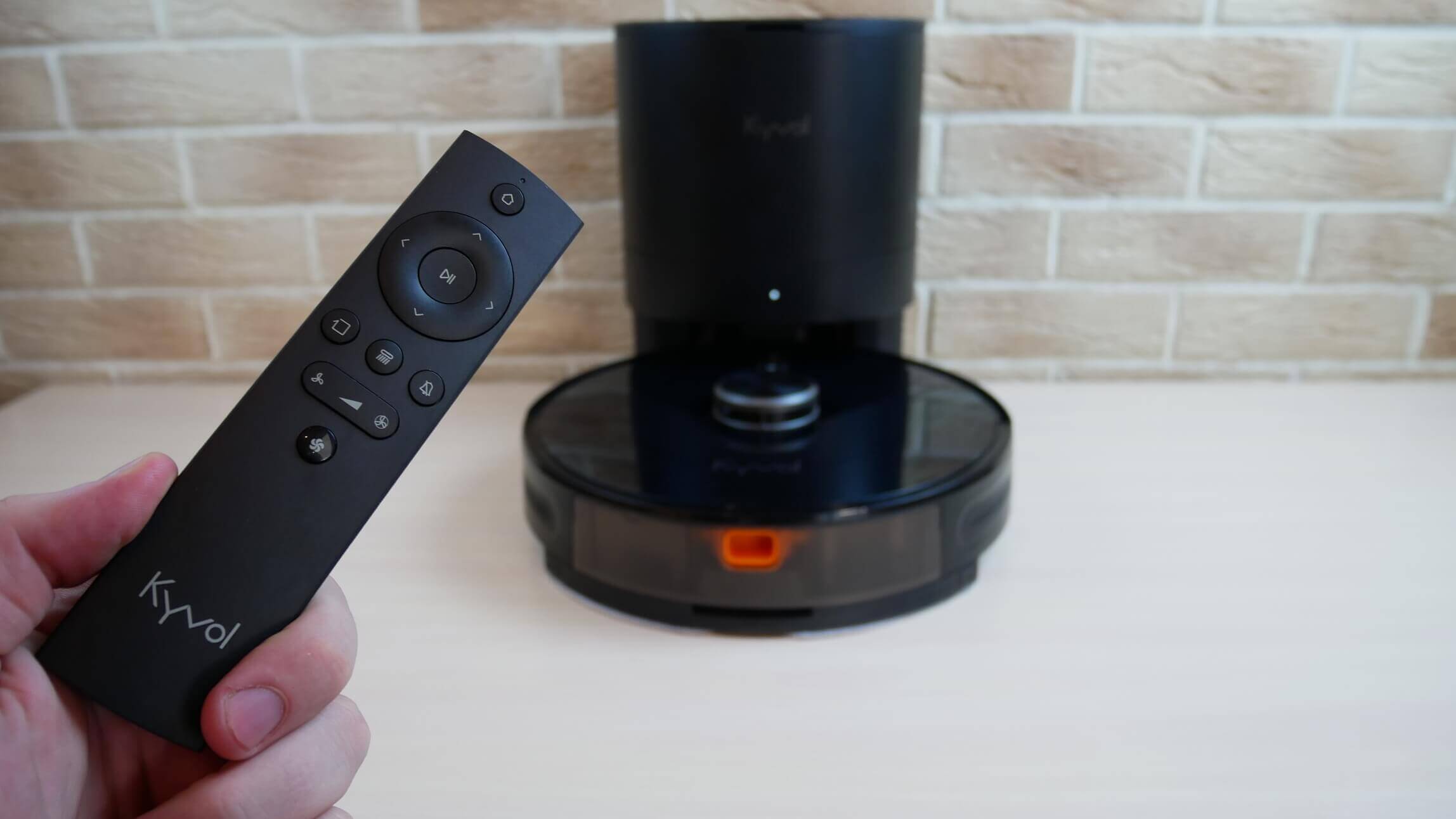
Functions on the remote control
Essentially, all important functions are duplicated. Additionally, the Kyvol Cybovac S31 supports control via the Yandex.Alice voice assistant.
Testing
A detailed video review with tests has already been prepared and published on our channel. We recommend watching:
Navigation
Finally, let's move on to the tests. First, we'll test the robot vacuum's navigation in a room with obstacles. First, the Kyvol Cybovac S31 navigates the perimeter of the room. The legs of a clothes dryer presented a bit of a challenge, but it was able to escape the trap and continue cleaning. After completing the perimeter, the robot vacuum begins cleaning the entire accessible area in a serpentine pattern. It was able to clean around each of the chair legs and also navigate around a box before returning to its base. The test was successful.
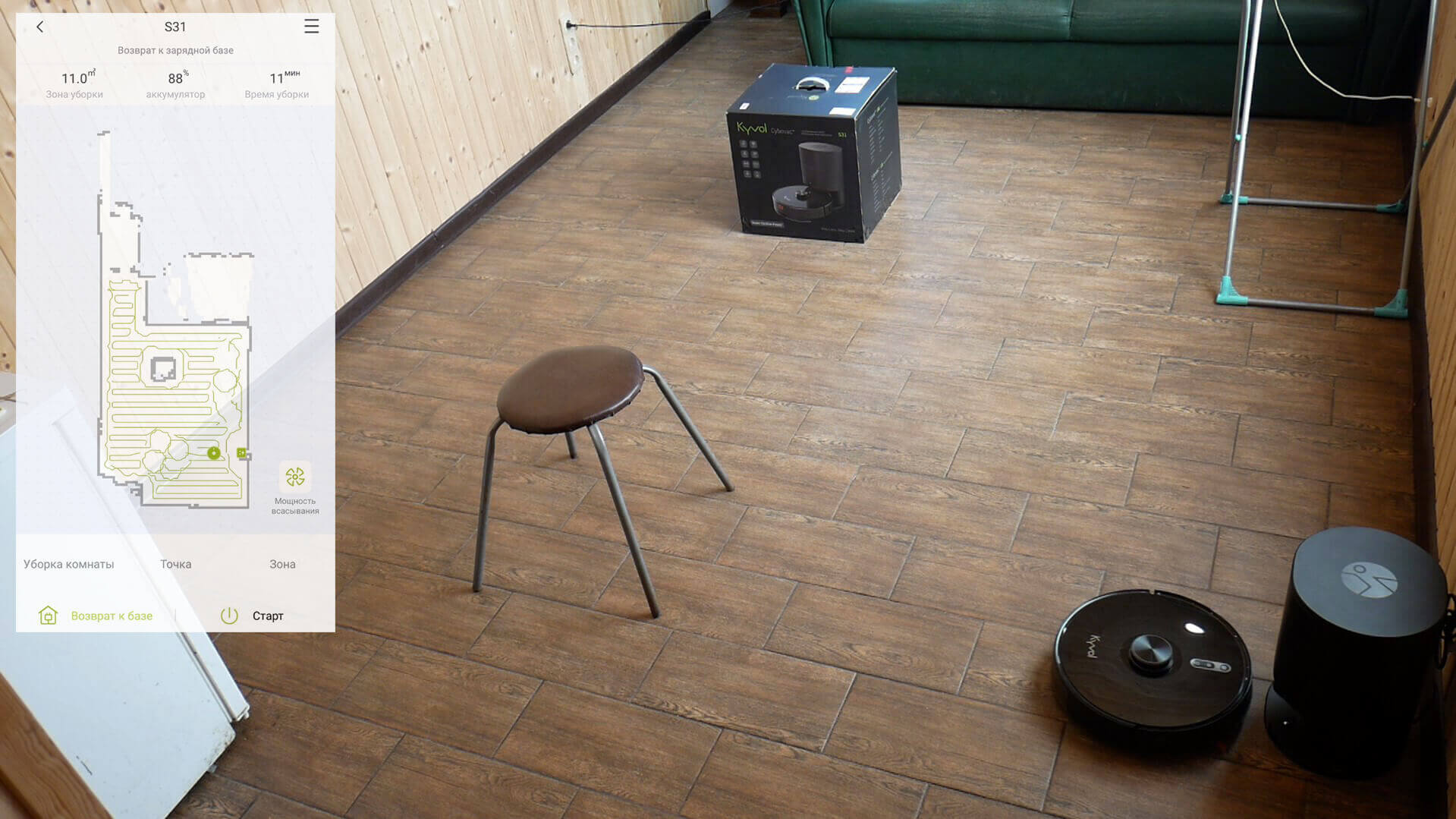
Navigating within a room
When it comes to whole-home navigation, the Kyvol Cybovac S31 automatically zones the room into rooms and cleans room by room, first along the perimeter and then in a serpentine pattern. There are no uncleaned areas, and the cleaning speed is high, so navigation is flawless.
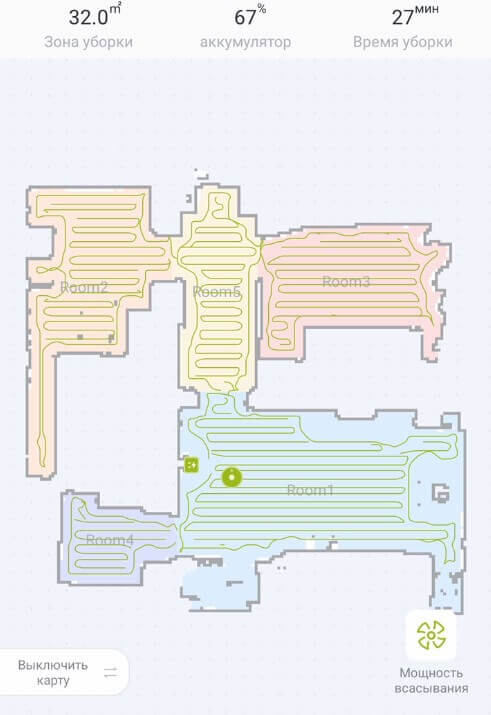
Navigation within the home
Suction power
But as for the suction power, despite the fact that 3000 Pa is declared, the robot is not even able to completely clean out debris from a 2 mm deep crack; it only swept out a little bit in one place.
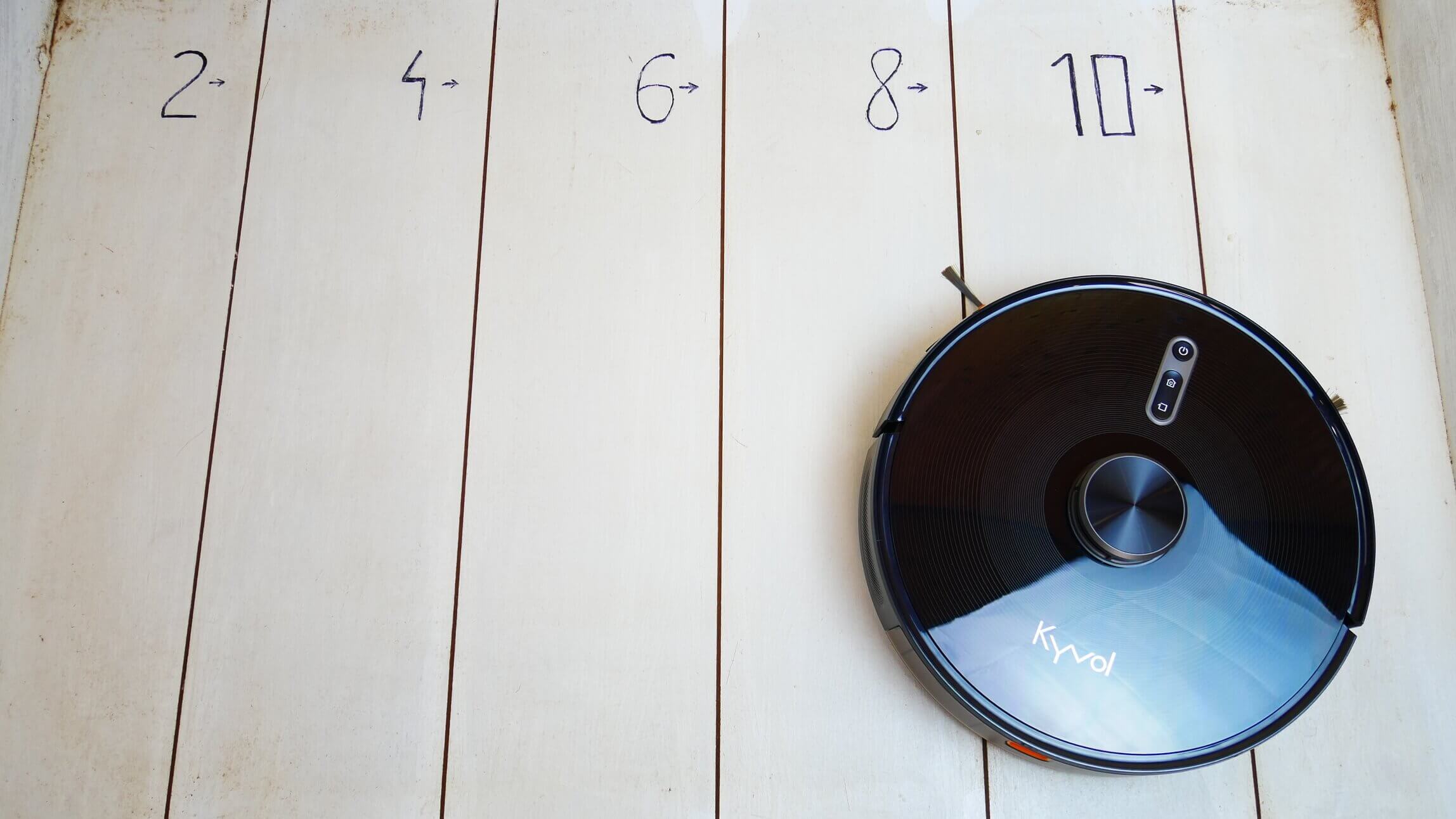
Suction power
So the suction power is quite standard, and even turned out to be less than that of robotic vacuum cleaners, which claim 2500-2700 Pa.
Dry cleaning of laminate flooring
Dry cleaning performance on hard surfaces was quite average. Only a small amount of debris remained in the corners. Some hair was caught in the center brush, and the side brush picked up some more. However, the bulk of the debris was collected in the dust bin.
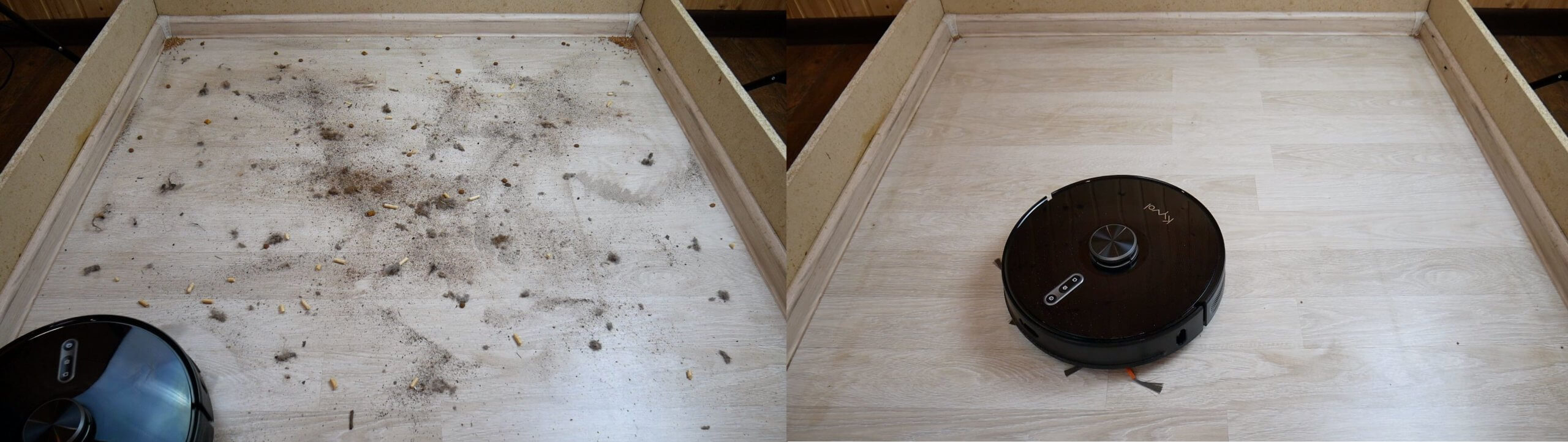
Dry cleaning of laminate flooring
Cleaning the carpet
The cleaning performance on carpet is also on par with most similar robots. The robot is capable of removing not only small debris but also hair and fur. The test passes.
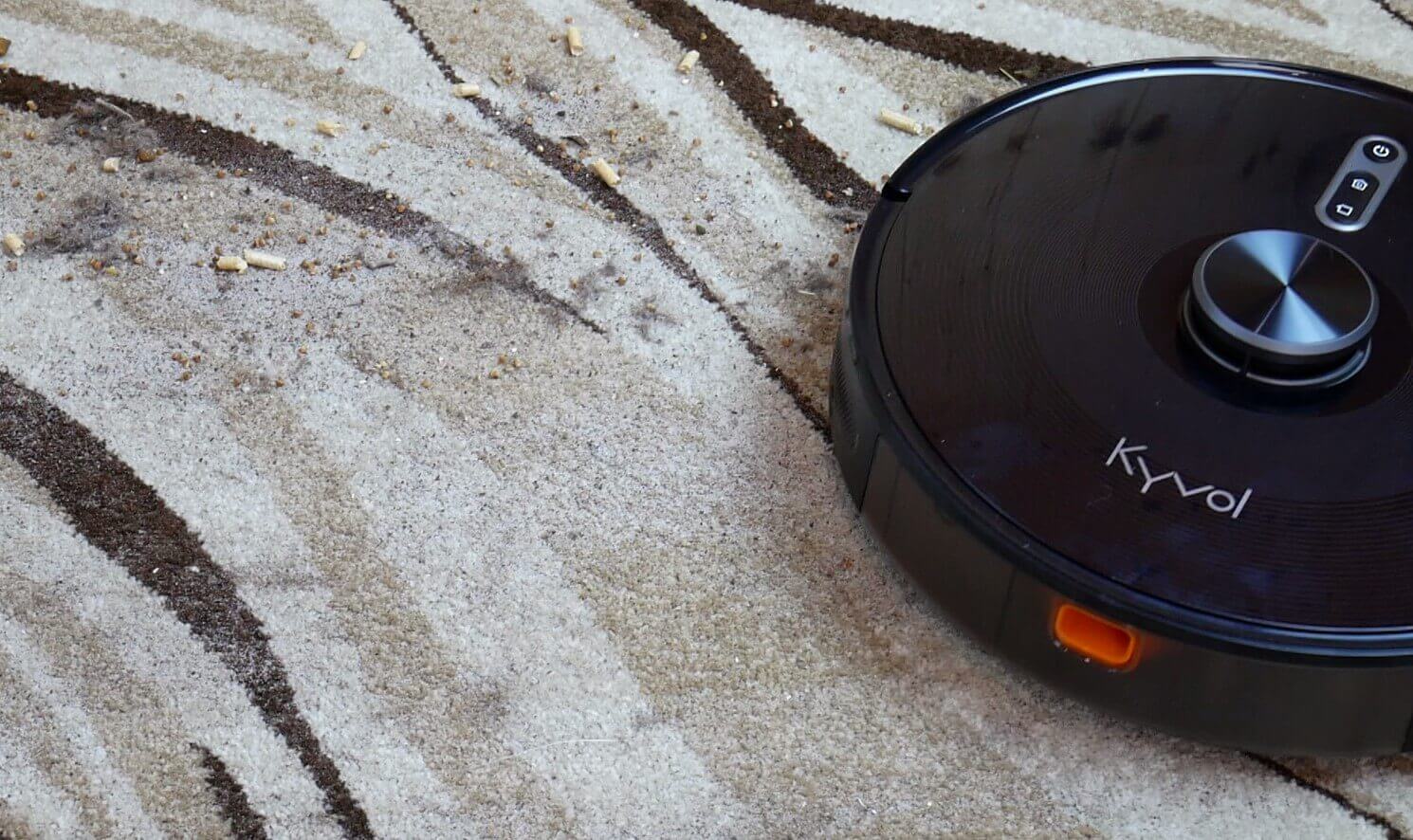
Cleaning the carpet
Wet cleaning
As for wet cleaning, it's implemented rather crudely. Firstly, there's no electronic water flow control, and the water flow onto the cloth isn't very generous. Secondly, the cloth itself doesn't press firmly against the floor, meaning the robot can't remove even slightly dried-on dirt. It's a clear failure in this test.
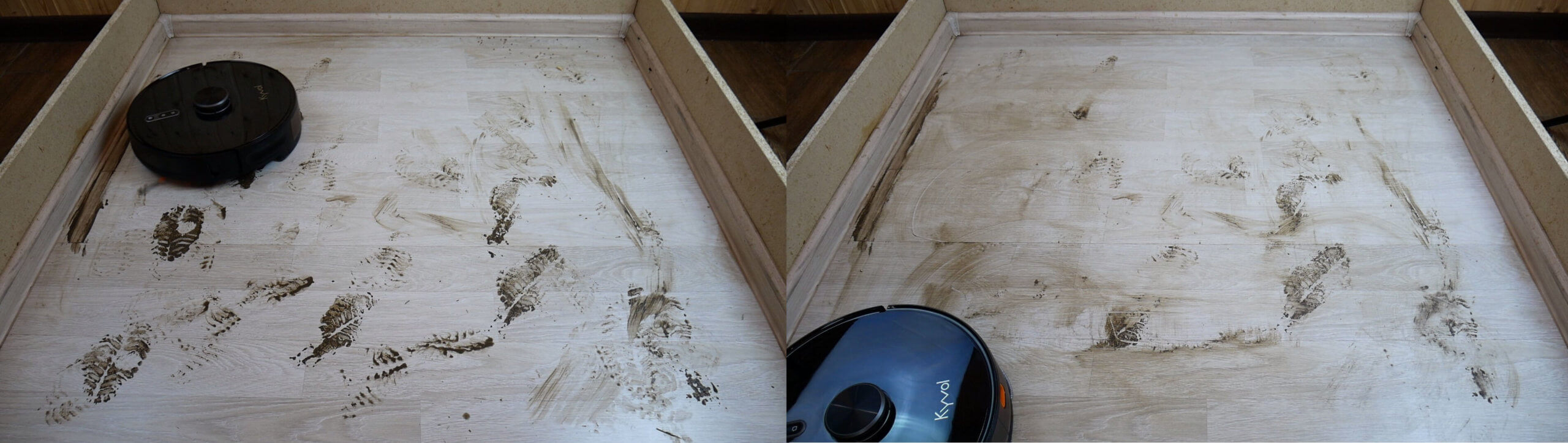
Wet cleaning
Overall, the design isn't very effective for everyday wet cleaning. The nozzle only covers 30-40 square meters and leaves barely visible marks on the floor. So if you're looking for a robot vacuum with self-cleaning and high-performance wet cleaning, the Kyvol Cybovac S31 isn't the best choice.
Obstacle clearance
This robot vacuum cleaner has good obstacle clearance. Without the wet cleaning attachment, it can easily navigate thresholds up to 20 mm high. This is a plus.
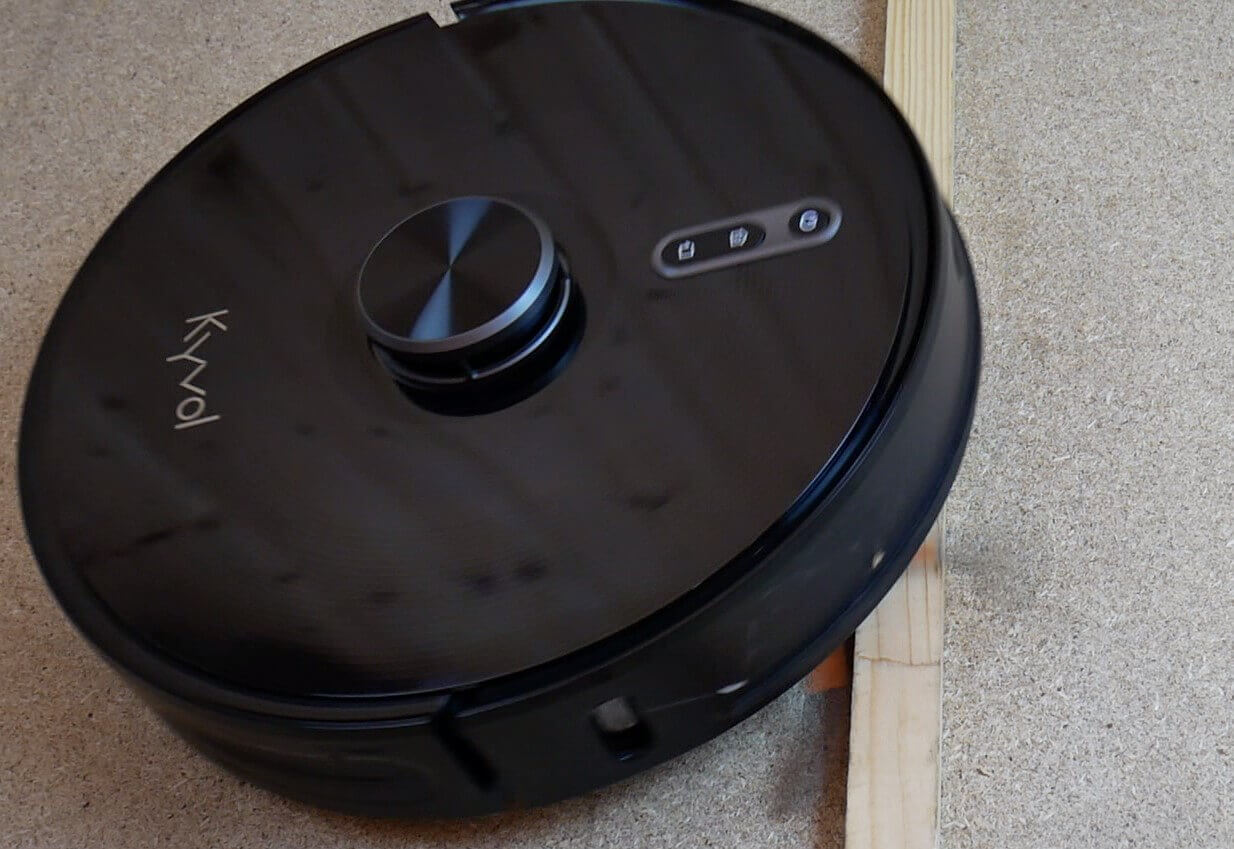
Obstacle clearance
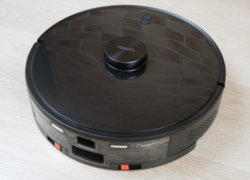
Driving on dark surfaces
However, the Kyvol Cybovac S31 is afraid of dark surfaces, recognizing them by differences in height, which is not very good.
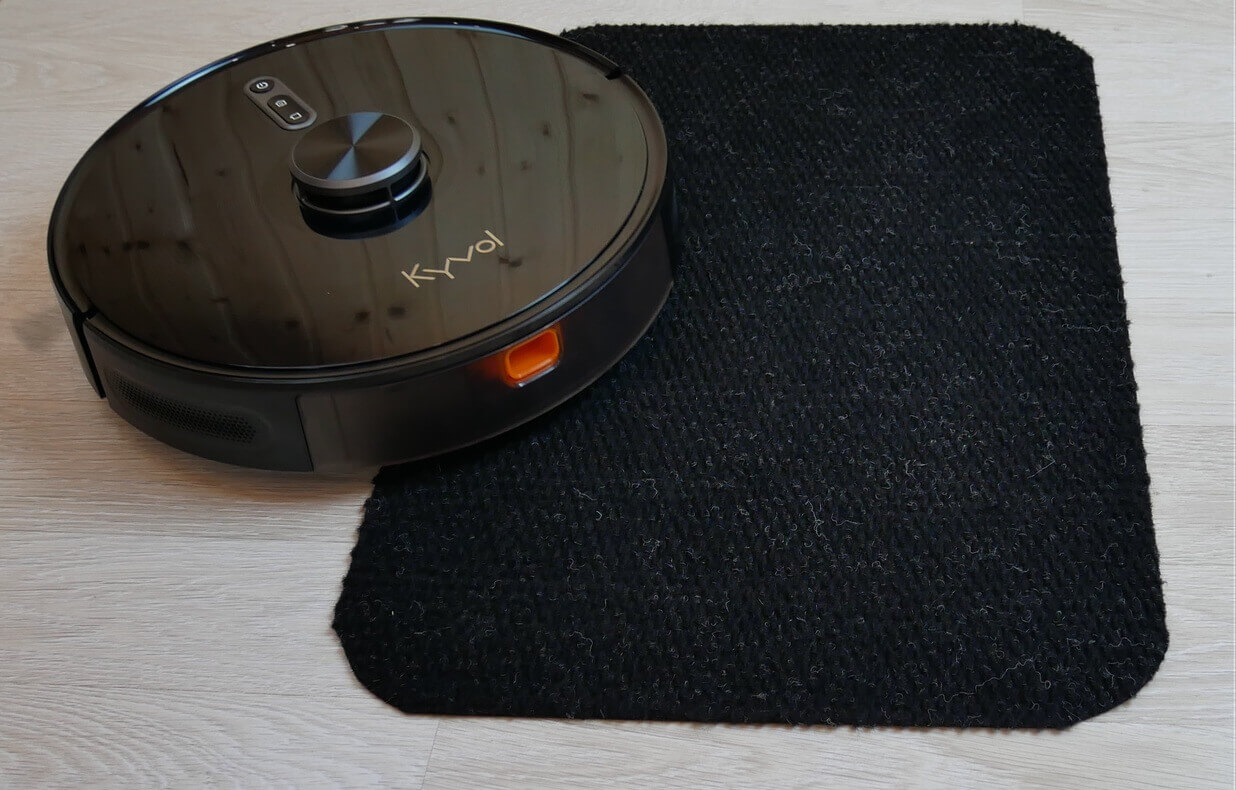
Driving on dark surfaces
Noise level
The noise level in floor cleaning mode is around 58 dB. At minimum suction power, it can reach 60 dB, in "Low" mode, the noise level reaches 64 dB, in "Standard" mode, the noise level is between 64-66 dB, and at maximum power, the peak noise level was 72.5 dB.
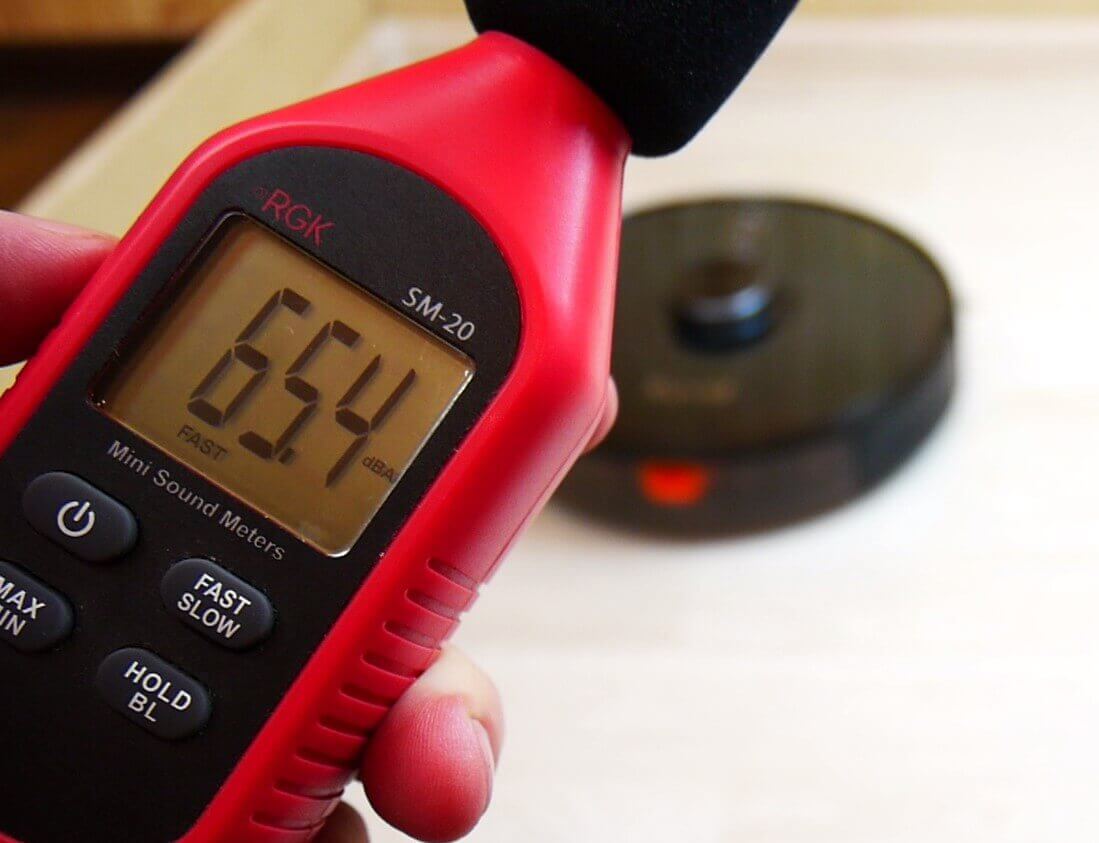
Noise level
Considering its relatively low suction power, the Kyvol Cybovac S31 is a bit noisy. However, at medium power, the noise level is quite standard for a robot vacuum.
Self-cleaning quality
Finally, at the request of my subscribers, I decided to test the self-cleaning performance of this robot vacuum. Even with a fully loaded dust bin, the robot struggles to empty the dust. I didn't manually stuff it in, but rather the debris the robot collected on the stand. The robot tried to self-clean several times, but it failed.
I manually removed some of the debris to make the task easier and see if the Kyvol Cybovac S31 could now self-clean. Even with the dust bin half full, it still failed, leaving some debris inside. Self-cleaning performance is poor compared to similar products.
Let's sum it up
Kyvol Cybovac S31 has been thoroughly reviewed and tested. our evaluation system he managed to gain 69 out of 100 pointsThe result is average, as are the robot's demonstrated capabilities. Overall rating of robots tested on robovac.washerhouse.com: https://robovac.washerhouse.com/en/rejtingi/robovac-obshhij-rejting-robotov-pylesosov-robo.html.
Speaking about the advantages of the robot in question, it is worth highlighting:
- Optimal price, considering the self-cleaning station included.
- Lidar for navigation.
- Control via app and remote control.
- The application provides all the important functions for automatically maintaining cleanliness in the house.
- Good equipment.
- The quality of dry cleaning is above average.
- The robot passes 2-centimeter thresholds.
- Yandex.Alice support.
As for the shortcomings, there are quite a few of them as well. The main ones I'd like to highlight are:
- Primitive wet cleaning function.
- Poor self-cleaning quality.
- The robot is afraid of dark floor coverings.
- In wet cleaning mode, Kyvol Cybovac S31 is not capable of self-cleaning.
- Increased noise when operating at maximum power.
So, considering all of the above, I can say that for the price, the robot is not bad, but it's far from the best, even considering the self-cleaning base included. The same Roidmi EVE Plus For the same price, it was implemented more successfully and performed better in some tests.
I'd like to end this review on that note. If you have any questions, please ask them in the comments. Happy shopping, everyone!
I watched the video review too late. I just bought it yesterday.
Hello. Could you please tell me if it's possible to set up notifications in at least Russian? Would something humorous be better?
How does it work? I also bought it today, kind of spontaneously. I was aiming for the Xiaomi.