Dreame Robot Vacuum Lock: What is it and what can you do? Proper setup before locking
Hello to all readers of the project! This publication will be especially useful for those who have already ordered a Chinese Dreame robot vacuum cleaner and learned about the recently launched total blocking of these devices. However, they haven't connected or configured anything yet. In this case, all is not lost, and you can configure the robot so that even after the blocking, you can use its functionality almost 100%. If your robot is blocked, perhaps some of the life hacks in the video will help expand its capabilities. In short, I'll explain what the regional blocking of Dreame robot vacuum cleaners is, discuss ways to mitigate it, and most importantly, how to perform the initial setup to squeeze maximum cleaning performance out of the robot, even when it's blocked in the app. So, let's get started!
What kind of blocking is this?
First, a quick word about blocking. The most important thing you need to understand is that regional blocking applies ONLY FOR CHINESE VERSIONS Dreame robotic vacuum cleaners. That is, those models designed EXCLUSIVELY for the Chinese market. I reviewed the series and models of robotic vacuum cleaners for the Chinese and global markets in a separate article: https://robovac.washerhouse.com/en/obzory/dreame/robovac-obzor-serij-robotov-pylesosov-dreame.htmlIf you ordered your Dreame robot vacuum from an authorized distributor in your country, or see the Global, EU version listed, this issue does not apply to you!
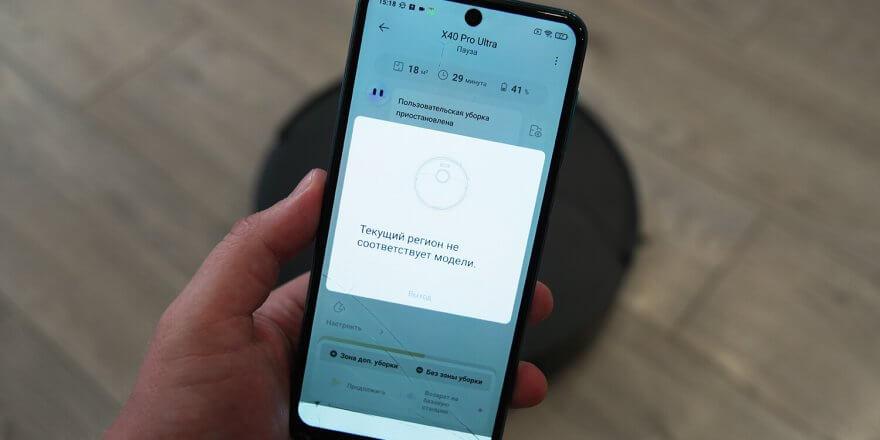
Now about the blocking itself. You install the app, connect the robot vacuum to the Wi-Fi network, linking the router, smartphone, and the robot itself. When you open the app, click on the added robot, a notification appears: "The current region does not match the model." This means there's no way to access the settings, and at the moment, you can't even use the buttons in the quick launch menu, such as starting an automatic cleaning or returning the robot to its station. Even control via Yandex.Alice isn't supported; at least, I couldn't give commands to the robot, even though I added it to Smart Home. Typically, the robot vacuum only responds to pressing the mechanical buttons on the body. In other words, it bricks itself, as they say.
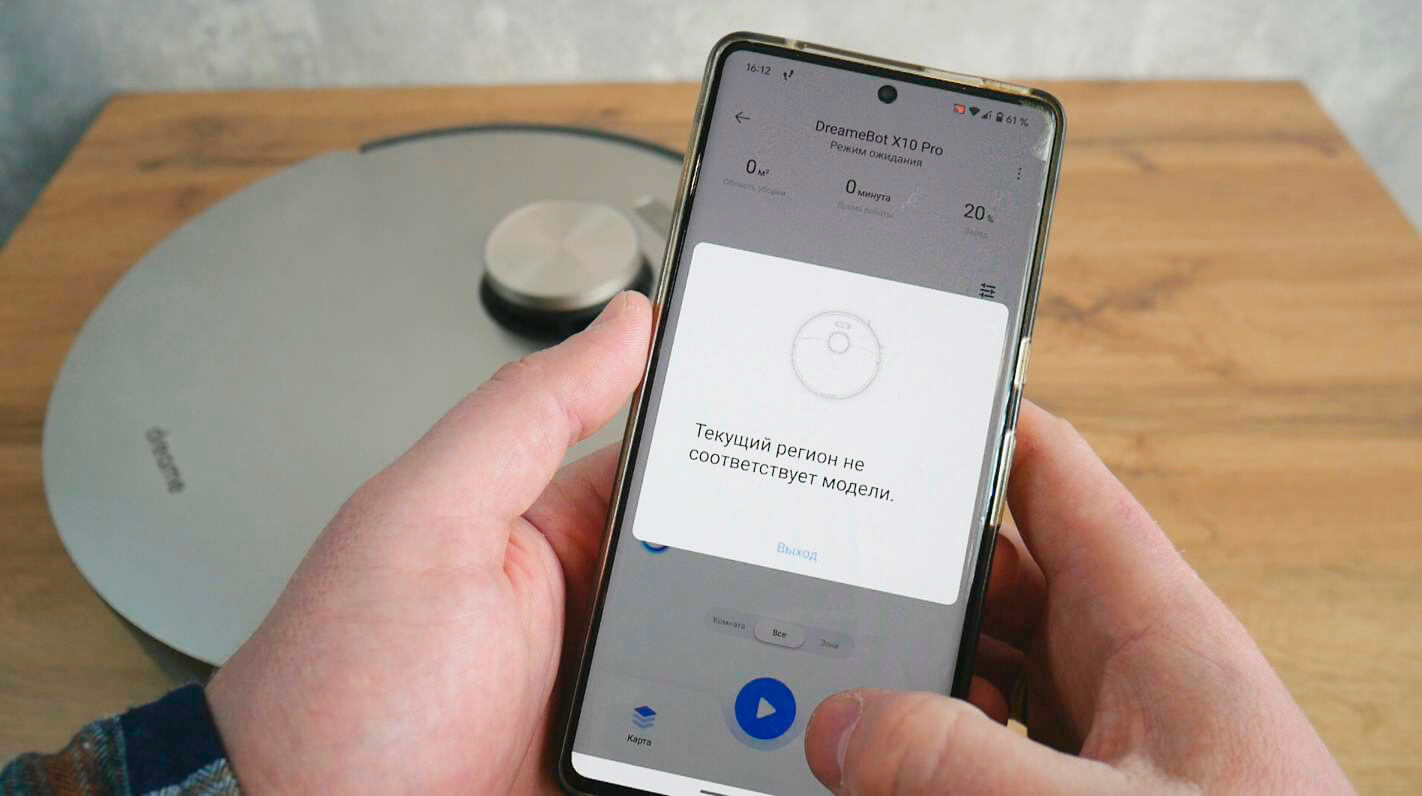
Regional lock for the Dreame robot vacuum cleaner
The blocking issue itself has been known since the first models for the Chinese market, both the X and S series. Initially, the blocking was rudimentary, and the workaround consisted of accessing the app in airplane mode, effectively disabling the protection. Company representatives investigated and fixed this issue. Later, they tightened the measures, requiring users to first bypass the protection by replacing their DNS with Chinese ones, then added the requirement for a Chinese account registered to a Chinese SIM card. Since September, neither a Chinese account, nor DNS replacement, nor even the use of various VPN services has prevented the insidious notification from appearing on the smartphone screen.
That is, at the time of writing this video, there are no effective ways to completely bypass regional blocking. At least, neither I nor the sellers of Chinese Dreame robots are aware of such methods.
The only saving grace for now is that, when configured correctly, the lockout isn't instantaneous. You have some time to activate all the features, so the robot will clean automatically from then on, leaving you with only the maintenance. Ideally, this is what proper robot vacuum operation should boil down to: maximum autonomy with minimal human intervention. That's if you're optimistic.
And now I’ll tell you how to set everything up correctly so that the robot you buy doesn’t turn into a brick.
Correct setting
So, as I mentioned, this method is suitable for those who haven't yet connected the robot to the app, and therefore it hasn't been blocked. In any case, you'll need a Chinese account and a Chinese DNS or VPN on your router. This will allow the app's security to access the settings menu.
I'll note that since blocking isn't instantaneous, the protection system initially accepts workarounds. But then, after a while. It might be overnight or in the morning, when the Dreame cloud database is updated, that's when the block arrives. Therefore, I recommend you set it up the way I did: at 8 a.m. Moscow time, the new Dreame X40 Pro Ultra was connected and worked fine until midnight Moscow time. Then I went to bed and saw a notification the next morning. Perhaps the protection update occurs when the robot vacuum is in standby mode for a long time. So, we connected it in the morning and immediately began setting it up.
Now let's get down to business. The robot vacuum is connected to the network. Open the app, click the plugin with the robot image. It loads, and you'll immediately be prompted to activate the main features. EVERYTHING MUST BE ENABLED! This includes the baseboard cleaning cloth, the corner brush, and, in the case of the X40 Pro Ultra, the auto-raise or, more accurately, auto-lowering lidar. If there are pets, select this option. You can do this without taking photos. VERY IMPORTANT: be sure to activate the smart voice assistant. This is the Dreame assistant built into the robot vacuum. It understands Chinese, but it's these phrases that will save you in many ways!
Next, you'll likely be prompted to update your firmware. This is MANDATORY to take advantage of all the new features discussed below. Older versions may not have some features. Additionally, firmware updates often fix bugs and improve cleaning algorithms. Updating the firmware won't speed up the unit, and vice versa—updating won't prevent you from being blocked. So I recommend updating immediately!
After that, press the button in the center to have the robot vacuum create a new map of the room. Once the map is created, we can quickly begin configuring the robot's functions. Here's what you need to do:
- Adjust the power and wetness level of the wipes. You can either configure general settings or set up a custom mode that will customize cleaning parameters for each room.
- In this section, be sure to set the optimal cleaning frequency for the cloths. For me, this is after each room cleaned, as my rooms are small. If your rooms are larger, it might make sense to set the cleaning frequency to every 10-15 square meters of cleaned area. The more frequently the robot cleans the cloths, the better the cleaning results.
- In the map editor, be sure to adjust room boundaries if necessary so that the automatic zoning matches the actual room boundaries. Also, make sure the rooms are named correctly: if it's a bedroom, then it's a bedroom. If it's a bathroom, then it's a bathroom. This is very important, and you'll see why later.
- If necessary, set up virtual walls and no-go zones where the robot should not enter for the rest of its life. It's unlikely you'll be able to add or remove no-go zones later.
- If you have Dreame X40 Pro Ultra or X40 ProYou can also install curtained areas if you have them. I'll show you how this works at the end of the video.
- It's a good idea to install multi-floor support so the robot can store multiple maps in its memory. Also, enable automatic map recognition. This way, you can use it in different rooms or on different floors, while preserving all the settings of your first map.
- You can also delve into the map editor and customize the room cleaning sequence, install thresholds if applicable, and other details. But that's not really important.
- Then click the three dots in the upper right corner and go to the main settings menu. Again, turn everything on at maximum. For carpet handling, I recommend selecting the automatic napkin lift mode. Or the option to remove the napkins at the station. Whichever is more convenient.
- For X40 Pro Ultra owners, I recommend selecting Extreme Coverage mode for floor cleaning. Otherwise, the lidar may not be able to hide in some situations.
- Automatic mop removal and installation is optional. For example, I prefer the automatic mop lift function. Laboratory functions are also optional, but it's best to enable them. It's a nice touch.
- Setting up MopExtend mode, also known as extending the cleaning cloth to the baseboard. Turn everything on to maximum. Be sure to select "High Performance" in the "Frequency" section.
- Setting up the base station. It's crucial to check everything here and make sure everything is configured to its maximum specifications. Automatic detergent mixing, deep cleaning of cloths, hot water wash, drying. Basically, everything you paid for.
- Intelligent obstacle avoidance. Again, set this to the highest settings. You can disable photo capture and photography in general. I enabled them for testing. Otherwise, since the Chinese are blocking robots, there's no need to help them learn.
- The voice assistant is one of the most important settings that MUST be enabled. It allows you to configure almost everything else in the menu. Also, make sure the proprietary DreameGPT neural network is enabled to recognize imprecise phrases.
- If you have a large cleaning area, be sure to enable the "Resume Cleaning" option in the "More Features" section so that the robot automatically resumes cleaning after charging at the station if the battery life is not enough for a full cleaning in one go.
You can also set up scheduled cleaning, so the robot vacuum will automatically clean at the time you set. I found this inconvenient, so I didn't enable it. However, if you've previously used scheduled cleaning, it will also increase the robot's battery life.
That's all the settings you need to make. After a while, the device will reset, and you won't be able to fix anything. Don't try resetting the settings or resetting the Wi-Fi. This won't help; it will only reset your existing settings.
Voice assistant – salvation when blocked
I'd like to give special attention to the signature voice assistant. It's worth the emphasis. After all, it will be your lifesaver. The built-in "Okay, Dreame" assistant understands phrases in Chinese. These include things like "start cleaning," "start mopping," "increase suction power," "decrease mop wetness," and so on.
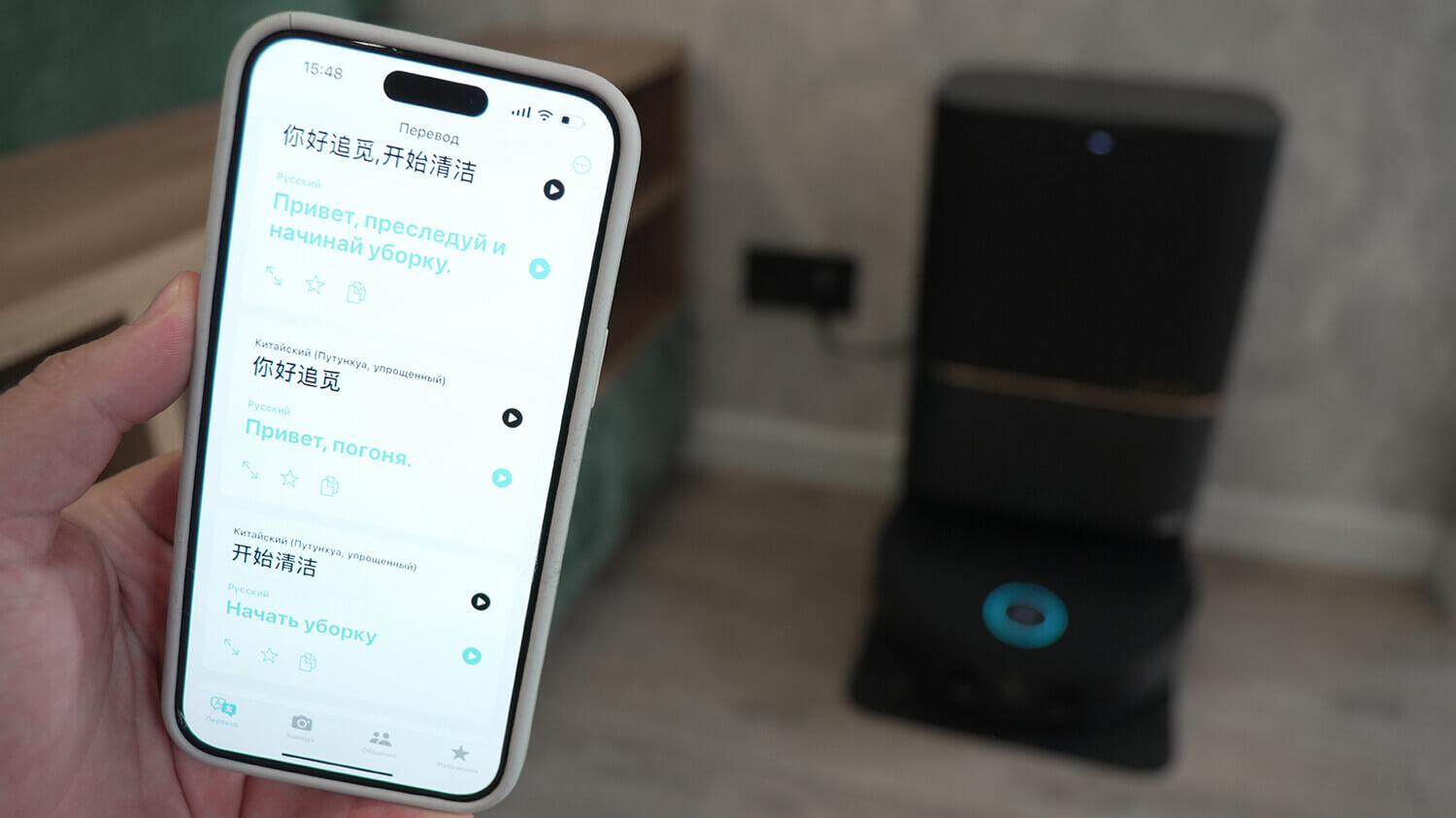
Control via voice assistant Ok Dreame
Partial list of phrases (most popular):
你好追觅,开始清洁 - start cleaning
你好追觅,开始扫拖 - start sweeping and washing the floor
你好追觅,开始拖地 - start washing the floor
你好追觅,开始扫地 - start sweeping the floor
你好追觅,开始建图 - start creating a map
你好追觅,暂停(任务) - pause (tasks)
你好追觅,继续(任务) - continue (task)
你好追觅,返回充电 - return for recharging
你好追觅,结束(任务) - finish (task)
你好追觅,开始集尘 — start cleaning the container from dust at the station
你好追觅,开始洗拖布 - start washing the mop at the station
你好追觅, 退出基站 - leave the base station
你好追觅,开始烘干 - start drying rags
你好追觅,开始清洁基站底盘 - cleaning the base station
你好追觅,切换为标准吸力 - switch to standard suction
你好追觅,增大减小 - increase suction power
你好追觅,减小吸力 - reduce suction power
你好追觅,拖布湿度切换为偏干 - switch mop humidity to dry
你好追觅,增加拖布湿度 - increase the humidity of the mop
你好追觅,减小拖布湿度 - reduce the humidity of the mop
你好追觅,增加/减小音量 - increase, decrease volume
你好追觅,音量最大/最小 — maximum, minimum volume
你好追觅,音量调节至80 — set the volume to 80
You can record them on a voice recorder and play them back through the translator. You can use the translator every time. You can memorize phrases and pronounce them to the robot yourself. But all this must be done while standing close to the robot, since its "ear-microphones" are built into the body. It only hears commands when it's close. At least you'll be able to not only start the robot without pressing a button, i.e., without bending over, but also adjust basic settings.
The coolest idea I've heard is integrating voice commands recorded in Chinese into the Smart Home system with Alice. To do this, you need a branded Alice speaker. Place it near the robot. Create a scenario in which Alice plays the desired phrases, or rather soundtracks, the robot hears them and starts cleaning. It's a kind of voice control that will allow you to remotely start the robot vacuum.
Incidentally, this solution is likely also suitable for those who didn't have time to fully configure the robot and were blocked. Or for those who were unaware of the block and were using the robot and now need to change something in the settings. The main thing is to ensure that the voice activation isn't manually disabled, as it's enabled by default.
I'd say checkmate, Dreamy engineers. But I'm afraid there's a chance this solution will be blocked too. Anyway, use it before it's too late!
How does a locked robot vacuum work?
Finally, I recommend checking out my example of using a blocked Dreame X40 Pro Ultra. In my case, the app also locked.
Watch the video from 11:29:
In short, in Turbo Mode, it vacuums and mops the floor simultaneously, returns to the station after each room to wash the wipes in hot water, automatically mixes in the detergent, sweeps corners, and mops the floor right up to the baseboards, crawling its back end under furniture and doors. It also COMPLETELY cleans behind curtains, carefully navigates around floor objects, hides the lidar when driving under low furniture, and lifts the wipes when driving onto carpets. After all this, it automatically returns to the station, self-cleans, washes the wipes, and dries them with hot air. How about this brick?! Did those gloating ones eat it?
That's all I wanted to say about the blocking. It's a shame the company took such a measure. I think it's too drastic, because, firstly, this level of blocking wasn't initially implemented, but was added later, and those who had been using the robot normally for over a year were affected. Secondly, the company itself didn't provide any warning on its official resources, and many customers simply weren't aware such a blocking existed. After all, many people use Chinese robots like Xiaomi Mijia, Ecovacs, and other brands without any problems. But we have what we have, and I hope that new, effective ways to bypass regional restrictions will emerge in the future. This isn't to recommend new products, but to ensure that owners of Chinese devices can continue to use what they've long paid for.
On that note, I'd like to end this review. If you have any questions, please ask them in the comments. Happy shopping, everyone. Bye!